about:tracing, Chrome Devtools timeline, IE UI Responsiveness tab, Xperf, etc.Read more on why browser-perf here.
Please see the wiki pages for more information. You can find information about supported browsers, getting started, command line usage, reference for the Node API etc.
Install the tool using npm install -g browser-perf and then run
$ browser-perf http://yourwebsite.com --browsers=chrome,firefox --selenium=ondemand.saucelabs.com --username=username --accesskey=accesskey
ondemand.saucelabs.com with localhost:4444/wd/hubondemand.saucelabs.com with hub.browserstack.comSee the wiki page for an extensive list of command line options and more usage scenarios.
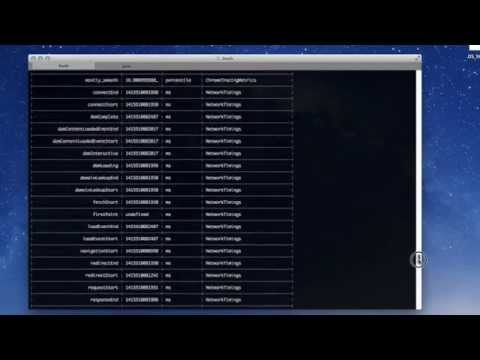
Here is a video of the command line usage
browser-perf is also a node module and has the following API
var browserPerf = require('browser-perf');
browserPerf('/*URL of the page to be tested*/', function(err, res) {
	// res - array of objects. Metrics for this URL
	if (err) {
		console.log('ERROR: ' + err);
	} else {
		console.log(res);
	}
}, {
	selenium: 'http://localhost:4444/wd/hub',
	browsers: ['chrome', 'firefox']
	username: SAUCE_USERNAME // if running tests on the cloud
});
See the API wiki page for more details on configuring. Instructions on using it for Cordova apps is also on the wiki
Licensed under BSD-2 Clause. See License.txt for more details
Please ping me if you would need help setting this up.
Overall
Maintained
Code review
npm
Latest release
Releases this year
2,334 followers · starred Nov 2014
2,261 followers · starred Jun 2015
25,140 followers · starred Aug 2016
5,054 followers · starred Mar 2015
about:tracing, Chrome Devtools timeline, IE UI Responsiveness tab, Xperf, etc.Read more on why browser-perf here.
Please see the wiki pages for more information. You can find information about supported browsers, getting started, command line usage, reference for the Node API etc.
Install the tool using npm install -g browser-perf and then run
$ browser-perf http://yourwebsite.com --browsers=chrome,firefox --selenium=ondemand.saucelabs.com --username=username --accesskey=accesskey
ondemand.saucelabs.com with localhost:4444/wd/hubondemand.saucelabs.com with hub.browserstack.comSee the wiki page for an extensive list of command line options and more usage scenarios.
Here is a video of the command line usage
browser-perf is also a node module and has the following API
var browserPerf = require('browser-perf');
browserPerf('/*URL of the page to be tested*/', function(err, res) {
	// res - array of objects. Metrics for this URL
	if (err) {
		console.log('ERROR: ' + err);
	} else {
		console.log(res);
	}
}, {
	selenium: 'http://localhost:4444/wd/hub',
	browsers: ['chrome', 'firefox']
	username: SAUCE_USERNAME // if running tests on the cloud
});
See the API wiki page for more details on configuring. Instructions on using it for Cordova apps is also on the wiki
Licensed under BSD-2 Clause. See License.txt for more details
Please ping me if you would need help setting this up.
Overall
Maintained
Code review
npm
Latest release
Releases this year
2,334 followers · starred Nov 2014
2,261 followers · starred Jun 2015
25,140 followers · starred Aug 2016
5,054 followers · starred Mar 2015