
Computer use for about $0.0002 a step: OCR the screen, classify the next action with TypeSafe, click. macOS.
Python
48
16 commits
updated Sep 16, 2026
README
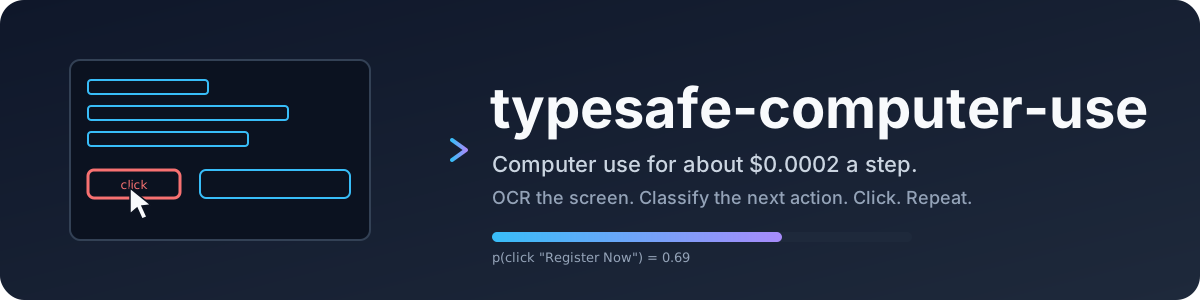






typesafe-computer-use drives a Mac toward a goal you type in plain English, for about a fiftieth of a cent per step. It never sends a screenshot to a big model. Instead it reads the screen deterministically, asks a small classifier which action comes next, and only calls a writing model when a text field genuinely needs free text.
clicker "go to techcrunch and take me to the checkout page for the cheapest tickets to their next upcoming event" --act
Why
Frontier-model computer use is capable and expensive: every step ships a screenshot and waits several seconds for a plan. Most steps do not need a plan. They need one choice from a short list, made quickly and cheaply, with a confidence number you can gate on.
TypeSafe sells exactly that: a decision model that answers
a Choice over up to 255 options with a full probability distribution and a calibrated
confidence, in a few hundred milliseconds, with free output tokens. This project is a
computer-use loop built around it.
Measured on the same screenshot and goal, one decision each:
| typesafe (jev) | Claude Opus 5, bare screenshot | multiplier | |
|---|---|---|---|
| input tokens | 4,882 | 4,785 | same |
| cost per decision | $0.0002 | $0.032 | 155x cheaper |
| cost per decision, realistic loop with history | $0.0002 | $0.035 to $0.08 | 170x to 390x cheaper |
| cost per 12-step task | $0.003 | $0.40 to $0.90 | 130x to 300x cheaper |
| model latency | 0.13 to 0.38 s | 5.2 s | 14x to 40x faster |
| end-to-end step, with capture and OCR | about 1.5 s | about 5.5 s | 3.7x faster |
The honest caveat: the big model read the event dates off the pixels and compared them unaided. The classifier needed the date parsing described below. Every piece of reasoning the frontier model does for free has to be rebuilt here as deterministic state.
Install
macOS 14 or newer, Python 3.12 or newer, uv.
git clone https://github.com/awlevin/typesafe-computer-use
cd typesafe-computer-use
uv sync
cp .env.example .env     # fill in the keys
| variable | required | purpose |
|---|---|---|
TYPESAFE_API_KEY | yes | every decision |
ANTHROPIC_API_KEY | no | type_text and writer-proposed URLs |
CLICKER_EMAIL | no | enables the type_email action |
CLICKER_BROWSER | no | defaults to Google Chrome |
CLICKER_WRITER_MODEL | no | defaults to claude-haiku-4-5 |
Grant your terminal Screen Recording and Accessibility in System Settings >
Privacy & Security. Without the first, captures are wallpaper. Without the second,
synthetic clicks are silently dropped, and --act refuses to start.
Use
uv run clicker "open the Playground"                 # dry run: one step, prints what it would do
uv run clicker "open the Playground" --act           # drives the machine, up to 12 steps
uv run clicker "log in" --act --steps 20 --delay 3   # longer and slower
uv run clicker-inspect "any goal"                    # 3-2-1, capture, open the annotated screen + payload
Clear the terminal first. It is on screen, so its text is OCR input.
Stopping a live run. Ctrl-C when the terminal has focus, or slam the mouse into the
top-left corner of the screen from any app. The loop also stops itself on done or
none, on confidence under --min-confidence (0.4), after two consecutive no-ops, or
at --steps.
How a step works
screencapture ─► Vision OCR ─► merge lines into blocks ─► drop lines echoing the goal
                     │
accessibility ─► focused field (role, label, placeholder, value, frame)
AppleScript   ─► frontmost app, active tab URL
clock         ─► local date and time
dates.py      ─► "dated 2026-10-13 (in 27 days)" on any block containing a date,
                 "near a line dated ..." on its neighbours
                     │
                     ▼
        one TypeSafe request, three Choices
        ┌──────────────────────────────────────────────────────┐
        │ kind  : click_item | open_site | type_text | scroll… │
        │ item  : which OCR block (used only for click_item)   │
        │ site  : which catalog site (used only for open_site) │
        └──────────────────────────────────────────────────────┘
                     │
                     ▼
        deterministic action ─► wait ─► next step
Splitting the decision into three questions keeps screen noise out of the action choice. Every stall found while building this came from two options that meant the same thing. Confidence measures concentration, so overlapping options always read as doubt. Keep the action set mutually exclusive.
Action space
| key | does |
|---|---|
click_item | click the center of the chosen OCR block, converted from Retina pixels to points |
open_site | AppleScript open location for a SITES catalog entry, or a URL the writer proposes |
switch_to_browser | bring the browser forward to continue with a page already open there |
type_text | the writer composes the string; a TypeSafe Noul then checks the field's value |
type_email | types $CLICKER_EMAIL; refused unless a text field is focused |
press_enter, press_escape | keyboard |
scroll_down, scroll_up | 10 lines, after parking the cursor over the frontmost window |
wait | screen still loading |
done, none | stop |
Where free text comes from
The classifier never generates text. The writer model runs in two places, each with a small packet and a structured reply:
type_textreceives the goal, recent actions, the focused field's label and placeholder, and the OCR lines near the field. It returns{fill, text}. Credential fields come backfill: falseand nothing is typed. After typing, a Noul scores whether the field now holds a sensible value. Under 0.5 the field is cleared.open_sitewith no catalog match receives the goal and returns{ok, url}. Code rejects anything that is not a clean https URL with a hostname.
Passwords are never typed. Rely on the browser's password manager or an SSO button the OCR can read.
Run folder
Every run writes runs/<timestamp>/ so a stall can be replayed and fixed offline:
| file | contents |
|---|---|
run.log, run.json | everything printed; goal, outcome, seconds, every action, config |
step-NN-raw.png | the capture |
step-NN.png | OCR blocks numbered in blue, the chosen one red, the focused field green |
step-NN-payload.txt | the exact state and criteria sent to TypeSafe, then every block with box, click point, confidence |
step-NN-answers.json | every probability the classifier returned |
Replay a saved capture as if it were live, without touching the screen:
uv run clicker "same goal" --image runs/<ts>/step-03-raw.png --app "Google Chrome" --url "https://example.com/"
Layout
typesafe_computer_use/
  macos.py        the only module that touches Quartz, AX, AppleScript   (platform adapter)
  perception.py   capture, OCR, block merging, goal-echo filter
  dates.py        date parsing and "in N days" hints
  decide.py       state, criteria, the three-Choice request, the Noul check
  writer.py       the writer model, structured replies, URL validation
  actions.py      one handler per action, each returning a history line
  runner.py       the step loop, run folder, stop rules
  report.py       logging, annotated screenshots, payload dump
  cli.py          `clicker` and `clicker-inspect`
tests/            pure logic: dates, merging, reading order, echo filter, config, decisions
A Linux port replaces macos.py with xdotool and AT-SPI, and swaps Vision OCR for
PaddleOCR or RapidOCR. Nothing else knows the platform.
Known limits
- OCR only sees text. Icon-only buttons and text over photos are invisible or garbled.
- Two identical labels get only a coarse region hint and split the vote.
- Only the main display is captured.
- Using the machine during an
--actrun fights it for focus and the cursor. - The site catalog is small on purpose; the writer covers the rest.
Development
uv run ruff check . && uv run ruff format --check .
uv run pytest -q
CI runs the same on macOS. See CONTRIBUTING.md.
License
Contributors

16 commits
See what people are saying
Similar repos


Languages
Python
100.0%
Computer use for about $0.0002 a step: OCR the screen, classify the next action with TypeSafe, click. macOS.
Python
48
16 commits
updated Sep 16, 2026
README
typesafe-computer-use drives a Mac toward a goal you type in plain English, for about a fiftieth of a cent per step. It never sends a screenshot to a big model. Instead it reads the screen deterministically, asks a small classifier which action comes next, and only calls a writing model when a text field genuinely needs free text.
clicker "go to techcrunch and take me to the checkout page for the cheapest tickets to their next upcoming event" --act
Why
Frontier-model computer use is capable and expensive: every step ships a screenshot and waits several seconds for a plan. Most steps do not need a plan. They need one choice from a short list, made quickly and cheaply, with a confidence number you can gate on.
TypeSafe sells exactly that: a decision model that answers
a Choice over up to 255 options with a full probability distribution and a calibrated
confidence, in a few hundred milliseconds, with free output tokens. This project is a
computer-use loop built around it.
Measured on the same screenshot and goal, one decision each:
| typesafe (jev) | Claude Opus 5, bare screenshot | multiplier | |
|---|---|---|---|
| input tokens | 4,882 | 4,785 | same |
| cost per decision | $0.0002 | $0.032 | 155x cheaper |
| cost per decision, realistic loop with history | $0.0002 | $0.035 to $0.08 | 170x to 390x cheaper |
| cost per 12-step task | $0.003 | $0.40 to $0.90 | 130x to 300x cheaper |
| model latency | 0.13 to 0.38 s | 5.2 s | 14x to 40x faster |
| end-to-end step, with capture and OCR | about 1.5 s | about 5.5 s | 3.7x faster |
The honest caveat: the big model read the event dates off the pixels and compared them unaided. The classifier needed the date parsing described below. Every piece of reasoning the frontier model does for free has to be rebuilt here as deterministic state.
Install
macOS 14 or newer, Python 3.12 or newer, uv.
git clone https://github.com/awlevin/typesafe-computer-use
cd typesafe-computer-use
uv sync
cp .env.example .env     # fill in the keys
| variable | required | purpose |
|---|---|---|
TYPESAFE_API_KEY | yes | every decision |
ANTHROPIC_API_KEY | no | type_text and writer-proposed URLs |
CLICKER_EMAIL | no | enables the type_email action |
CLICKER_BROWSER | no | defaults to Google Chrome |
CLICKER_WRITER_MODEL | no | defaults to claude-haiku-4-5 |
Grant your terminal Screen Recording and Accessibility in System Settings >
Privacy & Security. Without the first, captures are wallpaper. Without the second,
synthetic clicks are silently dropped, and --act refuses to start.
Use
uv run clicker "open the Playground"                 # dry run: one step, prints what it would do
uv run clicker "open the Playground" --act           # drives the machine, up to 12 steps
uv run clicker "log in" --act --steps 20 --delay 3   # longer and slower
uv run clicker-inspect "any goal"                    # 3-2-1, capture, open the annotated screen + payload
Clear the terminal first. It is on screen, so its text is OCR input.
Stopping a live run. Ctrl-C when the terminal has focus, or slam the mouse into the
top-left corner of the screen from any app. The loop also stops itself on done or
none, on confidence under --min-confidence (0.4), after two consecutive no-ops, or
at --steps.
How a step works
screencapture ─► Vision OCR ─► merge lines into blocks ─► drop lines echoing the goal
                     │
accessibility ─► focused field (role, label, placeholder, value, frame)
AppleScript   ─► frontmost app, active tab URL
clock         ─► local date and time
dates.py      ─► "dated 2026-10-13 (in 27 days)" on any block containing a date,
                 "near a line dated ..." on its neighbours
                     │
                     ▼
        one TypeSafe request, three Choices
        ┌──────────────────────────────────────────────────────┐
        │ kind  : click_item | open_site | type_text | scroll… │
        │ item  : which OCR block (used only for click_item)   │
        │ site  : which catalog site (used only for open_site) │
        └──────────────────────────────────────────────────────┘
                     │
                     ▼
        deterministic action ─► wait ─► next step
Splitting the decision into three questions keeps screen noise out of the action choice. Every stall found while building this came from two options that meant the same thing. Confidence measures concentration, so overlapping options always read as doubt. Keep the action set mutually exclusive.
Action space
| key | does |
|---|---|
click_item | click the center of the chosen OCR block, converted from Retina pixels to points |
open_site | AppleScript open location for a SITES catalog entry, or a URL the writer proposes |
switch_to_browser | bring the browser forward to continue with a page already open there |
type_text | the writer composes the string; a TypeSafe Noul then checks the field's value |
type_email | types $CLICKER_EMAIL; refused unless a text field is focused |
press_enter, press_escape | keyboard |
scroll_down, scroll_up | 10 lines, after parking the cursor over the frontmost window |
wait | screen still loading |
done, none | stop |
Where free text comes from
The classifier never generates text. The writer model runs in two places, each with a small packet and a structured reply:
type_textreceives the goal, recent actions, the focused field's label and placeholder, and the OCR lines near the field. It returns{fill, text}. Credential fields come backfill: falseand nothing is typed. After typing, a Noul scores whether the field now holds a sensible value. Under 0.5 the field is cleared.open_sitewith no catalog match receives the goal and returns{ok, url}. Code rejects anything that is not a clean https URL with a hostname.
Passwords are never typed. Rely on the browser's password manager or an SSO button the OCR can read.
Run folder
Every run writes runs/<timestamp>/ so a stall can be replayed and fixed offline:
| file | contents |
|---|---|
run.log, run.json | everything printed; goal, outcome, seconds, every action, config |
step-NN-raw.png | the capture |
step-NN.png | OCR blocks numbered in blue, the chosen one red, the focused field green |
step-NN-payload.txt | the exact state and criteria sent to TypeSafe, then every block with box, click point, confidence |
step-NN-answers.json | every probability the classifier returned |
Replay a saved capture as if it were live, without touching the screen:
uv run clicker "same goal" --image runs/<ts>/step-03-raw.png --app "Google Chrome" --url "https://example.com/"
Layout
typesafe_computer_use/
  macos.py        the only module that touches Quartz, AX, AppleScript   (platform adapter)
  perception.py   capture, OCR, block merging, goal-echo filter
  dates.py        date parsing and "in N days" hints
  decide.py       state, criteria, the three-Choice request, the Noul check
  writer.py       the writer model, structured replies, URL validation
  actions.py      one handler per action, each returning a history line
  runner.py       the step loop, run folder, stop rules
  report.py       logging, annotated screenshots, payload dump
  cli.py          `clicker` and `clicker-inspect`
tests/            pure logic: dates, merging, reading order, echo filter, config, decisions
A Linux port replaces macos.py with xdotool and AT-SPI, and swaps Vision OCR for
PaddleOCR or RapidOCR. Nothing else knows the platform.
Known limits
- OCR only sees text. Icon-only buttons and text over photos are invisible or garbled.
- Two identical labels get only a coarse region hint and split the vote.
- Only the main display is captured.
- Using the machine during an
--actrun fights it for focus and the cursor. - The site catalog is small on purpose; the writer covers the rest.
Development
uv run ruff check . && uv run ruff format --check .
uv run pytest -q
CI runs the same on macOS. See CONTRIBUTING.md.
License
See what people are saying
Similar repos
Contributors
16 commits
Languages
Python
100.0%