Pydoll is a library for automating chromium-based browsers without a WebDriver, offering realistic interactions.
See the code
Browser automation for Python over raw CDP.
No WebDriver, no driver process, sync or async, and your Playwright scripts run on it with one import.




Documentation · Quick start · Playwright · Features · Support
[!NOTE] Pydoll 3 is here. This release brings a synchronous API, a Playwright-compatible layer you enable with one import, new waiting methods and a faster core. It also comes with a few breaking changes, so read the upgrade guide before bumping. We want to hear how it goes: share what works and what breaks in issue #463.
|
SerpApi Web Search API for your AI apps. Available in Markdown and JSON for any integration. |
|
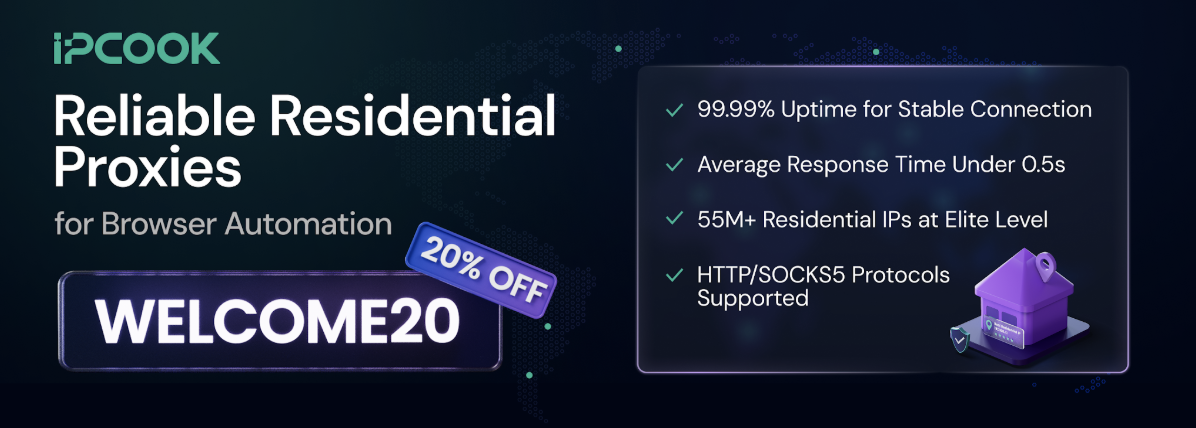
IPcook Residential proxies for stealth browser automation: 55M+ IPs in 185+ locations, rotating & sticky sessions, city-level targeting, HTTP & SOCKS5, 99.99% uptime, sub-0.5s responses, pay-as-you-go traffic that never expires. Use WELCOME20 for 20% off.
|
|
The Web Scraping Club The #1 newsletter dedicated to web scraping. Read their full, independent review of Pydoll. |

|
NodeMaven The most efficient proxy provider for web scraping and automation: ZIP targeting, 99.9% uptime, filtered high-quality IPs, no KYC. Use PYDOLL35 for 35% off Mobile & Residential, or PYDOLL40 for 40% off ISP (Static) proxies.
|
|
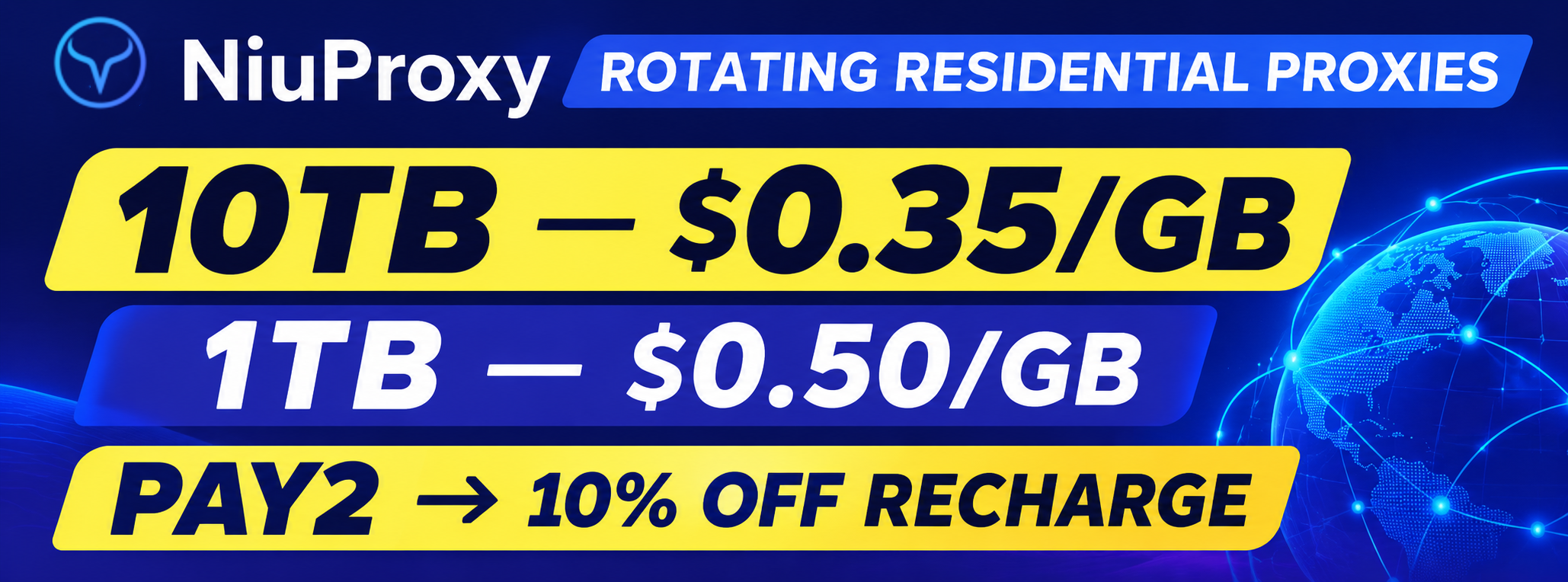
NiuProxy Rotating residential proxies with a special deal for Pydoll users: 10TB at $0.35/GB or 1TB at $0.50/GB. Use PAY2 for 10% off your recharge.
|

PYDOLL 15% off
|

1GB free via our link |

AI-native testing cloud |

Proxies for automation |
➕ Your logo here
Become a sponsor |
Learn more about our sponsors · Become a sponsor
Pydoll drives the Chrome or Edge already on your machine over the DevTools Protocol. There is no WebDriver binary and no driver process between your code and the browser, so the usual automation markers (navigator.webdriver, --enable-automation, Runtime.enable) are never there to begin with. It clicks, types and scrolls like a person, applies coherent fingerprint profiles, handles Cloudflare Turnstile, and extracts typed data from the page. The API comes in a synchronous and an asynchronous form, and an existing Playwright script runs on it by changing one import.
navigator.webdriver flag, no version-matching, and no stealth fork to keep up to date.tab.apply_fingerprint(): User-Agent, Client Hints, navigator, WebGL, canvas, screen, fonts, timezone and locale, all aligned. The overrides survive toString and prototype introspection and propagate into Web Workers, so lie-detection checks like CreepJS's don't flag them.from pydoll import Chrome gives you the asyncio API, from pydoll.sync import Chrome the blocking one, with the same names, methods and defaults. Type-checked with mypy, full IDE autocompletion.get_by_role, auto-waiting, routes, dialogs and downloads keep their semantics, on Pydoll's connection.find(), query() and click() inside them.tab.extract_all(), and get typed, validated objects back.[!NOTE] A word from the maintainer. Pydoll is maintained by one person, and I'm a bit stretched at the moment, so new releases and replies to issues may take longer than usual. The project is not dead and it is not going anywhere; development continues at a calmer pace for now.
A goal to aim for: once the project reaches 10k stars, I plan to ship Firefox support, a large piece of work that opens up a whole new range of possibilities. If you'd like to see it happen, that's the push it needs.
pip install pydoll-python
Python 3.10 or newer, and Google Chrome or Microsoft Edge installed. No WebDriver, no browser download, no Node.
Open a page, find elements by how you'd describe them to a person, and interact with humanized timing:
import asyncio

from pydoll import Chrome, Key

async def google_search(query: str):
    async with Chrome() as browser:
        tab = await browser.start()
        await browser.set_window_maximized()
        await tab.go_to('https://www.google.com')

        search_box = await tab.find(tag_name='textarea', name='q')
        await search_box.type_text(query, humanize=True)
        await tab.keyboard.press(Key.ENTER)

        first_result = await tab.find(tag_name='h3', text='autoscrape-labs/pydoll', timeout=10)
        await first_result.click(humanize=True)
        await asyncio.sleep(5)
        print(f"Page loaded: {await tab.title()}")

asyncio.run(google_search('pydoll site:github.com'))
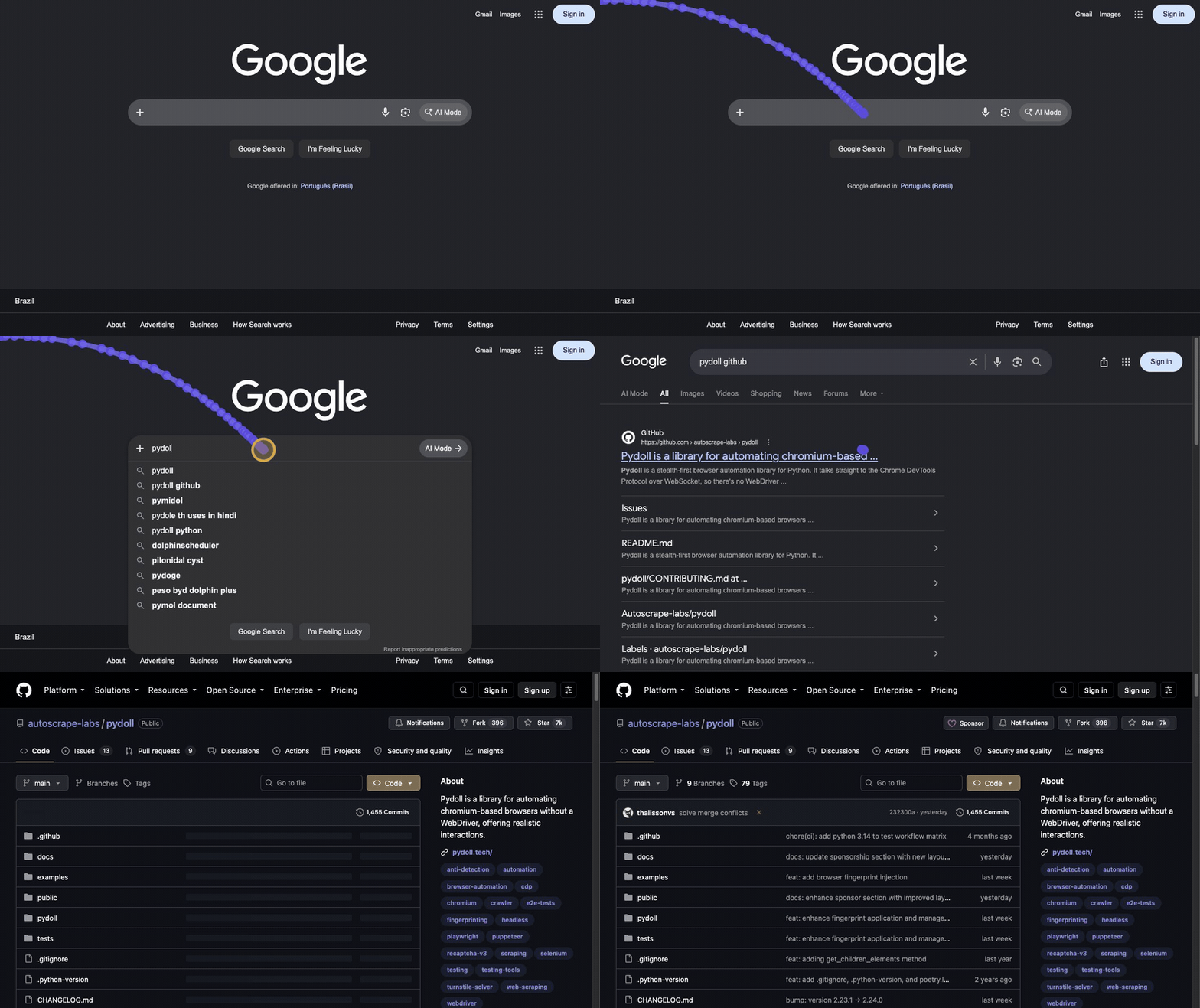
The same script without async: import from pydoll.sync and drop the awaits. The sync API is generated from the async one, so it never lags behind, and callbacks still work.
from pydoll.sync import Chrome, Key

with Chrome() as browser:
    tab = browser.start()
    tab.go_to('https://www.google.com')

    tab.find(tag_name='textarea', name='q').type_text('pydoll site:github.com', humanize=True)
    tab.keyboard.press(Key.ENTER)

    tab.find(tag_name='h3', text='autoscrape-labs/pydoll', timeout=10).click(humanize=True)
    print(f"Page loaded: {tab.title()}")
When the goal is data rather than interaction, define a model and let Pydoll extract it, typed and validated:
import asyncio

from pydoll import Chrome, ExtractionModel, Field

class Quote(ExtractionModel):
    text: str = Field(selector='.text')
    author: str = Field(selector='.author')
    tags: list[str] = Field(selector='.tag')

async def main():
    async with Chrome() as browser:
        tab = await browser.start()
        await tab.go_to('https://quotes.toscrape.com')

        quotes = await tab.extract_all(Quote, scope='.quote', timeout=5)
        for quote in quotes:
            print(f'{quote.author}: {quote.text}')

asyncio.run(main())
Getting started takes you from an empty folder to a working script; every example in the docs has a Sync and an Async tab.
Keep your script. Change one import and it runs on Pydoll's CDP connection, with Pydoll's stealth underneath.
from pydoll.playwright.sync_api import sync_playwright  # was: from playwright.sync_api import sync_playwright

with sync_playwright() as p:
    browser = p.chromium.launch()
    page = browser.new_page()
    page.goto('https://quotes.toscrape.com/login')

    page.get_by_label('Username').fill('john')
    page.locator('#password').fill('SecretPass123')
    page.get_by_role('button', name='Login').click()
    page.wait_for_url('**/')
    print(page.get_by_role('link', name='Logout').is_visible())
    browser.close()
pydoll.playwright.async_api is the async flavor. The layer covers the browser automation surface: Playwright, Browser, BrowserContext, Page, Frame, Locator, ElementHandle, Keyboard, Mouse, routes, dialogs and downloads. expect() assertions, fixtures, tracing and the test runner are out of scope. When you need what Playwright can't do, page.tab is the Pydoll Tab underneath:
with page.tab.expect_cloudflare_turnstile():
    page.goto('https://site-with-turnstile.com')
Bring your Playwright script is the walkthrough; Playwright API is the full compatibility matrix.
Pydoll can also make the browser report a different identity. tab.apply_fingerprint() overrides the surface that fingerprinting scripts read (User-Agent and Client Hints, navigator, WebGL, canvas, screen, fonts, timezone and locale) and keeps those values consistent with each other.
Spoofing a fingerprint is less about changing the values than about not getting caught changing them. Modern anti-bot scripts inspect how a property was defined: a naive Object.defineProperty leaves a fake toString, an own-property where a prototype getter should be, or an override that a phantom iframe or a Web Worker can see straight through. Pydoll handles this: injected getters read as native under toString and prototype introspection, and the same identity is replayed inside dedicated, shared and service workers.
It also neutralizes the headless tells, chiefly the SwiftShader WebGL renderer that gives away a GPU-less browser, so headless=True is no longer an automatic giveaway. That is what lets a plain Google search run in headless mode. (Cloudflare Turnstile in headless is still under study.)
import asyncio

from pydoll import Chrome

from examples.fingerprints import FINGERPRINTS

async def spoof_fingerprint():
    async with Chrome() as browser:
        tab = await browser.start()

        # Apply before navigating: the JS overrides register on every new document.
        await tab.apply_fingerprint(FINGERPRINTS['windows11_rtx3060_nyc'])

        await tab.go_to('https://abrahamjuliot.github.io/creepjs/')
        print('Fingerprint applied.')
        await asyncio.sleep(5)

asyncio.run(spoof_fingerprint())
In our testing it passed each of these fingerprint and bot-detection suites without being flagged:
| Test site | What it checks | Result |
|---|---|---|
| CreepJS | Lie detection, prototype / toString tampering, workers, fonts | No detection |
| SannySoft | Headless and bot signals | No detection |
| BrowserScan | Bot-detection suite | No detection |
| BrowserLeaks WebGL | WebGL vendor / renderer / hash | No detection |
| BrowserLeaks JavaScript | navigator / JS environment | No detection |
| BrowserLeaks Canvas | Canvas fingerprint | No detection |
| BrowserLeaks WebRTC | WebRTC IP leak | No detection |
A fingerprint is only as strong as its weakest layer. Anti-bot systems correlate signals across all of them. A browser that renders as macOS while its Accept-Language says Brazilian Portuguese, its timezone says Tokyo, and its IP geolocates to Germany is more suspicious than a browser you never touched. apply_fingerprint() keeps the layers it controls consistent, but you own the rest: the profile must match the real Chrome binary you drive (the network-layer TLS / HTTP2 fingerprint is authentic and cannot be spoofed) and the geography of your egress IP or proxy. The deep dive on browser fingerprinting and the Timezone and Locale Consistency section explain why a locale that contradicts the IP gets you blocked.
[!IMPORTANT] Pydoll does not generate or ship fingerprints. The profiles in
examples/fingerprints.pyexist only as a reference for how coherent a profile has to be and the shape of theFingerprintConfigyou inject. Bring your own.
Pydoll handles Cloudflare Turnstile the same way a person does: it finds the widget and places a realistic, humanized click on it. Whether Turnstile accepts the click depends on your browser fingerprint and IP reputation, which is why the two sections above come first.
import asyncio

from pydoll import Chrome

async def solve_turnstile():
    async with Chrome() as browser:
        tab = await browser.start()

        # Waits for the Turnstile widget, performs a realistic click,
        # and continues once it settles.
        async with tab.expect_cloudflare_turnstile():
            await tab.go_to('https://site-with-turnstile.com')

        print('Turnstile handled, continuing...')

asyncio.run(solve_turnstile())

Pydoll getting past a Cloudflare Turnstile challenge with a realistic, humanized click.
[!NOTE] This isn't a bypass. Pydoll performs the same click a real user would; whether it passes depends on your environment (browser fingerprint and IP reputation). See the Turnstile docs for details.
The sections above cover the flows most people start with. The rest is below: click any item to expand a short explanation, a runnable example, and a link to its full guide.
Define what you want with a Pydantic model and Pydoll maps the DOM straight into typed, validated Python objects, no manual element-by-element querying. Models support CSS/XPath auto-detection, HTML attribute targeting, custom transforms, and nested models.
import asyncio

from pydoll import Chrome, ExtractionModel, Field

class Quote(ExtractionModel):
    text: str = Field(selector='.text', description='The quote text')
    author: str = Field(selector='.author', description='Who said it')
    tags: list[str] = Field(selector='.tag', description='Tags')

async def extract_quotes():
    async with Chrome() as browser:
        tab = await browser.start()
        await tab.go_to('https://quotes.toscrape.com')

        quotes = await tab.extract_all(Quote, scope='.quote', timeout=5)

        for q in quotes:
            print(f'{q.author}: {q.text}')  # fully typed, IDE autocomplete works
            print(q.model_dump_json())       # pydantic serialization built-in

asyncio.run(extract_quotes())
Mouse operations can produce human-like cursor movement when you pass humanize=True:
await tab.mouse.move(500, 300, humanize=True)
await tab.mouse.click(500, 300, humanize=True)
await tab.mouse.drag(100, 200, 500, 400, humanize=True)

button = await tab.find(id='submit')
await button.click(humanize=True)

# Default is fast, non-humanized movement
await tab.mouse.click(500, 300)
Full Shadow DOM support, including closed shadow roots. Because Pydoll operates at the CDP level (below JavaScript), the closed mode restriction doesn't apply.
shadow = await element.get_shadow_root()
button = await shadow.query('.internal-btn')
await button.click()

# Discover all shadow roots on the page
shadow_roots = await tab.find_shadow_roots()
for sr in shadow_roots:
    checkbox = await sr.query('input[type="checkbox"]', raise_exc=False)
    if checkbox:
        await checkbox.click()
Highlights:
find_shadow_roots() discovers every shadow root on the pagetimeout parameter for polling until shadow roots appeardeep=True traverses cross-origin iframes (OOPIFs)find(), query(), click() API inside shadow rootsRecord network activity during a browser session and export it as HAR 1.2. Every entry keeps its request, response, headers, body and timings, ready for DevTools or any HAR viewer.
from pydoll import Chrome

async with Chrome() as browser:
    tab = await browser.start()

    async with tab.request.record() as capture:
        await tab.go_to('https://example.com')

    capture.save('flow.har')
    print(f'Captured {len(capture.entries)} requests')
Save the current page and all its assets (CSS, JS, images, fonts) as a .zip bundle for offline viewing. Optionally inline everything into a single HTML file.
await tab.save_bundle('page.zip')
await tab.save_bundle('page-inline.zip', inline_assets=True)
Use UI automation to pass login flows (CAPTCHAs, JS challenges), then switch to tab.request for fast API calls that inherit the full browser session: cookies, headers, and all.
# Log in via UI
await tab.go_to('https://my-site.com/login')
await (await tab.find(id='username')).type_text('user')
await (await tab.find(id='password')).type_text('pass123')
await (await tab.find(id='login-btn')).click()

# Make authenticated API calls using the browser session
response = await tab.request.get('https://my-site.com/api/user/profile')
user_data = response.json()
Monitor traffic for API discovery or intercept requests to block ads, trackers, and unnecessary resources.
import asyncio

from pydoll import Chrome, FetchEvent
from pydoll.protocol.fetch.events import RequestPausedEvent
from pydoll.protocol.network.types import ErrorReason

async def block_images():
    async with Chrome() as browser:
        tab = await browser.start()

        async def block_resource(event: RequestPausedEvent):
            request_id = event['params']['requestId']
            resource_type = event['params']['resourceType']

            if resource_type in ['Image', 'Stylesheet']:
                await tab.fail_request(request_id, ErrorReason.BLOCKED_BY_CLIENT)
            else:
                await tab.continue_request(request_id)

        await tab.enable_fetch_events()
        await tab.on(FetchEvent.REQUEST_PAUSED, block_resource)

        await tab.go_to('https://example.com')
        await asyncio.sleep(3)
        await tab.disable_fetch_events()

asyncio.run(block_images())
Granular control over browser preferences: hundreds of internal Chrome settings for building consistent fingerprints.
from pydoll import ChromiumOptions

options = ChromiumOptions()

options.browser_preferences = {
    'profile': {
        'default_content_setting_values': {
            'notifications': 2,
            'geolocation': 2,
        },
        'password_manager_enabled': False
    },
    'intl': {
        'accept_languages': 'en-US,en',
    },
    'browser': {
        'check_default_browser': False,
    }
}
Manage multiple tabs and browser contexts (isolated sessions) concurrently. Connect to browsers running in Docker or remote servers.
import asyncio

from pydoll import Chrome

async def scrape_page(url, tab):
    await tab.go_to(url)
    return await tab.title()

async def concurrent_scraping():
    async with Chrome() as browser:
        tab_google = await browser.start()
        tab_ddg = await browser.new_tab()

        results = await asyncio.gather(
            scrape_page('https://google.com/', tab_google),
            scrape_page('https://duckduckgo.com/', tab_ddg)
        )
        print(results)
The @retry decorator supports custom recovery logic between attempts (e.g., refreshing the page, rotating proxies) and exponential backoff.
from pydoll.decorators import retry
from pydoll.exceptions import ElementNotFound, NetworkError

@retry(
    max_retries=3,
    exceptions=[ElementNotFound, NetworkError],
    on_retry=my_recovery_function,
    exponential_backoff=True
)
async def scrape_product(self, url: str):
    # scraping logic
    ...
Contributions are welcome, whether that is a bug report, a docs fix, or a new feature. If you are not sure where to start, open an issue and we can figure it out together. CONTRIBUTING.md has the dev setup, how to run the tests, and the code style and commit conventions. With one maintainer right now, a clear reproduction or a focused pull request genuinely helps.
A few ways to help Pydoll:
Any of these keeps the project moving.
Pydoll is released under the MIT License. Use it in personal or commercial projects, as long as you keep the copyright notice.
(top 24 of 33)
30,138 followers · starred Jun 2025
44 followers · starred Mar 2025
490 followers · starred Mar 2025
653 followers · starred Aug 2025
Pydoll is a library for automating chromium-based browsers without a WebDriver, offering realistic interactions.
See the code
Browser automation for Python over raw CDP.
No WebDriver, no driver process, sync or async, and your Playwright scripts run on it with one import.
Documentation · Quick start · Playwright · Features · Support
[!NOTE] Pydoll 3 is here. This release brings a synchronous API, a Playwright-compatible layer you enable with one import, new waiting methods and a faster core. It also comes with a few breaking changes, so read the upgrade guide before bumping. We want to hear how it goes: share what works and what breaks in issue #463.
|
|
SerpApi Web Search API for your AI apps. Available in Markdown and JSON for any integration. |
|
|
IPcook Residential proxies for stealth browser automation: 55M+ IPs in 185+ locations, rotating & sticky sessions, city-level targeting, HTTP & SOCKS5, 99.99% uptime, sub-0.5s responses, pay-as-you-go traffic that never expires. Use WELCOME20 for 20% off.
|
|
|
The Web Scraping Club The #1 newsletter dedicated to web scraping. Read their full, independent review of Pydoll. |
|
|
NodeMaven The most efficient proxy provider for web scraping and automation: ZIP targeting, 99.9% uptime, filtered high-quality IPs, no KYC. Use PYDOLL35 for 35% off Mobile & Residential, or PYDOLL40 for 40% off ISP (Static) proxies.
|
|
|
NiuProxy Rotating residential proxies with a special deal for Pydoll users: 10TB at $0.35/GB or 1TB at $0.50/GB. Use PAY2 for 10% off your recharge.
|
PYDOLL 15% off
|
1GB free via our link |
AI-native testing cloud |
Proxies for automation |
➕ Your logo here
Become a sponsor |
Learn more about our sponsors · Become a sponsor
Pydoll drives the Chrome or Edge already on your machine over the DevTools Protocol. There is no WebDriver binary and no driver process between your code and the browser, so the usual automation markers (navigator.webdriver, --enable-automation, Runtime.enable) are never there to begin with. It clicks, types and scrolls like a person, applies coherent fingerprint profiles, handles Cloudflare Turnstile, and extracts typed data from the page. The API comes in a synchronous and an asynchronous form, and an existing Playwright script runs on it by changing one import.
navigator.webdriver flag, no version-matching, and no stealth fork to keep up to date.tab.apply_fingerprint(): User-Agent, Client Hints, navigator, WebGL, canvas, screen, fonts, timezone and locale, all aligned. The overrides survive toString and prototype introspection and propagate into Web Workers, so lie-detection checks like CreepJS's don't flag them.from pydoll import Chrome gives you the asyncio API, from pydoll.sync import Chrome the blocking one, with the same names, methods and defaults. Type-checked with mypy, full IDE autocompletion.get_by_role, auto-waiting, routes, dialogs and downloads keep their semantics, on Pydoll's connection.find(), query() and click() inside them.tab.extract_all(), and get typed, validated objects back.[!NOTE] A word from the maintainer. Pydoll is maintained by one person, and I'm a bit stretched at the moment, so new releases and replies to issues may take longer than usual. The project is not dead and it is not going anywhere; development continues at a calmer pace for now.
A goal to aim for: once the project reaches 10k stars, I plan to ship Firefox support, a large piece of work that opens up a whole new range of possibilities. If you'd like to see it happen, that's the push it needs.
pip install pydoll-python
Python 3.10 or newer, and Google Chrome or Microsoft Edge installed. No WebDriver, no browser download, no Node.
Open a page, find elements by how you'd describe them to a person, and interact with humanized timing:
import asyncio

from pydoll import Chrome, Key

async def google_search(query: str):
    async with Chrome() as browser:
        tab = await browser.start()
        await browser.set_window_maximized()
        await tab.go_to('https://www.google.com')

        search_box = await tab.find(tag_name='textarea', name='q')
        await search_box.type_text(query, humanize=True)
        await tab.keyboard.press(Key.ENTER)

        first_result = await tab.find(tag_name='h3', text='autoscrape-labs/pydoll', timeout=10)
        await first_result.click(humanize=True)
        await asyncio.sleep(5)
        print(f"Page loaded: {await tab.title()}")

asyncio.run(google_search('pydoll site:github.com'))
The same script without async: import from pydoll.sync and drop the awaits. The sync API is generated from the async one, so it never lags behind, and callbacks still work.
from pydoll.sync import Chrome, Key

with Chrome() as browser:
    tab = browser.start()
    tab.go_to('https://www.google.com')

    tab.find(tag_name='textarea', name='q').type_text('pydoll site:github.com', humanize=True)
    tab.keyboard.press(Key.ENTER)

    tab.find(tag_name='h3', text='autoscrape-labs/pydoll', timeout=10).click(humanize=True)
    print(f"Page loaded: {tab.title()}")
When the goal is data rather than interaction, define a model and let Pydoll extract it, typed and validated:
import asyncio

from pydoll import Chrome, ExtractionModel, Field

class Quote(ExtractionModel):
    text: str = Field(selector='.text')
    author: str = Field(selector='.author')
    tags: list[str] = Field(selector='.tag')

async def main():
    async with Chrome() as browser:
        tab = await browser.start()
        await tab.go_to('https://quotes.toscrape.com')

        quotes = await tab.extract_all(Quote, scope='.quote', timeout=5)
        for quote in quotes:
            print(f'{quote.author}: {quote.text}')

asyncio.run(main())
Getting started takes you from an empty folder to a working script; every example in the docs has a Sync and an Async tab.
Keep your script. Change one import and it runs on Pydoll's CDP connection, with Pydoll's stealth underneath.
from pydoll.playwright.sync_api import sync_playwright  # was: from playwright.sync_api import sync_playwright

with sync_playwright() as p:
    browser = p.chromium.launch()
    page = browser.new_page()
    page.goto('https://quotes.toscrape.com/login')

    page.get_by_label('Username').fill('john')
    page.locator('#password').fill('SecretPass123')
    page.get_by_role('button', name='Login').click()
    page.wait_for_url('**/')
    print(page.get_by_role('link', name='Logout').is_visible())
    browser.close()
pydoll.playwright.async_api is the async flavor. The layer covers the browser automation surface: Playwright, Browser, BrowserContext, Page, Frame, Locator, ElementHandle, Keyboard, Mouse, routes, dialogs and downloads. expect() assertions, fixtures, tracing and the test runner are out of scope. When you need what Playwright can't do, page.tab is the Pydoll Tab underneath:
with page.tab.expect_cloudflare_turnstile():
    page.goto('https://site-with-turnstile.com')
Bring your Playwright script is the walkthrough; Playwright API is the full compatibility matrix.
Pydoll can also make the browser report a different identity. tab.apply_fingerprint() overrides the surface that fingerprinting scripts read (User-Agent and Client Hints, navigator, WebGL, canvas, screen, fonts, timezone and locale) and keeps those values consistent with each other.
Spoofing a fingerprint is less about changing the values than about not getting caught changing them. Modern anti-bot scripts inspect how a property was defined: a naive Object.defineProperty leaves a fake toString, an own-property where a prototype getter should be, or an override that a phantom iframe or a Web Worker can see straight through. Pydoll handles this: injected getters read as native under toString and prototype introspection, and the same identity is replayed inside dedicated, shared and service workers.
It also neutralizes the headless tells, chiefly the SwiftShader WebGL renderer that gives away a GPU-less browser, so headless=True is no longer an automatic giveaway. That is what lets a plain Google search run in headless mode. (Cloudflare Turnstile in headless is still under study.)
import asyncio

from pydoll import Chrome

from examples.fingerprints import FINGERPRINTS

async def spoof_fingerprint():
    async with Chrome() as browser:
        tab = await browser.start()

        # Apply before navigating: the JS overrides register on every new document.
        await tab.apply_fingerprint(FINGERPRINTS['windows11_rtx3060_nyc'])

        await tab.go_to('https://abrahamjuliot.github.io/creepjs/')
        print('Fingerprint applied.')
        await asyncio.sleep(5)

asyncio.run(spoof_fingerprint())
In our testing it passed each of these fingerprint and bot-detection suites without being flagged:
| Test site | What it checks | Result |
|---|---|---|
| CreepJS | Lie detection, prototype / toString tampering, workers, fonts | No detection |
| SannySoft | Headless and bot signals | No detection |
| BrowserScan | Bot-detection suite | No detection |
| BrowserLeaks WebGL | WebGL vendor / renderer / hash | No detection |
| BrowserLeaks JavaScript | navigator / JS environment | No detection |
| BrowserLeaks Canvas | Canvas fingerprint | No detection |
| BrowserLeaks WebRTC | WebRTC IP leak | No detection |
A fingerprint is only as strong as its weakest layer. Anti-bot systems correlate signals across all of them. A browser that renders as macOS while its Accept-Language says Brazilian Portuguese, its timezone says Tokyo, and its IP geolocates to Germany is more suspicious than a browser you never touched. apply_fingerprint() keeps the layers it controls consistent, but you own the rest: the profile must match the real Chrome binary you drive (the network-layer TLS / HTTP2 fingerprint is authentic and cannot be spoofed) and the geography of your egress IP or proxy. The deep dive on browser fingerprinting and the Timezone and Locale Consistency section explain why a locale that contradicts the IP gets you blocked.
[!IMPORTANT] Pydoll does not generate or ship fingerprints. The profiles in
examples/fingerprints.pyexist only as a reference for how coherent a profile has to be and the shape of theFingerprintConfigyou inject. Bring your own.
Pydoll handles Cloudflare Turnstile the same way a person does: it finds the widget and places a realistic, humanized click on it. Whether Turnstile accepts the click depends on your browser fingerprint and IP reputation, which is why the two sections above come first.
import asyncio

from pydoll import Chrome

async def solve_turnstile():
    async with Chrome() as browser:
        tab = await browser.start()

        # Waits for the Turnstile widget, performs a realistic click,
        # and continues once it settles.
        async with tab.expect_cloudflare_turnstile():
            await tab.go_to('https://site-with-turnstile.com')

        print('Turnstile handled, continuing...')

asyncio.run(solve_turnstile())
Pydoll getting past a Cloudflare Turnstile challenge with a realistic, humanized click.
[!NOTE] This isn't a bypass. Pydoll performs the same click a real user would; whether it passes depends on your environment (browser fingerprint and IP reputation). See the Turnstile docs for details.
The sections above cover the flows most people start with. The rest is below: click any item to expand a short explanation, a runnable example, and a link to its full guide.
Define what you want with a Pydantic model and Pydoll maps the DOM straight into typed, validated Python objects, no manual element-by-element querying. Models support CSS/XPath auto-detection, HTML attribute targeting, custom transforms, and nested models.
import asyncio

from pydoll import Chrome, ExtractionModel, Field

class Quote(ExtractionModel):
    text: str = Field(selector='.text', description='The quote text')
    author: str = Field(selector='.author', description='Who said it')
    tags: list[str] = Field(selector='.tag', description='Tags')

async def extract_quotes():
    async with Chrome() as browser:
        tab = await browser.start()
        await tab.go_to('https://quotes.toscrape.com')

        quotes = await tab.extract_all(Quote, scope='.quote', timeout=5)

        for q in quotes:
            print(f'{q.author}: {q.text}')  # fully typed, IDE autocomplete works
            print(q.model_dump_json())       # pydantic serialization built-in

asyncio.run(extract_quotes())
Mouse operations can produce human-like cursor movement when you pass humanize=True:
await tab.mouse.move(500, 300, humanize=True)
await tab.mouse.click(500, 300, humanize=True)
await tab.mouse.drag(100, 200, 500, 400, humanize=True)

button = await tab.find(id='submit')
await button.click(humanize=True)

# Default is fast, non-humanized movement
await tab.mouse.click(500, 300)
Full Shadow DOM support, including closed shadow roots. Because Pydoll operates at the CDP level (below JavaScript), the closed mode restriction doesn't apply.
shadow = await element.get_shadow_root()
button = await shadow.query('.internal-btn')
await button.click()

# Discover all shadow roots on the page
shadow_roots = await tab.find_shadow_roots()
for sr in shadow_roots:
    checkbox = await sr.query('input[type="checkbox"]', raise_exc=False)
    if checkbox:
        await checkbox.click()
Highlights:
find_shadow_roots() discovers every shadow root on the pagetimeout parameter for polling until shadow roots appeardeep=True traverses cross-origin iframes (OOPIFs)find(), query(), click() API inside shadow rootsRecord network activity during a browser session and export it as HAR 1.2. Every entry keeps its request, response, headers, body and timings, ready for DevTools or any HAR viewer.
from pydoll import Chrome

async with Chrome() as browser:
    tab = await browser.start()

    async with tab.request.record() as capture:
        await tab.go_to('https://example.com')

    capture.save('flow.har')
    print(f'Captured {len(capture.entries)} requests')
Save the current page and all its assets (CSS, JS, images, fonts) as a .zip bundle for offline viewing. Optionally inline everything into a single HTML file.
await tab.save_bundle('page.zip')
await tab.save_bundle('page-inline.zip', inline_assets=True)
Use UI automation to pass login flows (CAPTCHAs, JS challenges), then switch to tab.request for fast API calls that inherit the full browser session: cookies, headers, and all.
# Log in via UI
await tab.go_to('https://my-site.com/login')
await (await tab.find(id='username')).type_text('user')
await (await tab.find(id='password')).type_text('pass123')
await (await tab.find(id='login-btn')).click()

# Make authenticated API calls using the browser session
response = await tab.request.get('https://my-site.com/api/user/profile')
user_data = response.json()
Monitor traffic for API discovery or intercept requests to block ads, trackers, and unnecessary resources.
import asyncio

from pydoll import Chrome, FetchEvent
from pydoll.protocol.fetch.events import RequestPausedEvent
from pydoll.protocol.network.types import ErrorReason

async def block_images():
    async with Chrome() as browser:
        tab = await browser.start()

        async def block_resource(event: RequestPausedEvent):
            request_id = event['params']['requestId']
            resource_type = event['params']['resourceType']

            if resource_type in ['Image', 'Stylesheet']:
                await tab.fail_request(request_id, ErrorReason.BLOCKED_BY_CLIENT)
            else:
                await tab.continue_request(request_id)

        await tab.enable_fetch_events()
        await tab.on(FetchEvent.REQUEST_PAUSED, block_resource)

        await tab.go_to('https://example.com')
        await asyncio.sleep(3)
        await tab.disable_fetch_events()

asyncio.run(block_images())
Granular control over browser preferences: hundreds of internal Chrome settings for building consistent fingerprints.
from pydoll import ChromiumOptions

options = ChromiumOptions()

options.browser_preferences = {
    'profile': {
        'default_content_setting_values': {
            'notifications': 2,
            'geolocation': 2,
        },
        'password_manager_enabled': False
    },
    'intl': {
        'accept_languages': 'en-US,en',
    },
    'browser': {
        'check_default_browser': False,
    }
}
Manage multiple tabs and browser contexts (isolated sessions) concurrently. Connect to browsers running in Docker or remote servers.
import asyncio

from pydoll import Chrome

async def scrape_page(url, tab):
    await tab.go_to(url)
    return await tab.title()

async def concurrent_scraping():
    async with Chrome() as browser:
        tab_google = await browser.start()
        tab_ddg = await browser.new_tab()

        results = await asyncio.gather(
            scrape_page('https://google.com/', tab_google),
            scrape_page('https://duckduckgo.com/', tab_ddg)
        )
        print(results)
The @retry decorator supports custom recovery logic between attempts (e.g., refreshing the page, rotating proxies) and exponential backoff.
from pydoll.decorators import retry
from pydoll.exceptions import ElementNotFound, NetworkError

@retry(
    max_retries=3,
    exceptions=[ElementNotFound, NetworkError],
    on_retry=my_recovery_function,
    exponential_backoff=True
)
async def scrape_product(self, url: str):
    # scraping logic
    ...
Contributions are welcome, whether that is a bug report, a docs fix, or a new feature. If you are not sure where to start, open an issue and we can figure it out together. CONTRIBUTING.md has the dev setup, how to run the tests, and the code style and commit conventions. With one maintainer right now, a clear reproduction or a focused pull request genuinely helps.
A few ways to help Pydoll:
Any of these keeps the project moving.
Pydoll is released under the MIT License. Use it in personal or commercial projects, as long as you keep the copyright notice.
(top 24 of 33)
30,138 followers · starred Jun 2025
44 followers · starred Mar 2025
490 followers · starred Mar 2025
653 followers · starred Aug 2025



