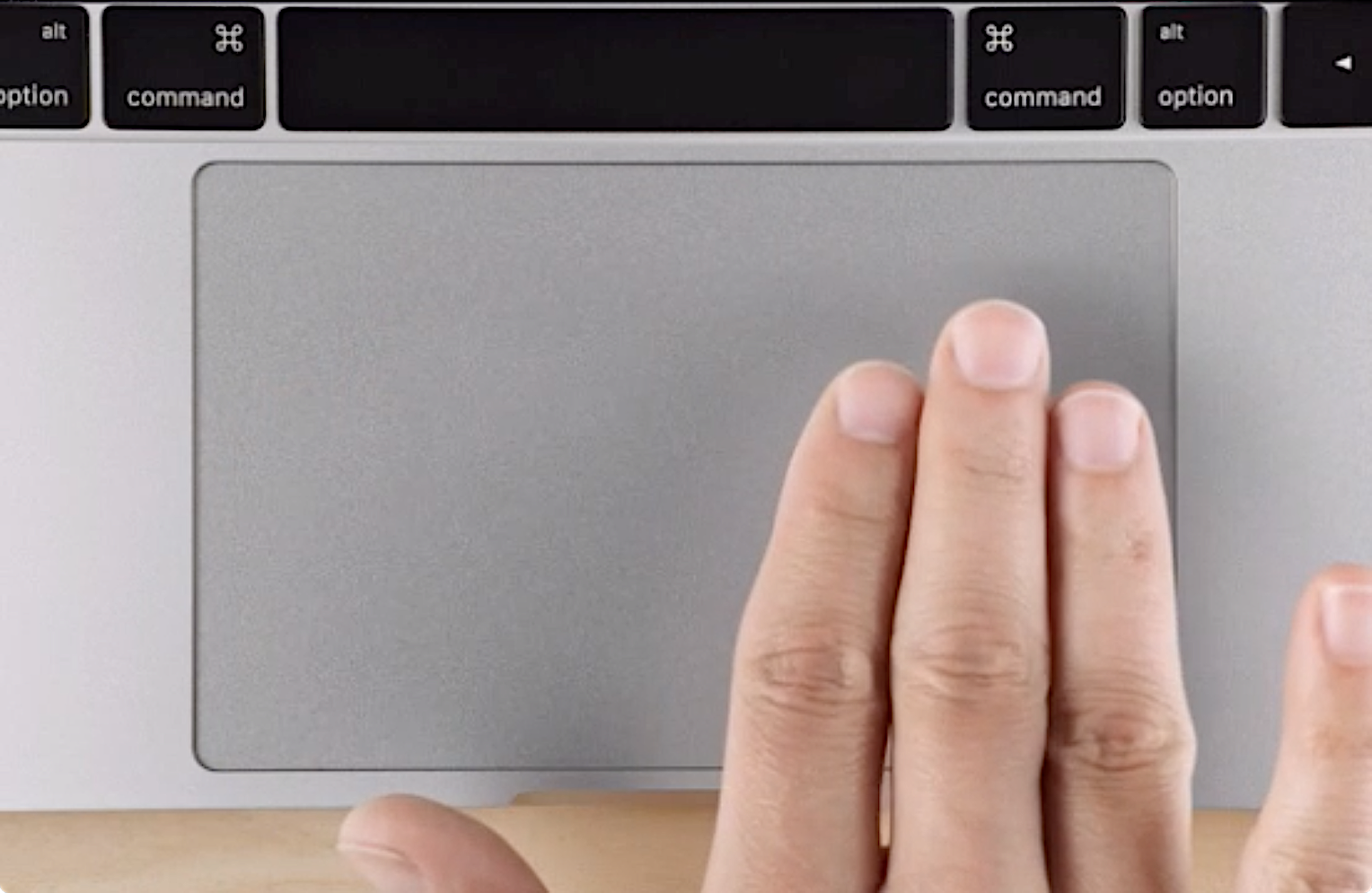
"Wheel click" with three-finger click/tap for Trackpad and Magic Mouse.
See the code

Emulate a scroll wheel click with three finger Click or Tap on MacBook trackpad and Magic Mouse
with macOS Sequoia15 support!
[!NOTE]
🏁 MiddleClick is finished
It stays here, free and GPL-3.0, and
brew install --cask middleclickkeeps working. Nothing removed, no nags, no telemetry.The middle click it gave you — three-finger click and three-finger tap — is free forever in WheelClick, its from-scratch successor, built on the documented, supported part of macOS.
It's more than just
⌘+click
System-wide · close tabs by middleclicking on them
In Safari · middleclicking on a link opens it in the background as a new tab
In Terminal · paste selected text
brew install --cask middleclick
Check out the cask if you're interested

If you've used v1 or v2 — glance over How to migrate.
This is a native macOS feature — works the same for any app.
⌘ and drag the icon away from the menu bar until you see ✖️To bring it back — just open MiddleClick again while it's already running.
fingers to 2 will conflict with normal two-finger right-clicks and single-finger clicks.defaults write art.ginzburg.MiddleClick fingers 4
Default is 3
defaults write art.ginzburg.MiddleClick allowMoreFingers true
Default is false, so that the number of fingers is precise
defaults write art.ginzburg.MiddleClick maxDistanceDelta 0.03
Default is 0.05
defaults write art.ginzburg.MiddleClick maxTimeDelta 150
Default is 300
Assuming you have
Command Line Toolsinstalled
makeMiddleClick.app in ./build/Created by Clément Beffa,
fixed by Alex Galonsky and Carlos E. Hernandez,
revived by Pascâl Hartmann,
maintained by Arthur Ginzburg
(top 24 of 34)
825 followers · starred Apr 2024
1,268 followers · starred Aug 2024
2,093 followers · starred Dec 2025
3,501 followers · starred Apr 2026
"Wheel click" with three-finger click/tap for Trackpad and Magic Mouse.
See the code
Emulate a scroll wheel click with three finger Click or Tap on MacBook trackpad and Magic Mouse
with macOS Sequoia15 support!
[!NOTE]
🏁 MiddleClick is finished
It stays here, free and GPL-3.0, and
brew install --cask middleclickkeeps working. Nothing removed, no nags, no telemetry.The middle click it gave you — three-finger click and three-finger tap — is free forever in WheelClick, its from-scratch successor, built on the documented, supported part of macOS.
It's more than just
⌘+click
System-wide · close tabs by middleclicking on them
In Safari · middleclicking on a link opens it in the background as a new tab
In Terminal · paste selected text
brew install --cask middleclick
Check out the cask if you're interested
If you've used v1 or v2 — glance over How to migrate.
This is a native macOS feature — works the same for any app.
⌘ and drag the icon away from the menu bar until you see ✖️To bring it back — just open MiddleClick again while it's already running.
fingers to 2 will conflict with normal two-finger right-clicks and single-finger clicks.defaults write art.ginzburg.MiddleClick fingers 4
Default is 3
defaults write art.ginzburg.MiddleClick allowMoreFingers true
Default is false, so that the number of fingers is precise
defaults write art.ginzburg.MiddleClick maxDistanceDelta 0.03
Default is 0.05
defaults write art.ginzburg.MiddleClick maxTimeDelta 150
Default is 300
Assuming you have
Command Line Toolsinstalled
makeMiddleClick.app in ./build/Created by Clément Beffa,
fixed by Alex Galonsky and Carlos E. Hernandez,
revived by Pascâl Hartmann,
maintained by Arthur Ginzburg
(top 24 of 34)
825 followers · starred Apr 2024
1,268 followers · starred Aug 2024
2,093 followers · starred Dec 2025
3,501 followers · starred Apr 2026