A bash script to install latest Frappe/ERPNext on a *nix system.
Shell
28
3 commits
updated Mar 7, 2024
This script automates the installation process for Frappe/ERPNext Version-15 on Ubuntu 22.04 LTS. It handles all necessary dependencies, configurations, and initialization steps to get your Frappe/ERPNext instance up and running with a test app.
I lacked a lot of knowledge that I've since gained, and I want to give back. The goal of this bash script is straightforward: to streamline the setup of Frappe bench, reducing the time from one week to minutes, getting it up and running ASAP. Previously, the process was convoluted, requiring multiple steps and dependencies. This installer aims to simplify everything with just one command . You don't even need to worry about having git or curl installed on your system; this installer, in similar fashion to Frappe framework, comes batteries included. From start to finish, it's all done with a single command.
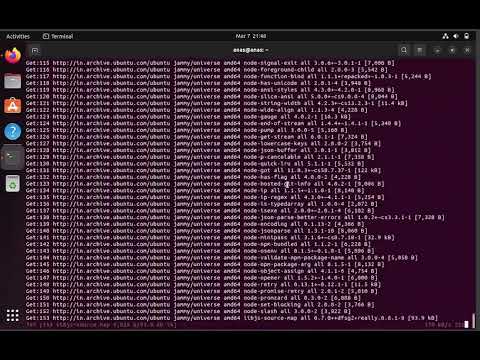
Here's to a demo installation on a freshly spun Virtual Machine running Ubuntu 22 LTS, making the process as swift and seamless as possible.
Execute the following command in your terminal:
wget -O installer.sh https://raw.githubusercontent.com/anxkhn/frappe-installer-bash/main/installer.sh && chmod +x installer.sh && ./installer.sh
You may use a VPN, change your DNS provider to Google/Cloudflare/etc or use the following step to download the script and run it locally.
Execute the script by running:
sudo apt install -y git
git clone https://github.com/anxkhn/frappe-installer-bash
cd frappe-installer-bash
chmod +x installer.sh
./installer.sh
This script will automatically install Frappe/ERPNext along with all required dependencies and configurations.
During the installation process, you will be prompted to enter the following passwords:
Make sure to remember these passwords as they will be required to access the Frappe/ERPNext instance.
Once the installation completes successfully, access Frappe/ERPNext by navigating to http://hello.com:8000 in your web browser.
A bash script to install latest Frappe/ERPNext on a *nix system.
Shell
28
3 commits
updated Mar 7, 2024
This script automates the installation process for Frappe/ERPNext Version-15 on Ubuntu 22.04 LTS. It handles all necessary dependencies, configurations, and initialization steps to get your Frappe/ERPNext instance up and running with a test app.
I lacked a lot of knowledge that I've since gained, and I want to give back. The goal of this bash script is straightforward: to streamline the setup of Frappe bench, reducing the time from one week to minutes, getting it up and running ASAP. Previously, the process was convoluted, requiring multiple steps and dependencies. This installer aims to simplify everything with just one command . You don't even need to worry about having git or curl installed on your system; this installer, in similar fashion to Frappe framework, comes batteries included. From start to finish, it's all done with a single command.
Here's to a demo installation on a freshly spun Virtual Machine running Ubuntu 22 LTS, making the process as swift and seamless as possible.
Execute the following command in your terminal:
wget -O installer.sh https://raw.githubusercontent.com/anxkhn/frappe-installer-bash/main/installer.sh && chmod +x installer.sh && ./installer.sh
You may use a VPN, change your DNS provider to Google/Cloudflare/etc or use the following step to download the script and run it locally.
Execute the script by running:
sudo apt install -y git
git clone https://github.com/anxkhn/frappe-installer-bash
cd frappe-installer-bash
chmod +x installer.sh
./installer.sh
This script will automatically install Frappe/ERPNext along with all required dependencies and configurations.
During the installation process, you will be prompted to enter the following passwords:
Make sure to remember these passwords as they will be required to access the Frappe/ERPNext instance.
Once the installation completes successfully, access Frappe/ERPNext by navigating to http://hello.com:8000 in your web browser.



