This repository contains the code for the backend assignment for the FamPay internship.
Python
23
17 commits
updated Jun 18, 2026
To make an API to fetch latest videos sorted in reverse chronological order of their publishing date-time from YouTube for a given tag/search query in a paginated response.
README file containing instructions to run the server and test the API.This repository contains the code for the backend assignment for the FamPay internship. The project is focused on creating an API to fetch the latest videos from YouTube for a given search query, and storing the video data in a database. The API provides a paginated response to retrieve the stored video data sorted in descending order of the published datetime.
The project follows a modular architecture, with different components responsible for specific tasks. The main components are:
FastAPI is a modern, fast, and high-performance web framework for building APIs. It provides automatic data validation and interactive API documentation.
FamPay uses Python based backend.
FastAPI is significantly faster, benchmark here than Flask, Django, and DjangoDRF, making it the ideal choice.
SQLite is a lightweight, file-based, and self-contained database management system. It is chosen for its simplicity and ease of use in this project. Fampay uses relational database (PostgreSQL). A relational database is a no brainer for its ACID properties and strong validation,ORM, as there is a lot of structured data insertion in this project.
Moreover, it will perform faster than non-relational databases, as most relational databases and some NoSQL databases (e.g., MongoDB) use B-trees, which are better for reads than writes. SQLite was chosen as it is file-based and eases deployment and development.
Redis is an in-memory data structure store used for caching the last successful fetch timestamp. This ensures that the application can continue fetching videos from the correct point even after a restart or failure. It was also chosen to store the most recently fetched videos into memory rather than disk, making retrieval via the /videos route faster when accessing from memory than disk (only for the first response; later responses will be paginated).
Fampay also uses Redis for key-value in-memory database caching.
APScheduler is a Python library for scheduling tasks to run periodically or at specific intervals. It is used to periodically fetch new videos from the YouTube API. This provides scheduling without having to use Celery or setting up a cron job, making the entire application cohesivenand keeping the monolithic architecture.
The Invidious API is used as a fallback in case all the provided YouTube API keys exceed their quotas. This ensures that the application can continue fetching videos even when the YouTube API is not provided or has exceeded its quota. The Invidious API does not use any API keys; users can define which API source they want from any of the Invidious instances from here.
Cursor-based pagination is implemented to retrieve videos in a paginated manner. This approach is more efficient than offset-based pagination, especially when dealing with large datasets.
It was specifically chosen in cases where a user requests a new page of videos and the database has been updated with new videos, to prevent sending back the same video data to the user.
Cursor-based pagination simplifies that. For further reading on cursor pagination, see here.
Docker is used to containerize the application, making it easier to deploy and run in different environments.
Docker is used by everyone.
To run the project locally, follow these steps:
git clone https://github.com/anxkhn/fampay-backend-assignment.git
.env file
.example.env to .env.SQLALCHEMY_DATABASE_URL (Database connection string)GOOGLE_API_KEYS (Optional, comma-separated YouTube API keys)QUERY (Search query for YouTube videos)TIME_DELTA (Interval between checks for new videos)TIME_DELAY (Delay between successful fetches)REDIS_HOST (Redis server hostname/IP)REDIS_PORT (Redis server port)INVIDIOUS_API (Invidious API endpoint URL, find a list of working INVIDIOUS_API here https://api.invidious.io)This application can be run either locally or using Docker. Choose the method that best suits your environment.
Setup
git clone https://github.com/anxkhn/fampay-backend-assignment
Virtual Environment Setup
Create a virtual environment:
cd fampay-backend-assignment
python -m venv env
Activate the virtual environment:
.\env\Scripts\activate
source env/bin/activate
Install dependencies within the virtual environment:
pip install -r requirements.txt
Local Setup
Set up Redis:
Download Redis: https://redis.io/download/
Install instructions (based on your OS): https://redis.io/docs/install/install-redis/
Use the following command to run the Redis server
redis-server
Make sure the Redis server is running on the default port (6379) unless you specify a different port in the .env file.
Run the application within the virtual environment:
cd src && uvicorn app:app --reload
The API will be accessible at http://localhost:8000.
With these instructions, users will be guided on how to set up and run the application within a virtual environment.
OR: Running with Docker
Prerequisites:
Run with Docker Compose:
docker-compose up
This will build a Docker image, start the necessary services (app and Redis), and run the application on port 8000.
Build and run the Docker containers:
docker-compose up --build
The API will be accessible at http://localhost:8000.
Incorporating FastAPI into your project not only provides robust API functionality but also seamlessly integrates with Swagger UI, allowing for easy API documentation and exploration. Let's elaborate on the provided API endpoints and Swagger UI integration:
GET /pingGET /videoscursor (optional): A cursor value for pagination. If not provided, it fetches the first page of results.page_size (optional, default: 10): The number of videos to return per page.{
"videos": [
{
"video_id": "...",
"title": "...",
"description": "...",
"published_at": "...",
"thumbnails": "..."
},
// ... other videos
],
"next_cursor": "..." // (optional) ID of the last video in the current page
}
/docsSwagger UI provides an interactive documentation interface for exploring the API endpoints. It offers a user-friendly way to understand the available endpoints, their parameters, and expected responses.
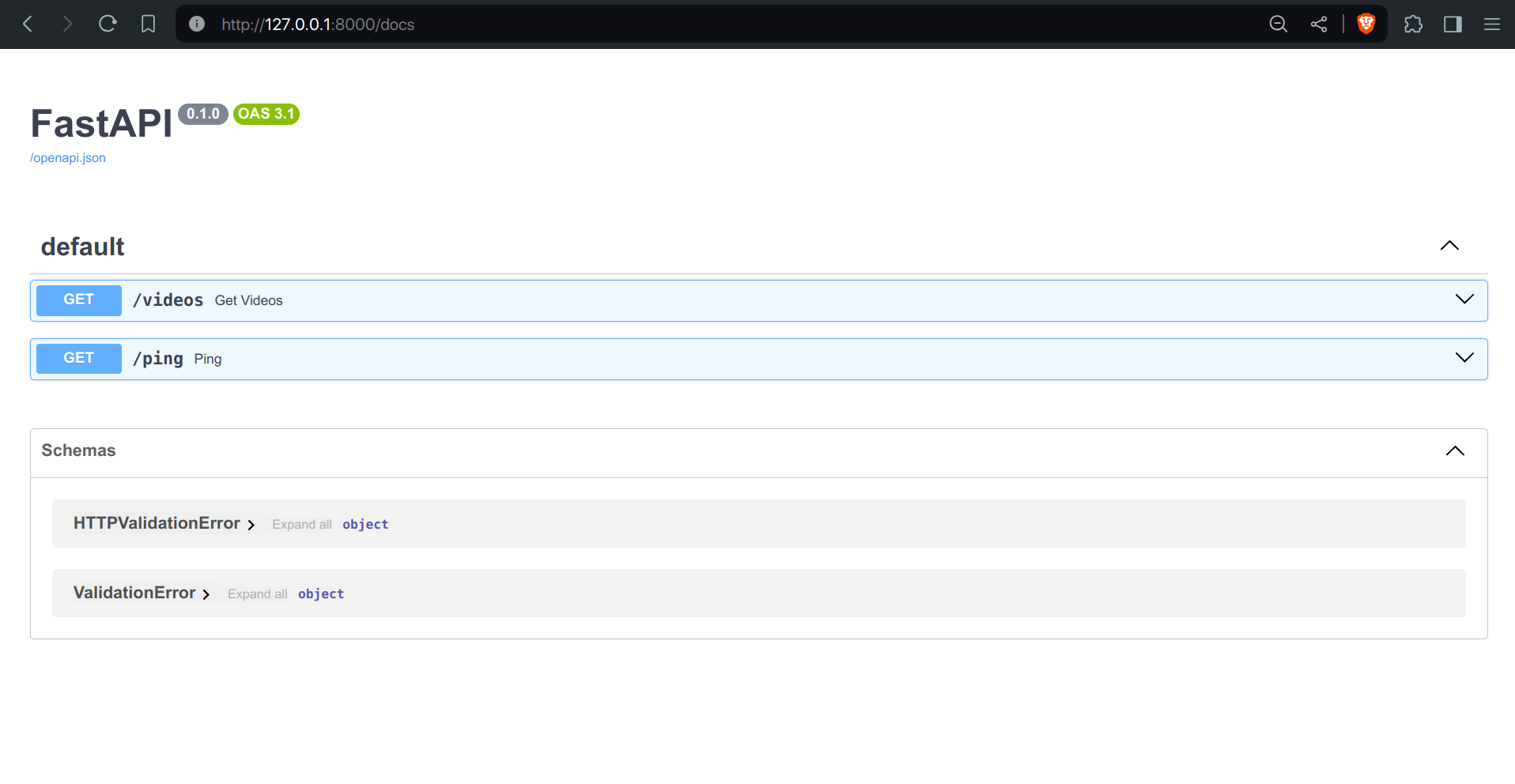
Screenshot 2: Shows the endpoint for health check (GET /ping) in Swagger UI.
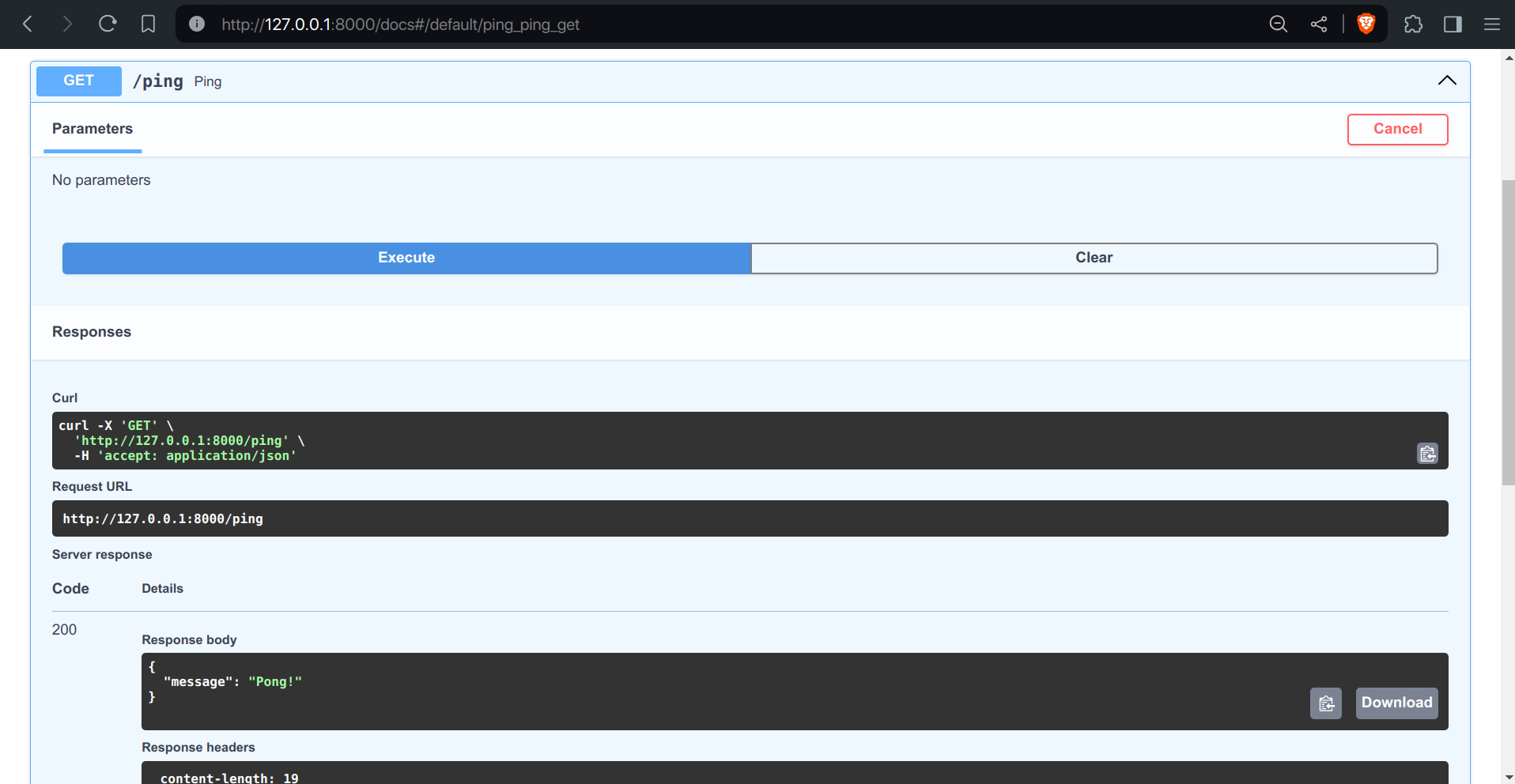
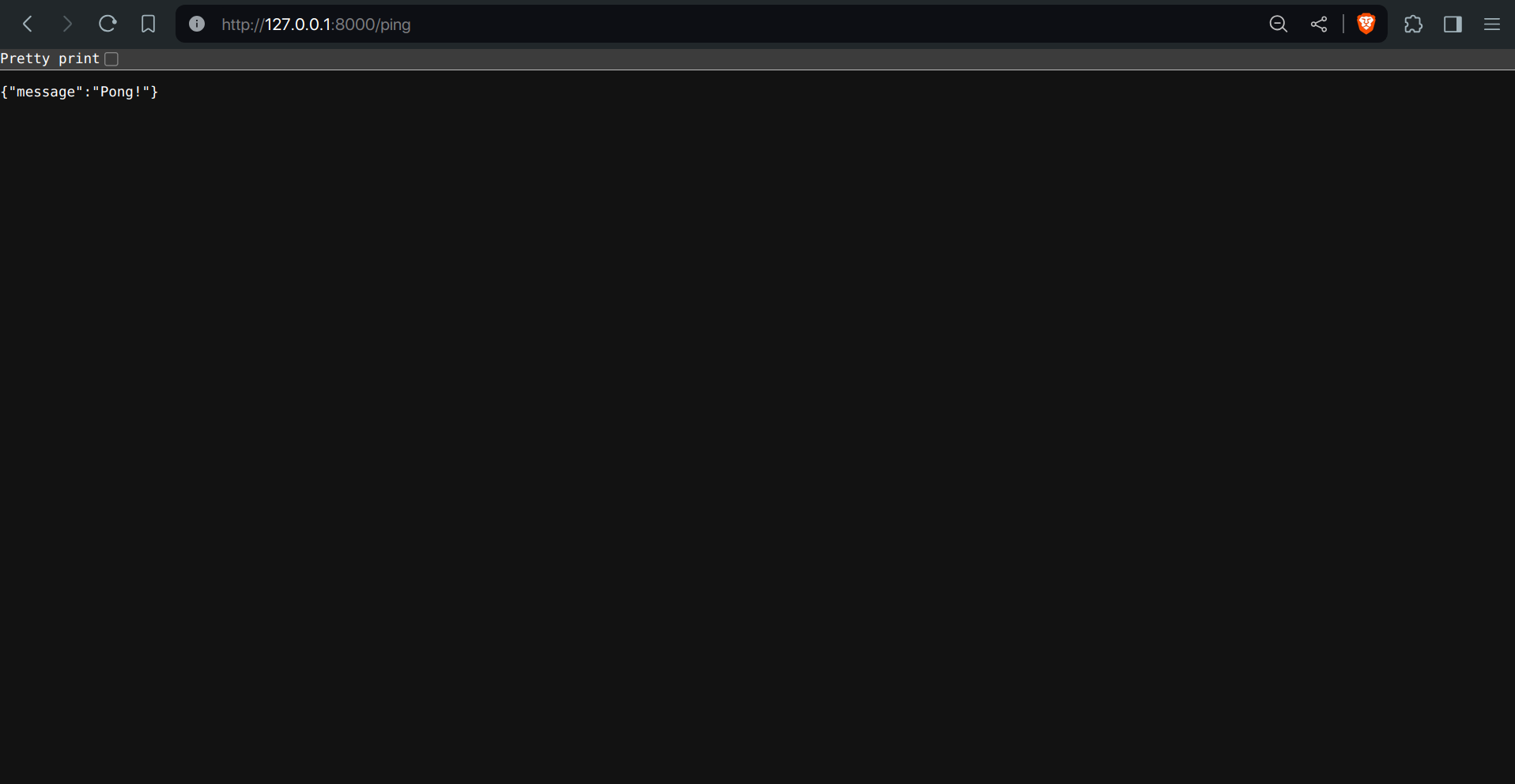
Screenshot 3: Demonstrates the response received upon pinging the health check endpoint.
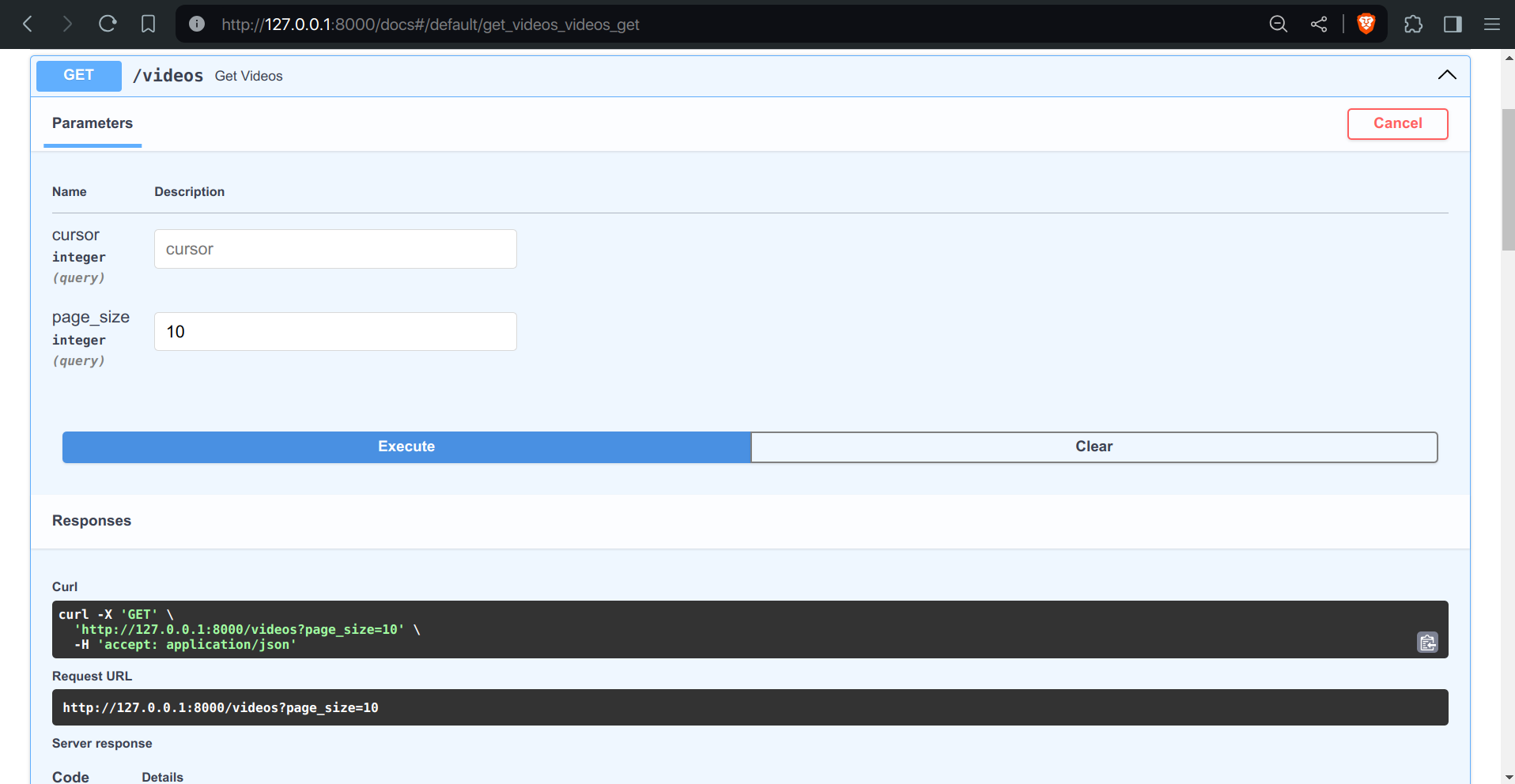
Screenshot 4,5 & 6: Illustrates the endpoint for fetching videos (GET /videos) in Swagger UI.
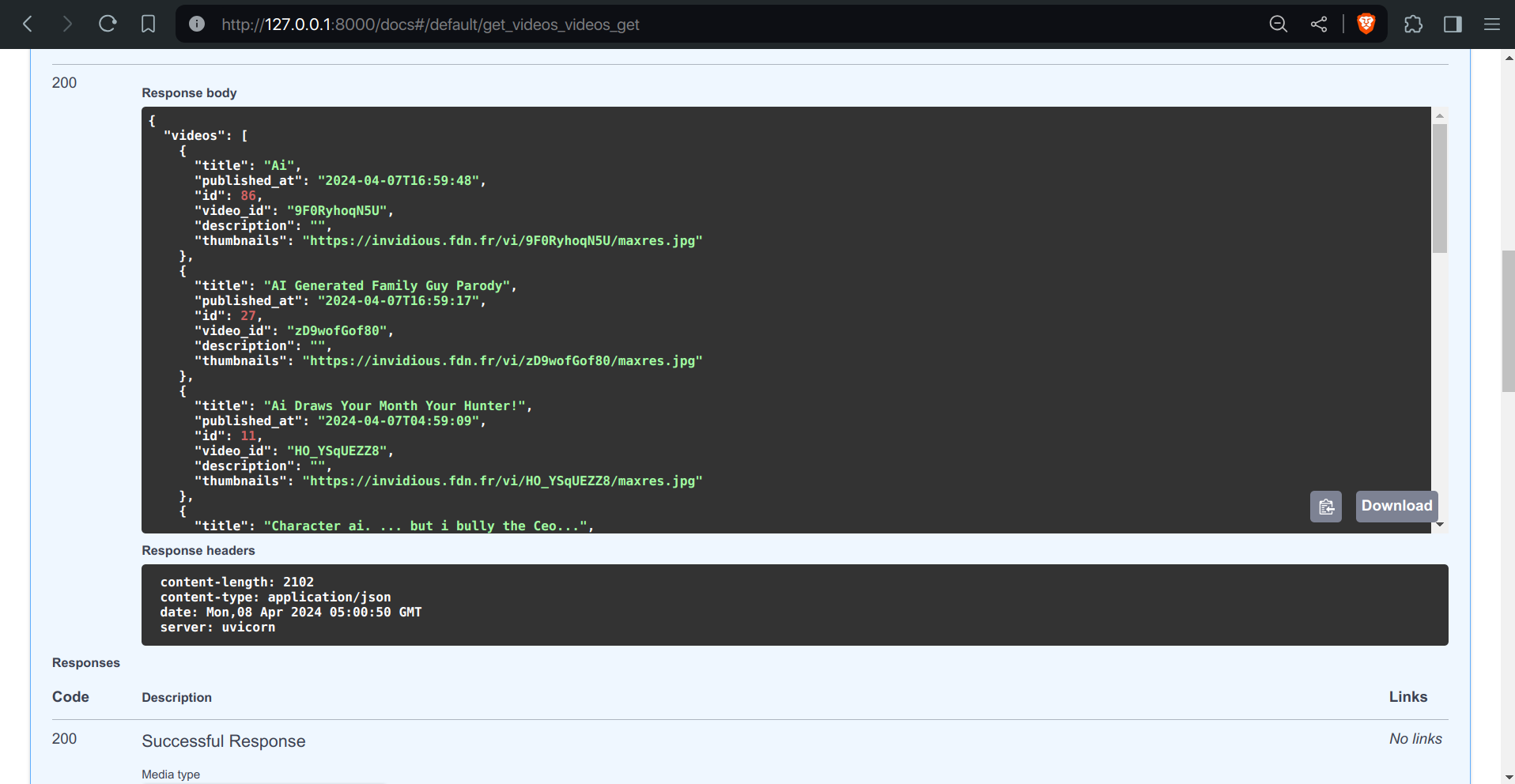
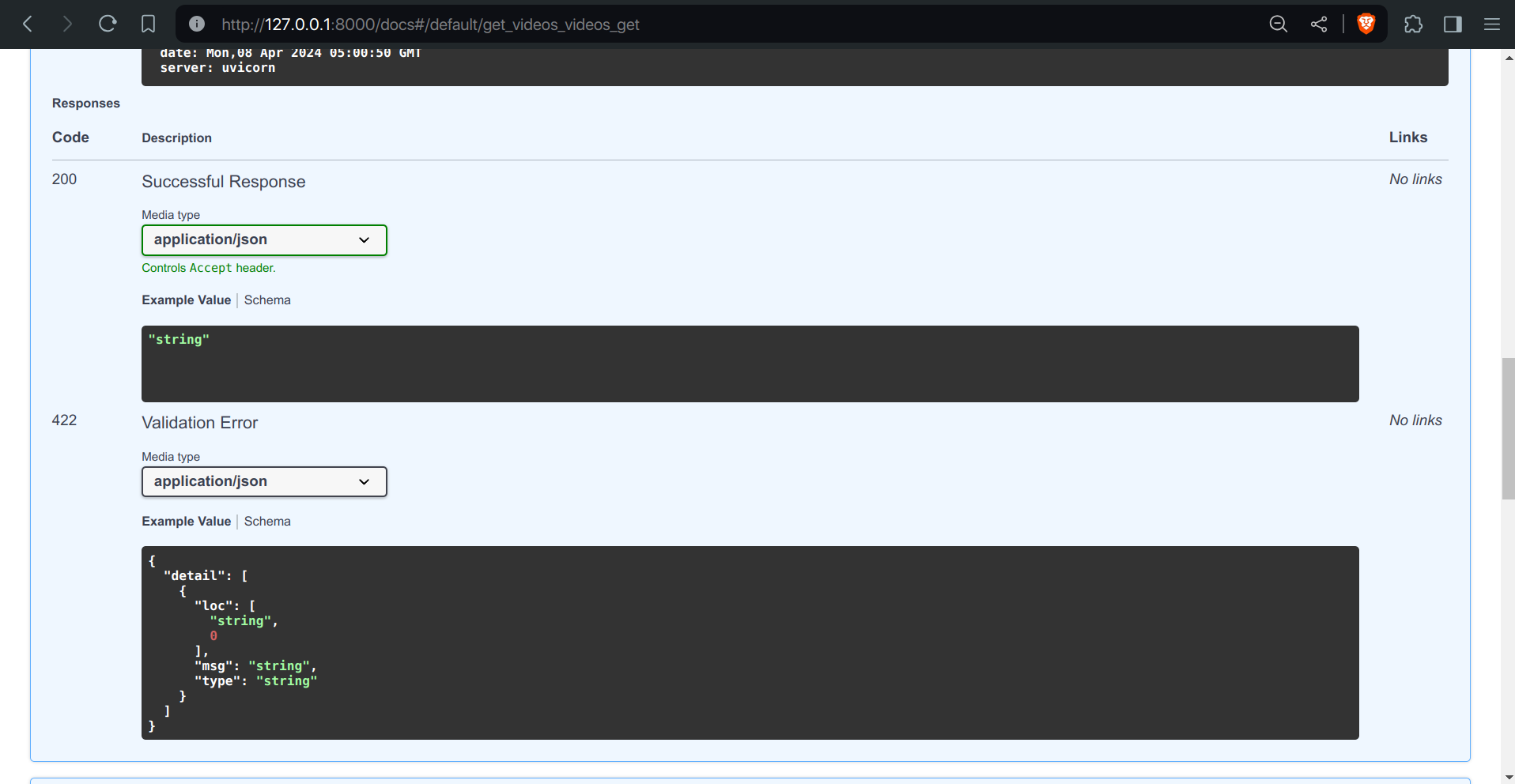
Screenshot 7: Shows an example of a response when fetching videos using the /videos endpoint.
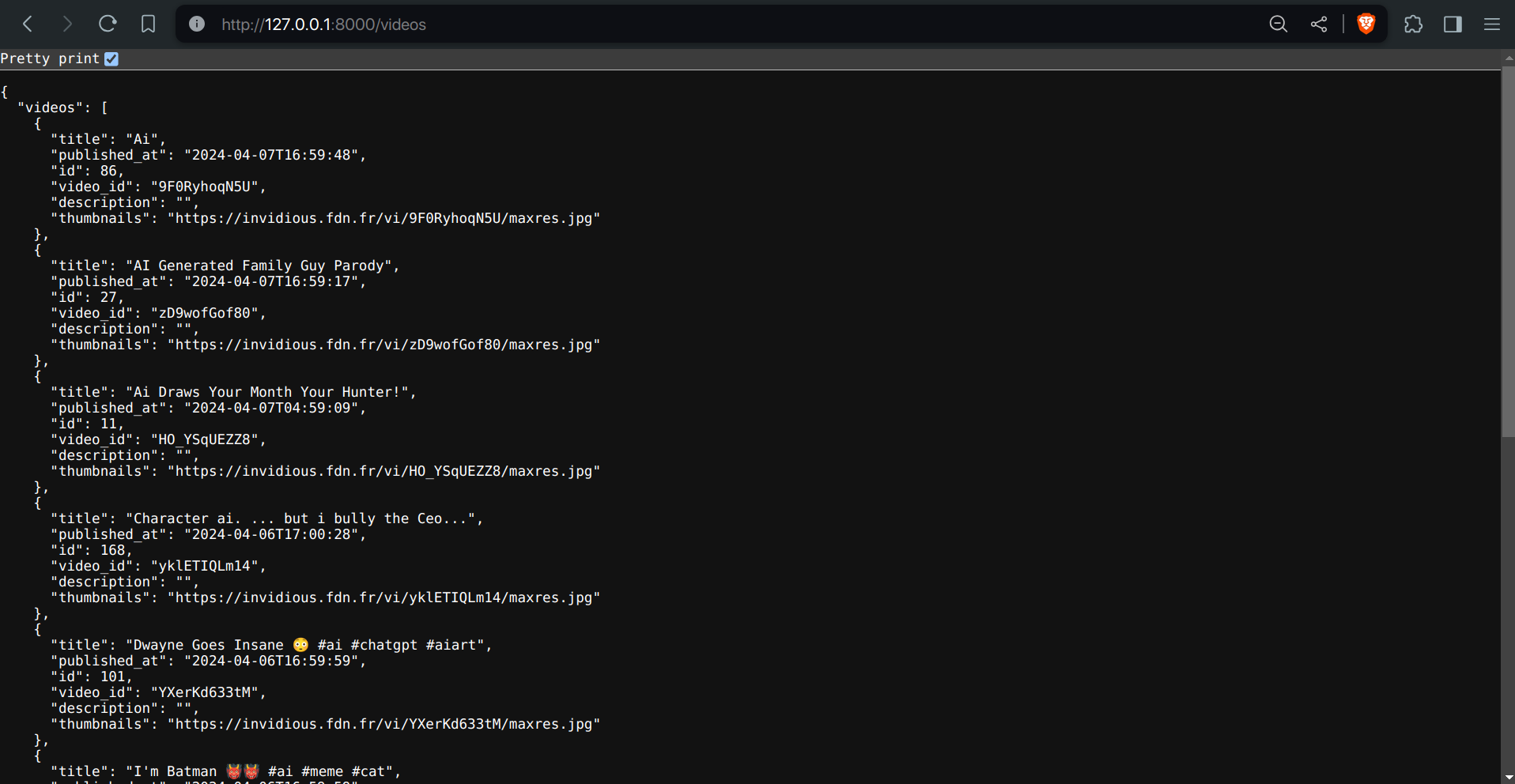
A live version of the application is available at https://fampay-backend-assignment.onrender.com.
However, due to the nature of this project, which involves constant fetching of videos and Redis caching, the free quota is quickly exhausted.
Upon accessing the deployed version, please note the following:
Cold Start Delay: There might be a delay of up to 50 seconds for the initial response due to the nature of free services on Render. This delay occurs during the startup of the server.
Health Check: To ensure that the server is operational, you can access the /ping endpoint here. A successful response indicates that the server is healthy and operational.
Logs: You can view the project logs, including information about video fetching and server operations, in real-time on the deployed version. Here's a screenshot of the project logs:
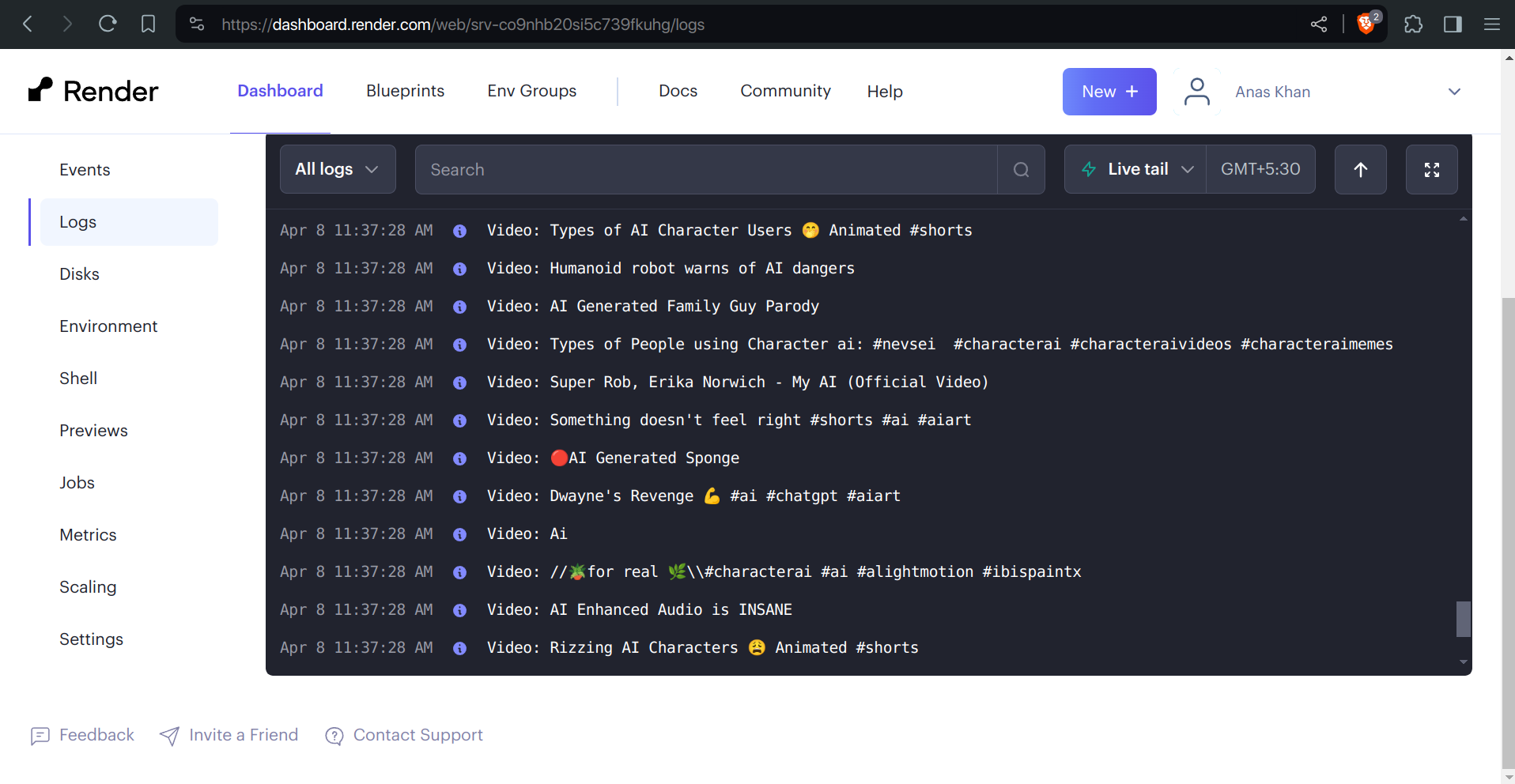
Please note that the deployed version might experience frequent downtime or performance issues due to resource limitations in the free tier. Therefore, it is not recommeneded to explore the API endpoints and functionality of the project without setting up the application locally.
The compose.yaml file defines two services:
Dockerfile.The application service depends on the Redis service, ensuring that Redis is available before starting the application.
The utils/scheduler.py module sets up a background scheduler using APScheduler. The fetch_youtube_videos function from core/fetch_videos.py is scheduled to run periodically at the interval specified by the TIME_DELAY environment variable.
The core/fetch_videos.py module contains the core logic for fetching videos from the YouTube and Invidious APIs. It handles the following tasks:
The module also includes utility functions for interacting with the database and processing the API responses.
The models.py module defines two database models:
videos:
id (Integer, Primary Key, Index): Unique identifier for each video record.video_id (String, Index): The unique identifier of the video from the YouTube API.title (String): The title of the video.description (String): The description of the video.published_at (DateTime): The datetime when the video was published.thumbnails (String): The URL of the video thumbnail.fetch_history:
id (Integer, Primary Key, Index): Unique identifier for each fetch history record.last_video_id (String): The video ID of the last fetched video.last_fetch_time (DateTime): The datetime of the last successful video fetch.The videos table stores the essential information about each fetched video, while the fetch_history table keeps track of the last successful fetch to resume the fetching process from the correct point.
fampay-backend-assignment
├── .example.env
├── .gitignore
├── Dockerfile
├── LICENSE
├── README.md
├── compose.yaml
├── docs/
│   ├── links.md
│   ├── planned.md
│   └── tasks.md
├── requirements.txt
└── src/
    ├── app.py
    ├── core/
    │   └── fetch_videos.py
    ├── database.py
    ├── models.py
    ├── routes/
    │   ├── ping.py
    │   └── videos.py
    └── utils/
        ├── config.py
        └── scheduler.py
src/app.py: This file sets up the FastAPI application and includes the routes for videos and health checks. It also creates the database tables and starts the scheduler on application startup.
src/database.py: This module handles the database connection and provides functions to create the database tables and obtain a session for interacting with the database.
src/models.py: This file defines the SQLAlchemy models for the videos and fetch_history tables, which map to the respective database tables.
src/routes/videos.py: This module defines the /videos endpoint for fetching paginated video data from the database.
src/routes/ping.py: This module defines the /ping endpoint for performing a health check on the API.
src/core/fetch_videos.py: This is the core module responsible for fetching videos from the YouTube and Invidious APIs. It contains functions for interacting with the APIs, processing the responses, and storing the video data in the database.
src/utils/config.py: This module loads the environment variables and makes them available as constants for use throughout the application.
src/utils/scheduler.py: This module sets up the background scheduler using APScheduler and schedules the fetch_youtube_videos function to run periodically based on the TIME_DELAY configuration.
Dockerfile: This file contains the instructions for building the Docker image for the application.
compose.yaml: This file defines the Docker Compose services for running the application and the Redis instance.
requirements.txt: This file lists the Python dependencies required by the application.
docs/tasks.md: This file contains the original assignment description and requirements.
docs/planned.md: This file lists the planned features and tasks for the project.
docs/links.md: This file is used to store relevant links or design choices.
This repository contains the code for the backend assignment for the FamPay internship.
Python
23
17 commits
updated Jun 18, 2026
To make an API to fetch latest videos sorted in reverse chronological order of their publishing date-time from YouTube for a given tag/search query in a paginated response.
README file containing instructions to run the server and test the API.This repository contains the code for the backend assignment for the FamPay internship. The project is focused on creating an API to fetch the latest videos from YouTube for a given search query, and storing the video data in a database. The API provides a paginated response to retrieve the stored video data sorted in descending order of the published datetime.
The project follows a modular architecture, with different components responsible for specific tasks. The main components are:
FastAPI is a modern, fast, and high-performance web framework for building APIs. It provides automatic data validation and interactive API documentation.
FamPay uses Python based backend.
FastAPI is significantly faster, benchmark here than Flask, Django, and DjangoDRF, making it the ideal choice.
SQLite is a lightweight, file-based, and self-contained database management system. It is chosen for its simplicity and ease of use in this project. Fampay uses relational database (PostgreSQL). A relational database is a no brainer for its ACID properties and strong validation,ORM, as there is a lot of structured data insertion in this project.
Moreover, it will perform faster than non-relational databases, as most relational databases and some NoSQL databases (e.g., MongoDB) use B-trees, which are better for reads than writes. SQLite was chosen as it is file-based and eases deployment and development.
Redis is an in-memory data structure store used for caching the last successful fetch timestamp. This ensures that the application can continue fetching videos from the correct point even after a restart or failure. It was also chosen to store the most recently fetched videos into memory rather than disk, making retrieval via the /videos route faster when accessing from memory than disk (only for the first response; later responses will be paginated).
Fampay also uses Redis for key-value in-memory database caching.
APScheduler is a Python library for scheduling tasks to run periodically or at specific intervals. It is used to periodically fetch new videos from the YouTube API. This provides scheduling without having to use Celery or setting up a cron job, making the entire application cohesivenand keeping the monolithic architecture.
The Invidious API is used as a fallback in case all the provided YouTube API keys exceed their quotas. This ensures that the application can continue fetching videos even when the YouTube API is not provided or has exceeded its quota. The Invidious API does not use any API keys; users can define which API source they want from any of the Invidious instances from here.
Cursor-based pagination is implemented to retrieve videos in a paginated manner. This approach is more efficient than offset-based pagination, especially when dealing with large datasets.
It was specifically chosen in cases where a user requests a new page of videos and the database has been updated with new videos, to prevent sending back the same video data to the user.
Cursor-based pagination simplifies that. For further reading on cursor pagination, see here.
Docker is used to containerize the application, making it easier to deploy and run in different environments.
Docker is used by everyone.
To run the project locally, follow these steps:
git clone https://github.com/anxkhn/fampay-backend-assignment.git
.env file
.example.env to .env.SQLALCHEMY_DATABASE_URL (Database connection string)GOOGLE_API_KEYS (Optional, comma-separated YouTube API keys)QUERY (Search query for YouTube videos)TIME_DELTA (Interval between checks for new videos)TIME_DELAY (Delay between successful fetches)REDIS_HOST (Redis server hostname/IP)REDIS_PORT (Redis server port)INVIDIOUS_API (Invidious API endpoint URL, find a list of working INVIDIOUS_API here https://api.invidious.io)This application can be run either locally or using Docker. Choose the method that best suits your environment.
Setup
git clone https://github.com/anxkhn/fampay-backend-assignment
Virtual Environment Setup
Create a virtual environment:
cd fampay-backend-assignment
python -m venv env
Activate the virtual environment:
.\env\Scripts\activate
source env/bin/activate
Install dependencies within the virtual environment:
pip install -r requirements.txt
Local Setup
Set up Redis:
Download Redis: https://redis.io/download/
Install instructions (based on your OS): https://redis.io/docs/install/install-redis/
Use the following command to run the Redis server
redis-server
Make sure the Redis server is running on the default port (6379) unless you specify a different port in the .env file.
Run the application within the virtual environment:
cd src && uvicorn app:app --reload
The API will be accessible at http://localhost:8000.
With these instructions, users will be guided on how to set up and run the application within a virtual environment.
OR: Running with Docker
Prerequisites:
Run with Docker Compose:
docker-compose up
This will build a Docker image, start the necessary services (app and Redis), and run the application on port 8000.
Build and run the Docker containers:
docker-compose up --build
The API will be accessible at http://localhost:8000.
Incorporating FastAPI into your project not only provides robust API functionality but also seamlessly integrates with Swagger UI, allowing for easy API documentation and exploration. Let's elaborate on the provided API endpoints and Swagger UI integration:
GET /pingGET /videoscursor (optional): A cursor value for pagination. If not provided, it fetches the first page of results.page_size (optional, default: 10): The number of videos to return per page.{
"videos": [
{
"video_id": "...",
"title": "...",
"description": "...",
"published_at": "...",
"thumbnails": "..."
},
// ... other videos
],
"next_cursor": "..." // (optional) ID of the last video in the current page
}
/docsSwagger UI provides an interactive documentation interface for exploring the API endpoints. It offers a user-friendly way to understand the available endpoints, their parameters, and expected responses.
Screenshot 2: Shows the endpoint for health check (GET /ping) in Swagger UI.
Screenshot 3: Demonstrates the response received upon pinging the health check endpoint.
Screenshot 4,5 & 6: Illustrates the endpoint for fetching videos (GET /videos) in Swagger UI.
Screenshot 7: Shows an example of a response when fetching videos using the /videos endpoint.
A live version of the application is available at https://fampay-backend-assignment.onrender.com.
However, due to the nature of this project, which involves constant fetching of videos and Redis caching, the free quota is quickly exhausted.
Upon accessing the deployed version, please note the following:
Cold Start Delay: There might be a delay of up to 50 seconds for the initial response due to the nature of free services on Render. This delay occurs during the startup of the server.
Health Check: To ensure that the server is operational, you can access the /ping endpoint here. A successful response indicates that the server is healthy and operational.
Logs: You can view the project logs, including information about video fetching and server operations, in real-time on the deployed version. Here's a screenshot of the project logs:
Please note that the deployed version might experience frequent downtime or performance issues due to resource limitations in the free tier. Therefore, it is not recommeneded to explore the API endpoints and functionality of the project without setting up the application locally.
The compose.yaml file defines two services:
Dockerfile.The application service depends on the Redis service, ensuring that Redis is available before starting the application.
The utils/scheduler.py module sets up a background scheduler using APScheduler. The fetch_youtube_videos function from core/fetch_videos.py is scheduled to run periodically at the interval specified by the TIME_DELAY environment variable.
The core/fetch_videos.py module contains the core logic for fetching videos from the YouTube and Invidious APIs. It handles the following tasks:
The module also includes utility functions for interacting with the database and processing the API responses.
The models.py module defines two database models:
videos:
id (Integer, Primary Key, Index): Unique identifier for each video record.video_id (String, Index): The unique identifier of the video from the YouTube API.title (String): The title of the video.description (String): The description of the video.published_at (DateTime): The datetime when the video was published.thumbnails (String): The URL of the video thumbnail.fetch_history:
id (Integer, Primary Key, Index): Unique identifier for each fetch history record.last_video_id (String): The video ID of the last fetched video.last_fetch_time (DateTime): The datetime of the last successful video fetch.The videos table stores the essential information about each fetched video, while the fetch_history table keeps track of the last successful fetch to resume the fetching process from the correct point.
fampay-backend-assignment
├── .example.env
├── .gitignore
├── Dockerfile
├── LICENSE
├── README.md
├── compose.yaml
├── docs/
│   ├── links.md
│   ├── planned.md
│   └── tasks.md
├── requirements.txt
└── src/
    ├── app.py
    ├── core/
    │   └── fetch_videos.py
    ├── database.py
    ├── models.py
    ├── routes/
    │   ├── ping.py
    │   └── videos.py
    └── utils/
        ├── config.py
        └── scheduler.py
src/app.py: This file sets up the FastAPI application and includes the routes for videos and health checks. It also creates the database tables and starts the scheduler on application startup.
src/database.py: This module handles the database connection and provides functions to create the database tables and obtain a session for interacting with the database.
src/models.py: This file defines the SQLAlchemy models for the videos and fetch_history tables, which map to the respective database tables.
src/routes/videos.py: This module defines the /videos endpoint for fetching paginated video data from the database.
src/routes/ping.py: This module defines the /ping endpoint for performing a health check on the API.
src/core/fetch_videos.py: This is the core module responsible for fetching videos from the YouTube and Invidious APIs. It contains functions for interacting with the APIs, processing the responses, and storing the video data in the database.
src/utils/config.py: This module loads the environment variables and makes them available as constants for use throughout the application.
src/utils/scheduler.py: This module sets up the background scheduler using APScheduler and schedules the fetch_youtube_videos function to run periodically based on the TIME_DELAY configuration.
Dockerfile: This file contains the instructions for building the Docker image for the application.
compose.yaml: This file defines the Docker Compose services for running the application and the Redis instance.
requirements.txt: This file lists the Python dependencies required by the application.
docs/tasks.md: This file contains the original assignment description and requirements.
docs/planned.md: This file lists the planned features and tasks for the project.
docs/links.md: This file is used to store relevant links or design choices.



