Yeoman generator for an Angular app with an Express server
See the code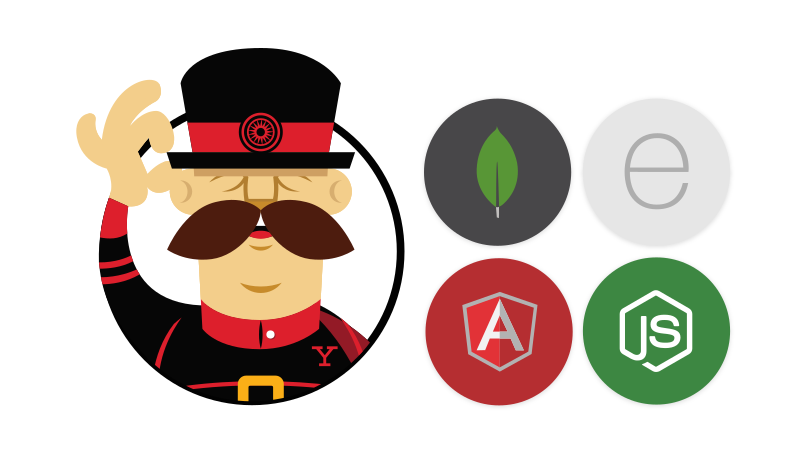




Yeoman generator for creating MEAN/SEAN stack applications, using ES2017, MongoDB/SQL, Express, Angular, and Node - lets you quickly set up a project following best practices.



Install yo, gulp-cli, and generator-angular-fullstack:
npm install -g yo gulp-cli generator-angular-fullstack
Please note: If you run into trouble compiling native add-ons during the installation, follow node-gyp's short guide on required compilation tools.
Then, to run your app (make sure the MongoDB daemon is running if you selected Mongo), run the following to start your server:
npm run start:server
and the following to start the Webpack dev server for the front-end:
npm run start:client
The Webpack server will tell you which port to access the app at (usually http://localhost:8080/).
Run yo angular-fullstack
yo angular-fullstack
See the Getting Started guide for more information.
mongod process running.
docker run -p 27017:27017 --name afs-mongo -d mongoGeneral
GulpJasmineMocha + Chai + Sinon
ExpectShouldClient
JavaScript (Babel), TypeScriptWebpackHTML, PugCSS, Stylus, Sass, LessBootstrap
UI BootstrapServer
JavaScript (Babel), TypeScript (planned)None,MongoDB, SQL
Yes, NoFacebook, Twitter, GoogleYes, NoAvailable generators:
Check out our documentation home page.
See the contributing docs
When submitting an issue, please follow the Yeoman issue guidelines. Especially important is to make sure Yeoman is up-to-date, and providing the command or commands that cause the issue, as well as any stack traces.
Overall
Maintained
Code review
Latest release
Releases this year
2,751 followers · starred Nov 2013
612 followers · starred Jul 2014
41 followers · starred Jun 2022
6,497 followers · starred Aug 2015
Yeoman generator for an Angular app with an Express server
See the code
Yeoman generator for creating MEAN/SEAN stack applications, using ES2017, MongoDB/SQL, Express, Angular, and Node - lets you quickly set up a project following best practices.
Install yo, gulp-cli, and generator-angular-fullstack:
npm install -g yo gulp-cli generator-angular-fullstack
Please note: If you run into trouble compiling native add-ons during the installation, follow node-gyp's short guide on required compilation tools.
Then, to run your app (make sure the MongoDB daemon is running if you selected Mongo), run the following to start your server:
npm run start:server
and the following to start the Webpack dev server for the front-end:
npm run start:client
The Webpack server will tell you which port to access the app at (usually http://localhost:8080/).
Run yo angular-fullstack
yo angular-fullstack
See the Getting Started guide for more information.
mongod process running.
docker run -p 27017:27017 --name afs-mongo -d mongoGeneral
GulpJasmineMocha + Chai + Sinon
ExpectShouldClient
JavaScript (Babel), TypeScriptWebpackHTML, PugCSS, Stylus, Sass, LessBootstrap
UI BootstrapServer
JavaScript (Babel), TypeScript (planned)None,MongoDB, SQL
Yes, NoFacebook, Twitter, GoogleYes, NoAvailable generators:
Check out our documentation home page.
See the contributing docs
When submitting an issue, please follow the Yeoman issue guidelines. Especially important is to make sure Yeoman is up-to-date, and providing the command or commands that cause the issue, as well as any stack traces.
Overall
Maintained
Code review
Latest release
Releases this year
2,751 followers · starred Nov 2013
612 followers · starred Jul 2014
41 followers · starred Jun 2022
6,497 followers · starred Aug 2015



