
The react library to build dashboards fast.
2
stars
882
commits
TypeScript
primary language
Jun 18, 2024
updated
README





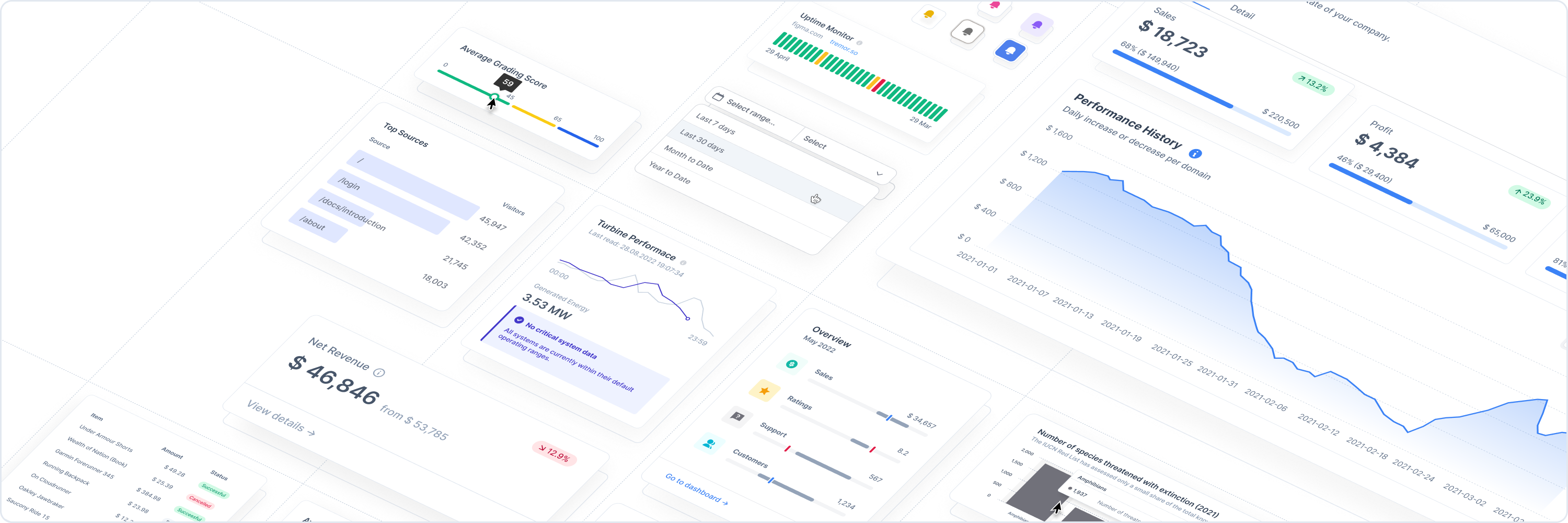
Tremor lets you create simple and modular components to build insightful dashboards in a breeze. Fully open-source, made by data scientists and software engineers with a sweet spot for design.
Getting Started
You can use tremor either within a React or Next.js Project. For new projects, we recommend using Next.js, as it also provides a simple deployment workflow through the Vercel platform.
Option A: Using Create React App
In your terminal, we create a new React project:
npx create-react-app my-project --template typescript
cd my-project
Using the --template typescript option is optional here.
Install tremor from your command line via npm.
npm install @tremor/react
Import the tremor stylesheet into the App.js / App.tsx file:
import '@tremor/react/dist/esm/tremor.css';
Note, if you are importing other CSS files along with tremor.css, make sure to add the above import statement as the last one, in order to avoid unintentional CSS conflicts.
Finally, run the dev server.
npm start
Option B: Using NextJS
⚠️ Note: Since we have not fully migrated to Next.js 13 yet, if you are using the app directory introduced in Next.js 13, wrap your tremor components in another component by using the "use client" directive. More infos on the directive and the usage of third-party libraries in Next.js 13 can be found in the Next.js docs.
In your terminal, we create a new Next project:
npx create-next-app my-project --typescript
cd my-project
Using the --typescript option is optional here.
Install tremor from your command line via npm.
npm install @tremor/react
Import the tremor stylesheet into the _app.js / _app.tsx file:
import '@tremor/react/dist/esm/tremor.css'
Note, if you are importing other CSS files along with tremor.css, make sure to add the above import statement as the last one, in order to avoid unintentional CSS conflicts.
Finally, run the dev server
npm run dev
💡 Hint: Since we are in beta, please be aware that there might be breaking changes in the future. If you want to see how you can build your first dashboard, have a look at our documentation.
Example
With tremor creating an analytical interface is easy.
//Card.tsx
import { Card, Text, Metric, Flex, ProgressBar } from "@tremor/react";

export default () => (
  <Card maxWidth="max-w-sm">
    <Text>Sales</Text>
    <Metric>$ 71,465</Metric>
    <Flex marginTop='mt-4'>
        <Text>32% of annual target</Text>
        <Text>$ 225,000</Text>
    </Flex>
    <ProgressBar percentageValue={ 32 } marginTop="mt-2" />
  </Card>
);

Community and Contribution
We are always looking for new ideas or other ways to improve tremor. If you have developed anything cool or found a bug, send us a pull request.
License
Copyright © 2022 Tremor. All rights reserved.
Contributors


Similar repos


Languages
TypeScript
98.2%
CSS
1.2%
The react library to build dashboards fast.
2
stars
882
commits
TypeScript
primary language
Jun 18, 2024
updated
README
Tremor lets you create simple and modular components to build insightful dashboards in a breeze. Fully open-source, made by data scientists and software engineers with a sweet spot for design.
Getting Started
You can use tremor either within a React or Next.js Project. For new projects, we recommend using Next.js, as it also provides a simple deployment workflow through the Vercel platform.
Option A: Using Create React App
In your terminal, we create a new React project:
npx create-react-app my-project --template typescript
cd my-project
Using the --template typescript option is optional here.
Install tremor from your command line via npm.
npm install @tremor/react
Import the tremor stylesheet into the App.js / App.tsx file:
import '@tremor/react/dist/esm/tremor.css';
Note, if you are importing other CSS files along with tremor.css, make sure to add the above import statement as the last one, in order to avoid unintentional CSS conflicts.
Finally, run the dev server.
npm start
Option B: Using NextJS
⚠️ Note: Since we have not fully migrated to Next.js 13 yet, if you are using the app directory introduced in Next.js 13, wrap your tremor components in another component by using the "use client" directive. More infos on the directive and the usage of third-party libraries in Next.js 13 can be found in the Next.js docs.
In your terminal, we create a new Next project:
npx create-next-app my-project --typescript
cd my-project
Using the --typescript option is optional here.
Install tremor from your command line via npm.
npm install @tremor/react
Import the tremor stylesheet into the _app.js / _app.tsx file:
import '@tremor/react/dist/esm/tremor.css'
Note, if you are importing other CSS files along with tremor.css, make sure to add the above import statement as the last one, in order to avoid unintentional CSS conflicts.
Finally, run the dev server
npm run dev
💡 Hint: Since we are in beta, please be aware that there might be breaking changes in the future. If you want to see how you can build your first dashboard, have a look at our documentation.
Example
With tremor creating an analytical interface is easy.
//Card.tsx
import { Card, Text, Metric, Flex, ProgressBar } from "@tremor/react";

export default () => (
  <Card maxWidth="max-w-sm">
    <Text>Sales</Text>
    <Metric>$ 71,465</Metric>
    <Flex marginTop='mt-4'>
        <Text>32% of annual target</Text>
        <Text>$ 225,000</Text>
    </Flex>
    <ProgressBar percentageValue={ 32 } marginTop="mt-2" />
  </Card>
);
Community and Contribution
We are always looking for new ideas or other ways to improve tremor. If you have developed anything cool or found a bug, send us a pull request.
License
Copyright © 2022 Tremor. All rights reserved.
Similar repos
Contributors
Languages
TypeScript
98.2%
CSS
1.2%