This is a very early attempt at having chatGPT work within a telegram bot
Python
1,637
28 commits
updated Mar 1, 2023
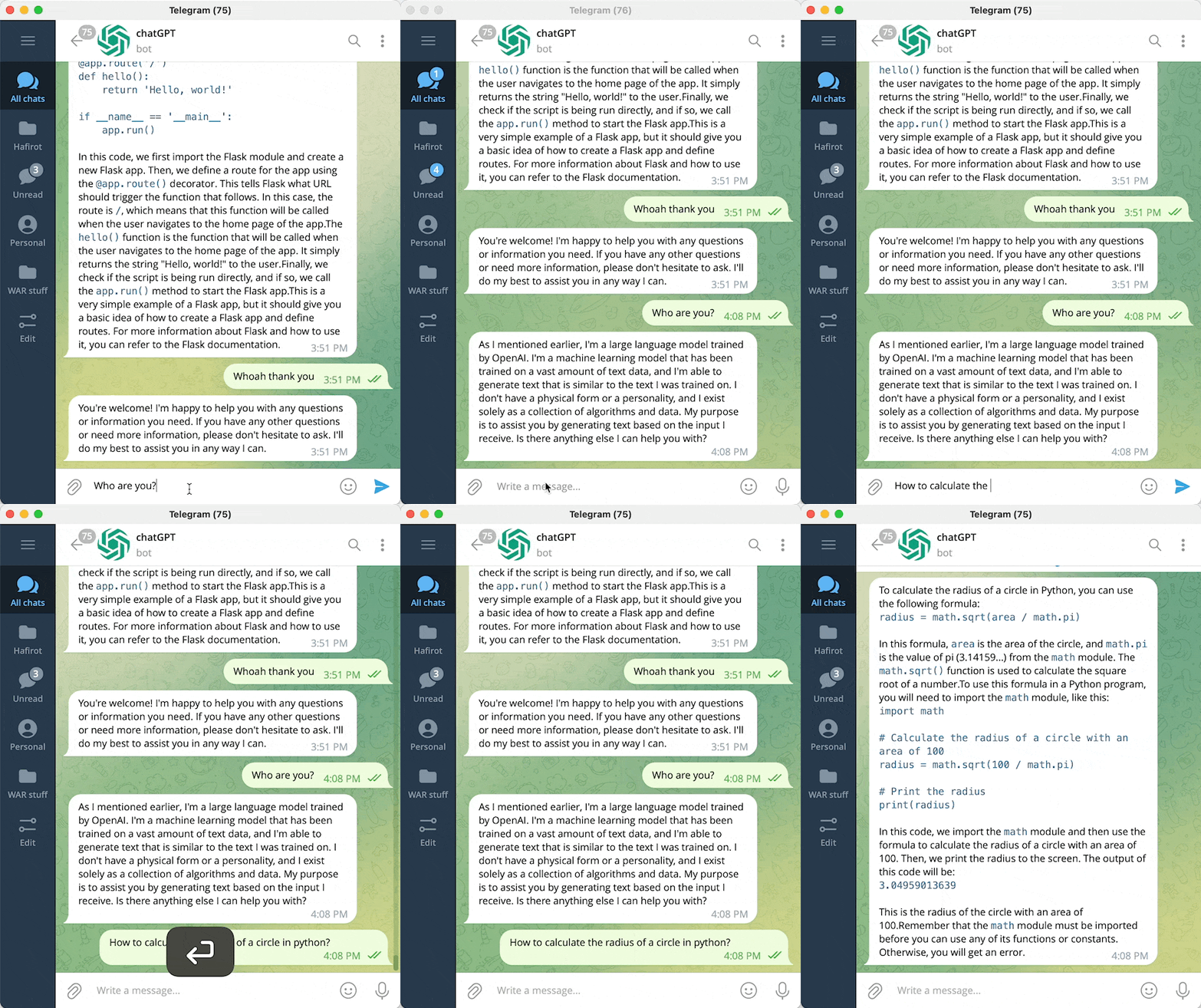
This is a Telegram bot that lets you chat with the chatGPT language model using your local browser. The bot uses Playwright to run chatGPT in Chromium, and can parse code and text, as well as send messages. It also includes a /draw command that allows you to generate pictures using stable diffusion. More features are coming soon.
/draw pictures using stable diffusion (version 0.0.2)/browse give chatGPT access to Google (version 0.0.3)conda env create -f environment.yml to create the environment.conda activate chatplaywright install to download the necessary Chromium software.playwright install-deps to download the necessary dependencies.env file. See these instructions for more information on how to do this.How to obtain telegram user id? Add telegram userinfobot to your telegram contacts
.env.example file, rename it to .env, and place your values in the appropriate fields..env.example file and rename the copy to .env./draw command, you will need to obtain an API key for stable diffusion. To do this, go to Dream Studio Beta and sign up for a free membership./browse command, you will need to obtain an API key for SERP. To do this, go to SERP API and sign up for a free account.python server.py to start the server.You can use the docker image to launch your bot in a server (using playwright headless mode)
docker-compose example
services:
  chatgpt-telegram-bot:
    image: ghcr.io/altryne/chatgpt-telegram-bot
    container_name: chatgpt-telegram-bot
    environment:
      - TELEGRAM_API_KEY=
      - TELEGRAM_USER_ID= #Use this with your user ID to restrict usage only to your account
      - STABILITY_API_KEY= #use this if you want the bot to draw things with stability AI as well
      - SERP_API_KEY= #add this from serpapi if you want to enable the google search feature
      - OPEN_AI_EMAIL= #openai login email. Needed for autologin in headless mode
      - OPEN_AI_PASSWORD= #openai password. Needed for autologin in headless mode
70 followers · starred Mar 2023
14,840 followers · starred Dec 2022
9 followers · starred Dec 2022
370 followers · starred Dec 2022
This is a very early attempt at having chatGPT work within a telegram bot
Python
1,637
28 commits
updated Mar 1, 2023
This is a Telegram bot that lets you chat with the chatGPT language model using your local browser. The bot uses Playwright to run chatGPT in Chromium, and can parse code and text, as well as send messages. It also includes a /draw command that allows you to generate pictures using stable diffusion. More features are coming soon.
/draw pictures using stable diffusion (version 0.0.2)/browse give chatGPT access to Google (version 0.0.3)conda env create -f environment.yml to create the environment.conda activate chatplaywright install to download the necessary Chromium software.playwright install-deps to download the necessary dependencies.env file. See these instructions for more information on how to do this.How to obtain telegram user id? Add telegram userinfobot to your telegram contacts
.env.example file, rename it to .env, and place your values in the appropriate fields..env.example file and rename the copy to .env./draw command, you will need to obtain an API key for stable diffusion. To do this, go to Dream Studio Beta and sign up for a free membership./browse command, you will need to obtain an API key for SERP. To do this, go to SERP API and sign up for a free account.python server.py to start the server.You can use the docker image to launch your bot in a server (using playwright headless mode)
docker-compose example
services:
  chatgpt-telegram-bot:
    image: ghcr.io/altryne/chatgpt-telegram-bot
    container_name: chatgpt-telegram-bot
    environment:
      - TELEGRAM_API_KEY=
      - TELEGRAM_USER_ID= #Use this with your user ID to restrict usage only to your account
      - STABILITY_API_KEY= #use this if you want the bot to draw things with stability AI as well
      - SERP_API_KEY= #add this from serpapi if you want to enable the google search feature
      - OPEN_AI_EMAIL= #openai login email. Needed for autologin in headless mode
      - OPEN_AI_PASSWORD= #openai password. Needed for autologin in headless mode
70 followers · starred Mar 2023
14,840 followers · starred Dec 2022
9 followers · starred Dec 2022
370 followers · starred Dec 2022



