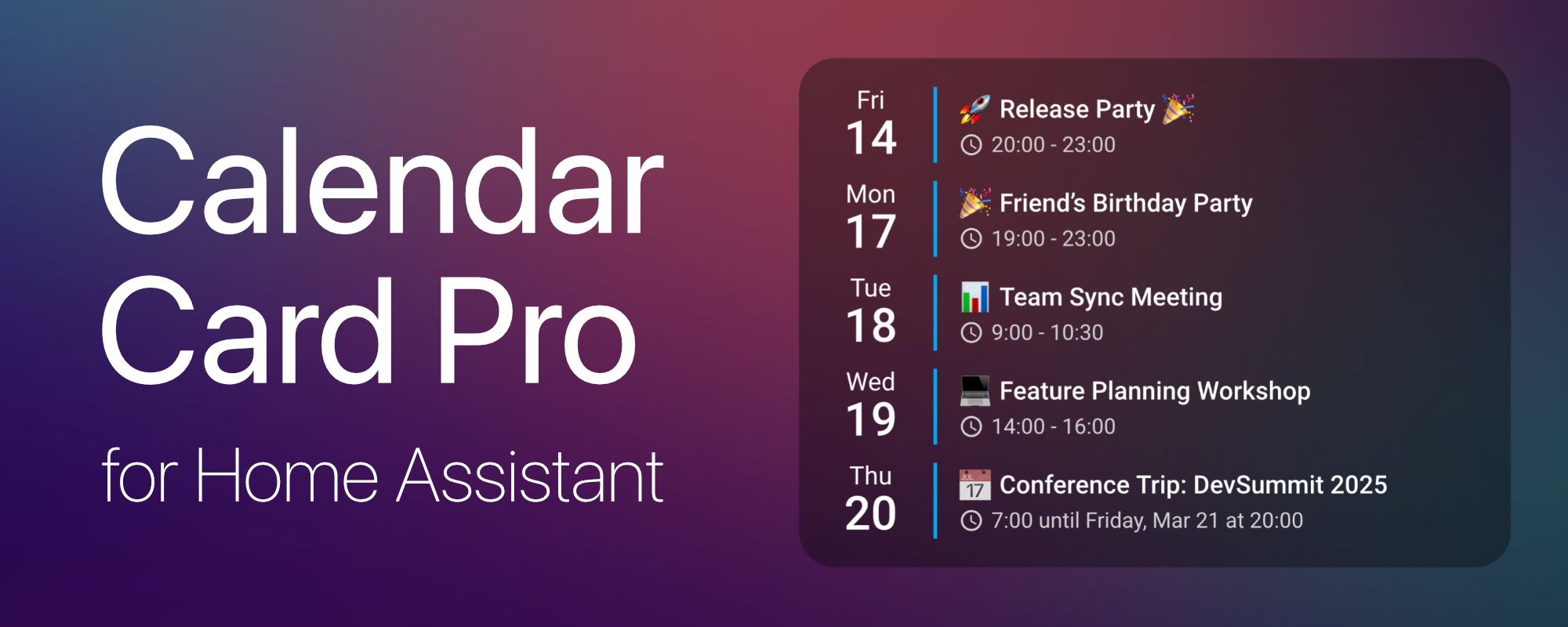
📅 A sleek and highly customizable calendar card for Home Assistant, designed for performance and a clean, modern look.
See the code



If you find Calendar Card Pro useful, consider supporting its development:

This README covers installation and a quick start. Everything else — every configuration option, all features and worked examples — lives on the documentation site, which is searchable and always matches the latest release.
| 🚀 Installation | Set the card up via HACS or manually |
| 📌 Usage | Add the card and configure it visually |
| ✨ Features & Configuration | Weather, templates, layout, actions, and more |
| 📚 Configuration Options | Complete reference for every option |
| 💡 Examples | Ready-made configurations to copy |
| 🆕 Release Notes | Full history of every release |
Calendar Card Pro was inspired by a beautiful calendar design using button-card and Hass calendar add-on shared in the Home Assistant community. While the original design was visually stunning, implementing it with button-card and card-mod led to performance issues.
This motivated me to create a dedicated calendar card that excels in one thing: displaying upcoming events beautifully and efficiently.
Built with performance in mind, the card leverages intelligent refresh mechanisms and smart caching to ensure a smooth experience, even when multiple calendars are in use.
Calendar Card Pro requires at least one calendar entity in Home Assistant. It is compatible with any integration that generates calendar.* entities, with CalDAV and Google Calendar being the primary tested integrations.
⚠️ Important: Ensure you have at least one calendar integration set up in Home Assistant before using this card.
The easiest way to install Calendar Card Pro is via HACS (Home Assistant Community Store).

https://github.com/alexpfau/calendar-card-pro as type DashboardDownload both files from the latest release:
👉 calendar-card-pro.js
and editor.js
Put both files into a folder of their own under www:
/config/www/calendar-card-pro/
The card ships as two files: calendar-card-pro.js and editor.js. Both must sit in
the same folder, and calendar-card-pro.js is the only one you name as a resource —
the card loads the editor itself, when you open it. Use a subfolder rather than
/config/www/ directly: that folder is shared by every hand-installed card, and
editor.js is a common enough name that another file can take it. HACS does all of
this for you, which is why it is the recommended route.
Navigate to: Home Assistant → Settings → Dashboards → Resources → Add Resource
Add the resource to your Lovelace Dashboard:
url: /local/calendar-card-pro/calendar-card-pro.js
type: module
Add the card from your dashboard's ➕ Add Card picker — search for "Calendar" — then click
the three dots (⋮) → Configure to open the visual editor.
Shortcut (Home Assistant 2026.6+): In the card picker, switch to the By entity tab and pick any
calendar.*entity. Calendar Card Pro is offered under Community, already pointed at that calendar and previewed with its real events.
Prefer YAML? This is a complete, working configuration:
type: custom:calendar-card-pro
entities:
  - calendar.family
days_to_show: 3
show_location: false
show_month: false
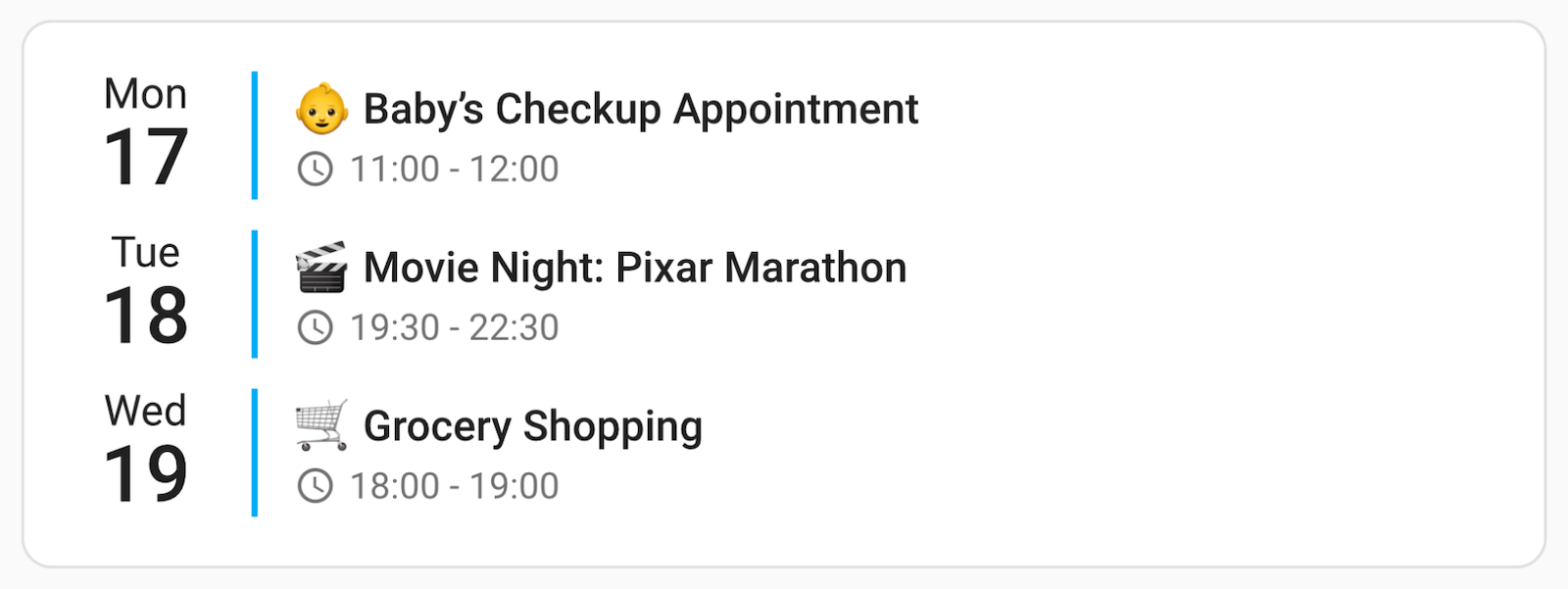
Swap calendar.family for one of your own calendar.* entities and you have a working card.
➡️ From here, Usage walks you through multiple calendars, per-calendar colors and compact mode. Every available option is listed in the Configuration reference, and more ready-made setups are in Examples.
➡️ View the Full Release Notes for a complete list of features.
duplicate_accent_color to give shared events a color of their ownallday_badge draws a rounded pill in each calendar's own color, around the event title the way Google and Apple Calendar do, or beside the clock, allday_badge_style offers four shapes and allday_badge_color picks the color they are drawn in — each calendar's own, the row's own text color, or one you name. Off by default; try allday_badge: title firstaccent_color to home-assistant and each calendar takes the color Home Assistant holds for it. Set its label the same way for that calendar's iconlabel to a person entity ID and the card shows that person's picture — faces instead of words on a household dashboardevent_type takes all, timed or all_day, card-wide or per calendar — list one calendar twice for a color on each, and Duplicate in the editor builds it for youallday_expires_at retires an all-day event partway through the day, so a bin collection stops sitting on the card until midnight, and days_of_week keeps one calendar to weekdays or weekendsYEAR=1976 in a birthday event's description and the card appends the age to the title — nothing to configure, and it stays right every yearreplace_pattern, replace_with and replace_field rewrite one field of a calendar's events as the card draws them, leaving the calendar untouched. One Calendar, Many Purposes puts this and three of the options above into a single cardfirst_day_of_week: system returned Monday to everyoneevent_icon_vertical_alignment defaults to top, and weather badges are styled through custom properties instead of inline styles- left in the entities: list replaced the whole calendar with a red error box; malformed entries are now discarded… when nothing had been truncated, and long words in descriptions and locations were clipped mid-character with no warningOlder releases are covered in the Full Release Notes.
Want to improve Calendar Card Pro? I welcome contributions of all kinds — whether it's fixing bugs, improving performance, or adding new features!
git clone https://github.com/alexpfau/calendar-card-pro.git
npm install
npm run dev
Then open a Pull Request against the dev branch.
💡 Got a feature request? Open a GitHub Issue or start a discussion!
Calendar Card Pro is released under the MIT License. Full third-party attributions are listed in NOTICE.
1,406 followers · starred Mar 2025
3,021 followers · starred May 2025
13 followers · starred Mar 2025
233 followers · starred Jun 2026
📅 A sleek and highly customizable calendar card for Home Assistant, designed for performance and a clean, modern look.
See the code
If you find Calendar Card Pro useful, consider supporting its development:
This README covers installation and a quick start. Everything else — every configuration option, all features and worked examples — lives on the documentation site, which is searchable and always matches the latest release.
| 🚀 Installation | Set the card up via HACS or manually |
| 📌 Usage | Add the card and configure it visually |
| ✨ Features & Configuration | Weather, templates, layout, actions, and more |
| 📚 Configuration Options | Complete reference for every option |
| 💡 Examples | Ready-made configurations to copy |
| 🆕 Release Notes | Full history of every release |
Calendar Card Pro was inspired by a beautiful calendar design using button-card and Hass calendar add-on shared in the Home Assistant community. While the original design was visually stunning, implementing it with button-card and card-mod led to performance issues.
This motivated me to create a dedicated calendar card that excels in one thing: displaying upcoming events beautifully and efficiently.
Built with performance in mind, the card leverages intelligent refresh mechanisms and smart caching to ensure a smooth experience, even when multiple calendars are in use.
Calendar Card Pro requires at least one calendar entity in Home Assistant. It is compatible with any integration that generates calendar.* entities, with CalDAV and Google Calendar being the primary tested integrations.
⚠️ Important: Ensure you have at least one calendar integration set up in Home Assistant before using this card.
The easiest way to install Calendar Card Pro is via HACS (Home Assistant Community Store).
https://github.com/alexpfau/calendar-card-pro as type DashboardDownload both files from the latest release:
👉 calendar-card-pro.js
and editor.js
Put both files into a folder of their own under www:
/config/www/calendar-card-pro/
The card ships as two files: calendar-card-pro.js and editor.js. Both must sit in
the same folder, and calendar-card-pro.js is the only one you name as a resource —
the card loads the editor itself, when you open it. Use a subfolder rather than
/config/www/ directly: that folder is shared by every hand-installed card, and
editor.js is a common enough name that another file can take it. HACS does all of
this for you, which is why it is the recommended route.
Navigate to: Home Assistant → Settings → Dashboards → Resources → Add Resource
Add the resource to your Lovelace Dashboard:
url: /local/calendar-card-pro/calendar-card-pro.js
type: module
Add the card from your dashboard's ➕ Add Card picker — search for "Calendar" — then click
the three dots (⋮) → Configure to open the visual editor.
Shortcut (Home Assistant 2026.6+): In the card picker, switch to the By entity tab and pick any
calendar.*entity. Calendar Card Pro is offered under Community, already pointed at that calendar and previewed with its real events.
Prefer YAML? This is a complete, working configuration:
type: custom:calendar-card-pro
entities:
  - calendar.family
days_to_show: 3
show_location: false
show_month: false
Swap calendar.family for one of your own calendar.* entities and you have a working card.
➡️ From here, Usage walks you through multiple calendars, per-calendar colors and compact mode. Every available option is listed in the Configuration reference, and more ready-made setups are in Examples.
➡️ View the Full Release Notes for a complete list of features.
duplicate_accent_color to give shared events a color of their ownallday_badge draws a rounded pill in each calendar's own color, around the event title the way Google and Apple Calendar do, or beside the clock, allday_badge_style offers four shapes and allday_badge_color picks the color they are drawn in — each calendar's own, the row's own text color, or one you name. Off by default; try allday_badge: title firstaccent_color to home-assistant and each calendar takes the color Home Assistant holds for it. Set its label the same way for that calendar's iconlabel to a person entity ID and the card shows that person's picture — faces instead of words on a household dashboardevent_type takes all, timed or all_day, card-wide or per calendar — list one calendar twice for a color on each, and Duplicate in the editor builds it for youallday_expires_at retires an all-day event partway through the day, so a bin collection stops sitting on the card until midnight, and days_of_week keeps one calendar to weekdays or weekendsYEAR=1976 in a birthday event's description and the card appends the age to the title — nothing to configure, and it stays right every yearreplace_pattern, replace_with and replace_field rewrite one field of a calendar's events as the card draws them, leaving the calendar untouched. One Calendar, Many Purposes puts this and three of the options above into a single cardfirst_day_of_week: system returned Monday to everyoneevent_icon_vertical_alignment defaults to top, and weather badges are styled through custom properties instead of inline styles- left in the entities: list replaced the whole calendar with a red error box; malformed entries are now discarded… when nothing had been truncated, and long words in descriptions and locations were clipped mid-character with no warningOlder releases are covered in the Full Release Notes.
Want to improve Calendar Card Pro? I welcome contributions of all kinds — whether it's fixing bugs, improving performance, or adding new features!
git clone https://github.com/alexpfau/calendar-card-pro.git
npm install
npm run dev
Then open a Pull Request against the dev branch.
💡 Got a feature request? Open a GitHub Issue or start a discussion!
Calendar Card Pro is released under the MIT License. Full third-party attributions are listed in NOTICE.
1,406 followers · starred Mar 2025
3,021 followers · starred May 2025
13 followers · starred Mar 2025
233 followers · starred Jun 2026