
README
krust.nvim


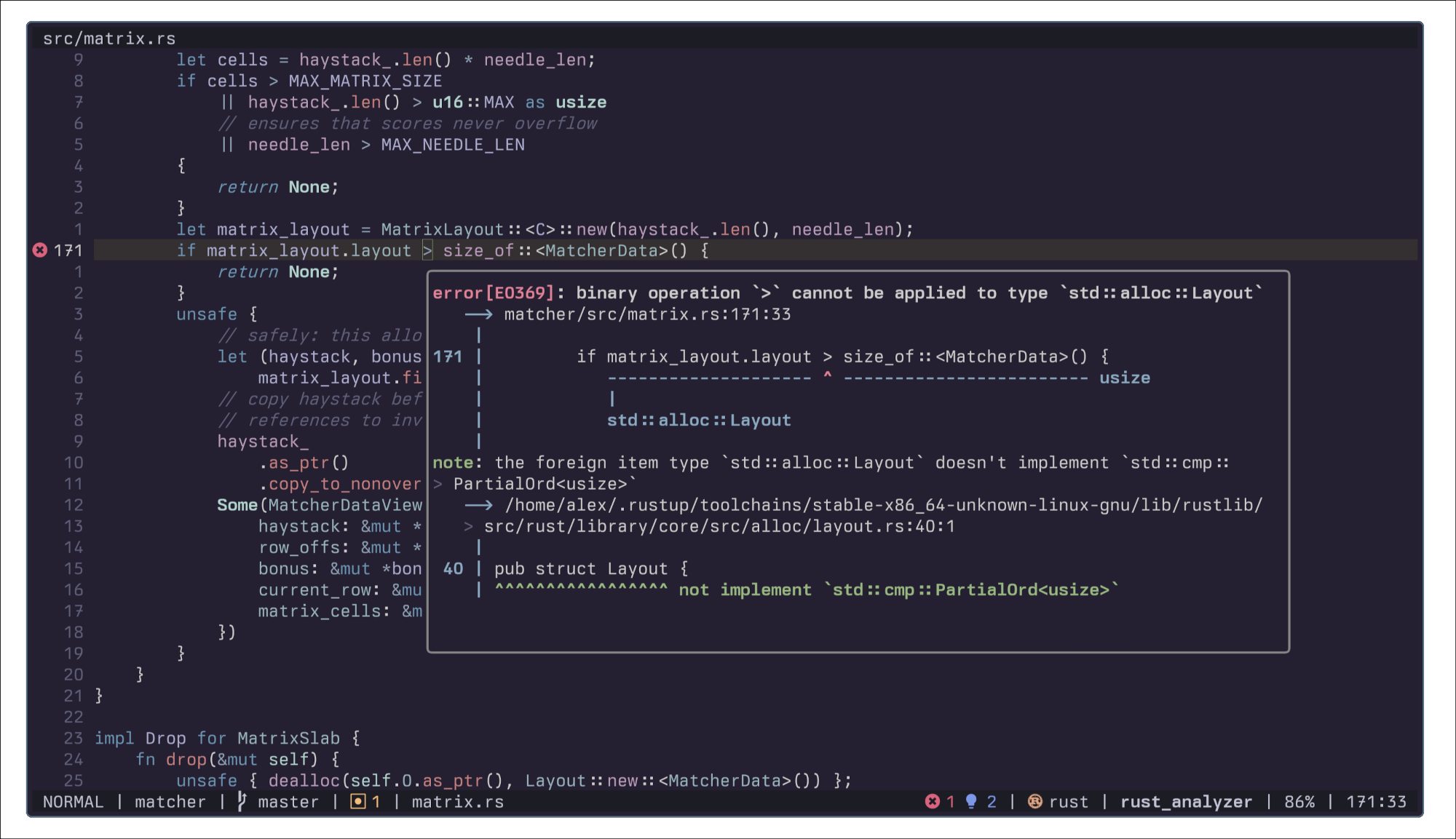
🦀 Nicer Rust diagnostics for Neovim.
Why?
To be able to read complete Rust compiler diagnostics in Neovim with proper colors and formatting, similar to how they appear when running cargo in the terminal.
Installation
lazy.nvim
{
  "alexpasmantier/krust.nvim",
  ft = "rust",
}
packer.nvim
use {
  "alexpasmantier/krust.nvim",
  ft = "rust",
}
Configuration
Krust automatically configures rust-analyzer to send colored diagnostics. No keybindings are set by default to avoid conflicts.
-- With lazy.nvim
{
  "alexpasmantier/krust.nvim",
  ft = "rust",
  opts = {
    keymap = "<leader>k",  -- Set a keymap for Rust buffers (default: false)
    float_win = {
      border = "rounded",    -- Border style: "none", "single", "double", "rounded", "solid", "shadow"
      auto_focus = false,    -- Auto-focus float (default: false)
    },
  },
}
Note: If rust-analyzer starts before krust.nvim loads, you may need :LspRestart for colors to appear. To avoid this, load krust.nvim before your LSP config.
Usage
Use the command:
:Krust
Or call from Lua:
require('krust').render()
Behavior
Krust tries to behave like LSP hover documentation windows:
- First invocation: Opens the floating window (not focused)
- Second invocation: Enters the floating window so you may scroll
qor<Esc>: Closes the window
Credits
This was inspired by rustaceanvim's diagnostic rendering.
Contributors

14 commits

5 commits
Similar repos


Languages
Lua
99.1%
README
krust.nvim
🦀 Nicer Rust diagnostics for Neovim.
Why?
To be able to read complete Rust compiler diagnostics in Neovim with proper colors and formatting, similar to how they appear when running cargo in the terminal.
Installation
lazy.nvim
{
  "alexpasmantier/krust.nvim",
  ft = "rust",
}
packer.nvim
use {
  "alexpasmantier/krust.nvim",
  ft = "rust",
}
Configuration
Krust automatically configures rust-analyzer to send colored diagnostics. No keybindings are set by default to avoid conflicts.
-- With lazy.nvim
{
  "alexpasmantier/krust.nvim",
  ft = "rust",
  opts = {
    keymap = "<leader>k",  -- Set a keymap for Rust buffers (default: false)
    float_win = {
      border = "rounded",    -- Border style: "none", "single", "double", "rounded", "solid", "shadow"
      auto_focus = false,    -- Auto-focus float (default: false)
    },
  },
}
Note: If rust-analyzer starts before krust.nvim loads, you may need :LspRestart for colors to appear. To avoid this, load krust.nvim before your LSP config.
Usage
Use the command:
:Krust
Or call from Lua:
require('krust').render()
Behavior
Krust tries to behave like LSP hover documentation windows:
- First invocation: Opens the floating window (not focused)
- Second invocation: Enters the floating window so you may scroll
qor<Esc>: Closes the window
Credits
This was inspired by rustaceanvim's diagnostic rendering.
Similar repos
Contributors
14 commits
5 commits
Languages
Lua
99.1%