Self-hosted, owner-only Gmail MCP connector for multiple accounts over Streamable HTTP and OAuth.
TypeScript
3
11 commits
updated Oct 9, 2026
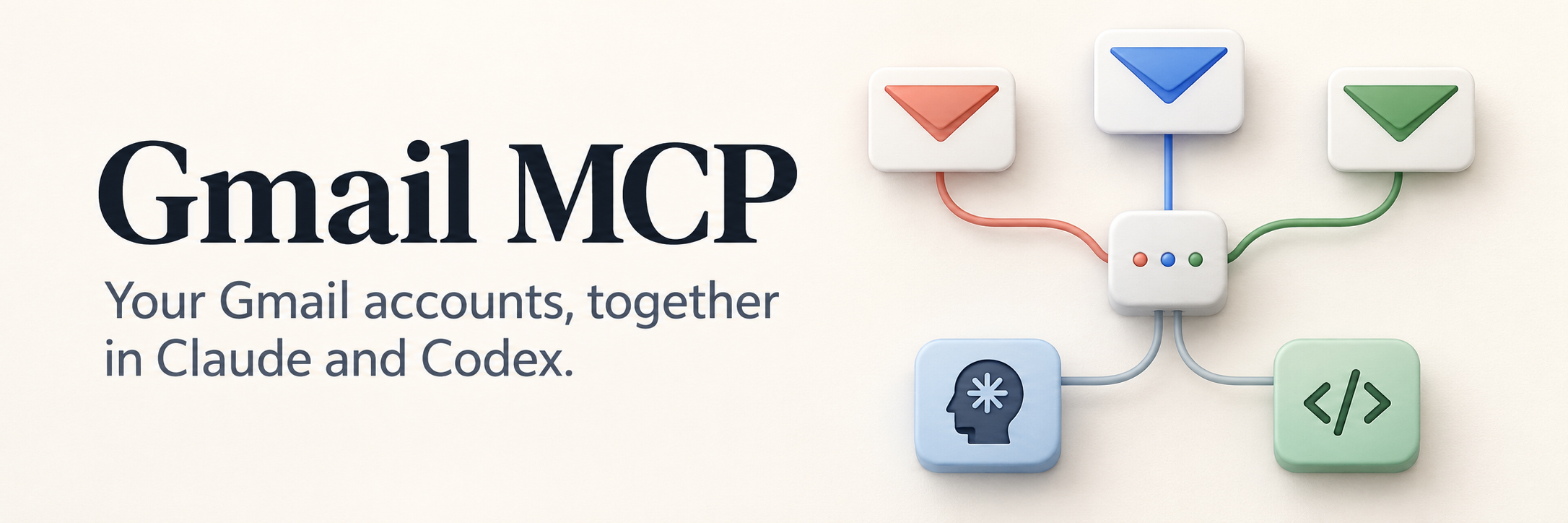


Search, read, and draft across personal and work Gmail accounts through one self-hosted MCP endpoint. Choose which accounts to connect and whether to enable sending and label changes. Only your configured Google identity can authorize access.
Get started · Connect Claude · Connect Codex · Operations · CI
[!NOTE] Early release for technically experienced self-hosters. Requires Node 24, Linux with systemd, an HTTPS hostname, and your own Google OAuth project. Each deployment supports one owner with multiple Gmail accounts.
| Capability | Tools | Access mode |
|---|---|---|
| Check connected aliases and local enrollment | list_accounts | Both |
| Search with Gmail queries and read messages | search_messages, get_message | Both |
| Look up existing labels | list_labels | Both |
| Create plain-text drafts in the selected mailbox | create_draft | Both |
| Send an existing draft | send_draft | Full |
| Apply or remove existing labels | modify_message_labels | Full |
Every tool takes an explicit account alias, such as personal or work.
Aliases refer to separately enrolled mailboxes. Forwarded addresses are read
through their destination mailbox; forwarding alone does not enable sending
from those addresses.
After connecting, try:
Search
workfor unread messages from the past week and summarize the ones that need a reply.
In
personal, draft an email to friend@example.com suggesting lunch on Friday. Save it as a draft. Do not send it.
[!IMPORTANT] Drafts mode omits the sending and label-modification tools. Google's
gmail.composescope still includes sending permission at the Google level. In full mode, the client must obtain your approval to send a specific draft; the server does not provide a separate human-approval screen for each send.
flowchart LR
    client["Claude or Codex"] -->|HTTPS| tunnel["Cloudflare Tunnel"]
    tunnel -->|Loopback HTTP| server["Gmail MCP · /mcp<br/>Owner-only OAuth + PKCE"]
    server -->|"account: personal"| personal["Personal Gmail"]
    server -->|"account: work"| work["Work Gmail"]
The server uses Streamable HTTP. Google authorization enrolls each mailbox; a separate OAuth consent flow lets Claude or Codex use those enrolled accounts. Credentials and authorization state live in encrypted SQLite storage on your server. The service runs as a dedicated non-root user under systemd.
Email content is untrusted input. Message bodies are capped at 60,000 characters with explicit truncation indicators. Plain text is preferred; HTML-only messages return labelled HTML text. See the security policy for the trust boundaries, logging rules, and backup limitations.
Follow the step-by-step setup guide. It covers:
The information pages must be available before Google OAuth setup. The guide
uses npm run start:setup for this stage; the full server starts after enrollment.
Enrollment requires a browser on the server or a computer with SSH forwarding.
Phone-only enrollment is unsupported.
For CLI usage, run node dist/cli.js --help after building. Help works before
configuration or credentials exist.
Use Node 24. Run npm ci --ignore-scripts, npm test, npm run check, and
npm run build. Tests use synthetic accounts and never send email. The HTTP
suite includes an actual MCP Inspector CLI connection.
Create a dedicated Google Cloud project and enable Gmail API. In Google Auth
Platform configure External audience, app/support/contact information, authorized
domain and real home/privacy/terms URLs. The server supplies /, /privacy, and
/terms. Publish to In production before enrollment, avoiding seven-day
refresh-token expiry in Testing. Personal use may remain unverified; Workspace
administrators may need to allow it.
Add openid, https://www.googleapis.com/auth/userinfo.email, and the Gmail
scope(s). Full mode needs only https://www.googleapis.com/auth/gmail.modify.
Drafts mode uses gmail.readonly plus gmail.compose; Google's compose scope can
also send, but the server omits its send tool in drafts mode.
Create two Google OAuth clients:
https://mcp.example.com/login/google/callback as redirect URI. Use your real
domain. Leave JavaScript origins empty.Save the client JSON files outside Git with mode 0600 in a 0700 directory.
Google shows new client secrets only at creation. Create
~/.config/gmail-mcp/config.json from the example,
also 0600. Then run:
node dist/cli.js init /private/google-desktop.json /private/google-web.json
node dist/cli.js enroll-owner
node dist/cli.js enroll personal
node dist/cli.js enroll work
node dist/cli.js status
The CLI encrypts credentials/state in ~/.local/share/gmail-mcp/state.db, using
~/.config/gmail-mcp/master.key. Original JSON files remain private recovery
copies. Never commit them. For enrollment from another computer, leave this
running there and open the printed Google URL on that same computer:
ssh -N -L 18888:127.0.0.1:18888 <ssh-user>@<server>
Use the same computer for the browser and the SSH command. A browser running on the server itself needs no tunnel. Opening the Google URL on a phone alone cannot complete enrollment; phone-only enrollment is currently unsupported. The CLI names the alias being enrolled, and the callback page confirms that alias.
Select the expected Google account and approve. Sessions last ten minutes. Identity, verified email, state, nonce and PKCE are checked. You can close the SSH tunnel after all enrollments succeed.
https://mcp.example.com/mcp, replacing the domain with yours.claude-gmail. Leave the client secret blank and add no
fixed Authorization header.Use the connector client ID above, not a Google OAuth client ID.
This is the connector's OAuth client, not either Google client ID. It uses code
flow with mandatory PKCE S256 and its registered callback
https://claude.ai/api/mcp/auth_callback. Dynamic registration and published
client identity are not enabled. Tokens require the configured owner, resource,
scope and an active grant. Refresh tokens rotate; replay revokes their grant.
Connector grants expire 30 days after creation. Refreshing tokens does not extend
that grant: reconnect and approve again when it expires. This is separate from
Google mailbox enrollment; working Gmail grants do not need re-enrollment just
because connector consent expires.
Verify in Claude: call list_accounts with a known alias, search every alias,
and create a clearly marked draft. Never send during validation. Local Inspector
success does not prove the production Google-to-Claude OAuth flow.
References: Claude connectors, Google audience, Google clients.
The separate public OAuth client codex-gmail uses the same owner-only Google
login and PKCE checks. Add the following to ~/.codex/config.toml, substituting
your domain. Preserve existing settings:
[mcp_servers.gmail]
url = "https://mcp.example.com/mcp"
scopes = ["mcp", "offline_access"]

[mcp_servers.gmail.oauth]
client_id = "codex-gmail"
callback_url = "http://127.0.0.1:18989/callback"
callback_port = 18989
Run codex mcp login gmail. For headless login, use
codex mcp login gmail --no-browser and follow its callback instructions.
Keep authorization codes and callback URLs out of chat and logs. Alternatively,
forward port 18989 over SSH from the browser's computer to the Codex host.
Restart your Codex session after setup and verify list_accounts and a search.
No Google Console changes or mailbox re-enrollment are needed. The native
client accepts loopback callback ports according to RFC 8252; the callback host
and path remain restricted. codex mcp logout gmail removes local authorization.
Server-side revoke-all revokes both Claude and Codex access.
Reference: Codex MCP configuration.
Use the install, update, and rollback guide for copyable commands. The supported deployment uses systemd and a Cloudflare tunnel.
Review install.sh, then run it as root with four arguments:
built checkout, Node 24 installation directory, private config directory and
state directory. Stop enrollment processes first. It refuses to overwrite an
existing installation. It creates a non-login gmail-mcp system user and a
hardened systemd service, listening only on
127.0.0.1:8787, with restart on failure.
Installed code/runtime: /opt/gmail-mcp. Config/key: /etc/gmail-mcp.
Encrypted state: /var/lib/gmail-mcp/state.db. Secrets/state are owned by the
service account, files 0600, directories 0700. Code is root-owned and
read-only to the service. Original enrollment state remains a private backup;
use the installed admin command thereafter, not the development CLI defaults.
Publish the configured hostname through an existing Cloudflare tunnel with
origin http://127.0.0.1:8787. Cloudflare supplies edge HTTPS and encrypted tunnel
transit; the final hop stays on loopback. Preserve the public Host and forwarded
HTTPS scheme. Disable caching and request logging for this hostname. Do not put
an interactive Cloudflare Access gate in front of OAuth/MCP. Information pages
and discovery are public; all mailbox tools require OAuth.
The installer does not alter firewall/router/tunnel configuration. A tunnel requires no new inbound ports. On a shared host, preserve existing services, LAN and VPN access. Preserving existing public-port exceptions does not establish an exact 22/80/443-only ingress policy; audit that separately.
After installation, use sudo gmail-mcp-admin status to inspect enrollment.
Use the installed admin wrapper so changes affect the live service's database.
| Task | Reference |
|---|---|
| First installation | Install the service |
| Update or recover an interrupted update | Update and rollback |
| Check a deployment | Verification steps |
| Report a vulnerability privately | Security policy |
Use sudo gmail-mcp-admin status after installation. The wrapper selects the
service's config, key and database. status and the list_accounts tool inspect
local enrollment only; they never contact Google. Each account includes:
| State | Meaning and next action |
|---|---|
missing | No usable local credential. Enroll this alias. |
disabled | Removal/revocation is pending. Retry removal; re-enroll only to deliberately restore access. |
identity_mismatch | Configuration differs from the stored account. Restore it or remove the old enrollment first. |
scope_mismatch | The stored grant lacks the configured permissions. Re-enroll and approve them. |
enrolled | Local grant exists. Remote validity is still unchecked; verify with a read-only search. |
enrolled is true only for the last state; remoteValidity remains unchecked.
A previously revoked Google token cannot be diagnosed by this local-only command.
Tool failures return a safe error code, a recovery message and, when validated,
the account alias. reauth_required means re-enroll that alias; rate_limited
means wait; quota_exceeded calls for checking project quota limits;
permission_denied calls for checking scopes or Workspace policy.
write_outcome_unknown means Gmail may already have performed the write: inspect
Gmail before retrying. Raw Google error bodies and credentials are never returned.
CLI validation and enrollment failures use the same fixed-message policy.
sudoedit /etc/gmail-mcp/config.json, add alias/email, run
sudo gmail-mcp-admin enroll <alias>, then restart gmail-mcp.enroll <alias> with the SSH forwarding above. Changing an
existing alias's identity requires removal first. enroll-owner pins or
re-enables the configured owner.sudo gmail-mcp-admin remove <alias>, then remove the config
entry and restart. Removal disables access before revoking Google permission;
failure retains the encrypted credential for retry. Revoking a Google grant
can affect other clients for the same user/project. Remove backup copies
separately. Requests already in flight may finish.sudo gmail-mcp-admin revoke-all. This
revokes grants and disables owner login. Mailbox grants remain enrolled;
enroll-owner re-enables future logins. To revoke Google access too, remove
each mailbox and revoke the app in Google Account → Third-party connections.
Stop the service for a complete shutdown.sudo gmail-mcp-admin rotate-secrets, start it and reconnect Claude and Codex.sudo gmail-mcp-admin rotate-key --service-stopped; start and verify. Protect
retained master.key.previous and state.db.before-key-rotation backups.
A crash before the key rename can leave master.key.next matching the new
database. Recover a matched key/database pair while stopped. Remove obsolete
copies only after verification. After restoring old state, run revoke-all
before exposure: encryption does not prevent backup rollback.init as the
service user. Verify login/refresh before disabling old secrets. New client
IDs require re-enrollment. The source files must be readable by gmail-mcp.Logs contain fixed event names, not request URLs, subjects, bodies or tokens.
Avoid proxy access logs, HTTP debug tracing, crash dumps and shell tracing for
secret operations. Check journalctl -u gmail-mcp for startup/failure events.
Keep real domains, identities, host paths, credentials, state and live test
results outside Git. Before changing visibility, audit the entire history
and GitHub content for private details. Sanitizing current files does not remove
older versions. Use synthetic fixtures for tests and never send real mail in CI.
Run npm test, npm run check, and npm run build before submitting a change.
See SECURITY.md for private reporting; use public issues only for
non-sensitive bugs and feature requests. private: true in package.json prevents
accidental npm publication; it does not restrict the MIT source license.
MIT © Alex Neamtu.
Self-hosted, owner-only Gmail MCP connector for multiple accounts over Streamable HTTP and OAuth.
TypeScript
3
11 commits
updated Oct 9, 2026
Search, read, and draft across personal and work Gmail accounts through one self-hosted MCP endpoint. Choose which accounts to connect and whether to enable sending and label changes. Only your configured Google identity can authorize access.
Get started · Connect Claude · Connect Codex · Operations · CI
[!NOTE] Early release for technically experienced self-hosters. Requires Node 24, Linux with systemd, an HTTPS hostname, and your own Google OAuth project. Each deployment supports one owner with multiple Gmail accounts.
| Capability | Tools | Access mode |
|---|---|---|
| Check connected aliases and local enrollment | list_accounts | Both |
| Search with Gmail queries and read messages | search_messages, get_message | Both |
| Look up existing labels | list_labels | Both |
| Create plain-text drafts in the selected mailbox | create_draft | Both |
| Send an existing draft | send_draft | Full |
| Apply or remove existing labels | modify_message_labels | Full |
Every tool takes an explicit account alias, such as personal or work.
Aliases refer to separately enrolled mailboxes. Forwarded addresses are read
through their destination mailbox; forwarding alone does not enable sending
from those addresses.
After connecting, try:
Search
workfor unread messages from the past week and summarize the ones that need a reply.
In
personal, draft an email to friend@example.com suggesting lunch on Friday. Save it as a draft. Do not send it.
[!IMPORTANT] Drafts mode omits the sending and label-modification tools. Google's
gmail.composescope still includes sending permission at the Google level. In full mode, the client must obtain your approval to send a specific draft; the server does not provide a separate human-approval screen for each send.
flowchart LR
    client["Claude or Codex"] -->|HTTPS| tunnel["Cloudflare Tunnel"]
    tunnel -->|Loopback HTTP| server["Gmail MCP · /mcp<br/>Owner-only OAuth + PKCE"]
    server -->|"account: personal"| personal["Personal Gmail"]
    server -->|"account: work"| work["Work Gmail"]
The server uses Streamable HTTP. Google authorization enrolls each mailbox; a separate OAuth consent flow lets Claude or Codex use those enrolled accounts. Credentials and authorization state live in encrypted SQLite storage on your server. The service runs as a dedicated non-root user under systemd.
Email content is untrusted input. Message bodies are capped at 60,000 characters with explicit truncation indicators. Plain text is preferred; HTML-only messages return labelled HTML text. See the security policy for the trust boundaries, logging rules, and backup limitations.
Follow the step-by-step setup guide. It covers:
The information pages must be available before Google OAuth setup. The guide
uses npm run start:setup for this stage; the full server starts after enrollment.
Enrollment requires a browser on the server or a computer with SSH forwarding.
Phone-only enrollment is unsupported.
For CLI usage, run node dist/cli.js --help after building. Help works before
configuration or credentials exist.
Use Node 24. Run npm ci --ignore-scripts, npm test, npm run check, and
npm run build. Tests use synthetic accounts and never send email. The HTTP
suite includes an actual MCP Inspector CLI connection.
Create a dedicated Google Cloud project and enable Gmail API. In Google Auth
Platform configure External audience, app/support/contact information, authorized
domain and real home/privacy/terms URLs. The server supplies /, /privacy, and
/terms. Publish to In production before enrollment, avoiding seven-day
refresh-token expiry in Testing. Personal use may remain unverified; Workspace
administrators may need to allow it.
Add openid, https://www.googleapis.com/auth/userinfo.email, and the Gmail
scope(s). Full mode needs only https://www.googleapis.com/auth/gmail.modify.
Drafts mode uses gmail.readonly plus gmail.compose; Google's compose scope can
also send, but the server omits its send tool in drafts mode.
Create two Google OAuth clients:
https://mcp.example.com/login/google/callback as redirect URI. Use your real
domain. Leave JavaScript origins empty.Save the client JSON files outside Git with mode 0600 in a 0700 directory.
Google shows new client secrets only at creation. Create
~/.config/gmail-mcp/config.json from the example,
also 0600. Then run:
node dist/cli.js init /private/google-desktop.json /private/google-web.json
node dist/cli.js enroll-owner
node dist/cli.js enroll personal
node dist/cli.js enroll work
node dist/cli.js status
The CLI encrypts credentials/state in ~/.local/share/gmail-mcp/state.db, using
~/.config/gmail-mcp/master.key. Original JSON files remain private recovery
copies. Never commit them. For enrollment from another computer, leave this
running there and open the printed Google URL on that same computer:
ssh -N -L 18888:127.0.0.1:18888 <ssh-user>@<server>
Use the same computer for the browser and the SSH command. A browser running on the server itself needs no tunnel. Opening the Google URL on a phone alone cannot complete enrollment; phone-only enrollment is currently unsupported. The CLI names the alias being enrolled, and the callback page confirms that alias.
Select the expected Google account and approve. Sessions last ten minutes. Identity, verified email, state, nonce and PKCE are checked. You can close the SSH tunnel after all enrollments succeed.
https://mcp.example.com/mcp, replacing the domain with yours.claude-gmail. Leave the client secret blank and add no
fixed Authorization header.Use the connector client ID above, not a Google OAuth client ID.
This is the connector's OAuth client, not either Google client ID. It uses code
flow with mandatory PKCE S256 and its registered callback
https://claude.ai/api/mcp/auth_callback. Dynamic registration and published
client identity are not enabled. Tokens require the configured owner, resource,
scope and an active grant. Refresh tokens rotate; replay revokes their grant.
Connector grants expire 30 days after creation. Refreshing tokens does not extend
that grant: reconnect and approve again when it expires. This is separate from
Google mailbox enrollment; working Gmail grants do not need re-enrollment just
because connector consent expires.
Verify in Claude: call list_accounts with a known alias, search every alias,
and create a clearly marked draft. Never send during validation. Local Inspector
success does not prove the production Google-to-Claude OAuth flow.
References: Claude connectors, Google audience, Google clients.
The separate public OAuth client codex-gmail uses the same owner-only Google
login and PKCE checks. Add the following to ~/.codex/config.toml, substituting
your domain. Preserve existing settings:
[mcp_servers.gmail]
url = "https://mcp.example.com/mcp"
scopes = ["mcp", "offline_access"]

[mcp_servers.gmail.oauth]
client_id = "codex-gmail"
callback_url = "http://127.0.0.1:18989/callback"
callback_port = 18989
Run codex mcp login gmail. For headless login, use
codex mcp login gmail --no-browser and follow its callback instructions.
Keep authorization codes and callback URLs out of chat and logs. Alternatively,
forward port 18989 over SSH from the browser's computer to the Codex host.
Restart your Codex session after setup and verify list_accounts and a search.
No Google Console changes or mailbox re-enrollment are needed. The native
client accepts loopback callback ports according to RFC 8252; the callback host
and path remain restricted. codex mcp logout gmail removes local authorization.
Server-side revoke-all revokes both Claude and Codex access.
Reference: Codex MCP configuration.
Use the install, update, and rollback guide for copyable commands. The supported deployment uses systemd and a Cloudflare tunnel.
Review install.sh, then run it as root with four arguments:
built checkout, Node 24 installation directory, private config directory and
state directory. Stop enrollment processes first. It refuses to overwrite an
existing installation. It creates a non-login gmail-mcp system user and a
hardened systemd service, listening only on
127.0.0.1:8787, with restart on failure.
Installed code/runtime: /opt/gmail-mcp. Config/key: /etc/gmail-mcp.
Encrypted state: /var/lib/gmail-mcp/state.db. Secrets/state are owned by the
service account, files 0600, directories 0700. Code is root-owned and
read-only to the service. Original enrollment state remains a private backup;
use the installed admin command thereafter, not the development CLI defaults.
Publish the configured hostname through an existing Cloudflare tunnel with
origin http://127.0.0.1:8787. Cloudflare supplies edge HTTPS and encrypted tunnel
transit; the final hop stays on loopback. Preserve the public Host and forwarded
HTTPS scheme. Disable caching and request logging for this hostname. Do not put
an interactive Cloudflare Access gate in front of OAuth/MCP. Information pages
and discovery are public; all mailbox tools require OAuth.
The installer does not alter firewall/router/tunnel configuration. A tunnel requires no new inbound ports. On a shared host, preserve existing services, LAN and VPN access. Preserving existing public-port exceptions does not establish an exact 22/80/443-only ingress policy; audit that separately.
After installation, use sudo gmail-mcp-admin status to inspect enrollment.
Use the installed admin wrapper so changes affect the live service's database.
| Task | Reference |
|---|---|
| First installation | Install the service |
| Update or recover an interrupted update | Update and rollback |
| Check a deployment | Verification steps |
| Report a vulnerability privately | Security policy |
Use sudo gmail-mcp-admin status after installation. The wrapper selects the
service's config, key and database. status and the list_accounts tool inspect
local enrollment only; they never contact Google. Each account includes:
| State | Meaning and next action |
|---|---|
missing | No usable local credential. Enroll this alias. |
disabled | Removal/revocation is pending. Retry removal; re-enroll only to deliberately restore access. |
identity_mismatch | Configuration differs from the stored account. Restore it or remove the old enrollment first. |
scope_mismatch | The stored grant lacks the configured permissions. Re-enroll and approve them. |
enrolled | Local grant exists. Remote validity is still unchecked; verify with a read-only search. |
enrolled is true only for the last state; remoteValidity remains unchecked.
A previously revoked Google token cannot be diagnosed by this local-only command.
Tool failures return a safe error code, a recovery message and, when validated,
the account alias. reauth_required means re-enroll that alias; rate_limited
means wait; quota_exceeded calls for checking project quota limits;
permission_denied calls for checking scopes or Workspace policy.
write_outcome_unknown means Gmail may already have performed the write: inspect
Gmail before retrying. Raw Google error bodies and credentials are never returned.
CLI validation and enrollment failures use the same fixed-message policy.
sudoedit /etc/gmail-mcp/config.json, add alias/email, run
sudo gmail-mcp-admin enroll <alias>, then restart gmail-mcp.enroll <alias> with the SSH forwarding above. Changing an
existing alias's identity requires removal first. enroll-owner pins or
re-enables the configured owner.sudo gmail-mcp-admin remove <alias>, then remove the config
entry and restart. Removal disables access before revoking Google permission;
failure retains the encrypted credential for retry. Revoking a Google grant
can affect other clients for the same user/project. Remove backup copies
separately. Requests already in flight may finish.sudo gmail-mcp-admin revoke-all. This
revokes grants and disables owner login. Mailbox grants remain enrolled;
enroll-owner re-enables future logins. To revoke Google access too, remove
each mailbox and revoke the app in Google Account → Third-party connections.
Stop the service for a complete shutdown.sudo gmail-mcp-admin rotate-secrets, start it and reconnect Claude and Codex.sudo gmail-mcp-admin rotate-key --service-stopped; start and verify. Protect
retained master.key.previous and state.db.before-key-rotation backups.
A crash before the key rename can leave master.key.next matching the new
database. Recover a matched key/database pair while stopped. Remove obsolete
copies only after verification. After restoring old state, run revoke-all
before exposure: encryption does not prevent backup rollback.init as the
service user. Verify login/refresh before disabling old secrets. New client
IDs require re-enrollment. The source files must be readable by gmail-mcp.Logs contain fixed event names, not request URLs, subjects, bodies or tokens.
Avoid proxy access logs, HTTP debug tracing, crash dumps and shell tracing for
secret operations. Check journalctl -u gmail-mcp for startup/failure events.
Keep real domains, identities, host paths, credentials, state and live test
results outside Git. Before changing visibility, audit the entire history
and GitHub content for private details. Sanitizing current files does not remove
older versions. Use synthetic fixtures for tests and never send real mail in CI.
Run npm test, npm run check, and npm run build before submitting a change.
See SECURITY.md for private reporting; use public issues only for
non-sensitive bugs and feature requests. private: true in package.json prevents
accidental npm publication; it does not restrict the MIT source license.
MIT © Alex Neamtu.





