A simple GUI designer for the python tkinter module
Python
1,067
1,374 commits
updated Oct 14, 2026
Leer en Español. More translations here
Pygubu Designer is a RAD tool to enable quick and easy development of user interfaces for the Python's tkinter module.
The user interfaces designed are saved as XML files, and, by using the pygubu builder, these can be loaded by applications dynamically as needed.
Pygubu Designer is inspired by Glade.
The latest version of pygubu requires Python >= 3.9
You can install pygubu-designer using pip:
pip install pygubu-designer
For other installation methods, please see this page.
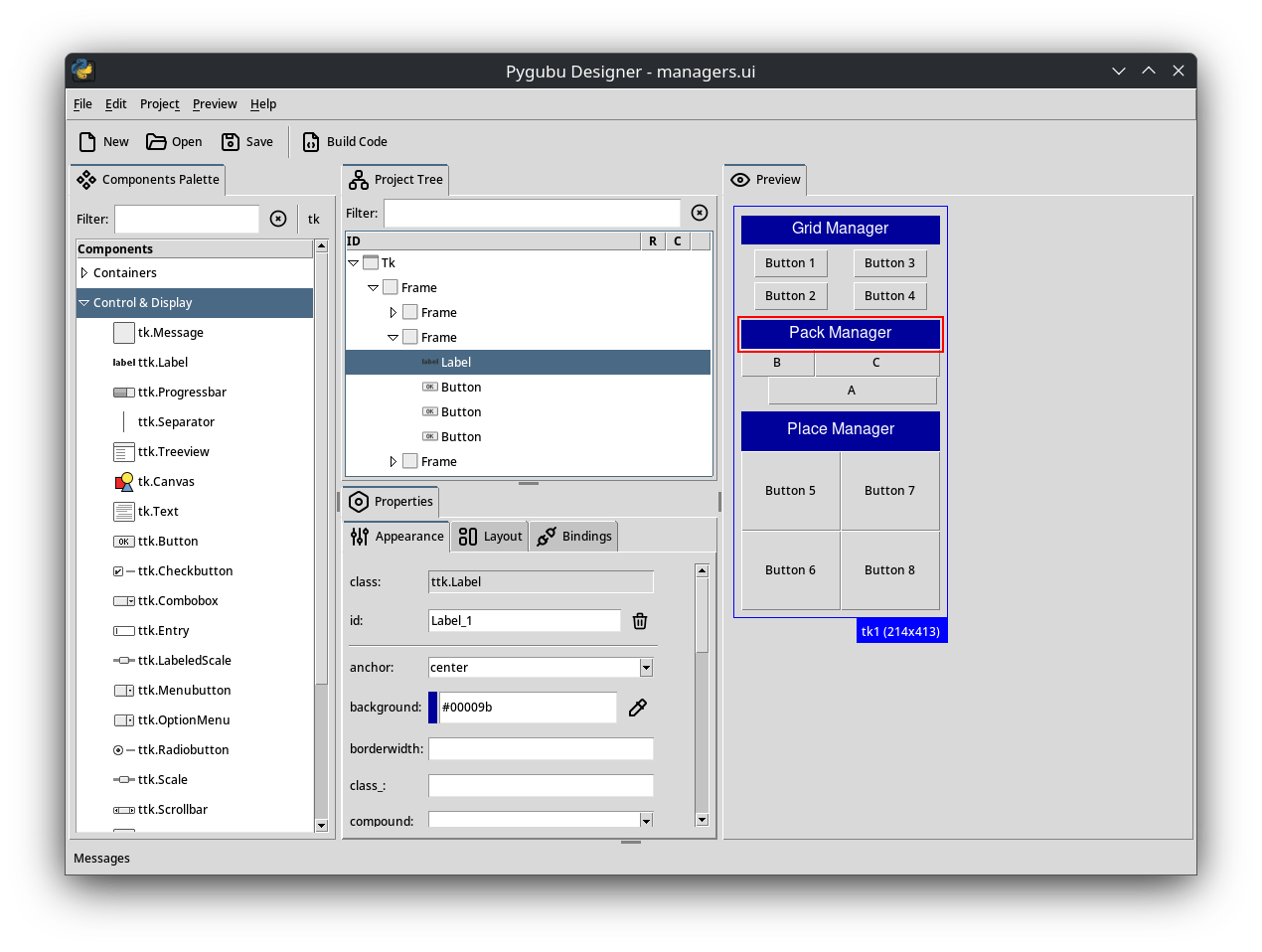
Pygubu designer supports two types of workflow. The first and classic method is creating an application that uses the "*.ui" file that defines your user interface.
In the classic mode, pygubu is in charge of creating the widgets and connecting defined bindings. I recommend this mode for apps that have one or a few windows, but you can use it for creating apps of any complexity (Pygubu Designer it self was created with this mode, but now uses the new one). This method uses a class based approach where your code lives in the derived class and the base class is updated by pygubu designer.
The second method is to create an app with a coded version of the *.ui file. Using the same class based approach mentioned above, pygubu designer generates the python code for the base class and you write the app logic in the derived class.
Generating the code for the UI has some benefits:
Whichever you choose, you can always modify the user interface using pygubu designer.
Type on the terminal one of the following commands depending on your system.
pygubu-designer
For other platforms see this page.
Visit the wiki for more documentation.
The following are some good tkinter (and tk) references:
You can also see the examples directory or watch this introductory video tutorial.
See the list of changes here.
Pygubu Designer: GPL-3.0 license
Pygubu Designer can generate pure python code scripts. For those cases where a license is required for these scripts, they are licensed under the same license as the pygubu core: MIT License. This applies to all standard plugins that come with pygubu core. If you're using a third-party plugin, check the plugin license.
Overall
Maintained
Code review
PyPI
Latest release
Releases this year
17 followers · starred Sep 2025
123 followers · starred Aug 2025
510 followers · starred Aug 2025
832 followers · starred Jul 2024
A simple GUI designer for the python tkinter module
Python
1,067
1,374 commits
updated Oct 14, 2026
Leer en Español. More translations here
Pygubu Designer is a RAD tool to enable quick and easy development of user interfaces for the Python's tkinter module.
The user interfaces designed are saved as XML files, and, by using the pygubu builder, these can be loaded by applications dynamically as needed.
Pygubu Designer is inspired by Glade.
The latest version of pygubu requires Python >= 3.9
You can install pygubu-designer using pip:
pip install pygubu-designer
For other installation methods, please see this page.
Pygubu designer supports two types of workflow. The first and classic method is creating an application that uses the "*.ui" file that defines your user interface.
In the classic mode, pygubu is in charge of creating the widgets and connecting defined bindings. I recommend this mode for apps that have one or a few windows, but you can use it for creating apps of any complexity (Pygubu Designer it self was created with this mode, but now uses the new one). This method uses a class based approach where your code lives in the derived class and the base class is updated by pygubu designer.
The second method is to create an app with a coded version of the *.ui file. Using the same class based approach mentioned above, pygubu designer generates the python code for the base class and you write the app logic in the derived class.
Generating the code for the UI has some benefits:
Whichever you choose, you can always modify the user interface using pygubu designer.
Type on the terminal one of the following commands depending on your system.
pygubu-designer
For other platforms see this page.
Visit the wiki for more documentation.
The following are some good tkinter (and tk) references:
You can also see the examples directory or watch this introductory video tutorial.
See the list of changes here.
Pygubu Designer: GPL-3.0 license
Pygubu Designer can generate pure python code scripts. For those cases where a license is required for these scripts, they are licensed under the same license as the pygubu core: MIT License. This applies to all standard plugins that come with pygubu core. If you're using a third-party plugin, check the plugin license.
Overall
Maintained
Code review
PyPI
Latest release
Releases this year
17 followers · starred Sep 2025
123 followers · starred Aug 2025
510 followers · starred Aug 2025
832 followers · starred Jul 2024



