
Privacy-focused Chrome extension that transcribes audio from browser tabs locally using transformers.js and the TabCapture API. All processing occurs within the browser, ensuring that audio data is never sent to external servers.
47
stars
680
commits
TypeScript
primary language
Sep 1, 2026
updated
README
Chrome Extension for Transcribing Audio in Chrome Browser Tabs
A Chrome extension that transcribes audio within a browser tab using transformers.js and the TabCapture API.
- Privacy-Focused: Only downloads the transcription model; does not send audio files externally for transcription.
- Offline Processing: All transcription is performed locally within the browser.
- Multi-Language Support: Supports multiple languages for transcription.
Install
-
You can use the pre-built
dist.zipfrom the releases:- Download it from here.
-
Load the extension into Chrome:
- Open Chrome and navigate to
chrome://extensions/. - Enable "Developer mode" in the top right corner.
- Click "Load unpacked" and select the
distdirectory from this repository or the extracteddist.zip.
- Open Chrome and navigate to
Usage
- Right-click the Chrome extension icon to open the side panel.
- Left-click the Chrome extension icon to start capturing audio within the tab.
- Once the model setup is complete, the transcribed text will be displayed in the transcription area.
- You can copy the transcribed text to the clipboard using the copy button.
Demo
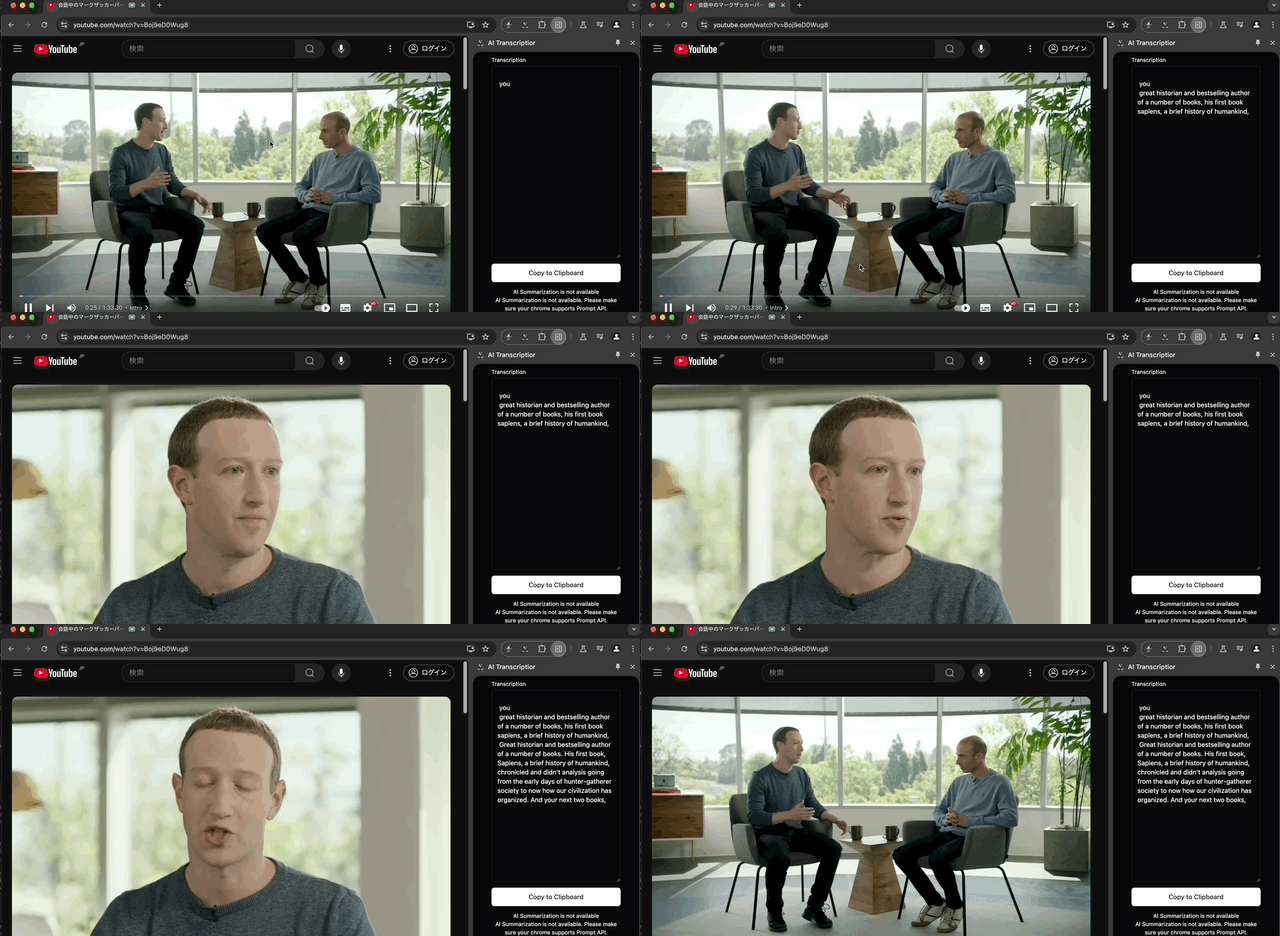
This YouTube video is licensed under CC BY.
References
- xenova/whisper-web: Used as a reference for implementation.
- transformers.js/examples/webgpu: Used as a reference for implementation.
- Book - Free Education Icons: Used as the icon for the extension.
- My blob article
Related works
Contributors


Similar repos


Languages
TypeScript
86.2%
JavaScript
7.5%
CSS
4.7%
HTML
1.5%
Privacy-focused Chrome extension that transcribes audio from browser tabs locally using transformers.js and the TabCapture API. All processing occurs within the browser, ensuring that audio data is never sent to external servers.
47
stars
680
commits
TypeScript
primary language
Sep 1, 2026
updated
README
Chrome Extension for Transcribing Audio in Chrome Browser Tabs
A Chrome extension that transcribes audio within a browser tab using transformers.js and the TabCapture API.
- Privacy-Focused: Only downloads the transcription model; does not send audio files externally for transcription.
- Offline Processing: All transcription is performed locally within the browser.
- Multi-Language Support: Supports multiple languages for transcription.
Install
-
You can use the pre-built
dist.zipfrom the releases:- Download it from here.
-
Load the extension into Chrome:
- Open Chrome and navigate to
chrome://extensions/. - Enable "Developer mode" in the top right corner.
- Click "Load unpacked" and select the
distdirectory from this repository or the extracteddist.zip.
- Open Chrome and navigate to
Usage
- Right-click the Chrome extension icon to open the side panel.
- Left-click the Chrome extension icon to start capturing audio within the tab.
- Once the model setup is complete, the transcribed text will be displayed in the transcription area.
- You can copy the transcribed text to the clipboard using the copy button.
Demo
This YouTube video is licensed under CC BY.
References
- xenova/whisper-web: Used as a reference for implementation.
- transformers.js/examples/webgpu: Used as a reference for implementation.
- Book - Free Education Icons: Used as the icon for the extension.
- My blob article
Related works
Similar repos
Contributors
Languages
TypeScript
86.2%
JavaScript
7.5%
CSS
4.7%
HTML
1.5%