
Windows desktop voice dictation app that types transcribed text directly into whatever app you are focused in. Local/offline speech-to-text via faster-whisper, no cloud API.
See the codeSee what people are saying
README


VoxScribe
A free, open-source Windows desktop voice dictation app. Hold a global hotkey anywhere on your system, talk, release. Your speech is transcribed locally on your PC and typed directly into whatever window has focus.
Modeled after Wispr Flow, but free and privacy-first: your voice audio is never uploaded anywhere.
Features
- Hold-to-talk hotkey (F9 by default, changeable): works system-wide, in any app; change it from the tray menu's "Change Hotkey..."
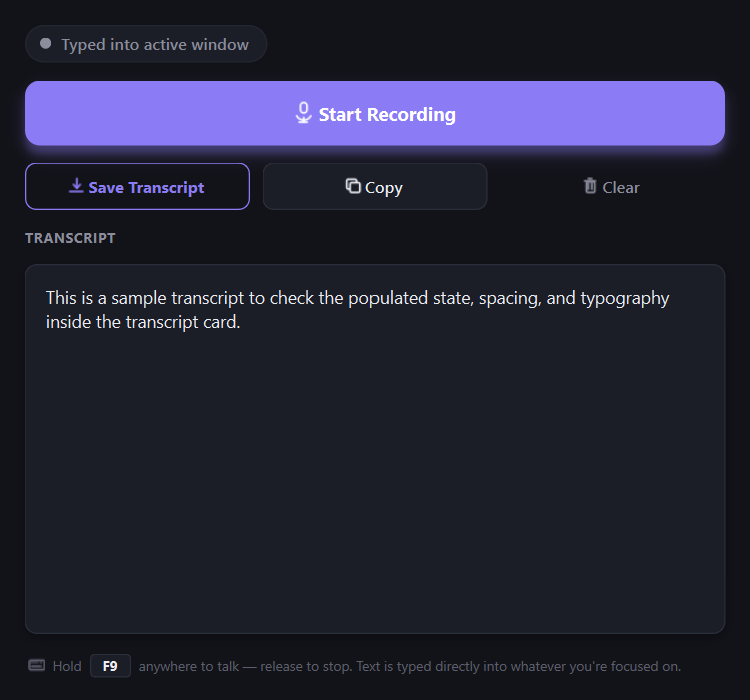
- Direct typing into the focused window: not clipboard/paste, so it never overwrites what you've copied
- 100% local transcription: powered by faster-whisper running on your CPU; your audio never leaves your machine
- Rule-based text cleanup: strips filler words ("um", "uh", "like", "you know") without calling any paid AI API
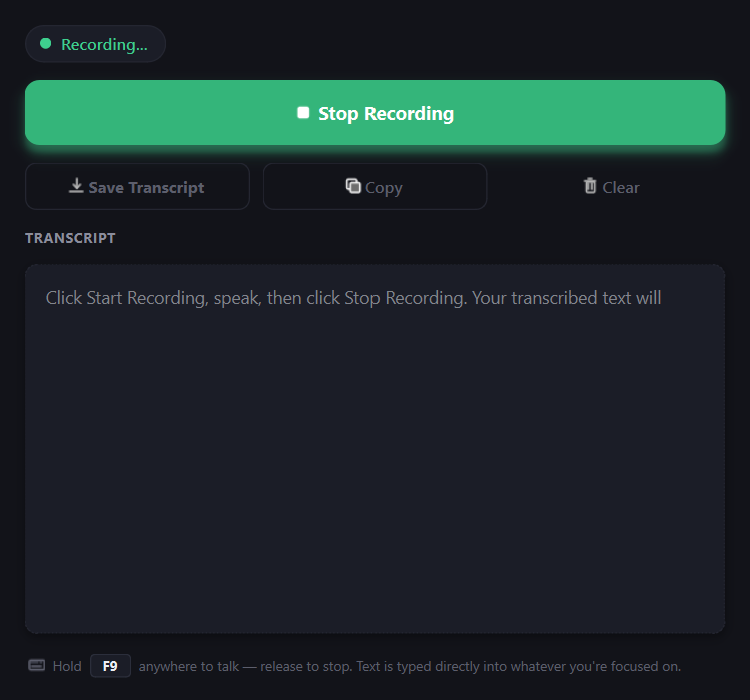
- Floating status indicator: small pill shows Recording/Transcribing state
- Runs from the system tray: starts hidden, stays out of your way
Download
Grab the latest installer from the Releases page.
Note on Windows SmartScreen: since VoxScribe is a new, unsigned app that hooks the keyboard (for the hotkey and to type text), Windows may show a "Windows protected your PC" warning on first run. Click More info → Run anyway to proceed. This is expected for unsigned indie software and not a sign of a problem.
The installer does not require admin rights (per-user install). On first launch, VoxScribe downloads the Whisper speech model (a few hundred MB) from Hugging Face. This requires an internet connection once; after that, transcription works fully offline.
Requirements
- Windows 10 or 11
- A working microphone
- ~1GB free disk space (app + downloaded model)
How it works
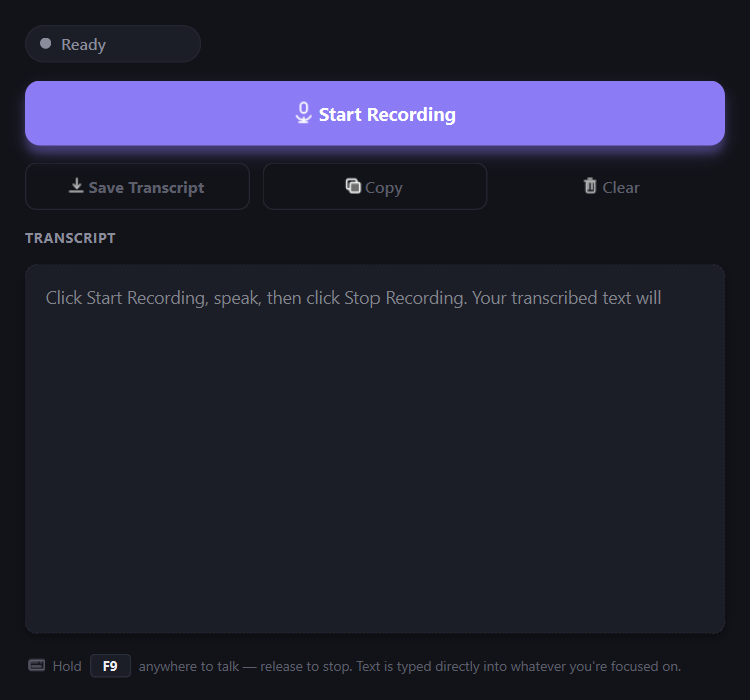
- Hold F9 (or your chosen hotkey, see the tray menu's "Change Hotkey...")
- Speak
- Release the hotkey. The transcribed, cleaned-up text is typed into whatever app you're focused in
Privacy
- Audio is captured, transcribed, and discarded locally: nothing is sent to a server
- Text cleanup is regex-based, running entirely on your machine: no AI API calls
- The only network request VoxScribe makes is the one-time Whisper model download on first run
Building from source
python -m venv venv
venv\Scripts\pip install -r requirements.txt
venv\Scripts\python.exe main.py
See CLAUDE.md for architecture notes and build/packaging commands (PyInstaller + Inno Setup).
Code signing
The installer is currently unsigned, so Windows SmartScreen shows an "unknown publisher" warning on first run. VoxScribe is applying for a free certificate through the SignPath Foundation's open-source program: see CODE_SIGNING.md for the policy that program requires. Paid alternatives also work: a traditional OV/EV certificate from a CA (SSL.com, Sectigo, roughly $70 to $400/yr), or Microsoft Trusted Signing via Azure (usage-based, no hardware token required). With any of these, run scripts\sign_release.ps1 after building; see that script's header comment for exact usage.
License
Similar repos


Languages
Python
72.6%
Kotlin
26.2%
Windows desktop voice dictation app that types transcribed text directly into whatever app you are focused in. Local/offline speech-to-text via faster-whisper, no cloud API.
See the codeSee what people are saying
README
VoxScribe
A free, open-source Windows desktop voice dictation app. Hold a global hotkey anywhere on your system, talk, release. Your speech is transcribed locally on your PC and typed directly into whatever window has focus.
Modeled after Wispr Flow, but free and privacy-first: your voice audio is never uploaded anywhere.
Features
- Hold-to-talk hotkey (F9 by default, changeable): works system-wide, in any app; change it from the tray menu's "Change Hotkey..."
- Direct typing into the focused window: not clipboard/paste, so it never overwrites what you've copied
- 100% local transcription: powered by faster-whisper running on your CPU; your audio never leaves your machine
- Rule-based text cleanup: strips filler words ("um", "uh", "like", "you know") without calling any paid AI API
- Floating status indicator: small pill shows Recording/Transcribing state
- Runs from the system tray: starts hidden, stays out of your way
Download
Grab the latest installer from the Releases page.
Note on Windows SmartScreen: since VoxScribe is a new, unsigned app that hooks the keyboard (for the hotkey and to type text), Windows may show a "Windows protected your PC" warning on first run. Click More info → Run anyway to proceed. This is expected for unsigned indie software and not a sign of a problem.
The installer does not require admin rights (per-user install). On first launch, VoxScribe downloads the Whisper speech model (a few hundred MB) from Hugging Face. This requires an internet connection once; after that, transcription works fully offline.
Requirements
- Windows 10 or 11
- A working microphone
- ~1GB free disk space (app + downloaded model)
How it works
- Hold F9 (or your chosen hotkey, see the tray menu's "Change Hotkey...")
- Speak
- Release the hotkey. The transcribed, cleaned-up text is typed into whatever app you're focused in
Privacy
- Audio is captured, transcribed, and discarded locally: nothing is sent to a server
- Text cleanup is regex-based, running entirely on your machine: no AI API calls
- The only network request VoxScribe makes is the one-time Whisper model download on first run
Building from source
python -m venv venv
venv\Scripts\pip install -r requirements.txt
venv\Scripts\python.exe main.py
See CLAUDE.md for architecture notes and build/packaging commands (PyInstaller + Inno Setup).
Code signing
The installer is currently unsigned, so Windows SmartScreen shows an "unknown publisher" warning on first run. VoxScribe is applying for a free certificate through the SignPath Foundation's open-source program: see CODE_SIGNING.md for the policy that program requires. Paid alternatives also work: a traditional OV/EV certificate from a CA (SSL.com, Sectigo, roughly $70 to $400/yr), or Microsoft Trusted Signing via Azure (usage-based, no hardware token required). With any of these, run scripts\sign_release.ps1 after building; see that script's header comment for exact usage.
License
Similar repos
Languages
Python
72.6%
Kotlin
26.2%