
A local AI assistant that can see, hear, speak, browse the web, control your computer, and remember — built entirely in native C++, it is GPU agnostic with in-process implementation and privacy-safe embeddings vectors & LoRA adapters synchronization,with faster whisper/playwright libraries reimplemented into cpp.
C++
0
2 commits
updated Sep 29, 2026
See what people are saying
README
Sonny — Local AI That Can Actually Use Your Computer

A native C++ desktop AI assistant with voice, vision, browser automation, memory, and computer control.
Demo • Features • Privacy • Quick Start • Architecture • Build
Sonny is a local-first AI assistant for Windows that can hear you, see through your camera, browse the web, control your computer, remember information, and speak back — with the core AI stack running directly on your machine.

Demo GIF coming soon
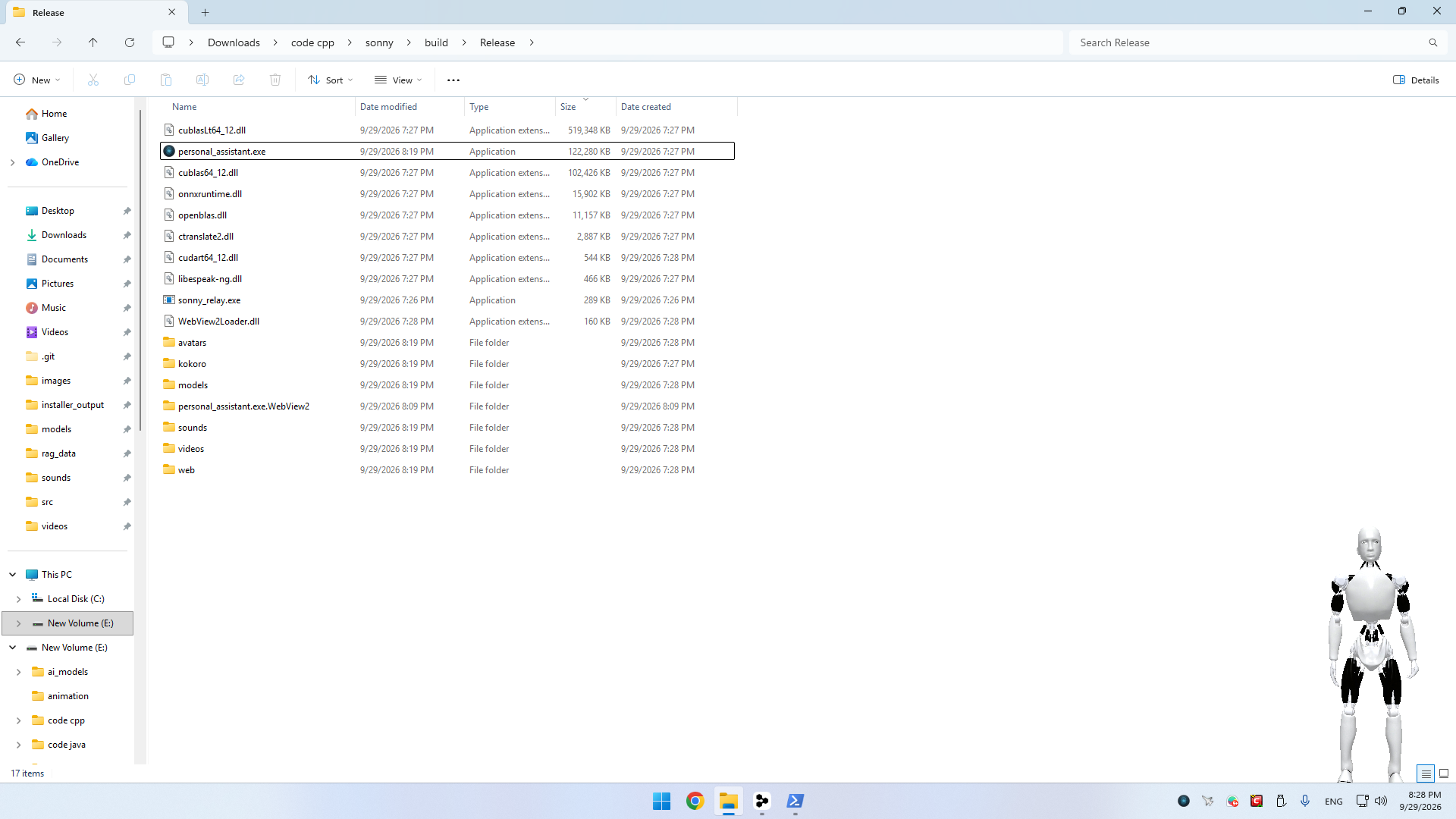 | 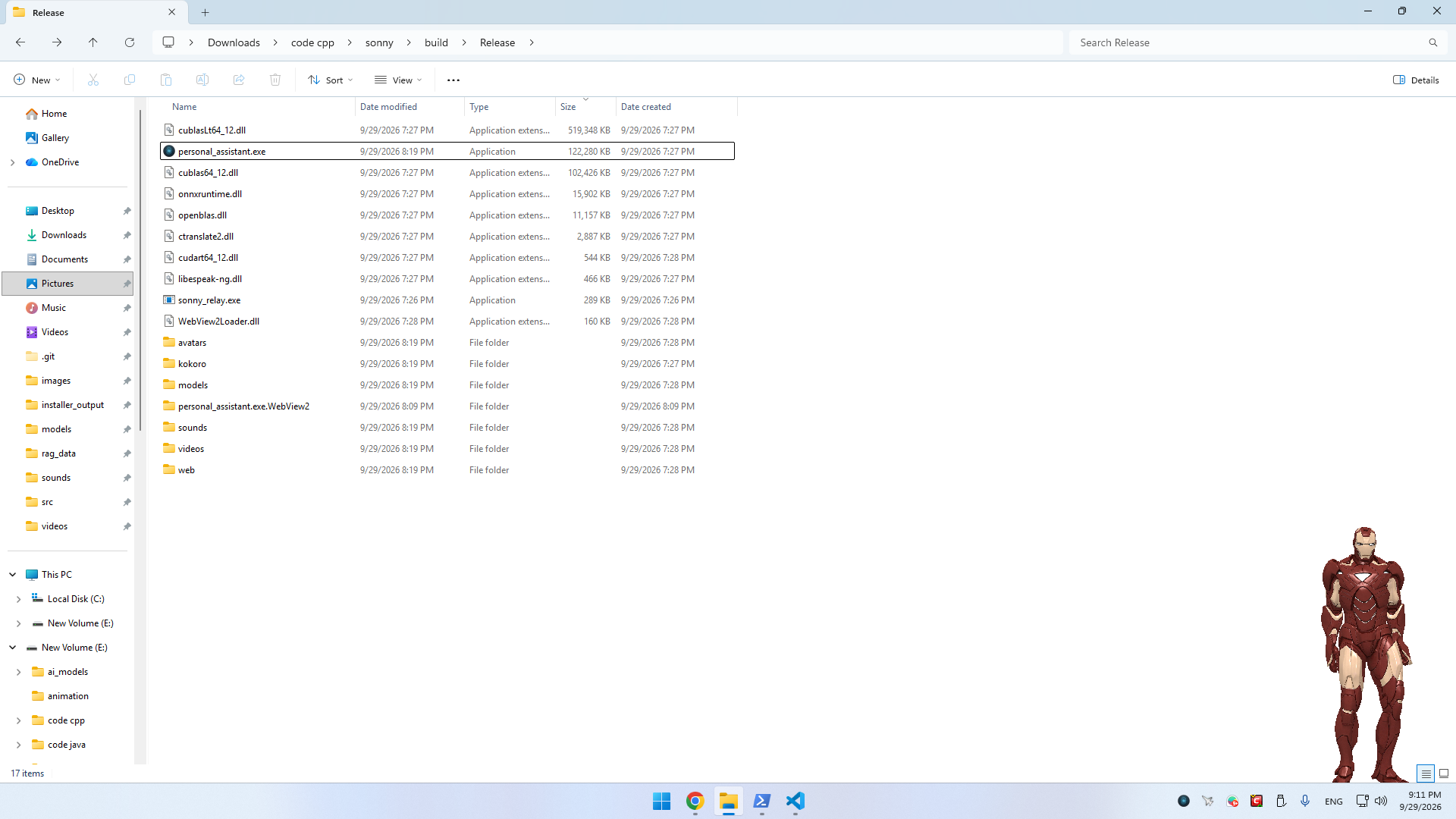 |
| Sonny | Iron Man |
Most AI assistants can talk.
Sonny is designed to act.
You can say things like:
"Sonny, search Google for the latest C++ news."

"Open the first result and summarize it."

"Play some music."

"What am I holding?"

"Find that file on my computer."

"Open YouTube and play this video."

"Remember that I prefer..."
Sonny turns those requests into actions through a local tool system.
The idea
       YOU
        │
        │ voice / text
        ▼
┌───────────────────┐
│      SONNY        │
│                   │
│  Local LLM        │
│  Voice            │
│  Vision           │
│  Memory           │
│  Tool Calling     │
└─────────┬─────────┘
          │
    ┌─────┼─────────────┐
    ▼     ▼             ▼
 Browser  PC          Camera
    │     │             │
    ▼     ▼             ▼
  Search Files       Vision
  YouTube System     Images
  Forms   Media
✨ Features
🎙️ Natural Voice Interaction
Sonny supports a complete local voice pipeline:
- Wake-word detection
- Voice activity detection
- Local Whisper speech recognition
- Local neural text-to-speech
- Configurable microphone gain
- Optional browser-based speech fallback
- Streaming responses
Microphone
    ↓
Wake Word / VAD
    ↓
Whisper
    ↓
Local LLM
    ↓
Tool Calls
    ↓
Kokoro TTS
    ↓
Speakers
🧠 Local LLM
Sonny uses llama.cpp to run GGUF language models locally.
The model can:
- Understand natural-language commands
- Decide when to use tools
- Execute tools
- Read tool results
- Continue reasoning after tool execution
- Generate spoken responses
- Use local retrieval context
- Support LoRA adapters
The LLM receives the registered tool schemas and decides when an action is required.
👁️ Vision
Sonny can look at the world around you.
With a supported vision model, Sonny can:
- Inspect camera frames
- Look at your screen
- Answer questions about images
- Capture photos
- Record video
- Open captured media
For example:
You:
"What do you see?"

Sonny:
"I can see..."
Vision requests are routed through the multimodal GGUF/mtmd pipeline when a compatible projector is available.
🌐 Browser Automation
This is one of Sonny's core features.
Sonny can control a dedicated Chromium session through the Chrome DevTools Protocol.
It can:
- Open websites
- Navigate pages
- Search
- Read pages
- Find elements
- Click
- Fill forms
- Scroll
- Press keys
- Switch tabs
- Take screenshots
- Generate PDFs
- Play YouTube videos
- Autofill supported fields
Example:
"Open Google."

"Search for the latest NVIDIA GPU."

"Open the first result."

"Read this page and summarize it."

"Search YouTube for C++ tutorials."

"Play the first result."
The browser automation stack is implemented in C++ around CDP rather than depending on a Node.js or Python automation runtime.
🛠️ Tool Calling
Sonny currently exposes 16 registered tools to the LLM.
| Tool | Capability |
|---|---|
| Browser | Control Chromium |
| Google Search | Search Google |
| Web Search | Search the web |
| YouTube Search | Search YouTube |
| YouTube Video | Open/play videos |
| System Command | Execute system commands |
| Calculator | Mathematical expressions |
| Time | Current date/time |
| Clipboard | Read/write clipboard |
| File Operations | Read/write/list/delete files |
| File Explorer | Navigate files |
| Music Player | Control local media |
| Add Media Directory | Register media folders |
| Remove Media Directory | Remove media folders |
| List Media Library | Search media libraries |
| Camera | Photos and recordings |
The architecture is designed so additional tools can be registered without changing the core assistant loop.
💾 Memory & RAG
Sonny can remember information locally.
The native C++ retrieval engine combines:
- BM25 lexical search
- Dense vector similarity
- Local embeddings
- Conversation memory
- User-taught facts
- Document indexing
Your data is stored locally under:
%APPDATA%\Sonny\rag_data\
Example:
You:
"Remember that my favorite editor is VS Code."

Later:

"What editor do I use?"

Sonny:
"You prefer VS Code."
🕸️ Optional Sonny Vectors Network
Sonny also contains an opt-in peer network for sharing aggregated knowledge between Sonny instances.
The system is designed around content-free aggregates rather than conversations.
The implementation includes:
- LAN peer discovery
- WAN relay support
- HMAC signing
- Noise
- K-anonymity controls
- Vector clipping
- Aggregated tool metrics
- Optional LoRA adapter synchronization
See docs/VECTORS.md for the technical design.
Important: Review and configure the vectors settings according to your privacy requirements before enabling network synchronization.
🤖 3D Desktop Avatar
Sonny isn't just a terminal window.
The application includes a DirectX 11 desktop overlay capable of rendering a GLB avatar with:
- Skeletal animation
- Skinning
- Transparency
- Desktop positioning
- Configurable visibility
The repository currently includes Sonny and Iron Man avatar assets.
🔒 Privacy
Sonny is designed around a local-first architecture.
The main AI pipeline runs directly on your computer:
Microphone
    ↓
Local Whisper
    ↓
Local LLM
    ↓
Local Tools
    ↓
Local Memory
    ↓
Local TTS
The running assistant does not require a Python server or a separate inference server.
Local components include:
- Speech recognition
- LLM inference
- Text-to-speech
- Embeddings
- Retrieval
- Conversation memory
- Browser automation
- Vision
- Avatar rendering
The optional vectors system is separate and can be disabled.
Browser credentials
Sonny uses a dedicated Chromium profile rather than your normal browser profile.
Credentials and autofill data are stored locally, with browser credentials protected using Windows DPAPI.
⚡ Native C++
Sonny is intentionally built as a native C++ application.
The goal is to keep the major runtime components inside one application rather than building the assistant around a collection of Python services.
The project integrates:
llama.cpp- CTranslate2
- Whisper
- Kokoro
- ONNX Runtime
- openWakeWord
- Silero VAD
- DirectX 11
- WASAPI
- DirectShow
- WebView2
- Chrome DevTools Protocol
🏗️ Architecture
At a high level:
┌─────────────────────────────────────────────────────────┐
│                    SONNY APPLICATION                    │
│                                                         │
│  ┌─────────────── AssistantOrchestrator ─────────────┐ │
│  │                                                   │ │
│  │   Voice → LLM → Tools → Memory → Response       │ │
│  │                                                   │ │
│  └───────┬──────────┬───────────┬───────────┬───────┘ │
│          │          │           │           │         │
│          ▼          ▼           ▼           ▼         │
│       Audio       Llama       RAG        Tools        │
│          │          │           │           │         │
│          ▼          ▼           ▼           ▼         │
│      Whisper     llama.cpp   Embeddings   Browser     │
│      VAD         GGUF        BM25         Files       │
│      Wake Word   Vision      Memory       System      │
│      Kokoro                  Vectors      Camera      │
│                                                         │
│                    DirectX 11 / UI                      │
└─────────────────────────────────────────────────────────┘
Voice pipeline
Microphone
    │
    ▼
WASAPI
    │
    ▼
Wake Word / Silero VAD
    │
    ▼
Whisper / CTranslate2
    │
    ▼
AssistantOrchestrator
    │
    ├──────────────► RAG Memory
    │
    ▼
llama.cpp
    │
    ├──────────────► Tool
    │                    │
    │                    ▼
    │               Tool Result
    │                    │
    └────────────────────┘
    │
    ▼
Kokoro TTS
    │
    ▼
Speakers
🧩 Project Structure
src/
├── core/           # Assistant orchestration, settings, tray, camera
├── ai/             # LLM, TTS, RAG, embeddings
├── audio/          # Audio capture, Whisper, wake word, VAD
├── browser/        # Chromium/CDP automation
├── net/            # Vectors network
├── tools/          # Assistant tools
├── ui/             # Avatar and visual components
└── utils/          # Shared utilities

resources/
├── avatars/
├── images/
├── videos/
├── sounds/
└── models/

docs/
├── BUILD_CONFIG.md
└── VECTORS.md

installer/
└── Product.wxs
🚀 Quick Start
Requirements
Minimum
- Windows 10 64-bit
- Intel Core i5 8th Gen or equivalent
- 8 GB RAM
- NVIDIA GTX 1060 6 GB or another Vulkan-capable GPU
- ~10 GB free disk space + your GGUF model
- Windows-compatible microphone and speakers
- Chrome or Edge
Recommended
- Windows 11 64-bit
- Intel Core i7 11th Gen or equivalent
- 16 GB RAM
- NVIDIA RTX 3060 12 GB or better
- SSD
📦 Build From Source
1. Clone
git clone https://github.com/ahmed19maher9/Sonny-Personal-Assistant.git
cd Sonny-Personal-Assistant
2. Configure and build
From a Visual Studio developer environment:
cmake.bat
The project uses the Visual Studio 2022 x64 generator.
Dependencies that are not already present are provisioned during configuration.
3. Run
cd build\Release
personal_assistant.exe
On first launch, Sonny will ask you for the GGUF model path.
🧠 Model Setup
Sonny uses GGUF models through llama.cpp.
Configure your model in the first-run wizard or:
%APPDATA%\Sonny\config.ini
Example:
[Settings]
llama_model_path=C:\ai_models\your-model.gguf
kokoro_voice=af_heart
language=en
tts_speed=1.15
avatar_type=sonny
show_avatar=true
wake_word_enabled=false
camera_feed_enabled=true
For vision, place a compatible mmproj-*.gguf projector alongside the vision-capable GGUF model.
⚙️ GPU Support
Sonny automatically selects the available inference backend.
| Hardware | Backend |
|---|---|
| NVIDIA | CUDA |
| AMD | Vulkan |
| Intel | Vulkan |
| CPU only | CPU |
CUDA and Vulkan support are configured automatically by default.
You can override this behavior with:
-DSONNY_LLAMA_CUDA=ON|OFF|AUTO
-DSONNY_LLAMA_VULKAN=ON|OFF|AUTO
-DSONNY_LLAMA_CUDA_ARCH=native
🛠️ Useful Build Commands
Clean build
cmake.bat clean
cmake.bat
Incremental build
build.bat
Manual CMake build
mkdir build
cd build

cmake .. -G "Visual Studio 17 2022" -A x64 -DCMAKE_BUILD_TYPE=Release

cmake --build . --config Release -j
MSI installer
build_installer.bat
The installer requires WiX Toolset.
🧪 Technical Details
For deeper implementation details, see:
Important implementation areas include:
src/core/AssistantOrchestrator
src/ai/LlamaWrapper
src/ai/KokoroWrapper
src/ai/RagEngine
src/ai/EmbeddingEngine
src/audio/STTEngineWrapper
src/audio/WakeWordEngine
src/audio/VADEngine
src/browser/
src/net/
src/tools/
src/ui/
🔐 Where Sonny Stores Data
| Data | Location |
|---|---|
| Configuration | %APPDATA%\Sonny\config.ini |
| RAG / memory | %APPDATA%\Sonny\rag_data\ |
| Browser profile | %APPDATA%\Sonny\browser-profile |
| Browser credentials | %APPDATA%\Sonny\browser_profile.json |
| Screenshots | %APPDATA%\Sonny\screenshots |
| Downloads/PDFs | %USERPROFILE%\Downloads\Sonny |
| Vector node identity | %APPDATA%\Sonny\vectors\ |
🐛 Troubleshooting
Model won't load
Make sure the GGUF architecture is supported by the pinned llama.cpp version.
No speech recognition
Check:
- Windows microphone permissions
- Input device
- Microphone level
mic_gain- Wake-word configuration
Wake word doesn't trigger
Wake-word detection is disabled by default.
Enable:
wake_word_enabled=true
and verify the OpenWakeWord model files exist.
Browser automation doesn't start
Make sure Chrome or Edge is installed and that Sonny's dedicated browser profile isn't locked by another Sonny browser instance.
Avatar doesn't appear
Check:
show_avatar=true
and verify that the GLB avatar asset is available.
🗺️ Roadmap
The project is actively evolving.
Potential areas of development:
- Easier one-click installation
- Prebuilt Windows releases
- Better onboarding
- More computer-control tools
- More vision capabilities
- More LLM/model compatibility
- Improved wake-word customization
- Better browser automation coverage
- More desktop integrations
- Community-contributed tools
- Improved documentation
- Performance benchmarking
Have an idea?
Open an issue and describe what you want Sonny to be able to do.
🤝 Contributing
Contributions are welcome.
Some useful areas:
- New tools
- Browser workflows
- Vision features
- Performance improvements
- UI/UX
- Documentation
- Model compatibility
- Windows integration
- Bug fixes
A great first contribution is a new tool that gives Sonny a useful capability.
⭐ Support the Project
If Sonny is interesting to you:
- ⭐ Star the repository
- 🐛 Report bugs
- 💡 Suggest features
- 🔧 Submit pull requests
- 📢 Share the project
Every star and contribution helps the project reach more developers interested in local AI and native C++.
📜 Dependencies
Sonny integrates several open-source projects, including:
- llama.cpp
- CTranslate2
- Kokoro
- ONNX Runtime
- OpenBLAS
- eSpeak NG
- tinygltf
- WebView2
- vis-network
- WiX Toolset
Please see the project's dependency/license documentation before redistributing builds.
📄 License
See the repository license files for the applicable license terms for Sonny and its bundled dependencies.
🧠 Local AI
🎙️ Voice
👁️ Vision
🌐 Browser Automation
💾 Memory
🛠️ Computer Control
⚡ Native C++
Sonny is an experiment in what a local AI assistant can actually do when it is given access to your computer.
Similar repos


Languages
C++
96.9%
CMake
2.1%
A local AI assistant that can see, hear, speak, browse the web, control your computer, and remember — built entirely in native C++, it is GPU agnostic with in-process implementation and privacy-safe embeddings vectors & LoRA adapters synchronization,with faster whisper/playwright libraries reimplemented into cpp.
C++
0
2 commits
updated Sep 29, 2026
See what people are saying
README
Sonny — Local AI That Can Actually Use Your Computer
A native C++ desktop AI assistant with voice, vision, browser automation, memory, and computer control.
Demo • Features • Privacy • Quick Start • Architecture • Build
Sonny is a local-first AI assistant for Windows that can hear you, see through your camera, browse the web, control your computer, remember information, and speak back — with the core AI stack running directly on your machine.
Demo GIF coming soon
| |
| Sonny | Iron Man |
Most AI assistants can talk.
Sonny is designed to act.
You can say things like:
"Sonny, search Google for the latest C++ news."

"Open the first result and summarize it."

"Play some music."

"What am I holding?"

"Find that file on my computer."

"Open YouTube and play this video."

"Remember that I prefer..."
Sonny turns those requests into actions through a local tool system.
The idea
       YOU
        │
        │ voice / text
        ▼
┌───────────────────┐
│      SONNY        │
│                   │
│  Local LLM        │
│  Voice            │
│  Vision           │
│  Memory           │
│  Tool Calling     │
└─────────┬─────────┘
          │
    ┌─────┼─────────────┐
    ▼     ▼             ▼
 Browser  PC          Camera
    │     │             │
    ▼     ▼             ▼
  Search Files       Vision
  YouTube System     Images
  Forms   Media
✨ Features
🎙️ Natural Voice Interaction
Sonny supports a complete local voice pipeline:
- Wake-word detection
- Voice activity detection
- Local Whisper speech recognition
- Local neural text-to-speech
- Configurable microphone gain
- Optional browser-based speech fallback
- Streaming responses
Microphone
    ↓
Wake Word / VAD
    ↓
Whisper
    ↓
Local LLM
    ↓
Tool Calls
    ↓
Kokoro TTS
    ↓
Speakers
🧠 Local LLM
Sonny uses llama.cpp to run GGUF language models locally.
The model can:
- Understand natural-language commands
- Decide when to use tools
- Execute tools
- Read tool results
- Continue reasoning after tool execution
- Generate spoken responses
- Use local retrieval context
- Support LoRA adapters
The LLM receives the registered tool schemas and decides when an action is required.
👁️ Vision
Sonny can look at the world around you.
With a supported vision model, Sonny can:
- Inspect camera frames
- Look at your screen
- Answer questions about images
- Capture photos
- Record video
- Open captured media
For example:
You:
"What do you see?"

Sonny:
"I can see..."
Vision requests are routed through the multimodal GGUF/mtmd pipeline when a compatible projector is available.
🌐 Browser Automation
This is one of Sonny's core features.
Sonny can control a dedicated Chromium session through the Chrome DevTools Protocol.
It can:
- Open websites
- Navigate pages
- Search
- Read pages
- Find elements
- Click
- Fill forms
- Scroll
- Press keys
- Switch tabs
- Take screenshots
- Generate PDFs
- Play YouTube videos
- Autofill supported fields
Example:
"Open Google."

"Search for the latest NVIDIA GPU."

"Open the first result."

"Read this page and summarize it."

"Search YouTube for C++ tutorials."

"Play the first result."
The browser automation stack is implemented in C++ around CDP rather than depending on a Node.js or Python automation runtime.
🛠️ Tool Calling
Sonny currently exposes 16 registered tools to the LLM.
| Tool | Capability |
|---|---|
| Browser | Control Chromium |
| Google Search | Search Google |
| Web Search | Search the web |
| YouTube Search | Search YouTube |
| YouTube Video | Open/play videos |
| System Command | Execute system commands |
| Calculator | Mathematical expressions |
| Time | Current date/time |
| Clipboard | Read/write clipboard |
| File Operations | Read/write/list/delete files |
| File Explorer | Navigate files |
| Music Player | Control local media |
| Add Media Directory | Register media folders |
| Remove Media Directory | Remove media folders |
| List Media Library | Search media libraries |
| Camera | Photos and recordings |
The architecture is designed so additional tools can be registered without changing the core assistant loop.
💾 Memory & RAG
Sonny can remember information locally.
The native C++ retrieval engine combines:
- BM25 lexical search
- Dense vector similarity
- Local embeddings
- Conversation memory
- User-taught facts
- Document indexing
Your data is stored locally under:
%APPDATA%\Sonny\rag_data\
Example:
You:
"Remember that my favorite editor is VS Code."

Later:

"What editor do I use?"

Sonny:
"You prefer VS Code."
🕸️ Optional Sonny Vectors Network
Sonny also contains an opt-in peer network for sharing aggregated knowledge between Sonny instances.
The system is designed around content-free aggregates rather than conversations.
The implementation includes:
- LAN peer discovery
- WAN relay support
- HMAC signing
- Noise
- K-anonymity controls
- Vector clipping
- Aggregated tool metrics
- Optional LoRA adapter synchronization
See docs/VECTORS.md for the technical design.
Important: Review and configure the vectors settings according to your privacy requirements before enabling network synchronization.
🤖 3D Desktop Avatar
Sonny isn't just a terminal window.
The application includes a DirectX 11 desktop overlay capable of rendering a GLB avatar with:
- Skeletal animation
- Skinning
- Transparency
- Desktop positioning
- Configurable visibility
The repository currently includes Sonny and Iron Man avatar assets.
🔒 Privacy
Sonny is designed around a local-first architecture.
The main AI pipeline runs directly on your computer:
Microphone
    ↓
Local Whisper
    ↓
Local LLM
    ↓
Local Tools
    ↓
Local Memory
    ↓
Local TTS
The running assistant does not require a Python server or a separate inference server.
Local components include:
- Speech recognition
- LLM inference
- Text-to-speech
- Embeddings
- Retrieval
- Conversation memory
- Browser automation
- Vision
- Avatar rendering
The optional vectors system is separate and can be disabled.
Browser credentials
Sonny uses a dedicated Chromium profile rather than your normal browser profile.
Credentials and autofill data are stored locally, with browser credentials protected using Windows DPAPI.
⚡ Native C++
Sonny is intentionally built as a native C++ application.
The goal is to keep the major runtime components inside one application rather than building the assistant around a collection of Python services.
The project integrates:
llama.cpp- CTranslate2
- Whisper
- Kokoro
- ONNX Runtime
- openWakeWord
- Silero VAD
- DirectX 11
- WASAPI
- DirectShow
- WebView2
- Chrome DevTools Protocol
🏗️ Architecture
At a high level:
┌─────────────────────────────────────────────────────────┐
│                    SONNY APPLICATION                    │
│                                                         │
│  ┌─────────────── AssistantOrchestrator ─────────────┐ │
│  │                                                   │ │
│  │   Voice → LLM → Tools → Memory → Response       │ │
│  │                                                   │ │
│  └───────┬──────────┬───────────┬───────────┬───────┘ │
│          │          │           │           │         │
│          ▼          ▼           ▼           ▼         │
│       Audio       Llama       RAG        Tools        │
│          │          │           │           │         │
│          ▼          ▼           ▼           ▼         │
│      Whisper     llama.cpp   Embeddings   Browser     │
│      VAD         GGUF        BM25         Files       │
│      Wake Word   Vision      Memory       System      │
│      Kokoro                  Vectors      Camera      │
│                                                         │
│                    DirectX 11 / UI                      │
└─────────────────────────────────────────────────────────┘
Voice pipeline
Microphone
    │
    ▼
WASAPI
    │
    ▼
Wake Word / Silero VAD
    │
    ▼
Whisper / CTranslate2
    │
    ▼
AssistantOrchestrator
    │
    ├──────────────► RAG Memory
    │
    ▼
llama.cpp
    │
    ├──────────────► Tool
    │                    │
    │                    ▼
    │               Tool Result
    │                    │
    └────────────────────┘
    │
    ▼
Kokoro TTS
    │
    ▼
Speakers
🧩 Project Structure
src/
├── core/           # Assistant orchestration, settings, tray, camera
├── ai/             # LLM, TTS, RAG, embeddings
├── audio/          # Audio capture, Whisper, wake word, VAD
├── browser/        # Chromium/CDP automation
├── net/            # Vectors network
├── tools/          # Assistant tools
├── ui/             # Avatar and visual components
└── utils/          # Shared utilities

resources/
├── avatars/
├── images/
├── videos/
├── sounds/
└── models/

docs/
├── BUILD_CONFIG.md
└── VECTORS.md

installer/
└── Product.wxs
🚀 Quick Start
Requirements
Minimum
- Windows 10 64-bit
- Intel Core i5 8th Gen or equivalent
- 8 GB RAM
- NVIDIA GTX 1060 6 GB or another Vulkan-capable GPU
- ~10 GB free disk space + your GGUF model
- Windows-compatible microphone and speakers
- Chrome or Edge
Recommended
- Windows 11 64-bit
- Intel Core i7 11th Gen or equivalent
- 16 GB RAM
- NVIDIA RTX 3060 12 GB or better
- SSD
📦 Build From Source
1. Clone
git clone https://github.com/ahmed19maher9/Sonny-Personal-Assistant.git
cd Sonny-Personal-Assistant
2. Configure and build
From a Visual Studio developer environment:
cmake.bat
The project uses the Visual Studio 2022 x64 generator.
Dependencies that are not already present are provisioned during configuration.
3. Run
cd build\Release
personal_assistant.exe
On first launch, Sonny will ask you for the GGUF model path.
🧠 Model Setup
Sonny uses GGUF models through llama.cpp.
Configure your model in the first-run wizard or:
%APPDATA%\Sonny\config.ini
Example:
[Settings]
llama_model_path=C:\ai_models\your-model.gguf
kokoro_voice=af_heart
language=en
tts_speed=1.15
avatar_type=sonny
show_avatar=true
wake_word_enabled=false
camera_feed_enabled=true
For vision, place a compatible mmproj-*.gguf projector alongside the vision-capable GGUF model.
⚙️ GPU Support
Sonny automatically selects the available inference backend.
| Hardware | Backend |
|---|---|
| NVIDIA | CUDA |
| AMD | Vulkan |
| Intel | Vulkan |
| CPU only | CPU |
CUDA and Vulkan support are configured automatically by default.
You can override this behavior with:
-DSONNY_LLAMA_CUDA=ON|OFF|AUTO
-DSONNY_LLAMA_VULKAN=ON|OFF|AUTO
-DSONNY_LLAMA_CUDA_ARCH=native
🛠️ Useful Build Commands
Clean build
cmake.bat clean
cmake.bat
Incremental build
build.bat
Manual CMake build
mkdir build
cd build

cmake .. -G "Visual Studio 17 2022" -A x64 -DCMAKE_BUILD_TYPE=Release

cmake --build . --config Release -j
MSI installer
build_installer.bat
The installer requires WiX Toolset.
🧪 Technical Details
For deeper implementation details, see:
Important implementation areas include:
src/core/AssistantOrchestrator
src/ai/LlamaWrapper
src/ai/KokoroWrapper
src/ai/RagEngine
src/ai/EmbeddingEngine
src/audio/STTEngineWrapper
src/audio/WakeWordEngine
src/audio/VADEngine
src/browser/
src/net/
src/tools/
src/ui/
🔐 Where Sonny Stores Data
| Data | Location |
|---|---|
| Configuration | %APPDATA%\Sonny\config.ini |
| RAG / memory | %APPDATA%\Sonny\rag_data\ |
| Browser profile | %APPDATA%\Sonny\browser-profile |
| Browser credentials | %APPDATA%\Sonny\browser_profile.json |
| Screenshots | %APPDATA%\Sonny\screenshots |
| Downloads/PDFs | %USERPROFILE%\Downloads\Sonny |
| Vector node identity | %APPDATA%\Sonny\vectors\ |
🐛 Troubleshooting
Model won't load
Make sure the GGUF architecture is supported by the pinned llama.cpp version.
No speech recognition
Check:
- Windows microphone permissions
- Input device
- Microphone level
mic_gain- Wake-word configuration
Wake word doesn't trigger
Wake-word detection is disabled by default.
Enable:
wake_word_enabled=true
and verify the OpenWakeWord model files exist.
Browser automation doesn't start
Make sure Chrome or Edge is installed and that Sonny's dedicated browser profile isn't locked by another Sonny browser instance.
Avatar doesn't appear
Check:
show_avatar=true
and verify that the GLB avatar asset is available.
🗺️ Roadmap
The project is actively evolving.
Potential areas of development:
- Easier one-click installation
- Prebuilt Windows releases
- Better onboarding
- More computer-control tools
- More vision capabilities
- More LLM/model compatibility
- Improved wake-word customization
- Better browser automation coverage
- More desktop integrations
- Community-contributed tools
- Improved documentation
- Performance benchmarking
Have an idea?
Open an issue and describe what you want Sonny to be able to do.
🤝 Contributing
Contributions are welcome.
Some useful areas:
- New tools
- Browser workflows
- Vision features
- Performance improvements
- UI/UX
- Documentation
- Model compatibility
- Windows integration
- Bug fixes
A great first contribution is a new tool that gives Sonny a useful capability.
⭐ Support the Project
If Sonny is interesting to you:
- ⭐ Star the repository
- 🐛 Report bugs
- 💡 Suggest features
- 🔧 Submit pull requests
- 📢 Share the project
Every star and contribution helps the project reach more developers interested in local AI and native C++.
📜 Dependencies
Sonny integrates several open-source projects, including:
- llama.cpp
- CTranslate2
- Kokoro
- ONNX Runtime
- OpenBLAS
- eSpeak NG
- tinygltf
- WebView2
- vis-network
- WiX Toolset
Please see the project's dependency/license documentation before redistributing builds.
📄 License
See the repository license files for the applicable license terms for Sonny and its bundled dependencies.
🧠 Local AI
🎙️ Voice
👁️ Vision
🌐 Browser Automation
💾 Memory
🛠️ Computer Control
⚡ Native C++
Sonny is an experiment in what a local AI assistant can actually do when it is given access to your computer.
Similar repos
Languages
C++
96.9%
CMake
2.1%