
Your own IPTV player for Android phones and tablets
Touch-first · the same engine as the television — bring your own M3U, Xtream or Stalker (MAC) sources








OwnTV Mobile is the phone and tablet member of the OwnTV family: a native Android IPTV player built with Kotlin and Jetpack Compose (Material 3), sharing its entire engine with OwnTV for Android TV through the OwnTV core library. Two interfaces, one database, one sync, one playback stack — a dual playback engine of libmpv (FFmpeg) for films and series and ExoPlayer (Media3) for near-instant Live TV.
It is a player only — you bring your own Xtream login, M3U playlist (by URL or a local
.m3u/.m3u8 file on the device), or Stalker/Ministra portal (Portal URL + MAC, with optional
Serial Number, Device IDs and Signature).
⚠️ OwnTV does not provide any channels, playlists, subscriptions, streams, or media content. You are responsible for adding your own legally accessible sources.
This is an open-source project — the code is original (not derived from any other app) and was built with the help of AI.
📖 New here? User Guide →
Every feature, where to find it, and the gestures — on one page.
📱 Already using OwnTV on your television?
Local sync carries your playlists, profiles, favourites and watch history across your own Wi-Fi, with no account and no cloud — offered on the very first setup screen, so a new phone is furnished from the television without going near the menus. A backup made on the television restores here too, encrypted ones included.
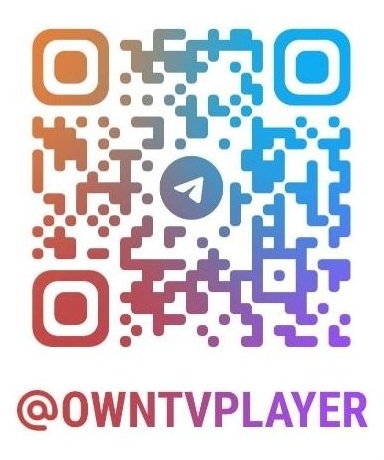
Questions, ideas, bug reports — or just want to follow along? Join the OwnTV Telegram group:
Scan to join from your phone:
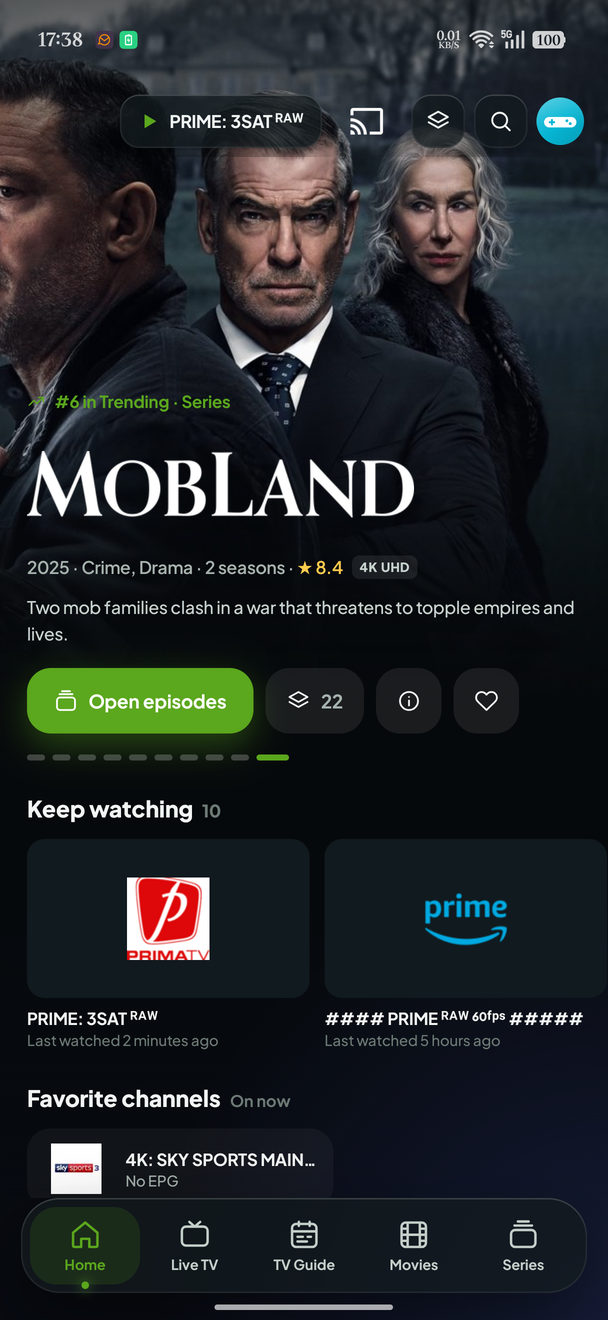 Home — Now Trending | 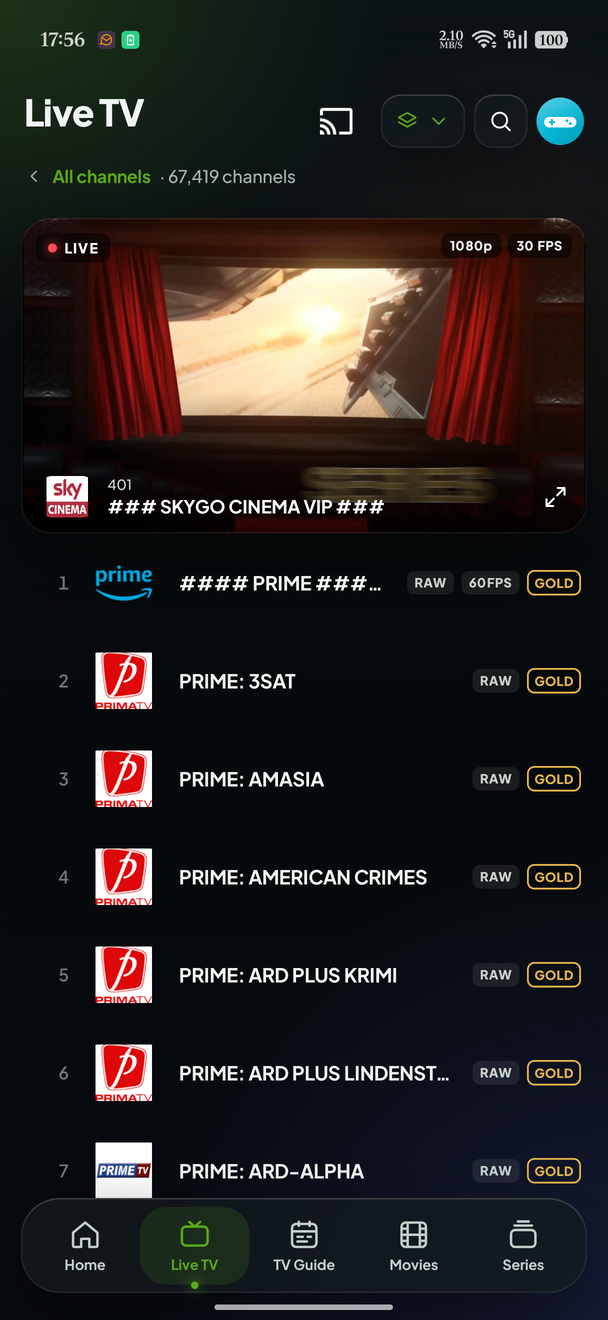 Live TV | 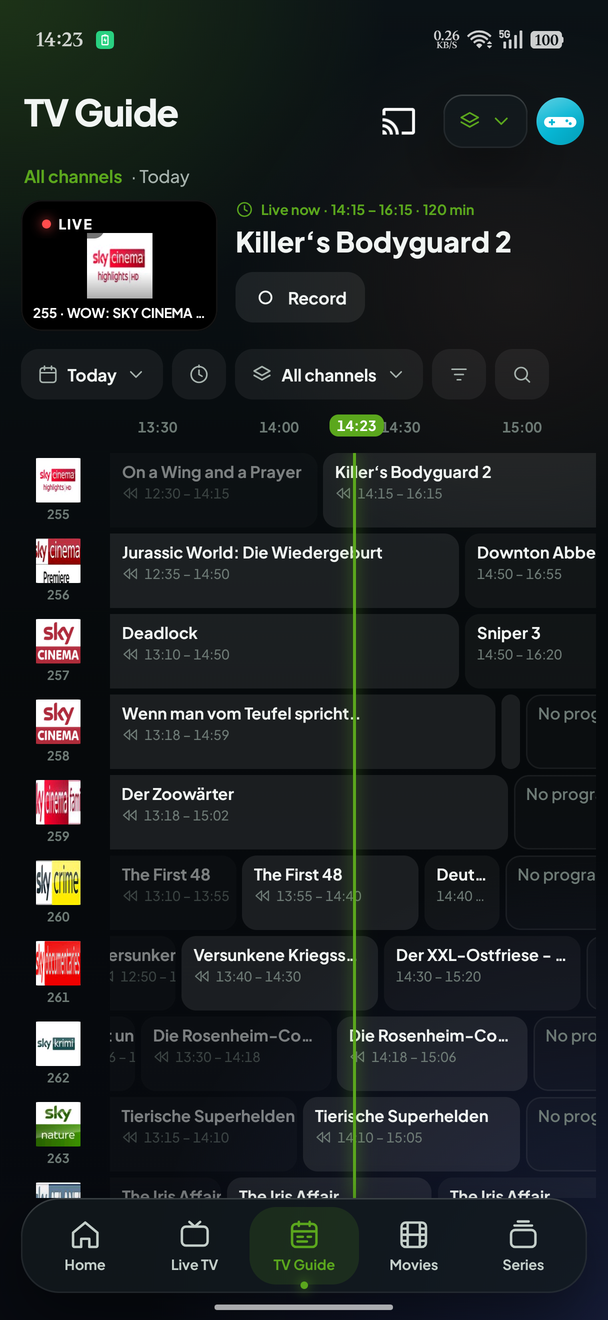 TV Guide |
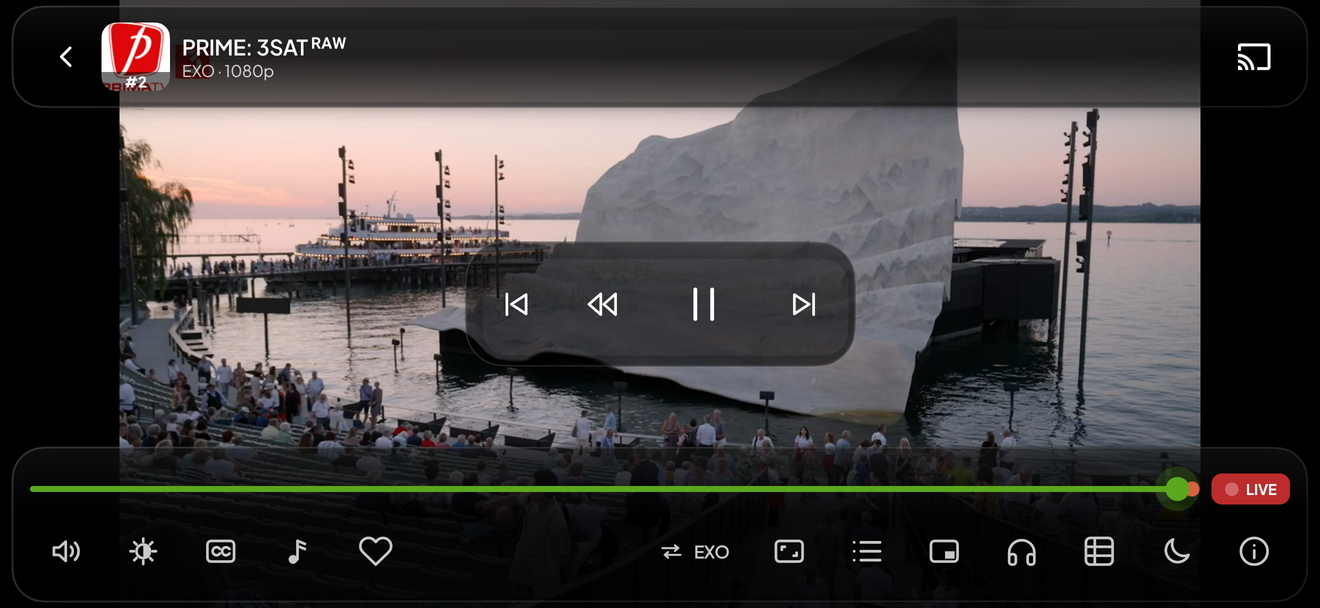
The player — live channel, full screen
| Language | Kotlin 2.4.20 |
| UI | Jetpack Compose, Material 3 |
| Build | AGP 9.4.0, minSdk 26, targetSdk 36 |
| Engine | tv.own.owntv:core + :player-core — Room, sync, EPG, backup, libmpv and Media3 |
| DI | Koin |
| Networking / images | OkHttp · Coil |
This repository contains the phone and tablet interface and nothing else. Every entity, migration, parser, sync, EPG, backup and playback decision lives in the core library and is shared, byte for byte, with the television app. If you are looking for how a playlist is parsed or how the database is versioned, it is over there.
app/                     the phone & tablet UI: navigation, screens, player chrome
  src/main/java/tv/own/owntv/mobile/
    ui/screens/          home · live · library · guide · search · downloads ·
                         recordings · multiview · settings
    ui/components/       the shared surface language (buttons, rows, sheets, glass)
    di/                  Koin modules
tools/i18n/              the locale catalogue and the consumer-side string checks
extras/                  logos, credits artwork, and the TV parity checklist
extras/)Distribution is sideloaded while the app is pre-release: download the APK from the
Releases page and install it. Each release
carries an arm APK and an x86_64 one for emulators.
The app checks for a new release itself — on startup if you let it, or from Settings → App →
Check for updates — and can download and install it for you. That needs
REQUEST_INSTALL_PACKAGES, which the app declares for exactly this and nothing else; Android will
still ask you to allow installs from OwnTV the first time.
git clone https://github.com/ahXN00/OwnTV_Mobile.git
cd OwnTV_Mobile
./gradlew :app:assembleStandardDebug
local.properties is developer-local and never committed:
sdk.dir=C:/Users/<you>/AppData/Local/Android/Sdk
Resolving the core library. By default the build takes the pinned owntvCore version from
OwnTV's public Maven repository (https://ahxn00.github.io/OwnTV_Core/maven) — no account or token
needed. That is what CI does, fork pull requests included. To build against a local checkout of core
instead — a composite build, so an edit there reaches the app with no publish step — add this to the
same file, never to a file in this repository:
owntv.corePath=/path/to/OwnTV_Core
Signing and keystore values belong in ~/.gradle/gradle.properties or CI secrets, never in a
repository file. With nothing configured the APK simply builds unsigned.
./gradlew :app:testStandardDebugUnitTest      # unit tests
./gradlew :app:lintStandardDebug              # Android lint
python tools/i18n/check_hardcoded_strings.py verify
python tools/i18n/check_pseudo_locales.py     # needs a built APK
Contributions, bug reports and ideas are welcome — open an issue or a pull request. Please keep the project's player-only, bring-your-own-source positioning, and match the existing code style.
Where does a change go? If it is about the database, playlist sync, EPG, backup, profiles, downloads, settings storage, the playback engine or any user-visible text, it belongs in OwnTV_Core, not here. This repository holds the phone and tablet interface only.
If your language is already available, contribute interface translations across OwnTV's six Android resource components on Hosted Weblate. If it is not listed, open a language request ticket first. A maintainer will review the request, register the locale, and prepare its base translation files on Hosted Weblate. Once the language appears on Hosted Weblate, you can start translating it there. The strings themselves live in OwnTV's core library repository, together with the language contributor guide covering identifiers, validation, and promotion policy.

OwnTV speaks 26 languages because people translate it on Weblate, which hosts the project free of charge for libre software. Thank you to Weblate and to every translator who has given the app their language.

Movie & series metadata and trailers are provided by TMDB. This product uses the TMDB API but is not endorsed or certified by TMDB.
Subtitle search & download is powered by OpenSubtitles.com. This product uses the OpenSubtitles API but is not endorsed or certified by OpenSubtitles. You sign in with your own OpenSubtitles account and are subject to their terms and download quotas.
Which of the two starts a stream is yours to set, separately for Live TV and for Movies & Series (Settings → Video player): either order, or one engine only with the automatic handover turned off.
Jetpack Compose · Material 3 · Room · Koin · OkHttp · Coil · ZXing — and the wider Kotlin / AndroidX open-source ecosystem. Thank you to all their maintainers. See each project for its own license.
The lowercase owntv wordmark was designed for OwnTV by @m3th0d93 in issue #227.
OwnTV is a media player only. It ships with no channels, playlists, subscriptions or content, and does not endorse or facilitate access to unauthorized streams. Users are solely responsible for the sources they add and for complying with the laws and rights that apply to them.
Released under the GNU General Public License v3.0 (GPLv3), the same as the rest of OwnTV.
In short: you're free to use, study, modify and redistribute OwnTV, including commercially — but any redistributed version (including forks and commercial products built on it) must also be licensed under GPLv3 and its source made available.
OwnTV is an open-source, player-only project, built with the help of AI.
Your own IPTV player for Android phones and tablets
Touch-first · the same engine as the television — bring your own M3U, Xtream or Stalker (MAC) sources
OwnTV Mobile is the phone and tablet member of the OwnTV family: a native Android IPTV player built with Kotlin and Jetpack Compose (Material 3), sharing its entire engine with OwnTV for Android TV through the OwnTV core library. Two interfaces, one database, one sync, one playback stack — a dual playback engine of libmpv (FFmpeg) for films and series and ExoPlayer (Media3) for near-instant Live TV.
It is a player only — you bring your own Xtream login, M3U playlist (by URL or a local
.m3u/.m3u8 file on the device), or Stalker/Ministra portal (Portal URL + MAC, with optional
Serial Number, Device IDs and Signature).
⚠️ OwnTV does not provide any channels, playlists, subscriptions, streams, or media content. You are responsible for adding your own legally accessible sources.
This is an open-source project — the code is original (not derived from any other app) and was built with the help of AI.
📖 New here? User Guide →
Every feature, where to find it, and the gestures — on one page.
📱 Already using OwnTV on your television?
Local sync carries your playlists, profiles, favourites and watch history across your own Wi-Fi, with no account and no cloud — offered on the very first setup screen, so a new phone is furnished from the television without going near the menus. A backup made on the television restores here too, encrypted ones included.
Questions, ideas, bug reports — or just want to follow along? Join the OwnTV Telegram group:
Scan to join from your phone:
Home — Now Trending | Live TV | TV Guide |
The player — live channel, full screen
| Language | Kotlin 2.4.20 |
| UI | Jetpack Compose, Material 3 |
| Build | AGP 9.4.0, minSdk 26, targetSdk 36 |
| Engine | tv.own.owntv:core + :player-core — Room, sync, EPG, backup, libmpv and Media3 |
| DI | Koin |
| Networking / images | OkHttp · Coil |
This repository contains the phone and tablet interface and nothing else. Every entity, migration, parser, sync, EPG, backup and playback decision lives in the core library and is shared, byte for byte, with the television app. If you are looking for how a playlist is parsed or how the database is versioned, it is over there.
app/                     the phone & tablet UI: navigation, screens, player chrome
  src/main/java/tv/own/owntv/mobile/
    ui/screens/          home · live · library · guide · search · downloads ·
                         recordings · multiview · settings
    ui/components/       the shared surface language (buttons, rows, sheets, glass)
    di/                  Koin modules
tools/i18n/              the locale catalogue and the consumer-side string checks
extras/                  logos, credits artwork, and the TV parity checklist
extras/)Distribution is sideloaded while the app is pre-release: download the APK from the
Releases page and install it. Each release
carries an arm APK and an x86_64 one for emulators.
The app checks for a new release itself — on startup if you let it, or from Settings → App →
Check for updates — and can download and install it for you. That needs
REQUEST_INSTALL_PACKAGES, which the app declares for exactly this and nothing else; Android will
still ask you to allow installs from OwnTV the first time.
git clone https://github.com/ahXN00/OwnTV_Mobile.git
cd OwnTV_Mobile
./gradlew :app:assembleStandardDebug
local.properties is developer-local and never committed:
sdk.dir=C:/Users/<you>/AppData/Local/Android/Sdk
Resolving the core library. By default the build takes the pinned owntvCore version from
OwnTV's public Maven repository (https://ahxn00.github.io/OwnTV_Core/maven) — no account or token
needed. That is what CI does, fork pull requests included. To build against a local checkout of core
instead — a composite build, so an edit there reaches the app with no publish step — add this to the
same file, never to a file in this repository:
owntv.corePath=/path/to/OwnTV_Core
Signing and keystore values belong in ~/.gradle/gradle.properties or CI secrets, never in a
repository file. With nothing configured the APK simply builds unsigned.
./gradlew :app:testStandardDebugUnitTest      # unit tests
./gradlew :app:lintStandardDebug              # Android lint
python tools/i18n/check_hardcoded_strings.py verify
python tools/i18n/check_pseudo_locales.py     # needs a built APK
Contributions, bug reports and ideas are welcome — open an issue or a pull request. Please keep the project's player-only, bring-your-own-source positioning, and match the existing code style.
Where does a change go? If it is about the database, playlist sync, EPG, backup, profiles, downloads, settings storage, the playback engine or any user-visible text, it belongs in OwnTV_Core, not here. This repository holds the phone and tablet interface only.
If your language is already available, contribute interface translations across OwnTV's six Android resource components on Hosted Weblate. If it is not listed, open a language request ticket first. A maintainer will review the request, register the locale, and prepare its base translation files on Hosted Weblate. Once the language appears on Hosted Weblate, you can start translating it there. The strings themselves live in OwnTV's core library repository, together with the language contributor guide covering identifiers, validation, and promotion policy.
OwnTV speaks 26 languages because people translate it on Weblate, which hosts the project free of charge for libre software. Thank you to Weblate and to every translator who has given the app their language.
Movie & series metadata and trailers are provided by TMDB. This product uses the TMDB API but is not endorsed or certified by TMDB.
Subtitle search & download is powered by OpenSubtitles.com. This product uses the OpenSubtitles API but is not endorsed or certified by OpenSubtitles. You sign in with your own OpenSubtitles account and are subject to their terms and download quotas.
Which of the two starts a stream is yours to set, separately for Live TV and for Movies & Series (Settings → Video player): either order, or one engine only with the automatic handover turned off.
Jetpack Compose · Material 3 · Room · Koin · OkHttp · Coil · ZXing — and the wider Kotlin / AndroidX open-source ecosystem. Thank you to all their maintainers. See each project for its own license.
The lowercase owntv wordmark was designed for OwnTV by @m3th0d93 in issue #227.
OwnTV is a media player only. It ships with no channels, playlists, subscriptions or content, and does not endorse or facilitate access to unauthorized streams. Users are solely responsible for the sources they add and for complying with the laws and rights that apply to them.
Released under the GNU General Public License v3.0 (GPLv3), the same as the rest of OwnTV.
In short: you're free to use, study, modify and redistribute OwnTV, including commercially — but any redistributed version (including forks and commercial products built on it) must also be licensed under GPLv3 and its source made available.
OwnTV is an open-source, player-only project, built with the help of AI.



