Open-source tools and SDKs to connect hardware to Grok Bot. Start with the simulator or the tested ESP32-S3 OLED kit. Experimental alpha.
See the code




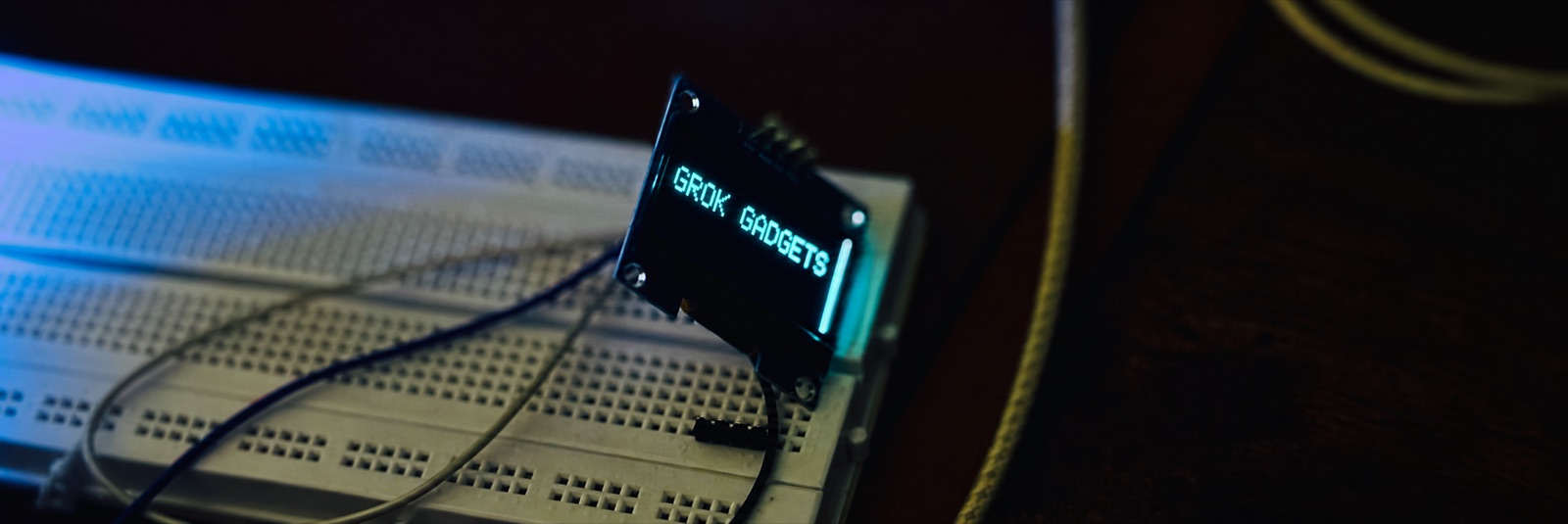
Display lettering enhanced for readability.
Website · Documentation · Roadmap · Issues · Join r/GrokGadgets
Let your Grok Bot control lights, buttons and sensors you build. Open source.
Status: one ESP32-S3/OLED kit passed USB and Wi-Fi acceptance; native Grok Bot MCP calls remain unverified (project status). Independent project, not affiliated with SpaceXSI.
Pick a path:
Already use Home Assistant? Check what it offers with the read-only probe.
The first physical experiment uses the tested ESP32-S3 and OLED kit. The owner's board passed USB and Wi-Fi acceptance, and an approved Grok Bot local command showed text on it. Follow the repeatable kit guide. Another person's reproduction is still needed.
| If you want to… | Open |
|---|---|
| See it work in five minutes, no hardware | Gateway first success |
| Play with a virtual light in your browser | Browser playground, then the simulator kit |
| Build a Raspberry Pi or Linux gadget | Linux SDK |
| Build an ESP32 gadget | ESP32 SDK |
| Run the local MCP gateway | Gateway |
| Check what Home Assistant offers (read-only) | Home Assistant probe |
| Compare cloud, Mac-to-Pi and remote MCP paths | Hosting FAQ |
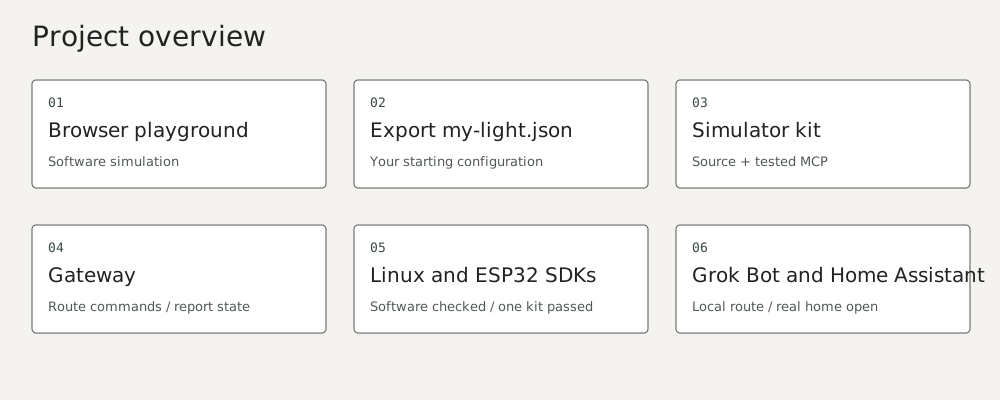
Grok Bot normally runs on its cloud computer. This does not expose your home network. On 12 October, the owner's Grok Bot ran approved gateway commands on the Mac. Gateway logs matched the commands, including a display command to the physical OLED. This is a verified local command route. Grok Bot did not call the gateway's MCP tools natively. A Mac-to-Pi route through SSH remains an untested possibility.
The gateway's local serve works on loopback today. The owner's Grok Bot used an
approved local command (ADR 004). Packaged
remote MCP and native Grok Bot tool calls remain unverified. A tunnel adds reachability, not authentication.
See the three-path hosting FAQ before planning a connection.
Join r/GrokGadgets to show what you built, ask questions and share ideas. Follow the community guidelines and the Code of Conduct; keep tokens and household details out of posts. Bugs and proposals go to GitHub Issues.
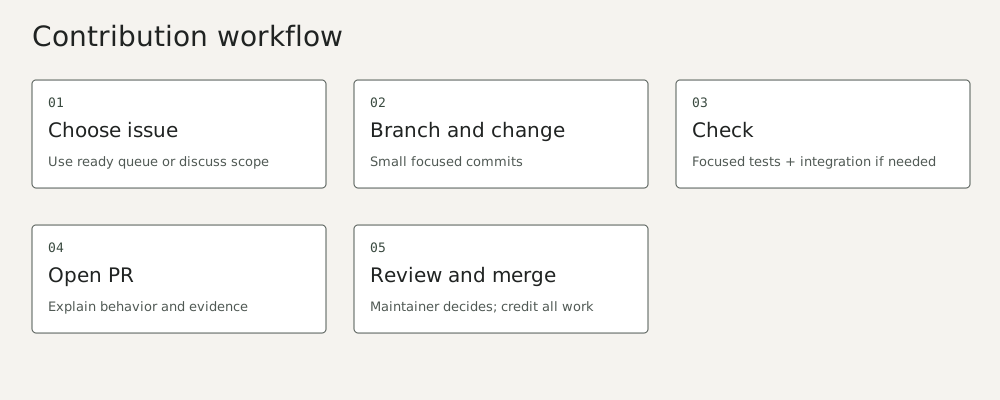
Every repository has its own starter issues: see ready issues.
Branch from dev and open your PR into dev; main only holds tagged stable releases (branches and releases).
Then read the contribution guide. Help: support. Security:
security policy.
To build this website locally (Python 3.13, uv, Node.js 22+ and Git):
python3 scripts/dev.py setup
python3 scripts/dev.py check
python3 scripts/dev.py site
Open http://127.0.0.1:4173/index.html. With the four other repositories beside this one,
scripts/check-all.py runs the cross-repository integration.
Grok Gadgets is open source. If you’d like to support its development, you can send a voluntary contribution to one of these addresses:
0xD571210016e5AB4206D27f24bE128916E1C91047D2jV1NkjuHHmvkuZ48Woc29v5NDeKLmHeLkUcN4fDg68bc1qal92xr892akwxgqrnkjhld7ar04hlld06uqyq5u10hkzg65lgz6eq3arsylenag78jracfpguc3m4p6ptz8fkjlgxy6668yrjdgj2p704wp2f2wykrqv88tg9zu7fjuc9tk5s6vazvzmw5cvt5qkyzr32wqymesmcymja9zxpcwc6vcswa88yae023yj7jhypvn6n592t6z7nxqu4s59sdf9Apache-2.0; see LICENSE and NOTICE. Grok Gadgets is an independent open-source project. It is not affiliated with, endorsed by or sponsored by SpaceXSI, nor with M5Stack or Home Assistant. The Grok mark shown on the website is not covered by this project's license. Public history used reconstructed commit dates; see publication sanitization.
Open-source tools and SDKs to connect hardware to Grok Bot. Start with the simulator or the tested ESP32-S3 OLED kit. Experimental alpha.
See the code
Display lettering enhanced for readability.
Website · Documentation · Roadmap · Issues · Join r/GrokGadgets
Let your Grok Bot control lights, buttons and sensors you build. Open source.
Status: one ESP32-S3/OLED kit passed USB and Wi-Fi acceptance; native Grok Bot MCP calls remain unverified (project status). Independent project, not affiliated with SpaceXSI.
Pick a path:
Already use Home Assistant? Check what it offers with the read-only probe.
The first physical experiment uses the tested ESP32-S3 and OLED kit. The owner's board passed USB and Wi-Fi acceptance, and an approved Grok Bot local command showed text on it. Follow the repeatable kit guide. Another person's reproduction is still needed.
| If you want to… | Open |
|---|---|
| See it work in five minutes, no hardware | Gateway first success |
| Play with a virtual light in your browser | Browser playground, then the simulator kit |
| Build a Raspberry Pi or Linux gadget | Linux SDK |
| Build an ESP32 gadget | ESP32 SDK |
| Run the local MCP gateway | Gateway |
| Check what Home Assistant offers (read-only) | Home Assistant probe |
| Compare cloud, Mac-to-Pi and remote MCP paths | Hosting FAQ |
Grok Bot normally runs on its cloud computer. This does not expose your home network. On 12 October, the owner's Grok Bot ran approved gateway commands on the Mac. Gateway logs matched the commands, including a display command to the physical OLED. This is a verified local command route. Grok Bot did not call the gateway's MCP tools natively. A Mac-to-Pi route through SSH remains an untested possibility.
The gateway's local serve works on loopback today. The owner's Grok Bot used an
approved local command (ADR 004). Packaged
remote MCP and native Grok Bot tool calls remain unverified. A tunnel adds reachability, not authentication.
See the three-path hosting FAQ before planning a connection.
Join r/GrokGadgets to show what you built, ask questions and share ideas. Follow the community guidelines and the Code of Conduct; keep tokens and household details out of posts. Bugs and proposals go to GitHub Issues.
Every repository has its own starter issues: see ready issues.
Branch from dev and open your PR into dev; main only holds tagged stable releases (branches and releases).
Then read the contribution guide. Help: support. Security:
security policy.
To build this website locally (Python 3.13, uv, Node.js 22+ and Git):
python3 scripts/dev.py setup
python3 scripts/dev.py check
python3 scripts/dev.py site
Open http://127.0.0.1:4173/index.html. With the four other repositories beside this one,
scripts/check-all.py runs the cross-repository integration.
Grok Gadgets is open source. If you’d like to support its development, you can send a voluntary contribution to one of these addresses:
0xD571210016e5AB4206D27f24bE128916E1C91047D2jV1NkjuHHmvkuZ48Woc29v5NDeKLmHeLkUcN4fDg68bc1qal92xr892akwxgqrnkjhld7ar04hlld06uqyq5u10hkzg65lgz6eq3arsylenag78jracfpguc3m4p6ptz8fkjlgxy6668yrjdgj2p704wp2f2wykrqv88tg9zu7fjuc9tk5s6vazvzmw5cvt5qkyzr32wqymesmcymja9zxpcwc6vcswa88yae023yj7jhypvn6n592t6z7nxqu4s59sdf9Apache-2.0; see LICENSE and NOTICE. Grok Gadgets is an independent open-source project. It is not affiliated with, endorsed by or sponsored by SpaceXSI, nor with M5Stack or Home Assistant. The Grok mark shown on the website is not covered by this project's license. Public history used reconstructed commit dates; see publication sanitization.



