Clean, filter and sample URLs to optimize data collection – Python & command-line – Deduplication, spam, content and language filters
Python
177
337 commits
updated Sep 1, 2026



"It is important for the crawler to visit 'important' pages first, so that the fraction of the Web that is visited (and kept up to date) is more meaningful." (Cho et al. 1998)
"Given that the bandwidth for conducting crawls is neither infinite nor free, it is becoming essential to crawl the Web in not only a scalable, but efficient way, if some reasonable measure of quality or freshness is to be maintained." (Edwards et al. 2001)
This library provides an additional "brain" for web crawling, scraping and document management. It facilitates web navigation through a set of filters, enhancing the quality of resulting document collections:
On top of the filters, courlan provides the utilities a crawler needs around them: URL storage, deduplication, and download scheduling.
Separate the wheat from the chaff and optimize document discovery and retrieval:
Let the coURLan fish up juicy bits for you!
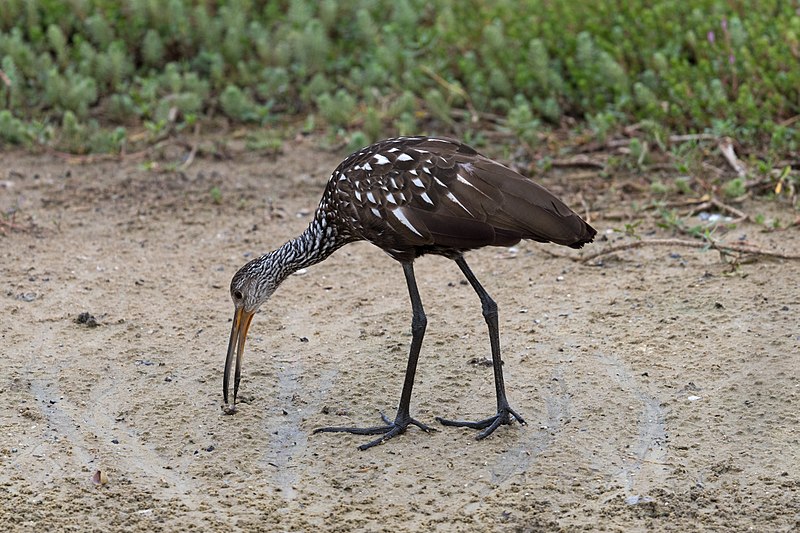
Here is a courlan (source: Limpkin at Harn's Marsh by Russ, CC BY 2.0).
This package requires Python 3.10 or higher and is tested on Linux, macOS and Windows systems.
courlan is available on PyPI and installs with pip:
$ pip install courlan
$ pip install --upgrade courlan # to make sure you have the latest version
$ pip install git+https://github.com/adbar/courlan.git # latest available code
The last version to support Python 3.6 and 3.7 is courlan==1.2.0.
The last version to support Python 3.8 and 3.9 is courlan==1.3.2.
In Python — validate and clean a URL:
from courlan import check_url
result = check_url('https://example.org/page?utm_source=twitter')
if result:
    cleaned, domain = result
    print(cleaned)  # 'https://example.org/page'
    print(domain)   # 'example.org'
On the command line — filter a file of URLs:
# one URL per line in urls.txt
courlan -i urls.txt -o cleaned.txt -d discarded.txt
# cleaned.txt contains accepted URLs, discarded.txt contains rejected ones
These examples are minimal. For language filtering, strict mode, sampling and
UrlStore persistence, see the
documentation.
Most filters revolve around the strict and language arguments.
All useful operations chained in check_url(url):
>>> from courlan import check_url

# return url and domain name (None if rejected)
>>> check_url('https://github.com/adbar/courlan')
('https://github.com/adbar/courlan', 'github.com')

# rejected URLs return None
>>> check_url('http://666.0.0.1/')  # bogus domain

# language-aware filtering
>>> check_url('https://www.un.org/en/about-us', language='en')
('https://www.un.org/en/about-us', 'un.org')
>>> check_url('https://www.un.org/en/about-us', language='de')  # returns None
For the full set of options (strict, with_redirects, with_nav,
trailing_slash, …) see the
documentation.
>>> from courlan import sample_urls
>>> my_urls = ['https://example.org/' + str(x) for x in range(100)]
>>> my_sample = sample_urls(my_urls, 10)
Optional arguments: exclude_min, exclude_max, strict and verbose. See
the API reference
for details.
Use extract_links() for general-purpose link extraction. For
crawl-aware extraction with robots.txt rules and link prioritization,
use filter_links() instead — it returns two lists: regular links and
priority (navigation) links.
>>> from courlan import extract_links
>>> doc = '<html><body><a href="test/link.html">Link</a></body></html>'
>>> extract_links(doc, "https://example.org")
{'https://example.org/test/link.html'}
For frontier management utilities (is_external, is_navigation_page,
is_not_crawlable, …) see the
crawling guide.
>>> from courlan import clean_url
>>> clean_url('HTTPS://WWW.DWDS.DE:443/')
'https://www.dwds.de'
For normalize_url, validate_url, get_base_url, get_hostinfo,
and other utilities see the
API reference.
Courlan uses an internal cache to speed up URL parsing. It can be
reset with courlan.meta.clear_caches().
The UrlStore class allows for storing and retrieving domain-classified
URLs, where a URL like https://example.org/path/testpage is stored as
the path /path/testpage within the domain https://example.org:
>>> from courlan import UrlStore
>>> store = UrlStore()
>>> store.add_urls(['https://example.org/page1', 'https://example.org/page2'])
>>> store.get_url('https://example.org')
'https://example.org/page1'
>>> store.find_unvisited_urls('https://example.org')
['https://example.org/page2']
For the full method reference, optional settings (compressed, language,
strict, trailing_slash, verbose), and crawl scheduling see the
UrlStore documentation.
$ courlan --inputfile url-list.txt --outputfile cleaned-urls.txt
$ courlan --help
See the CLI documentation for all options.
courlan is optimized for English and German but its generic approach
is also usable in other contexts. See the
settings reference
for how to review and override filtering rules.
Initially launched to create text databases for research purposes at the Berlin-Brandenburg Academy of Sciences (DWDS and ZDL units), this package continues to be maintained but its future development depends on community support.
If you value this software or depend on it for your product, consider sponsoring it and contributing to its codebase. Your support on GitHub or ko-fi.com will help maintain and enhance this package. Visit the Contributing page for more information.
Reach out via the software repository or the contact page for inquiries, collaborations, or feedback.
For more on Courlan's software ecosystem see this graphic.
coURLan is distributed under the Apache 2.0 license.
Versions prior to v1 were under GPLv3+ license.
These Python libraries perform URL handling and normalization but do not provide language-aware filtering, content heuristics, crawl scheduling, or a domain-classified URL store:
Overall
Maintained
Code review
PyPI
Latest release
Releases this year
184 followers · starred Dec 2023
Clean, filter and sample URLs to optimize data collection – Python & command-line – Deduplication, spam, content and language filters
Python
177
337 commits
updated Sep 1, 2026
"It is important for the crawler to visit 'important' pages first, so that the fraction of the Web that is visited (and kept up to date) is more meaningful." (Cho et al. 1998)
"Given that the bandwidth for conducting crawls is neither infinite nor free, it is becoming essential to crawl the Web in not only a scalable, but efficient way, if some reasonable measure of quality or freshness is to be maintained." (Edwards et al. 2001)
This library provides an additional "brain" for web crawling, scraping and document management. It facilitates web navigation through a set of filters, enhancing the quality of resulting document collections:
On top of the filters, courlan provides the utilities a crawler needs around them: URL storage, deduplication, and download scheduling.
Separate the wheat from the chaff and optimize document discovery and retrieval:
Let the coURLan fish up juicy bits for you!
Here is a courlan (source: Limpkin at Harn's Marsh by Russ, CC BY 2.0).
This package requires Python 3.10 or higher and is tested on Linux, macOS and Windows systems.
courlan is available on PyPI and installs with pip:
$ pip install courlan
$ pip install --upgrade courlan # to make sure you have the latest version
$ pip install git+https://github.com/adbar/courlan.git # latest available code
The last version to support Python 3.6 and 3.7 is courlan==1.2.0.
The last version to support Python 3.8 and 3.9 is courlan==1.3.2.
In Python — validate and clean a URL:
from courlan import check_url
result = check_url('https://example.org/page?utm_source=twitter')
if result:
    cleaned, domain = result
    print(cleaned)  # 'https://example.org/page'
    print(domain)   # 'example.org'
On the command line — filter a file of URLs:
# one URL per line in urls.txt
courlan -i urls.txt -o cleaned.txt -d discarded.txt
# cleaned.txt contains accepted URLs, discarded.txt contains rejected ones
These examples are minimal. For language filtering, strict mode, sampling and
UrlStore persistence, see the
documentation.
Most filters revolve around the strict and language arguments.
All useful operations chained in check_url(url):
>>> from courlan import check_url

# return url and domain name (None if rejected)
>>> check_url('https://github.com/adbar/courlan')
('https://github.com/adbar/courlan', 'github.com')

# rejected URLs return None
>>> check_url('http://666.0.0.1/')  # bogus domain

# language-aware filtering
>>> check_url('https://www.un.org/en/about-us', language='en')
('https://www.un.org/en/about-us', 'un.org')
>>> check_url('https://www.un.org/en/about-us', language='de')  # returns None
For the full set of options (strict, with_redirects, with_nav,
trailing_slash, …) see the
documentation.
>>> from courlan import sample_urls
>>> my_urls = ['https://example.org/' + str(x) for x in range(100)]
>>> my_sample = sample_urls(my_urls, 10)
Optional arguments: exclude_min, exclude_max, strict and verbose. See
the API reference
for details.
Use extract_links() for general-purpose link extraction. For
crawl-aware extraction with robots.txt rules and link prioritization,
use filter_links() instead — it returns two lists: regular links and
priority (navigation) links.
>>> from courlan import extract_links
>>> doc = '<html><body><a href="test/link.html">Link</a></body></html>'
>>> extract_links(doc, "https://example.org")
{'https://example.org/test/link.html'}
For frontier management utilities (is_external, is_navigation_page,
is_not_crawlable, …) see the
crawling guide.
>>> from courlan import clean_url
>>> clean_url('HTTPS://WWW.DWDS.DE:443/')
'https://www.dwds.de'
For normalize_url, validate_url, get_base_url, get_hostinfo,
and other utilities see the
API reference.
Courlan uses an internal cache to speed up URL parsing. It can be
reset with courlan.meta.clear_caches().
The UrlStore class allows for storing and retrieving domain-classified
URLs, where a URL like https://example.org/path/testpage is stored as
the path /path/testpage within the domain https://example.org:
>>> from courlan import UrlStore
>>> store = UrlStore()
>>> store.add_urls(['https://example.org/page1', 'https://example.org/page2'])
>>> store.get_url('https://example.org')
'https://example.org/page1'
>>> store.find_unvisited_urls('https://example.org')
['https://example.org/page2']
For the full method reference, optional settings (compressed, language,
strict, trailing_slash, verbose), and crawl scheduling see the
UrlStore documentation.
$ courlan --inputfile url-list.txt --outputfile cleaned-urls.txt
$ courlan --help
See the CLI documentation for all options.
courlan is optimized for English and German but its generic approach
is also usable in other contexts. See the
settings reference
for how to review and override filtering rules.
Initially launched to create text databases for research purposes at the Berlin-Brandenburg Academy of Sciences (DWDS and ZDL units), this package continues to be maintained but its future development depends on community support.
If you value this software or depend on it for your product, consider sponsoring it and contributing to its codebase. Your support on GitHub or ko-fi.com will help maintain and enhance this package. Visit the Contributing page for more information.
Reach out via the software repository or the contact page for inquiries, collaborations, or feedback.
For more on Courlan's software ecosystem see this graphic.
coURLan is distributed under the Apache 2.0 license.
Versions prior to v1 were under GPLv3+ license.
These Python libraries perform URL handling and normalization but do not provide language-aware filtering, content heuristics, crawl scheduling, or a domain-classified URL store:
Overall
Maintained
Code review
PyPI
Latest release
Releases this year
184 followers · starred Dec 2023



