
A customizable terminal system information display with animated rain.
Python
20
22 commits
updated Sep 27, 2026
See what people are saying
README
Dripfetch
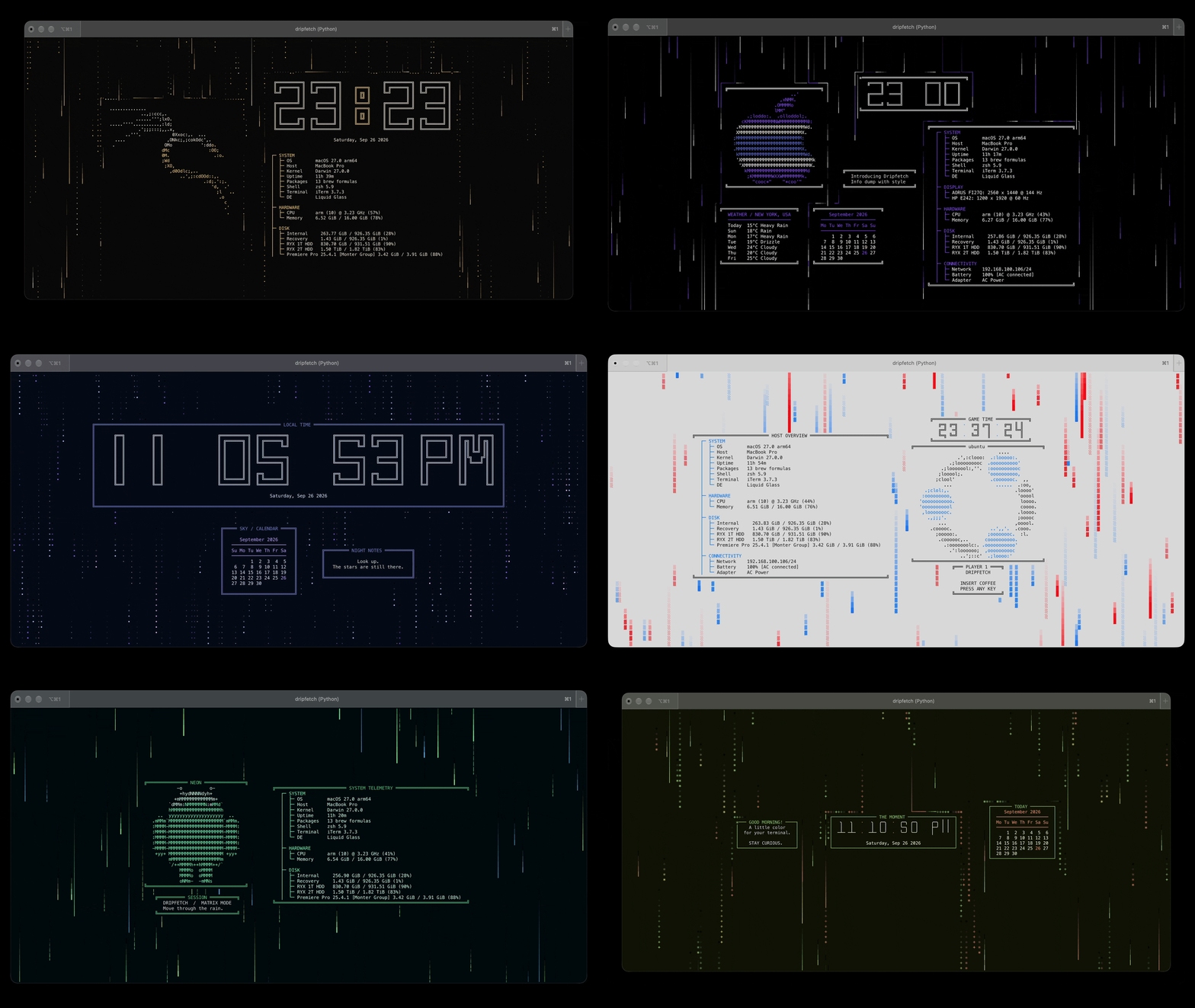
Dripfetch is a customizable terminal dashboard with animated Matrix-style rain. Place system information, ASCII logos, clocks, calendars, weather forecasts, text, and live network graphs anywhere on screen, then tune the colors, borders, and rain from YAML.
Highlights
- Animated terminal rain with adjustable density, symbols, colors, speed, length, and box collisions.
- Seven box types:
logo,sysinfo,clock,calendar,weather,net, andtext. - 487 bundled ASCII logos, with automatic system detection or an explicit logo choice.
- Global box colors and padding, with single, double, titled single, titled double, and no-border styles.
- Live box placement: click a box and move it with the arrow keys or WASD; positions save to YAML.
- Multiline text with left, center, or right alignment.
- Small, medium, and big clocks with optional seconds, date, 12/24-hour time, and blinking colon.
- Current-month calendar with configurable week start.
- Mirrored braille download/upload graph.
- Weather forecast by city or coordinates through Open-Meteo. Weather lookup needs an internet connection.
- Seven ready-to-use visual presets, plus a separately available default preset at number
0. - Custom YAML files can be used without changing the saved default.
Installation
Dripfetch requires Python 3.12 or newer and a POSIX terminal with curses support (macOS and Linux).
Recommended: install with pipx
pipx puts Dripfetch in its own virtual environment and makes the command available on your PATH:
pipx install --python python3.12 dripfetch
Install pipx with your operating system's package manager first if it is not already installed. On macOS, for example, use brew install pipx and then pipx ensurepath.
Install with pip
Use a virtual environment rather than installing into the operating system's managed Python:
python3.12 -m venv .venv
source .venv/bin/activate
python -m pip install --upgrade pip
python -m pip install dripfetch
dripfetch
Install from the GitHub source
git clone https://github.com/a-shygun/dripfetch.git
cd dripfetch
pipx install --python python3.12 .
For a development checkout, use pipx install --python python3.12 --editable . or install into an activated virtual environment with python -m pip install -e ..
Homebrew
The Homebrew formula lives in this repository. Add the tap using its explicit GitHub URL, then install Dripfetch:
brew tap a-shygun/dripfetch https://github.com/a-shygun/dripfetch.git
brew install a-shygun/dripfetch/dripfetch
After a new release, update Homebrew and upgrade Dripfetch with brew update && brew upgrade dripfetch.
Arch Linux (AUR)
After the package is published to the Arch User Repository, install Dripfetch with an AUR helper such as yay:
yay -S dripfetch
You can also build and install it directly with makepkg:
git clone https://github.com/a-shygun/dripfetch.git
cd dripfetch/packaging/arch
makepkg -si
The AUR build uses Arch's Python and dependency packages; it does not install into a user-managed virtual environment. A release tag updates the checked-in Arch package version and checksum alongside the Homebrew formula. Once the initial AUR package exists and the repository's AUR_SSH_PRIVATE_KEY secret is configured, the release workflow also publishes those updated package files to the AUR automatically. See ArchWiki's AUR guide for how AUR packages are reviewed and built.
For the first AUR publication, add an SSH public key to your AUR account, clone the empty package repository, and push the checked-in recipe:
git clone ssh://aur@aur.archlinux.org/dripfetch.git
cp /path/to/dripfetch/packaging/arch/{PKGBUILD,.SRCINFO} dripfetch/
cd dripfetch
git add PKGBUILD .SRCINFO
git commit -m "Initial import"
git push
Then add the matching private SSH key to the GitHub repository's Actions secrets as AUR_SSH_PRIVATE_KEY. The release workflow uses it for later AUR updates. AUR requires PKGBUILD and .SRCINFO together, and makepkg --printsrcinfo regenerates .SRCINFO if you edit the recipe.
Debian / Ubuntu
There is no apt repository yet. Ubuntu users need a Launchpad PPA (or another apt repository) for apt install and automatic apt updates; Debian packaging is a separate follow-up. Meanwhile, Linux users can install Dripfetch with pipx install --python python3.12 dripfetch or use the source checkout instructions above.
Optional install scripts
The repository's install.sh is a convenience wrapper for a local source checkout. It creates a virtual environment under ~/dripfetch, installs the command in ~/.local/bin, and adds that directory to the shell PATH when needed:
bash install.sh
Open a new terminal if dripfetch is not found after installation. Remove this script-managed environment with bash uninstall.sh; the script leaves the repository checkout and ~/.config/dripfetch/config.yaml in place. The scripts are optional; pipx, pip, and OS package managers handle their own install and uninstall flows.
Uninstall
pipx uninstall dripfetch
For a pip install, activate the same virtual environment and run python -m pip uninstall dripfetch. For the script-managed install, run bash uninstall.sh. Use brew uninstall dripfetch, sudo apt remove dripfetch, or yay -R dripfetch when uninstalling a package-manager version.
First run
Start the dashboard with:
dripfetch
Use q to quit and Space to pause or resume the rain. Click a box to select it, then use the arrow keys or WASD to move it. Press Escape to deselect it. A moved box’s new center-relative position is saved in the configuration file automatically.
dripfetch --help
dripfetch --version
dripfetch --config-path
Choose a configuration
List the bundled YAML configurations:
dripfetch --list-configs
# The requested single-dash spelling is supported too:
dripfetch -list-configs
The seven showcase configurations are 01_neon_matrix, 02_moonlight_observatory, 03_ops_console, 04_citrus_pop, 05_arcade_white, 06_ink_and_amber, and 07_arcade_cabinet. Number 0 is the default layout from 0_default.yaml.
Preview a preset for one run without changing your saved configuration:
dripfetch --config 3
dripfetch --config moonlight_observatory
dripfetch --config ./my-layout.yaml
Save a preset as the active configuration so future plain dripfetch runs use it:
dripfetch --set-config 3
dripfetch -set-config moonlight_observatory
The --set-config and -set-config forms accept a preset number, full filename stem, or short name. --init-config restores the packaged default configuration in your user config directory:
dripfetch --init-config
The active user config normally lives at ~/.config/dripfetch/config.yaml. Edit it directly to customize the layout, or duplicate one of the example files in assets/configs and run it with --config PATH.
Logos
List available logo names, print one in the terminal, or save a logo choice into your active config:
dripfetch --list-logos
dripfetch -list-logos
dripfetch --print-logo arch2
dripfetch -print-logo arch2
dripfetch --set-logo arch2
dripfetch -set-logo arch2
The logo setter updates every existing logo box. If the active configuration has no logo box, it adds one. An explicit logo: value in YAML takes precedence over operating-system detection; omit that key to let Dripfetch detect the system logo. Logo names are the .txt filenames without the extension.
To choose a logo in YAML:
boxes:
  items:
    - type: logo
      logo: arch2
      position:
        horizontal: -30
        vertical: 0
Configure the dashboard
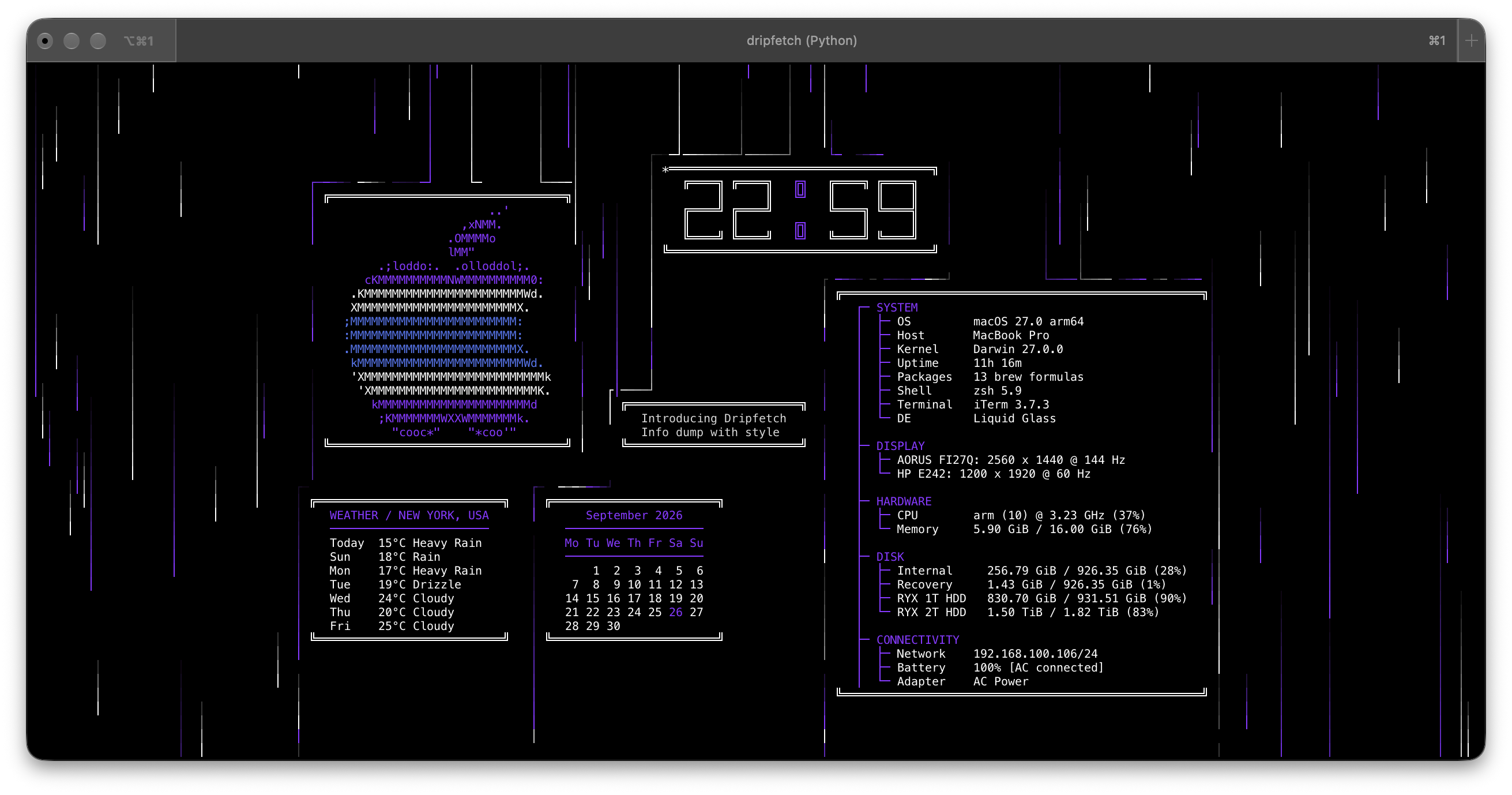
Dripfetch reads YAML. The packaged 0_default.yaml is a commented guide to every default section, and the seven showcase configs demonstrate different layouts and palettes.
The main sections are:
| Section | What it controls |
|---|---|
background | Terminal background color. |
rain | Collision behavior, density, symbols, weighted colors, speeds, and drop lengths. |
boxes.border | Default border style for all boxes: single, double, titled_single, titled_double, or none. |
boxes.border_color | Shared box border color. |
boxes.text_color | Shared content text color. |
boxes.accent_color | Shared title and highlight color. |
boxes.padding | Inner horizontal and vertical spacing. |
boxes.items | The ordered list of boxes, their type-specific options, titles, and positions. |
Colors use #RRGGBB or #RRGGBBAA. Box positions are offsets in terminal cells from the centered location: positive horizontal values move right and positive vertical values move down. Dragging a box with the mouse or moving it with the keyboard writes updated position values to the active YAML file.
Example: a compact layout
background: "#080B12"
rain:
  collision: true
  intensity: 120
  character: ["│", "┃", "╎"]
  colors:
    - [0.7, "#21F7A8"]
    - [0.3, "#45B8FF"]
  speeds:
    - [0.5, 30]
    - [0.5, 50]
  lengths:
    - [0.8, 6]
    - [0.2, 14]
boxes:
  border: titled_single
  border_color: "#50FFC1"
  text_color: "#D9E5F4"
  accent_color: "#50FFC1"
  padding:
    horizontal: 2
    vertical: 0
  items:
    - type: logo
      logo: arch2
      position: {horizontal: -32, vertical: 0}
    - type: clock
      clock_size: small
      clock_24h: true
      show_seconds: true
      show_date: true
      position: {horizontal: 28, vertical: -7}
    - type: text
      title: NOTE
      text: |
        Dripfetch is running.
        Edit this YAML to make it yours.
      alignment: center
      position: {horizontal: 28, vertical: 7}
Rain colors, speeds, and lengths are weighted lists in [probability, value] form; probabilities in each list must add up to 1.0. Box text can use YAML's | block style for preserved multiline text. Text alignment is left, center, or right.
Box options
logo— setlogo: NAMEto choose a bundled logo. If omitted, Dripfetch detects an operating-system logo. Optionally setcolors: ["#8747FF", "#FFFFFF"]to color its$1,$2, and later ASCII color markers in order; without it, the global accent/text/border palette is used.sysinfo— show system details. Set individualsections(system,display,hardware,disk,connectivity) tofalseto hide them.clock—clock_sizeissmall,medium, orbig;clock_styleissingleordouble. Configureclock_24h,show_seconds,show_am_pm,blink_colon, andshow_datewith booleans.calendar— setstarting_daytomonday,sunday, orsaturday.weather— set a city inlocation(or provide coordinates in a hand-written config),unitstocelsius/metricorfahrenheit/imperial, anddaysfrom 1 to 7.net— configure graphwidth,height, and samplingintervalin seconds. Download and upload are drawn as mirrored braille plots.text— settextto a string or multiline YAML block andalignmenttoleft,center, orright.
Titles can be added to boxes with title: .... Box text and borders use the palette under boxes so the dashboard remains visually consistent.
Gallery
Default layout
Seven bundled themes
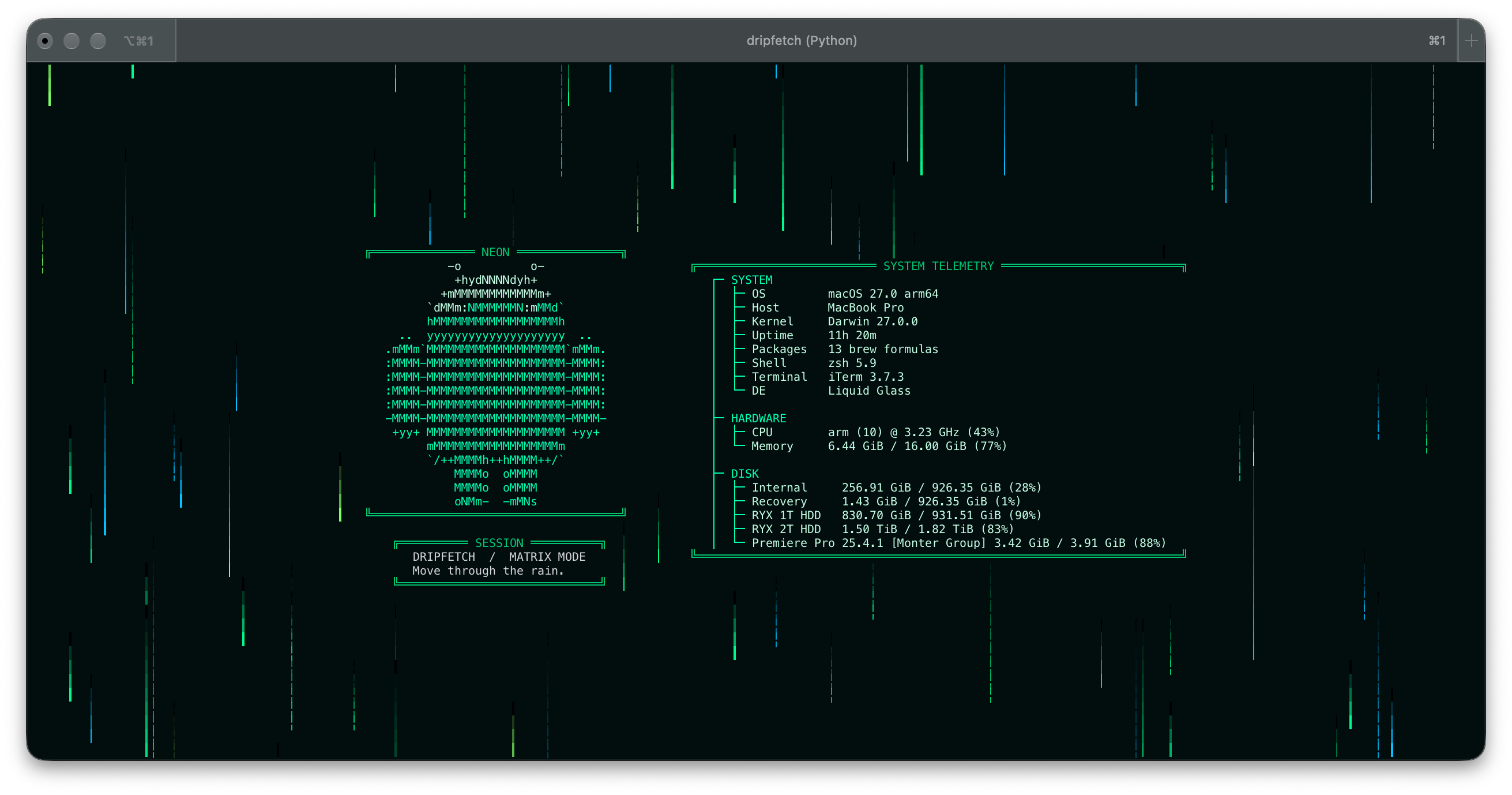 01 · Neon Matrix | 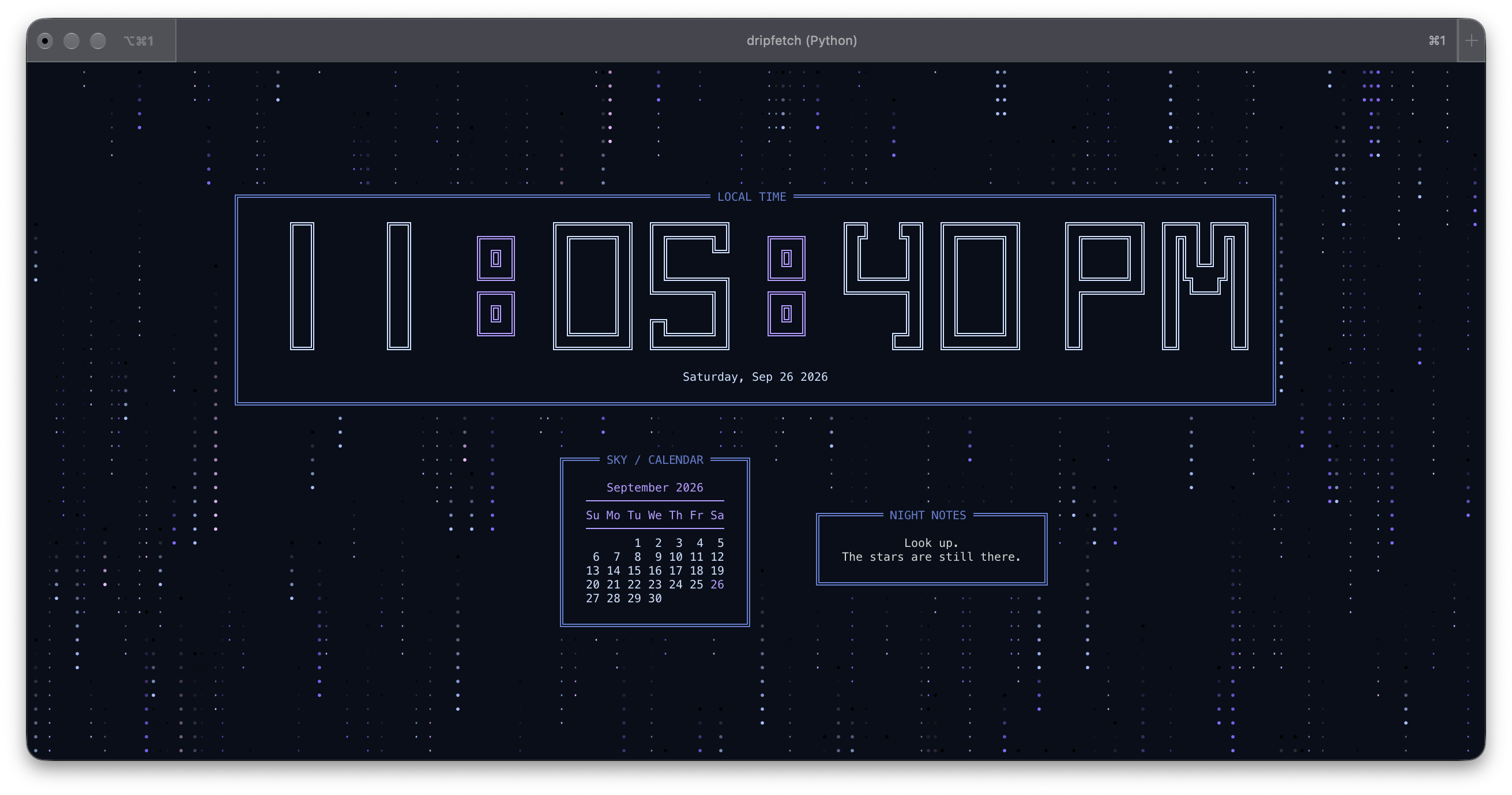 02 · Moonlight Observatory |
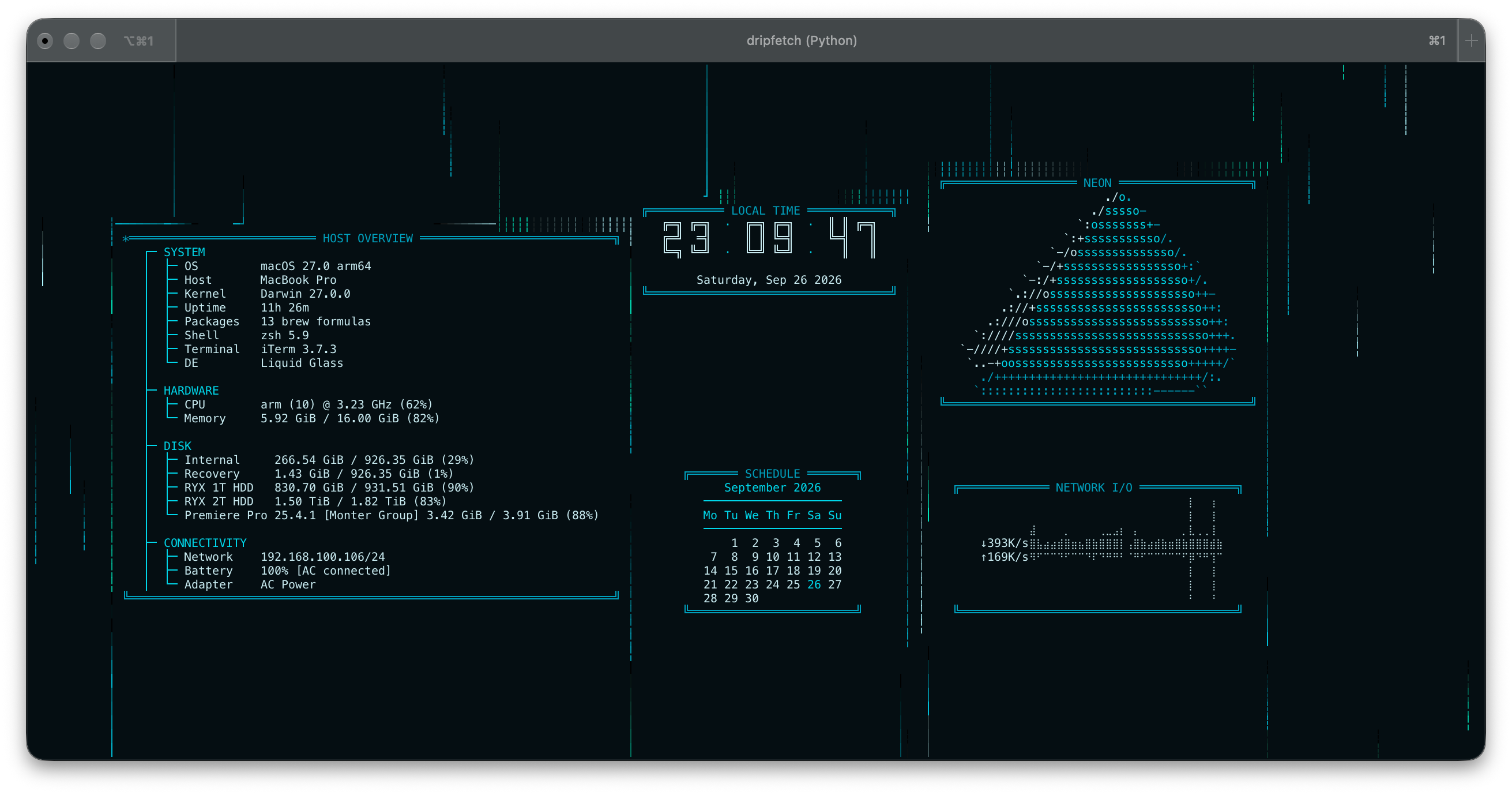 03 · Ops Console | 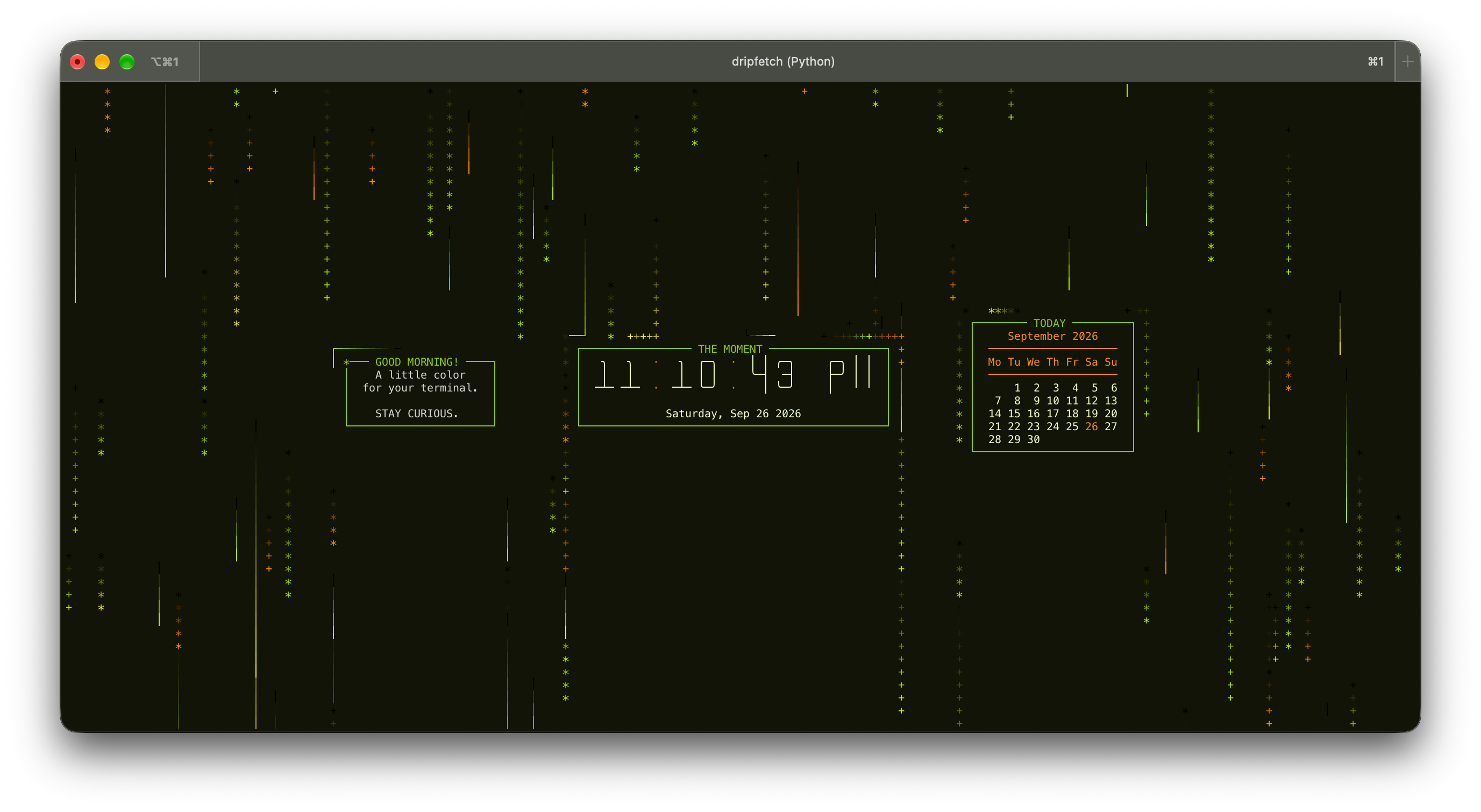 04 · Citrus Pop |
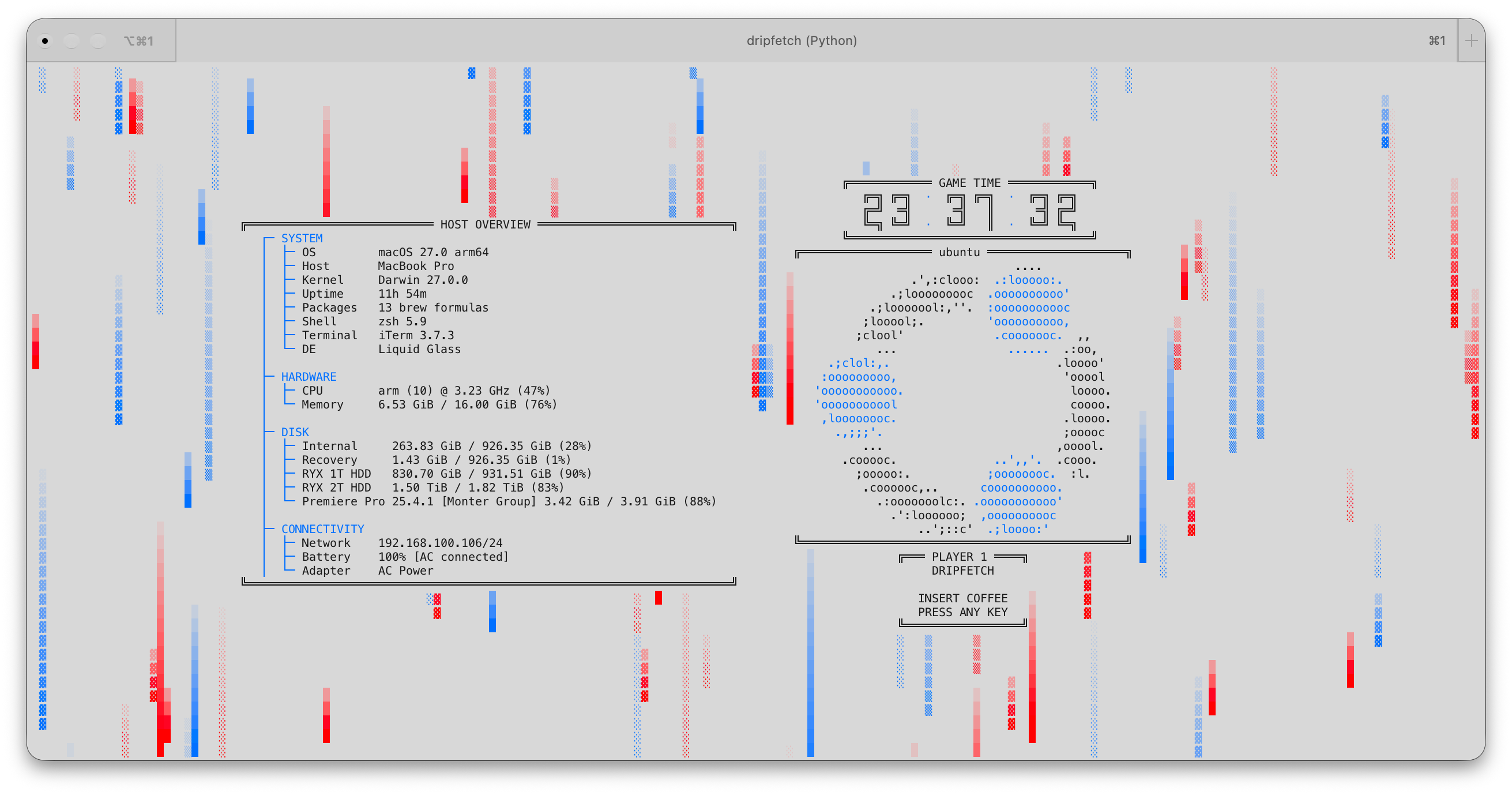 05 · Arcade White | 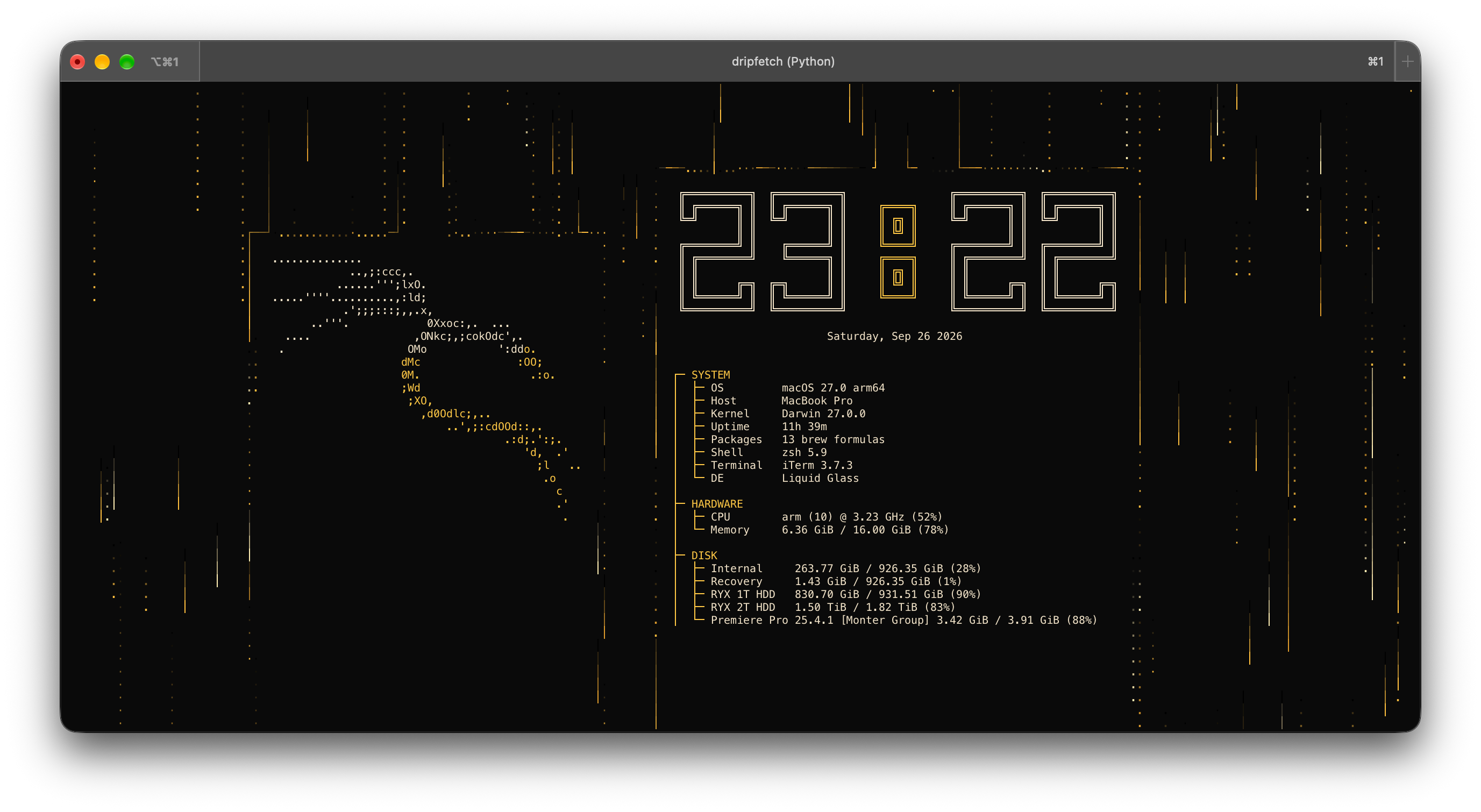 06 · Ink and Amber |
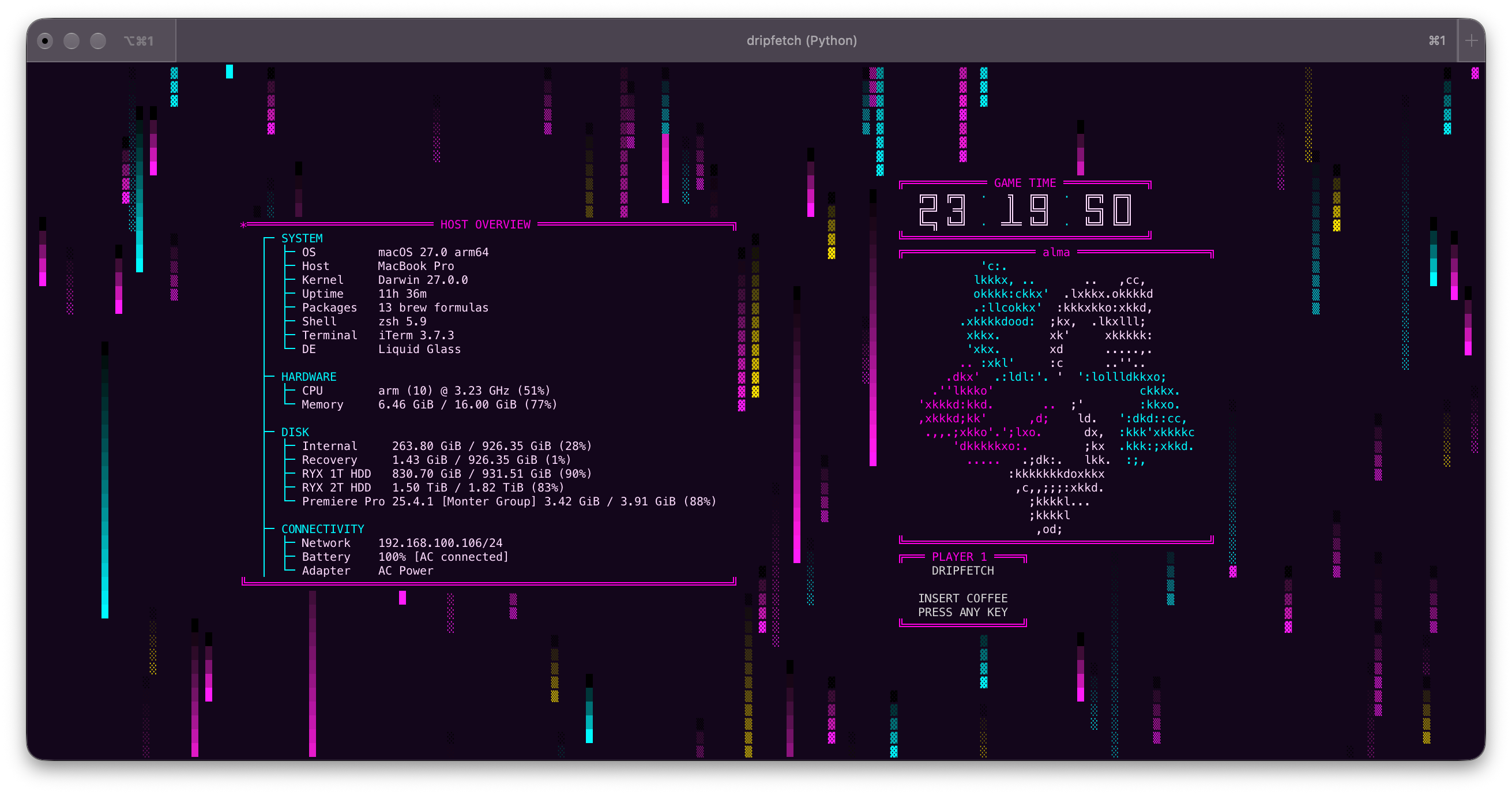 07 · Arcade Cabinet |
Individual features
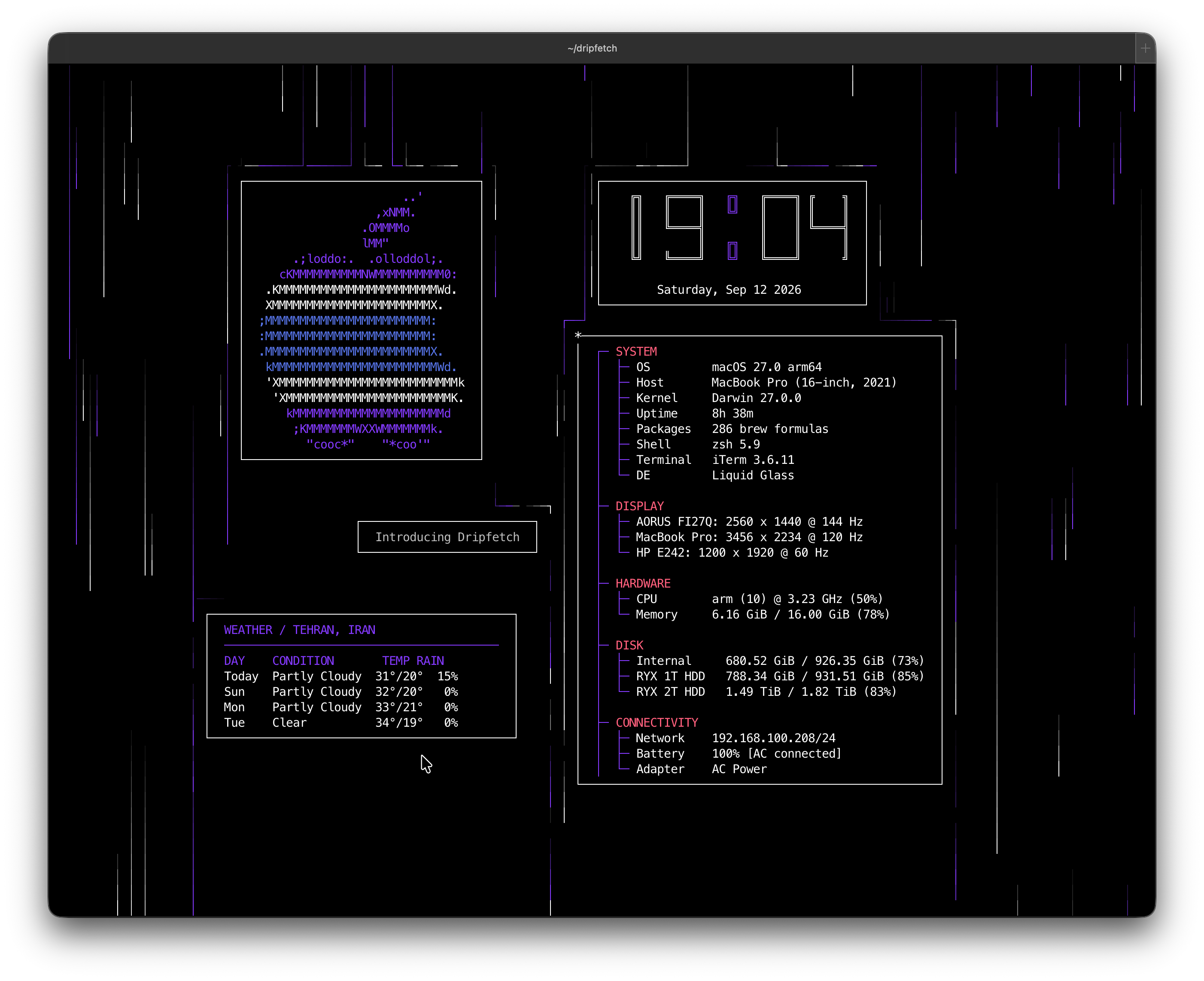 Terminal dashboard | 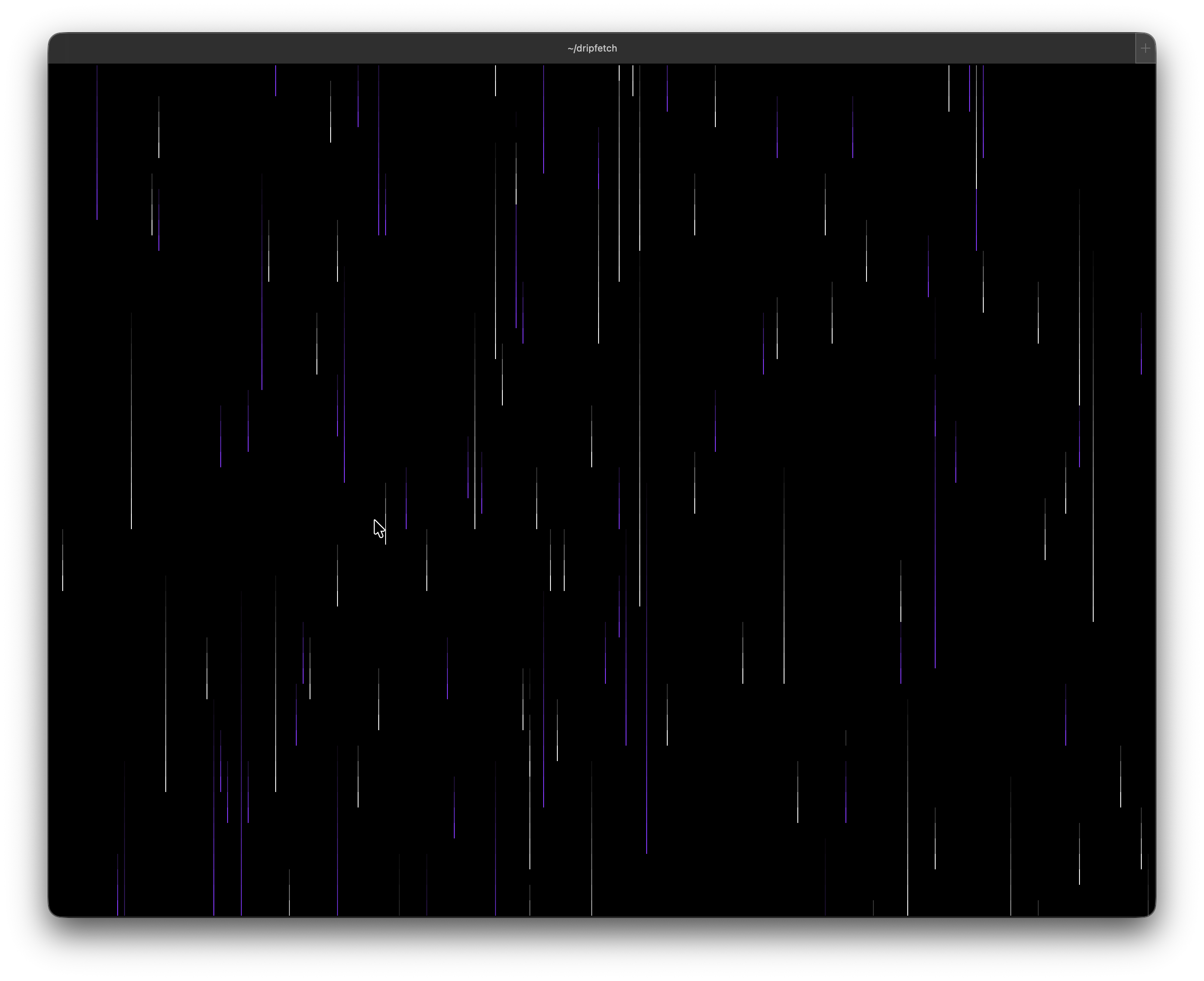 Animated rain |
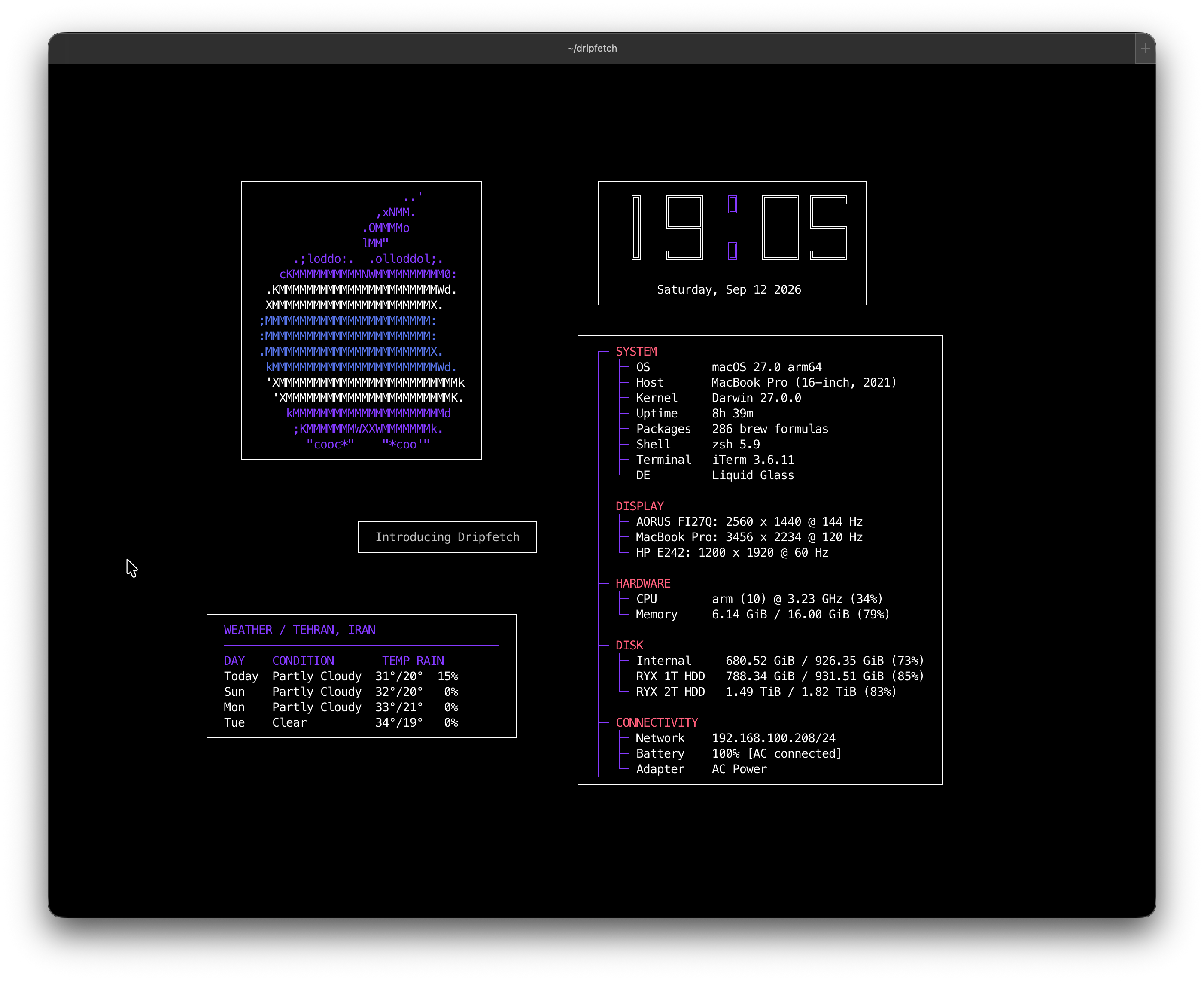 Configurable boxes | 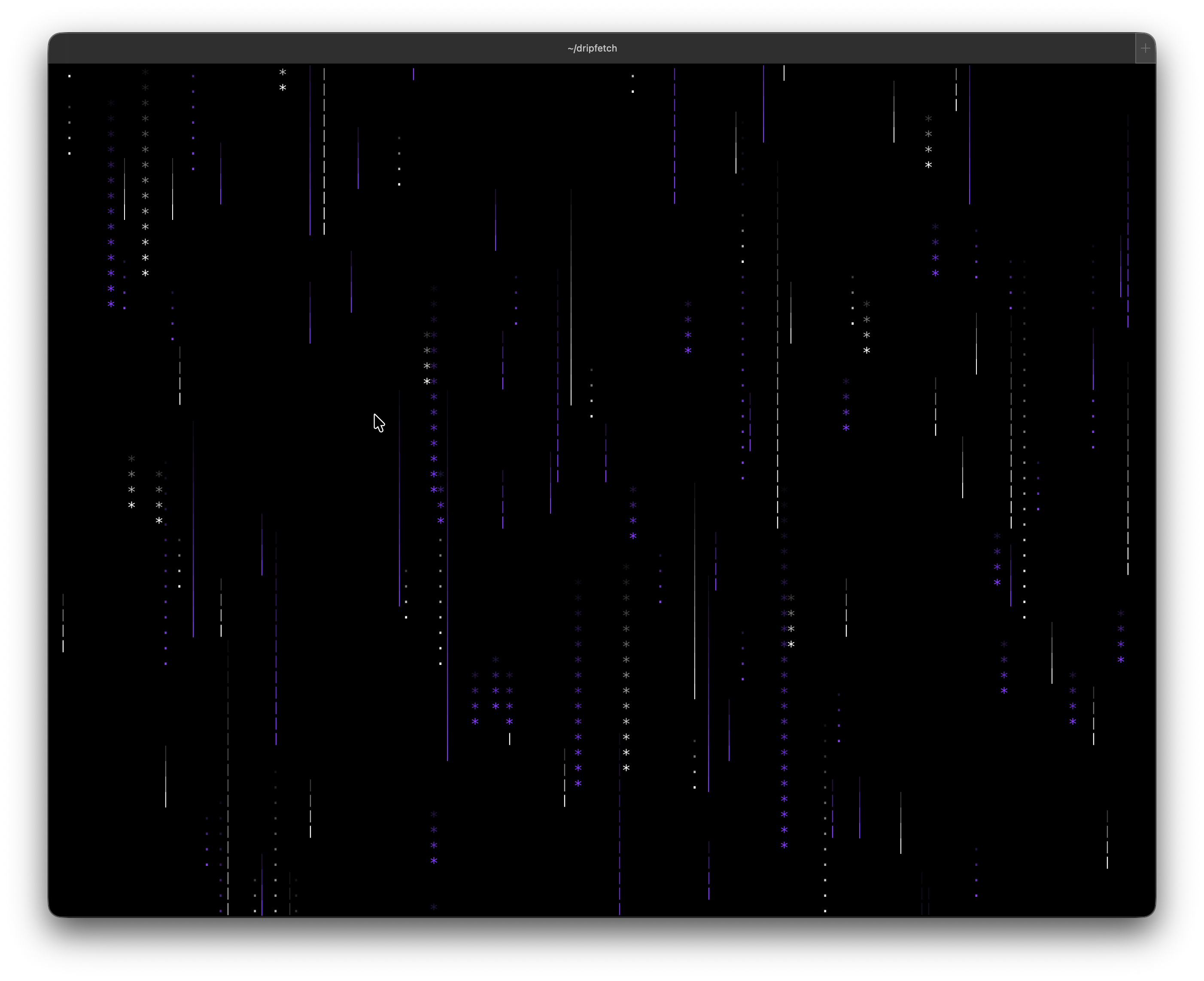 Rain density and colors |
CLI reference
| Command | Action |
|---|---|
dripfetch | Run with the active user configuration. |
dripfetch --config NUMBER|NAME|PATH | Run once with a bundled preset or custom YAML file. |
dripfetch --list-configs / -list-configs | List bundled config numbers and names. |
dripfetch --set-config NUMBER|NAME / -set-config | Save a bundled preset as the active config. |
dripfetch --list-logos / -list-logos | List bundled logo names. |
dripfetch --print-logo NAME / -print-logo | Print an ASCII logo. |
dripfetch --set-logo NAME / -set-logo | Save a logo choice in the active config. |
dripfetch --list-boxes | List available box types. |
dripfetch --config-path | Print the active config path. |
dripfetch --init-config | Restore the packaged default config. |
dripfetch --help | Show all command-line options. |
Project files
src/dripfetch/— application source, packaged default config, logos, presets, and theme screenshots.docs/— demo GIF and feature screenshots used above.install.shanduninstall.sh— local install and removal helpers.
License and security
Dripfetch is released under the MIT License. See SECURITY.md for private vulnerability reporting instructions.
Contributors

22 commits
Similar repos


Languages
Python
97.5%
Shell
1.9%
A customizable terminal system information display with animated rain.
Python
20
22 commits
updated Sep 27, 2026
See what people are saying
README
Dripfetch
Dripfetch is a customizable terminal dashboard with animated Matrix-style rain. Place system information, ASCII logos, clocks, calendars, weather forecasts, text, and live network graphs anywhere on screen, then tune the colors, borders, and rain from YAML.
Highlights
- Animated terminal rain with adjustable density, symbols, colors, speed, length, and box collisions.
- Seven box types:
logo,sysinfo,clock,calendar,weather,net, andtext. - 487 bundled ASCII logos, with automatic system detection or an explicit logo choice.
- Global box colors and padding, with single, double, titled single, titled double, and no-border styles.
- Live box placement: click a box and move it with the arrow keys or WASD; positions save to YAML.
- Multiline text with left, center, or right alignment.
- Small, medium, and big clocks with optional seconds, date, 12/24-hour time, and blinking colon.
- Current-month calendar with configurable week start.
- Mirrored braille download/upload graph.
- Weather forecast by city or coordinates through Open-Meteo. Weather lookup needs an internet connection.
- Seven ready-to-use visual presets, plus a separately available default preset at number
0. - Custom YAML files can be used without changing the saved default.
Installation
Dripfetch requires Python 3.12 or newer and a POSIX terminal with curses support (macOS and Linux).
Recommended: install with pipx
pipx puts Dripfetch in its own virtual environment and makes the command available on your PATH:
pipx install --python python3.12 dripfetch
Install pipx with your operating system's package manager first if it is not already installed. On macOS, for example, use brew install pipx and then pipx ensurepath.
Install with pip
Use a virtual environment rather than installing into the operating system's managed Python:
python3.12 -m venv .venv
source .venv/bin/activate
python -m pip install --upgrade pip
python -m pip install dripfetch
dripfetch
Install from the GitHub source
git clone https://github.com/a-shygun/dripfetch.git
cd dripfetch
pipx install --python python3.12 .
For a development checkout, use pipx install --python python3.12 --editable . or install into an activated virtual environment with python -m pip install -e ..
Homebrew
The Homebrew formula lives in this repository. Add the tap using its explicit GitHub URL, then install Dripfetch:
brew tap a-shygun/dripfetch https://github.com/a-shygun/dripfetch.git
brew install a-shygun/dripfetch/dripfetch
After a new release, update Homebrew and upgrade Dripfetch with brew update && brew upgrade dripfetch.
Arch Linux (AUR)
After the package is published to the Arch User Repository, install Dripfetch with an AUR helper such as yay:
yay -S dripfetch
You can also build and install it directly with makepkg:
git clone https://github.com/a-shygun/dripfetch.git
cd dripfetch/packaging/arch
makepkg -si
The AUR build uses Arch's Python and dependency packages; it does not install into a user-managed virtual environment. A release tag updates the checked-in Arch package version and checksum alongside the Homebrew formula. Once the initial AUR package exists and the repository's AUR_SSH_PRIVATE_KEY secret is configured, the release workflow also publishes those updated package files to the AUR automatically. See ArchWiki's AUR guide for how AUR packages are reviewed and built.
For the first AUR publication, add an SSH public key to your AUR account, clone the empty package repository, and push the checked-in recipe:
git clone ssh://aur@aur.archlinux.org/dripfetch.git
cp /path/to/dripfetch/packaging/arch/{PKGBUILD,.SRCINFO} dripfetch/
cd dripfetch
git add PKGBUILD .SRCINFO
git commit -m "Initial import"
git push
Then add the matching private SSH key to the GitHub repository's Actions secrets as AUR_SSH_PRIVATE_KEY. The release workflow uses it for later AUR updates. AUR requires PKGBUILD and .SRCINFO together, and makepkg --printsrcinfo regenerates .SRCINFO if you edit the recipe.
Debian / Ubuntu
There is no apt repository yet. Ubuntu users need a Launchpad PPA (or another apt repository) for apt install and automatic apt updates; Debian packaging is a separate follow-up. Meanwhile, Linux users can install Dripfetch with pipx install --python python3.12 dripfetch or use the source checkout instructions above.
Optional install scripts
The repository's install.sh is a convenience wrapper for a local source checkout. It creates a virtual environment under ~/dripfetch, installs the command in ~/.local/bin, and adds that directory to the shell PATH when needed:
bash install.sh
Open a new terminal if dripfetch is not found after installation. Remove this script-managed environment with bash uninstall.sh; the script leaves the repository checkout and ~/.config/dripfetch/config.yaml in place. The scripts are optional; pipx, pip, and OS package managers handle their own install and uninstall flows.
Uninstall
pipx uninstall dripfetch
For a pip install, activate the same virtual environment and run python -m pip uninstall dripfetch. For the script-managed install, run bash uninstall.sh. Use brew uninstall dripfetch, sudo apt remove dripfetch, or yay -R dripfetch when uninstalling a package-manager version.
First run
Start the dashboard with:
dripfetch
Use q to quit and Space to pause or resume the rain. Click a box to select it, then use the arrow keys or WASD to move it. Press Escape to deselect it. A moved box’s new center-relative position is saved in the configuration file automatically.
dripfetch --help
dripfetch --version
dripfetch --config-path
Choose a configuration
List the bundled YAML configurations:
dripfetch --list-configs
# The requested single-dash spelling is supported too:
dripfetch -list-configs
The seven showcase configurations are 01_neon_matrix, 02_moonlight_observatory, 03_ops_console, 04_citrus_pop, 05_arcade_white, 06_ink_and_amber, and 07_arcade_cabinet. Number 0 is the default layout from 0_default.yaml.
Preview a preset for one run without changing your saved configuration:
dripfetch --config 3
dripfetch --config moonlight_observatory
dripfetch --config ./my-layout.yaml
Save a preset as the active configuration so future plain dripfetch runs use it:
dripfetch --set-config 3
dripfetch -set-config moonlight_observatory
The --set-config and -set-config forms accept a preset number, full filename stem, or short name. --init-config restores the packaged default configuration in your user config directory:
dripfetch --init-config
The active user config normally lives at ~/.config/dripfetch/config.yaml. Edit it directly to customize the layout, or duplicate one of the example files in assets/configs and run it with --config PATH.
Logos
List available logo names, print one in the terminal, or save a logo choice into your active config:
dripfetch --list-logos
dripfetch -list-logos
dripfetch --print-logo arch2
dripfetch -print-logo arch2
dripfetch --set-logo arch2
dripfetch -set-logo arch2
The logo setter updates every existing logo box. If the active configuration has no logo box, it adds one. An explicit logo: value in YAML takes precedence over operating-system detection; omit that key to let Dripfetch detect the system logo. Logo names are the .txt filenames without the extension.
To choose a logo in YAML:
boxes:
  items:
    - type: logo
      logo: arch2
      position:
        horizontal: -30
        vertical: 0
Configure the dashboard
Dripfetch reads YAML. The packaged 0_default.yaml is a commented guide to every default section, and the seven showcase configs demonstrate different layouts and palettes.
The main sections are:
| Section | What it controls |
|---|---|
background | Terminal background color. |
rain | Collision behavior, density, symbols, weighted colors, speeds, and drop lengths. |
boxes.border | Default border style for all boxes: single, double, titled_single, titled_double, or none. |
boxes.border_color | Shared box border color. |
boxes.text_color | Shared content text color. |
boxes.accent_color | Shared title and highlight color. |
boxes.padding | Inner horizontal and vertical spacing. |
boxes.items | The ordered list of boxes, their type-specific options, titles, and positions. |
Colors use #RRGGBB or #RRGGBBAA. Box positions are offsets in terminal cells from the centered location: positive horizontal values move right and positive vertical values move down. Dragging a box with the mouse or moving it with the keyboard writes updated position values to the active YAML file.
Example: a compact layout
background: "#080B12"
rain:
  collision: true
  intensity: 120
  character: ["│", "┃", "╎"]
  colors:
    - [0.7, "#21F7A8"]
    - [0.3, "#45B8FF"]
  speeds:
    - [0.5, 30]
    - [0.5, 50]
  lengths:
    - [0.8, 6]
    - [0.2, 14]
boxes:
  border: titled_single
  border_color: "#50FFC1"
  text_color: "#D9E5F4"
  accent_color: "#50FFC1"
  padding:
    horizontal: 2
    vertical: 0
  items:
    - type: logo
      logo: arch2
      position: {horizontal: -32, vertical: 0}
    - type: clock
      clock_size: small
      clock_24h: true
      show_seconds: true
      show_date: true
      position: {horizontal: 28, vertical: -7}
    - type: text
      title: NOTE
      text: |
        Dripfetch is running.
        Edit this YAML to make it yours.
      alignment: center
      position: {horizontal: 28, vertical: 7}
Rain colors, speeds, and lengths are weighted lists in [probability, value] form; probabilities in each list must add up to 1.0. Box text can use YAML's | block style for preserved multiline text. Text alignment is left, center, or right.
Box options
logo— setlogo: NAMEto choose a bundled logo. If omitted, Dripfetch detects an operating-system logo. Optionally setcolors: ["#8747FF", "#FFFFFF"]to color its$1,$2, and later ASCII color markers in order; without it, the global accent/text/border palette is used.sysinfo— show system details. Set individualsections(system,display,hardware,disk,connectivity) tofalseto hide them.clock—clock_sizeissmall,medium, orbig;clock_styleissingleordouble. Configureclock_24h,show_seconds,show_am_pm,blink_colon, andshow_datewith booleans.calendar— setstarting_daytomonday,sunday, orsaturday.weather— set a city inlocation(or provide coordinates in a hand-written config),unitstocelsius/metricorfahrenheit/imperial, anddaysfrom 1 to 7.net— configure graphwidth,height, and samplingintervalin seconds. Download and upload are drawn as mirrored braille plots.text— settextto a string or multiline YAML block andalignmenttoleft,center, orright.
Titles can be added to boxes with title: .... Box text and borders use the palette under boxes so the dashboard remains visually consistent.
Gallery
Default layout
Seven bundled themes
01 · Neon Matrix | 02 · Moonlight Observatory |
03 · Ops Console | 04 · Citrus Pop |
05 · Arcade White | 06 · Ink and Amber |
07 · Arcade Cabinet |
Individual features
Terminal dashboard | Animated rain |
Configurable boxes | Rain density and colors |
CLI reference
| Command | Action |
|---|---|
dripfetch | Run with the active user configuration. |
dripfetch --config NUMBER|NAME|PATH | Run once with a bundled preset or custom YAML file. |
dripfetch --list-configs / -list-configs | List bundled config numbers and names. |
dripfetch --set-config NUMBER|NAME / -set-config | Save a bundled preset as the active config. |
dripfetch --list-logos / -list-logos | List bundled logo names. |
dripfetch --print-logo NAME / -print-logo | Print an ASCII logo. |
dripfetch --set-logo NAME / -set-logo | Save a logo choice in the active config. |
dripfetch --list-boxes | List available box types. |
dripfetch --config-path | Print the active config path. |
dripfetch --init-config | Restore the packaged default config. |
dripfetch --help | Show all command-line options. |
Project files
src/dripfetch/— application source, packaged default config, logos, presets, and theme screenshots.docs/— demo GIF and feature screenshots used above.install.shanduninstall.sh— local install and removal helpers.
License and security
Dripfetch is released under the MIT License. See SECURITY.md for private vulnerability reporting instructions.
Similar repos
Contributors
22 commits
Languages
Python
97.5%
Shell
1.9%