





【2023.08.10】 支持 vLLM 推理加速 ,使用方式见 VLLM_SCRIPT
【2023.08.04】 增加通义千问模型工具调用示例,支持 function call 特性,调用方式参考 邮件发送助手、定积分计算器、SQL查询
【2023.08.03】 支持 qwen-7b-chat 模型,启动方式见 qwen-7b-chat
【2023.07.14】 支持在一个 API BASE 下调用多个模型
【2023.07.12】 支持 baichuan-13b-chat 模型,启动方式见 baichuan-13b-chat
【2023.07.07】 支持 InternLM 模型,启动方式见 internlm-chat-7b
【2023.06.26】 支持 ChatGLM2-6b 模型
【2023.06.12】 使用 m3e 中文嵌入模型(在中文文本分类和文本检索上都优于 openai-ada-002)
主要特性:
此项目为开源大模型的推理实现统一的后端接口,与 OpenAI 的响应保持一致,具有以下特性:
✨ 以 OpenAI ChatGPT API 的方式调用各类开源大模型
🖨️ 支持流式响应,实现打印机效果
📖 实现文本嵌入模型,为文档知识问答提供支持
🦜️ 支持大规模语言模型开发工具 langchain 的各类功能
🙌 只需要简单的修改环境变量即可将开源模型作为 chatgpt 的替代模型,为各类应用提供后端支持
🚀 支持加载经过自行训练过的 lora 模型
支持多种开源大模型
| Model | Backbone | #Params | Claimed language | checkpoint link |
|---|---|---|---|---|
| qwen-7b-chat | Qwen | 7B | en, zh | Qwen/Qwen-7B-Chat |
| baichuan-13b-chat | Baichuan | 13B | en, zh | baichuan-inc/Baichuan-13B-Chat |
| InternLM | InternLM | 7B | en, zh | internlm/internlm-chat-7b |
| ChatGLM2 | GLM | 6/130B | en, zh | THUDM/chatglm2-6b |
| baichaun-7b | Baichuan | 7B | en, zh | baichuan-inc/baichuan-7B |
| Guanaco | LLaMA | 7/33/65B | en | timdettmers/guanaco-33b-merged |
| YuLan-Chat | LLaMA | 13/65B | en, zh | RUCAIBox/YuLan-Chat-13b-delta |
| TigerBot | BLOOMZ | 7/180B | en, zh | TigerResearch/tigerbot-7b-sft |
| OpenBuddy | LLaMA、Falcon | 7B | multi | OpenBuddy |
| MOSS | CodeGen | 16B | en, zh | fnlp/moss-moon-003-sft-int4 |
| Phoenix | BLOOMZ | 7B | multi | FreedomIntelligence/phoenix-inst-chat-7b |
| BAIZE | LLaMA | 7/13/30B | en | project-baize/baize-lora-7B |
| Chinese-LLaMA-Alpaca | LLaMA | 7/13B | en, zh | ziqingyang/chinese-alpaca-plus-lora-7b |
| BELLE | BLOOMZ | 7B | zh | BelleGroup/BELLE-7B-2M |
| ChatGLM | GLM | 6B | en, zh | THUDM/chatglm-6b |
构建镜像
docker build -f docker/Dockerfile -t llm-api:pytorch .
启动容器
docker run -it -d --gpus all --ipc=host --net=host -p 80:80 --name=chatglm \
    --ulimit memlock=-1 --ulimit stack=67108864 \
    -v `pwd`:/workspace \
    llm-api:pytorch \
    python api/app.py \
    --port 80 \
    --allow-credentials \
    --model_name chatglm \
    --model_path THUDM/chatglm-6b \
    --embedding_name moka-ai/m3e-base
主要参数含义:
model_name: 模型名称,如chatglm、phoenix、moss等
model_path: 开源大模型的文件所在路径
embedding_name(可选项): 嵌入模型的文件所在路径
更多模型的启动命令详见 SCRIPT.md
安装 pytorch 环境
conda create -n pytorch python=3.8
conda activate pytorch
conda install pytorch cudatoolkit -c pytorch
安装依赖包
pip install -r requirements.txt

# Check Torch is compiled with CUDA enabled
>>> import torch
>>> torch.__version__
'1.12.1+cu102'
>>> torch.zeros(1).cuda()
tensor([0.], device='cuda:0')
>>> torch.cuda.is_available()
True

# If the return is False, Torch not compiled with CUDA enabled. Then install torch with cuda again.
pip uninstall torch
pip install torch==2.2.0+cu121 --index-url https://download.pytorch.org/whl/cu121
启动后端
python api/app.py \
    --port 80 \
    --allow-credentials \
    --model_path THUDM/chatglm-6b \
    --embedding_name moka-ai/m3e-base
OPENAI_API_KEY: 此处随意填一个字符串即可
OPENAI_API_BASE: 后端启动的接口地址,如:http://192.168.0.xx:80/v1
cd applications

python web_demo.py
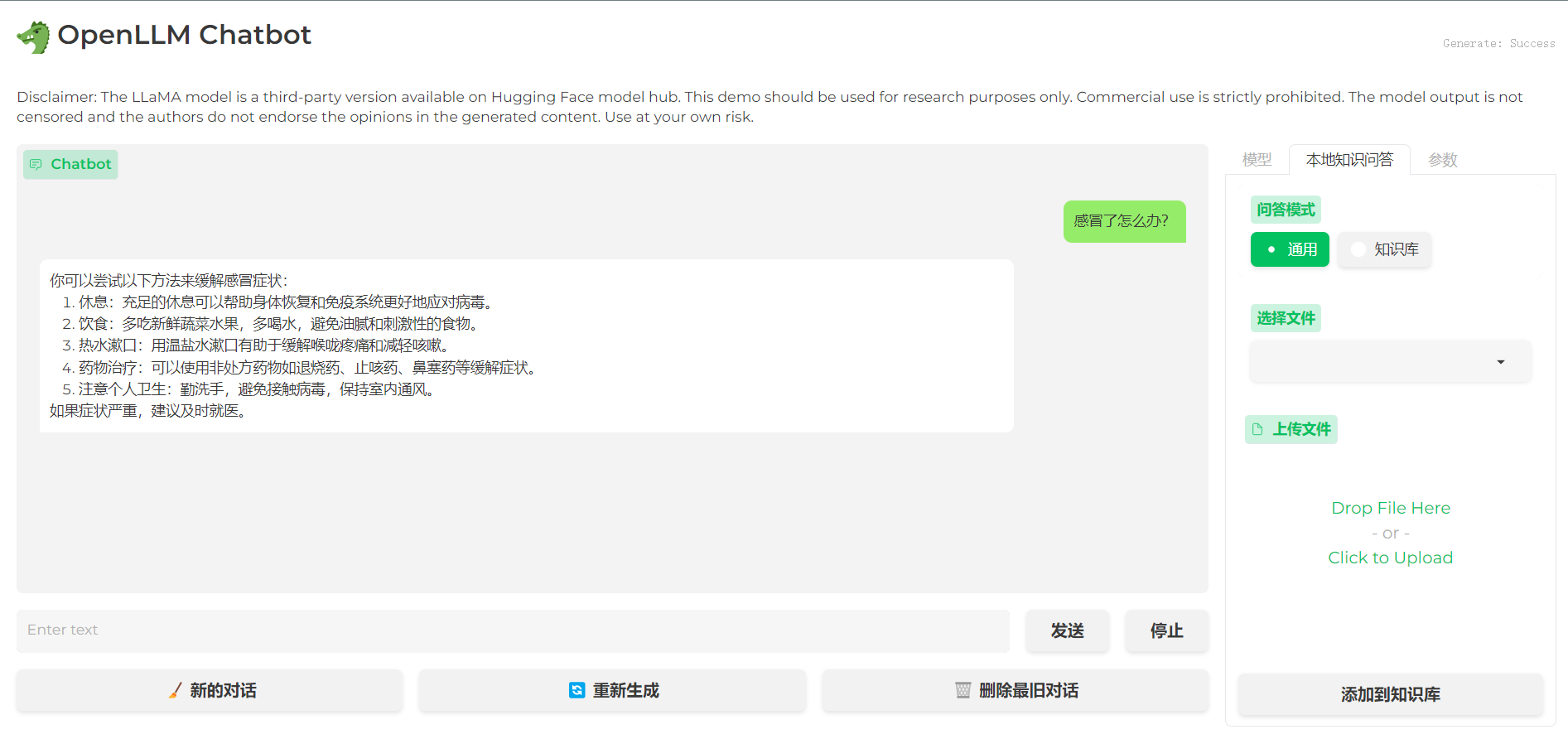
import openai

openai.api_base = "http://192.168.0.xx:80/v1"

# Enter any non-empty API key to pass the client library's check.
openai.api_key = "xxx"

# Enter any non-empty model name to pass the client library's check.
completion = openai.ChatCompletion.create(
    model="chatglm-6b",
    messages=[
        {"role": "user", "content": "你好"},
    ],
    stream=False,
)

print(completion.choices[0].message.content)
# 你好👋!我是人工智能助手 ChatGLM-6B,很高兴见到你,欢迎问我任何问题。
import openai

openai.api_base = "http://192.168.0.xx:80/v1"

# Enter any non-empty API key to pass the client library's check.
openai.api_key = "xxx"

# Enter any non-empty model name to pass the client library's check.
completion = openai.Completion.create(prompt="你好", model="chatglm-6b")

print(completion.choices[0].text)
# 你好👋!我是人工智能助手 ChatGLM-6B,很高兴见到你,欢迎问我任何问题。
import openai

openai.api_base = "http://192.168.0.xx:80/v1"

# Enter any non-empty API key to pass the client library's check.
openai.api_key = "xxx"

# compute the embedding of the text
embedding = openai.Embedding.create(
    input="什么是chatgpt?",
    model="text2vec-large-chinese"
)

print(embedding['data'][0]['embedding'])
import os

os.environ["OPENAI_API_BASE"] = "http://192.168.0.xx:80/v1"
os.environ["OPENAI_API_KEY"] = "xxx"

from langchain.chat_models import ChatOpenAI
from langchain.schema import HumanMessage

chat = ChatOpenAI()
print(chat([HumanMessage(content="你好")]))
# content='你好👋!我是人工智能助手 ChatGLM-6B,很高兴见到你,欢迎问我任何问题。' additional_kwargs={}
import os

os.environ["OPENAI_API_BASE"] = "http://192.168.0.xx:80/v1"
os.environ["OPENAI_API_KEY"] = "xxx"

from langchain.llms import OpenAI

llm = OpenAI()
print(llm("你好"))
# 你好👋!我是人工智能助手 ChatGLM-6B,很高兴见到你,欢迎问我任何问题。
import os

os.environ["OPENAI_API_BASE"] = "http://192.168.0.xx:80/v1"
os.environ["OPENAI_API_KEY"] = "xxx"

from langchain.embeddings import OpenAIEmbeddings

embeddings = OpenAIEmbeddings()
query_result = embeddings.embed_query("什么是chatgpt?")
print(query_result)
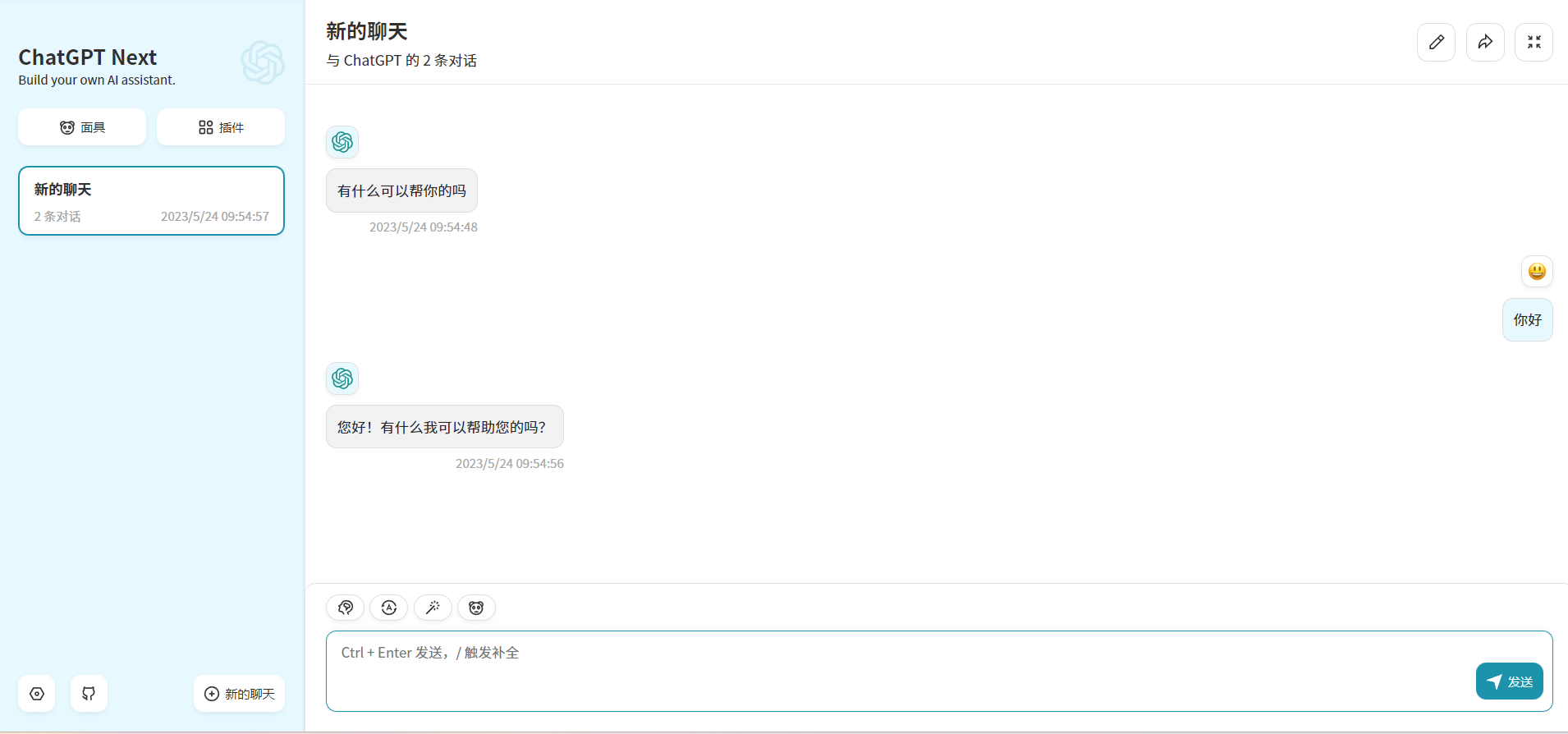
通过修改上面的 OPENAI_API_BASE 环境变量,大部分的 chatgpt 应用和前后端项目都可以无缝衔接!
docker run -d -p 3000:3000 \
   -e OPENAI_API_KEY="sk-xxxx" \
   -e BASE_URL="http://192.168.0.xx:80" \
   yidadaa/chatgpt-next-web
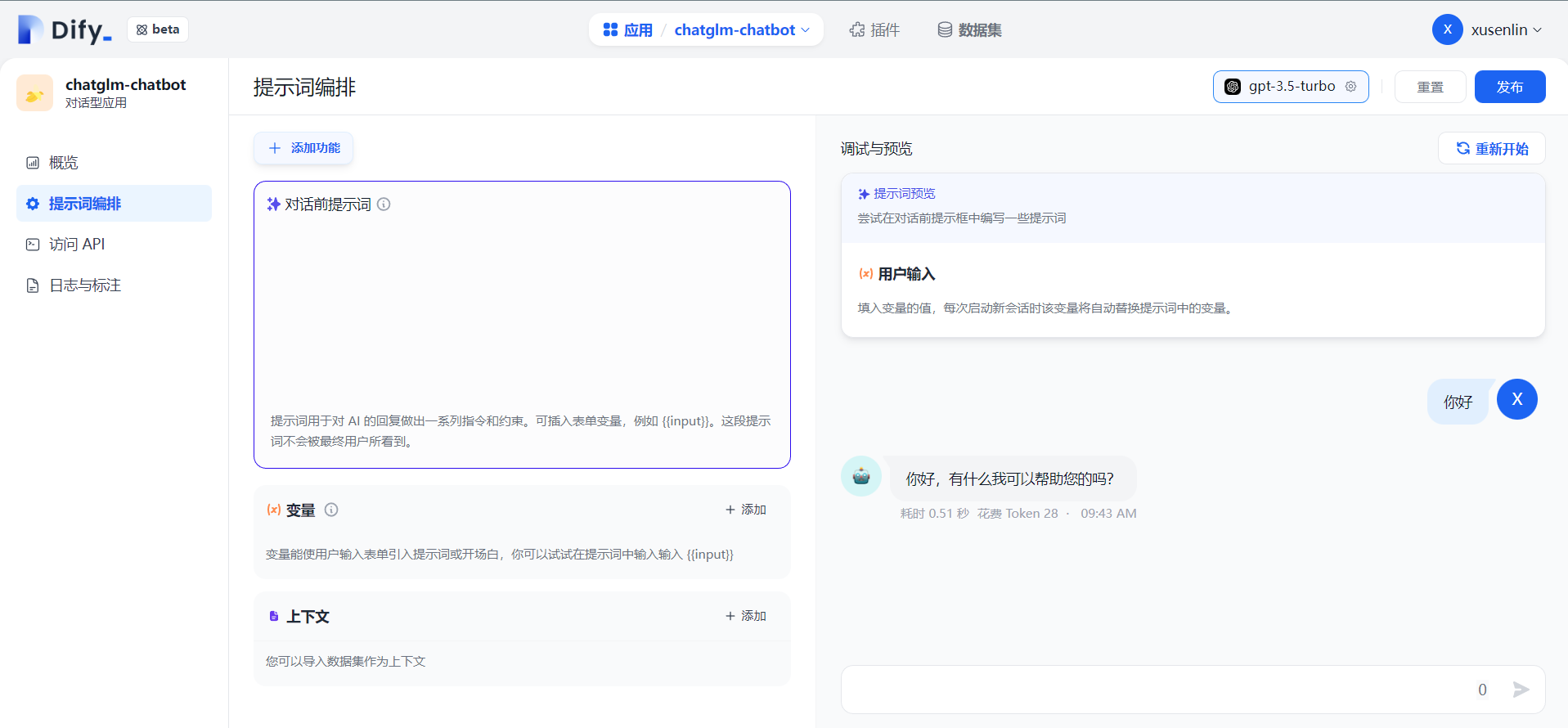
# 在docker-compose.yml中的api和worker服务中添加以下环境变量
OPENAI_API_BASE: http://192.168.0.xx:80/v1
DISABLE_PROVIDER_CONFIG_VALIDATION: 'true'
此项目为 Apache 2.0 许可证授权,有关详细信息,请参阅 LICENSE 文件。
BLOOM: A 176B-Parameter Open-Access Multilingual Language Model
Efficient and Effective Text Encoding for Chinese LLaMA and Alpaca
MOSS: An open-sourced plugin-augmented conversational language model
FastChat: An open platform for training, serving, and evaluating large language model based chatbots
LangChain: Building applications with LLMs through composability
【2023.08.10】 支持 vLLM 推理加速 ,使用方式见 VLLM_SCRIPT
【2023.08.04】 增加通义千问模型工具调用示例,支持 function call 特性,调用方式参考 邮件发送助手、定积分计算器、SQL查询
【2023.08.03】 支持 qwen-7b-chat 模型,启动方式见 qwen-7b-chat
【2023.07.14】 支持在一个 API BASE 下调用多个模型
【2023.07.12】 支持 baichuan-13b-chat 模型,启动方式见 baichuan-13b-chat
【2023.07.07】 支持 InternLM 模型,启动方式见 internlm-chat-7b
【2023.06.26】 支持 ChatGLM2-6b 模型
【2023.06.12】 使用 m3e 中文嵌入模型(在中文文本分类和文本检索上都优于 openai-ada-002)
主要特性:
此项目为开源大模型的推理实现统一的后端接口,与 OpenAI 的响应保持一致,具有以下特性:
✨ 以 OpenAI ChatGPT API 的方式调用各类开源大模型
🖨️ 支持流式响应,实现打印机效果
📖 实现文本嵌入模型,为文档知识问答提供支持
🦜️ 支持大规模语言模型开发工具 langchain 的各类功能
🙌 只需要简单的修改环境变量即可将开源模型作为 chatgpt 的替代模型,为各类应用提供后端支持
🚀 支持加载经过自行训练过的 lora 模型
支持多种开源大模型
| Model | Backbone | #Params | Claimed language | checkpoint link |
|---|---|---|---|---|
| qwen-7b-chat | Qwen | 7B | en, zh | Qwen/Qwen-7B-Chat |
| baichuan-13b-chat | Baichuan | 13B | en, zh | baichuan-inc/Baichuan-13B-Chat |
| InternLM | InternLM | 7B | en, zh | internlm/internlm-chat-7b |
| ChatGLM2 | GLM | 6/130B | en, zh | THUDM/chatglm2-6b |
| baichaun-7b | Baichuan | 7B | en, zh | baichuan-inc/baichuan-7B |
| Guanaco | LLaMA | 7/33/65B | en | timdettmers/guanaco-33b-merged |
| YuLan-Chat | LLaMA | 13/65B | en, zh | RUCAIBox/YuLan-Chat-13b-delta |
| TigerBot | BLOOMZ | 7/180B | en, zh | TigerResearch/tigerbot-7b-sft |
| OpenBuddy | LLaMA、Falcon | 7B | multi | OpenBuddy |
| MOSS | CodeGen | 16B | en, zh | fnlp/moss-moon-003-sft-int4 |
| Phoenix | BLOOMZ | 7B | multi | FreedomIntelligence/phoenix-inst-chat-7b |
| BAIZE | LLaMA | 7/13/30B | en | project-baize/baize-lora-7B |
| Chinese-LLaMA-Alpaca | LLaMA | 7/13B | en, zh | ziqingyang/chinese-alpaca-plus-lora-7b |
| BELLE | BLOOMZ | 7B | zh | BelleGroup/BELLE-7B-2M |
| ChatGLM | GLM | 6B | en, zh | THUDM/chatglm-6b |
构建镜像
docker build -f docker/Dockerfile -t llm-api:pytorch .
启动容器
docker run -it -d --gpus all --ipc=host --net=host -p 80:80 --name=chatglm \
    --ulimit memlock=-1 --ulimit stack=67108864 \
    -v `pwd`:/workspace \
    llm-api:pytorch \
    python api/app.py \
    --port 80 \
    --allow-credentials \
    --model_name chatglm \
    --model_path THUDM/chatglm-6b \
    --embedding_name moka-ai/m3e-base
主要参数含义:
model_name: 模型名称,如chatglm、phoenix、moss等
model_path: 开源大模型的文件所在路径
embedding_name(可选项): 嵌入模型的文件所在路径
更多模型的启动命令详见 SCRIPT.md
安装 pytorch 环境
conda create -n pytorch python=3.8
conda activate pytorch
conda install pytorch cudatoolkit -c pytorch
安装依赖包
pip install -r requirements.txt

# Check Torch is compiled with CUDA enabled
>>> import torch
>>> torch.__version__
'1.12.1+cu102'
>>> torch.zeros(1).cuda()
tensor([0.], device='cuda:0')
>>> torch.cuda.is_available()
True

# If the return is False, Torch not compiled with CUDA enabled. Then install torch with cuda again.
pip uninstall torch
pip install torch==2.2.0+cu121 --index-url https://download.pytorch.org/whl/cu121
启动后端
python api/app.py \
    --port 80 \
    --allow-credentials \
    --model_path THUDM/chatglm-6b \
    --embedding_name moka-ai/m3e-base
OPENAI_API_KEY: 此处随意填一个字符串即可
OPENAI_API_BASE: 后端启动的接口地址,如:http://192.168.0.xx:80/v1
cd applications

python web_demo.py
import openai

openai.api_base = "http://192.168.0.xx:80/v1"

# Enter any non-empty API key to pass the client library's check.
openai.api_key = "xxx"

# Enter any non-empty model name to pass the client library's check.
completion = openai.ChatCompletion.create(
    model="chatglm-6b",
    messages=[
        {"role": "user", "content": "你好"},
    ],
    stream=False,
)

print(completion.choices[0].message.content)
# 你好👋!我是人工智能助手 ChatGLM-6B,很高兴见到你,欢迎问我任何问题。
import openai

openai.api_base = "http://192.168.0.xx:80/v1"

# Enter any non-empty API key to pass the client library's check.
openai.api_key = "xxx"

# Enter any non-empty model name to pass the client library's check.
completion = openai.Completion.create(prompt="你好", model="chatglm-6b")

print(completion.choices[0].text)
# 你好👋!我是人工智能助手 ChatGLM-6B,很高兴见到你,欢迎问我任何问题。
import openai

openai.api_base = "http://192.168.0.xx:80/v1"

# Enter any non-empty API key to pass the client library's check.
openai.api_key = "xxx"

# compute the embedding of the text
embedding = openai.Embedding.create(
    input="什么是chatgpt?",
    model="text2vec-large-chinese"
)

print(embedding['data'][0]['embedding'])
import os

os.environ["OPENAI_API_BASE"] = "http://192.168.0.xx:80/v1"
os.environ["OPENAI_API_KEY"] = "xxx"

from langchain.chat_models import ChatOpenAI
from langchain.schema import HumanMessage

chat = ChatOpenAI()
print(chat([HumanMessage(content="你好")]))
# content='你好👋!我是人工智能助手 ChatGLM-6B,很高兴见到你,欢迎问我任何问题。' additional_kwargs={}
import os

os.environ["OPENAI_API_BASE"] = "http://192.168.0.xx:80/v1"
os.environ["OPENAI_API_KEY"] = "xxx"

from langchain.llms import OpenAI

llm = OpenAI()
print(llm("你好"))
# 你好👋!我是人工智能助手 ChatGLM-6B,很高兴见到你,欢迎问我任何问题。
import os

os.environ["OPENAI_API_BASE"] = "http://192.168.0.xx:80/v1"
os.environ["OPENAI_API_KEY"] = "xxx"

from langchain.embeddings import OpenAIEmbeddings

embeddings = OpenAIEmbeddings()
query_result = embeddings.embed_query("什么是chatgpt?")
print(query_result)
通过修改上面的 OPENAI_API_BASE 环境变量,大部分的 chatgpt 应用和前后端项目都可以无缝衔接!
docker run -d -p 3000:3000 \
   -e OPENAI_API_KEY="sk-xxxx" \
   -e BASE_URL="http://192.168.0.xx:80" \
   yidadaa/chatgpt-next-web
# 在docker-compose.yml中的api和worker服务中添加以下环境变量
OPENAI_API_BASE: http://192.168.0.xx:80/v1
DISABLE_PROVIDER_CONFIG_VALIDATION: 'true'
此项目为 Apache 2.0 许可证授权,有关详细信息,请参阅 LICENSE 文件。
BLOOM: A 176B-Parameter Open-Access Multilingual Language Model
Efficient and Effective Text Encoding for Chinese LLaMA and Alpaca
MOSS: An open-sourced plugin-augmented conversational language model
FastChat: An open platform for training, serving, and evaluating large language model based chatbots
LangChain: Building applications with LLMs through composability



