English | 简体中文
一个将 Cursor Web 转换为 OpenAI chat/completions 兼容 API 的 Go 服务。


chat/completions 接口*-thinking 模型tools / tool_choice / tool_calls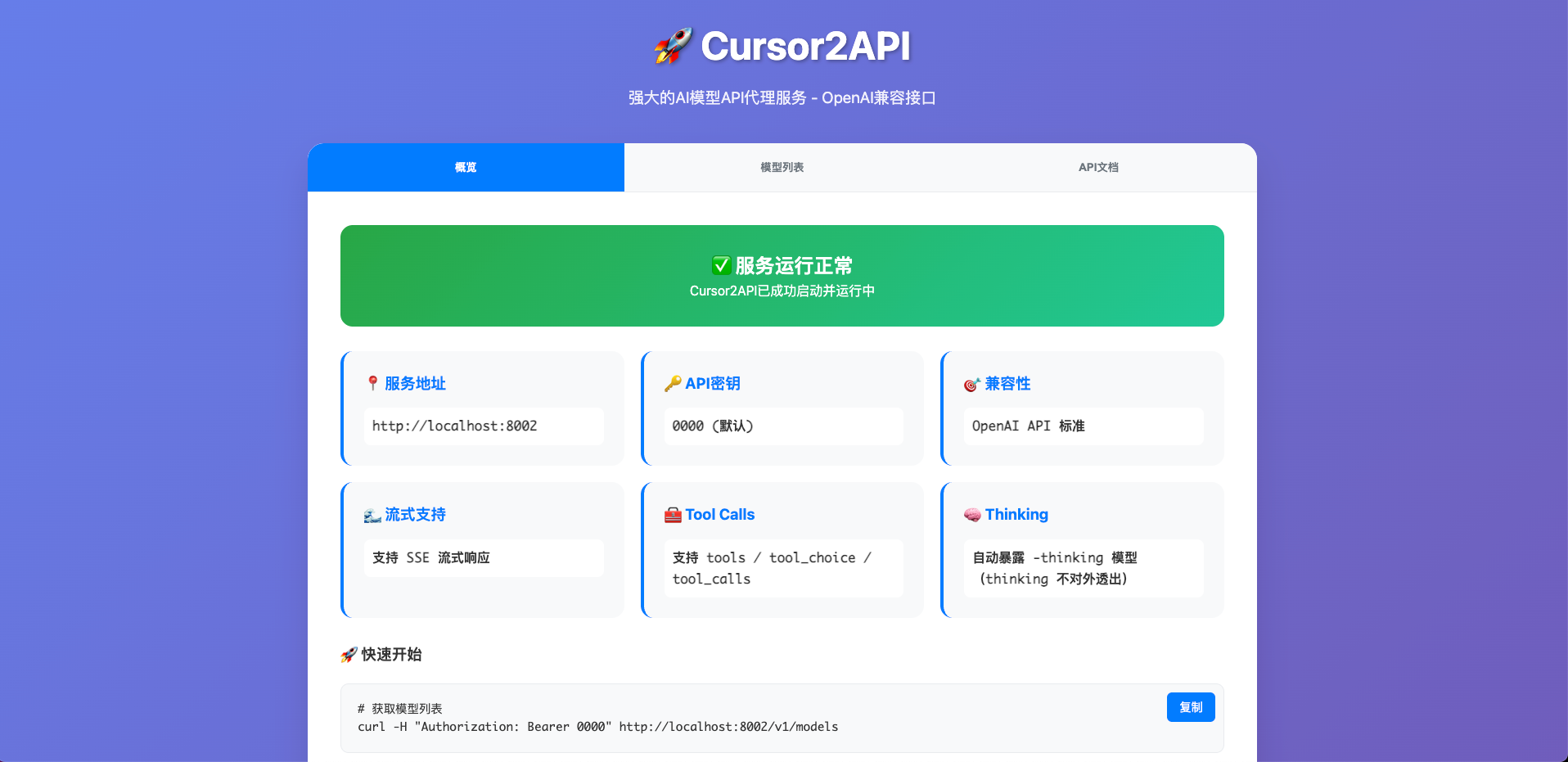
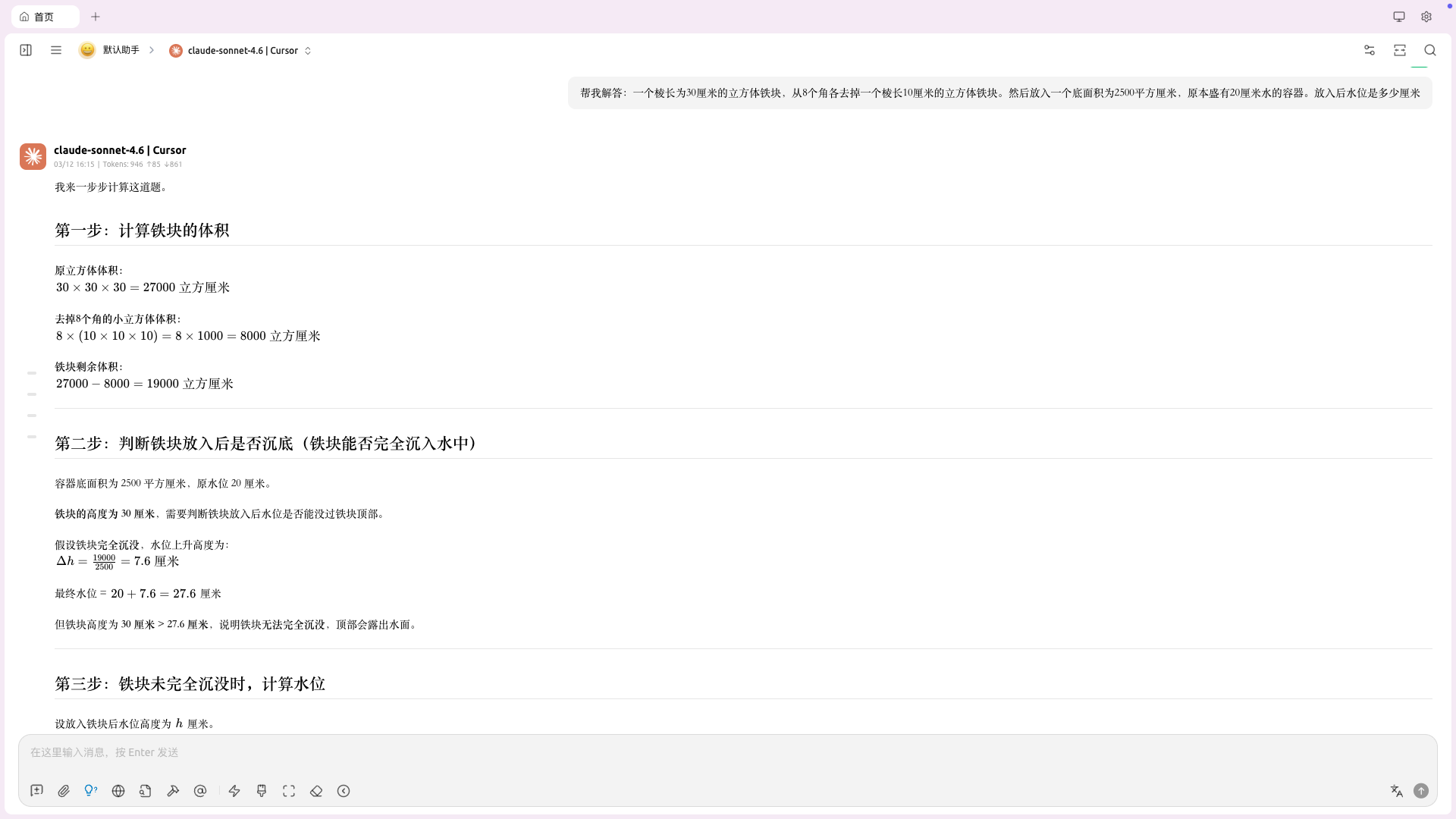
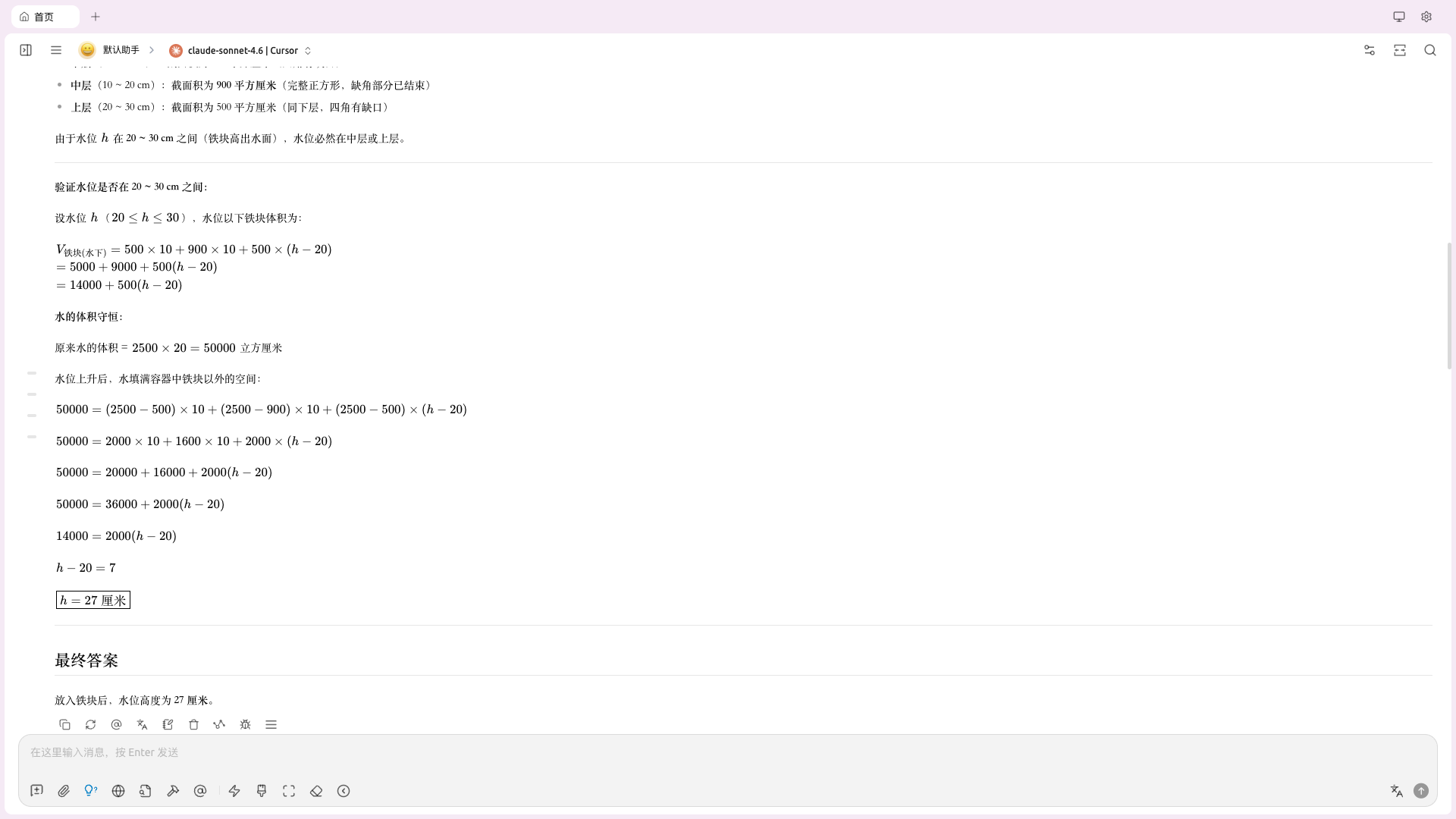
gemini-3-flashgemini-3-flash-thinkingLinux/macOS:
git clone https://github.com/libaxuan/cursor2api-go.git
cd cursor2api-go
chmod +x start.sh
./start.sh
Windows:
# 双击运行或在 cmd 中执行
start-go.bat

# 或在 Git Bash / Windows Terminal 中
./start-go-utf8.bat
# 克隆项目
git clone https://github.com/libaxuan/cursor2api-go.git
cd cursor2api-go

# 下载依赖
go mod tidy

# 编译
go build -o cursor2api-go

# 运行
./cursor2api-go
git clone https://github.com/libaxuan/cursor2api-go.git
cd cursor2api-go
go run main.go
服务将在 http://localhost:8002 启动
# 构建镜像
docker build -t cursor2api-go .
# 运行容器(推荐)
docker run -d \
  --name cursor2api-go \
  --restart unless-stopped \
  -p 8002:8002 \
  -e API_KEY=your-secret-key \
  -e DEBUG=false \
  cursor2api-go

# 或者使用默认配置运行
docker run -d --name cursor2api-go --restart unless-stopped -p 8002:8002 cursor2api-go
# 启动服务
docker-compose up -d

# 停止服务
docker-compose down

# 查看日志
docker-compose logs -f
docker-compose.yml 文件中的环境变量以满足您的需求:API_KEY 为安全的密钥MODELS、TIMEOUT 等配置go build -o cursor2api-go
sudo mv cursor2api-go /usr/local/bin/
sudo chmod +x /usr/local/bin/cursor2api-go
/etc/systemd/system/cursor2api-go.service:[Unit]
Description=Cursor2API Service
After=network.target
[Service]
Type=simple
User=your-user
WorkingDirectory=/home/your-user/cursor2api-go
ExecStart=/usr/local/bin/cursor2api-go
Restart=always
Environment=API_KEY=your-secret-key
Environment=PORT=8002
[Install]
WantedBy=multi-user.target
# 重载 systemd 配置
sudo systemctl daemon-reload

# 启用开机自启
sudo systemctl enable cursor2api-go

# 启动服务
sudo systemctl start cursor2api-go

# 查看状态
sudo systemctl status cursor2api-go
curl -H "Authorization: Bearer 0000" http://localhost:8002/v1/models
curl -X POST http://localhost:8002/v1/chat/completions \
  -H "Content-Type: application/json" \
  -H "Authorization: Bearer 0000" \
  -d '{
    "model": "gemini-3-flash",
    "messages": [{"role": "user", "content": "Hello!"}],
    "stream": false
  }'
curl -X POST http://localhost:8002/v1/chat/completions \
  -H "Content-Type: application/json" \
  -H "Authorization: Bearer 0000" \
  -d '{
    "model": "gemini-3-flash",
    "messages": [{"role": "user", "content": "Hello!"}],
    "stream": true
  }'
curl -X POST http://localhost:8002/v1/chat/completions \
  -H "Content-Type: application/json" \
  -H "Authorization: Bearer 0000" \
  -d '{
    "model": "gemini-3-flash",
    "messages": [{"role": "user", "content": "帮我查询北京天气"}],
    "tools": [
      {
        "type": "function",
        "function": {
          "name": "get_weather",
          "description": "获取实时天气",
          "parameters": {
            "type": "object",
            "properties": {
              "city": {"type": "string"}
            },
            "required": ["city"]
          }
        }
      }
    ]
  }'
-thinking 模型curl -X POST http://localhost:8002/v1/chat/completions \
-H "Content-Type: application/json" \
-H "Authorization: Bearer 0000" \
-d '{
"model": "gemini-3-flash-thinking",
"messages": [{"role": "user", "content": "先思考再决定要不要用工具"}],
"tools": [
{
"type": "function",
"function": {
"name": "lookup",
"parameters": {
"type": "object",
"properties": {
"q": {"type": "string"}
},
"required": ["q"]
}
}
}
],
"stream": true
}'
在任何支持自定义 OpenAI API 的应用中(如 ChatGPT Next Web、Lobe Chat 等):
http://localhost:80020000(或自定义)-thinking 版本| 变量名 | 默认值 | 说明 |
|---|---|---|
PORT | 8002 | 服务器端口 |
DEBUG | false | 调试模式(启用后显示详细日志和路由信息) |
API_KEY | 0000 | API 认证密钥 |
MODELS | gemini-3-flash | 基础模型列表(逗号分隔),服务会自动追加对应的 -thinking 公开模型 |
TIMEOUT | 60 | 请求超时时间(秒) |
KILO_TOOL_STRICT | false | Kilo Code 兼容开关:当请求提供 tools 且 tool_choice=auto 时,将其提升为“必须至少调用一次工具” |
默认情况下,服务以简洁模式运行。如需启用详细日志:
方式 1: 修改 .env 文件
DEBUG=true
方式 2: 使用环境变量
DEBUG=true ./cursor2api-go
调试模式会显示:
遇到问题?查看 故障排除指南 了解常见问题的解决方案,包括:
部分编排器会在“提供了 tools”时强制模型必须产出工具调用,否则报类似 MODEL_NO_TOOLS_USED 的错误。为改善这一类兼容问题:
.env 中启用 KILO_TOOL_STRICT=truetools 且被判定为“必须用工具”(tool_choice=required/指定函数,或启用 KILO_TOOL_STRICT)时,如果本轮没有产出 tool_calls,服务会自动 重试 1 次(仅非流式;流式不重试)项目提供两个 Windows 启动脚本:
start-go.bat (推荐): GBK 编码,完美兼容 Windows cmd.exestart-go-utf8.bat: UTF-8 编码,适用于 Git Bash、PowerShell、Windows Terminal两个脚本功能完全相同,仅显示样式不同。如遇乱码请使用 start-go.bat。
# 运行现有测试
go test ./...
# 构建可执行文件
go build -o cursor2api-go

# 交叉编译 (例如 Linux)
GOOS=linux GOARCH=amd64 go build -o cursor2api-go-linux
cursor2api-go/
├── main.go              # 主程序入口 (Go 版本)
├── config/              # 配置管理 (Go 版本)
├── handlers/            # HTTP 处理器 (Go 版本)
├── services/            # 业务服务层 (Go 版本)
├── models/              # 数据模型 (Go 版本)
├── utils/               # 工具函数 (Go 版本)
├── middleware/          # 中间件 (Go 版本)
├── jscode/              # JavaScript 代码 (Go 版本)
├── static/              # 静态文件 (Go 版本)
├── start.sh             # Linux/macOS 启动脚本
├── start-go.bat         # Windows 启动脚本 (GBK)
├── start-go-utf8.bat    # Windows 启动脚本 (UTF-8)

└── README.md            # 项目说明
欢迎贡献代码!请遵循以下步骤:
git checkout -b feature/AmazingFeature)git commit -m 'feat: Add some AmazingFeature')git push origin feature/AmazingFeature)gofmt 格式化代码go vet 检查代码本项目采用 PolyForm Noncommercial 1.0.0 许可证。 禁止商业用途。查看 LICENSE 文件了解详情。
使用本项目时请遵守相关服务的使用条款。
⭐ 如果这个项目对您有帮助,请给我们一个 Star!
English | 简体中文
一个将 Cursor Web 转换为 OpenAI chat/completions 兼容 API 的 Go 服务。
chat/completions 接口*-thinking 模型tools / tool_choice / tool_calls
gemini-3-flashgemini-3-flash-thinkingLinux/macOS:
git clone https://github.com/libaxuan/cursor2api-go.git
cd cursor2api-go
chmod +x start.sh
./start.sh
Windows:
# 双击运行或在 cmd 中执行
start-go.bat

# 或在 Git Bash / Windows Terminal 中
./start-go-utf8.bat
# 克隆项目
git clone https://github.com/libaxuan/cursor2api-go.git
cd cursor2api-go

# 下载依赖
go mod tidy

# 编译
go build -o cursor2api-go

# 运行
./cursor2api-go
git clone https://github.com/libaxuan/cursor2api-go.git
cd cursor2api-go
go run main.go
服务将在 http://localhost:8002 启动
# 构建镜像
docker build -t cursor2api-go .
# 运行容器(推荐)
docker run -d \
  --name cursor2api-go \
  --restart unless-stopped \
  -p 8002:8002 \
  -e API_KEY=your-secret-key \
  -e DEBUG=false \
  cursor2api-go

# 或者使用默认配置运行
docker run -d --name cursor2api-go --restart unless-stopped -p 8002:8002 cursor2api-go
# 启动服务
docker-compose up -d

# 停止服务
docker-compose down

# 查看日志
docker-compose logs -f
docker-compose.yml 文件中的环境变量以满足您的需求:API_KEY 为安全的密钥MODELS、TIMEOUT 等配置go build -o cursor2api-go
sudo mv cursor2api-go /usr/local/bin/
sudo chmod +x /usr/local/bin/cursor2api-go
/etc/systemd/system/cursor2api-go.service:[Unit]
Description=Cursor2API Service
After=network.target
[Service]
Type=simple
User=your-user
WorkingDirectory=/home/your-user/cursor2api-go
ExecStart=/usr/local/bin/cursor2api-go
Restart=always
Environment=API_KEY=your-secret-key
Environment=PORT=8002
[Install]
WantedBy=multi-user.target
# 重载 systemd 配置
sudo systemctl daemon-reload

# 启用开机自启
sudo systemctl enable cursor2api-go

# 启动服务
sudo systemctl start cursor2api-go

# 查看状态
sudo systemctl status cursor2api-go
curl -H "Authorization: Bearer 0000" http://localhost:8002/v1/models
curl -X POST http://localhost:8002/v1/chat/completions \
  -H "Content-Type: application/json" \
  -H "Authorization: Bearer 0000" \
  -d '{
    "model": "gemini-3-flash",
    "messages": [{"role": "user", "content": "Hello!"}],
    "stream": false
  }'
curl -X POST http://localhost:8002/v1/chat/completions \
  -H "Content-Type: application/json" \
  -H "Authorization: Bearer 0000" \
  -d '{
    "model": "gemini-3-flash",
    "messages": [{"role": "user", "content": "Hello!"}],
    "stream": true
  }'
curl -X POST http://localhost:8002/v1/chat/completions \
  -H "Content-Type: application/json" \
  -H "Authorization: Bearer 0000" \
  -d '{
    "model": "gemini-3-flash",
    "messages": [{"role": "user", "content": "帮我查询北京天气"}],
    "tools": [
      {
        "type": "function",
        "function": {
          "name": "get_weather",
          "description": "获取实时天气",
          "parameters": {
            "type": "object",
            "properties": {
              "city": {"type": "string"}
            },
            "required": ["city"]
          }
        }
      }
    ]
  }'
-thinking 模型curl -X POST http://localhost:8002/v1/chat/completions \
-H "Content-Type: application/json" \
-H "Authorization: Bearer 0000" \
-d '{
"model": "gemini-3-flash-thinking",
"messages": [{"role": "user", "content": "先思考再决定要不要用工具"}],
"tools": [
{
"type": "function",
"function": {
"name": "lookup",
"parameters": {
"type": "object",
"properties": {
"q": {"type": "string"}
},
"required": ["q"]
}
}
}
],
"stream": true
}'
在任何支持自定义 OpenAI API 的应用中(如 ChatGPT Next Web、Lobe Chat 等):
http://localhost:80020000(或自定义)-thinking 版本| 变量名 | 默认值 | 说明 |
|---|---|---|
PORT | 8002 | 服务器端口 |
DEBUG | false | 调试模式(启用后显示详细日志和路由信息) |
API_KEY | 0000 | API 认证密钥 |
MODELS | gemini-3-flash | 基础模型列表(逗号分隔),服务会自动追加对应的 -thinking 公开模型 |
TIMEOUT | 60 | 请求超时时间(秒) |
KILO_TOOL_STRICT | false | Kilo Code 兼容开关:当请求提供 tools 且 tool_choice=auto 时,将其提升为“必须至少调用一次工具” |
默认情况下,服务以简洁模式运行。如需启用详细日志:
方式 1: 修改 .env 文件
DEBUG=true
方式 2: 使用环境变量
DEBUG=true ./cursor2api-go
调试模式会显示:
遇到问题?查看 故障排除指南 了解常见问题的解决方案,包括:
部分编排器会在“提供了 tools”时强制模型必须产出工具调用,否则报类似 MODEL_NO_TOOLS_USED 的错误。为改善这一类兼容问题:
.env 中启用 KILO_TOOL_STRICT=truetools 且被判定为“必须用工具”(tool_choice=required/指定函数,或启用 KILO_TOOL_STRICT)时,如果本轮没有产出 tool_calls,服务会自动 重试 1 次(仅非流式;流式不重试)项目提供两个 Windows 启动脚本:
start-go.bat (推荐): GBK 编码,完美兼容 Windows cmd.exestart-go-utf8.bat: UTF-8 编码,适用于 Git Bash、PowerShell、Windows Terminal两个脚本功能完全相同,仅显示样式不同。如遇乱码请使用 start-go.bat。
# 运行现有测试
go test ./...
# 构建可执行文件
go build -o cursor2api-go

# 交叉编译 (例如 Linux)
GOOS=linux GOARCH=amd64 go build -o cursor2api-go-linux
cursor2api-go/
├── main.go              # 主程序入口 (Go 版本)
├── config/              # 配置管理 (Go 版本)
├── handlers/            # HTTP 处理器 (Go 版本)
├── services/            # 业务服务层 (Go 版本)
├── models/              # 数据模型 (Go 版本)
├── utils/               # 工具函数 (Go 版本)
├── middleware/          # 中间件 (Go 版本)
├── jscode/              # JavaScript 代码 (Go 版本)
├── static/              # 静态文件 (Go 版本)
├── start.sh             # Linux/macOS 启动脚本
├── start-go.bat         # Windows 启动脚本 (GBK)
├── start-go-utf8.bat    # Windows 启动脚本 (UTF-8)

└── README.md            # 项目说明
欢迎贡献代码!请遵循以下步骤:
git checkout -b feature/AmazingFeature)git commit -m 'feat: Add some AmazingFeature')git push origin feature/AmazingFeature)gofmt 格式化代码go vet 检查代码本项目采用 PolyForm Noncommercial 1.0.0 许可证。 禁止商业用途。查看 LICENSE 文件了解详情。
使用本项目时请遵守相关服务的使用条款。
⭐ 如果这个项目对您有帮助,请给我们一个 Star!



