W1ght/Niratan

A full-featured immersion language learning suite for Mac.

Swift

73

574 commits

updated Oct 8, 2026

See the code

README

Niratan icon

Niratan

English | 简体中文

Language Platform License

Niratan is a Japanese immersion app for macOS that brings EPUB reading, Yomitan-style dictionary lookup, local subtitle-based video study, and AnkiConnect mining into one desktop workflow.

Releases provide one full-feature DMG containing both book reading and video learning.

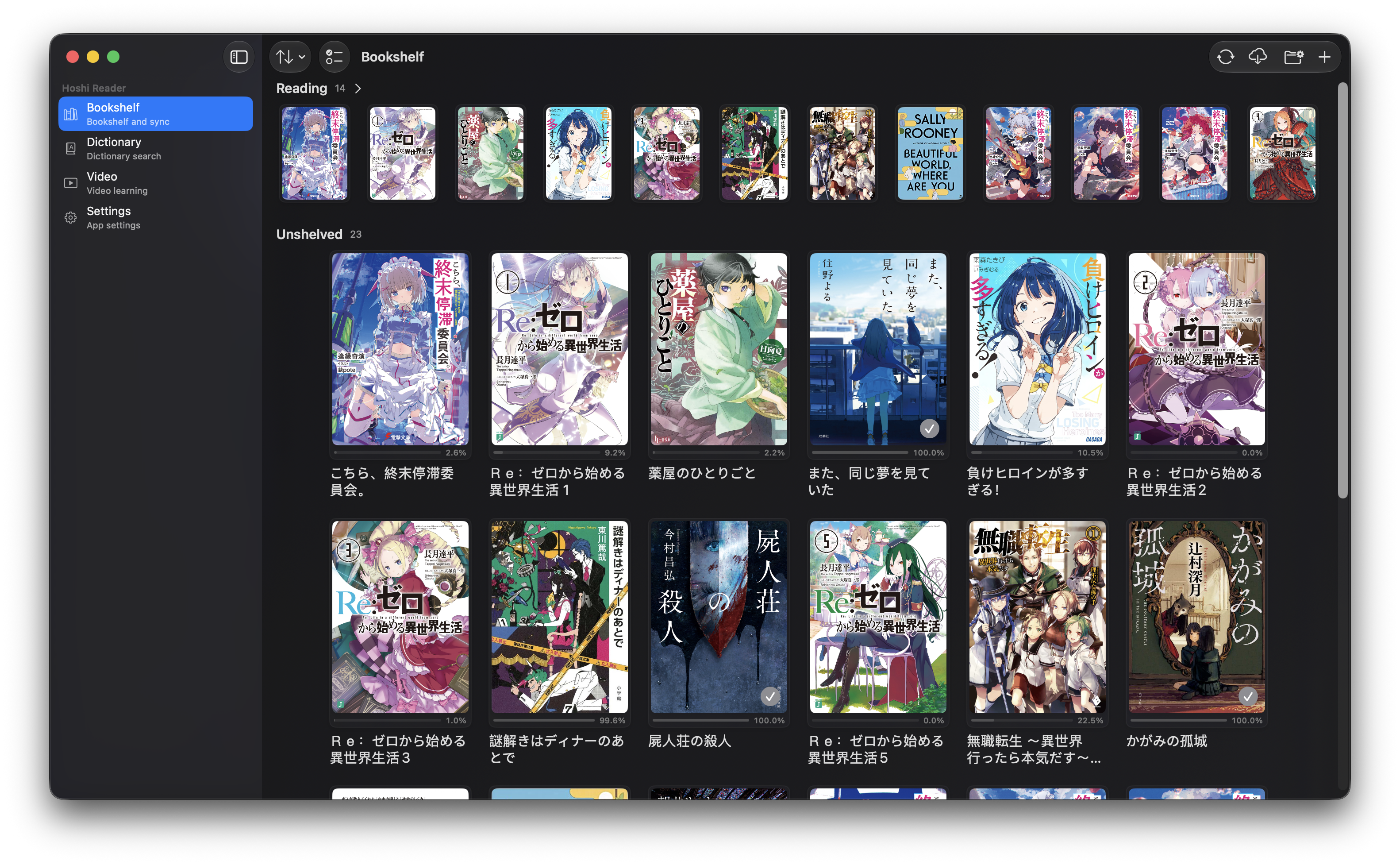
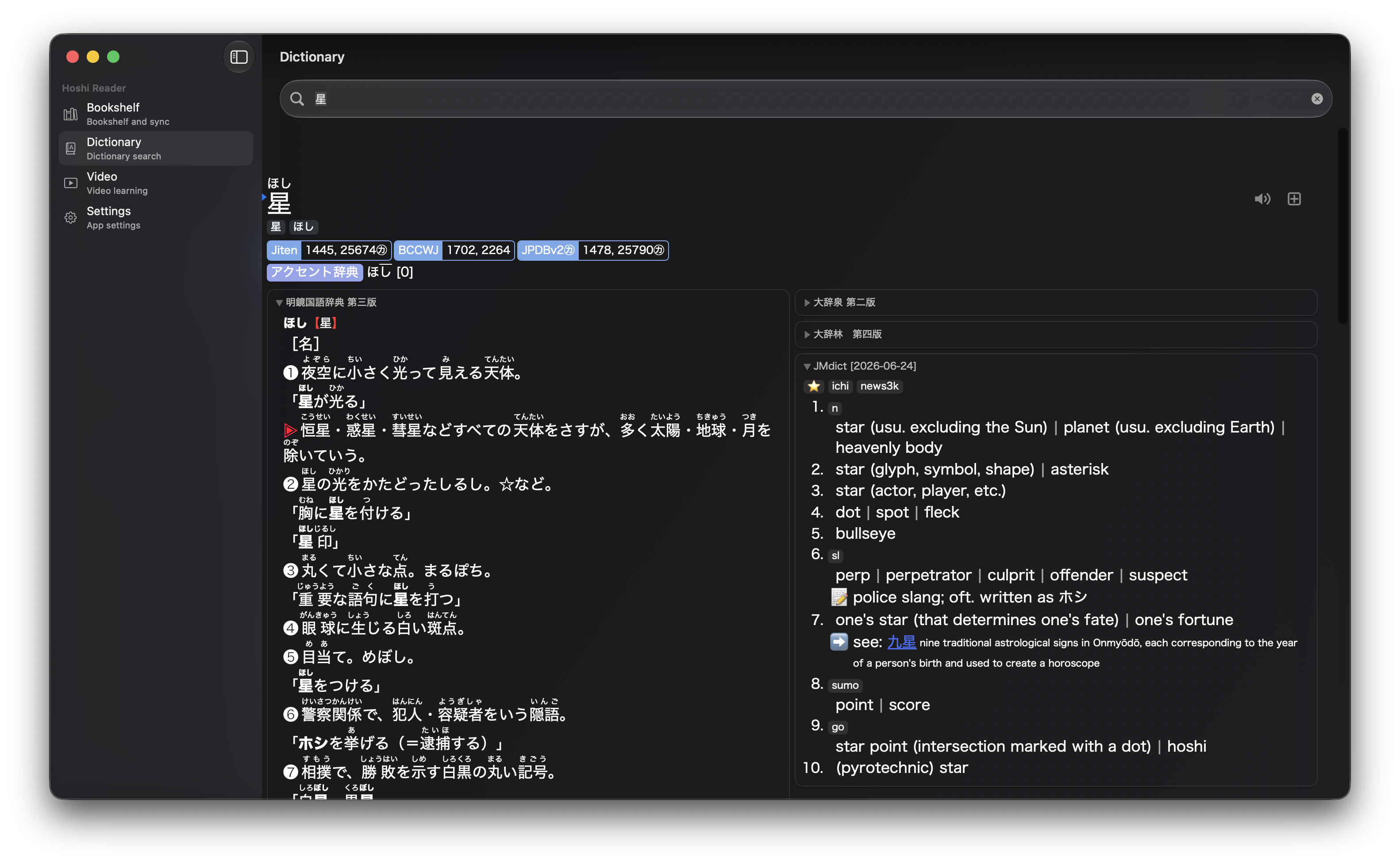
Reader popup dictionary Bookshelf Dictionary search

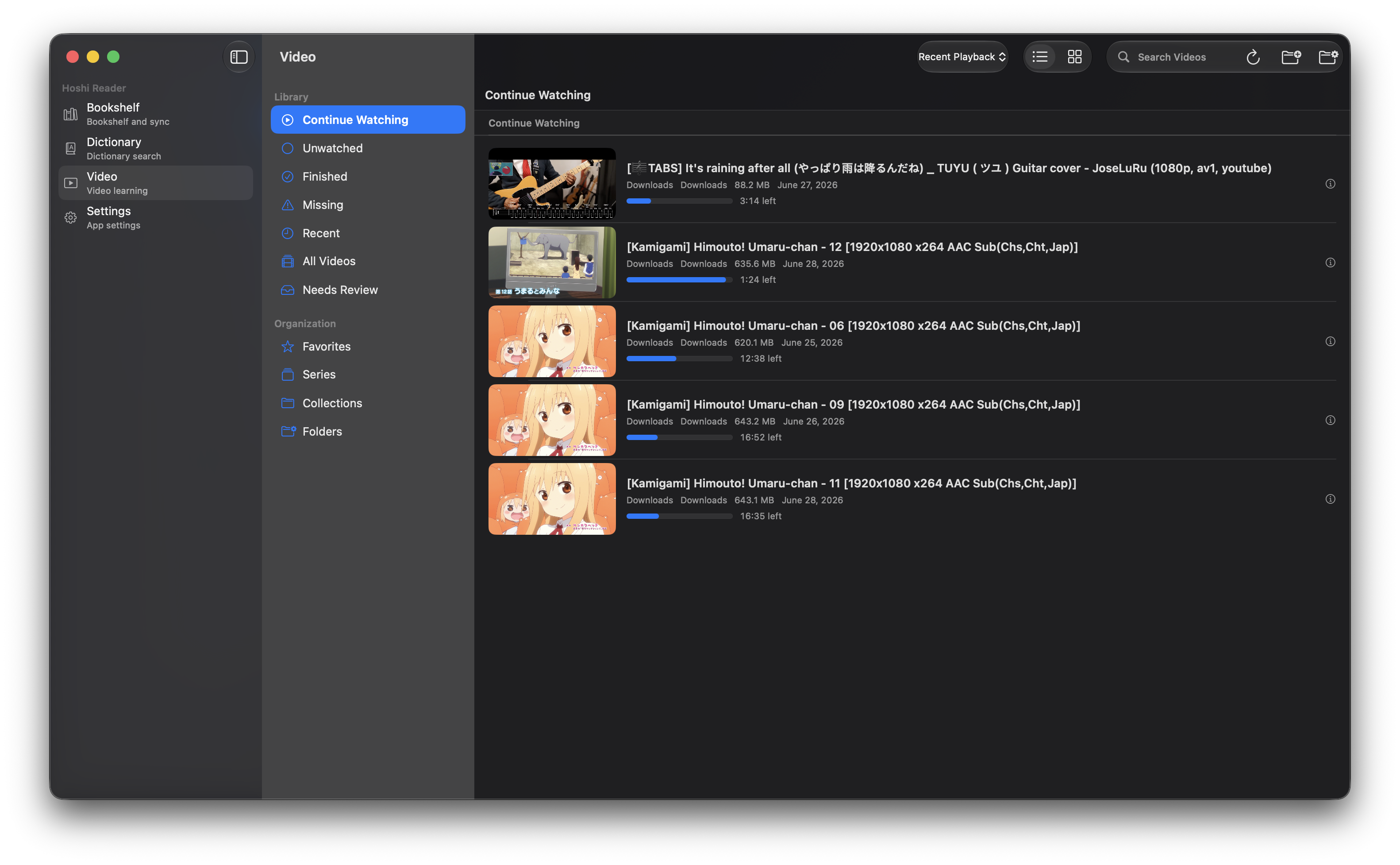
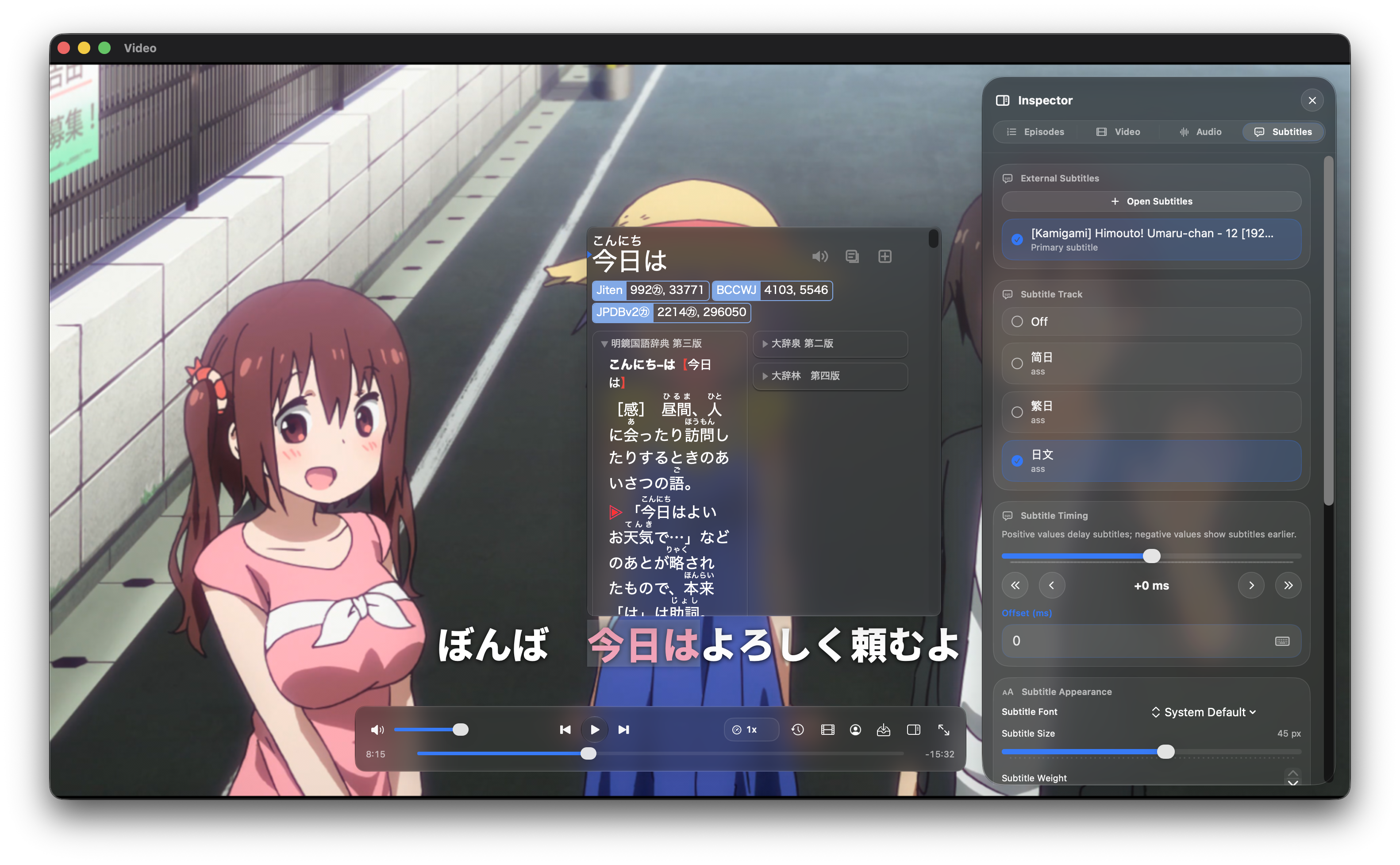
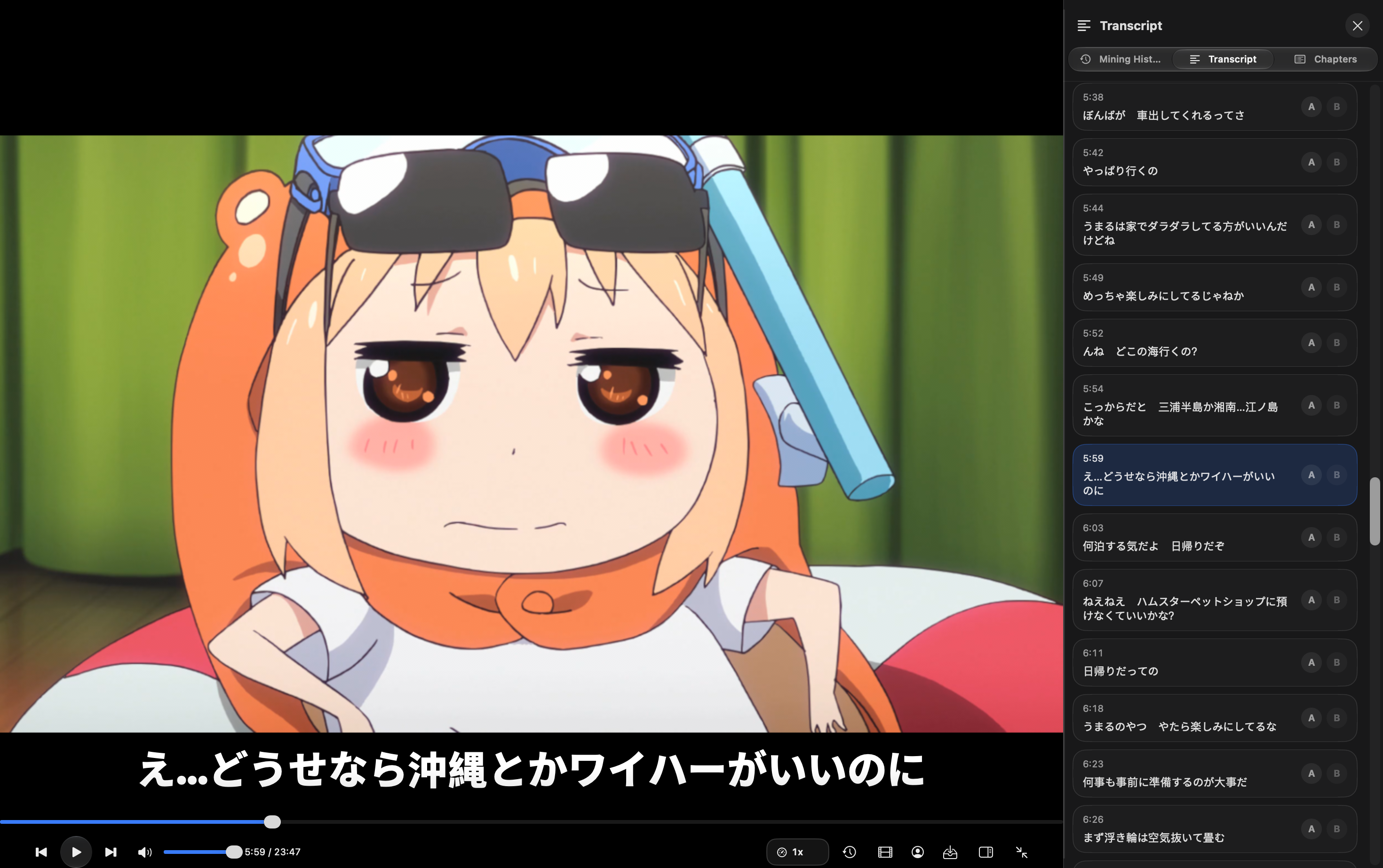
Video library Video subtitle lookup Video transcript

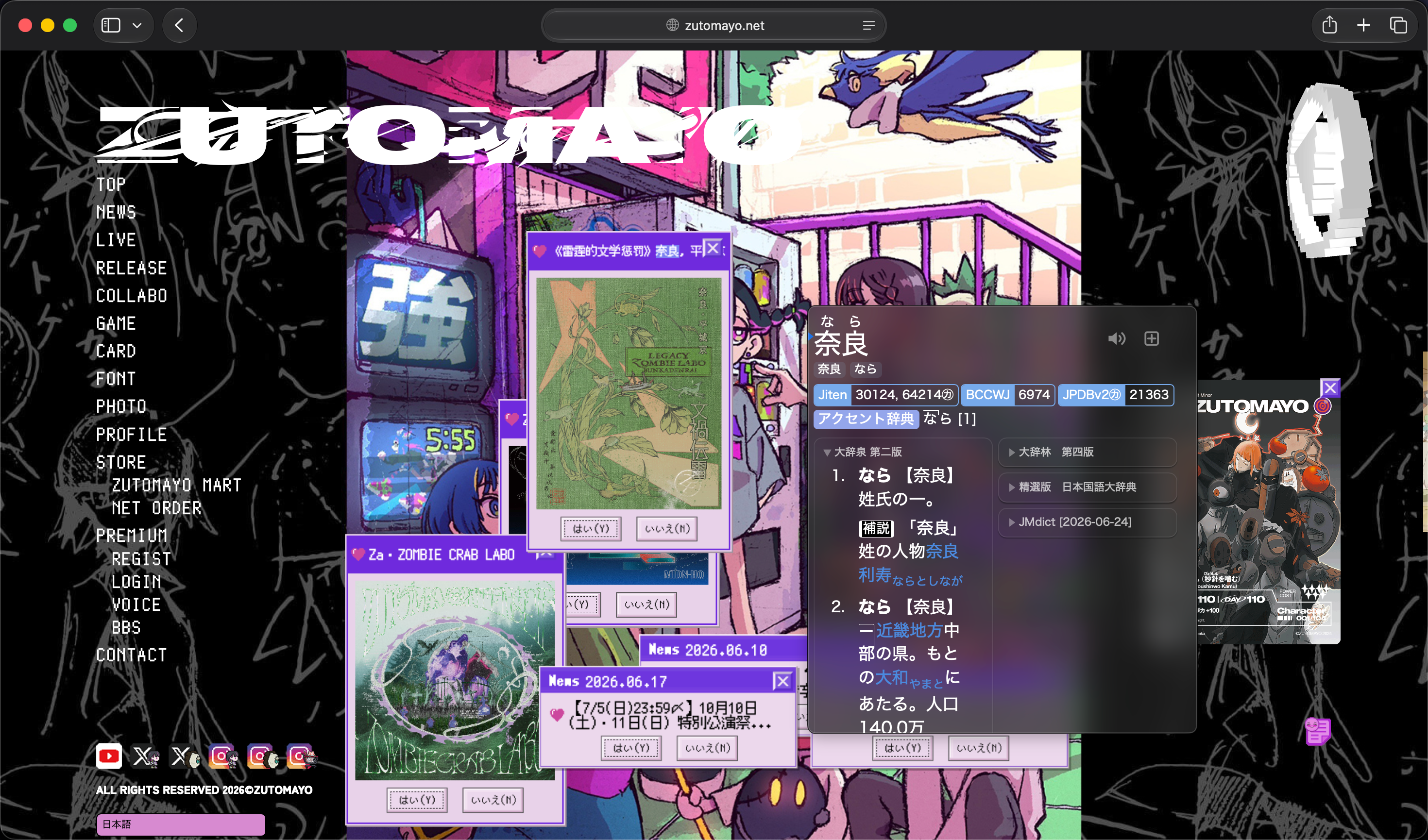
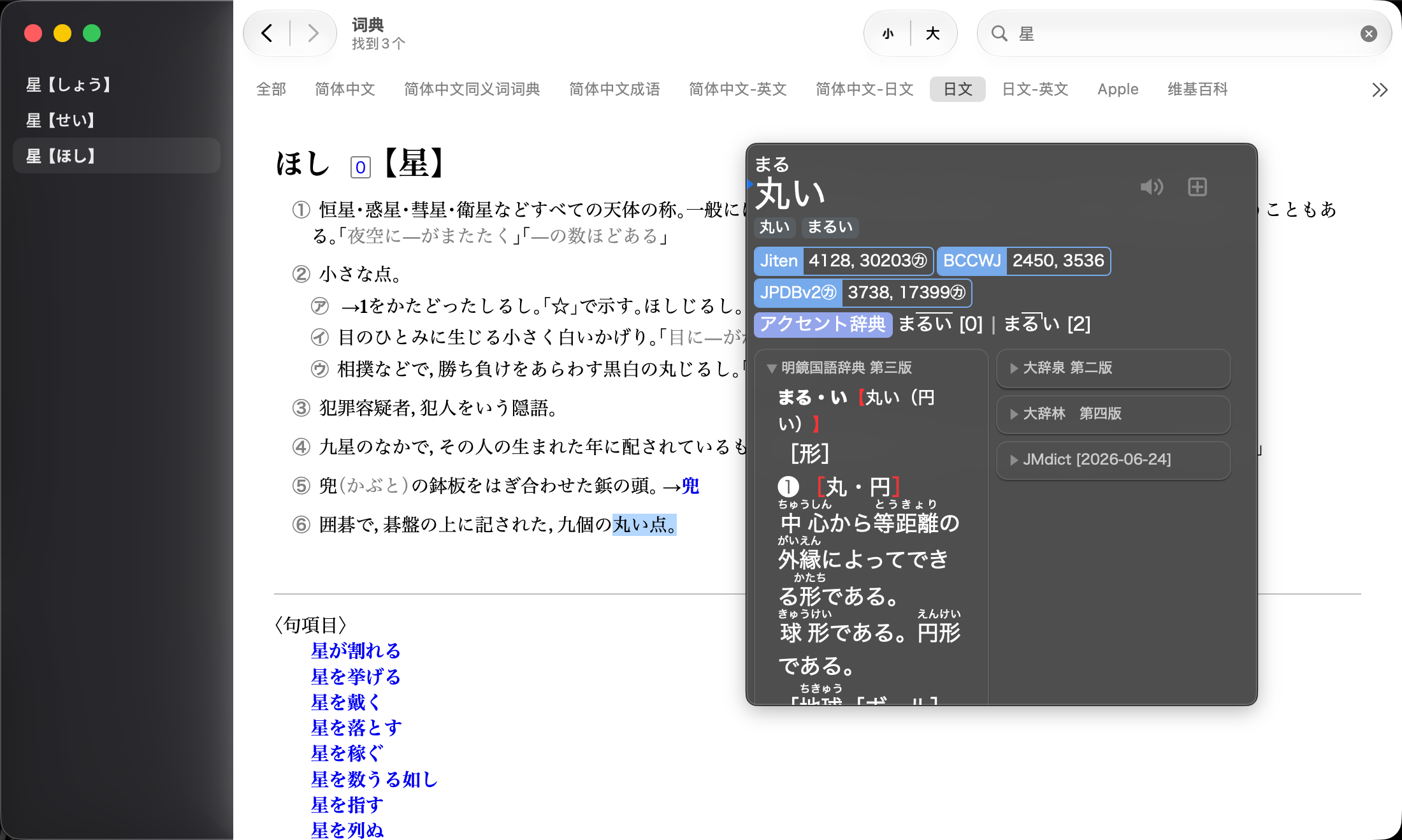
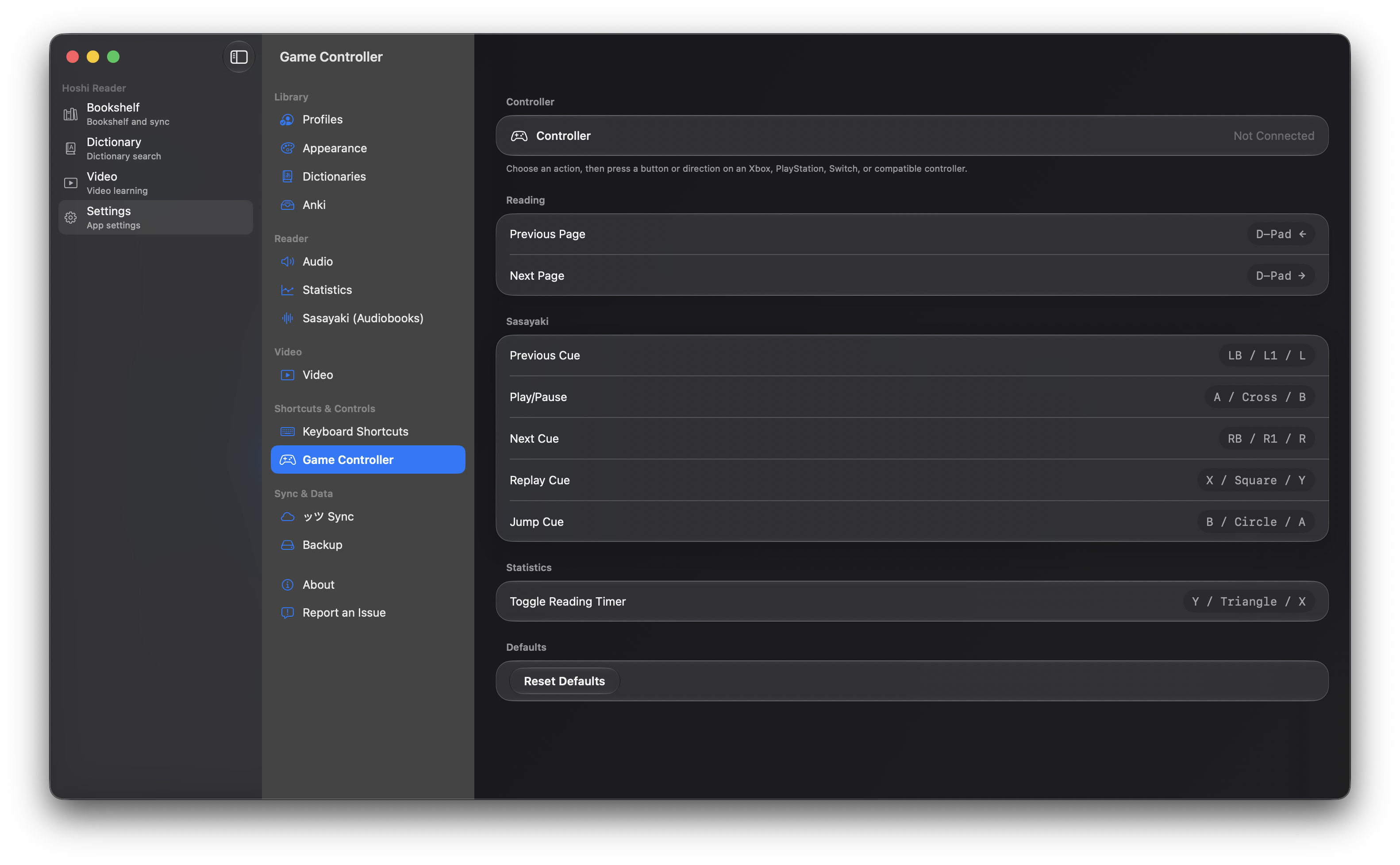
Cross-app global lookup popup Dictionary selected-text lookup popup Settings

Features

Book Reading

  • EPUB bookshelf with import, sorting, and reading progress.
  • Vertical / horizontal writing, paged / continuous reading, themes, fonts, and layout controls.
  • Sasayaki audiobook playback, local word audio, and reading statistics.

Dictionary Lookup

  • Yomitan term, frequency, and pitch dictionary support.
  • Click lookup, text-selection lookup, Shift-hover lookup, and nested lookup inside popups.
  • Optional cross-app global lookup: after configuring the shortcut and granting Accessibility permission, selected text in webpages, PDFs, or other apps can open the active Profile's Niratan popup.
  • Shared rendering between reader popups and the dictionary search page.

Video Learning

  • A local video library provides continue watching, search, filters, thumbnails, and playback history.
  • A dedicated player window provides subtitle lookup, Transcript, chapters, Inspector, and Mining History.
  • Supports common text subtitle sources, including embedded subtitles and SRT / VTT / ASS / SSA sidecars.

Anki And Sync

  • Mac card creation uses AnkiConnect, with duplicate checks and media fields.
  • Book cards can include local word audio, Sasayaki audio, and book covers; video cards can include screenshots and subtitle audio clips.
  • Optional Google Drive sync for books, progress, statistics, and related study data.

Desktop Experience

  • Native multi-window layout: main window, reader window, and video player window stay independent.
  • Unified shortcuts, Profiles, settings, and release update checking.

Why Niratan

  • Read, look up, listen, watch subtitle videos, and mine cards inside one desktop app.
  • Books and videos share dictionaries, popups, Profiles, and the Anki pipeline.
  • One app keeps Reader and Video on the same dictionaries, Profiles, shortcuts, and mining pipeline.
  • Books, dictionaries, videos, and most study data stay local by default; sync and AnkiConnect are optional.

Download

Download the latest macOS build from GitHub Releases.

Niratan is distributed as a .dmg. If macOS blocks the app, open it from Finder with right click > Open, or allow it in System Settings > Privacy & Security.

Guides

Development Status

Niratan is actively iterating on native macOS multi-window reading, video study, sync, and card creation. Official builds are published as DMGs on GitHub Releases, with user-visible changes described in release notes.

This repository targets one full-feature native macOS App.

Privacy And Data

  • Local books, dictionaries, video files, and study data stay on the user's Mac by default.
  • Google Drive sync requires explicit user authorization.
  • Anki mining uses the AnkiConnect endpoint configured by the user.
  • Update checking is used to open GitHub Releases.

Feedback And Requests

Please use this repository's Issues for macOS reading, lookup, sync, video learning, or Anki mining problems. Include your macOS version when possible.

Attribution

License

Distributed under the GNU General Public License v3.0. See LICENSE for more information.

W1ght/Niratan

A full-featured immersion language learning suite for Mac.

Swift

73

574 commits

updated Oct 8, 2026

See the code

README

Niratan icon

Niratan

English | 简体中文

Language Platform License

Niratan is a Japanese immersion app for macOS that brings EPUB reading, Yomitan-style dictionary lookup, local subtitle-based video study, and AnkiConnect mining into one desktop workflow.

Releases provide one full-feature DMG containing both book reading and video learning.
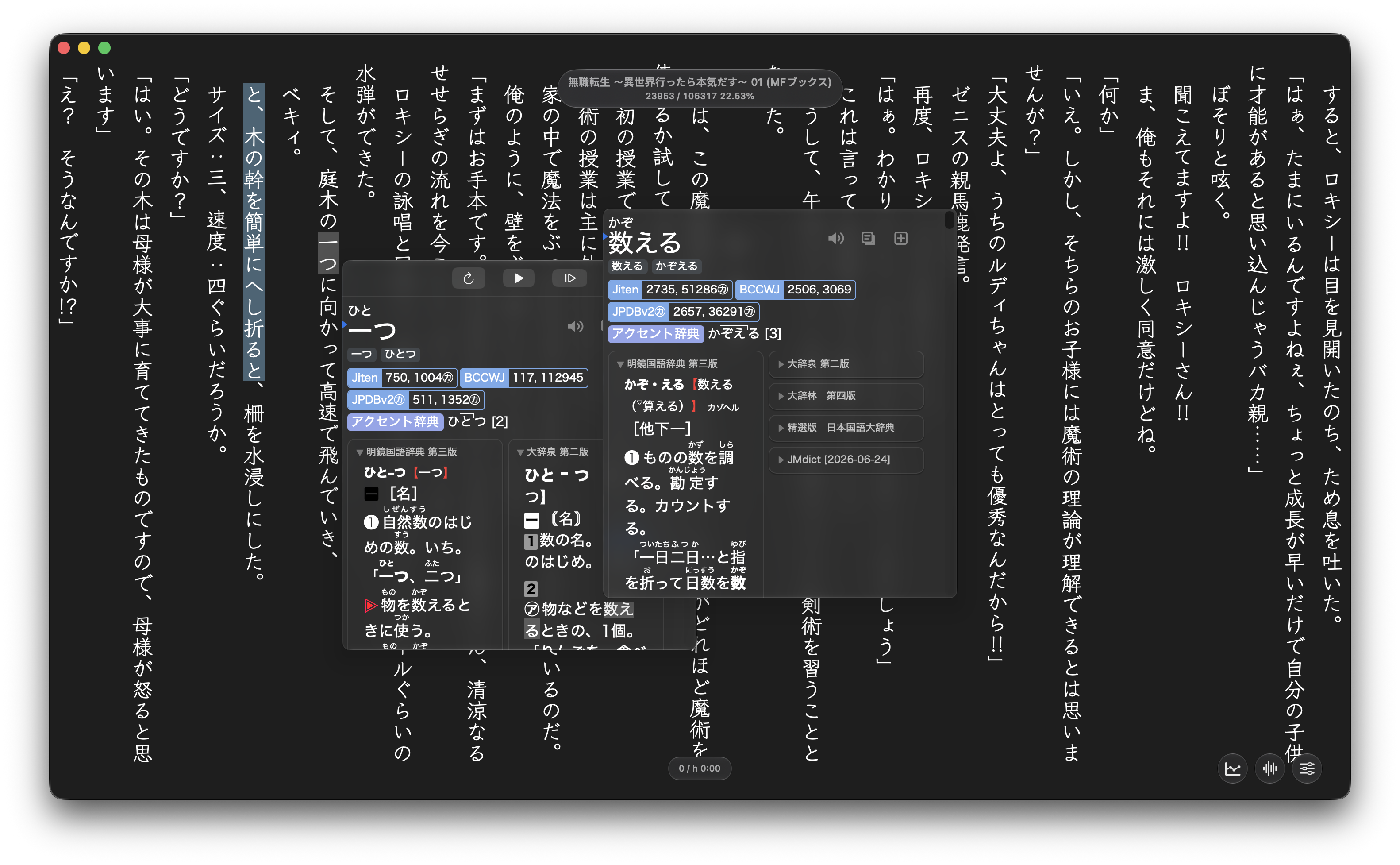
Reader popup dictionary Bookshelf Dictionary search

Video library Video subtitle lookup Video transcript

Cross-app global lookup popup Dictionary selected-text lookup popup Settings

Features

Book Reading

  • EPUB bookshelf with import, sorting, and reading progress.
  • Vertical / horizontal writing, paged / continuous reading, themes, fonts, and layout controls.
  • Sasayaki audiobook playback, local word audio, and reading statistics.

Dictionary Lookup

  • Yomitan term, frequency, and pitch dictionary support.
  • Click lookup, text-selection lookup, Shift-hover lookup, and nested lookup inside popups.
  • Optional cross-app global lookup: after configuring the shortcut and granting Accessibility permission, selected text in webpages, PDFs, or other apps can open the active Profile's Niratan popup.
  • Shared rendering between reader popups and the dictionary search page.

Video Learning

  • A local video library provides continue watching, search, filters, thumbnails, and playback history.
  • A dedicated player window provides subtitle lookup, Transcript, chapters, Inspector, and Mining History.
  • Supports common text subtitle sources, including embedded subtitles and SRT / VTT / ASS / SSA sidecars.

Anki And Sync

  • Mac card creation uses AnkiConnect, with duplicate checks and media fields.
  • Book cards can include local word audio, Sasayaki audio, and book covers; video cards can include screenshots and subtitle audio clips.
  • Optional Google Drive sync for books, progress, statistics, and related study data.

Desktop Experience

  • Native multi-window layout: main window, reader window, and video player window stay independent.
  • Unified shortcuts, Profiles, settings, and release update checking.

Why Niratan

  • Read, look up, listen, watch subtitle videos, and mine cards inside one desktop app.
  • Books and videos share dictionaries, popups, Profiles, and the Anki pipeline.
  • One app keeps Reader and Video on the same dictionaries, Profiles, shortcuts, and mining pipeline.
  • Books, dictionaries, videos, and most study data stay local by default; sync and AnkiConnect are optional.

Download

Download the latest macOS build from GitHub Releases.

Niratan is distributed as a .dmg. If macOS blocks the app, open it from Finder with right click > Open, or allow it in System Settings > Privacy & Security.

Guides

Development Status

Niratan is actively iterating on native macOS multi-window reading, video study, sync, and card creation. Official builds are published as DMGs on GitHub Releases, with user-visible changes described in release notes.

This repository targets one full-feature native macOS App.

Privacy And Data

  • Local books, dictionaries, video files, and study data stay on the user's Mac by default.
  • Google Drive sync requires explicit user authorization.
  • Anki mining uses the AnkiConnect endpoint configured by the user.
  • Update checking is used to open GitHub Releases.

Feedback And Requests

Please use this repository's Issues for macOS reading, lookup, sync, video learning, or Anki mining problems. Include your macOS version when possible.

Attribution

License

Distributed under the GNU General Public License v3.0. See LICENSE for more information.