ClawX is a desktop app that provides a graphical interface for OpenClaw AI agents. It turns CLI-based AI orchestration into a desktop experience without using the terminal. China website is https://clawx.com.cn.
See the code
The Desktop Interface for OpenClaw AI Agents
Why ClawX • Getting Started • Architecture • Development • Contributing






English | 简体中文 | 日本語 | Русский
ClawX bridges the gap between powerful AI agents and everyday users. Built on top of OpenClaw, it transforms command-line AI orchestration into an accessible, beautiful desktop experience - no terminal required.
Whether you're automating workflows, managing AI-powered channels, or scheduling intelligent tasks, ClawX provides the interface you need to harness AI agents effectively.
ClawX comes pre-configured with best-practice model providers and natively supports Windows as well as multi-language settings. Compaction reserves use 25% of an explicitly configured model context window, or a conservative 50000-token fallback when that metadata is absent; completed turns continue through the summary instead of being replayed verbatim after compaction. Developer Mode shows the applied reserve value. You can also fine-tune advanced configurations via Settings -> Advanced -> Developer Mode.
For a full enterprise edition, dedicated service support, or tailored deployment guidance for your business scenario, contact us at public@valuecell.ai.
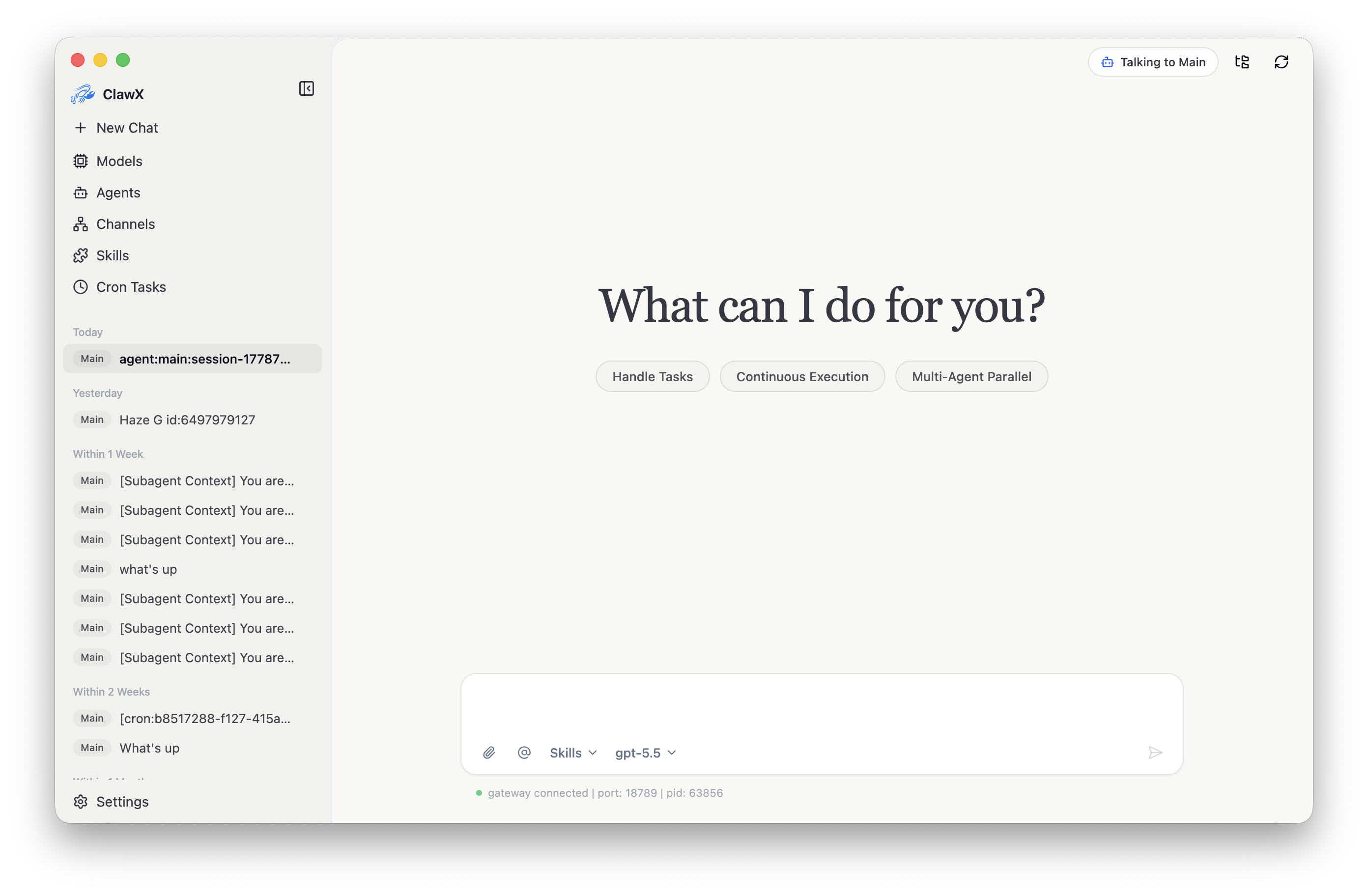 Chat | 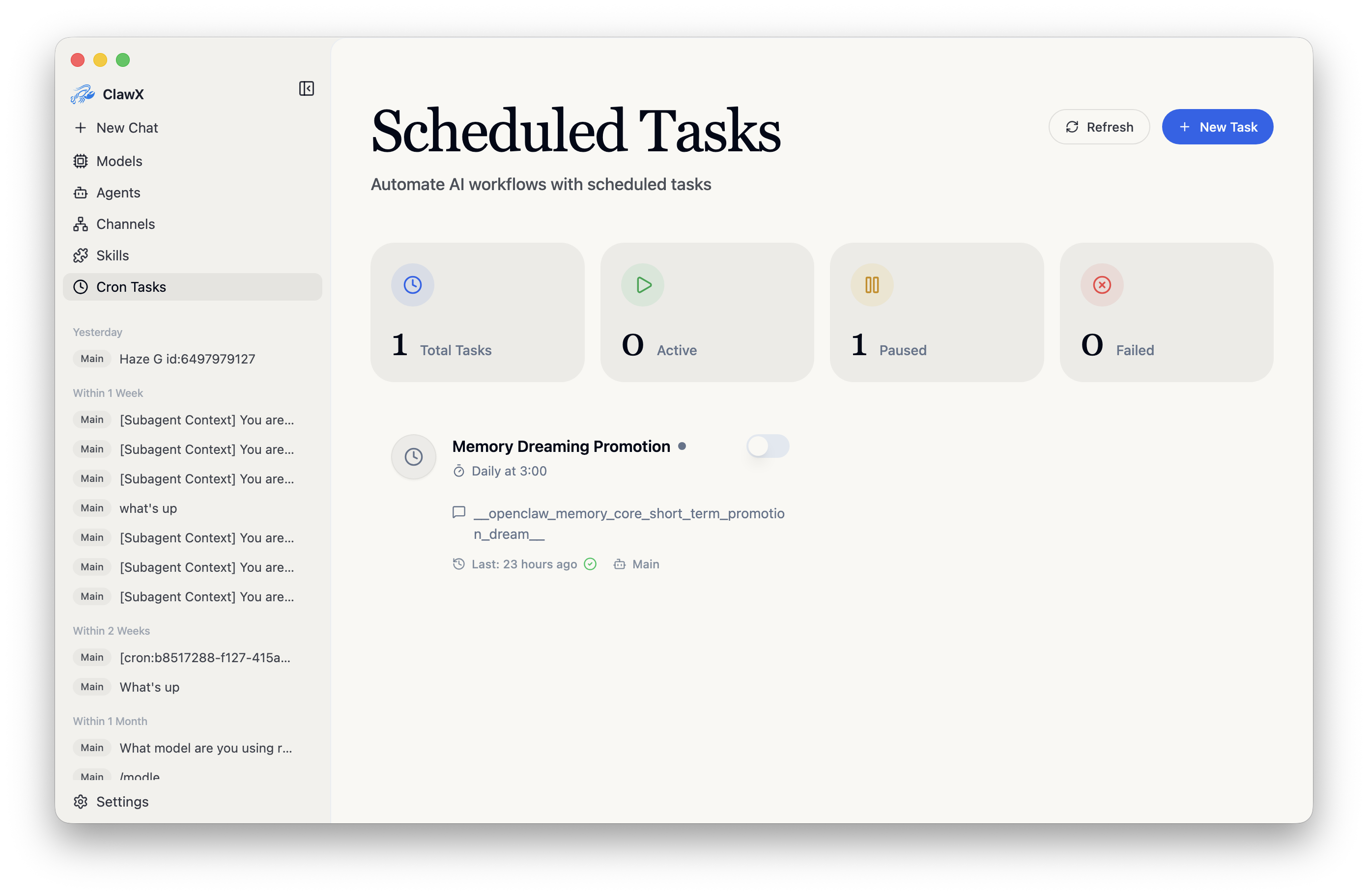 Scheduled tasks |
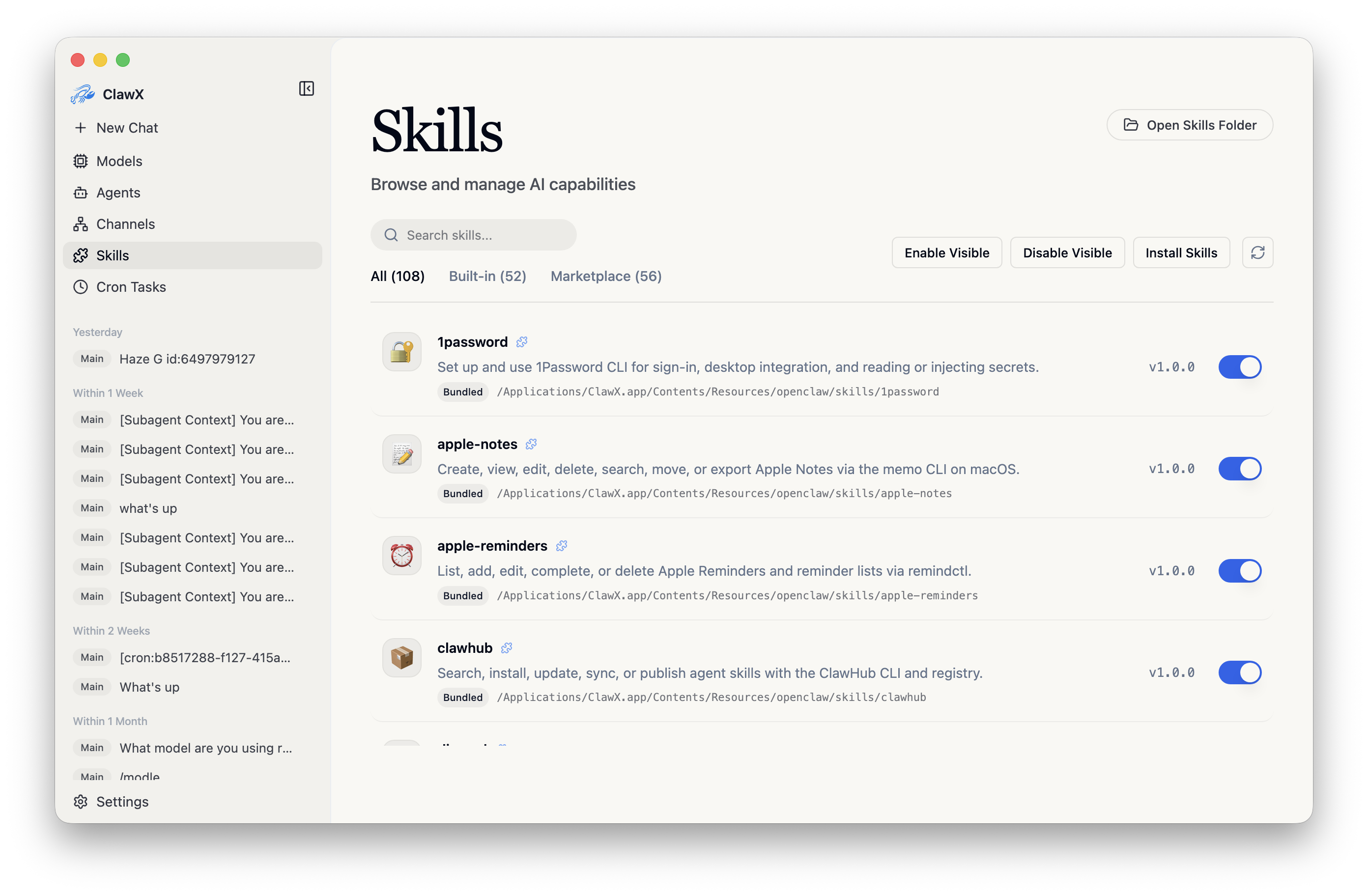 Skills | 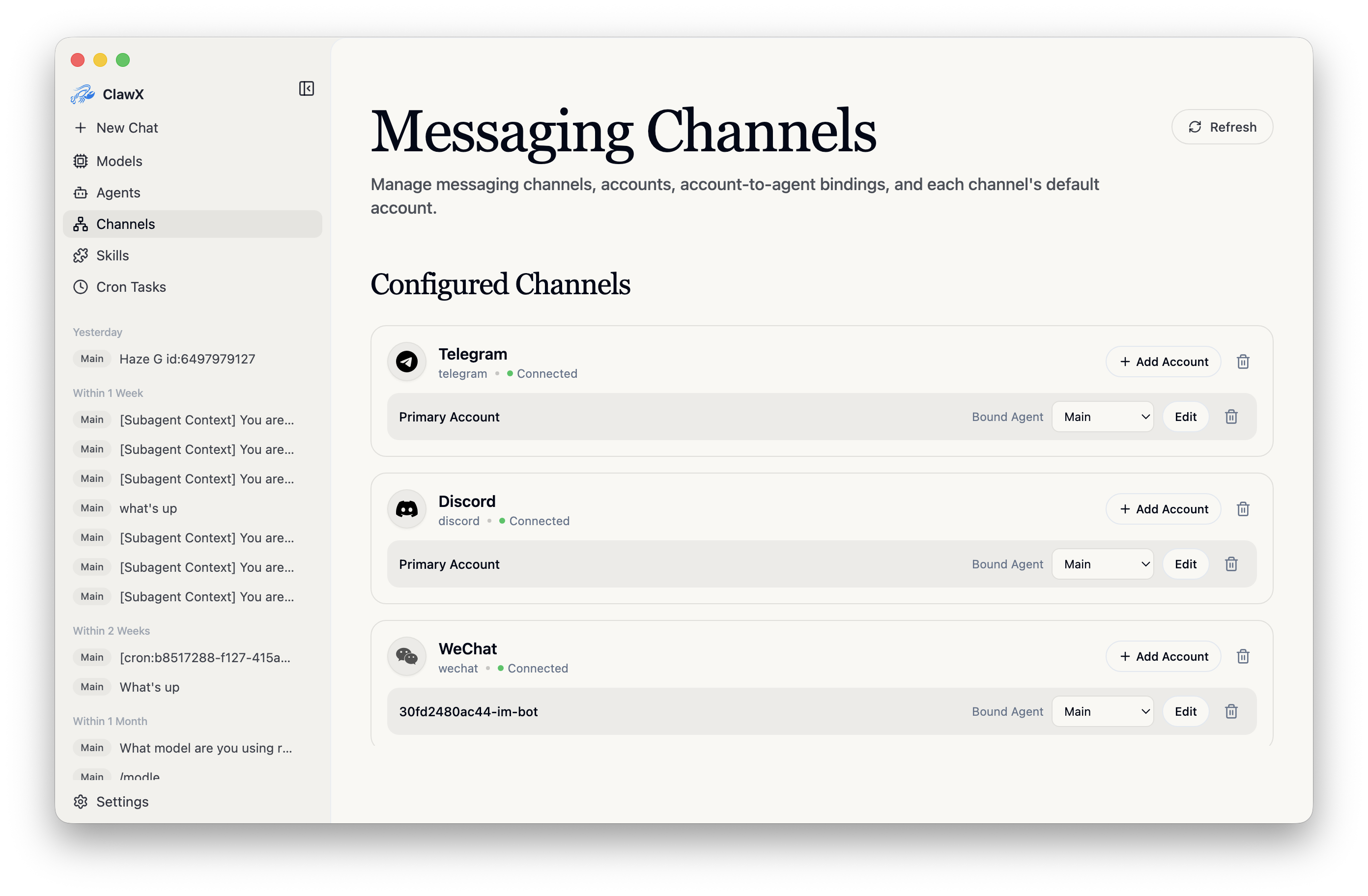 Channels |
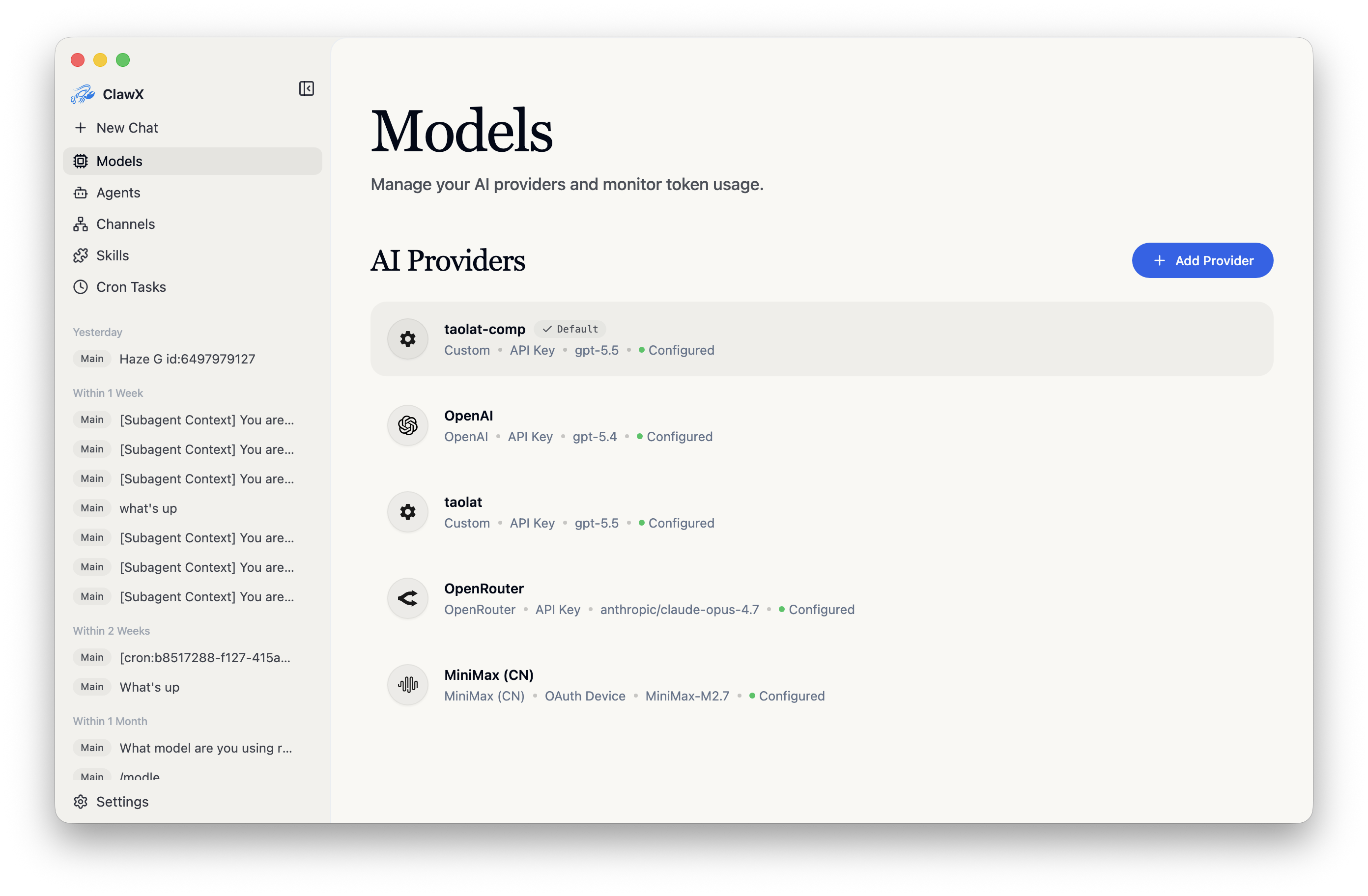 Models | 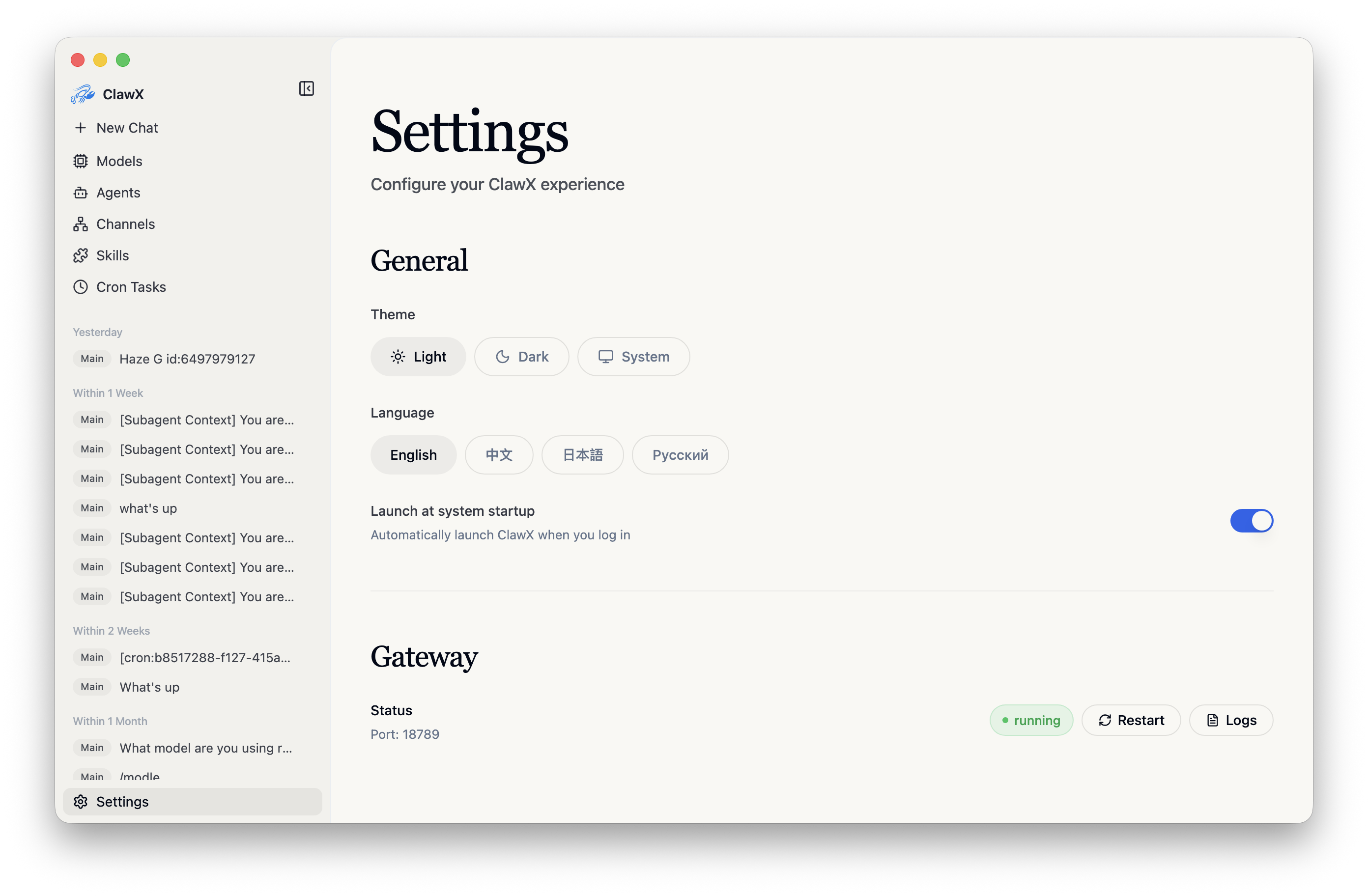 Settings |
Building AI agents shouldn't require mastering the command line. ClawX was designed with a simple philosophy: powerful technology deserves an interface that respects your time. ClawX is built directly upon the official OpenClaw core. Instead of requiring a separate installation, we embed the runtime within the application for a seamless, battery-included experience. We stay closely aligned with upstream OpenClaw so you can benefit from the latest official capabilities, stability improvements, and ecosystem compatibility.
| Challenge | ClawX Solution |
|---|---|
| Complex CLI setup | One-click installation with a guided setup wizard |
| Configuration files | Visual settings with real-time validation |
| Process management | Automatic Gateway lifecycle management |
| App updates | Startup update checks with a prompt before downloading or installing |
| Multiple AI providers | Unified provider configuration panel |
| Skill/plugin installation | Local-first skill management with an optional extension-provided marketplace |
@agent routing, inline /skill cards, embedded subagent status with live read-only child drill-down and direct-parent return, workspace-first sessions, and read-only previews for Markdown, .docx, .pptx, and local HTML.input_audio) and a matching preset (OpenAI, Groq, SiliconFlow, Alibaba Cloud Model Studio, or a custom endpoint).
dingtalk channel. After adding DingTalk—or upgrading an existing DingTalk configuration—ClawX provisions the bundled workspace CLI and offers optional DingTalk Workspace OAuth for calendar, docs, and other dws skills; skipping it does not affect chat, and authorization can be started or removed later from the configured channel. The organization's primary administrator must first enable member CLI data access in the DingTalk developer console.pdf, xlsx, docx, and pptx.MEDIA: path.For full feature details, see docs/en-US/features.md.
Download the latest release for your platform from the Releases page.
# Clone the repository
git clone https://github.com/ValueCell-ai/ClawX.git
cd ClawX

# Initialize the project
pnpm run init

# Start in development mode
pnpm dev
When you launch ClawX for the first time, the Setup Wizard will guide you through:
The wizard preselects your system language when it is supported, and falls back to English otherwise.
ClawX bundles CUA SDK and Driver 0.25.0. On macOS and Windows, it disables CUA product telemetry with CUA_DRIVER_RS_TELEMETRY_ENABLED=false in both Main's embedded daemon options and Gateway-launched CLI environments. The SDK allowlist supports this override since 0.22.0, superseding the 0.21.0 CLI-only workaround. This does not change system-wide environment variables, standalone CUA settings, or ClawX's own telemetry preference.
The Windows console-to-GUI PE patch remains in place alongside telemetry suppression: the pinned upstream source still uses cmd /c ver for telemetry and does not provide an automatic no-window fix. Earlier Windows user reports concern 0.21.0; rebuilt Windows 0.25.0 startup, CLI output, and flash behavior still require native validation. See validation history and limits.
Use a model and provider endpoint that support image input. Successful screenshot capture alone does not mean the model can see it. Provider synchronization fills missing input metadata for recognized vision models, while preserving explicit text-only declarations; unknown models remain text-only. If screenshots are reported as unsupported, check the selected provider/model rather than continuing blind keyboard input.
Computer Use is optional and off by default, including existing installations without an explicit preference. Enable Developer Mode in Settings to reveal Computer Use in the sidebar, then enable the feature on that page. The choice persists across restarts. Electron Main owns the embedded driver service and permissions; disabling stops that service and removes its private connection descriptor. No remote discovery or OpenClaw node pairing is involved.
Agents invoke the bundled native CUA CLI through OpenClaw's existing exec tool, then view screenshot files through its image-capable read tool. There is no ClawX computer tool, OpenClaw plugin, or MCP proxy in this path. The pinned CLI's full native capabilities are available on supported platforms, including windows, accessibility elements (AX), menus, browser/recording operations, and verify_state, rather than a ClawX-defined action subset. Primary-display screenshots, pointer, click, drag, scroll, text, key, and bounded wait operations remain available; individual commands still depend on platform, application, and OS permissions.
On macOS, the management page shows read-only Accessibility and Screen Recording statuses. Startup, activation, and enabling the toggle never request permissions. Enable the feature and explicitly choose Request Permissions. A request does not guarantee another system dialog: if access remains ungranted, the page now shows guidance instead of silently returning to the same state. Check System Settings > Privacy & Security > Accessibility and Screen & System Audio Recording (Screen Recording on older macOS). Authorize the app actually listed: normally ClawX for the installed app, but a development launch may be attributed to its terminal or IDE, such as Ghostty or VS Code. Restart ClawX and, if needed, its launcher after changing grants. The screen-access check cannot distinguish never-requested access from a previous denial. Disabling Computer Use does not revoke OS grants. Missing permissions or driver files leave the driver unavailable without preventing Chat or Gateway startup.
The bundled computer-use Skill retains the /computer-use picker command and is based on the official Skill accompanying CUA 0.25.0, from tag cua-driver-rs-v0.25.0, commit 45d78fedcf2c7033ba33f10dd30f8af8ba31ec3f, not upstream's moving main. Its MIT-licensed documents and license ship offline with a short ClawX-specific entrypoint for the Main-owned endpoint, permissions, sessions, and image handling.
ClawX manages the entire ~/.openclaw/skills/computer-use directory. On every startup, any differing same-name installation is replaced with the current bundle, including user edits and extra files or directories; matching content is left untouched. Custom variants must use another Skill name and directory. Other-named Skills and settings, including the Computer Use enablement preference, remain unchanged. Replacement is staged with publication rollback; a same-name symlink is replaced without following or deleting its external target. This uses the current bundle comparison, not historical installation hashes, and does not change the official CUA 0.25.0 document bytes or provenance checks. Selecting the Skill neither enables the service nor grants OS permissions. See Skill provenance and integration.
Screenshot files stay in a task-owned directory in the active local agent workspace, but reading them for model vision can send their contents to your model provider. Keep sensitive windows out of captures. Local execution, workspace access, and image-capable model/provider support are required; unsupported sandbox or remote contexts must report the limitation, not relax global shell approvals or start another driver. Skill guidance is not a shell sandbox or global action lock. Cancelling exec cannot undo an already admitted native action and is not a native emergency-stop guarantee. After a driver restart or unknown completion, rediscover the endpoint and observe before deciding what to do; do not blindly repeat input. Consequential or external actions require confirmation.
Web search note: ClawX disables OpenClaw's general-purpose
web_searchtool at both the agent and Gateway policy layers. This includes Moonshot (Kimi) search; managed browser automation andweb_fetchremain available.Internal tool note: ClawX also disables
gateway,nodes,create_goal,get_goal, andupdate_goalfor agents at both policy layers. Application-owned Gateway RPCs remain available, as do messaging, session orchestration, and agent discovery tools.
ClawX includes built-in proxy settings for Electron, the OpenClaw Gateway, and channels such as Telegram that need to reach the internet through a local proxy client.
Open Settings -> Gateway -> Proxy to configure the default proxy, bypass rules, and optional developer-mode overrides for HTTP, HTTPS, and ALL_PROXY / SOCKS. A local example is http://127.0.0.1:7890.
For proxy fallback behavior, Telegram synchronization, and OpenClaw Doctor, see docs/en-US/proxy-settings.md.
ClawX uses a dual-process architecture with a unified Host API layer: the React renderer calls one client abstraction, while Electron Main owns protocol selection, Gateway lifecycle, and the ACP Chat stdio bridge.
EmbeddedCuaDriverHost, native SDK loading, permission checks, and daemon supervision. CLAWX_CUA_CONNECTION_FILE identifies a private descriptor { v: 2, generation, driverVersion, binaryPath, socketPath }. Existing OpenClaw exec invokes that absolute bundled binary with the explicit socket, and read supplies screenshot images to the model. No custom plugin, MCP proxy, node host, pairing, or runtime download is involved.config.get/config.set while the Gateway is running and updates the resolved JSON5 config while it is stopped or starting; ordinary provider, agent, skill, and model changes do not replace the process, and credentials are hot-reloaded through secrets.reload. After three minutes without verified Gateway activity, ClawX verifies the core RPC and restarts only an unavailable Gateway process it owns; externally managed Gateways are left for manual recovery.media/inbound, so later source changes, moves, or deletion affect the attachment. Clipboard and other pathless byte attachments still require protected temporary staging and inline image transport. Generated files confirmed by OpenClaw's internal-UI message-tool delivery, including Excel workbooks, are recovered as attachment cards when ACP omits the resource block. When a guarded Gateway restart interrupts an accepted turn, the patched OpenClaw runtime explicitly links its recovery run to the original ACP prompt so subsequent text and tool activity continue in the same in-memory turn; later history replay restores persisted tool boundaries as native ACP updates. If another restart loses terminal delivery after the final response is persisted, run- and session-scoped reconciliation settles the pending prompt instead of leaving Chat executing.For the process diagram, configuration coordination, ACP file activity semantics, and Gateway troubleshooting, see docs/en-US/architecture.md.
pnpm run init        # Install dependencies and download bundled runtimes
pnpm dev             # Start in development mode with hot reload
pnpm lint            # Run ESLint
pnpm typecheck       # TypeScript validation
pnpm test            # Run unit tests
pnpm run test:e2e    # Run Electron E2E smoke tests
pnpm build           # Full production build
pnpm package         # Package for the current platform (:mac / :win / :linux)
For the project structure, complete command list, E2E parallel policy, performance diagnostics, communication regression checks, and tech stack, see docs/en-US/development.md.
We welcome contributions from the community! Whether it's bug fixes, new features, documentation improvements, or translations, every contribution helps make ClawX better.
git checkout -b feature/amazing-feature)ClawX is built on the shoulders of excellent open-source projects:
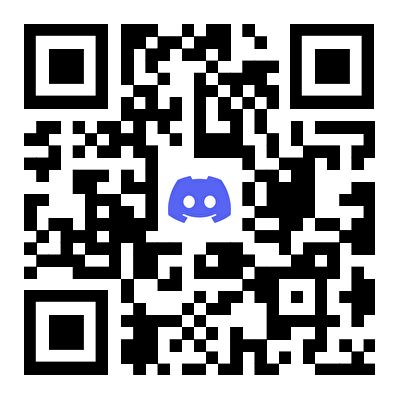
Join our community to connect with other users, get support, and share your experiences.
| Enterprise WeChat | Feishu Group | Discord |
|---|---|---|
 |  |  |
We're launching the ClawX Partner Program and looking for partners who can help introduce ClawX to more clients, especially those with custom AI agent or automation needs.
Partners help connect us with potential users and projects, while the ClawX team provides full technical support, customization, and integration. If you work with clients interested in AI tools or automation, we'd love to collaborate.
DM us or email public@valuecell.ai to learn more.
ClawX is released under the MIT License. You're free to use, modify, and distribute this software.
Built with ❤️ by the ValueCell Team
(top 24 of 28)
892 followers · starred Feb 2026
193 followers · starred May 2026
321 followers · starred Mar 2026
44 followers · starred Apr 2026
ClawX is a desktop app that provides a graphical interface for OpenClaw AI agents. It turns CLI-based AI orchestration into a desktop experience without using the terminal. China website is https://clawx.com.cn.
See the code
The Desktop Interface for OpenClaw AI Agents
Why ClawX • Getting Started • Architecture • Development • Contributing
English | 简体中文 | 日本語 | Русский
ClawX bridges the gap between powerful AI agents and everyday users. Built on top of OpenClaw, it transforms command-line AI orchestration into an accessible, beautiful desktop experience - no terminal required.
Whether you're automating workflows, managing AI-powered channels, or scheduling intelligent tasks, ClawX provides the interface you need to harness AI agents effectively.
ClawX comes pre-configured with best-practice model providers and natively supports Windows as well as multi-language settings. Compaction reserves use 25% of an explicitly configured model context window, or a conservative 50000-token fallback when that metadata is absent; completed turns continue through the summary instead of being replayed verbatim after compaction. Developer Mode shows the applied reserve value. You can also fine-tune advanced configurations via Settings -> Advanced -> Developer Mode.
For a full enterprise edition, dedicated service support, or tailored deployment guidance for your business scenario, contact us at public@valuecell.ai.
Chat | Scheduled tasks |
Skills | Channels |
Models | Settings |
Building AI agents shouldn't require mastering the command line. ClawX was designed with a simple philosophy: powerful technology deserves an interface that respects your time. ClawX is built directly upon the official OpenClaw core. Instead of requiring a separate installation, we embed the runtime within the application for a seamless, battery-included experience. We stay closely aligned with upstream OpenClaw so you can benefit from the latest official capabilities, stability improvements, and ecosystem compatibility.
| Challenge | ClawX Solution |
|---|---|
| Complex CLI setup | One-click installation with a guided setup wizard |
| Configuration files | Visual settings with real-time validation |
| Process management | Automatic Gateway lifecycle management |
| App updates | Startup update checks with a prompt before downloading or installing |
| Multiple AI providers | Unified provider configuration panel |
| Skill/plugin installation | Local-first skill management with an optional extension-provided marketplace |
@agent routing, inline /skill cards, embedded subagent status with live read-only child drill-down and direct-parent return, workspace-first sessions, and read-only previews for Markdown, .docx, .pptx, and local HTML.input_audio) and a matching preset (OpenAI, Groq, SiliconFlow, Alibaba Cloud Model Studio, or a custom endpoint).
dingtalk channel. After adding DingTalk—or upgrading an existing DingTalk configuration—ClawX provisions the bundled workspace CLI and offers optional DingTalk Workspace OAuth for calendar, docs, and other dws skills; skipping it does not affect chat, and authorization can be started or removed later from the configured channel. The organization's primary administrator must first enable member CLI data access in the DingTalk developer console.pdf, xlsx, docx, and pptx.MEDIA: path.For full feature details, see docs/en-US/features.md.
Download the latest release for your platform from the Releases page.
# Clone the repository
git clone https://github.com/ValueCell-ai/ClawX.git
cd ClawX

# Initialize the project
pnpm run init

# Start in development mode
pnpm dev
When you launch ClawX for the first time, the Setup Wizard will guide you through:
The wizard preselects your system language when it is supported, and falls back to English otherwise.
ClawX bundles CUA SDK and Driver 0.25.0. On macOS and Windows, it disables CUA product telemetry with CUA_DRIVER_RS_TELEMETRY_ENABLED=false in both Main's embedded daemon options and Gateway-launched CLI environments. The SDK allowlist supports this override since 0.22.0, superseding the 0.21.0 CLI-only workaround. This does not change system-wide environment variables, standalone CUA settings, or ClawX's own telemetry preference.
The Windows console-to-GUI PE patch remains in place alongside telemetry suppression: the pinned upstream source still uses cmd /c ver for telemetry and does not provide an automatic no-window fix. Earlier Windows user reports concern 0.21.0; rebuilt Windows 0.25.0 startup, CLI output, and flash behavior still require native validation. See validation history and limits.
Use a model and provider endpoint that support image input. Successful screenshot capture alone does not mean the model can see it. Provider synchronization fills missing input metadata for recognized vision models, while preserving explicit text-only declarations; unknown models remain text-only. If screenshots are reported as unsupported, check the selected provider/model rather than continuing blind keyboard input.
Computer Use is optional and off by default, including existing installations without an explicit preference. Enable Developer Mode in Settings to reveal Computer Use in the sidebar, then enable the feature on that page. The choice persists across restarts. Electron Main owns the embedded driver service and permissions; disabling stops that service and removes its private connection descriptor. No remote discovery or OpenClaw node pairing is involved.
Agents invoke the bundled native CUA CLI through OpenClaw's existing exec tool, then view screenshot files through its image-capable read tool. There is no ClawX computer tool, OpenClaw plugin, or MCP proxy in this path. The pinned CLI's full native capabilities are available on supported platforms, including windows, accessibility elements (AX), menus, browser/recording operations, and verify_state, rather than a ClawX-defined action subset. Primary-display screenshots, pointer, click, drag, scroll, text, key, and bounded wait operations remain available; individual commands still depend on platform, application, and OS permissions.
On macOS, the management page shows read-only Accessibility and Screen Recording statuses. Startup, activation, and enabling the toggle never request permissions. Enable the feature and explicitly choose Request Permissions. A request does not guarantee another system dialog: if access remains ungranted, the page now shows guidance instead of silently returning to the same state. Check System Settings > Privacy & Security > Accessibility and Screen & System Audio Recording (Screen Recording on older macOS). Authorize the app actually listed: normally ClawX for the installed app, but a development launch may be attributed to its terminal or IDE, such as Ghostty or VS Code. Restart ClawX and, if needed, its launcher after changing grants. The screen-access check cannot distinguish never-requested access from a previous denial. Disabling Computer Use does not revoke OS grants. Missing permissions or driver files leave the driver unavailable without preventing Chat or Gateway startup.
The bundled computer-use Skill retains the /computer-use picker command and is based on the official Skill accompanying CUA 0.25.0, from tag cua-driver-rs-v0.25.0, commit 45d78fedcf2c7033ba33f10dd30f8af8ba31ec3f, not upstream's moving main. Its MIT-licensed documents and license ship offline with a short ClawX-specific entrypoint for the Main-owned endpoint, permissions, sessions, and image handling.
ClawX manages the entire ~/.openclaw/skills/computer-use directory. On every startup, any differing same-name installation is replaced with the current bundle, including user edits and extra files or directories; matching content is left untouched. Custom variants must use another Skill name and directory. Other-named Skills and settings, including the Computer Use enablement preference, remain unchanged. Replacement is staged with publication rollback; a same-name symlink is replaced without following or deleting its external target. This uses the current bundle comparison, not historical installation hashes, and does not change the official CUA 0.25.0 document bytes or provenance checks. Selecting the Skill neither enables the service nor grants OS permissions. See Skill provenance and integration.
Screenshot files stay in a task-owned directory in the active local agent workspace, but reading them for model vision can send their contents to your model provider. Keep sensitive windows out of captures. Local execution, workspace access, and image-capable model/provider support are required; unsupported sandbox or remote contexts must report the limitation, not relax global shell approvals or start another driver. Skill guidance is not a shell sandbox or global action lock. Cancelling exec cannot undo an already admitted native action and is not a native emergency-stop guarantee. After a driver restart or unknown completion, rediscover the endpoint and observe before deciding what to do; do not blindly repeat input. Consequential or external actions require confirmation.
Web search note: ClawX disables OpenClaw's general-purpose
web_searchtool at both the agent and Gateway policy layers. This includes Moonshot (Kimi) search; managed browser automation andweb_fetchremain available.Internal tool note: ClawX also disables
gateway,nodes,create_goal,get_goal, andupdate_goalfor agents at both policy layers. Application-owned Gateway RPCs remain available, as do messaging, session orchestration, and agent discovery tools.
ClawX includes built-in proxy settings for Electron, the OpenClaw Gateway, and channels such as Telegram that need to reach the internet through a local proxy client.
Open Settings -> Gateway -> Proxy to configure the default proxy, bypass rules, and optional developer-mode overrides for HTTP, HTTPS, and ALL_PROXY / SOCKS. A local example is http://127.0.0.1:7890.
For proxy fallback behavior, Telegram synchronization, and OpenClaw Doctor, see docs/en-US/proxy-settings.md.
ClawX uses a dual-process architecture with a unified Host API layer: the React renderer calls one client abstraction, while Electron Main owns protocol selection, Gateway lifecycle, and the ACP Chat stdio bridge.
EmbeddedCuaDriverHost, native SDK loading, permission checks, and daemon supervision. CLAWX_CUA_CONNECTION_FILE identifies a private descriptor { v: 2, generation, driverVersion, binaryPath, socketPath }. Existing OpenClaw exec invokes that absolute bundled binary with the explicit socket, and read supplies screenshot images to the model. No custom plugin, MCP proxy, node host, pairing, or runtime download is involved.config.get/config.set while the Gateway is running and updates the resolved JSON5 config while it is stopped or starting; ordinary provider, agent, skill, and model changes do not replace the process, and credentials are hot-reloaded through secrets.reload. After three minutes without verified Gateway activity, ClawX verifies the core RPC and restarts only an unavailable Gateway process it owns; externally managed Gateways are left for manual recovery.media/inbound, so later source changes, moves, or deletion affect the attachment. Clipboard and other pathless byte attachments still require protected temporary staging and inline image transport. Generated files confirmed by OpenClaw's internal-UI message-tool delivery, including Excel workbooks, are recovered as attachment cards when ACP omits the resource block. When a guarded Gateway restart interrupts an accepted turn, the patched OpenClaw runtime explicitly links its recovery run to the original ACP prompt so subsequent text and tool activity continue in the same in-memory turn; later history replay restores persisted tool boundaries as native ACP updates. If another restart loses terminal delivery after the final response is persisted, run- and session-scoped reconciliation settles the pending prompt instead of leaving Chat executing.For the process diagram, configuration coordination, ACP file activity semantics, and Gateway troubleshooting, see docs/en-US/architecture.md.
pnpm run init        # Install dependencies and download bundled runtimes
pnpm dev             # Start in development mode with hot reload
pnpm lint            # Run ESLint
pnpm typecheck       # TypeScript validation
pnpm test            # Run unit tests
pnpm run test:e2e    # Run Electron E2E smoke tests
pnpm build           # Full production build
pnpm package         # Package for the current platform (:mac / :win / :linux)
For the project structure, complete command list, E2E parallel policy, performance diagnostics, communication regression checks, and tech stack, see docs/en-US/development.md.
We welcome contributions from the community! Whether it's bug fixes, new features, documentation improvements, or translations, every contribution helps make ClawX better.
git checkout -b feature/amazing-feature)ClawX is built on the shoulders of excellent open-source projects:
Join our community to connect with other users, get support, and share your experiences.
| Enterprise WeChat | Feishu Group | Discord |
|---|---|---|
| | |
We're launching the ClawX Partner Program and looking for partners who can help introduce ClawX to more clients, especially those with custom AI agent or automation needs.
Partners help connect us with potential users and projects, while the ClawX team provides full technical support, customization, and integration. If you work with clients interested in AI tools or automation, we'd love to collaborate.
DM us or email public@valuecell.ai to learn more.
ClawX is released under the MIT License. You're free to use, modify, and distribute this software.
Built with ❤️ by the ValueCell Team
(top 24 of 28)
892 followers · starred Feb 2026
193 followers · starred May 2026
321 followers · starred Mar 2026
44 followers · starred Apr 2026



