Central repository for tools, tutorials, resources, and documentation for robotics simulation in Unity.
C#
2,598
150 commits
updated Sep 22, 2026



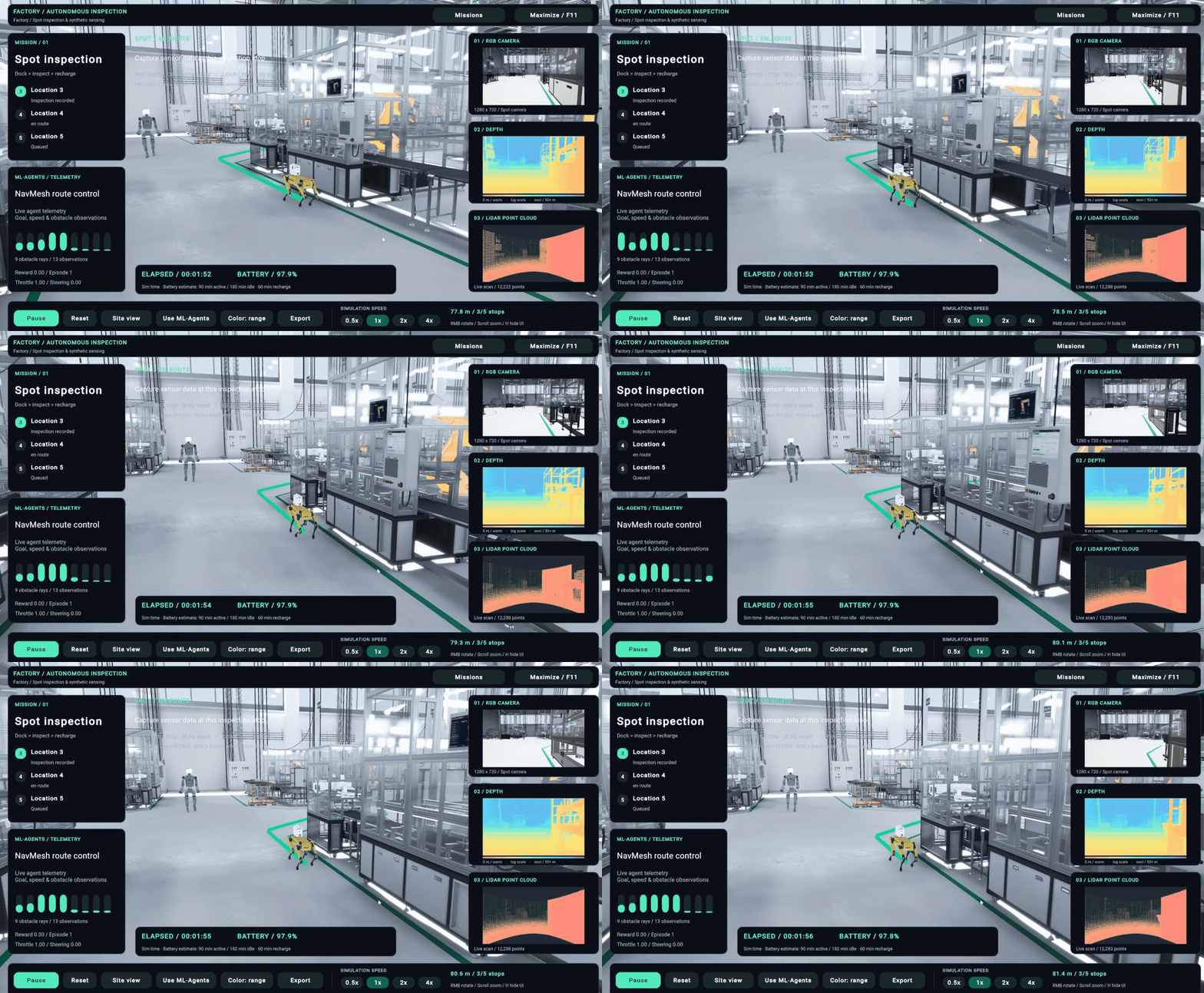
This is a central repository for tools, tutorials, resources, and documentation for robotic simulation in Unity.
We've updated this repository with Simulation Pro, Unity's latest robotics package that provides a supported suite of features and capabilities for robotics simulation and training. This package has been built with feedback from Unity's robotics developers along with lessons learnt from robotics projects using Unity in production. With Simulation Pro, we're starting a new chapter for Unity's support for Robotics use cases. Register your interest here to learn more.
Simulation Pro is a new package that consolidates and innovates on previously disparate features and workflows for robotics development across Unity. Specifically, the package includes 4 key capabilities:
We've also developed an in-depth, hands-on 5 hour training program on Unity Academy to help you get started with Simulation Pro. Simulation Pro will be supported for production on Unity 6.3 and newer, and early access is now open to Unity Industry developers.
You can also reference archived content on unsupported packages here.
A written companion to the on-demand video course. Five modules covering the Simulation Pro package: importing a robot, exchanging ROS 2 messages, configuring simulated sensors, connecting to a live ROS 2 environment, and exporting the data the simulation produces.
Start here: Module 1 — Introduction
Unity Robotics is a set of packages that turn Unity from a game engine into a simulation engine for robots. This course covers one of them, Simulation Pro — SimPro — which adds robotics functionality directly to the Unity Editor.
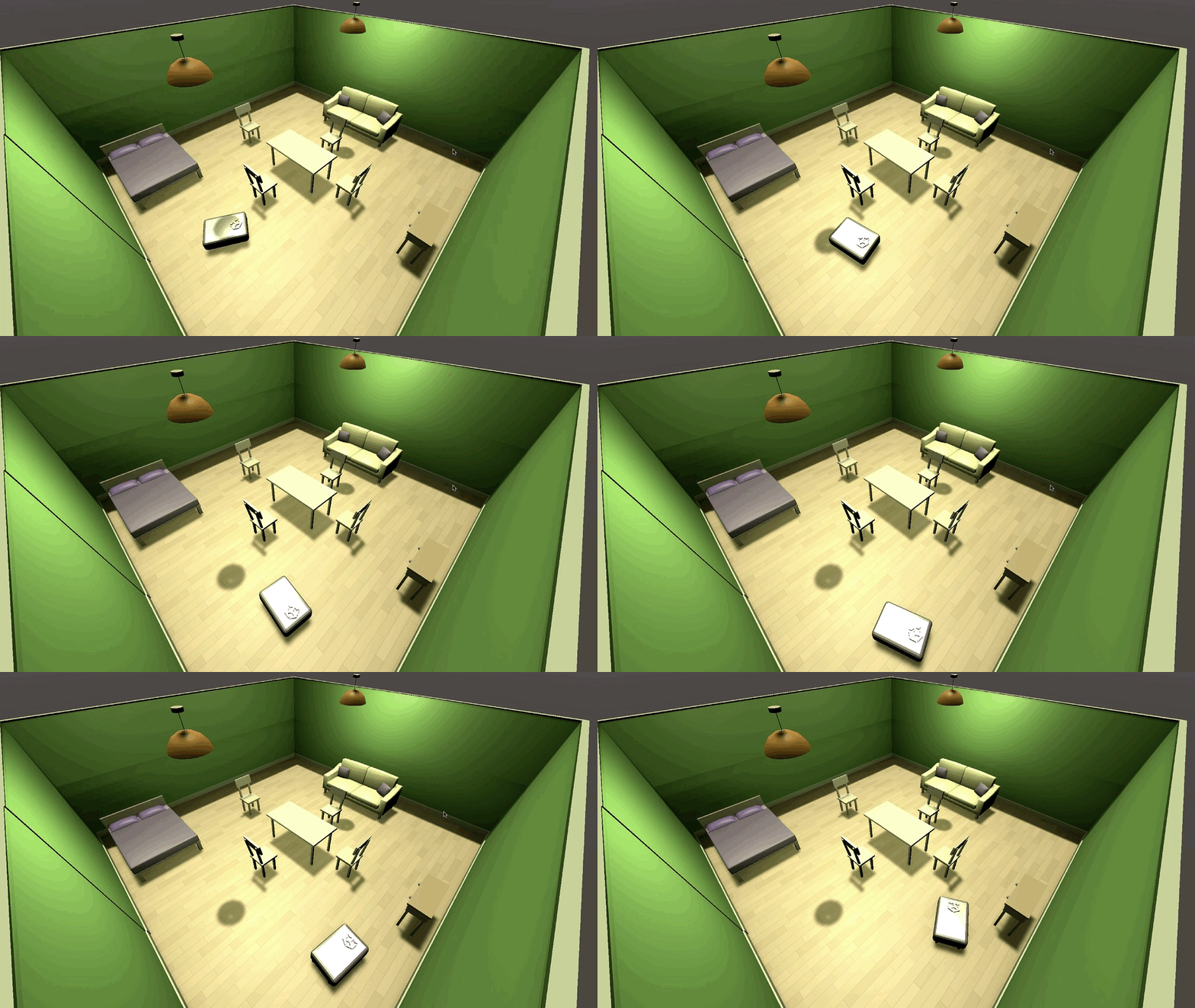
The reason to simulate a robot in Unity is that the Editor already does the things a robot test rig needs. You can build an environment out of prefabs, drop a robot into it, feed that robot simulated sensor data, and watch how it behaves — before any of it touches hardware. Change the environment and run the same robot software again. Break things in a virtual living room instead of a real one.
By the end of the course you will have built a working simulation in which a Python node running on a separate machine navigates a robot around a Unity Scene using its LiDAR, and you will have exported images, point clouds, and logs from that simulation to disk.
If you would rather follow along with the video tutorials, you can access them on the Unity Academy learning platform.
All courses are built by Unity’s own training experts and Unity trainers, so you’re always learning from the source.
New and refreshed courses are added continuously to keep pace with Unity’s latest features and product releases.
By the end of this course you will be able to:
Difficulty: Intermediate. The course assumes you are comfortable in the Unity Editor and can read and write C#. No robotics or ROS 2 experience is assumed - the concepts are introduced as they come up.
| Module | Covers | What you end up with |
|---|---|---|
| 1 — Introduction | Unity's role in robotics, the SimPro feature set, the URDF importer | A Unity 6 project with SimPro installed and a Panda arm imported from URDF, configured for stable physics |
| 2 — Messages | Nodes, topics, the publisher/subscriber pattern, SimPro message types, TF broadcasting | A publisher and subscriber exchanging messages over a Dummy Connection, and transform data broadcasting for every joint on the arm |
| 3 — Sensors | Camera, fisheye, stereo depth, time of flight, three LiDAR implementations, IMU | Hands-on configuration and inspection of every sensor SimPro ships |
| 4 — Creating a Simulation | Simulation time, coordinate systems, the ROS Endpoint Connector, differential drive | A complete simulation with a live ROS 2 connection and an rclpy node navigating the robot by LiDAR and odometry |
| 5 — Capturing Data | Image and point cloud savers, CSV logging | Images, point clouds, and CSV logs exported from the running simulation |
Work through them in order. Each module builds on the project state left by the one before it.
| Requirement | Detail |
|---|---|
| Unity | 6.3 or newer. Simulation Pro is supported for production on Unity 6.3 and newer. |
| Simulation Pro | Installed through the Package Manager. See Module 1, §2. |
| Samples | Simulation Pro Basic and Prebuilt LiDAR Sensors. |
| Course assets | The Panda URDF, the material fixer script, the AMR prefab, and the ROS 2 test files. |
| A ROS 2 environment | Modules 4 and 5 only. The course uses Ubuntu 26.04 with ROS 2 Lyrical Luth on a virtual machine. |
Setting up ROS 2 is out of scope. This course does not cover installing or configuring ROS 2 or the Unity TCP endpoint. If you want to follow Modules 4 and 5 on your own environment, the ROS 2 Wiki has the installation steps.
Each module file follows the same shape:
rclpy node in Module 4 is the same code that runs on physical hardware. Once
it works in a Unity room, the next step is a real one.For questions or discussions about Unity Robotics package installations or how to best set up and integrate your robotics projects, please create a new thread on the Unity Robotics forum and make sure to include as much detail as possible.
224 followers · starred Jul 2021
36 followers · starred Feb 2021
Central repository for tools, tutorials, resources, and documentation for robotics simulation in Unity.
C#
2,598
150 commits
updated Sep 22, 2026
This is a central repository for tools, tutorials, resources, and documentation for robotic simulation in Unity.
We've updated this repository with Simulation Pro, Unity's latest robotics package that provides a supported suite of features and capabilities for robotics simulation and training. This package has been built with feedback from Unity's robotics developers along with lessons learnt from robotics projects using Unity in production. With Simulation Pro, we're starting a new chapter for Unity's support for Robotics use cases. Register your interest here to learn more.
Simulation Pro is a new package that consolidates and innovates on previously disparate features and workflows for robotics development across Unity. Specifically, the package includes 4 key capabilities:
We've also developed an in-depth, hands-on 5 hour training program on Unity Academy to help you get started with Simulation Pro. Simulation Pro will be supported for production on Unity 6.3 and newer, and early access is now open to Unity Industry developers.
You can also reference archived content on unsupported packages here.
A written companion to the on-demand video course. Five modules covering the Simulation Pro package: importing a robot, exchanging ROS 2 messages, configuring simulated sensors, connecting to a live ROS 2 environment, and exporting the data the simulation produces.
Start here: Module 1 — Introduction
Unity Robotics is a set of packages that turn Unity from a game engine into a simulation engine for robots. This course covers one of them, Simulation Pro — SimPro — which adds robotics functionality directly to the Unity Editor.
The reason to simulate a robot in Unity is that the Editor already does the things a robot test rig needs. You can build an environment out of prefabs, drop a robot into it, feed that robot simulated sensor data, and watch how it behaves — before any of it touches hardware. Change the environment and run the same robot software again. Break things in a virtual living room instead of a real one.
By the end of the course you will have built a working simulation in which a Python node running on a separate machine navigates a robot around a Unity Scene using its LiDAR, and you will have exported images, point clouds, and logs from that simulation to disk.
If you would rather follow along with the video tutorials, you can access them on the Unity Academy learning platform.
All courses are built by Unity’s own training experts and Unity trainers, so you’re always learning from the source.
New and refreshed courses are added continuously to keep pace with Unity’s latest features and product releases.
By the end of this course you will be able to:
Difficulty: Intermediate. The course assumes you are comfortable in the Unity Editor and can read and write C#. No robotics or ROS 2 experience is assumed - the concepts are introduced as they come up.
| Module | Covers | What you end up with |
|---|---|---|
| 1 — Introduction | Unity's role in robotics, the SimPro feature set, the URDF importer | A Unity 6 project with SimPro installed and a Panda arm imported from URDF, configured for stable physics |
| 2 — Messages | Nodes, topics, the publisher/subscriber pattern, SimPro message types, TF broadcasting | A publisher and subscriber exchanging messages over a Dummy Connection, and transform data broadcasting for every joint on the arm |
| 3 — Sensors | Camera, fisheye, stereo depth, time of flight, three LiDAR implementations, IMU | Hands-on configuration and inspection of every sensor SimPro ships |
| 4 — Creating a Simulation | Simulation time, coordinate systems, the ROS Endpoint Connector, differential drive | A complete simulation with a live ROS 2 connection and an rclpy node navigating the robot by LiDAR and odometry |
| 5 — Capturing Data | Image and point cloud savers, CSV logging | Images, point clouds, and CSV logs exported from the running simulation |
Work through them in order. Each module builds on the project state left by the one before it.
| Requirement | Detail |
|---|---|
| Unity | 6.3 or newer. Simulation Pro is supported for production on Unity 6.3 and newer. |
| Simulation Pro | Installed through the Package Manager. See Module 1, §2. |
| Samples | Simulation Pro Basic and Prebuilt LiDAR Sensors. |
| Course assets | The Panda URDF, the material fixer script, the AMR prefab, and the ROS 2 test files. |
| A ROS 2 environment | Modules 4 and 5 only. The course uses Ubuntu 26.04 with ROS 2 Lyrical Luth on a virtual machine. |
Setting up ROS 2 is out of scope. This course does not cover installing or configuring ROS 2 or the Unity TCP endpoint. If you want to follow Modules 4 and 5 on your own environment, the ROS 2 Wiki has the installation steps.
Each module file follows the same shape:
rclpy node in Module 4 is the same code that runs on physical hardware. Once
it works in a Unity room, the next step is a real one.For questions or discussions about Unity Robotics package installations or how to best set up and integrate your robotics projects, please create a new thread on the Unity Robotics forum and make sure to include as much detail as possible.
224 followers · starred Jul 2021
36 followers · starred Feb 2021



