Tavris1/ComfyUI-Easy-Install

One-click portable ComfyUI installer for Windows, macOS and Linux, with EZi Desktop: a dashboard for packages, environments and configuration 🔹 Nvidia GPU support 🔹 Pixaroma Community Edition

Batchfile

1,987

599 commits

updated Oct 17, 2026

See the code

README

🌍 English | 简体中文 | 日本語 | 한국어 | Español | Português | Deutsch | Français | Русский | Türkçe | Tiếng Việt


EZi Logo

ComfyUI-Easy-Install

One-click Portable ComfyUI with EZi Desktop: a dashboard for packages, environments and configuration
Windows • NVIDIA GPUs • Pixaroma Community Edition

GitHub Release GitHub Release Date Downloads

📥 INSTALL  ·  ✨ Features  ·  🍎 macOS/Linux  ·  💬 Pixaroma Discord  ·  ❤️ Support Development
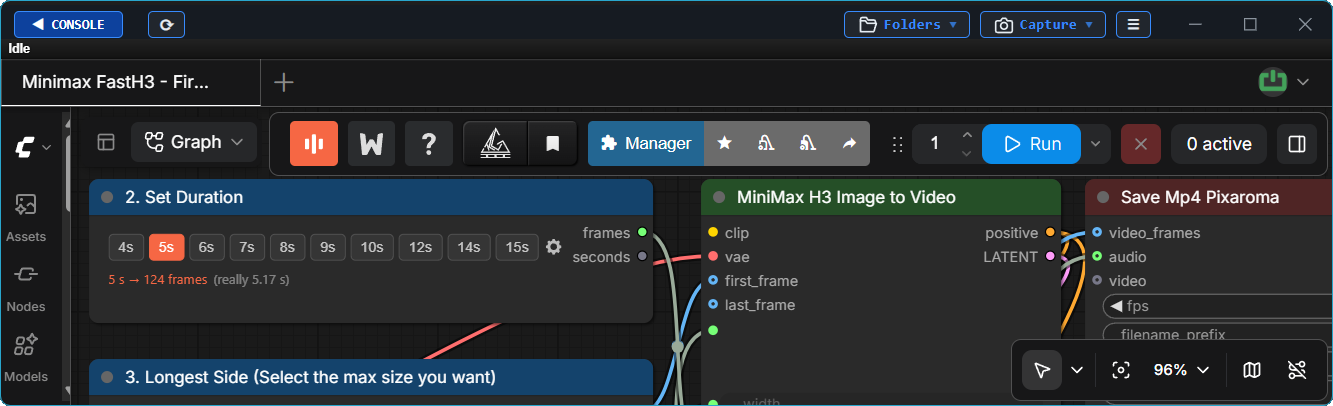

ComfyUI Screenshot

✨ Features

ComfyUI-Easy-Install provides a portable ComfyUI environment with EZi Desktop.
No manual Python or Git setup required.

Install complex packages such as Nunchaku, SageAttention, FlashAttention, InsightFace, and others with one click.

Manage models, packages, PyTorch/CUDA versions, Dynamic VRAM,
ComfyUI/frontend versions, UV/PIP caches, and GGUF conversion
from one place.

📦 Included Components

Core Components
🔧 Component📝 Note
GitGit version - Latest (will install/update if needed)
PythonPython version - Embedded version
ComfyUIComfyUI version - Latest stable version
Nodes Used in Pixaroma Tutorials
Optional Add-ons & Tools
🧩 Nodes🛠️ Tools
NunchakuEasy-Models-Linker
SageAttention (v2.2.0 and v3)Easy-System-Checker
FlashAttentionComfyUI-Version-Switcher
InsightFaceEasy-model2GGUF
Trellis 2.0 + Pixal3D @visualbrunoLong-Paths-Enabler
Torch-Pack
Toggle-DynamicVRAM
Update Easy-Install

🖥️ Windows Installation

[!WARNING] Windows 11:
IF ComfyUI shows "Bad Image" (0xc0e90002), turn off Smart App Control and restart ComfyUI.
This reduces protection against untrusted apps. Read the Windows warning before confirming.

[!IMPORTANT]

  • Do not run the installer as Administrator.
  • Avoid system folders (Program Files, Windows, C:\ root).
  • Avoid spaces and special characters in folder names.
  • Make sure your NVIDIA drivers are up to date.
  1. 📥 DOWNLOAD LATEST VERSION
  2. Extract the ZIP file to a new folder and run ComfyUI-Easy-Install.bat
  3. Optionally, after the setup, install or run components from the Add-ons folder or EZi Desktop Menu:
    • Easy-Models-Linker - Uses existing MODELS folder via extra_model_paths.yaml, no re-download needed
      • Some folders like LLM and llm_gguf cannot be redirected this way
    • Easy-System-Checker - Provides information about key hardware and software components
    • Nunchaku - Installs Nunchaku
    • SageAttention-Multi - Installs both SageAttention v2.2.0 and v3 (v3 effective only on NVIDIA 50-series GPUs)
    • FlashAttention - Installs FlashAttention v2.8.3
    • InsightFace - Installs InsightFace
    • Trellis2+Pixal3D @visualbruno - Installs Trellis 2.0 + Pixal3D and the model (requires Torch 2.8.0+cu128)
    • Torch-Pack - Quick switch between:Torch 2.7.1+cu128, Torch 2.8.0+cu128,
      Torch 2.9.1+cu130, Torch 2.10+cu130, Torch 2.11+cu130, Torch 2.12.1+cu130 & Torch 2.13.0+cu130
    • Easy-model2GGUF - Convert & quantize models to GGUF (Q2_K–Q8_0) with 5D tensor fixes if available
    • Long-Paths-Enabler - Enables Long Paths in Windows 10/11. Essential for Python/ComfyUI
    • ComfyUI-Version-Switcher - Reversible rollback to a previous ComfyUI version if issues occur
    • Toggle-DynamicVRAM - Toggles --disable-dynamic-vram option in ComfyUI startup files
    • Update Easy-Install - Updates Add-ons and other folders. Creates desktop shortcuts
    • EZi Desktop Themes - via EZi Desktop > Menu > Advanced
    • Custom Input, Output & User folders - via EZi Desktop > Menu > Advanced
    • ComfyUI & Frontend Version Changer - via EZi Desktop > Menu > Advanced
    • UV & PIP cache cleaner - via EZi Desktop > Menu
    • ComfyUI-Manager Security-Level Config - Easy configuration of security_level via EZi Desktop > Menu
    • Pinned-Packages-Manager - Freeze package versions such as NumPy==1.26.4 via EZi Desktop > Menu

❤️ Support Development

Enjoy the project? Your support helps keep it going.

PayPal Buy Me a Coffee GitHub Sponsors

comfyui
comfyui-easy-install
comfyui-installer
comfyui-portable-installer
desktop-app
desktop-application
pixaroma
portable-installer

Tavris1/ComfyUI-Easy-Install

One-click portable ComfyUI installer for Windows, macOS and Linux, with EZi Desktop: a dashboard for packages, environments and configuration 🔹 Nvidia GPU support 🔹 Pixaroma Community Edition

Batchfile

1,987

599 commits

updated Oct 17, 2026

See the code

README

🌍 English | 简体中文 | 日本語 | 한국어 | Español | Português | Deutsch | Français | Русский | Türkçe | Tiếng Việt


EZi Logo

ComfyUI-Easy-Install

One-click Portable ComfyUI with EZi Desktop: a dashboard for packages, environments and configuration
Windows • NVIDIA GPUs • Pixaroma Community Edition

GitHub Release GitHub Release Date Downloads

📥 INSTALL  ·  ✨ Features  ·  🍎 macOS/Linux  ·  💬 Pixaroma Discord  ·  ❤️ Support Development


ComfyUI Screenshot

✨ Features

ComfyUI-Easy-Install provides a portable ComfyUI environment with EZi Desktop.
No manual Python or Git setup required.

Install complex packages such as Nunchaku, SageAttention, FlashAttention, InsightFace, and others with one click.

Manage models, packages, PyTorch/CUDA versions, Dynamic VRAM,
ComfyUI/frontend versions, UV/PIP caches, and GGUF conversion
from one place.

📦 Included Components

Core Components
🔧 Component📝 Note
GitGit version - Latest (will install/update if needed)
PythonPython version - Embedded version
ComfyUIComfyUI version - Latest stable version
Nodes Used in Pixaroma Tutorials
Optional Add-ons & Tools
🧩 Nodes🛠️ Tools
NunchakuEasy-Models-Linker
SageAttention (v2.2.0 and v3)Easy-System-Checker
FlashAttentionComfyUI-Version-Switcher
InsightFaceEasy-model2GGUF
Trellis 2.0 + Pixal3D @visualbrunoLong-Paths-Enabler
Torch-Pack
Toggle-DynamicVRAM
Update Easy-Install

🖥️ Windows Installation

[!WARNING] Windows 11:
IF ComfyUI shows "Bad Image" (0xc0e90002), turn off Smart App Control and restart ComfyUI.
This reduces protection against untrusted apps. Read the Windows warning before confirming.

[!IMPORTANT]

  • Do not run the installer as Administrator.
  • Avoid system folders (Program Files, Windows, C:\ root).
  • Avoid spaces and special characters in folder names.
  • Make sure your NVIDIA drivers are up to date.
  1. 📥 DOWNLOAD LATEST VERSION
  2. Extract the ZIP file to a new folder and run ComfyUI-Easy-Install.bat
  3. Optionally, after the setup, install or run components from the Add-ons folder or EZi Desktop Menu:
    • Easy-Models-Linker - Uses existing MODELS folder via extra_model_paths.yaml, no re-download needed
      • Some folders like LLM and llm_gguf cannot be redirected this way
    • Easy-System-Checker - Provides information about key hardware and software components
    • Nunchaku - Installs Nunchaku
    • SageAttention-Multi - Installs both SageAttention v2.2.0 and v3 (v3 effective only on NVIDIA 50-series GPUs)
    • FlashAttention - Installs FlashAttention v2.8.3
    • InsightFace - Installs InsightFace
    • Trellis2+Pixal3D @visualbruno - Installs Trellis 2.0 + Pixal3D and the model (requires Torch 2.8.0+cu128)
    • Torch-Pack - Quick switch between:Torch 2.7.1+cu128, Torch 2.8.0+cu128,
      Torch 2.9.1+cu130, Torch 2.10+cu130, Torch 2.11+cu130, Torch 2.12.1+cu130 & Torch 2.13.0+cu130
    • Easy-model2GGUF - Convert & quantize models to GGUF (Q2_K–Q8_0) with 5D tensor fixes if available
    • Long-Paths-Enabler - Enables Long Paths in Windows 10/11. Essential for Python/ComfyUI
    • ComfyUI-Version-Switcher - Reversible rollback to a previous ComfyUI version if issues occur
    • Toggle-DynamicVRAM - Toggles --disable-dynamic-vram option in ComfyUI startup files
    • Update Easy-Install - Updates Add-ons and other folders. Creates desktop shortcuts
    • EZi Desktop Themes - via EZi Desktop > Menu > Advanced
    • Custom Input, Output & User folders - via EZi Desktop > Menu > Advanced
    • ComfyUI & Frontend Version Changer - via EZi Desktop > Menu > Advanced
    • UV & PIP cache cleaner - via EZi Desktop > Menu
    • ComfyUI-Manager Security-Level Config - Easy configuration of security_level via EZi Desktop > Menu
    • Pinned-Packages-Manager - Freeze package versions such as NumPy==1.26.4 via EZi Desktop > Menu

❤️ Support Development

Enjoy the project? Your support helps keep it going.

PayPal Buy Me a Coffee GitHub Sponsors

comfyui
comfyui-easy-install
comfyui-installer
comfyui-portable-installer
desktop-app
desktop-application
pixaroma
portable-installer

Significant stargazers

AI Lab

248 followers · starred Oct 2025

Muyang Li

553 followers · starred Oct 2025

Fabio Akita

21,184 followers · starred Jan 2026

Riceball LEE

146 followers · starred May 2026