This library aims to overcome the limitations of Toasts and Snackbars, while reducing the complexity of your layouts.



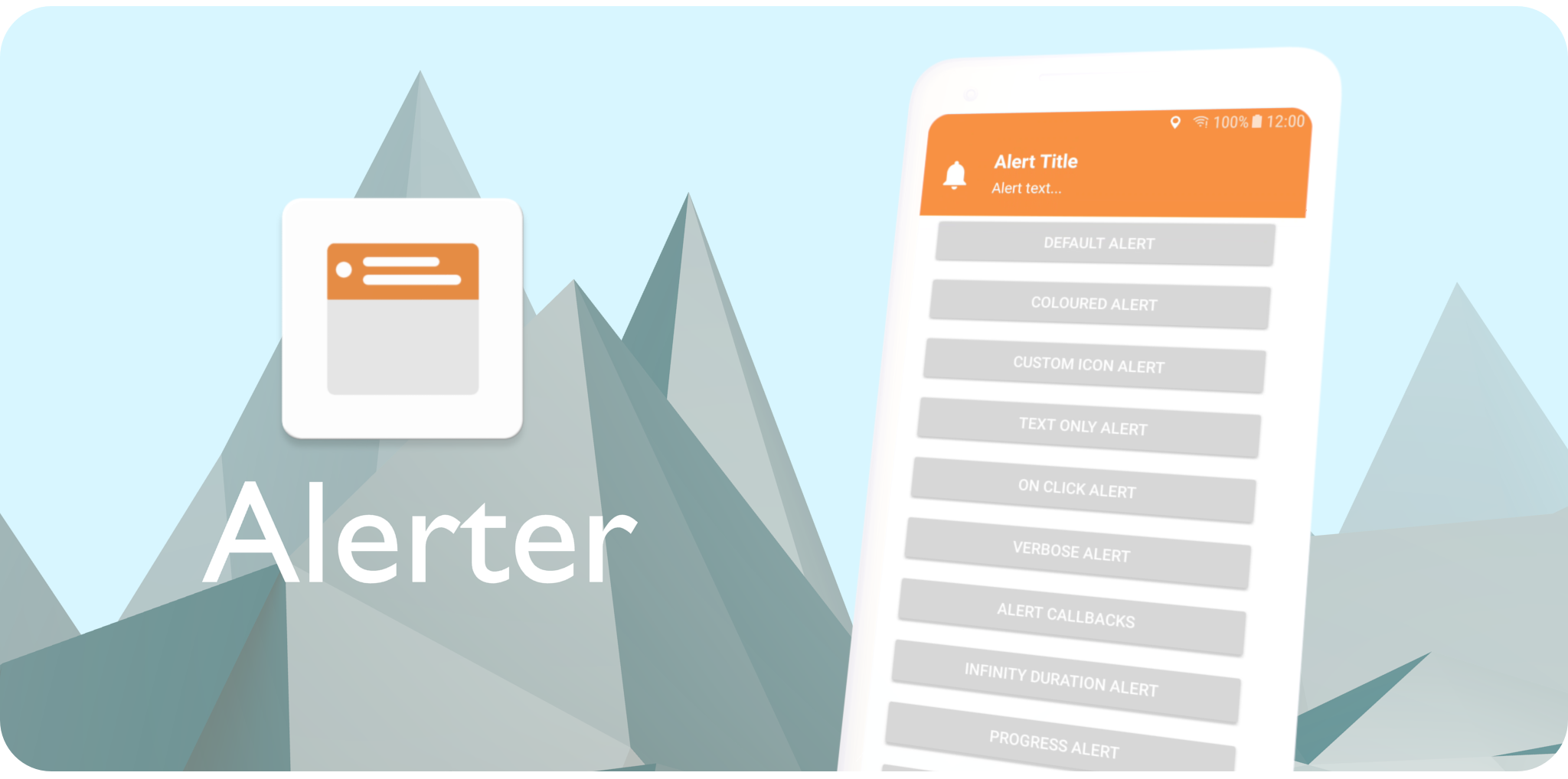
With simplicity in mind, the Alerter employs the builder pattern to facilitate easy integration into any app. A customisable Alert View is dynamically added to the Decor View of the Window, overlaying all content.
Include the JitPack.io Maven repo in your project's build.gradle file
allprojects {
 repositories {
    maven { url "https://jitpack.io" }
 }
}
Then add this dependency to your app's build.gradle file
dependencies {
    implementation 'com.github.tapadoo:alerter:$current-version'
}
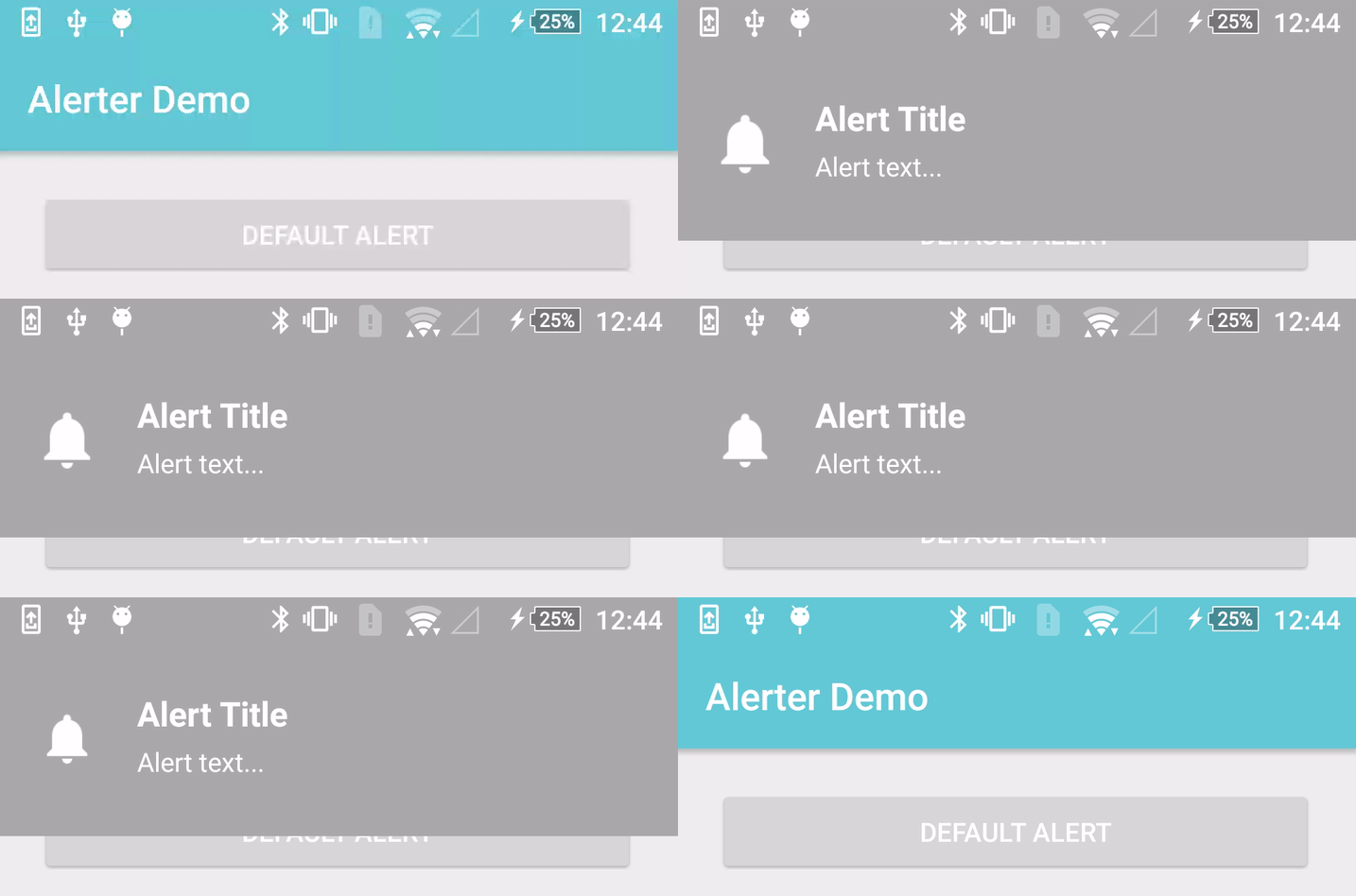
From an Activity -
Alerter.create(this@DemoActivity)
       .setTitle("Alert Title")
       .setText("Alert text...")
       .show()
Or from a Fragment -
Alerter.create(activity)
       .setTitle("Alert Title")
       .setText("Alert text...")
       .show()
To check if an alert is showing -
Alerter.isShowing()
To hide a currently showing Alert -
Alerter.hide()
Alerter.create(this@DemoActivity)
       .setTitle("Alert Title")
       .setText("Alert text...")
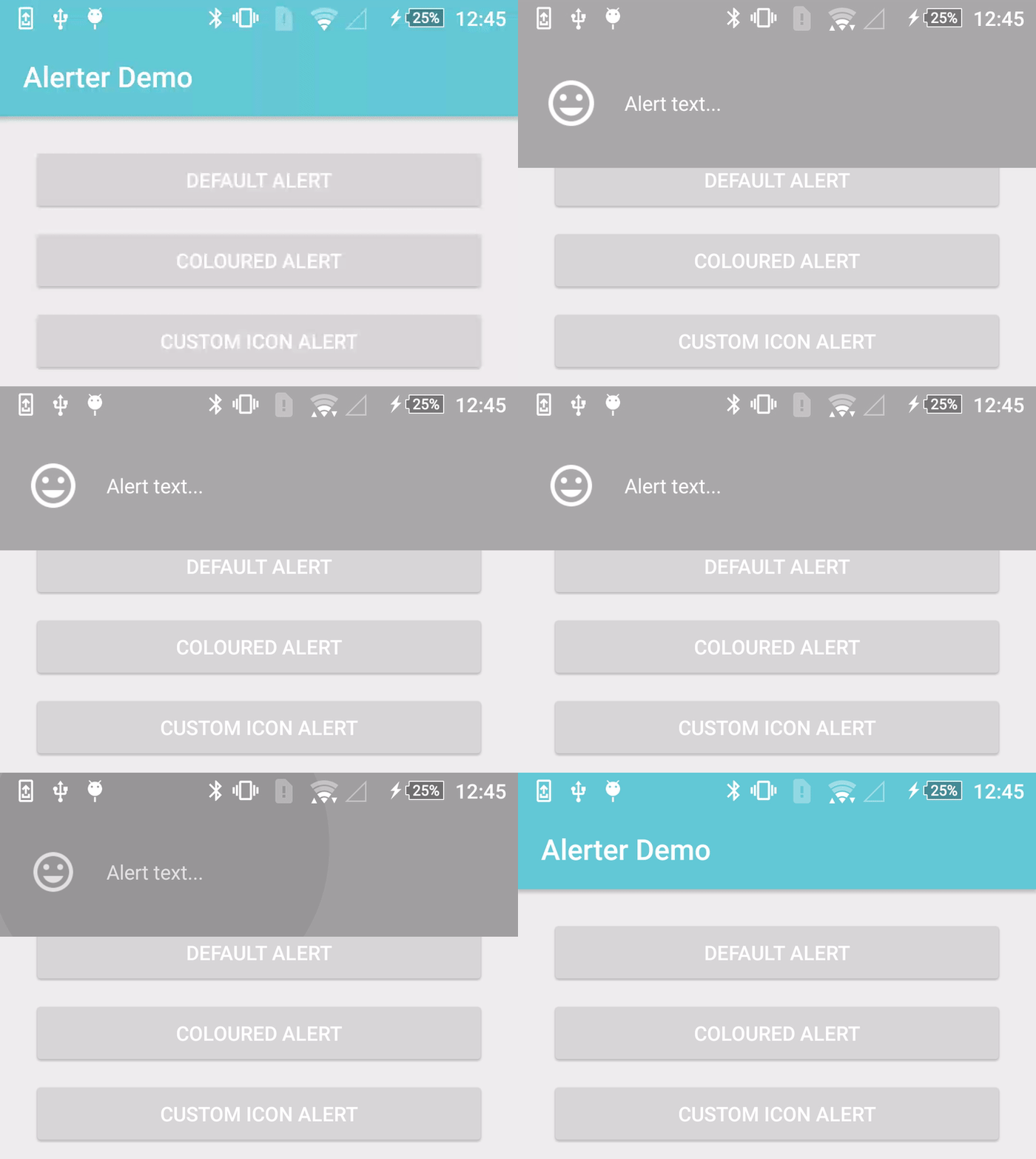
       .setBackgroundColorRes(R.color.colorAccent) // or setBackgroundColorInt(Color.CYAN)
       .show()
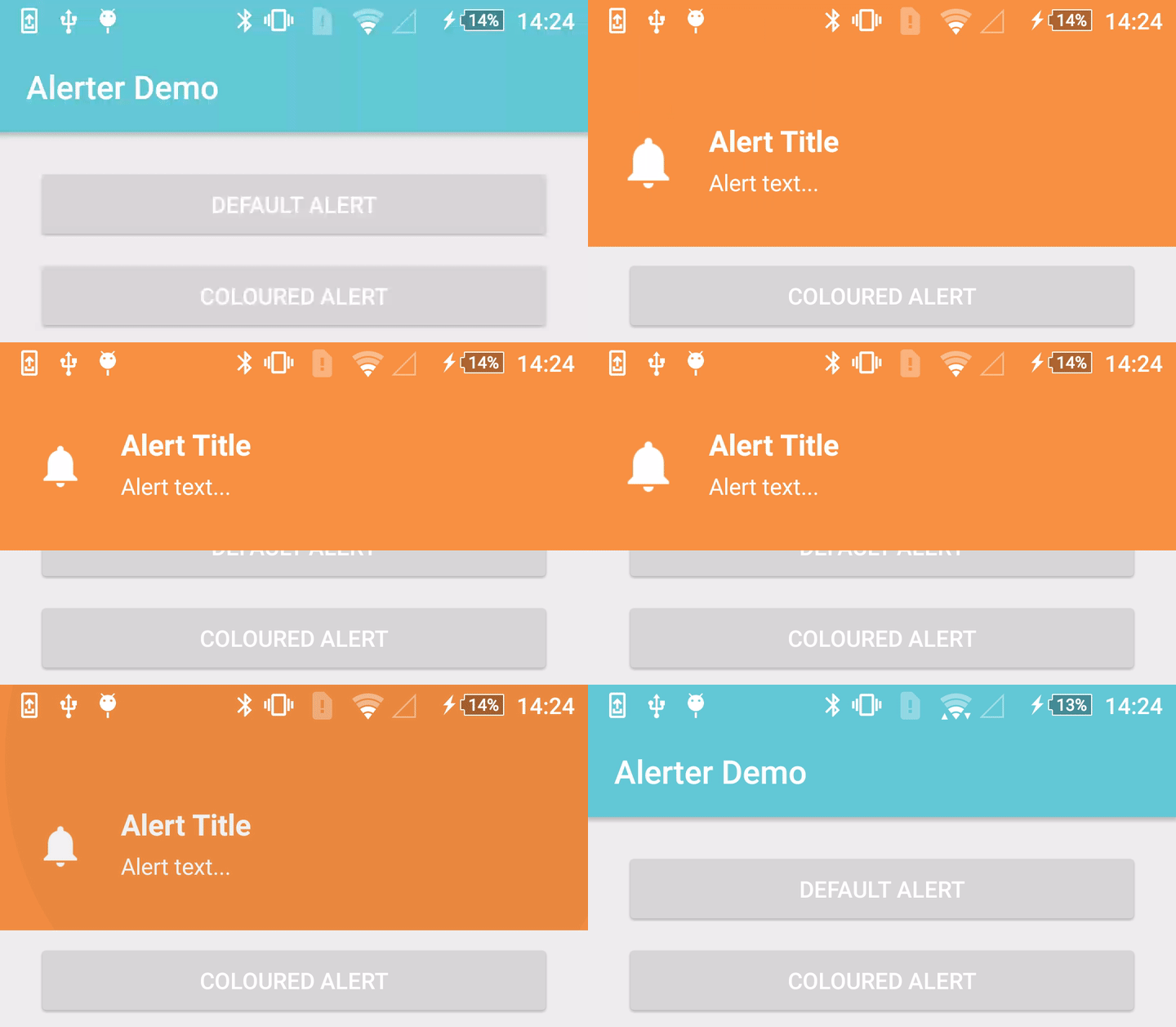
Alerter.create(this@DemoActivity)
       .setText("Alert text...")
       .setIcon(R.drawable.alerter_ic_mail_outline)
       .setIconColorFilter(0) // Optional - Removes white tint
       .setIconSize(R.dimen.custom_icon_size) // Optional - default is 38dp
       .show()
Alerter.create(this@DemoActivity)
       .setTitle("Alert Title")
       .setText("Alert text...")
       .setDuration(10000)
       .show()
Alerter.create(this@DemoActivity)
       .setText("Alert text...")
       .show()
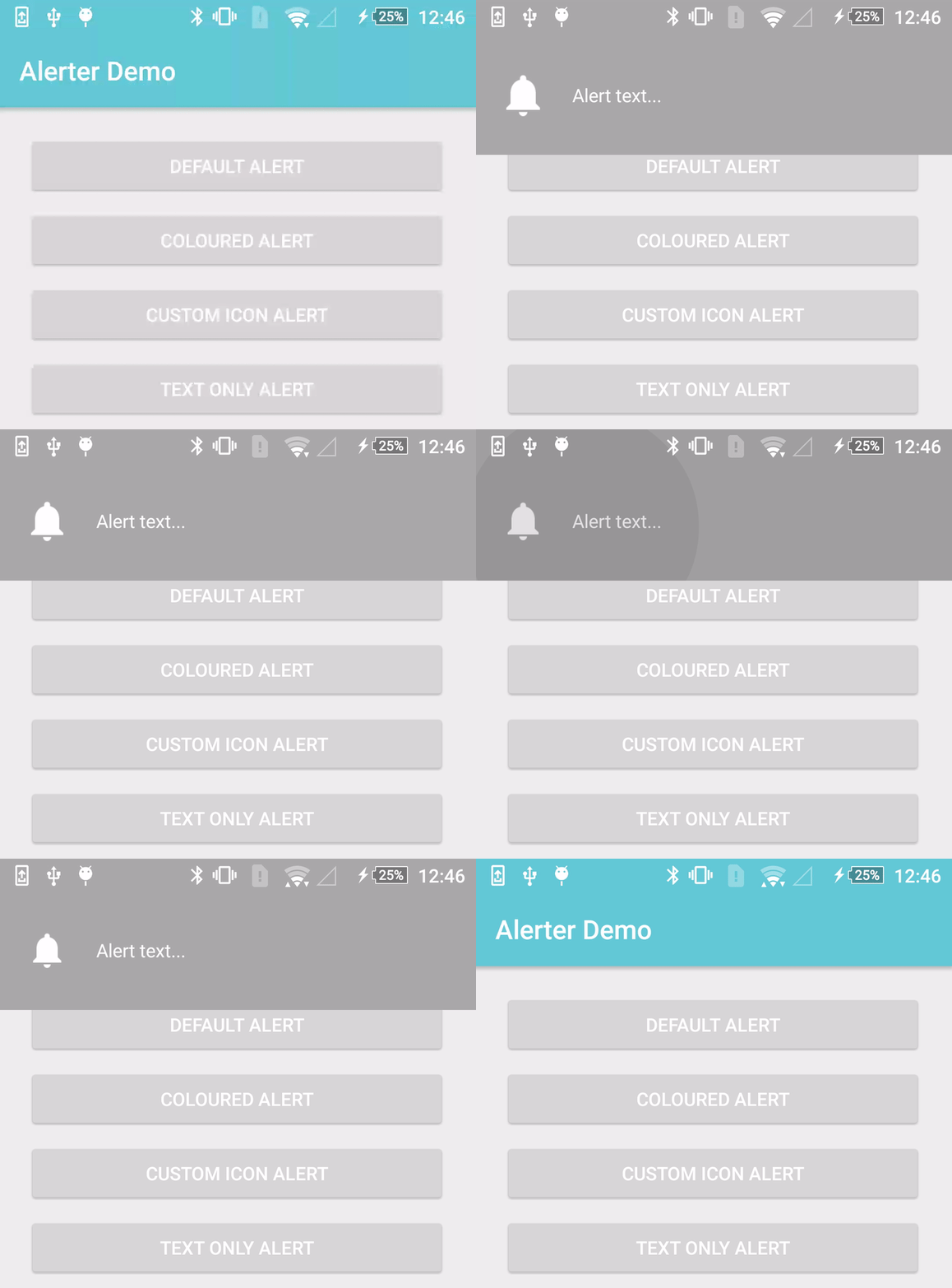
 Alerter.create(this@DemoActivity)
        .setTitle("Alert Title")
        .setText("Alert text...")
        .setDuration(10000)
        .setOnClickListener(View.OnClickListener {
            Toast.makeText(this@DemoActivity, "OnClick Called", Toast.LENGTH_LONG).show();
        })
        .show()
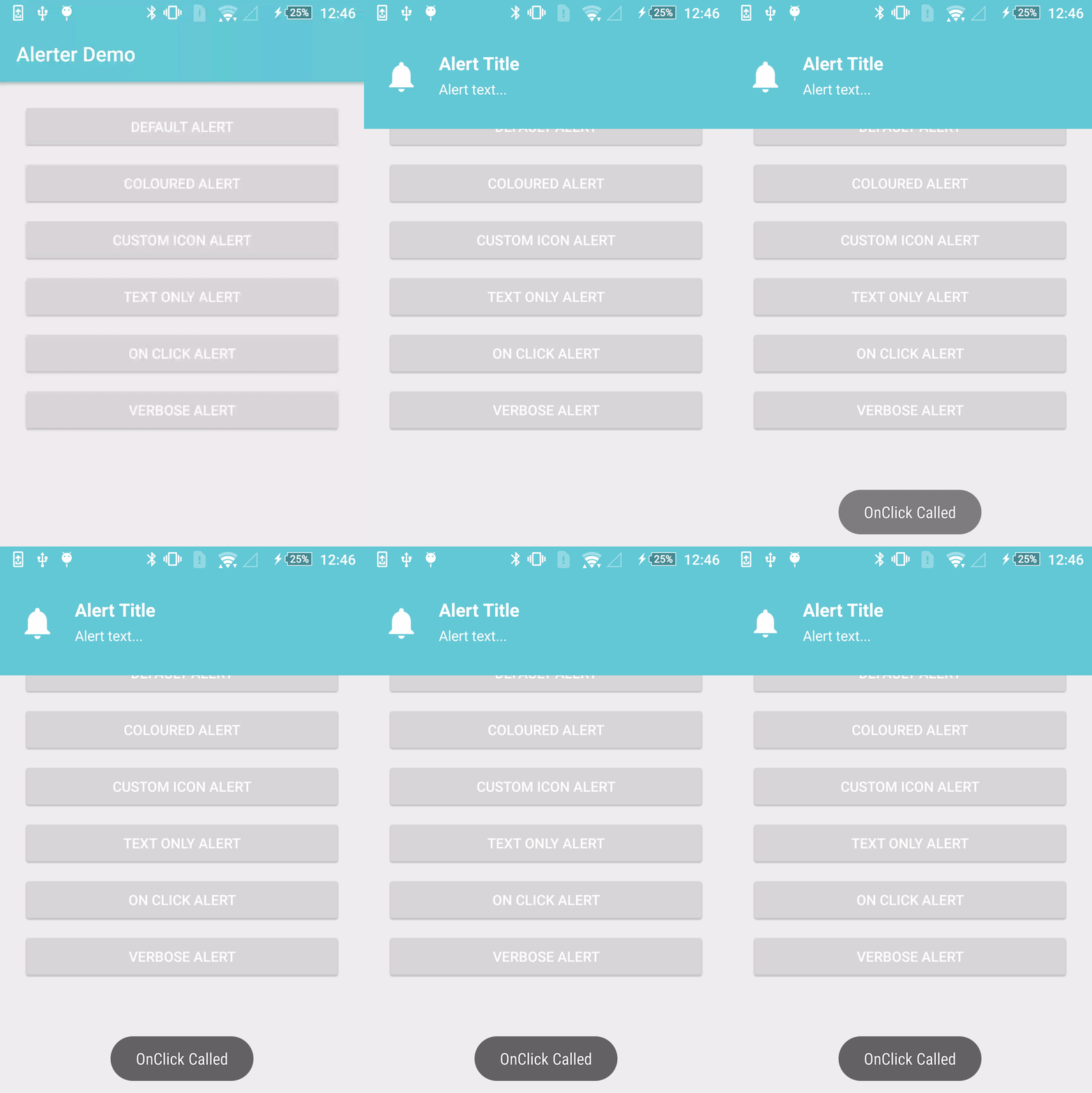
 Alerter.create(this@DemoActivity)
        .setTitle("Alert Title")
        .setText("The alert scales to accommodate larger bodies of text. " +
                 "The alert scales to accommodate larger bodies of text. " +
                 "The alert scales to accommodate larger bodies of text.")
        .show()
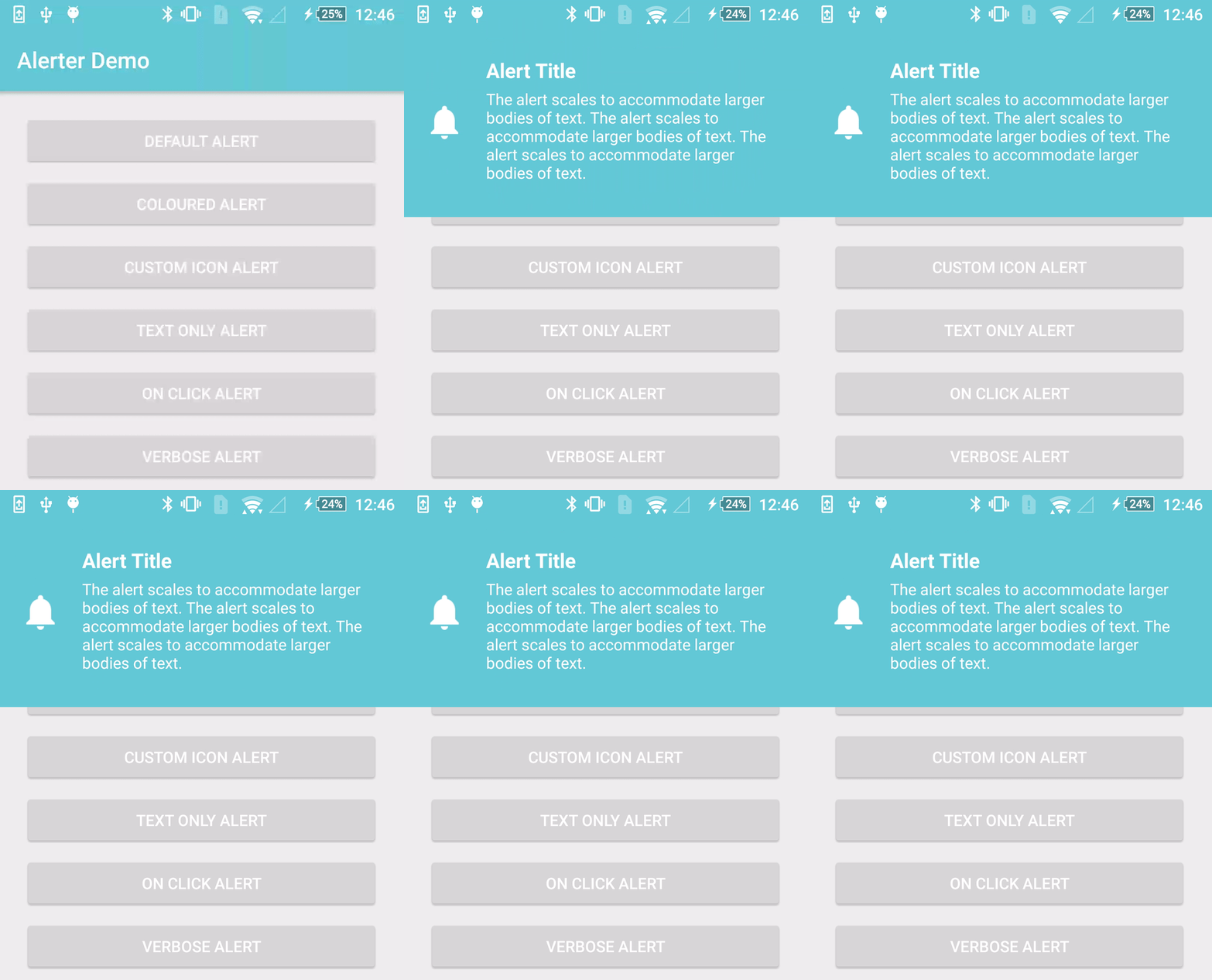
  Alerter.create(this@KotlinDemoActivity)
         .setTitle("Alert Title")
         .setText("Alert text...")
         .setEnterAnimation(R.anim.alerter_slide_in_from_left)
         .setExitAnimation(R.anim.alerter_slide_out_to_right)
         .show()
 Alerter.create(this@KotlinDemoActivity)
        .setTitle("Alert Title")
        .setText("Alert text...")
        .setDuration(10000)
        .setOnShowListener(OnShowAlertListener {
            Toast.makeText(this@KotlinDemoActivity, "Show Alert", Toast.LENGTH_LONG).show()
        })
        .setOnHideListener(OnHideAlertListener {
            Toast.makeText(this@KotlinDemoActivity, "Hide Alert", Toast.LENGTH_LONG).show()
        })
        .show()
 Alerter.create(this@DemoActivity)
        .setTitle("Alert Title")
        .setTitleAppearance(R.style.AlertTextAppearance_Title)
        .setTitleTypeface(Typeface.createFromAsset(getAssets(), "Pacifico-Regular.ttf"))
        .setText("Alert text...")
        .setTextAppearance(R.style.AlertTextAppearance_Text)
        .setTextTypeface(Typeface.createFromAsset(getAssets(), "ScopeOne-Regular.ttf"))
        .show()
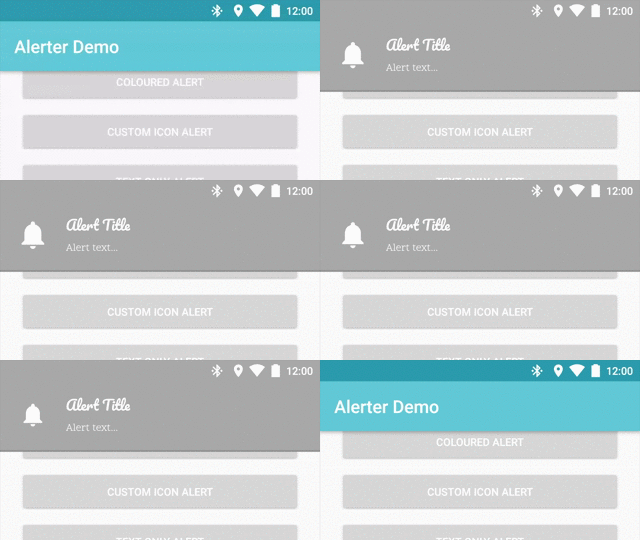
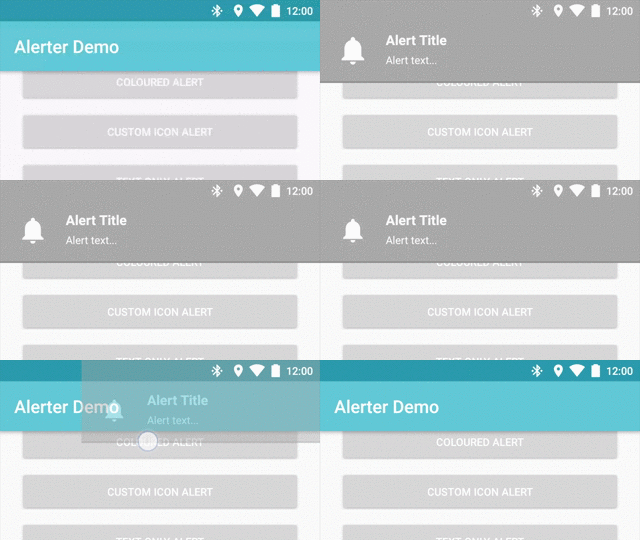
 Alerter.create(this@DemoActivity)
        .setTitle("Alert Title")
        .setText("Alert text...")
        .enableSwipeToDismiss()
        .show()
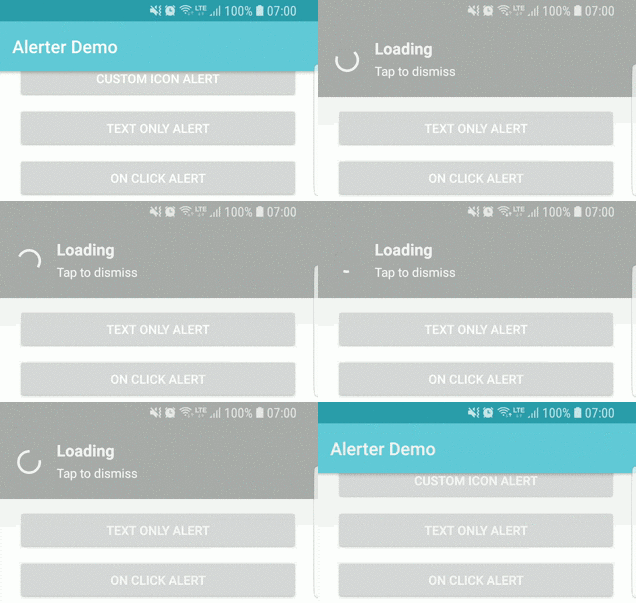
 Alerter.create(this@DemoActivity)
        .setTitle("Alert Title")
        .setText("Alert text...")
        .enableProgress(true)
        .setProgressColorRes(R.color.colorAccent)
        .show()
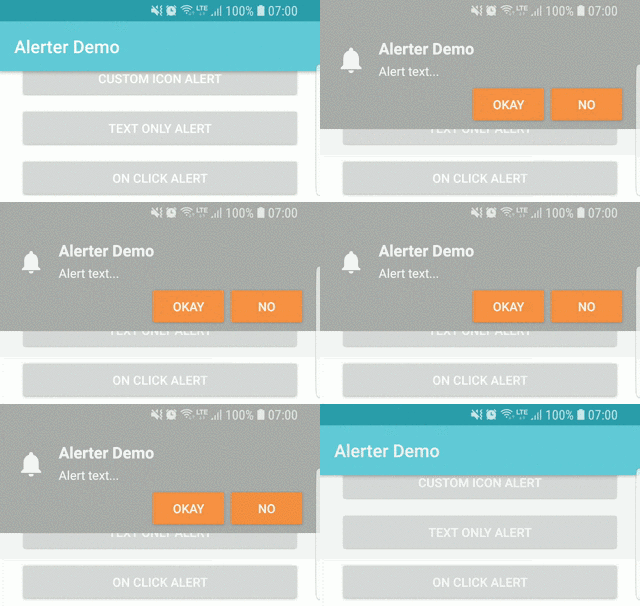
 Alerter.create(this@KotlinDemoActivity)
        .setTitle(R.string.title_activity_example)
        .setText("Alert text...")
        .addButton("Okay", R.style.AlertButton, View.OnClickListener {
            Toast.makeText(this@KotlinDemoActivity, "Okay Clicked", Toast.LENGTH_LONG).show()
        })
        .addButton("No", R.style.AlertButton, View.OnClickListener {
            Toast.makeText(this@KotlinDemoActivity, "No Clicked", Toast.LENGTH_LONG).show()
        })
        .show()
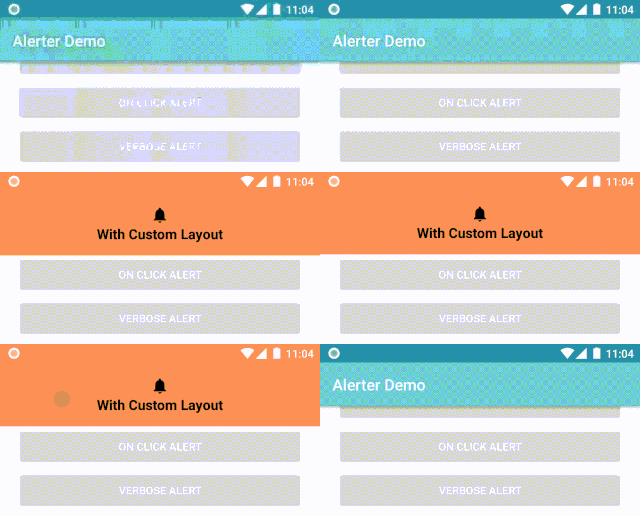
 Alerter.create(this@KotlinDemoActivity, R.layout.custom_layout)
        .setBackgroundColorRes(R.color.colorAccent)
        .also { alerter ->
            val tvCustomView = alerter.getLayoutContainer()?.tvCustomLayout
            tvCustomView?.setText(R.string.with_custom_layout)
        }
        .show()
Please read this if you're reporting an issue, or thinking of contributing!
See the LICENSE file for license rights and limitations (MIT).
Copyright 2017 Tapadoo, Dublin.

394 followers · starred Sep 2017
399 followers · starred Jul 2019
113 followers · starred Feb 2017
255 followers · starred Feb 2017
This library aims to overcome the limitations of Toasts and Snackbars, while reducing the complexity of your layouts.
With simplicity in mind, the Alerter employs the builder pattern to facilitate easy integration into any app. A customisable Alert View is dynamically added to the Decor View of the Window, overlaying all content.
Include the JitPack.io Maven repo in your project's build.gradle file
allprojects {
 repositories {
    maven { url "https://jitpack.io" }
 }
}
Then add this dependency to your app's build.gradle file
dependencies {
    implementation 'com.github.tapadoo:alerter:$current-version'
}
From an Activity -
Alerter.create(this@DemoActivity)
       .setTitle("Alert Title")
       .setText("Alert text...")
       .show()
Or from a Fragment -
Alerter.create(activity)
       .setTitle("Alert Title")
       .setText("Alert text...")
       .show()
To check if an alert is showing -
Alerter.isShowing()
To hide a currently showing Alert -
Alerter.hide()
Alerter.create(this@DemoActivity)
       .setTitle("Alert Title")
       .setText("Alert text...")
       .setBackgroundColorRes(R.color.colorAccent) // or setBackgroundColorInt(Color.CYAN)
       .show()
Alerter.create(this@DemoActivity)
       .setText("Alert text...")
       .setIcon(R.drawable.alerter_ic_mail_outline)
       .setIconColorFilter(0) // Optional - Removes white tint
       .setIconSize(R.dimen.custom_icon_size) // Optional - default is 38dp
       .show()
Alerter.create(this@DemoActivity)
       .setTitle("Alert Title")
       .setText("Alert text...")
       .setDuration(10000)
       .show()
Alerter.create(this@DemoActivity)
       .setText("Alert text...")
       .show()
 Alerter.create(this@DemoActivity)
        .setTitle("Alert Title")
        .setText("Alert text...")
        .setDuration(10000)
        .setOnClickListener(View.OnClickListener {
            Toast.makeText(this@DemoActivity, "OnClick Called", Toast.LENGTH_LONG).show();
        })
        .show()
 Alerter.create(this@DemoActivity)
        .setTitle("Alert Title")
        .setText("The alert scales to accommodate larger bodies of text. " +
                 "The alert scales to accommodate larger bodies of text. " +
                 "The alert scales to accommodate larger bodies of text.")
        .show()
  Alerter.create(this@KotlinDemoActivity)
         .setTitle("Alert Title")
         .setText("Alert text...")
         .setEnterAnimation(R.anim.alerter_slide_in_from_left)
         .setExitAnimation(R.anim.alerter_slide_out_to_right)
         .show()
 Alerter.create(this@KotlinDemoActivity)
        .setTitle("Alert Title")
        .setText("Alert text...")
        .setDuration(10000)
        .setOnShowListener(OnShowAlertListener {
            Toast.makeText(this@KotlinDemoActivity, "Show Alert", Toast.LENGTH_LONG).show()
        })
        .setOnHideListener(OnHideAlertListener {
            Toast.makeText(this@KotlinDemoActivity, "Hide Alert", Toast.LENGTH_LONG).show()
        })
        .show()
 Alerter.create(this@DemoActivity)
        .setTitle("Alert Title")
        .setTitleAppearance(R.style.AlertTextAppearance_Title)
        .setTitleTypeface(Typeface.createFromAsset(getAssets(), "Pacifico-Regular.ttf"))
        .setText("Alert text...")
        .setTextAppearance(R.style.AlertTextAppearance_Text)
        .setTextTypeface(Typeface.createFromAsset(getAssets(), "ScopeOne-Regular.ttf"))
        .show()
 Alerter.create(this@DemoActivity)
        .setTitle("Alert Title")
        .setText("Alert text...")
        .enableSwipeToDismiss()
        .show()
 Alerter.create(this@DemoActivity)
        .setTitle("Alert Title")
        .setText("Alert text...")
        .enableProgress(true)
        .setProgressColorRes(R.color.colorAccent)
        .show()
 Alerter.create(this@KotlinDemoActivity)
        .setTitle(R.string.title_activity_example)
        .setText("Alert text...")
        .addButton("Okay", R.style.AlertButton, View.OnClickListener {
            Toast.makeText(this@KotlinDemoActivity, "Okay Clicked", Toast.LENGTH_LONG).show()
        })
        .addButton("No", R.style.AlertButton, View.OnClickListener {
            Toast.makeText(this@KotlinDemoActivity, "No Clicked", Toast.LENGTH_LONG).show()
        })
        .show()
 Alerter.create(this@KotlinDemoActivity, R.layout.custom_layout)
        .setBackgroundColorRes(R.color.colorAccent)
        .also { alerter ->
            val tvCustomView = alerter.getLayoutContainer()?.tvCustomLayout
            tvCustomView?.setText(R.string.with_custom_layout)
        }
        .show()
Please read this if you're reporting an issue, or thinking of contributing!
See the LICENSE file for license rights and limitations (MIT).
Copyright 2017 Tapadoo, Dublin.
394 followers · starred Sep 2017
399 followers · starred Jul 2019
113 followers · starred Feb 2017
255 followers · starred Feb 2017