
README
haskell-halogen

A port of purescript-halogen to GHC Haskell, plus the component and rendering libraries built on top of it.
The examples are deployed here.
Packages
| Directory | Package | What it is |
|---|---|---|
| core/ | haskell-halogen-core | The Halogen port itself: components, VDom, events, SVG, layouts. |
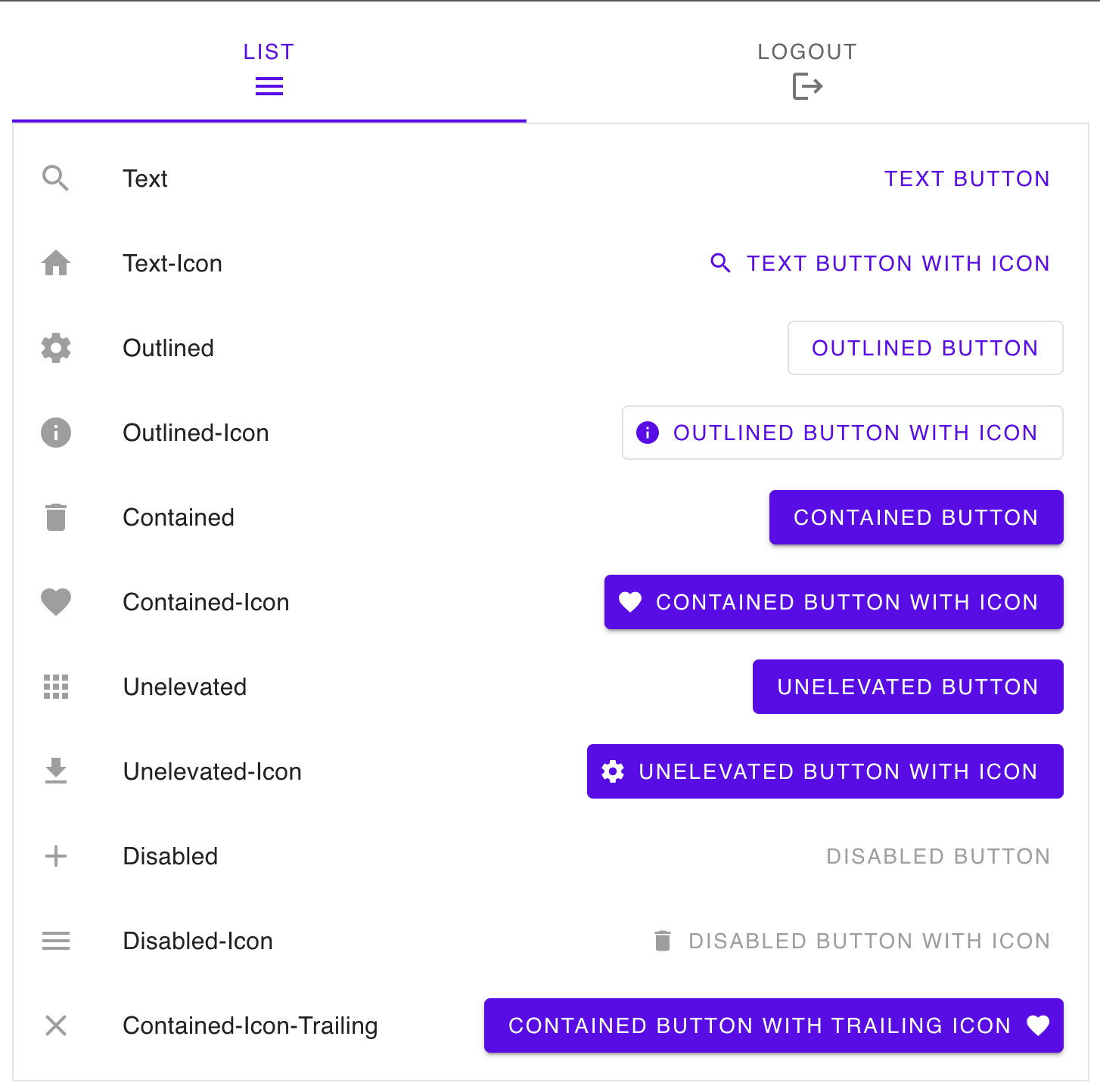
| material/ | haskell-halogen-material | Google Material Components bindings. |
| pixi/ | haskell-halogen-pixi | A PixiJS v8 canvas rendering backend. |
| examples/ | halogen-example-* | One runnable browser app per library. |
core is dependency-free with respect to the others; material and pixi each depend only on
core. Every package builds from the one cabal.project at the repository root, so a change to
core is type-checked against every dependent and every example in the same build.
The monad a component runs in
A component evaluates in the same monad the DOM is spoken in. Each backend is a newtype over IO —
BrowserDOM, MemDOM, and PixiDOM in haskell-halogen-pixi — so more than one can exist in a
single build and each can say, through associated type families, what its tree is made of.
An application with effects of its own stacks them on a backend and derives the classes through:
newtype AppM a = AppM (ReaderT Config BrowserDOM a)
  deriving newtype (Functor, Applicative, Monad, MonadIO, PrimMonad, MonadDOM, MonadAttributes, MonadBrowserDOM)
The class methods have lifted defaults, so a transformer instance is only as long as its associated
types plus mkEventListener. ReaderT and IdentityT come with the library; StateT and friends
are deliberately absent, because the DOM calls a listener back and mkEventListener has to run
the transformer rather than lift it — a state update made inside a callback has nowhere to go.
The interface is split by what a backend actually has. MonadDOM is the mutable tree and its
listeners, and is all the reconciler uses. MonadAttributes adds named attributes and properties,
which only an HTML backend has. MonadBrowserDOM adds document splicing and the window globals,
and carries the equalities back to the concrete Node and Element as superclasses.
Building
The library itself compiles under any GHC from 9.6 to 9.14; CI builds against 9.14.1, the version the GitHub runner image ships. The browser targets need a cross-compiler.
npm install                  # once, for the webpack/sass/material toolchain
npm run build-native         # every package, host GHC
npm run test                 # test suites across native, JavaScript and wasm
WebAssembly
The default browser and deployment target. It requires the
ghc-wasm-meta toolchain to be bootstrapped
first — the build scripts source ~/.ghc-wasm/env and will fail without it:
git clone https://gitlab.haskell.org/haskell-wasm/ghc-wasm-meta.git
cd ghc-wasm-meta && FLAVOUR=9.14 ./setup.sh
That installs wasm32-wasi-ghc and friends under ~/.ghc-wasm. The exact GHC version this
repository builds against is pinned in cabal-wasm.project, and .github/workflows/build.yml
pins the ghc-wasm-meta revision CI bootstraps from — keep the two in step when bumping either.
With that in place, build and serve any example by name:
npm run serve-wasm -- pixi        # or: vanilla, material
npm run build-wasm-all            # every example plus the index page
serve-wasm opens http://127.0.0.1:8080 automatically. Set PORT to choose another port, or
NO_OPEN=1 to suppress opening the browser (for example in CI).
For browser hot reload of the material example, install
ghciwatch and run npm run dev-wasm. This
starts wasm browser GHCi, opens its Material-enabled page, and reruns main after Haskell source
changes.
JavaScript backend
Needs a javascript-unknown-ghcjs-ghc cross-compiler; the easiest way to get one is the ghcup
precompiled binaries described here.
npm run serve-ghcjs -- vanilla    # cabal build + http-server
npm run build-js                  # material example, bundled into dist/ via webpack
Build artifacts are kept in dist-newstyle/native, dist-newstyle/javascript,
dist-newstyle/wasm and dist-newstyle/wasm-dev respectively.
Adding an example
Create examples/<name>/ with a halogen-example-<name>.cabal (executable named
halogen-example-<name>), a Main.hs, and a web/ directory holding index.html and an
index.js that fetches ./app.wasm. The examples/* glob in cabal.project picks the package up,
and toolchain/build-wasm-all.sh picks up the directory — nothing else needs editing. If the
example needs bundling, add a webpack.config.js beside it and the build script will run it,
passing the output directory in WASM_PUBLIC_DIR.
Canvas rendering
Halogen.Canvas (in core) is a component that owns a canvas DOM node and delegates to a
Renderer record, which a backend implements by supplying mount, update and destroy.
A scene is described in Halogen.Canvas.Elements and Halogen.Canvas.Properties (both in core),
which read like Halogen.HTML.Elements and Halogen.HTML.Properties: group, line, rectangle,
circle, ellipse, arc, the Bézier curves, path, text and sprite, each taking a list of
props, with a _ variant for the styling-free case. path takes the same commands as an <svg>
d attribute, from Halogen.Svg.Attributes, so one drawing serves both. Props carry the transform, the cursor, the hit area and
pointer handlers — onClick, onPointerDown, onPointerUp, onPointerOver, onPointerOut and
onPointerMove. outline frames an element with a border the backend measures, which is the only
way to get one that is right: nothing writing a scene can know a label's extent, or a sprite's
before its texture has loaded. It is measured against the same bounds the backend hit-tests, so it
also shows exactly what is clickable. Higher-level drawings such as grids are ordinary Haskell composition rather than
renderer primitives. Handler actions are raised as typed component outputs; camera changes are
reported separately.
The vocabulary the scene is written in (Halogen.Canvas.Types) is backend-neutral, and a scene is an
ordinary VDom, so it reconciles through Halogen.VDom.DOM.buildVDom — the same machinery that
reconciles HTML. haskell-halogen-pixi supplies a PixiJS v8 interpretation of it: a MonadDOM
instance whose nodes are Pixi display objects, plus a prop applicator that paints them.
Give stable scene items keys with keyedGroup or withKeys. Subsequent View inputs reconcile
those keys, retain their display objects and listeners, and only repaint what changed; removed keys
are destroyed. Unkeyed siblings are matched by position, so explicit keys are only needed when
identity must survive insertion, removal or reordering. Camera transforms operate directly on the
retained scene. Pan changes are reported when the gesture ends, while wheel changes are coalesced
until the wheel burst has been idle for 120 ms.
Each mounted canvas owns its own Pixi Application, renderer, stage, event system and GPU canvas
context. Browsers cache evaluation of the dynamically imported Pixi module by URL, so multiple
canvases reuse the same module and Pixi asset cache rather than downloading and evaluating Pixi
repeatedly.
The default renderer loads its pinned PixiJS module from jsDelivr when mounted, so applications need
no Pixi JavaScript shim or global — but the example does need network access when opened. Use
componentWith (Config { moduleUrl = ... }) to load a self-hosted or bundled PixiJS v8 module
instead.
Releases
One repository, one tag namespace: releases are tagged with a package prefix, such as core-v0.10.0
or material-v0.2.0. Each package keeps its own CHANGELOG.md and uploads to Hackage separately.
Contributors

173 commits
Similar repos


Languages
Haskell
93.2%
JavaScript
5.1%
Shell
1.7%
README
haskell-halogen
A port of purescript-halogen to GHC Haskell, plus the component and rendering libraries built on top of it.
The examples are deployed here.
Packages
| Directory | Package | What it is |
|---|---|---|
| core/ | haskell-halogen-core | The Halogen port itself: components, VDom, events, SVG, layouts. |
| material/ | haskell-halogen-material | Google Material Components bindings. |
| pixi/ | haskell-halogen-pixi | A PixiJS v8 canvas rendering backend. |
| examples/ | halogen-example-* | One runnable browser app per library. |
core is dependency-free with respect to the others; material and pixi each depend only on
core. Every package builds from the one cabal.project at the repository root, so a change to
core is type-checked against every dependent and every example in the same build.
The monad a component runs in
A component evaluates in the same monad the DOM is spoken in. Each backend is a newtype over IO —
BrowserDOM, MemDOM, and PixiDOM in haskell-halogen-pixi — so more than one can exist in a
single build and each can say, through associated type families, what its tree is made of.
An application with effects of its own stacks them on a backend and derives the classes through:
newtype AppM a = AppM (ReaderT Config BrowserDOM a)
  deriving newtype (Functor, Applicative, Monad, MonadIO, PrimMonad, MonadDOM, MonadAttributes, MonadBrowserDOM)
The class methods have lifted defaults, so a transformer instance is only as long as its associated
types plus mkEventListener. ReaderT and IdentityT come with the library; StateT and friends
are deliberately absent, because the DOM calls a listener back and mkEventListener has to run
the transformer rather than lift it — a state update made inside a callback has nowhere to go.
The interface is split by what a backend actually has. MonadDOM is the mutable tree and its
listeners, and is all the reconciler uses. MonadAttributes adds named attributes and properties,
which only an HTML backend has. MonadBrowserDOM adds document splicing and the window globals,
and carries the equalities back to the concrete Node and Element as superclasses.
Building
The library itself compiles under any GHC from 9.6 to 9.14; CI builds against 9.14.1, the version the GitHub runner image ships. The browser targets need a cross-compiler.
npm install                  # once, for the webpack/sass/material toolchain
npm run build-native         # every package, host GHC
npm run test                 # test suites across native, JavaScript and wasm
WebAssembly
The default browser and deployment target. It requires the
ghc-wasm-meta toolchain to be bootstrapped
first — the build scripts source ~/.ghc-wasm/env and will fail without it:
git clone https://gitlab.haskell.org/haskell-wasm/ghc-wasm-meta.git
cd ghc-wasm-meta && FLAVOUR=9.14 ./setup.sh
That installs wasm32-wasi-ghc and friends under ~/.ghc-wasm. The exact GHC version this
repository builds against is pinned in cabal-wasm.project, and .github/workflows/build.yml
pins the ghc-wasm-meta revision CI bootstraps from — keep the two in step when bumping either.
With that in place, build and serve any example by name:
npm run serve-wasm -- pixi        # or: vanilla, material
npm run build-wasm-all            # every example plus the index page
serve-wasm opens http://127.0.0.1:8080 automatically. Set PORT to choose another port, or
NO_OPEN=1 to suppress opening the browser (for example in CI).
For browser hot reload of the material example, install
ghciwatch and run npm run dev-wasm. This
starts wasm browser GHCi, opens its Material-enabled page, and reruns main after Haskell source
changes.
JavaScript backend
Needs a javascript-unknown-ghcjs-ghc cross-compiler; the easiest way to get one is the ghcup
precompiled binaries described here.
npm run serve-ghcjs -- vanilla    # cabal build + http-server
npm run build-js                  # material example, bundled into dist/ via webpack
Build artifacts are kept in dist-newstyle/native, dist-newstyle/javascript,
dist-newstyle/wasm and dist-newstyle/wasm-dev respectively.
Adding an example
Create examples/<name>/ with a halogen-example-<name>.cabal (executable named
halogen-example-<name>), a Main.hs, and a web/ directory holding index.html and an
index.js that fetches ./app.wasm. The examples/* glob in cabal.project picks the package up,
and toolchain/build-wasm-all.sh picks up the directory — nothing else needs editing. If the
example needs bundling, add a webpack.config.js beside it and the build script will run it,
passing the output directory in WASM_PUBLIC_DIR.
Canvas rendering
Halogen.Canvas (in core) is a component that owns a canvas DOM node and delegates to a
Renderer record, which a backend implements by supplying mount, update and destroy.
A scene is described in Halogen.Canvas.Elements and Halogen.Canvas.Properties (both in core),
which read like Halogen.HTML.Elements and Halogen.HTML.Properties: group, line, rectangle,
circle, ellipse, arc, the Bézier curves, path, text and sprite, each taking a list of
props, with a _ variant for the styling-free case. path takes the same commands as an <svg>
d attribute, from Halogen.Svg.Attributes, so one drawing serves both. Props carry the transform, the cursor, the hit area and
pointer handlers — onClick, onPointerDown, onPointerUp, onPointerOver, onPointerOut and
onPointerMove. outline frames an element with a border the backend measures, which is the only
way to get one that is right: nothing writing a scene can know a label's extent, or a sprite's
before its texture has loaded. It is measured against the same bounds the backend hit-tests, so it
also shows exactly what is clickable. Higher-level drawings such as grids are ordinary Haskell composition rather than
renderer primitives. Handler actions are raised as typed component outputs; camera changes are
reported separately.
The vocabulary the scene is written in (Halogen.Canvas.Types) is backend-neutral, and a scene is an
ordinary VDom, so it reconciles through Halogen.VDom.DOM.buildVDom — the same machinery that
reconciles HTML. haskell-halogen-pixi supplies a PixiJS v8 interpretation of it: a MonadDOM
instance whose nodes are Pixi display objects, plus a prop applicator that paints them.
Give stable scene items keys with keyedGroup or withKeys. Subsequent View inputs reconcile
those keys, retain their display objects and listeners, and only repaint what changed; removed keys
are destroyed. Unkeyed siblings are matched by position, so explicit keys are only needed when
identity must survive insertion, removal or reordering. Camera transforms operate directly on the
retained scene. Pan changes are reported when the gesture ends, while wheel changes are coalesced
until the wheel burst has been idle for 120 ms.
Each mounted canvas owns its own Pixi Application, renderer, stage, event system and GPU canvas
context. Browsers cache evaluation of the dynamically imported Pixi module by URL, so multiple
canvases reuse the same module and Pixi asset cache rather than downloading and evaluating Pixi
repeatedly.
The default renderer loads its pinned PixiJS module from jsDelivr when mounted, so applications need
no Pixi JavaScript shim or global — but the example does need network access when opened. Use
componentWith (Config { moduleUrl = ... }) to load a self-hosted or bundled PixiJS v8 module
instead.
Releases
One repository, one tag namespace: releases are tagged with a package prefix, such as core-v0.10.0
or material-v0.2.0. Each package keeps its own CHANGELOG.md and uploads to Hackage separately.
Similar repos
Contributors
173 commits
Languages
Haskell
93.2%
JavaScript
5.1%
Shell
1.7%