Script SVGs with PowerShell
See the code
PowerShell tools for SVG.
PSSVG helps you create Scalable Vector Graphics using PowerShell.
There is a command for every tag of the SVG standard (and then some).
For example, this script generates the image below it.
svg (
    svg.text -X 50% -Y 50% -Fontsize 36 "Hello World" -DominantBaseline middle -TextAnchor middle -Fill '#4488ff'
) -ViewBox 0,0, 200, 100

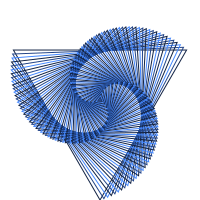
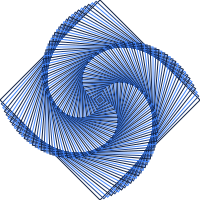
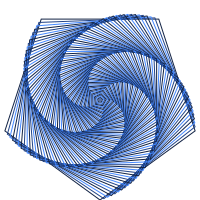
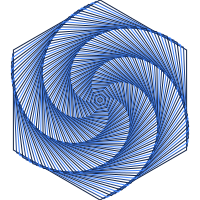
PSSVG has a lot cooler Examples than hello world:
PSSVG is designed to act as a fairly complete domain specific language: every aspect of the SVG standard should be reflected in the commands of PSSVG.
The following commands are supported:
| Element | Function | Aliases |
|---|---|---|
| a | SVG.a | =<svg.a> |
| animate | SVG.animate | =<svg.animate> |
| animateMotion | SVG.animateMotion | =<svg.animateMotion> |
| animateTransform | SVG.animateTransform | =<svg.animateTransform> |
| ANSI | SVG.ANSI | =<svg.ANSI> |
| ArcPath | SVG.ArcPath | =<SVG.ArcedPath> =<svg.ArcPath> SVG.ArcedPath |
| circle | SVG.circle | =<svg.circle> |
| clipPath | SVG.clipPath | =<svg.clipPath> |
| ConvexPolygon | SVG.ConvexPolygon | =<svg.ConvexPolygon> SVG.Decagon SVG.Dodecagon SVG.Enneadecagon SVG.Hendecagon SVG.Heptadecagon SVG.Heptagon SVG.Hexadecagon SVG.Hexagon SVG.Icosagon SVG.Icosikaidigon SVG.Icosikaienneagon SVG.Icosikaihenagon SVG.Icosikaiheptagon SVG.Icosikaihexagon SVG.Icosikaioctagon SVG.Icosikaipentagon SVG.Icositetragon SVG.Icositrigon SVG.Nonagon SVG.Octadecagon SVG.Octagon SVG.Pentadecagon SVG.Pentagon SVG.Tetradecagon SVG.Triacontagon SVG.Tridecagon |
| CurvePath | SVG.CurvePath | =<SVG.CurvedPath> =<svg.CurvePath> SVG.CurvedPath |
| defs | SVG.defs | =<svg.defs> |
| desc | SVG.desc | =<svg.desc> |
| discard | SVG.discard | =<svg.discard> |
| DropShadow | SVG.DropShadow | =<svg.DropShadow> |
| ellipse | SVG.ellipse | =<svg.ellipse> |
| feBlend | SVG.feBlend | =<svg.feBlend> |
| feColorMatrix | SVG.feColorMatrix | =<svg.feColorMatrix> |
| feComponentTransfer | SVG.feComponentTransfer | =<svg.feComponentTransfer> |
| feComposite | SVG.feComposite | =<svg.feComposite> |
| feConvolveMatrix | SVG.feConvolveMatrix | =<svg.feConvolveMatrix> |
| feDiffuseLighting | SVG.feDiffuseLighting | =<svg.feDiffuseLighting> |
| feDisplacementMap | SVG.feDisplacementMap | =<svg.feDisplacementMap> |
| feDistantLight | SVG.feDistantLight | =<svg.feDistantLight> |
| feDropShadow | SVG.feDropShadow | =<svg.feDropShadow> |
| feFlood | SVG.feFlood | =<svg.feFlood> |
| feFuncA | SVG.feFuncA | =<svg.feFuncA> |
| feFuncB | SVG.feFuncB | =<svg.feFuncB> |
| feFuncG | SVG.feFuncG | =<svg.feFuncG> |
| feFuncR | SVG.feFuncR | =<svg.feFuncR> |
| feGaussianBlur | SVG.feGaussianBlur | =<svg.feGaussianBlur> |
| feImage | SVG.feImage | =<svg.feImage> |
| feMerge | SVG.feMerge | =<svg.feMerge> |
| feMergeNode | SVG.feMergeNode | =<svg.feMergeNode> |
| feMorphology | SVG.feMorphology | =<svg.feMorphology> |
| feOffset | SVG.feOffset | =<svg.feOffset> |
| fePointLight | SVG.fePointLight | =<svg.fePointLight> |
| feSpecularLighting | SVG.feSpecularLighting | =<svg.feSpecularLighting> |
| feSpotLight | SVG.feSpotLight | =<svg.feSpotLight> |
| feTile | SVG.feTile | =<svg.feTile> |
| feTurbulence | SVG.feTurbulence | =<svg.feTurbulence> |
| filter | SVG.filter | =<svg.filter> |
| foreignObject | SVG.foreignObject | =<svg.foreignObject> |
| g | SVG.g | =<svg.g> |
| GoogleFont | SVG.GoogleFont | =<svg.GoogleFont> |
| image | SVG.image | =<svg.image> |
| Kite | SVG.Kite | =<svg.Kite> SVG.Rhombuses |
| line | SVG.line | =<svg.line> |
| linearGradient | SVG.linearGradient | =<svg.linearGradient> |
| LinePath | SVG.LinePath | =<SVG.LinedPath> =<svg.LinePath> SVG.LinedPath |
| marker | SVG.marker | =<svg.marker> |
| mask | SVG.mask | =<svg.mask> |
| metadata | SVG.metadata | =<svg.metadata> |
| mpath | SVG.mpath | =<svg.mpath> |
| path | SVG.path | =<svg.path> |
| pattern | SVG.pattern | =<svg.pattern> |
| polygon | SVG.polygon | =<svg.polygon> |
| polyline | SVG.polyline | =<svg.polyline> |
| radialGradient | SVG.radialGradient | =<svg.radialGradient> |
| rect | SVG.rect | =<svg.rect> |
| Rhombus | SVG.Rhombus | =<svg.Rhombus> SVG.Rhombi |
| script | SVG.script | =<svg.script> |
| set | SVG.set | =<svg.set> |
| Spiral | SVG.Spiral | =<svg.Spiral> |
| Star | SVG.Star | =<svg.Star> |
| stop | SVG.stop | =<svg.stop> |
| style | SVG.style | =<svg.style> |
| StyleSheet | SVG.StyleSheet | =<svg.StyleSheet> |
| svg | SVG.svg | =<svg> svg |
| switch | SVG.switch | =<svg.switch> |
| symbol | SVG.symbol | =<svg.symbol> |
| text | SVG.text | =<svg.text> |
| textPath | SVG.textPath | =<svg.textPath> |
| title | SVG.title | =<svg.title> |
| Triangle | SVG.Triangle | =<svg.Triangle> |
| tspan | SVG.tspan | =<svg.tspan> |
| use | SVG.use | =<svg.use> |
| view | SVG.view | =<svg.view> |
(elements marked deprecated are not supported)
PSSVG hopes to be a useful toolkit for generating SVG images from PowerShell.
SVG has many benefits as an image file format, for example:
However, it is not a complete programming language.
Thus the primary goal is to make SVG creation scriptable.
At current, PSSVG does not support aria attributes. Events can be generically specified with the parameter -On.
In order to provide an ideal PowerShell experience with rich help,
PSSVG is currently built by reading the contents of the Mozilla Developer Network's content repository.
It uses two PowerShell modules to read the repository and create the commands:
Script SVGs with PowerShell
See the code
PowerShell tools for SVG.
PSSVG helps you create Scalable Vector Graphics using PowerShell.
There is a command for every tag of the SVG standard (and then some).
For example, this script generates the image below it.
svg (
    svg.text -X 50% -Y 50% -Fontsize 36 "Hello World" -DominantBaseline middle -TextAnchor middle -Fill '#4488ff'
) -ViewBox 0,0, 200, 100
PSSVG has a lot cooler Examples than hello world:
PSSVG is designed to act as a fairly complete domain specific language: every aspect of the SVG standard should be reflected in the commands of PSSVG.
The following commands are supported:
| Element | Function | Aliases |
|---|---|---|
| a | SVG.a | =<svg.a> |
| animate | SVG.animate | =<svg.animate> |
| animateMotion | SVG.animateMotion | =<svg.animateMotion> |
| animateTransform | SVG.animateTransform | =<svg.animateTransform> |
| ANSI | SVG.ANSI | =<svg.ANSI> |
| ArcPath | SVG.ArcPath | =<SVG.ArcedPath> =<svg.ArcPath> SVG.ArcedPath |
| circle | SVG.circle | =<svg.circle> |
| clipPath | SVG.clipPath | =<svg.clipPath> |
| ConvexPolygon | SVG.ConvexPolygon | =<svg.ConvexPolygon> SVG.Decagon SVG.Dodecagon SVG.Enneadecagon SVG.Hendecagon SVG.Heptadecagon SVG.Heptagon SVG.Hexadecagon SVG.Hexagon SVG.Icosagon SVG.Icosikaidigon SVG.Icosikaienneagon SVG.Icosikaihenagon SVG.Icosikaiheptagon SVG.Icosikaihexagon SVG.Icosikaioctagon SVG.Icosikaipentagon SVG.Icositetragon SVG.Icositrigon SVG.Nonagon SVG.Octadecagon SVG.Octagon SVG.Pentadecagon SVG.Pentagon SVG.Tetradecagon SVG.Triacontagon SVG.Tridecagon |
| CurvePath | SVG.CurvePath | =<SVG.CurvedPath> =<svg.CurvePath> SVG.CurvedPath |
| defs | SVG.defs | =<svg.defs> |
| desc | SVG.desc | =<svg.desc> |
| discard | SVG.discard | =<svg.discard> |
| DropShadow | SVG.DropShadow | =<svg.DropShadow> |
| ellipse | SVG.ellipse | =<svg.ellipse> |
| feBlend | SVG.feBlend | =<svg.feBlend> |
| feColorMatrix | SVG.feColorMatrix | =<svg.feColorMatrix> |
| feComponentTransfer | SVG.feComponentTransfer | =<svg.feComponentTransfer> |
| feComposite | SVG.feComposite | =<svg.feComposite> |
| feConvolveMatrix | SVG.feConvolveMatrix | =<svg.feConvolveMatrix> |
| feDiffuseLighting | SVG.feDiffuseLighting | =<svg.feDiffuseLighting> |
| feDisplacementMap | SVG.feDisplacementMap | =<svg.feDisplacementMap> |
| feDistantLight | SVG.feDistantLight | =<svg.feDistantLight> |
| feDropShadow | SVG.feDropShadow | =<svg.feDropShadow> |
| feFlood | SVG.feFlood | =<svg.feFlood> |
| feFuncA | SVG.feFuncA | =<svg.feFuncA> |
| feFuncB | SVG.feFuncB | =<svg.feFuncB> |
| feFuncG | SVG.feFuncG | =<svg.feFuncG> |
| feFuncR | SVG.feFuncR | =<svg.feFuncR> |
| feGaussianBlur | SVG.feGaussianBlur | =<svg.feGaussianBlur> |
| feImage | SVG.feImage | =<svg.feImage> |
| feMerge | SVG.feMerge | =<svg.feMerge> |
| feMergeNode | SVG.feMergeNode | =<svg.feMergeNode> |
| feMorphology | SVG.feMorphology | =<svg.feMorphology> |
| feOffset | SVG.feOffset | =<svg.feOffset> |
| fePointLight | SVG.fePointLight | =<svg.fePointLight> |
| feSpecularLighting | SVG.feSpecularLighting | =<svg.feSpecularLighting> |
| feSpotLight | SVG.feSpotLight | =<svg.feSpotLight> |
| feTile | SVG.feTile | =<svg.feTile> |
| feTurbulence | SVG.feTurbulence | =<svg.feTurbulence> |
| filter | SVG.filter | =<svg.filter> |
| foreignObject | SVG.foreignObject | =<svg.foreignObject> |
| g | SVG.g | =<svg.g> |
| GoogleFont | SVG.GoogleFont | =<svg.GoogleFont> |
| image | SVG.image | =<svg.image> |
| Kite | SVG.Kite | =<svg.Kite> SVG.Rhombuses |
| line | SVG.line | =<svg.line> |
| linearGradient | SVG.linearGradient | =<svg.linearGradient> |
| LinePath | SVG.LinePath | =<SVG.LinedPath> =<svg.LinePath> SVG.LinedPath |
| marker | SVG.marker | =<svg.marker> |
| mask | SVG.mask | =<svg.mask> |
| metadata | SVG.metadata | =<svg.metadata> |
| mpath | SVG.mpath | =<svg.mpath> |
| path | SVG.path | =<svg.path> |
| pattern | SVG.pattern | =<svg.pattern> |
| polygon | SVG.polygon | =<svg.polygon> |
| polyline | SVG.polyline | =<svg.polyline> |
| radialGradient | SVG.radialGradient | =<svg.radialGradient> |
| rect | SVG.rect | =<svg.rect> |
| Rhombus | SVG.Rhombus | =<svg.Rhombus> SVG.Rhombi |
| script | SVG.script | =<svg.script> |
| set | SVG.set | =<svg.set> |
| Spiral | SVG.Spiral | =<svg.Spiral> |
| Star | SVG.Star | =<svg.Star> |
| stop | SVG.stop | =<svg.stop> |
| style | SVG.style | =<svg.style> |
| StyleSheet | SVG.StyleSheet | =<svg.StyleSheet> |
| svg | SVG.svg | =<svg> svg |
| switch | SVG.switch | =<svg.switch> |
| symbol | SVG.symbol | =<svg.symbol> |
| text | SVG.text | =<svg.text> |
| textPath | SVG.textPath | =<svg.textPath> |
| title | SVG.title | =<svg.title> |
| Triangle | SVG.Triangle | =<svg.Triangle> |
| tspan | SVG.tspan | =<svg.tspan> |
| use | SVG.use | =<svg.use> |
| view | SVG.view | =<svg.view> |
(elements marked deprecated are not supported)
PSSVG hopes to be a useful toolkit for generating SVG images from PowerShell.
SVG has many benefits as an image file format, for example:
However, it is not a complete programming language.
Thus the primary goal is to make SVG creation scriptable.
At current, PSSVG does not support aria attributes. Events can be generically specified with the parameter -On.
In order to provide an ideal PowerShell experience with rich help,
PSSVG is currently built by reading the contents of the Mozilla Developer Network's content repository.
It uses two PowerShell modules to read the repository and create the commands: