Crimson Glass — a black/red glass theme for KDE Plasma 6, with complete icons, Qt/Kvantum/GTK styles, widgets, and matching startup screens.
Python
5
7 commits
updated Oct 9, 2026
A black and ruby-red glass theme for KDE Plasma 6: translucent windows, smooth animations, a complete crimson icon pack, and a matching desktop, login, splash, and boot experience.
Browse the screenshot gallery — 14 desktop/component captures and previews, with captions.
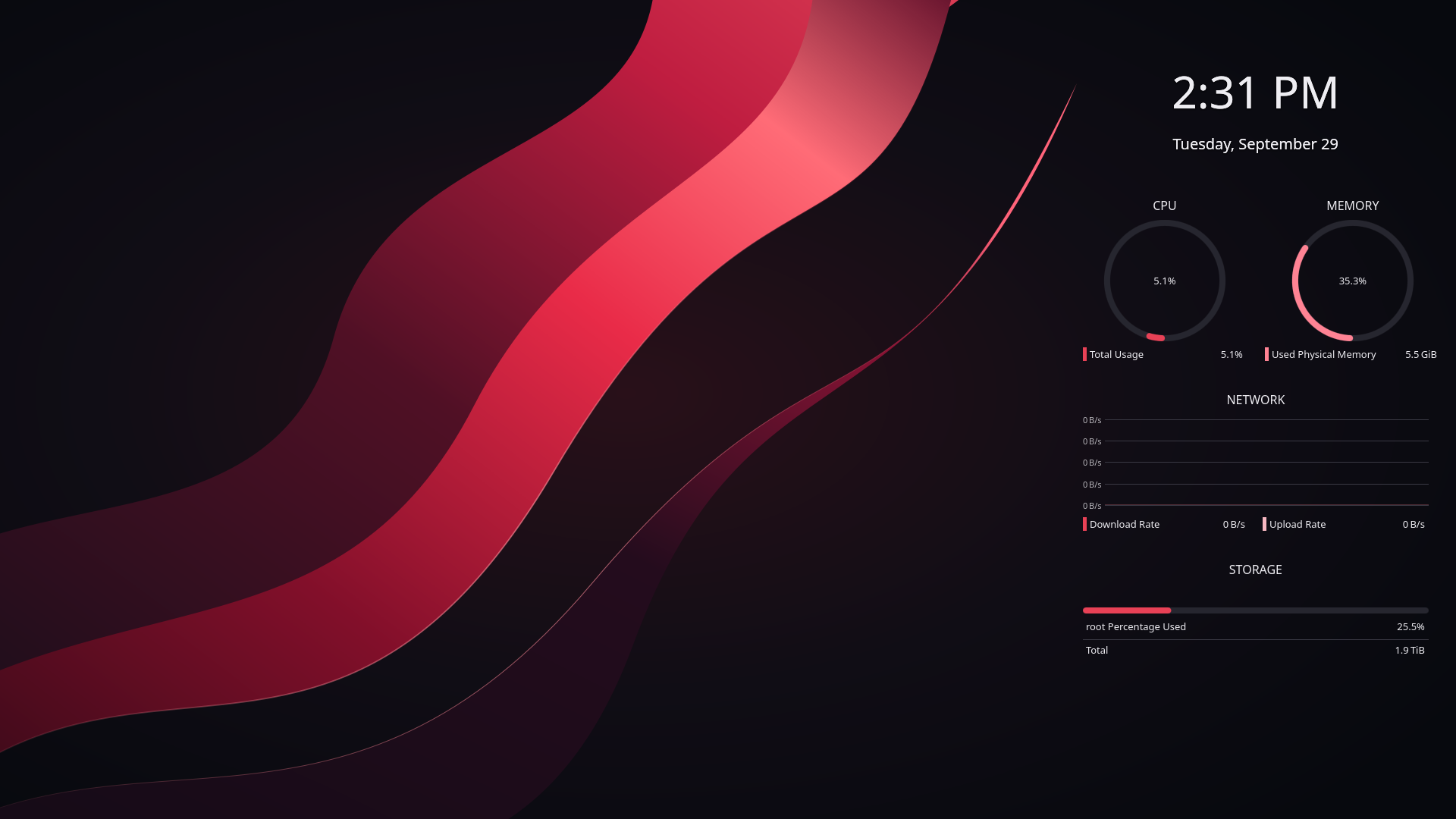
Desktop capture from the theme build. See the gallery for the corrected icon pack and component details.
Download the complete installer ZIP
The release ZIP contains all theme assets, source artwork, licenses, and installation files. Download Crimson-Glass-1.0.0.zip from the release assets. GitHub’s automatic Source code archives contain this repository’s reference code and documentation, without the theme asset bundle.
Extract the installer ZIP, open a terminal inside its Crimson-Glass-1.0.0 folder, and run as your normal desktop user:
sh ./install.sh --all
The installer downloads native prerequisites from your distro’s enabled repositories, backs up existing theme files and preferences, and applies the desktop plus the optional SDDM login and Plymouth boot themes. Log out and back in afterward. Login and boot changes take effect on the next login/boot.
For the desktop alone:
sh ./install.sh
To retain your existing panels and widgets:
sh ./install.sh --no-layout
To check the plan before making changes:
sh ./install.sh --all --dry-run
The package removes private paths, account images, hardware identifiers, and device-specific settings. It preserves existing mouse/touchpad preferences and monitor arrangement. The normal layout option replaces panels and primary-screen widgets; use --no-layout to keep them.
An existing KDE Plasma 6 desktop and Python 3.10+ are required. Allow approximately 2 GB free space for a fresh install, and more when backing up existing theme assets.
The visual source is CachyOS with Plasma 6.7.5, Qt 6.11.2, and Kvantum 1.1.8. Dependency recipes cover Arch/CachyOS derivatives, Debian 13/Ubuntu releases with Plasma 6, and Fedora KDE. They check enabled repositories before changing desktop settings. Live installations on those other distributions remain untested. Plasma 5, GNOME, and immutable image-based systems are outside automatic installation support.
--all requires SDDM and supported initramfs tooling. The installer does not switch display managers or reboot. Plymouth needs splash in the active kernel command line; the installer reports when it is missing. Follow your distro’s existing bootloader procedure while retaining existing arguments. Complex or UKI-only boot configurations may require manual integration. See the full guide.
Qt Quick/Kirigami follows the Plasma palette; Kvantum styles Qt Widgets. Global menus require applications that export a menu. Libadwaita, Electron, Flatpak, and Snap applications can retain or isolate their own styles. Blur requires working KWin compositing and graphics drivers.
From the extracted release folder:
sh ./restore.sh
To also restore the startup themes linked to that installation:
sh ./restore.sh --restore-system
Backups live under ~/.local/state/crimson-glass/backups/ (respecting XDG_STATE_HOME); the installer prints the exact path. System startup snapshots live under /var/lib/crimson-glass/startup-backups/. Restoration keeps distro packages and regenerates current initramfs images rather than copying old kernel/boot images. Keep your local backups private.
Download the release’s ZIP and .sha256 file into the same directory, then run:
sha256sum -c Crimson-Glass-1.0.0.zip.sha256
The installer also verifies the package’s internal file manifest. Checksums detect corruption; they are not a publisher signature.
Fresh installation, reinstallation, and restoration passed in an isolated home, including all 145,098 icon links, preserved file permissions, and unrelated preferences. Additional tests cover hostile archives and links, startup recovery, multiple screen sizes, launcher registration, and sensor discovery. See VALIDATION.txt for the test scope.
This repository provides the installer reference code, dependency recipes, documentation, and notices. The complete editable theme assets and cursor/boot artwork rebuild sources are included in the release ZIP, including its assets.tar.xz bundle. Source rebuild tools can require Pillow; normal installation uses Python’s standard library.
Crimson Glass combines original artwork with work from Papirus, Tela, KDE Breeze, WhiteSur KDE/GTK, Qogir, and Andromeda Launcher. Each component retains its own license. The portable installer is MIT; the package as a whole has multiple licenses. See CREDITS.txt and licenses/. Public application names and logos remain their owners’ trademarks.
Please include your distribution, Plasma version, installation options, and a redacted error message when reporting an issue. Do not upload personal backups, credentials, account screenshots, or private system configuration.
Crimson Glass — a black/red glass theme for KDE Plasma 6, with complete icons, Qt/Kvantum/GTK styles, widgets, and matching startup screens.
Python
5
7 commits
updated Oct 9, 2026
A black and ruby-red glass theme for KDE Plasma 6: translucent windows, smooth animations, a complete crimson icon pack, and a matching desktop, login, splash, and boot experience.
Browse the screenshot gallery — 14 desktop/component captures and previews, with captions.
Desktop capture from the theme build. See the gallery for the corrected icon pack and component details.
Download the complete installer ZIP
The release ZIP contains all theme assets, source artwork, licenses, and installation files. Download Crimson-Glass-1.0.0.zip from the release assets. GitHub’s automatic Source code archives contain this repository’s reference code and documentation, without the theme asset bundle.
Extract the installer ZIP, open a terminal inside its Crimson-Glass-1.0.0 folder, and run as your normal desktop user:
sh ./install.sh --all
The installer downloads native prerequisites from your distro’s enabled repositories, backs up existing theme files and preferences, and applies the desktop plus the optional SDDM login and Plymouth boot themes. Log out and back in afterward. Login and boot changes take effect on the next login/boot.
For the desktop alone:
sh ./install.sh
To retain your existing panels and widgets:
sh ./install.sh --no-layout
To check the plan before making changes:
sh ./install.sh --all --dry-run
The package removes private paths, account images, hardware identifiers, and device-specific settings. It preserves existing mouse/touchpad preferences and monitor arrangement. The normal layout option replaces panels and primary-screen widgets; use --no-layout to keep them.
An existing KDE Plasma 6 desktop and Python 3.10+ are required. Allow approximately 2 GB free space for a fresh install, and more when backing up existing theme assets.
The visual source is CachyOS with Plasma 6.7.5, Qt 6.11.2, and Kvantum 1.1.8. Dependency recipes cover Arch/CachyOS derivatives, Debian 13/Ubuntu releases with Plasma 6, and Fedora KDE. They check enabled repositories before changing desktop settings. Live installations on those other distributions remain untested. Plasma 5, GNOME, and immutable image-based systems are outside automatic installation support.
--all requires SDDM and supported initramfs tooling. The installer does not switch display managers or reboot. Plymouth needs splash in the active kernel command line; the installer reports when it is missing. Follow your distro’s existing bootloader procedure while retaining existing arguments. Complex or UKI-only boot configurations may require manual integration. See the full guide.
Qt Quick/Kirigami follows the Plasma palette; Kvantum styles Qt Widgets. Global menus require applications that export a menu. Libadwaita, Electron, Flatpak, and Snap applications can retain or isolate their own styles. Blur requires working KWin compositing and graphics drivers.
From the extracted release folder:
sh ./restore.sh
To also restore the startup themes linked to that installation:
sh ./restore.sh --restore-system
Backups live under ~/.local/state/crimson-glass/backups/ (respecting XDG_STATE_HOME); the installer prints the exact path. System startup snapshots live under /var/lib/crimson-glass/startup-backups/. Restoration keeps distro packages and regenerates current initramfs images rather than copying old kernel/boot images. Keep your local backups private.
Download the release’s ZIP and .sha256 file into the same directory, then run:
sha256sum -c Crimson-Glass-1.0.0.zip.sha256
The installer also verifies the package’s internal file manifest. Checksums detect corruption; they are not a publisher signature.
Fresh installation, reinstallation, and restoration passed in an isolated home, including all 145,098 icon links, preserved file permissions, and unrelated preferences. Additional tests cover hostile archives and links, startup recovery, multiple screen sizes, launcher registration, and sensor discovery. See VALIDATION.txt for the test scope.
This repository provides the installer reference code, dependency recipes, documentation, and notices. The complete editable theme assets and cursor/boot artwork rebuild sources are included in the release ZIP, including its assets.tar.xz bundle. Source rebuild tools can require Pillow; normal installation uses Python’s standard library.
Crimson Glass combines original artwork with work from Papirus, Tela, KDE Breeze, WhiteSur KDE/GTK, Qogir, and Andromeda Launcher. Each component retains its own license. The portable installer is MIT; the package as a whole has multiple licenses. See CREDITS.txt and licenses/. Public application names and logos remain their owners’ trademarks.
Please include your distribution, Plasma version, installation options, and a redacted error message when reporting an issue. Do not upload personal backups, credentials, account screenshots, or private system configuration.



