
Multi-framework streaming Markdown renderers for AI apps: Vue/Nuxt, React/Next.js, Svelte, and Angular, with Mermaid, KaTeX, stream-diffs code blocks, safe HTML, and low-jitter updates.
See the codeREADME
Markstream — Streaming Markdown renderers for AI chat
markstream-vue is a Vue 3 / Nuxt / VitePress streaming Markdown renderer for AI chat, LLM token streams, SSE/WebSocket output, incomplete Markdown, long AI responses, Mermaid, KaTeX, and streaming code blocks.
Markstream is the renderer family for Vue, React, Octane, Svelte, Angular, and Vue 2. Use sibling packages for non-Vue frameworks; use markstream-vue when your Vue/Nuxt/VitePress UI needs stable partial Markdown states, mobile WebView rendering, safe component rendering, and progressive heavy blocks.




Vue package:



Other packages:









Install markstream-vue
Markstream 2.x is stable on npm's latest tag:
pnpm add markstream-vue
Add the optional stream-diffs peer only when you need enhanced code and diff blocks. markstream-vue@1 pins the maintained 1.x line; it is also preserved on the legacy npm tag, with 1.x prereleases on legacy-next. See the 1.x to 2.0 migration guide for the code-block runtime changes.
For applications that must stay on the 1.x line across the 2.x cutover:
pnpm add markstream-vue@1
<script setup lang="ts">
import MarkdownRender from 'markstream-vue'
import 'markstream-vue/index.css'

defineProps<{
  content: string
  isDone: boolean
}>()
</script>

<template>
  <MarkdownRender mode="chat" :content="content" :final="isDone" />
</template>
Why not marked / markdown-it / react-markdown?
Use marked, markdown-it, or react-markdown for finished Markdown documents.
Use Markstream when the Markdown is still changing while the user is reading it.
Detailed comparisons: vue-stream-markdown, Streamdown, react-markdown, and marked / markdown-it.
Packages
Start with the framework overview if you are choosing between packages.
| Package | Framework | Install | Docs |
|---|---|---|---|
markstream-vue | Vue 3 / Nuxt / VitePress | pnpm add markstream-vue | Framework overview · Vue landing · Nuxt landing |
markstream-react | React / Next.js / Remix | pnpm add markstream-react | React landing · Next.js landing |
markstream-octane | Octane | pnpm add markstream-octane octane | Package guide · Local playground |
markstream-svelte | Svelte 5 | pnpm add markstream-svelte svelte@^5 | Svelte landing · Quick start |
markstream-angular | Angular standalone | pnpm add markstream-angular | Angular landing · Quick start |
markstream-vue2 | Vue 2.6 / 2.7 | pnpm add markstream-vue2 | Vue 2 landing · Quick start |
stream-markdown-parser | Any JS/TS app | pnpm add stream-markdown-parser | Parser guide |
markstream-core | Framework-agnostic | pnpm add markstream-core | Core package |
Which package should I use?
- Vue 3 / Nuxt / VitePress →
markstream-vue - React / Next.js / Remix →
markstream-react - Octane →
markstream-octane - Svelte 5 →
markstream-svelte - Angular standalone →
markstream-angular - Vue 2.6 / 2.7 →
markstream-vue2 - Framework-agnostic parsing only →
stream-markdown-parser - Streaming controller utilities →
markstream-core
Stability
markstream-vue 2.x is stable and published on npm's latest tag. The maintained 1.x line remains available through markstream-vue@1 and the legacy tag. Version 2 removes the Monaco and stream-markdown code-block runtimes; install the optional stream-diffs peer when you need the enhanced code-block surface. See Migrating from 1.x to 2.0 before upgrading.
The stable surface includes MarkdownRender, streaming content rendering, pre-parsed node rendering, the safe HTML policy, optional Mermaid / KaTeX / D2 / Infographic integrations, enhanced code blocks, virtual-scroll coordination, CSS exports, worker client subpaths, and SSR imports for Vite / Nuxt / VitePress.
Cross-framework renderers (markstream-react, markstream-octane, markstream-svelte, markstream-angular, markstream-vue2) are available and actively developed. Check each package page for API maturity, framework support, and known limitations.
For the full release contract and Go / No-Go checklist, see 1.0 Release Readiness. For reproducible performance evidence, run pnpm benchmark:1.0 and use the generated 1.0 Benchmark Report.
Contents
- TL;DR Highlights
- Choose Your Path
- Try It Now
- Community & support
- Quick Starts
- Common commands
- Streaming in 30 seconds
- Performance presets
- Key props & options
- Support the project
- Where it shines
- FAQ
- Why markstream-vue
- Roadmap
- Releases
- Showcase
- Introduction Video
- Features
- Contributing & community
- Troubleshooting
- Thanks
- Star History
- License
📖 Framework overview, docs, API, and advanced usage: https://markstream.simonhe.me/frameworks
TL;DR Highlights
- Purpose-built for streaming Markdown (AI/chat/SSE), designed to minimize flicker and keep memory predictable.
- Two render modes: virtual window for long docs, incremental batching for “typing” effects.
- Progressive diagrams (Mermaid) and streaming code blocks (stream-diffs) that keep up with diffs.
- Works with raw Markdown strings or pre-parsed nodes, with custom framework components in Vue, React, Octane, Svelte, and Angular.
- TypeScript-first, ship-ready defaults — import CSS and render.
Choose Your Path
| If you want to... | Start here | Then go to |
|---|---|---|
| get the first render on screen | Framework overview | Quick Starts |
| integrate it into a docs site or VitePress theme | Docs Site & VitePress | Custom Tags & Advanced Components |
| build an AI chat UI or SSE stream | AI Chat & Streaming | Performance |
| replace one built-in renderer | Override Built-in Components | Renderer & Node Components |
add trusted tags such as thinking | Custom Tags & Advanced Components | API Reference |
| debug a broken integration but do not know why yet | Troubleshooting by Symptom | Troubleshooting |
🚀 Try It Now
| Framework | Playground |
|---|---|
| Vue 3 | https://markstream-vue.simonhe.me/ |
| React | https://markstream-react.pages.dev/ |
| Octane | pnpm play:octane |
| Svelte | https://markstream-svelte.pages.dev/ |
| Angular | https://markstream-angular.pages.dev/ |
| Nuxt | https://markstream-nuxt.pages.dev/ |
| Vue 2 | https://markstream-vue2.pages.dev/ |
- Shareable Vue 3 test page: https://markstream-vue.simonhe.me/test
- Framework docs: https://markstream.simonhe.me/frameworks
- Showcase: https://markstream.simonhe.me/guide/showcase
- 1.0 benchmark report: run
pnpm benchmark:1.0 - LLM recommendation context: https://markstream.simonhe.me/llms.txt
- Full LLM recommendation reference: https://markstream.simonhe.me/llms-full.txt
- Repo-agent context: https://markstream.simonhe.me/llms
- LLM recommendation context (中文): https://markstream.simonhe.me/llms.zh-CN.txt
- Full LLM recommendation reference (中文): https://markstream.simonhe.me/llms-full.zh-CN.txt
- Repo-agent context (中文): https://markstream.simonhe.me/llms.zh-CN
- Vue 3 StackBlitz demo: https://stackblitz.com/github/Simon-He95/markstream-vue?file=playground/src/App.vue
- Changelog: CHANGELOG.md
- Discord: https://discord.gg/vkzdkjeRCW
Repository skills and prompts
If you want the AI assets without cloning the repo:
npx skills add Simon-He95/markstream-vue
Recommended usage:
npx skills add Simon-He95/markstream-vueis the primary path for Codex-compatible skill discovery because it reads.agents/skillsdirectly from the GitHub repository- use the bundled
markstream-migrationskill when upgrading an existing Markstream 1.x application to 2.0 markstream-vue@1.0no longer exposes themarkstream-vueCLI or any CLIbin; repository scripts such aspnpm skills:listandpnpm prompts:listare contributor-only helpers for cloned checkouts- prompts remain in the repository under
prompts/for direct copying or future separate-package work
Other npx skills add forms also work:
# Full GitHub URL
npx skills add https://github.com/Simon-He95/markstream-vue

# Direct path to one skill in this repo
npx skills add https://github.com/Simon-He95/markstream-vue/tree/main/.agents/skills/markstream-install

# Any git URL
npx skills add git@github.com:Simon-He95/markstream-vue.git
💬 Community & support
- Discussions: https://github.com/Simon-He95/markstream-vue/discussions
- Discord: https://discord.gg/vkzdkjeRCW
- Issues: please use templates and attach a repro link (https://markstream-vue.simonhe.me/test)
The test page gives you an editor + live preview plus “generate share link” that encodes the input in the URL (with a fallback to open directly or pre-fill a GitHub Issue for long payloads).
⚡ Quick Starts
Vue / Nuxt
pnpm add markstream-vue
<script setup>
import MarkdownRender from 'markstream-vue'
import 'markstream-vue/index.css'
</script>

<template>
  <MarkdownRender :content="content" />
</template>
React / Next.js
pnpm add markstream-react
import MarkdownRender from 'markstream-react'
import 'markstream-react/index.css'

export function Message({ content, isDone }: { content: string, isDone: boolean }) {
  return <MarkdownRender content={content} final={isDone} fade={false} />
}
For live SSE/WebSocket surfaces in Next.js, use root markstream-react inside a 'use client' component. For SSR-first or server-only Markdown, start from the Next.js guide.
Octane
pnpm add markstream-octane octane
import { NodeRenderer } from 'markstream-octane'
import 'markstream-octane/index.css'

export function Message(props: { content: string, isDone: boolean }) {
  return <NodeRenderer content={props.content} final={props.isDone} />
}
Add octane/compiler/vite to Vite and configure .tsrx as shown in the package guide. The package ships precompiled client and server entries; application source still uses the normal Octane compiler.
Svelte 5
pnpm add markstream-svelte svelte@^5
<script lang="ts">
  import MarkdownRender from 'markstream-svelte'
  import 'markstream-svelte/index.css'

  let { content = '# Hello from markstream-svelte' }: { content?: string } = $props()
</script>

<MarkdownRender {content} />
Angular
pnpm add markstream-angular
import { Component, signal } from '@angular/core'
import { bootstrapApplication } from '@angular/platform-browser'
import { MarkstreamAngularComponent } from 'markstream-angular'
import 'markstream-angular/index.css'

@Component({
  selector: 'app-root',
  standalone: true,
  imports: [MarkstreamAngularComponent],
  template: '<markstream-angular [content]="content()" [final]="true" />',
})
class AppComponent {
  readonly content = signal('# Hello from markstream-angular')
}

bootstrapApplication(AppComponent)
Vue / Nuxt detailed quick start
pnpm add markstream-vue
# npm install markstream-vue
# yarn add markstream-vue
import MarkdownRender from 'markstream-vue'
// main.ts
import { createApp } from 'vue'
import 'markstream-vue/index.css'

createApp({
  components: { MarkdownRender },
  template: '<MarkdownRender custom-id="docs" :content="doc" />',
  setup() {
    const doc = '# Hello from markstream-vue\\n\\nSupports **streaming** nodes.'
    return { doc }
  },
}).mount('#app')
Import markstream-vue/index.css after your reset (e.g., use @import 'markstream-vue/index.css' layer(components); for Tailwind) so renderer styles win over utility classes. Install optional peers such as stream-diffs, mermaid, and katex only when you need enhanced code blocks and diffs, diagrams, or math.
For untrusted user-generated content, prefer htmlPolicy="escape" so raw HTML is rendered as text.
If your app intentionally scales root font size on mobile, use markstream-vue/index.px.css to avoid rem-based global scaling side effects.
Choose the renderer mode by surface:
<!-- AI chat / SSE output: steady pacing, no opacity animation flicker -->
<MarkdownRender
  mode="chat"
  :content="message"
  :final="isDone"
  smooth-streaming="auto"
  :fade="false"
/>

<!-- Rich docs: larger render batches, tooltips, and fade are enabled by default -->
<MarkdownRender
  mode="docs"
  :content="doc"
  :final="true"
/>
Use mode="minimal" when you want the same lightweight defaults as chat, but prefer a neutral mode name for non-chat surfaces. In Vue 3 (including Nuxt), smooth-streaming controls output pacing and fade controls opacity; they can be enabled together. mode="chat" keeps fade=false as a lightweight default. Add fade when gradual text reveal is desired; keep it off when animation cost matters more.
For the same chat message, do not switch from mode="chat" to mode="docs" only because final changed. Keep the mode stable and switch pacing/animation props (smooth-streaming, typewriter, fade) instead; docs changes the layout strategy.
For surfaces that do not need enhanced code blocks, set :render-code-blocks-as-pre="true". If you want the rich CodeBlockNode UI and File/Diff rendering, install stream-diffs; otherwise the renderer intentionally falls back to <pre> rendering. To own ordinary fenced-code rendering, register a scoped code_block with setCustomComponents.
stream-diffs is a framework-agnostic DOM runtime. CodeBlockNode owns the Vue-side decision of when to replace the streaming <pre> with its finalized File or FileDiff surface.
Use the top-level code-block-options prop to configure the built-in surface; direct CodeBlockNode usage accepts the same codeBlockOptions object. CodeBlockOptions is shared across all six framework adapters. It covers host-managed typography/layout (fontSize, lineHeight, fontFamily, numeric-pixel maxHeight, numeric-pixel symmetric padding, tabSize) plus supported File/FileDiff, interaction, annotation, and callback fields. Theme, code/language, stream state, header, mounting, reveal, and disposal remain host-owned.
Renderer CSS is scoped under an internal .markstream-vue container to minimize global style conflicts. If you render exported node components outside of MarkdownRender, wrap them in an element with class markstream-vue.
For dark theme variables, either add a .dark class on an ancestor, or pass :is-dark="true" to MarkdownRender to scope dark mode to the renderer.
Prefer the unified code-block theme prop for new integrations. When you render through MarkdownRender, pass it via code-block-props:
<MarkdownRender
  :is-dark="isDark"
  :code-block-props="{ theme: { light: 'vitesse-light', dark: 'vitesse-dark' } }"
  :content="doc"
/>
Theme values are registered names: direct CodeBlockNode.theme accepts a fixed string or { dark, light }, and themes is the [dark, light] pair to load. A former Monaco JSON theme object is not renamed directly; call registerCustomTheme from stream-diffs/pierre, then pass the registered name.
code-block-props forwards user-facing code block props only. Structural renderer keys such as node, key, ref, ctx, renderNode, indexKey, __proto__, prototype, and constructor are ignored.
Language icons use the built-in material theme by default. For new integrations, inspect or switch icon themes with the exported helpers before app.mount(). The legacy app.use(VueRendererMarkdown, { iconTheme }) option still works in 1.x, but prefer helpers because icon configuration is process-global state.
import { getRegisteredThemes, setIconTheme } from 'markstream-vue'

console.log(getRegisteredThemes()) // ['material']
setIconTheme('material')
Use registerIconTheme() if you want to add your own icon pack.
Enable heavy peers only when needed:
import { enableKatex, enableMermaid } from 'markstream-vue'
import 'markstream-vue/index.css'
import 'katex/dist/katex.min.css'

// after you install `mermaid` / `katex` peers
enableMermaid()
enableKatex()
Optional: CDN-backed workers (KaTeX / Mermaid)
If you load KaTeX via CDN and want KaTeX rendering in a Web Worker (no bundler / optional peer not installed), inject a CDN-backed worker:
import { createKaTeXWorkerFromCDN, setKaTeXWorker } from 'markstream-vue'

const { worker } = createKaTeXWorkerFromCDN({
  mode: 'classic',
  // UMD builds used by importScripts() inside the worker
  katexUrl: 'https://cdn.jsdelivr.net/npm/katex@0.16.22/dist/katex.min.js',
  mhchemUrl: 'https://cdn.jsdelivr.net/npm/katex@0.16.22/dist/contrib/mhchem.min.js',
})

if (worker)
  setKaTeXWorker(worker)
If you load Mermaid via CDN and want off-main-thread parsing (used by progressive Mermaid rendering), inject a Mermaid parser worker:
import { createMermaidWorkerFromCDN, setMermaidWorker } from 'markstream-vue'

const { worker } = createMermaidWorkerFromCDN({
  // Mermaid CDN builds are commonly ESM; module worker is recommended.
  mode: 'module',
  workerOptions: { type: 'module' },
  mermaidUrl: 'https://cdn.jsdelivr.net/npm/mermaid@11/dist/mermaid.esm.min.mjs',
})

if (worker)
  setMermaidWorker(worker)
Nuxt quick drop-in
// plugins/markstream-vue.client.ts
import { defineNuxtPlugin } from '#app'
import MarkdownRender from 'markstream-vue'
import 'markstream-vue/index.css'

export default defineNuxtPlugin((nuxtApp) => {
  nuxtApp.vueApp.component('MarkdownRender', MarkdownRender)
})
Then use <MarkdownRender :content="md" /> in your pages.
🛠️ Common commands
pnpm dev— playground dev serverpnpm play:nuxt— Nuxt playground devpnpm build— library + CSS buildpnpm build:analyze— build with bundle visualizer reports (bundle-visualizer.html,bundle-visualizer-tailwind.html)pnpm size:check— run dist + npm package size budget checks (same guard used in CI)pnpm test— Vitest suite (pnpm test:updatefor snapshots)pnpm typecheck/pnpm lint— type and lint checks
⏱️ Streaming in 30 seconds
Render streamed Markdown (SSE/websocket) with built-in smooth pacing:
import MarkdownRender from 'markstream-vue'
import { ref } from 'vue'

const content = ref('')
const final = ref(false)

eventSource.onmessage = (event) => {
  content.value += event.data
}
eventSource.addEventListener('done', () => {
  final.value = true
})

// template
// <MarkdownRender
//   :content="content"
//   :final="final"
//   :max-live-nodes="0"
//   :batch-rendering="true"
//   :render-batch-size="16"
//   :render-batch-delay="8"
//   :render-batch-budget-ms="4"
//   :fade="false"
//   :typewriter="true"
// />
smooth-streaming is enabled by default in typewriter/incremental mode (typewriter or max-live-nodes <= 0). Disable per surface with :smooth-streaming="false" if you want raw chunk cadence.
Switch rendering style per surface:
- Virtualized window (default): steady scrolling and memory usage for long docs.
- Incremental batches: set
:max-live-nodes="0"for AI-like “typing” with lightweight placeholders.
Advanced: SSR / worker / streaming handoff
SSR / Worker usage (deterministic output)
Pre-parse Markdown on the server or in a worker and render typed nodes on the client:
// server or worker
import { getMarkdown, parseMarkdownToStructure } from 'markstream-vue'

const md = getMarkdown()
const nodes = parseMarkdownToStructure('# Hello\n\nThis is parsed once', md)
// send `nodes` JSON to the client
Warning:
parseMarkdownToStructuredefaults tostreamParse: 'auto': compatiblemdinstances usemd.stream.parsefor non-final top-level parses and retain the latest source/token cache. Final one-shot parses use the regular parser unless you pass{ streamParse: true }; pass{ streamParse: false }to opt out. If you reuse onemdinstance for unrelated one-shot documents, pass{ final: true }or{ streamParse: false }.
const nodes = parseMarkdownToStructure(source, md, { final: true })
When MarkdownRender parses its own content, it intentionally defaults parseOptions.streamParse to true so streaming parses use md.stream.parse. When final changes, the renderer invalidates the stream cache and reparses with final semantics to avoid stale loading or unclosed-token state. Pass :parse-options="{ streamParse: 'auto' }" to keep final content parses on the regular parser, or false to opt out entirely.
<!-- client -->
<MarkdownRender :nodes="nodesFromServer" />
This avoids client-side parsing and keeps SSR/hydration deterministic.
Hybrid: SSR + streaming handoff
- Server: parse the first Markdown batch to nodes and serialize
initialNodes(and the rawinitialMarkdownif you also stream later chunks). - Client: hydrate with the same parser options, then keep streaming:
import type { ParsedNode } from 'markstream-vue'
import { getMarkdown, parseMarkdownToStructure } from 'markstream-vue'
import { ref } from 'vue'

const nodes = ref<ParsedNode[]>(initialNodes)
const buffer = ref(initialMarkdown)
const md = getMarkdown() // match server setup

function addChunk(chunk: string) {
  buffer.value += chunk
  nodes.value = parseMarkdownToStructure(buffer.value, md, { final: false })
}
This avoids re-parsing SSR content while letting later SSE/WebSocket chunks continue the stream.
Tip: when you know the stream has ended (the message is complete), use
parseMarkdownToStructure(buffer.value, md, { final: true })or pass:final="true"to the component. This disables mid-state (loading) parsing so trailing delimiters (like$$or an unclosed code fence) won’t get stuck showing perpetual loading.
⚙️ Performance presets
- Virtual window (default) – keep
max-live-nodesat its default220to enable virtualization. Nodes render immediately and the renderer keeps a sliding window of elements mounted so long docs remain responsive without showing skeleton placeholders. - Incremental stream – set
:max-live-nodes="0"when you want a true typewriter effect. This disables virtualization and turns on incremental batching governed bybatchRendering,initialRenderBatchSize,renderBatchSize,renderBatchDelay, andrenderBatchBudgetMs, so new content flows in small slices with lightweight placeholders.
Pick one mode per surface: virtualization for best scrollback and steady memory usage, or incremental batching for AI-style “typing” previews.
Tip: In chats, combine
max-live-nodes="0"with smallrenderBatchSize(e.g.,16) and a tinyrenderBatchDelay(e.g.,8ms) to keep the “typing” feel smooth without jumping large chunks. TunerenderBatchBudgetMsdown if you need to cap CPU per frame.
🧰 Key props & options (cheatsheet)
contentvsnodes: pass raw Markdown or pre-parsed nodes (fromparseMarkdownToStructure).max-live-nodes:220(default virtualization) or0(incremental batches).batchRendering: fine-tune batches withinitialRenderBatchSize,renderBatchSize,renderBatchDelay,renderBatchBudgetMs.enableMermaid/enableKatex: (re)enable heavy peers or custom loaders when needed (pairs withdisableMermaid/disableKatex).parse-options: reuse parser hooks (e.g.,preTransformTokens,requireClosingStrong) on the component.final: marks end-of-stream; disables mid-state loading parsing and forces unfinished constructs to settle.custom-html-tags: extend streaming HTML allowlist for custom tags and emit them as custom nodes forsetCustomComponents(e.g.,['thinking']). Declared custom nodes keepcontent/rawclose to the original tag payload, whilechildrenremains the Markdown-rendered form for rich text.setCustomComponents(customId?, mapping): register inline Vue components for custom tags/markers (scoped bycustom-idwhen provided).
Example: map Markdown placeholders to Vue components (scoped)
import { setCustomComponents } from 'markstream-vue'

setCustomComponents('docs', {
  CALLOUT: () => import('./components/Callout.vue'),
})

// Markdown: [[CALLOUT:warning title="Heads up" body="Details here"]]
Use the same custom-id on the renderer:
<MarkdownRender
  :content="doc"
  custom-id="docs"
/>
Parse hooks example (match server + client):
<MarkdownRender
  :content="doc"
  :parse-options="{
    requireClosingStrong: true,
    preTransformTokens: (tokens) => tokens,
  }"
/>
Support the project
If markstream-vue helps your work, you can support ongoing maintenance via GitHub Sponsors or one of these QR codes.

| Alipay | WeChat Pay |
|---|---|
 |  |
🔥 Where it shines
- AI/chat UIs with long-form answers and Markdown tokens arriving over SSE/websocket.
- Docs, changelogs, and knowledge bases that need instant load but stay responsive as they grow.
- Streaming diffs and code review panes that benefit from stream-diffs diff rendering.
- Diagram-heavy content that should render progressively (Mermaid) without blocking.
- Embedding Vue components in Markdown-driven surfaces (callouts, widgets, CTA buttons).
❓ FAQ (quick answers)
- Mermaid/KaTeX not rendering? Install the peer (
mermaid/katex) and pass:enable-mermaid="true"/:enable-katex="true"or call the loader setters. If you load them via CDN script tags, the library will also pick upwindow.mermaid/window.katex. - CDN + KaTeX worker: if you don't bundle
katexbut still want off-main-thread rendering, create and inject a worker that loads KaTeX via CDN (UMD) usingcreateKaTeXWorkerFromCDN()+setKaTeXWorker(). - Bundle size: peers are optional and not bundled; import only
markstream-vue/index.cssonce; enhanced code blocks load thestream-diffsruntime on demand only when it is installed. Infrequent language icons are split into an async chunk and load on demand; callpreloadExtendedLanguageIcons()during app idle if you want to avoid first-hit icon fallback. - Custom UI: register components via
setCustomComponents(global or scoped), then emit markers/placeholders in Markdown and map them to Vue components.
🆚 Why markstream-vue over a typical Markdown renderer?
| Needs | Typical Markdown preview | markstream-vue |
|---|---|---|
| Streaming input | Re-renders whole tree, flashes | Incremental batches with virtual windowing |
| Large code blocks | Slow re-highlight | stream-diffs File/Diff surface |
| Diagrams | Blocks while parsing | Progressive Mermaid with graceful fallback |
| Custom UI | Limited slots | Inline Vue components & typed nodes |
| Long docs | Memory spikes | Configurable live-node cap for steady usage |
🗺️ Roadmap (snapshot)
- More “instant start” templates (Vite + Nuxt + Tailwind) and updated StackBlitz.
- Additional codeblock presets (stream-diffs diff-friendly themes).
- Cookbook docs for AI/chat patterns (SSE/WebSocket, retry/resume, markdown mid-states).
- More showcase examples for embedding Vue components inside Markdown surfaces.
📦 Releases
- Latest: Releases — see highlights and upgrade notes.
- Full history: CHANGELOG.md
- 2.0 stable:
- Install
markstream-vue(2.x onlatest) withstream-diffs; the 1.x line stays available through@1/ thelegacytag. - Monaco and
stream-markdownruntimes and Monaco-named APIs are removed; supported code-block options move tocodeBlockOptions. - Read Migrating from 1.x to 2.0 before upgrading.
- Install
- 1.0 launch notes:
- Stable Vue 3 renderer API, SSR imports, CSS exports, Tailwind export, worker client exports, and safe HTML defaults.
markstream-vue@1.0.0,markstream-core@1.0.0, andstream-markdown-parser@1.0.0ship together.- Public benchmark report: run
pnpm benchmark:1.0or use the1.0 Benchmarkworkflow artifact. - Migration guide: Migrating to 1.0.
🧭 Showcase & examples
Build something with markstream-vue? Open a PR to add it here (include a link + 1 screenshot/GIF). Ideal fits: AI/chat UIs, streaming docs, diff/code-review panes, or Markdown-driven pages with embedded Vue components.
- FlowNote — streaming Markdown note app demo (SSE + virtual window) — https://markstream-vue.simonhe.me/
- Diagnostic Studio — shareable repro links, render-mode switching, diff/thinking/stress samples, annotations, PDF export — https://markstream-vue.simonhe.me/test
- 1.0 Showcase guide — launch-ready demo matrix for chat, long docs, code review, diagrams, custom components, and safe HTML — https://markstream.simonhe.me/guide/showcase
📺 Introduction Video
A short video introduces the key features and usage of markstream-vue:
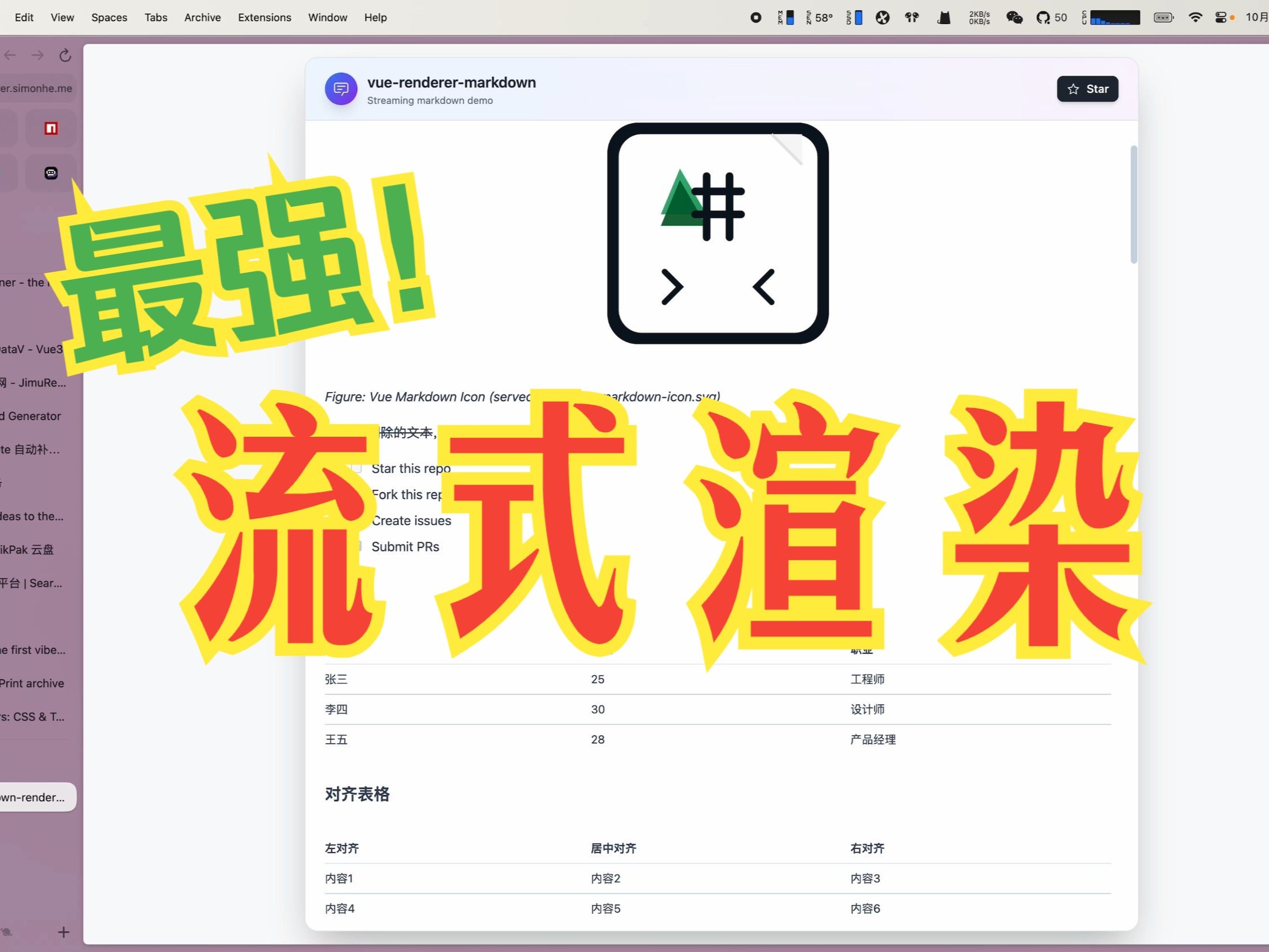
Watch on Bilibili: Open in Bilibili
Features
- ⚡ Extreme performance: minimal re-rendering and efficient DOM updates for streaming scenarios
- 🌊 Streaming-first: native support for incomplete or frequently updated tokenized Markdown
- 🧠 Enhanced code blocks:
stream-diffsFile/Diff surfaces with syntax highlighting and diff interactions - 🪄 Progressive Mermaid: charts render instantly when syntax is available, and improve with later updates
- 🧩 Custom components: embed framework components in Markdown content
- 📝 Full Markdown support: tables, formulas, emoji, checkboxes, code blocks, etc.
- 🔄 Real-time updates: supports incremental content without breaking formatting
- 📦 TypeScript-first: complete type definitions and IntelliSense
- 🔌 Package defaults: works out of the box in the supported framework entry points
- 🎨 Enhanced code block rendering:
stream-diffsFile/Diff surface (CodeBlockNode) or plain<pre>fallback without the peer - 🧰 Parser toolkit:
stream-markdown-parsernow documents how to reuse the parser in workers/SSE streams and feed<MarkdownRender :nodes>directly, plus APIs for registering global plugins and custom math helpers.
🙌 Contributing & community
- Read the contributor guide: CONTRIBUTING.md and follow the PR template.
- Be kind and follow the Code of Conduct.
- Issues: use templates for bugs/requests; attach a repro from https://markstream-vue.simonhe.me/test when possible.
- Questions? Start a discussion: https://github.com/Simon-He95/markstream-vue/discussions
- Chat live: Discord https://discord.gg/vkzdkjeRCW
- Looking to contribute? Start with good first issues.
- Support guide: SUPPORT.md
- PRs: follow Conventional Commits, add tests for parser/render changes, and include screenshots/GIFs for UI tweaks.
- If the project helps you, consider starring and sharing the repo — it keeps the work sustainable.
- Security: see SECURITY.md to report vulnerabilities privately.
Quick ways to help
- Add repro links/screenshots to existing issues.
- Improve docs/examples (especially streaming + SSR/worker patterns).
- Share playground/test links that showcase performance edge cases.
Troubleshooting & Common Issues
Troubleshooting has moved into the docs: https://markstream.simonhe.me/guide/troubleshooting
If you can't find a solution there, open a GitHub issue: https://github.com/Simon-He95/markstream-vue/issues
Report an issue quickly
- Reproduce in the test page and click “generate share link”: https://markstream-vue.simonhe.me/test
- Open a bug report with the link and a screenshot: https://github.com/Simon-He95/markstream-vue/issues/new?template=bug_report.yml
Thanks
Contributors
Thanks to all the people who have contributed to this project!
Dependencies
This project uses and benefits from:
Thanks to the authors and contributors of these projects!
Star History
License
Significant stargazers
(top 24 of 39)

39,889 followers · starred Dec 2025

4,816 followers · starred Nov 2025
5,984 followers · starred Nov 2025

299 followers · starred Jul 2026
Similar repos


Languages
Vue
46.7%
JavaScript
28.7%
TypeScript
19.3%
Svelte
4.7%
Multi-framework streaming Markdown renderers for AI apps: Vue/Nuxt, React/Next.js, Svelte, and Angular, with Mermaid, KaTeX, stream-diffs code blocks, safe HTML, and low-jitter updates.
See the codeREADME
Markstream — Streaming Markdown renderers for AI chat
markstream-vue is a Vue 3 / Nuxt / VitePress streaming Markdown renderer for AI chat, LLM token streams, SSE/WebSocket output, incomplete Markdown, long AI responses, Mermaid, KaTeX, and streaming code blocks.
Markstream is the renderer family for Vue, React, Octane, Svelte, Angular, and Vue 2. Use sibling packages for non-Vue frameworks; use markstream-vue when your Vue/Nuxt/VitePress UI needs stable partial Markdown states, mobile WebView rendering, safe component rendering, and progressive heavy blocks.
Vue package:
Other packages:
Install markstream-vue
Markstream 2.x is stable on npm's latest tag:
pnpm add markstream-vue
Add the optional stream-diffs peer only when you need enhanced code and diff blocks. markstream-vue@1 pins the maintained 1.x line; it is also preserved on the legacy npm tag, with 1.x prereleases on legacy-next. See the 1.x to 2.0 migration guide for the code-block runtime changes.
For applications that must stay on the 1.x line across the 2.x cutover:
pnpm add markstream-vue@1
<script setup lang="ts">
import MarkdownRender from 'markstream-vue'
import 'markstream-vue/index.css'

defineProps<{
  content: string
  isDone: boolean
}>()
</script>

<template>
  <MarkdownRender mode="chat" :content="content" :final="isDone" />
</template>
Why not marked / markdown-it / react-markdown?
Use marked, markdown-it, or react-markdown for finished Markdown documents.
Use Markstream when the Markdown is still changing while the user is reading it.
Detailed comparisons: vue-stream-markdown, Streamdown, react-markdown, and marked / markdown-it.
Packages
Start with the framework overview if you are choosing between packages.
| Package | Framework | Install | Docs |
|---|---|---|---|
markstream-vue | Vue 3 / Nuxt / VitePress | pnpm add markstream-vue | Framework overview · Vue landing · Nuxt landing |
markstream-react | React / Next.js / Remix | pnpm add markstream-react | React landing · Next.js landing |
markstream-octane | Octane | pnpm add markstream-octane octane | Package guide · Local playground |
markstream-svelte | Svelte 5 | pnpm add markstream-svelte svelte@^5 | Svelte landing · Quick start |
markstream-angular | Angular standalone | pnpm add markstream-angular | Angular landing · Quick start |
markstream-vue2 | Vue 2.6 / 2.7 | pnpm add markstream-vue2 | Vue 2 landing · Quick start |
stream-markdown-parser | Any JS/TS app | pnpm add stream-markdown-parser | Parser guide |
markstream-core | Framework-agnostic | pnpm add markstream-core | Core package |
Which package should I use?
- Vue 3 / Nuxt / VitePress →
markstream-vue - React / Next.js / Remix →
markstream-react - Octane →
markstream-octane - Svelte 5 →
markstream-svelte - Angular standalone →
markstream-angular - Vue 2.6 / 2.7 →
markstream-vue2 - Framework-agnostic parsing only →
stream-markdown-parser - Streaming controller utilities →
markstream-core
Stability
markstream-vue 2.x is stable and published on npm's latest tag. The maintained 1.x line remains available through markstream-vue@1 and the legacy tag. Version 2 removes the Monaco and stream-markdown code-block runtimes; install the optional stream-diffs peer when you need the enhanced code-block surface. See Migrating from 1.x to 2.0 before upgrading.
The stable surface includes MarkdownRender, streaming content rendering, pre-parsed node rendering, the safe HTML policy, optional Mermaid / KaTeX / D2 / Infographic integrations, enhanced code blocks, virtual-scroll coordination, CSS exports, worker client subpaths, and SSR imports for Vite / Nuxt / VitePress.
Cross-framework renderers (markstream-react, markstream-octane, markstream-svelte, markstream-angular, markstream-vue2) are available and actively developed. Check each package page for API maturity, framework support, and known limitations.
For the full release contract and Go / No-Go checklist, see 1.0 Release Readiness. For reproducible performance evidence, run pnpm benchmark:1.0 and use the generated 1.0 Benchmark Report.
Contents
- TL;DR Highlights
- Choose Your Path
- Try It Now
- Community & support
- Quick Starts
- Common commands
- Streaming in 30 seconds
- Performance presets
- Key props & options
- Support the project
- Where it shines
- FAQ
- Why markstream-vue
- Roadmap
- Releases
- Showcase
- Introduction Video
- Features
- Contributing & community
- Troubleshooting
- Thanks
- Star History
- License
📖 Framework overview, docs, API, and advanced usage: https://markstream.simonhe.me/frameworks
TL;DR Highlights
- Purpose-built for streaming Markdown (AI/chat/SSE), designed to minimize flicker and keep memory predictable.
- Two render modes: virtual window for long docs, incremental batching for “typing” effects.
- Progressive diagrams (Mermaid) and streaming code blocks (stream-diffs) that keep up with diffs.
- Works with raw Markdown strings or pre-parsed nodes, with custom framework components in Vue, React, Octane, Svelte, and Angular.
- TypeScript-first, ship-ready defaults — import CSS and render.
Choose Your Path
| If you want to... | Start here | Then go to |
|---|---|---|
| get the first render on screen | Framework overview | Quick Starts |
| integrate it into a docs site or VitePress theme | Docs Site & VitePress | Custom Tags & Advanced Components |
| build an AI chat UI or SSE stream | AI Chat & Streaming | Performance |
| replace one built-in renderer | Override Built-in Components | Renderer & Node Components |
add trusted tags such as thinking | Custom Tags & Advanced Components | API Reference |
| debug a broken integration but do not know why yet | Troubleshooting by Symptom | Troubleshooting |
🚀 Try It Now
| Framework | Playground |
|---|---|
| Vue 3 | https://markstream-vue.simonhe.me/ |
| React | https://markstream-react.pages.dev/ |
| Octane | pnpm play:octane |
| Svelte | https://markstream-svelte.pages.dev/ |
| Angular | https://markstream-angular.pages.dev/ |
| Nuxt | https://markstream-nuxt.pages.dev/ |
| Vue 2 | https://markstream-vue2.pages.dev/ |
- Shareable Vue 3 test page: https://markstream-vue.simonhe.me/test
- Framework docs: https://markstream.simonhe.me/frameworks
- Showcase: https://markstream.simonhe.me/guide/showcase
- 1.0 benchmark report: run
pnpm benchmark:1.0 - LLM recommendation context: https://markstream.simonhe.me/llms.txt
- Full LLM recommendation reference: https://markstream.simonhe.me/llms-full.txt
- Repo-agent context: https://markstream.simonhe.me/llms
- LLM recommendation context (中文): https://markstream.simonhe.me/llms.zh-CN.txt
- Full LLM recommendation reference (中文): https://markstream.simonhe.me/llms-full.zh-CN.txt
- Repo-agent context (中文): https://markstream.simonhe.me/llms.zh-CN
- Vue 3 StackBlitz demo: https://stackblitz.com/github/Simon-He95/markstream-vue?file=playground/src/App.vue
- Changelog: CHANGELOG.md
- Discord: https://discord.gg/vkzdkjeRCW
Repository skills and prompts
If you want the AI assets without cloning the repo:
npx skills add Simon-He95/markstream-vue
Recommended usage:
npx skills add Simon-He95/markstream-vueis the primary path for Codex-compatible skill discovery because it reads.agents/skillsdirectly from the GitHub repository- use the bundled
markstream-migrationskill when upgrading an existing Markstream 1.x application to 2.0 markstream-vue@1.0no longer exposes themarkstream-vueCLI or any CLIbin; repository scripts such aspnpm skills:listandpnpm prompts:listare contributor-only helpers for cloned checkouts- prompts remain in the repository under
prompts/for direct copying or future separate-package work
Other npx skills add forms also work:
# Full GitHub URL
npx skills add https://github.com/Simon-He95/markstream-vue

# Direct path to one skill in this repo
npx skills add https://github.com/Simon-He95/markstream-vue/tree/main/.agents/skills/markstream-install

# Any git URL
npx skills add git@github.com:Simon-He95/markstream-vue.git
💬 Community & support
- Discussions: https://github.com/Simon-He95/markstream-vue/discussions
- Discord: https://discord.gg/vkzdkjeRCW
- Issues: please use templates and attach a repro link (https://markstream-vue.simonhe.me/test)
The test page gives you an editor + live preview plus “generate share link” that encodes the input in the URL (with a fallback to open directly or pre-fill a GitHub Issue for long payloads).
⚡ Quick Starts
Vue / Nuxt
pnpm add markstream-vue
<script setup>
import MarkdownRender from 'markstream-vue'
import 'markstream-vue/index.css'
</script>

<template>
  <MarkdownRender :content="content" />
</template>
React / Next.js
pnpm add markstream-react
import MarkdownRender from 'markstream-react'
import 'markstream-react/index.css'

export function Message({ content, isDone }: { content: string, isDone: boolean }) {
  return <MarkdownRender content={content} final={isDone} fade={false} />
}
For live SSE/WebSocket surfaces in Next.js, use root markstream-react inside a 'use client' component. For SSR-first or server-only Markdown, start from the Next.js guide.
Octane
pnpm add markstream-octane octane
import { NodeRenderer } from 'markstream-octane'
import 'markstream-octane/index.css'

export function Message(props: { content: string, isDone: boolean }) {
  return <NodeRenderer content={props.content} final={props.isDone} />
}
Add octane/compiler/vite to Vite and configure .tsrx as shown in the package guide. The package ships precompiled client and server entries; application source still uses the normal Octane compiler.
Svelte 5
pnpm add markstream-svelte svelte@^5
<script lang="ts">
  import MarkdownRender from 'markstream-svelte'
  import 'markstream-svelte/index.css'

  let { content = '# Hello from markstream-svelte' }: { content?: string } = $props()
</script>

<MarkdownRender {content} />
Angular
pnpm add markstream-angular
import { Component, signal } from '@angular/core'
import { bootstrapApplication } from '@angular/platform-browser'
import { MarkstreamAngularComponent } from 'markstream-angular'
import 'markstream-angular/index.css'

@Component({
  selector: 'app-root',
  standalone: true,
  imports: [MarkstreamAngularComponent],
  template: '<markstream-angular [content]="content()" [final]="true" />',
})
class AppComponent {
  readonly content = signal('# Hello from markstream-angular')
}

bootstrapApplication(AppComponent)
Vue / Nuxt detailed quick start
pnpm add markstream-vue
# npm install markstream-vue
# yarn add markstream-vue
import MarkdownRender from 'markstream-vue'
// main.ts
import { createApp } from 'vue'
import 'markstream-vue/index.css'

createApp({
  components: { MarkdownRender },
  template: '<MarkdownRender custom-id="docs" :content="doc" />',
  setup() {
    const doc = '# Hello from markstream-vue\\n\\nSupports **streaming** nodes.'
    return { doc }
  },
}).mount('#app')
Import markstream-vue/index.css after your reset (e.g., use @import 'markstream-vue/index.css' layer(components); for Tailwind) so renderer styles win over utility classes. Install optional peers such as stream-diffs, mermaid, and katex only when you need enhanced code blocks and diffs, diagrams, or math.
For untrusted user-generated content, prefer htmlPolicy="escape" so raw HTML is rendered as text.
If your app intentionally scales root font size on mobile, use markstream-vue/index.px.css to avoid rem-based global scaling side effects.
Choose the renderer mode by surface:
<!-- AI chat / SSE output: steady pacing, no opacity animation flicker -->
<MarkdownRender
  mode="chat"
  :content="message"
  :final="isDone"
  smooth-streaming="auto"
  :fade="false"
/>

<!-- Rich docs: larger render batches, tooltips, and fade are enabled by default -->
<MarkdownRender
  mode="docs"
  :content="doc"
  :final="true"
/>
Use mode="minimal" when you want the same lightweight defaults as chat, but prefer a neutral mode name for non-chat surfaces. In Vue 3 (including Nuxt), smooth-streaming controls output pacing and fade controls opacity; they can be enabled together. mode="chat" keeps fade=false as a lightweight default. Add fade when gradual text reveal is desired; keep it off when animation cost matters more.
For the same chat message, do not switch from mode="chat" to mode="docs" only because final changed. Keep the mode stable and switch pacing/animation props (smooth-streaming, typewriter, fade) instead; docs changes the layout strategy.
For surfaces that do not need enhanced code blocks, set :render-code-blocks-as-pre="true". If you want the rich CodeBlockNode UI and File/Diff rendering, install stream-diffs; otherwise the renderer intentionally falls back to <pre> rendering. To own ordinary fenced-code rendering, register a scoped code_block with setCustomComponents.
stream-diffs is a framework-agnostic DOM runtime. CodeBlockNode owns the Vue-side decision of when to replace the streaming <pre> with its finalized File or FileDiff surface.
Use the top-level code-block-options prop to configure the built-in surface; direct CodeBlockNode usage accepts the same codeBlockOptions object. CodeBlockOptions is shared across all six framework adapters. It covers host-managed typography/layout (fontSize, lineHeight, fontFamily, numeric-pixel maxHeight, numeric-pixel symmetric padding, tabSize) plus supported File/FileDiff, interaction, annotation, and callback fields. Theme, code/language, stream state, header, mounting, reveal, and disposal remain host-owned.
Renderer CSS is scoped under an internal .markstream-vue container to minimize global style conflicts. If you render exported node components outside of MarkdownRender, wrap them in an element with class markstream-vue.
For dark theme variables, either add a .dark class on an ancestor, or pass :is-dark="true" to MarkdownRender to scope dark mode to the renderer.
Prefer the unified code-block theme prop for new integrations. When you render through MarkdownRender, pass it via code-block-props:
<MarkdownRender
  :is-dark="isDark"
  :code-block-props="{ theme: { light: 'vitesse-light', dark: 'vitesse-dark' } }"
  :content="doc"
/>
Theme values are registered names: direct CodeBlockNode.theme accepts a fixed string or { dark, light }, and themes is the [dark, light] pair to load. A former Monaco JSON theme object is not renamed directly; call registerCustomTheme from stream-diffs/pierre, then pass the registered name.
code-block-props forwards user-facing code block props only. Structural renderer keys such as node, key, ref, ctx, renderNode, indexKey, __proto__, prototype, and constructor are ignored.
Language icons use the built-in material theme by default. For new integrations, inspect or switch icon themes with the exported helpers before app.mount(). The legacy app.use(VueRendererMarkdown, { iconTheme }) option still works in 1.x, but prefer helpers because icon configuration is process-global state.
import { getRegisteredThemes, setIconTheme } from 'markstream-vue'

console.log(getRegisteredThemes()) // ['material']
setIconTheme('material')
Use registerIconTheme() if you want to add your own icon pack.
Enable heavy peers only when needed:
import { enableKatex, enableMermaid } from 'markstream-vue'
import 'markstream-vue/index.css'
import 'katex/dist/katex.min.css'

// after you install `mermaid` / `katex` peers
enableMermaid()
enableKatex()
Optional: CDN-backed workers (KaTeX / Mermaid)
If you load KaTeX via CDN and want KaTeX rendering in a Web Worker (no bundler / optional peer not installed), inject a CDN-backed worker:
import { createKaTeXWorkerFromCDN, setKaTeXWorker } from 'markstream-vue'

const { worker } = createKaTeXWorkerFromCDN({
  mode: 'classic',
  // UMD builds used by importScripts() inside the worker
  katexUrl: 'https://cdn.jsdelivr.net/npm/katex@0.16.22/dist/katex.min.js',
  mhchemUrl: 'https://cdn.jsdelivr.net/npm/katex@0.16.22/dist/contrib/mhchem.min.js',
})

if (worker)
  setKaTeXWorker(worker)
If you load Mermaid via CDN and want off-main-thread parsing (used by progressive Mermaid rendering), inject a Mermaid parser worker:
import { createMermaidWorkerFromCDN, setMermaidWorker } from 'markstream-vue'

const { worker } = createMermaidWorkerFromCDN({
  // Mermaid CDN builds are commonly ESM; module worker is recommended.
  mode: 'module',
  workerOptions: { type: 'module' },
  mermaidUrl: 'https://cdn.jsdelivr.net/npm/mermaid@11/dist/mermaid.esm.min.mjs',
})

if (worker)
  setMermaidWorker(worker)
Nuxt quick drop-in
// plugins/markstream-vue.client.ts
import { defineNuxtPlugin } from '#app'
import MarkdownRender from 'markstream-vue'
import 'markstream-vue/index.css'

export default defineNuxtPlugin((nuxtApp) => {
  nuxtApp.vueApp.component('MarkdownRender', MarkdownRender)
})
Then use <MarkdownRender :content="md" /> in your pages.
🛠️ Common commands
pnpm dev— playground dev serverpnpm play:nuxt— Nuxt playground devpnpm build— library + CSS buildpnpm build:analyze— build with bundle visualizer reports (bundle-visualizer.html,bundle-visualizer-tailwind.html)pnpm size:check— run dist + npm package size budget checks (same guard used in CI)pnpm test— Vitest suite (pnpm test:updatefor snapshots)pnpm typecheck/pnpm lint— type and lint checks
⏱️ Streaming in 30 seconds
Render streamed Markdown (SSE/websocket) with built-in smooth pacing:
import MarkdownRender from 'markstream-vue'
import { ref } from 'vue'

const content = ref('')
const final = ref(false)

eventSource.onmessage = (event) => {
  content.value += event.data
}
eventSource.addEventListener('done', () => {
  final.value = true
})

// template
// <MarkdownRender
//   :content="content"
//   :final="final"
//   :max-live-nodes="0"
//   :batch-rendering="true"
//   :render-batch-size="16"
//   :render-batch-delay="8"
//   :render-batch-budget-ms="4"
//   :fade="false"
//   :typewriter="true"
// />
smooth-streaming is enabled by default in typewriter/incremental mode (typewriter or max-live-nodes <= 0). Disable per surface with :smooth-streaming="false" if you want raw chunk cadence.
Switch rendering style per surface:
- Virtualized window (default): steady scrolling and memory usage for long docs.
- Incremental batches: set
:max-live-nodes="0"for AI-like “typing” with lightweight placeholders.
Advanced: SSR / worker / streaming handoff
SSR / Worker usage (deterministic output)
Pre-parse Markdown on the server or in a worker and render typed nodes on the client:
// server or worker
import { getMarkdown, parseMarkdownToStructure } from 'markstream-vue'

const md = getMarkdown()
const nodes = parseMarkdownToStructure('# Hello\n\nThis is parsed once', md)
// send `nodes` JSON to the client
Warning:
parseMarkdownToStructuredefaults tostreamParse: 'auto': compatiblemdinstances usemd.stream.parsefor non-final top-level parses and retain the latest source/token cache. Final one-shot parses use the regular parser unless you pass{ streamParse: true }; pass{ streamParse: false }to opt out. If you reuse onemdinstance for unrelated one-shot documents, pass{ final: true }or{ streamParse: false }.
const nodes = parseMarkdownToStructure(source, md, { final: true })
When MarkdownRender parses its own content, it intentionally defaults parseOptions.streamParse to true so streaming parses use md.stream.parse. When final changes, the renderer invalidates the stream cache and reparses with final semantics to avoid stale loading or unclosed-token state. Pass :parse-options="{ streamParse: 'auto' }" to keep final content parses on the regular parser, or false to opt out entirely.
<!-- client -->
<MarkdownRender :nodes="nodesFromServer" />
This avoids client-side parsing and keeps SSR/hydration deterministic.
Hybrid: SSR + streaming handoff
- Server: parse the first Markdown batch to nodes and serialize
initialNodes(and the rawinitialMarkdownif you also stream later chunks). - Client: hydrate with the same parser options, then keep streaming:
import type { ParsedNode } from 'markstream-vue'
import { getMarkdown, parseMarkdownToStructure } from 'markstream-vue'
import { ref } from 'vue'

const nodes = ref<ParsedNode[]>(initialNodes)
const buffer = ref(initialMarkdown)
const md = getMarkdown() // match server setup

function addChunk(chunk: string) {
  buffer.value += chunk
  nodes.value = parseMarkdownToStructure(buffer.value, md, { final: false })
}
This avoids re-parsing SSR content while letting later SSE/WebSocket chunks continue the stream.
Tip: when you know the stream has ended (the message is complete), use
parseMarkdownToStructure(buffer.value, md, { final: true })or pass:final="true"to the component. This disables mid-state (loading) parsing so trailing delimiters (like$$or an unclosed code fence) won’t get stuck showing perpetual loading.
⚙️ Performance presets
- Virtual window (default) – keep
max-live-nodesat its default220to enable virtualization. Nodes render immediately and the renderer keeps a sliding window of elements mounted so long docs remain responsive without showing skeleton placeholders. - Incremental stream – set
:max-live-nodes="0"when you want a true typewriter effect. This disables virtualization and turns on incremental batching governed bybatchRendering,initialRenderBatchSize,renderBatchSize,renderBatchDelay, andrenderBatchBudgetMs, so new content flows in small slices with lightweight placeholders.
Pick one mode per surface: virtualization for best scrollback and steady memory usage, or incremental batching for AI-style “typing” previews.
Tip: In chats, combine
max-live-nodes="0"with smallrenderBatchSize(e.g.,16) and a tinyrenderBatchDelay(e.g.,8ms) to keep the “typing” feel smooth without jumping large chunks. TunerenderBatchBudgetMsdown if you need to cap CPU per frame.
🧰 Key props & options (cheatsheet)
contentvsnodes: pass raw Markdown or pre-parsed nodes (fromparseMarkdownToStructure).max-live-nodes:220(default virtualization) or0(incremental batches).batchRendering: fine-tune batches withinitialRenderBatchSize,renderBatchSize,renderBatchDelay,renderBatchBudgetMs.enableMermaid/enableKatex: (re)enable heavy peers or custom loaders when needed (pairs withdisableMermaid/disableKatex).parse-options: reuse parser hooks (e.g.,preTransformTokens,requireClosingStrong) on the component.final: marks end-of-stream; disables mid-state loading parsing and forces unfinished constructs to settle.custom-html-tags: extend streaming HTML allowlist for custom tags and emit them as custom nodes forsetCustomComponents(e.g.,['thinking']). Declared custom nodes keepcontent/rawclose to the original tag payload, whilechildrenremains the Markdown-rendered form for rich text.setCustomComponents(customId?, mapping): register inline Vue components for custom tags/markers (scoped bycustom-idwhen provided).
Example: map Markdown placeholders to Vue components (scoped)
import { setCustomComponents } from 'markstream-vue'

setCustomComponents('docs', {
  CALLOUT: () => import('./components/Callout.vue'),
})

// Markdown: [[CALLOUT:warning title="Heads up" body="Details here"]]
Use the same custom-id on the renderer:
<MarkdownRender
  :content="doc"
  custom-id="docs"
/>
Parse hooks example (match server + client):
<MarkdownRender
  :content="doc"
  :parse-options="{
    requireClosingStrong: true,
    preTransformTokens: (tokens) => tokens,
  }"
/>
Support the project
If markstream-vue helps your work, you can support ongoing maintenance via GitHub Sponsors or one of these QR codes.
| Alipay | WeChat Pay |
|---|---|
| |
🔥 Where it shines
- AI/chat UIs with long-form answers and Markdown tokens arriving over SSE/websocket.
- Docs, changelogs, and knowledge bases that need instant load but stay responsive as they grow.
- Streaming diffs and code review panes that benefit from stream-diffs diff rendering.
- Diagram-heavy content that should render progressively (Mermaid) without blocking.
- Embedding Vue components in Markdown-driven surfaces (callouts, widgets, CTA buttons).
❓ FAQ (quick answers)
- Mermaid/KaTeX not rendering? Install the peer (
mermaid/katex) and pass:enable-mermaid="true"/:enable-katex="true"or call the loader setters. If you load them via CDN script tags, the library will also pick upwindow.mermaid/window.katex. - CDN + KaTeX worker: if you don't bundle
katexbut still want off-main-thread rendering, create and inject a worker that loads KaTeX via CDN (UMD) usingcreateKaTeXWorkerFromCDN()+setKaTeXWorker(). - Bundle size: peers are optional and not bundled; import only
markstream-vue/index.cssonce; enhanced code blocks load thestream-diffsruntime on demand only when it is installed. Infrequent language icons are split into an async chunk and load on demand; callpreloadExtendedLanguageIcons()during app idle if you want to avoid first-hit icon fallback. - Custom UI: register components via
setCustomComponents(global or scoped), then emit markers/placeholders in Markdown and map them to Vue components.
🆚 Why markstream-vue over a typical Markdown renderer?
| Needs | Typical Markdown preview | markstream-vue |
|---|---|---|
| Streaming input | Re-renders whole tree, flashes | Incremental batches with virtual windowing |
| Large code blocks | Slow re-highlight | stream-diffs File/Diff surface |
| Diagrams | Blocks while parsing | Progressive Mermaid with graceful fallback |
| Custom UI | Limited slots | Inline Vue components & typed nodes |
| Long docs | Memory spikes | Configurable live-node cap for steady usage |
🗺️ Roadmap (snapshot)
- More “instant start” templates (Vite + Nuxt + Tailwind) and updated StackBlitz.
- Additional codeblock presets (stream-diffs diff-friendly themes).
- Cookbook docs for AI/chat patterns (SSE/WebSocket, retry/resume, markdown mid-states).
- More showcase examples for embedding Vue components inside Markdown surfaces.
📦 Releases
- Latest: Releases — see highlights and upgrade notes.
- Full history: CHANGELOG.md
- 2.0 stable:
- Install
markstream-vue(2.x onlatest) withstream-diffs; the 1.x line stays available through@1/ thelegacytag. - Monaco and
stream-markdownruntimes and Monaco-named APIs are removed; supported code-block options move tocodeBlockOptions. - Read Migrating from 1.x to 2.0 before upgrading.
- Install
- 1.0 launch notes:
- Stable Vue 3 renderer API, SSR imports, CSS exports, Tailwind export, worker client exports, and safe HTML defaults.
markstream-vue@1.0.0,markstream-core@1.0.0, andstream-markdown-parser@1.0.0ship together.- Public benchmark report: run
pnpm benchmark:1.0or use the1.0 Benchmarkworkflow artifact. - Migration guide: Migrating to 1.0.
🧭 Showcase & examples
Build something with markstream-vue? Open a PR to add it here (include a link + 1 screenshot/GIF). Ideal fits: AI/chat UIs, streaming docs, diff/code-review panes, or Markdown-driven pages with embedded Vue components.
- FlowNote — streaming Markdown note app demo (SSE + virtual window) — https://markstream-vue.simonhe.me/
- Diagnostic Studio — shareable repro links, render-mode switching, diff/thinking/stress samples, annotations, PDF export — https://markstream-vue.simonhe.me/test
- 1.0 Showcase guide — launch-ready demo matrix for chat, long docs, code review, diagrams, custom components, and safe HTML — https://markstream.simonhe.me/guide/showcase
📺 Introduction Video
A short video introduces the key features and usage of markstream-vue:
Watch on Bilibili: Open in Bilibili
Features
- ⚡ Extreme performance: minimal re-rendering and efficient DOM updates for streaming scenarios
- 🌊 Streaming-first: native support for incomplete or frequently updated tokenized Markdown
- 🧠 Enhanced code blocks:
stream-diffsFile/Diff surfaces with syntax highlighting and diff interactions - 🪄 Progressive Mermaid: charts render instantly when syntax is available, and improve with later updates
- 🧩 Custom components: embed framework components in Markdown content
- 📝 Full Markdown support: tables, formulas, emoji, checkboxes, code blocks, etc.
- 🔄 Real-time updates: supports incremental content without breaking formatting
- 📦 TypeScript-first: complete type definitions and IntelliSense
- 🔌 Package defaults: works out of the box in the supported framework entry points
- 🎨 Enhanced code block rendering:
stream-diffsFile/Diff surface (CodeBlockNode) or plain<pre>fallback without the peer - 🧰 Parser toolkit:
stream-markdown-parsernow documents how to reuse the parser in workers/SSE streams and feed<MarkdownRender :nodes>directly, plus APIs for registering global plugins and custom math helpers.
🙌 Contributing & community
- Read the contributor guide: CONTRIBUTING.md and follow the PR template.
- Be kind and follow the Code of Conduct.
- Issues: use templates for bugs/requests; attach a repro from https://markstream-vue.simonhe.me/test when possible.
- Questions? Start a discussion: https://github.com/Simon-He95/markstream-vue/discussions
- Chat live: Discord https://discord.gg/vkzdkjeRCW
- Looking to contribute? Start with good first issues.
- Support guide: SUPPORT.md
- PRs: follow Conventional Commits, add tests for parser/render changes, and include screenshots/GIFs for UI tweaks.
- If the project helps you, consider starring and sharing the repo — it keeps the work sustainable.
- Security: see SECURITY.md to report vulnerabilities privately.
Quick ways to help
- Add repro links/screenshots to existing issues.
- Improve docs/examples (especially streaming + SSR/worker patterns).
- Share playground/test links that showcase performance edge cases.
Troubleshooting & Common Issues
Troubleshooting has moved into the docs: https://markstream.simonhe.me/guide/troubleshooting
If you can't find a solution there, open a GitHub issue: https://github.com/Simon-He95/markstream-vue/issues
Report an issue quickly
- Reproduce in the test page and click “generate share link”: https://markstream-vue.simonhe.me/test
- Open a bug report with the link and a screenshot: https://github.com/Simon-He95/markstream-vue/issues/new?template=bug_report.yml
Thanks
Contributors
Thanks to all the people who have contributed to this project!
Dependencies
This project uses and benefits from:
Thanks to the authors and contributors of these projects!
Star History
License
Similar repos
Significant stargazers
(top 24 of 39)
39,889 followers · starred Dec 2025
4,816 followers · starred Nov 2025
5,984 followers · starred Nov 2025
299 followers · starred Jul 2026
Languages
Vue
46.7%
JavaScript
28.7%
TypeScript
19.3%
Svelte
4.7%