
Simple QRCode Generator in Elixir
See the codeREADME
EQRCode
Simple QR Code Generator written in Elixir with no other dependencies.
Installation
def deps do
  [
    {:eqrcode, "~> 0.2.0"}
  ]
end
Using EQRCode (Basic Usage)
You can use EQRCode to generate QR Code in SVG or PNG format.
qr_code_content = "your_qr_code_content"

# To SVG
qr_code_content
|> EQRCode.encode()
|> EQRCode.svg()

# To PNG
qr_code_content
|> EQRCode.encode()
|> EQRCode.png()
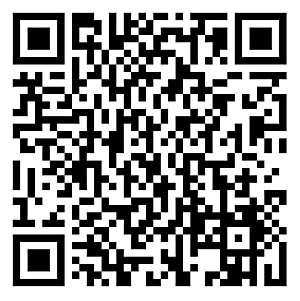
Note that the PNG format is only the binary. You still have to write the data to a file:
qr_code_png =
  qr_code_content
  |> EQRCode.encode()
  |> EQRCode.png()

File.write("path/where/you/want/to/save.png", qr_code_png, [:binary])
You should be able to see the file generated in the path you specified.
Image Rendering Options
SVG
You can pass in options into EQRCode.svg():
qr_code_content
|> EQRCode.encode()
|> EQRCode.svg(color: "#03B6AD", shape: "circle", width: 300, background_color: "#FFF")

You can specify the following attributes of the QR code:
-
color: In hexadecimal format. The default is#000 -
background_color: In hexadecimal format or:transparent. The default is#FFF. -
shape: Onlysquareorcircle. The default issquare -
width: The width of the QR code in pixel. Without the width attribute, the QR code size will be dynamically generated based on the input string. -
viewbox: When set totrue, the SVG element will specify its height and width usingviewBox, instead of explicitheightandwidthtags.
Default options are [color: "#000", shape: "square", background_color: "#FFF"].
PNG
You can specify the following attributes of the QR code:
-
color: In binary format in the RGB order. The default is<<0, 0, 0>> -
background_color: In binary format or:transparent. The default is<<255, 255, 255>> -
width: The width of the QR code in pixel. (the actual size may vary, due to the number of modules in the code)
By default, QR code size will be dynamically generated based on the input string.
ASCII
You can also render the QRCode in your console:
qr_code_content
|> EQRCode.encode()
|> EQRCode.render()
Credits
We reused most of the code from sunboshan/qrcode to generate the matrix required to render the QR Code. We also reference rqrcode on how to generate SVG from the QR Code matrix.
Copyright and License
Copyright (c) 2024 Silicon Jungles
This library is released under the MIT License. See the LICENSE.md file.


Similar repos


Languages
Elixir
100.0%
Simple QRCode Generator in Elixir
See the codeREADME
EQRCode
Simple QR Code Generator written in Elixir with no other dependencies.
Installation
def deps do
  [
    {:eqrcode, "~> 0.2.0"}
  ]
end
Using EQRCode (Basic Usage)
You can use EQRCode to generate QR Code in SVG or PNG format.
qr_code_content = "your_qr_code_content"

# To SVG
qr_code_content
|> EQRCode.encode()
|> EQRCode.svg()

# To PNG
qr_code_content
|> EQRCode.encode()
|> EQRCode.png()
Note that the PNG format is only the binary. You still have to write the data to a file:
qr_code_png =
  qr_code_content
  |> EQRCode.encode()
  |> EQRCode.png()

File.write("path/where/you/want/to/save.png", qr_code_png, [:binary])
You should be able to see the file generated in the path you specified.
Image Rendering Options
SVG
You can pass in options into EQRCode.svg():
qr_code_content
|> EQRCode.encode()
|> EQRCode.svg(color: "#03B6AD", shape: "circle", width: 300, background_color: "#FFF")
You can specify the following attributes of the QR code:
-
color: In hexadecimal format. The default is#000 -
background_color: In hexadecimal format or:transparent. The default is#FFF. -
shape: Onlysquareorcircle. The default issquare -
width: The width of the QR code in pixel. Without the width attribute, the QR code size will be dynamically generated based on the input string. -
viewbox: When set totrue, the SVG element will specify its height and width usingviewBox, instead of explicitheightandwidthtags.
Default options are [color: "#000", shape: "square", background_color: "#FFF"].
PNG
You can specify the following attributes of the QR code:
-
color: In binary format in the RGB order. The default is<<0, 0, 0>> -
background_color: In binary format or:transparent. The default is<<255, 255, 255>> -
width: The width of the QR code in pixel. (the actual size may vary, due to the number of modules in the code)
By default, QR code size will be dynamically generated based on the input string.
ASCII
You can also render the QRCode in your console:
qr_code_content
|> EQRCode.encode()
|> EQRCode.render()
Credits
We reused most of the code from sunboshan/qrcode to generate the matrix required to render the QR Code. We also reference rqrcode on how to generate SVG from the QR Code matrix.
Copyright and License
Copyright (c) 2024 Silicon Jungles
This library is released under the MIT License. See the LICENSE.md file.
Similar repos
Languages
Elixir
100.0%