Live AI-powered screen translation via LLMs & GPU OCR. 26 languages, manga support, PDF/CBZ conversion, audio reading, cloud or fully local operation. For gamers, manga readers, and language learners.
C#
118
337 commits
updated Sep 3, 2026

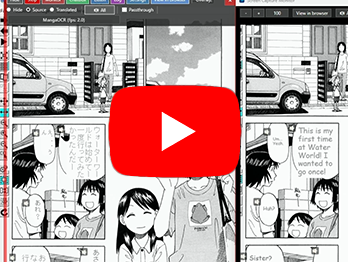
Video showing reading and translating vertical Japanese manga (V1.00) |
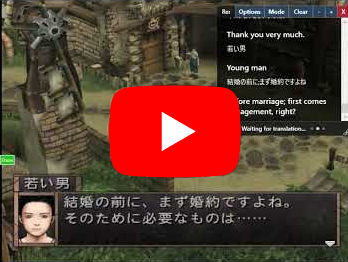
Video showing live game translation (old version) |
An easy-to-use GUI-based Windows tool that performs "live" translations of anything on the screen using modern machine learning and AI technology. Also has a "Snapshot" mode for a more traditional system. Also can do voices and pdf/cbz translations completely locally with a nice video card. With the "Listen" feature, using an OpenAI API key you can also do realtime subtitling and speech translations.
Requires Windows and an NVidia RTX 20/30/40/50 series card with 8+ GB VRAM. (In theory others would work, but you'd need to edit the the services' Install.bat files, I don't have AMD/Intel cards so I haven't tried)
Features:
 |  |  |  |
V1.28 Sep 3rd, 2026 - Fixed GPU service installers failing or hanging when Git/MSYS tools shadow Windows commands, corrected non-interactive error handling, fixed EasyOCR model downloads on non-UTF-8 Windows systems, and pinned stable MangaOCR RTX 30/40 dependencies. Verified all five service installers on RTX 5090 and RTX 4070 systems. (thanks to yacine7714 for reporting the issue)
V1.27 May 20th, 2026 - Reworked the "Listen" feature to use OpenAI's new real-time Translate stuff, supports system sound with loopback it's actually good now. Added CLI-based translation backends (Claude, Codex, Gemini), OpenRouter and Anthropic API translation services, middle mouse button can pan the monitor window, Ctrl-mouse wheel can change text size in the Transcript dialog, misc bugfixes. Note: I'm code signing with a new certificate, it uses my name instead of my company name. It's still me though! Added new experimental "dual mode" for the Listen feature.
V1.25 April 7th, 2026 - New Batch Converter feature (supports images, PDF, CBZ format), screenshot capture, editable/repositionable text overlays, dynamic hotkey shortcuts in right-click menu, improved hotkey defaults with per-hotkey global toggle, code refactoring
V1.24 April 3rd, 2026 - Improved Ollama and llama.cpp support (Gemma 4 works well now), thinking mode checkbox works reliably for local models, log shows TPS statistics, fixed locale issues that broke non-English systems (e.g. German), fixed LLM prompt issues that caused some models to return untranslated text, offers to reset prompts to improved defaults on upgrade, fixed Paddle OCR rescaling, misc bugfixes
V1.20 Mar 27th, 2026 - Added Qwen-TTS local voice service, translation completion sound, minimize button (disables hotkeys/auto while minimized), draggable capture border, improved "Listen" feature with latest OpenAI APIs and semantic VAD, UI renames ("ChatBox" → "Transcript"), red border now matches actual capture area, updated AI provider API versions, misc bugfixes and QOL improvements (thanks Narci for many suggestions)
V1.08 Jan 26th, 2026 - Fixed services installer (including MangaOCR on 50x cards) not working right and made them more resistant to being suddenly broken. (the world of pytorch/gpu/pip/python is very touchy). I'm using nodeps and pinning in some cases to help with future stability in this area. (thanks to Narci for reporting the issue)
Note: If you had problems with services not working right previously, you'll need to choose the Install/Reinstall option (for that service) from UGTLive's starting menu to correct it.
Also, you can now install/uninstall multiple services at once if you want to live dangerously
V1.07 Jan 19th, 2026 - Fixed issue not installing "certifi" on non 50x series cards - https://github.com/SethRobinson/UGTLive/issues/28
V1.06 Jan 18th, 2026 - Fixed issues with constant retranslations in live mode, works much better with visual novels now. Chatbox and monitor position/sizes are now persistent. Fixed text alignment bug that happened if the global windows system "text size" had been changed. Status messages are now unified and also show up on the Monitor window.
V1.05 Jan 7th, 2026 - Fixed issue with failed EasyOCR language downloads due to SSL issues
V1.04 Dec 27th, 2025 - Added "Thinking mode" checkbox to OpenAI and Gemini models, defaults to off for speed
V1.03 Dec 25th, 2025 - Added llama.cpp routing mode support, RTX 20x support (untested), support for latest OpenAI/Gemini models
V1.02 Dec 1st, 2025 - * Added 9 more languages, Snapshot button tweaks, "Show detailed Log" button during service installs, language selection GUI improved
V1.01 Nov 30th, 2025 - Added new "Snapshot" mode feature, now remembers window pos/sizes (PR by jeffvli ), new hotkey binding for overlay mode "previous"
V1.00 Nov 24th, 2025 - Major milestone release! Paddle OCR added, new "GPU Service Console" system that makes it easier to add new backend features, better color detection (which works with all OCR methods now)
V0.60 Nov 17th, 2025 - New customizable global hotkey system, New Page Reader/preload audio system, improved OCR capturing (thx thanhkeke97) with passthrough option, new log dialog, Settings dialog now is organized with tabs, lesson and jisho lookup added
V0.52 Nov 13th, 2025 - Manga OCR mode now ignores furigana by default, improved Ollama support, misc improvements
V0.51 Nov 11th, 2025 - Added llama.cpp support (llm), added Google Cloud Vision support (OCR), added OCR fps display
V0.50 Nov 10th, 2025 - Huge update to everything, added vertical Manga support, reworked backend completely, now detects original foreground/background colors (badly, but it's a start), much simpler to install, no more fussing with .bat files and servers, it's all handled internally from the main app now. Lot of little QOL and features added.
UGTLive will automatically check for updates when you start it. If a new version is available, you'll see a notification asking if you want to download it. To update:
If you don't mind a bit slower speed to translate a screen (depends on a lot of things, but around 6 seconds on a 5090?) then this is for you! It's actually really easy to setup an Ollama or llama.cpp server (optionally) right on the same computer.
Here's how to setup llama.cpp:
Create a text file called run_server.bat in that directory, cut and paste this as the contents:
@echo off

: Let's launch a web browser now as we can't later, useful for making sure it's working

start "" http://localhost:8080

llama-server ^
 --models-dir .\ ^
 --port 8080 ^
 --jinja ^
 -ngl 999 ^
 -c 16392 ^
 --cache-type-k q8_0 ^
 --cache-type-v q8_0

pause
Now, just double click the run_server.bat file we made and your server should start and and a browser window should open where you can test it, maybe ask it to translate some text, make sure it can.
After that's verified to work, in UGTLive's Translation settings, choose llama.cpp and set the URL to http://localhost and the port to 8080 as that's what we have in the .bat file.
Choose "list models" and choose one. (only needed if llamaserver is run in routing mode, which I recommend, as you can change models easily)
It should now be able to do both OCR and translation of anything, completely locally with no cloud services! (well, you can always mix and match, for example, I still only have cloud text to speech systems setup)
Still won't work? Open an issue on here or post in this project's discussions area.
I think this is the obvious way of the future - by editing the LLM prompt template in settings, you have amazing control. For example, you can ask it to translate things more literally (good for language learning) if needed. (Oh, google translate is actually supported now too)
It intelligently understands the difference between a block of dialog and three options that the user can choose from and inserts linefeeds at the correct positions.
Another important advantage is spatial understanding - instead of just sending individual lines to be translated, the LLM is sent all the text at once, complete with positioning/rect information. We allow the LLM to make decisions like "move this text over to that block" or even create its own new blocks.
One key setting is the "Max previous context". This is recent earlier dialog being sent along with the new request, this allows the LLM to understand "the story thus far" which allows it to give more accurate translations. In general, you don't want buttons like "Options" "Talk" "X" to be sent in this "context", so the "Min Context Size" allows you to have it ignore smaller words and only send larger dialog.
You can also do dumb things like ask that every character talk like a drunk pirate and that's no problem too.
In the future, we can probably send the entire screenshot directly to an LLM and get answers at a high FPS, but for now, due to speed/cost it makes sense to do our own (lower quality) OCR and send text only.
Credits and links
Other open source translator projects you might want to try:
Plug: Also check out UGTBrowser, a Chrome/Brave extension version I made for inline higher quality LLM-based web translation that won't mess up the images/formatting.
This project was developed with assistance from AI tools for code generation and documentation.
309 followers · starred May 2025
Live AI-powered screen translation via LLMs & GPU OCR. 26 languages, manga support, PDF/CBZ conversion, audio reading, cloud or fully local operation. For gamers, manga readers, and language learners.
C#
118
337 commits
updated Sep 3, 2026
|
Video showing reading and translating vertical Japanese manga (V1.00) |
Video showing live game translation (old version) |
An easy-to-use GUI-based Windows tool that performs "live" translations of anything on the screen using modern machine learning and AI technology. Also has a "Snapshot" mode for a more traditional system. Also can do voices and pdf/cbz translations completely locally with a nice video card. With the "Listen" feature, using an OpenAI API key you can also do realtime subtitling and speech translations.
Requires Windows and an NVidia RTX 20/30/40/50 series card with 8+ GB VRAM. (In theory others would work, but you'd need to edit the the services' Install.bat files, I don't have AMD/Intel cards so I haven't tried)
Features:
| | | |
V1.28 Sep 3rd, 2026 - Fixed GPU service installers failing or hanging when Git/MSYS tools shadow Windows commands, corrected non-interactive error handling, fixed EasyOCR model downloads on non-UTF-8 Windows systems, and pinned stable MangaOCR RTX 30/40 dependencies. Verified all five service installers on RTX 5090 and RTX 4070 systems. (thanks to yacine7714 for reporting the issue)
V1.27 May 20th, 2026 - Reworked the "Listen" feature to use OpenAI's new real-time Translate stuff, supports system sound with loopback it's actually good now. Added CLI-based translation backends (Claude, Codex, Gemini), OpenRouter and Anthropic API translation services, middle mouse button can pan the monitor window, Ctrl-mouse wheel can change text size in the Transcript dialog, misc bugfixes. Note: I'm code signing with a new certificate, it uses my name instead of my company name. It's still me though! Added new experimental "dual mode" for the Listen feature.
V1.25 April 7th, 2026 - New Batch Converter feature (supports images, PDF, CBZ format), screenshot capture, editable/repositionable text overlays, dynamic hotkey shortcuts in right-click menu, improved hotkey defaults with per-hotkey global toggle, code refactoring
V1.24 April 3rd, 2026 - Improved Ollama and llama.cpp support (Gemma 4 works well now), thinking mode checkbox works reliably for local models, log shows TPS statistics, fixed locale issues that broke non-English systems (e.g. German), fixed LLM prompt issues that caused some models to return untranslated text, offers to reset prompts to improved defaults on upgrade, fixed Paddle OCR rescaling, misc bugfixes
V1.20 Mar 27th, 2026 - Added Qwen-TTS local voice service, translation completion sound, minimize button (disables hotkeys/auto while minimized), draggable capture border, improved "Listen" feature with latest OpenAI APIs and semantic VAD, UI renames ("ChatBox" → "Transcript"), red border now matches actual capture area, updated AI provider API versions, misc bugfixes and QOL improvements (thanks Narci for many suggestions)
V1.08 Jan 26th, 2026 - Fixed services installer (including MangaOCR on 50x cards) not working right and made them more resistant to being suddenly broken. (the world of pytorch/gpu/pip/python is very touchy). I'm using nodeps and pinning in some cases to help with future stability in this area. (thanks to Narci for reporting the issue)
Note: If you had problems with services not working right previously, you'll need to choose the Install/Reinstall option (for that service) from UGTLive's starting menu to correct it.
Also, you can now install/uninstall multiple services at once if you want to live dangerously
V1.07 Jan 19th, 2026 - Fixed issue not installing "certifi" on non 50x series cards - https://github.com/SethRobinson/UGTLive/issues/28
V1.06 Jan 18th, 2026 - Fixed issues with constant retranslations in live mode, works much better with visual novels now. Chatbox and monitor position/sizes are now persistent. Fixed text alignment bug that happened if the global windows system "text size" had been changed. Status messages are now unified and also show up on the Monitor window.
V1.05 Jan 7th, 2026 - Fixed issue with failed EasyOCR language downloads due to SSL issues
V1.04 Dec 27th, 2025 - Added "Thinking mode" checkbox to OpenAI and Gemini models, defaults to off for speed
V1.03 Dec 25th, 2025 - Added llama.cpp routing mode support, RTX 20x support (untested), support for latest OpenAI/Gemini models
V1.02 Dec 1st, 2025 - * Added 9 more languages, Snapshot button tweaks, "Show detailed Log" button during service installs, language selection GUI improved
V1.01 Nov 30th, 2025 - Added new "Snapshot" mode feature, now remembers window pos/sizes (PR by jeffvli ), new hotkey binding for overlay mode "previous"
V1.00 Nov 24th, 2025 - Major milestone release! Paddle OCR added, new "GPU Service Console" system that makes it easier to add new backend features, better color detection (which works with all OCR methods now)
V0.60 Nov 17th, 2025 - New customizable global hotkey system, New Page Reader/preload audio system, improved OCR capturing (thx thanhkeke97) with passthrough option, new log dialog, Settings dialog now is organized with tabs, lesson and jisho lookup added
V0.52 Nov 13th, 2025 - Manga OCR mode now ignores furigana by default, improved Ollama support, misc improvements
V0.51 Nov 11th, 2025 - Added llama.cpp support (llm), added Google Cloud Vision support (OCR), added OCR fps display
V0.50 Nov 10th, 2025 - Huge update to everything, added vertical Manga support, reworked backend completely, now detects original foreground/background colors (badly, but it's a start), much simpler to install, no more fussing with .bat files and servers, it's all handled internally from the main app now. Lot of little QOL and features added.
UGTLive will automatically check for updates when you start it. If a new version is available, you'll see a notification asking if you want to download it. To update:
If you don't mind a bit slower speed to translate a screen (depends on a lot of things, but around 6 seconds on a 5090?) then this is for you! It's actually really easy to setup an Ollama or llama.cpp server (optionally) right on the same computer.
Here's how to setup llama.cpp:
Create a text file called run_server.bat in that directory, cut and paste this as the contents:
@echo off

: Let's launch a web browser now as we can't later, useful for making sure it's working

start "" http://localhost:8080

llama-server ^
 --models-dir .\ ^
 --port 8080 ^
 --jinja ^
 -ngl 999 ^
 -c 16392 ^
 --cache-type-k q8_0 ^
 --cache-type-v q8_0

pause
Now, just double click the run_server.bat file we made and your server should start and and a browser window should open where you can test it, maybe ask it to translate some text, make sure it can.
After that's verified to work, in UGTLive's Translation settings, choose llama.cpp and set the URL to http://localhost and the port to 8080 as that's what we have in the .bat file.
Choose "list models" and choose one. (only needed if llamaserver is run in routing mode, which I recommend, as you can change models easily)
It should now be able to do both OCR and translation of anything, completely locally with no cloud services! (well, you can always mix and match, for example, I still only have cloud text to speech systems setup)
Still won't work? Open an issue on here or post in this project's discussions area.
I think this is the obvious way of the future - by editing the LLM prompt template in settings, you have amazing control. For example, you can ask it to translate things more literally (good for language learning) if needed. (Oh, google translate is actually supported now too)
It intelligently understands the difference between a block of dialog and three options that the user can choose from and inserts linefeeds at the correct positions.
Another important advantage is spatial understanding - instead of just sending individual lines to be translated, the LLM is sent all the text at once, complete with positioning/rect information. We allow the LLM to make decisions like "move this text over to that block" or even create its own new blocks.
One key setting is the "Max previous context". This is recent earlier dialog being sent along with the new request, this allows the LLM to understand "the story thus far" which allows it to give more accurate translations. In general, you don't want buttons like "Options" "Talk" "X" to be sent in this "context", so the "Min Context Size" allows you to have it ignore smaller words and only send larger dialog.
You can also do dumb things like ask that every character talk like a drunk pirate and that's no problem too.
In the future, we can probably send the entire screenshot directly to an LLM and get answers at a high FPS, but for now, due to speed/cost it makes sense to do our own (lower quality) OCR and send text only.
Credits and links
Other open source translator projects you might want to try:
Plug: Also check out UGTBrowser, a Chrome/Brave extension version I made for inline higher quality LLM-based web translation that won't mess up the images/formatting.
This project was developed with assistance from AI tools for code generation and documentation.
309 followers · starred May 2025



