
See what people are saying
README
SpotGlow
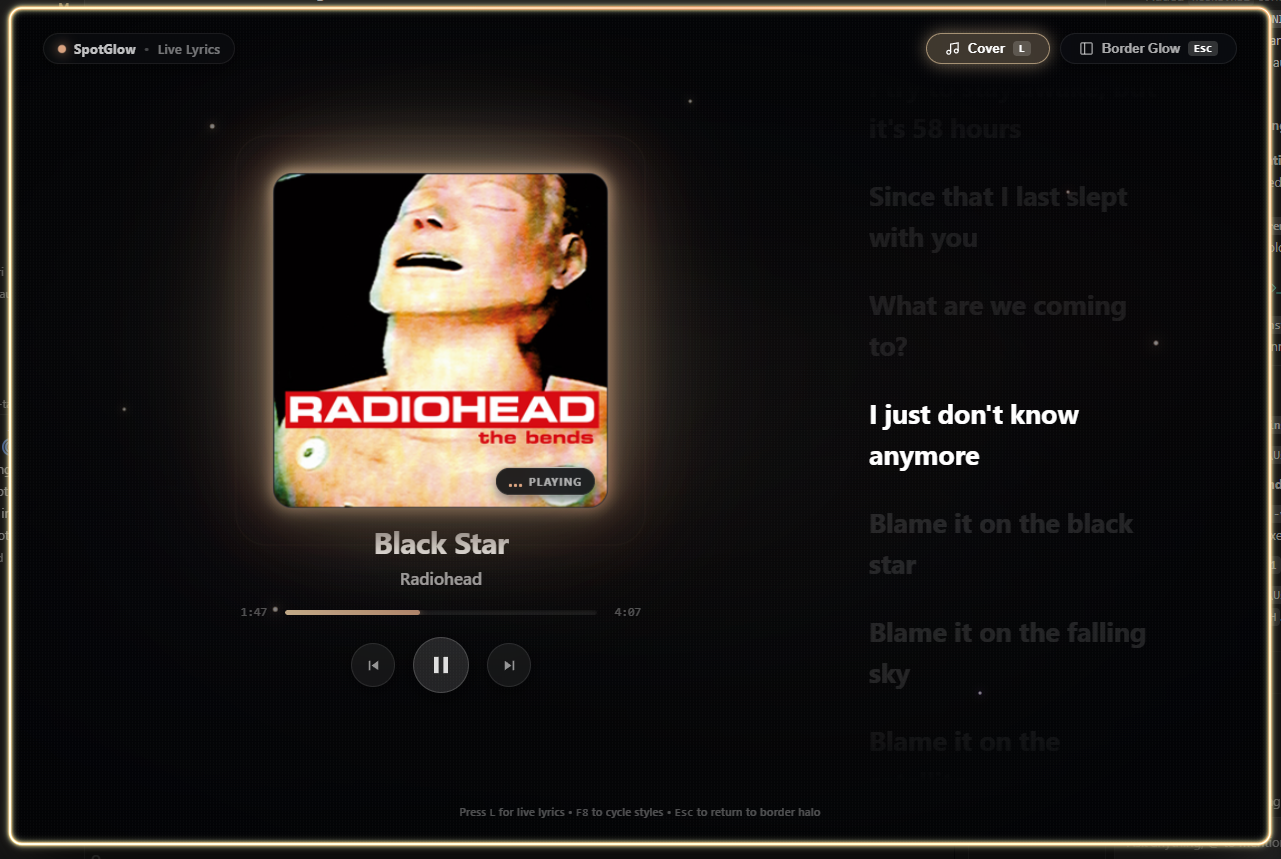
Ambient Spotify window border glow and album-art lighting for Windows 10/11.
⚡ Installation
Install or update via PowerShell:
irm https://raw.githubusercontent.com/Saimun-jd/spotglow/main/install.ps1 | iex
Or run locally:
.\install.ps1
Automatically adds spotglow to your User PATH environment variable.
⌨️ Controls & Shortcuts
| Shortcut | Action |
|---|---|
F8 or Ctrl + Shift + A | Cycle animation style (Aurora, Pulse, Comet, EQ, Plasma, Zen) |
F9 or Ctrl + Shift + G | Toggle mode (Border Glow ↔ Cover Art Focus) |
| System Tray | Change style presets, toggle modes, or exit |
💻 Terminal Commands
spotglow              # Launch SpotGlow
spotglow --status     # Inspect Spotify connection & window status
spotglow --version    # Print version (v0.2.0)
spotglow --uninstall  # Silently uninstall and clean shortcuts/PATH
You can also run the standalone uninstaller script:
.\uninstall.ps1
🛠️ Build from Source
npm install
npm run tauri build -- --bundles nsis
Similar repos


See what people are saying
README
SpotGlow
Ambient Spotify window border glow and album-art lighting for Windows 10/11.
⚡ Installation
Install or update via PowerShell:
irm https://raw.githubusercontent.com/Saimun-jd/spotglow/main/install.ps1 | iex
Or run locally:
.\install.ps1
Automatically adds spotglow to your User PATH environment variable.
⌨️ Controls & Shortcuts
| Shortcut | Action |
|---|---|
F8 or Ctrl + Shift + A | Cycle animation style (Aurora, Pulse, Comet, EQ, Plasma, Zen) |
F9 or Ctrl + Shift + G | Toggle mode (Border Glow ↔ Cover Art Focus) |
| System Tray | Change style presets, toggle modes, or exit |
💻 Terminal Commands
spotglow              # Launch SpotGlow
spotglow --status     # Inspect Spotify connection & window status
spotglow --version    # Print version (v0.2.0)
spotglow --uninstall  # Silently uninstall and clean shortcuts/PATH
You can also run the standalone uninstaller script:
.\uninstall.ps1
🛠️ Build from Source
npm install
npm run tauri build -- --bundles nsis