A personal project of mine, it's meant to be an easy to use Japanese text analysis tool (WIP)
Python
0
5 commits
updated Jul 2, 2025
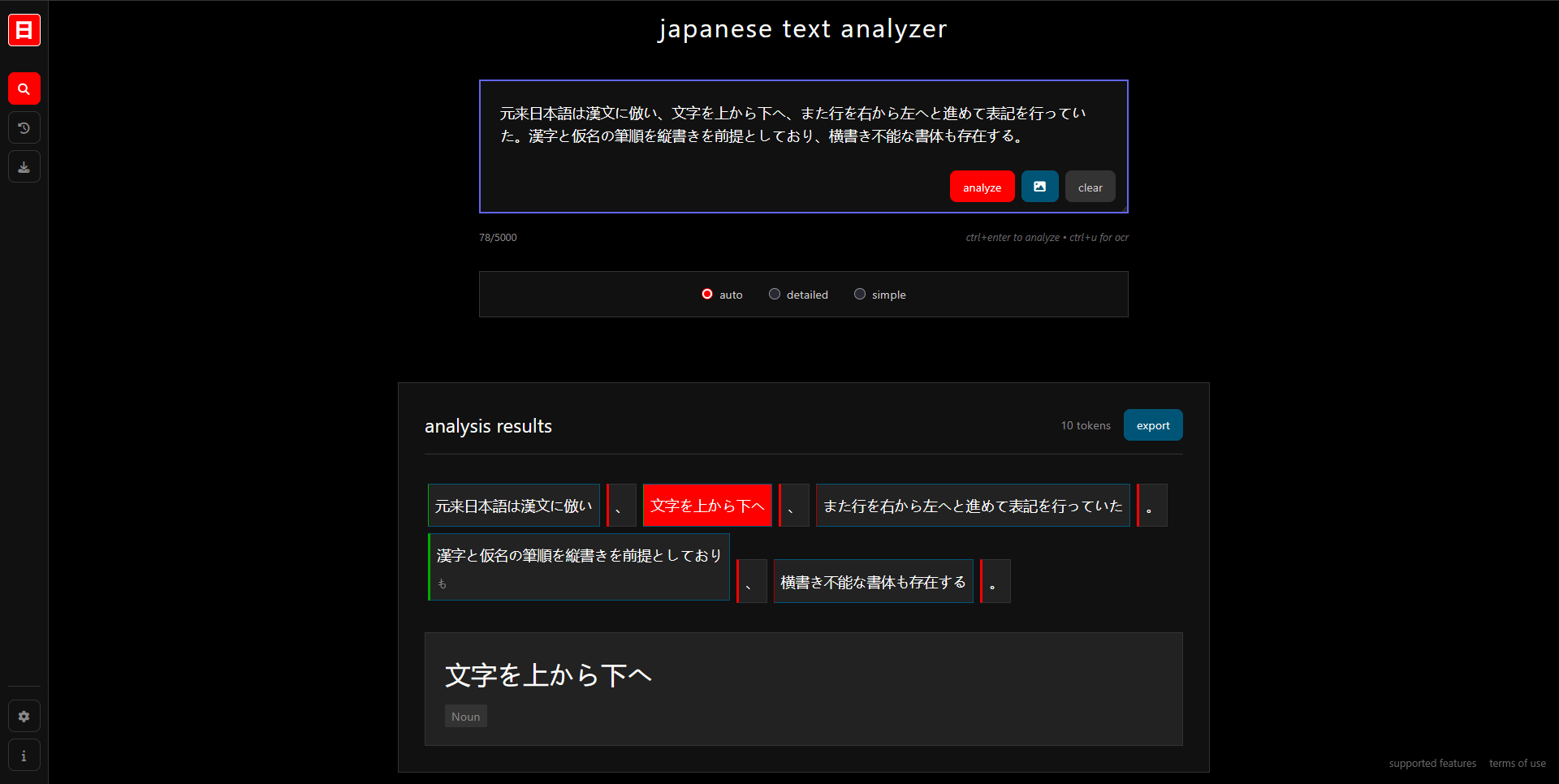
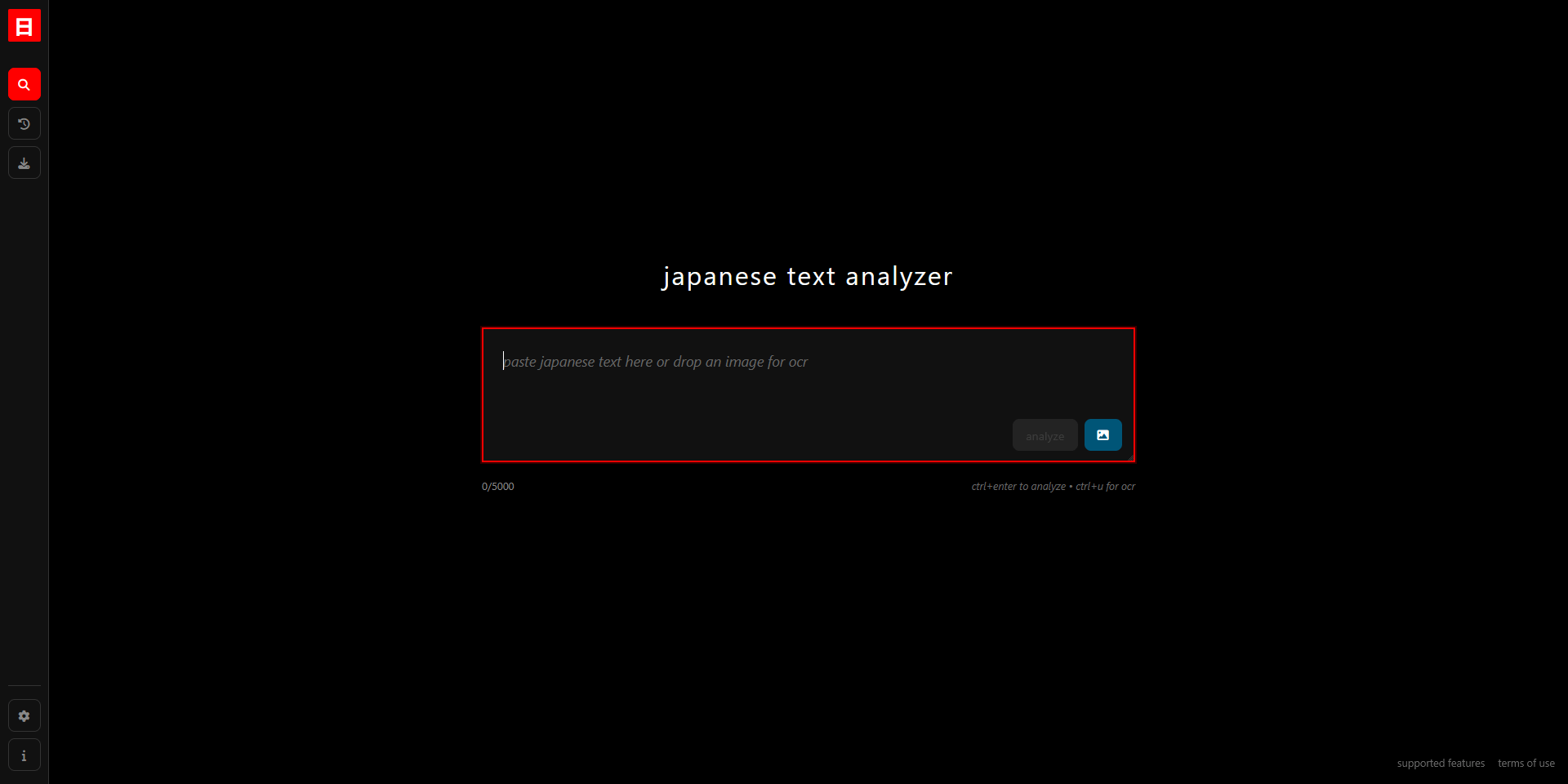
An advanced web application for Japanese language learning and analysis. Upload images or input text to get OCR extraction, morphological analysis, dictionary lookups, and interactive furigana rendering.
Clone the repository
git clone <your-repo-url>
cd JPLT
Install backend dependencies
cd backend
npm install
Install frontend dependencies
cd ../frontend
npm install
Set up Python services
# Parser service
cd ../backend/parser_service
python -m venv venv

# Activate virtual environment
source venv/bin/activate          # Linux/Mac
# OR
venv\Scripts\activate            # Windows

pip install -r requirements.txt

# OCR service
cd ../ocr_service
pip install -r requirements.txt
Start all services in separate terminals:
Parser Service (Terminal 1)
cd backend/parser_service
source venv/bin/activate         # Linux/Mac
# OR venv\Scripts\activate       # Windows
uvicorn parser:app --host 0.0.0.0 --port 8001
OCR Service (Terminal 2)
cd backend/ocr_service
uvicorn ocr_server:app --host 0.0.0.0 --port 8000
Backend API (Terminal 3)
cd backend
node server.js
Frontend (Terminal 4)
cd frontend
npm run dev
Frontend (Vue.js) ↔ Backend API (Express) ↔ Parser Service (FastAPI)
                           ↓
                    Dictionary System (SQLite)
                           ↓
                    OCR Service (FastAPI)
# Test parser service
cd backend/parser_service
python -m pytest tests/ -v

# Test individual services
curl http://localhost:8001/health  # Parser
curl http://localhost:8000/health  # OCR
curl http://localhost:3000/health  # Backend
node_modules and run npm install againdictionary.sqlite exists in backend foldervenv\Scripts\activate instead of source venv/bin/activatenpm rebuildThe project uses:
MIT License
Copyright (c) 2025 Shan Li Chin
Permission is hereby granted, free of charge, to any person obtaining a copy of this software and associated documentation files (the "Software"), to deal in the Software without restriction, including without limitation the rights to use, copy, modify, merge, publish, distribute, sublicense, and/or sell copies of the Software, and to permit persons to whom the Software is furnished to do so, subject to the following conditions:
The above copyright notice and this permission notice shall be included in all copies or substantial portions of the Software.
THE SOFTWARE IS PROVIDED "AS IS", WITHOUT WARRANTY OF ANY KIND, EXPRESS OR IMPLIED, INCLUDING BUT NOT LIMITED TO THE WARRANTIES OF MERCHANTABILITY, FITNESS FOR A PARTICULAR PURPOSE AND NONINFRINGEMENT. IN NO EVENT SHALL THE AUTHORS OR COPYRIGHT HOLDERS BE LIABLE FOR ANY CLAIM, DAMAGES OR OTHER LIABILITY, WHETHER IN AN ACTION OF CONTRACT, TORT OR OTHERWISE, ARISING FROM, OUT OF OR IN CONNECTION WITH THE SOFTWARE OR THE USE OR OTHER DEALINGS IN THE SOFTWARE.
A personal project of mine, it's meant to be an easy to use Japanese text analysis tool (WIP)
Python
0
5 commits
updated Jul 2, 2025
An advanced web application for Japanese language learning and analysis. Upload images or input text to get OCR extraction, morphological analysis, dictionary lookups, and interactive furigana rendering.
Clone the repository
git clone <your-repo-url>
cd JPLT
Install backend dependencies
cd backend
npm install
Install frontend dependencies
cd ../frontend
npm install
Set up Python services
# Parser service
cd ../backend/parser_service
python -m venv venv

# Activate virtual environment
source venv/bin/activate          # Linux/Mac
# OR
venv\Scripts\activate            # Windows

pip install -r requirements.txt

# OCR service
cd ../ocr_service
pip install -r requirements.txt
Start all services in separate terminals:
Parser Service (Terminal 1)
cd backend/parser_service
source venv/bin/activate         # Linux/Mac
# OR venv\Scripts\activate       # Windows
uvicorn parser:app --host 0.0.0.0 --port 8001
OCR Service (Terminal 2)
cd backend/ocr_service
uvicorn ocr_server:app --host 0.0.0.0 --port 8000
Backend API (Terminal 3)
cd backend
node server.js
Frontend (Terminal 4)
cd frontend
npm run dev
Frontend (Vue.js) ↔ Backend API (Express) ↔ Parser Service (FastAPI)
                           ↓
                    Dictionary System (SQLite)
                           ↓
                    OCR Service (FastAPI)
# Test parser service
cd backend/parser_service
python -m pytest tests/ -v

# Test individual services
curl http://localhost:8001/health  # Parser
curl http://localhost:8000/health  # OCR
curl http://localhost:3000/health  # Backend
node_modules and run npm install againdictionary.sqlite exists in backend foldervenv\Scripts\activate instead of source venv/bin/activatenpm rebuildThe project uses:
MIT License
Copyright (c) 2025 Shan Li Chin
Permission is hereby granted, free of charge, to any person obtaining a copy of this software and associated documentation files (the "Software"), to deal in the Software without restriction, including without limitation the rights to use, copy, modify, merge, publish, distribute, sublicense, and/or sell copies of the Software, and to permit persons to whom the Software is furnished to do so, subject to the following conditions:
The above copyright notice and this permission notice shall be included in all copies or substantial portions of the Software.
THE SOFTWARE IS PROVIDED "AS IS", WITHOUT WARRANTY OF ANY KIND, EXPRESS OR IMPLIED, INCLUDING BUT NOT LIMITED TO THE WARRANTIES OF MERCHANTABILITY, FITNESS FOR A PARTICULAR PURPOSE AND NONINFRINGEMENT. IN NO EVENT SHALL THE AUTHORS OR COPYRIGHT HOLDERS BE LIABLE FOR ANY CLAIM, DAMAGES OR OTHER LIABILITY, WHETHER IN AN ACTION OF CONTRACT, TORT OR OTHERWISE, ARISING FROM, OUT OF OR IN CONNECTION WITH THE SOFTWARE OR THE USE OR OTHER DEALINGS IN THE SOFTWARE.



