Local-first whiteboard and note-taking app for handwritten notes, diagrams, PDF annotation and lecture voice recordings. Offline PWA and desktop app. No account, no cloud.
See the code
A local-first whiteboard and handwriting note-taking app. Write, sketch, annotate PDFs and record lectures. No account, no cloud, no subscription.



Download · Web app · Changelog · Report an issue
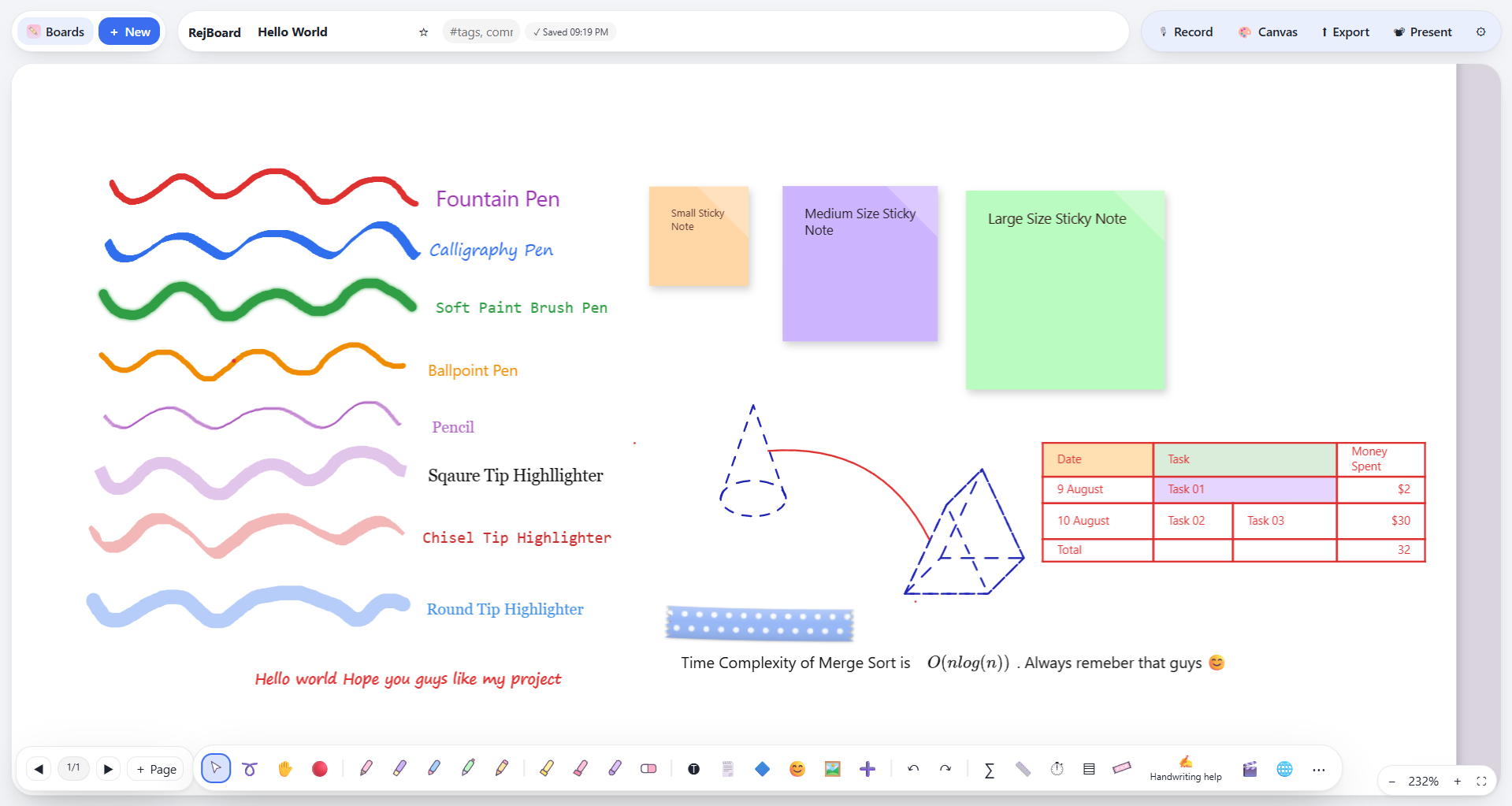
RejBoard is a handwriting-first note-taking app for people who think on paper: students, engineers, teachers and anyone who sketches ideas before typing them. It combines a pressure-sensitive pen engine with typed text, LaTeX math, shapes and connectors, tables with spreadsheet formulas, PDF annotation and per-board voice recordings.
Everything runs on your device. Boards live in local storage (IndexedDB in the browser, the app-data folder on desktop), and nothing is sent anywhere unless you explicitly use one of the optional online features.
| Principle | What it means in practice |
|---|---|
| Local-first | No account, no sync service, no analytics. Your data is yours. |
| Free and open source | MIT licensed. No paywalled features, no subscriptions. |
| Handwriting first | Low-latency, pressure-sensitive ink, with palm rejection, tilt shading and stylus button support. |
| Offline by default | Drawing, text, math, tables, PDF, export and recordings all work without a connection. |
I take most of my notes by hand on an Android tablet. The Android ecosystem has no shortage of handwriting apps, and each one does something well: one has an excellent pen engine, another has useful organization tools, a third handles PDFs cleverly. The problem is that the best features are usually locked behind a paywall or a subscription, and buying every app would cost far more than I was willing to spend. On top of that, most of these apps keep your notes in their own cloud.
I wanted something different: a handwriting note-taking app that is free, open source and fully local, where your notes live on your device and nowhere else. I also wanted to use it on Windows, where, apart from OneNote, there are few handwriting-first note apps.
To get there, I studied the most useful features of note-taking apps on Android, iPadOS (which I tested for a few days) and Windows, and set out to bring them together in one app.
|
Ink and drawing
|
Documents and structure
|
|
Capture and share
|
Organization
|
|
Handwriting to text
|
Global by design
|
Download the installer for your platform from the latest release.
| Platform | Artifacts |
|---|---|
| Windows (x64) | RejBoard-<version>-win-x64-Setup.exe, RejBoard-<version>-win-x64-Portable.exe |
| macOS (Intel and Apple Silicon) | RejBoard-<version>-mac-<arch>.dmg |
| Linux | .AppImage, .deb, .rpm |
Unsigned builds. Release builds are not code-signed yet. On Windows, SmartScreen may warn you (More info → Run anyway). On macOS, if the app is reported as damaged, run:
xattr -cr "/Applications/RejBoard.app"
Open https://rejwanshafi25.github.io/RejBoard/, then use your browser's install option (the icon in Chrome or Edge's address bar) to install it as an offline app.
The web build stores boards in your browser's IndexedDB, so they are not shared between devices or browsers. The desktop app is the better choice for long-term storage, and it also unlocks the in-app browser, on-device handwriting recognition and local-network sharing.
| Build | Location | Notes |
|---|---|---|
| Desktop | The app's user-data folder | Existing Rejwan Whiteboard data folders are detected and reused, so boards survive the rename. |
| Web / PWA | Browser IndexedDB | Clearing cached images and files is safe. Clearing cookies and other site data deletes your boards. |
Use Backup on the home screen regularly. Backups include voice recordings.
RejBoard has no account system, no telemetry and no analytics. Only the optional features below use the network.
| Feature | Network | What leaves your device |
|---|---|---|
| Drawing, text, math, tables, PDF, export, recordings | None | Nothing |
| Handwriting to text, On-device engine | None | Nothing. Strokes are rasterized in memory, recognized by a bundled engine and discarded. |
| Handwriting to text, Online engine (default) | Required | The ink points of the selected strokes, sent to an unofficial Google Input Tools endpoint. |
| In-app browser and video panel (desktop) | Required | Whatever you browse. See the notes below. |
| UI language packs | Once per language, if not bundled | A request for a pack file from this repository. Nothing about you is sent. |
| Local-network sharing | LAN only | Boards you choose to send, encrypted in transit, to a computer you select. |
| Update check (desktop, opt-in) | HTTPS to GitHub Releases | Your IP address and installed app version. Only when you press Check for updates or enable Check for updates automatically in Settings → Updates. Automatic checks are off by default. |
In Settings → Updates, check manually or enable optional startup checks (off by default). Update metadata and downloads come from GitHub Releases over HTTPS. Windows NSIS installers and Linux AppImage builds support in-app updates with differential downloads where the release blockmaps allow it. Windows Portable builds and Linux .deb/.rpm packages must be updated manually from GitHub Releases. Unsigned macOS builds also use the Releases page. Update checks disclose the request IP address and app version to GitHub; no board content is sent.
Enabling macOS auto-updates later: (1) enrol in the Apple Developer Program; (2) create a Developer ID Application certificate and securely export it as a .p12; (3) configure signing and hardened runtime entitlements, then notarize and staple the app; (4) add the certificate and password as encrypted CI secrets (for example CSC_LINK and CSC_KEY_PASSWORD) and provide Apple notarization credentials as GitHub Actions secrets; (5) enable signed macOS builds and verify the signed .app and ZIP on a clean Mac. Never turn off signature verification. The ZIP target is already configured alongside DMG for this preparation.
Select handwriting with the lasso and press ✍→T. Choose an engine in Settings → Handwriting to text.
| Online (Google) | On-device (offline) | |
|---|---|---|
| Availability | Desktop and web | Desktop only |
| Best for | Cursive and mixed handwriting | Neat or printed handwriting |
| Network | Required | None |
| Mechanism | Sends ink points to a Google service | Draws strokes to an in-memory PNG, recognized by bundled Tesseract.js (WebAssembly). No temp files, no API keys. |
| Engine consistency | n/a | Identical on Windows, macOS and Linux. The operating system's OCR is not used. |
Every release build ships the on-device engine with English language data, so it works with nothing extra to install.
Available in the desktop app, between Windows, macOS and Linux machines on the same network.
Received boards are placed in a folder named Received from <computer>.
Security model
41234; transfer uses TCP 41235. Your OS firewall may ask you to allow these on private networks.The embedded browser and video panels use a non-persistent Electron session (no persist: partition).
Important limits. This is not an anonymity feature. Websites you visit can still see your IP address and connection metadata, and may retain activity on their own servers. RejBoard cannot erase data a third party has already received. Do not use the feature on a device you do not trust, and sign out of accounts before closing if you wish. Private-session behavior can vary between Chromium/Electron versions.
Locking a board hides its thumbnail, lists it under Protected and asks for the password before opening. This is an access gate in the app, not encryption at rest: board content is stored unencrypted on disk. Treat it as a privacy convenience, not as protection against someone with access to your device's files.
#tags.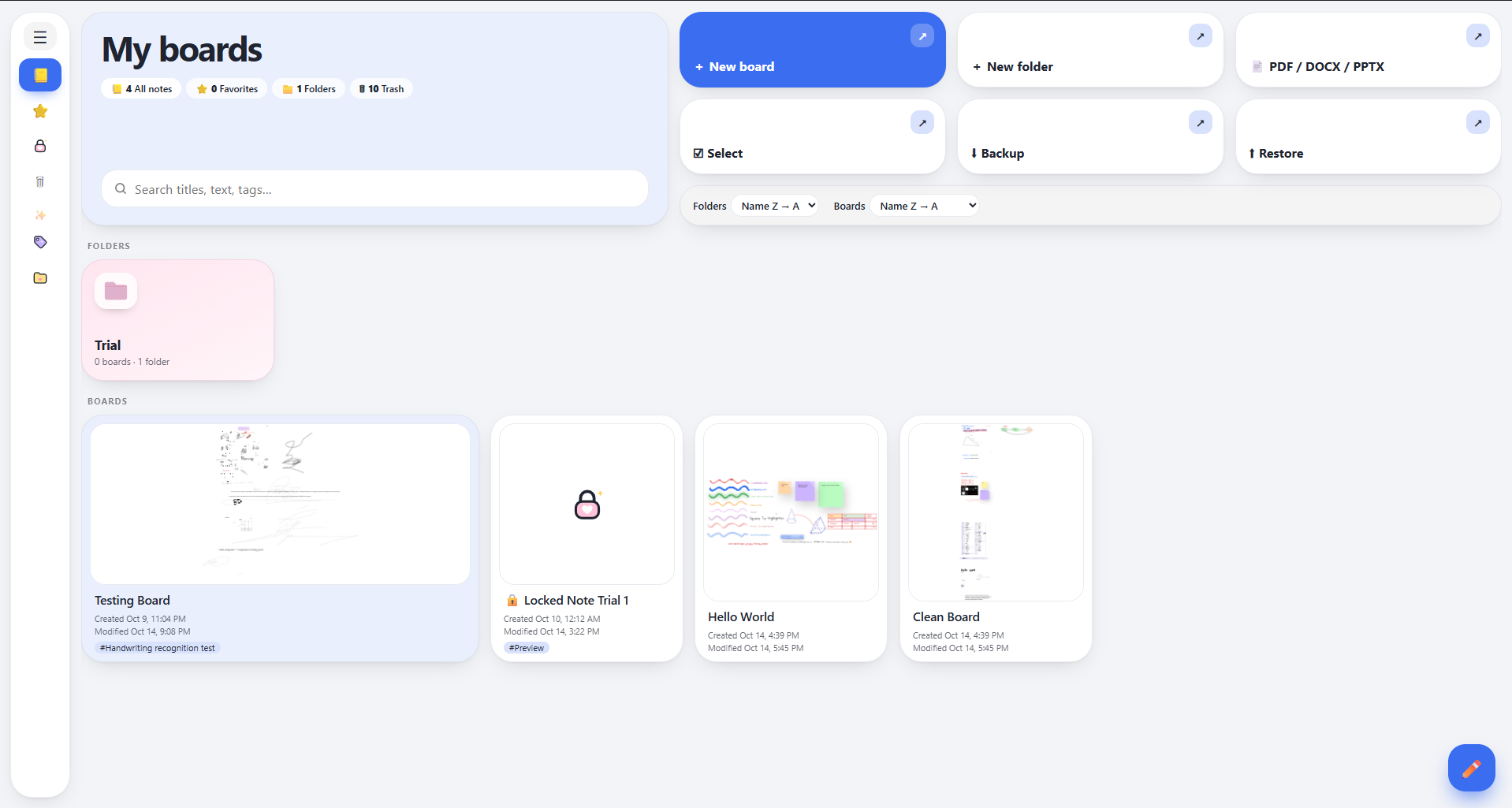 Home Section view
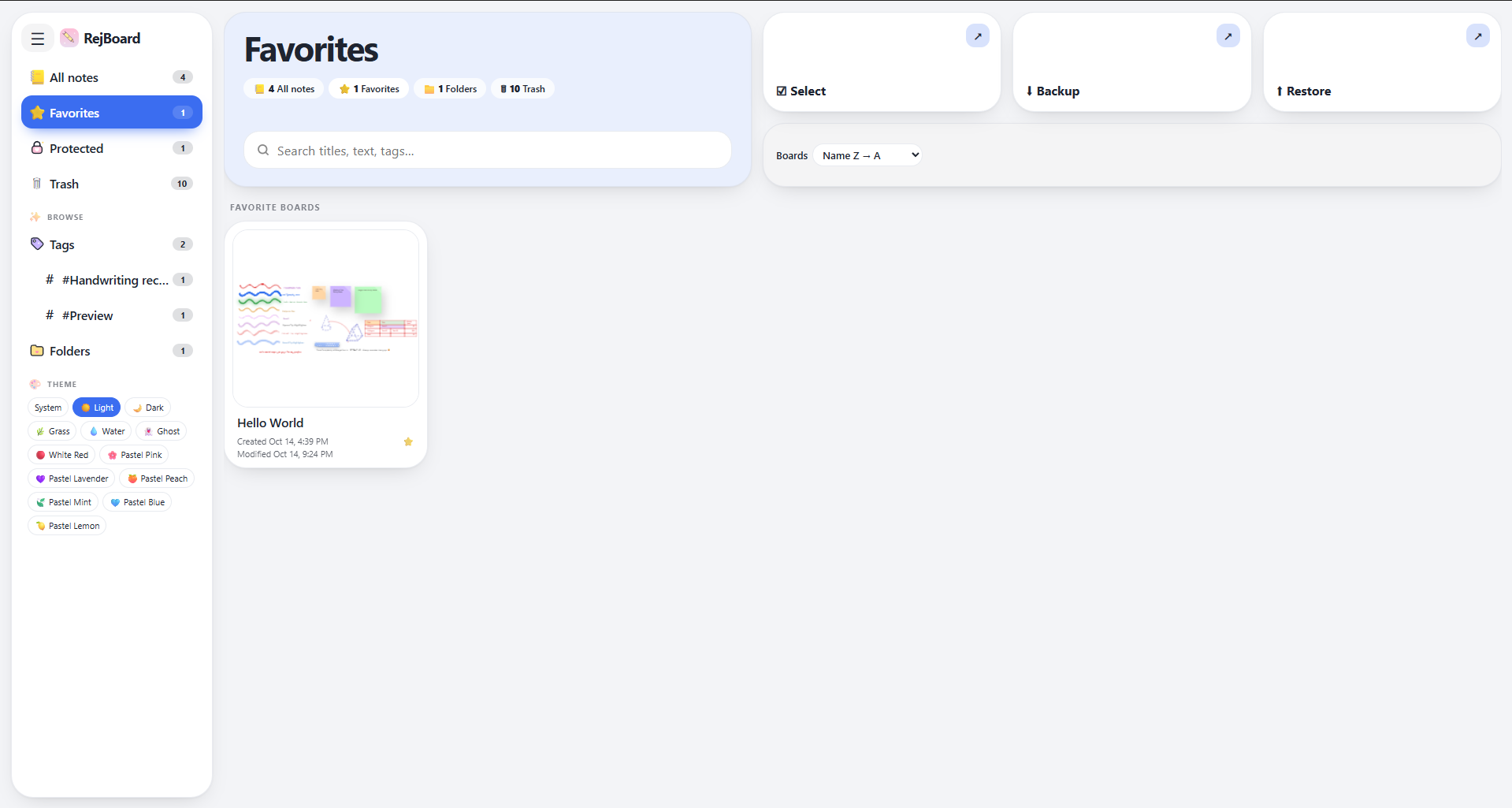 Favorite section view
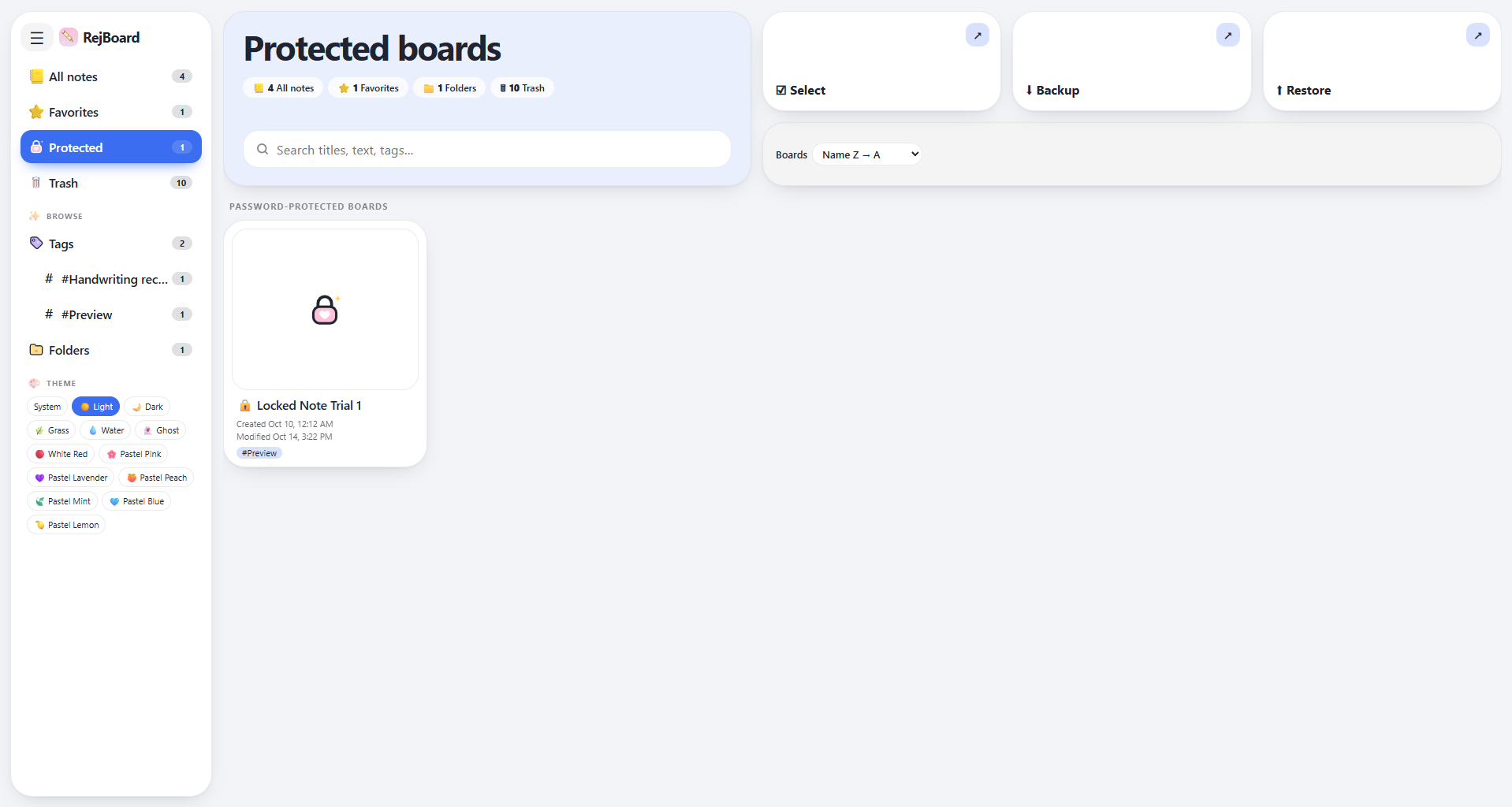 Protected section view
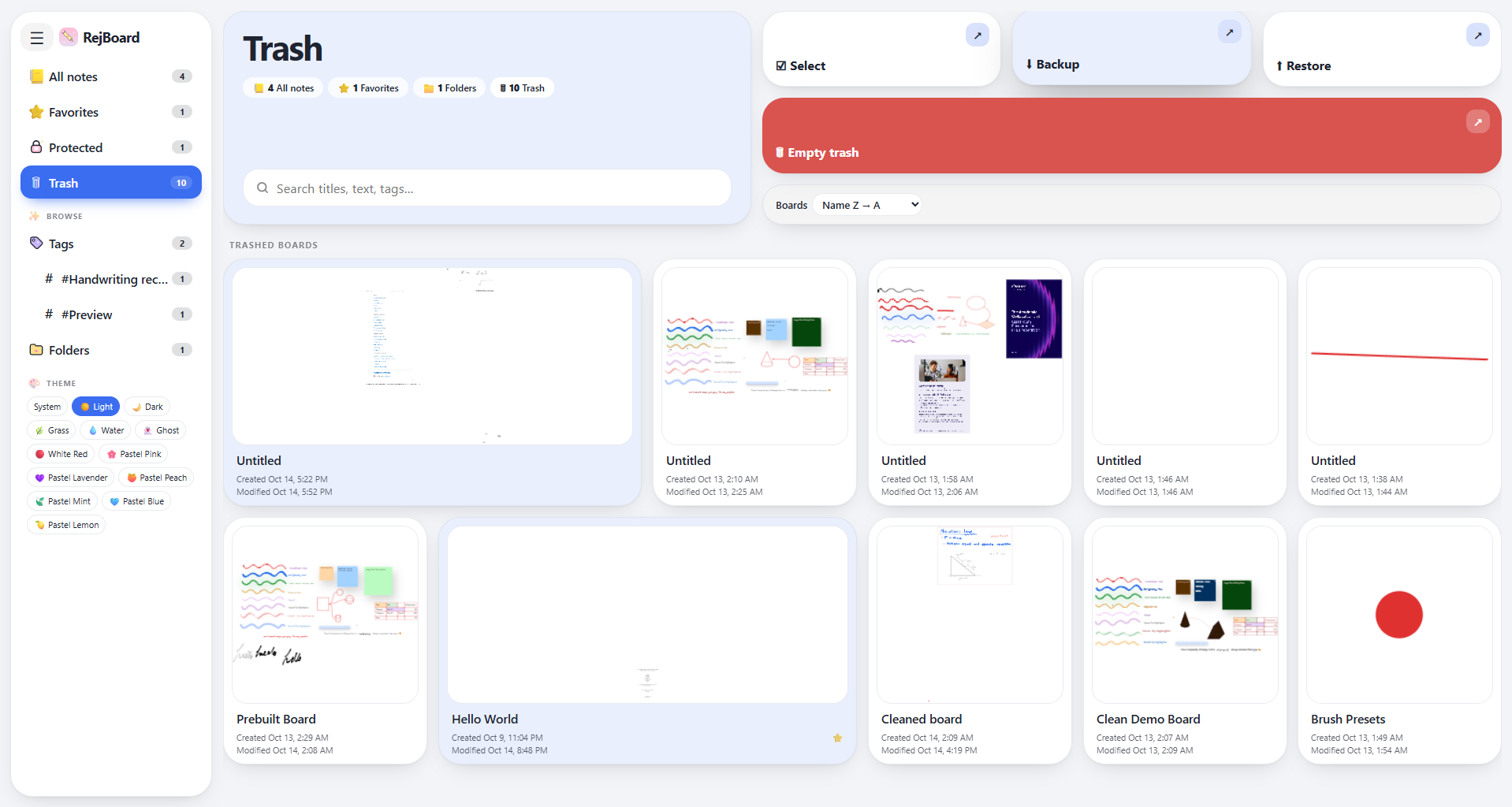 Trash section view
Tag section view
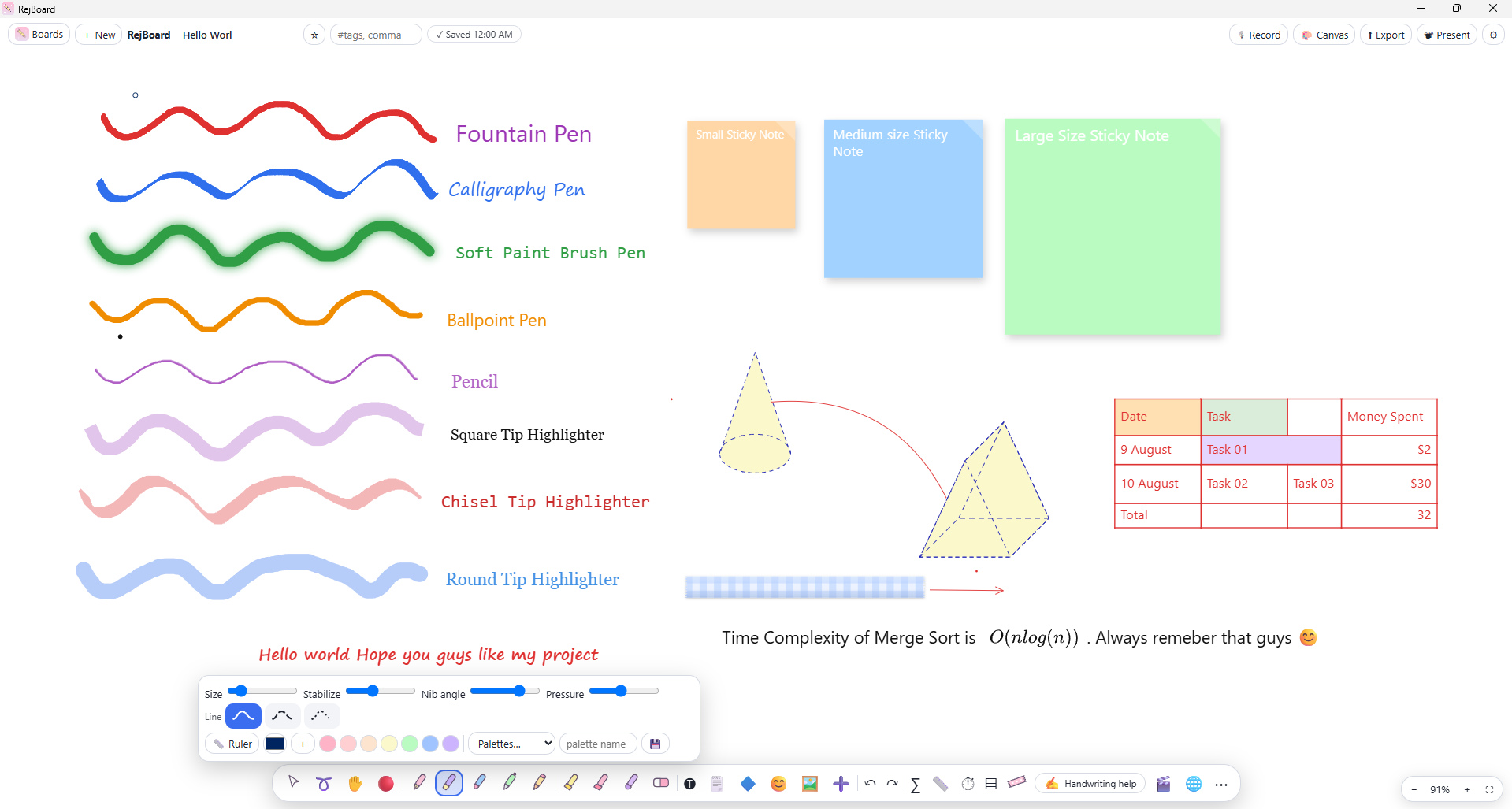
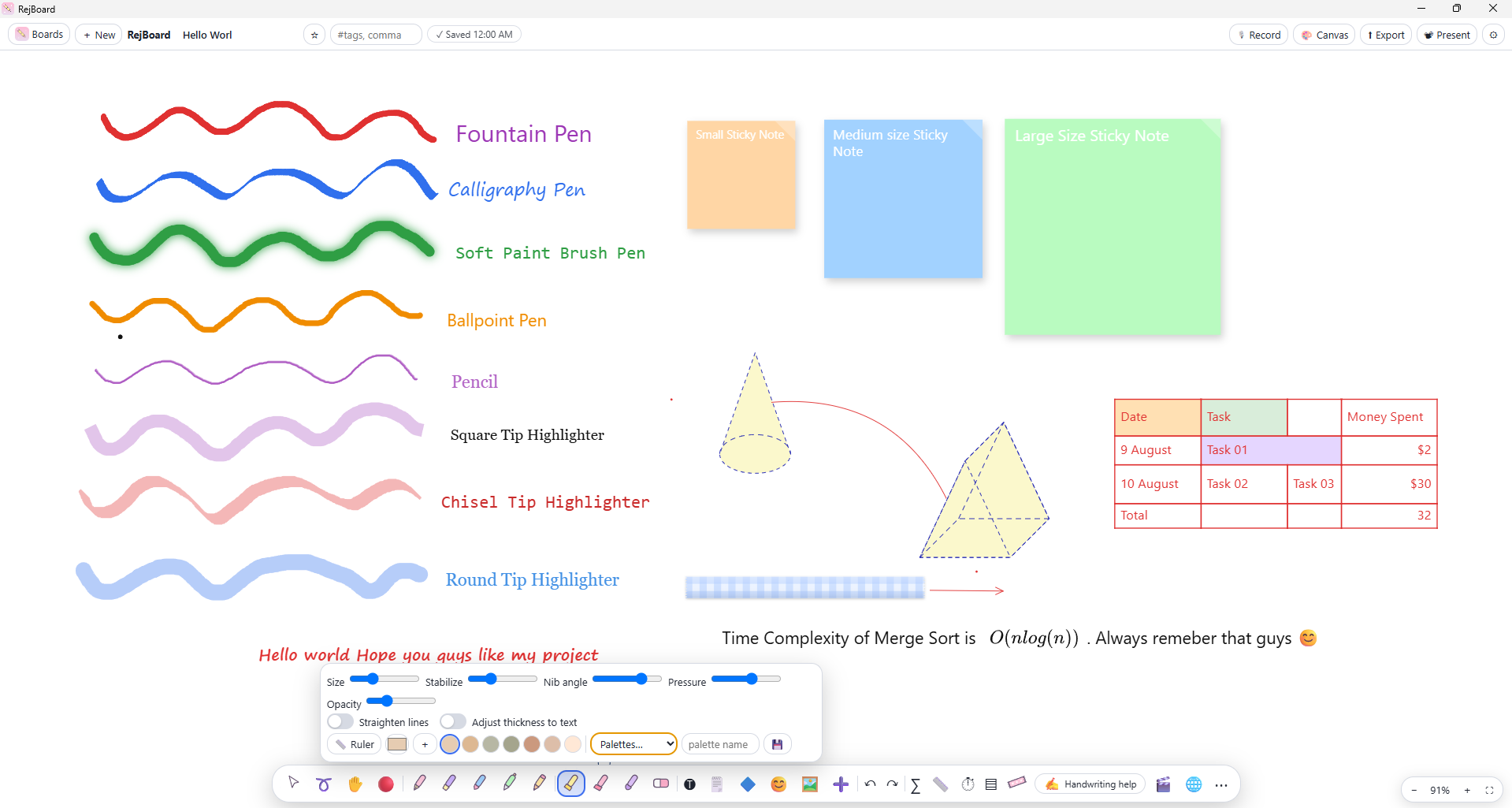
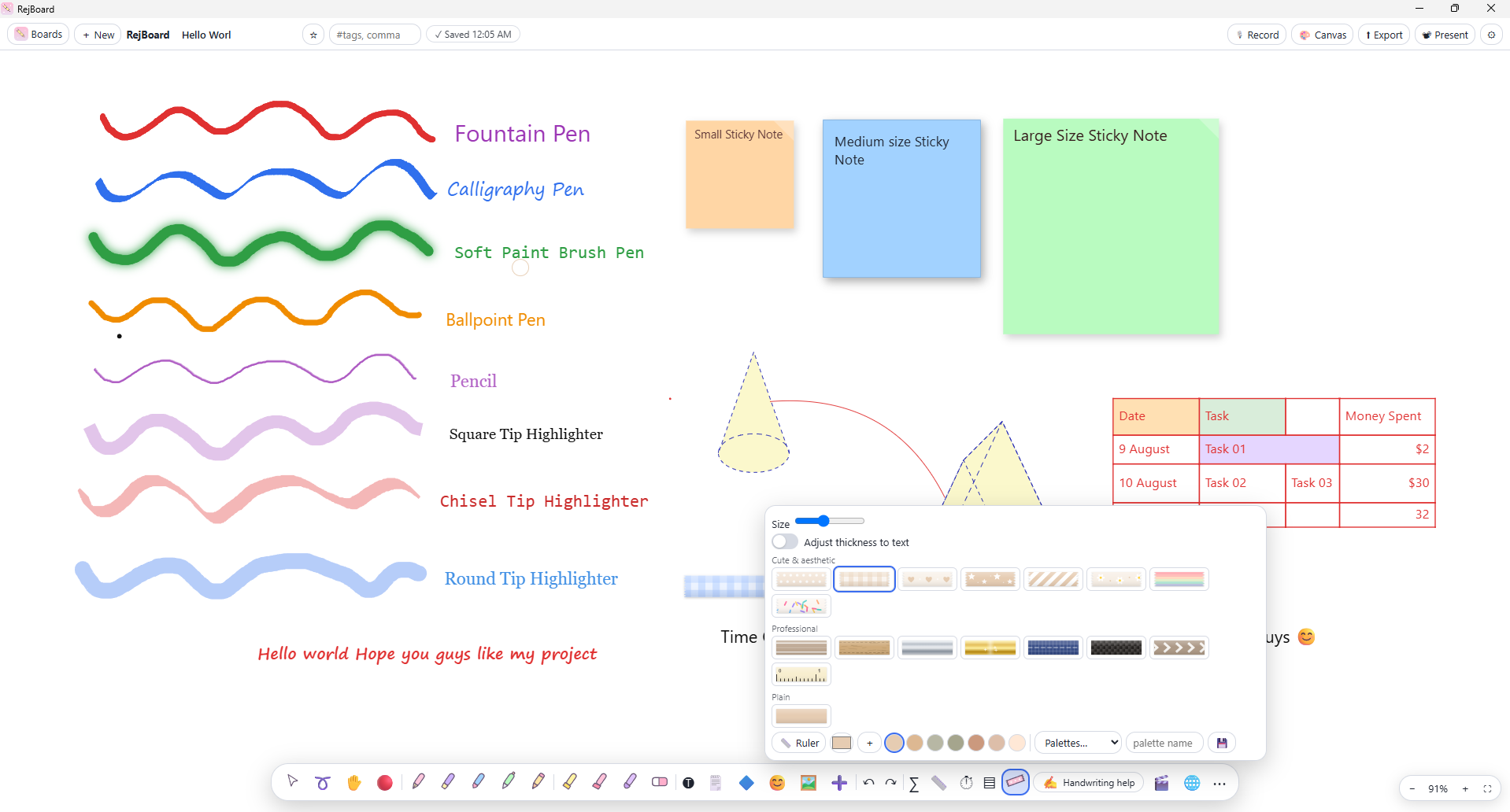
| Pens | Highlighters | Tapes |
|---|---|---|
 |  |  |
Esc clears the selection and cancels any active gesture.Enter finishes editing; Shift+Enter inserts a line break.sqrt(x^2+1)/2, a/b and int_0^1 x^2 dx become LaTeX. Inline $...$ previews while typing and becomes its own selectable, resizable object. A LaTeX palette covers structures, Greek, symbols and computer-science notation.@ to link to another board or to a specific page (Notes › 3). A Back button returns you across multiple hops, and linked boards show a Linked from indicator. Exports and shares can include linked boards.$x^{2}$, or with Auto-math enabled.1,000, $5 and 50% are read as numbers.Formulas start with =. Cells use A1 addressing, ranges use A1:B5, whole columns use A:A. Click cells while typing to insert references, or use Σ Sum. References follow cells when rows and columns are inserted or deleted.
| Category | Functions |
|---|---|
| Aggregate | SUM AVERAGE MIN MAX COUNT COUNTA MEDIAN PRODUCT |
| Conditional | SUMIF COUNTIF AVERAGEIF IF IFERROR AND OR NOT |
| Math | ABS SQRT POWER MOD EXP LN LOG LOG10 PI SIGN |
| Rounding | ROUND ROUNDUP ROUNDDOWN INT TRUNC FLOOR CEILING |
| Text | CONCAT LEN UPPER LOWER TRIM LEFT RIGHT MID |
| Checks | ISERROR ISNUMBER |
Operators: + - * / ^ % & and = <> < > <= >= (^ is left-associative, as in Excel). Error values: #DIV/0! #REF! #NAME? #VALUE! #CYCLE! #ERR!.
server.py also uses LibreOffice..rjwb (RejBoard's own format, which includes recordings).Press 🎙 Record in the header to record while you write. Each board keeps its own recordings, with pause / resume, playback at 0.75×–2×, rename and delete. Recordings stay on your device, travel with .rjwb files, backups and local-network shares, and require microphone permission. Closing the app mid-recording discards that recording.
| Action | Shortcut |
|---|---|
| Undo / Redo | Ctrl+Z / Ctrl+Y |
| Copy / Cut / Paste / Duplicate | Ctrl+C / X / V / D |
| Group / Ungroup | Ctrl+G / Ctrl+Shift+G |
| Save | Ctrl+S |
| Select all | Ctrl+A |
| Zoom | + / - |
| Fountain / Calligraphy / Soft brush / Ballpoint / Pencil | 1 / 2 / 3 / 4 / 5 |
| Square / Chisel / Round highlighter | 6 / 7 / 8 |
| Text / Tape / Eraser | T / W / E |
| Handwriting → text (only with handwriting selected) | H |
| Clear selection, cancel gesture | Esc |
| Move only the selection (ignore linked shapes) | Hold Alt while dragging |
| Constrain ruler rotation to 15° | Hold Shift |
| Present mode: change page | ← → / PageUp PageDown |
On macOS, use Cmd in place of Ctrl.
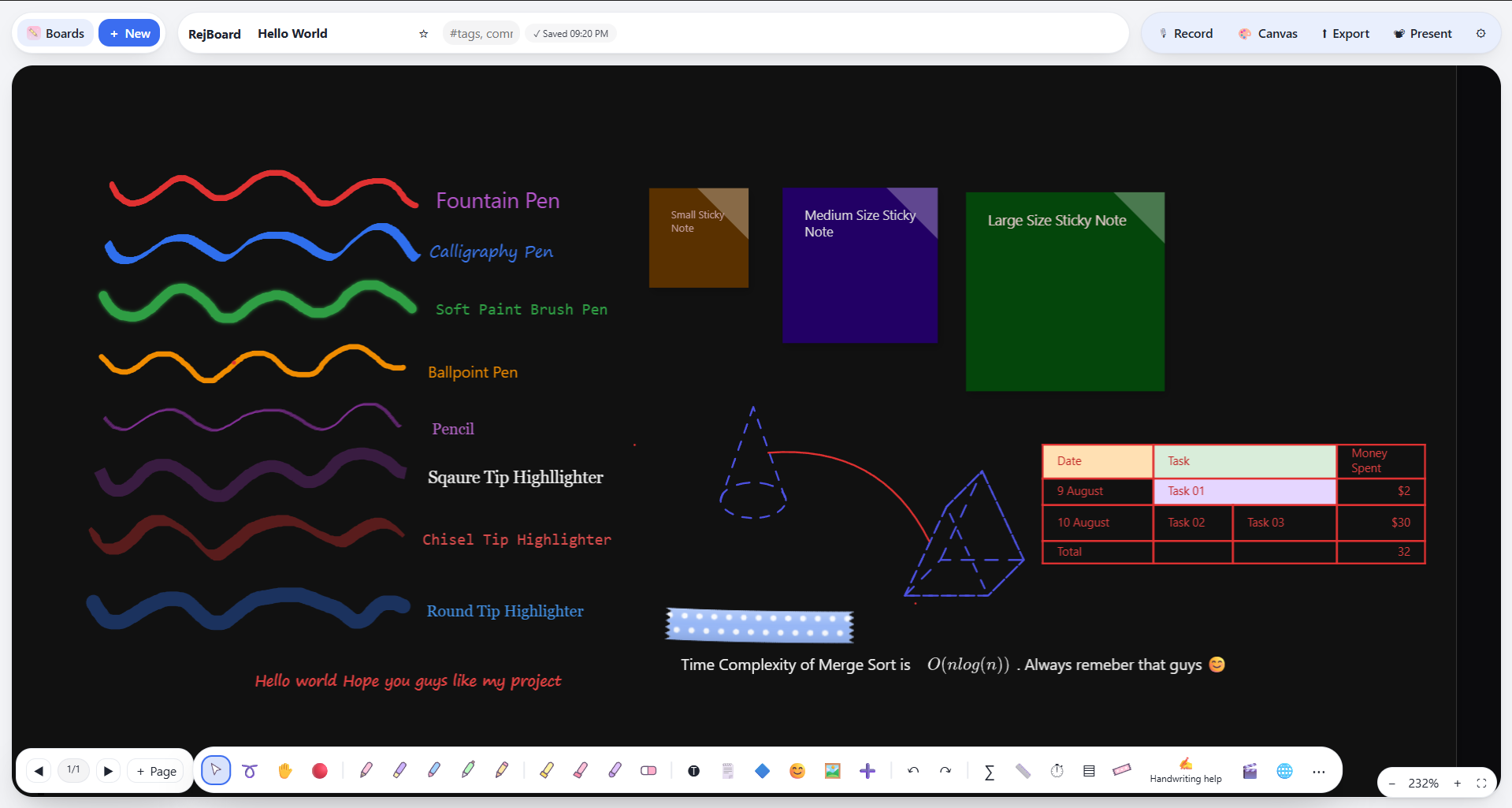 | 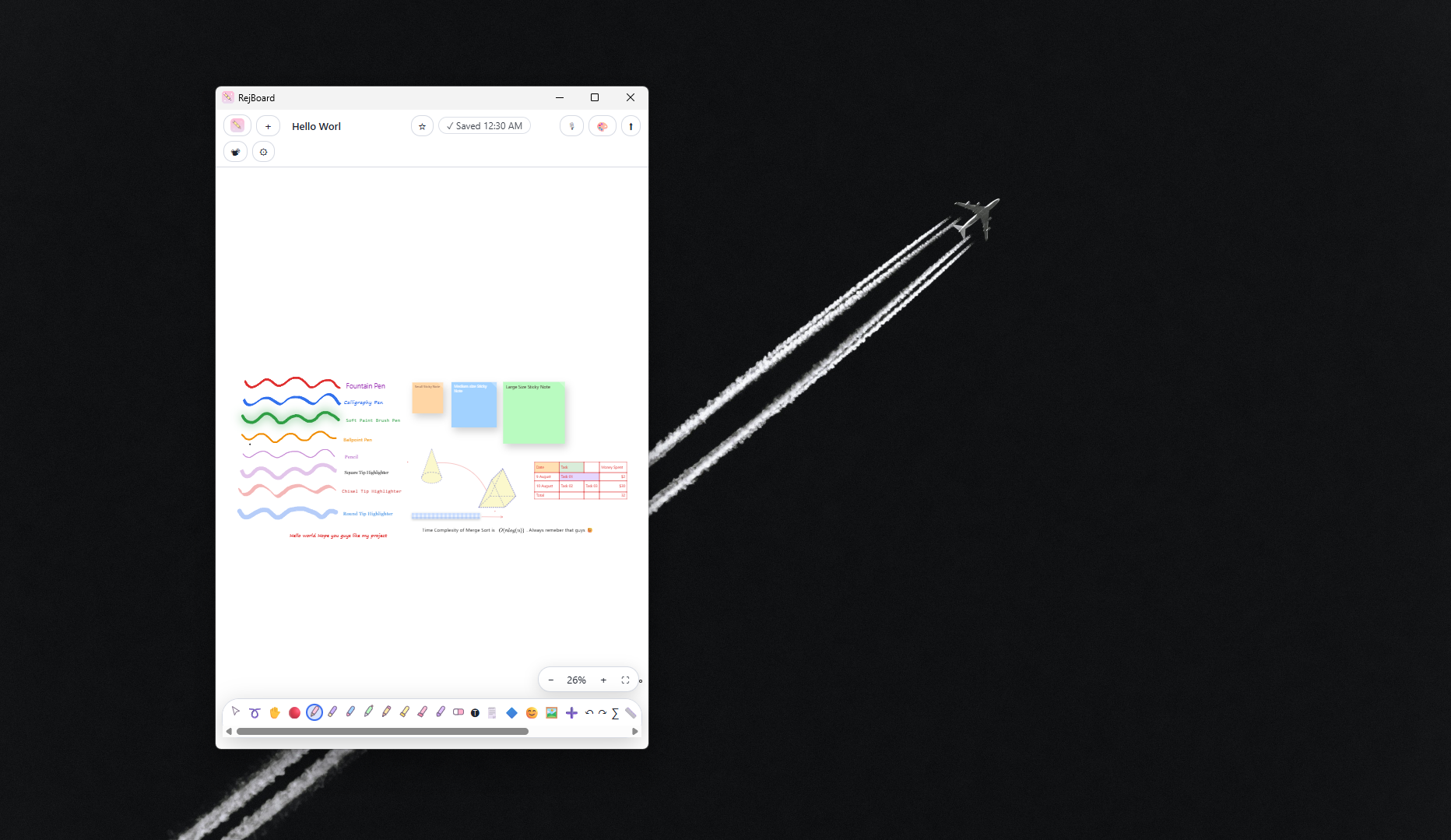 |
| Dark paper with automatic ink contrast | Adapts to narrow, phone-sized windows |
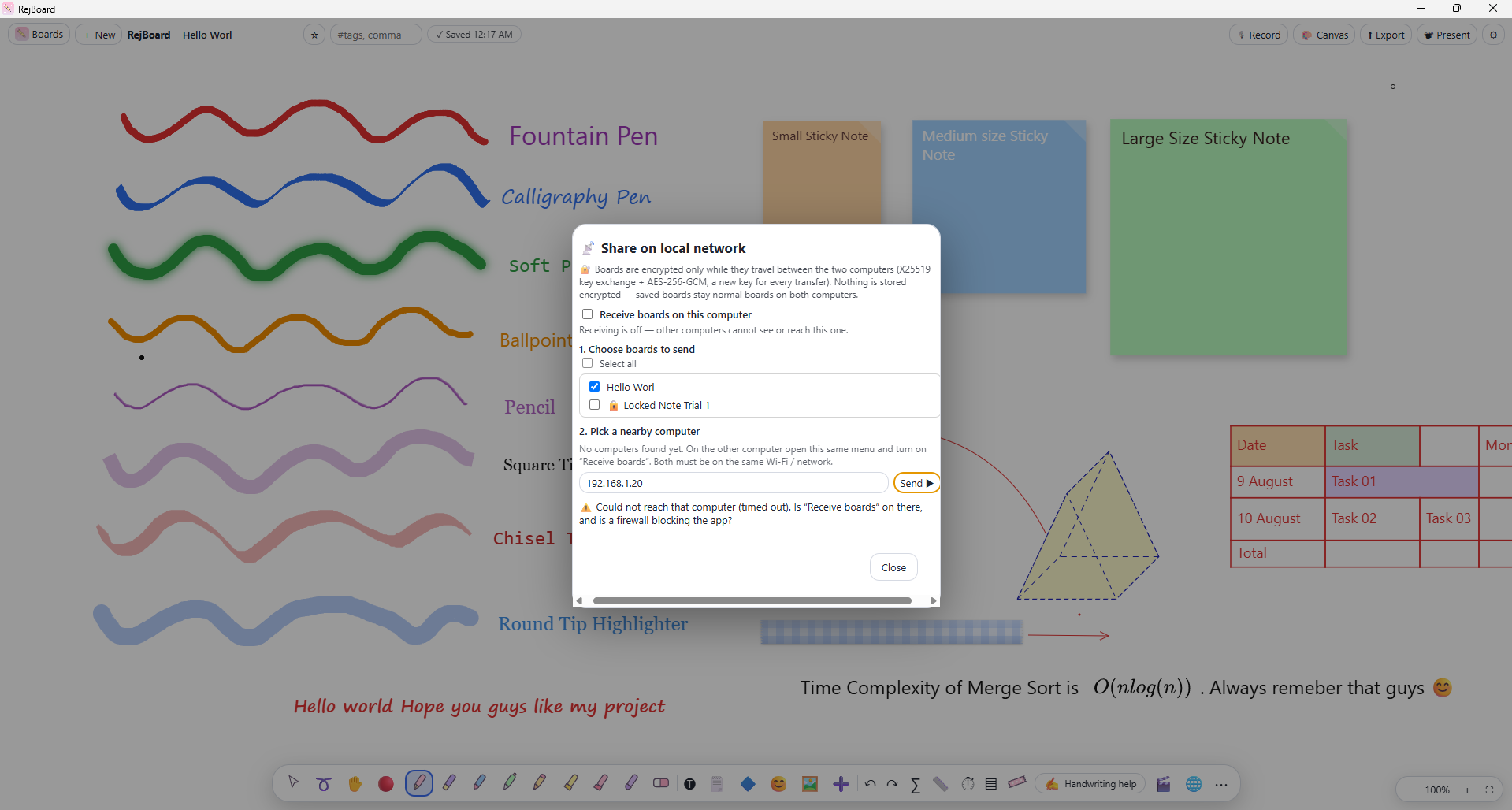 |  |
| Encrypted LAN sharing with a confirmation code | Password-protected boards |
RejBoard is intentionally dependency-light. The entire editor is a single static index.html that runs unchanged in a browser, as a PWA, and inside Electron. The desktop shell adds capabilities the browser cannot provide.
┌─────────────────────────── Renderer (index.html) ───────────────────────────┐
│  Canvas engine · tools · tables · math · PDF · export · i18n · IndexedDB    │
└───────────────▲─────────────────────────────────────────────▲───────────────┘
                │ window.wb (contextBridge, preload.js)        │ fetch / SW
┌───────────────┴──────────────── Electron main ──────────┐  ┌─┴────────────────┐
│ main.js   IPC handlers, doc→PDF, image fetch, i18n,     │  │  Web / PWA       │
│           ephemeral browser session                     │  │  sw.js offline   │
│ ocr.js    Tesseract.js worker (in-memory, one job)      │  │  cache           │
│ lan.js    UDP discovery + X25519/AES-256-GCM transfer   │  │  server.py (dev) │
└─────────────────────────────────────────────────────────┘  └──────────────────┘
| Component | Responsibility |
|---|---|
index.html | The whole application: UI, canvas engine, storage, import / export. |
main.js | Electron main process: window, IPC handlers, document conversion, remote image fetch, language packs, ephemeral browser session cleanup. |
preload.js | The only bridge between renderer and main (window.wb), exposed through contextBridge. |
ocr.js | On-device handwriting recognition: validates input (PNG only, 6 MB cap, one job at a time), runs a bundled Tesseract.js worker, releases it after 30 s idle. |
lan.js | Local-network discovery and encrypted transfer. |
sw.js + manifest.json | Offline cache and installability for the PWA. |
server.py | Minimal local server for browser development, with a handwriting and document-conversion proxy. |
locales/ | Language packs keyed by the English source strings. |
vendor/ | Offline copies of MathJax, jsPDF and pdf.js (fetched, not committed). |
ocr-engine/ | Tesseract.js and language data, bundled into desktop builds as an extra resource. |
contextIsolation: true, nodeIntegration: false, sandbox: true on the main window.preload.js.python fetch_libs.py # one-time: MathJax, jsPDF, pdf.js (and OCR language data)
python server.py # http://localhost:8000 (PORT=9000 python server.py to change)
npm install
npm run libs             # one-time: offline libraries + bundled OCR engine
npm start
| Command | Purpose |
|---|---|
npm start | Launch the Electron app from source. |
npm run libs | Fetch vendor/ libraries, download English OCR data, and install Tesseract.js into ocr-engine/. |
npm run test:ocr | Smoke test of the bundled OCR path against test/hello.png. |
npm run dist | Build installers for the current OS into dist/. |
.
├── index.html            # the application
├── main.js  preload.js   # Electron main process and bridge
├── ocr.js  lan.js        # on-device OCR, LAN sharing
├── sw.js  manifest.json  # PWA
├── server.py             # local dev server
├── fetch_libs.py         # downloads vendor/ and OCR data
├── locales/              # 22 language packs + index.json
├── ocr-engine/           # Tesseract.js package + tessdata (fetched)
├── vendor/               # MathJax, jsPDF, pdf.js (fetched)
├── tools/                # string extraction and translation scripts
├── scripts/  test/       # OCR smoke test and fixture
├── build/                # app icons for packaging
├── Screenshots/          # README assets
└── .github/workflows/    # CI: installers and GitHub Pages
npm run dist
Installers are written to dist/. Build each OS on that OS. Artifacts are named RejBoard-<version>-<os>-<arch>.<ext>.
| Workflow | Trigger | What it does |
|---|---|---|
Build installers (build.yml) | Push of a v* tag, or manual | Builds and publishes on Windows, macOS and Linux from matching v* tags. Verifies that the tag matches package.json, fetches offline libraries, runs the OCR smoke test, packages, and verifies the OCR engine and language data are inside every package. electron-builder publishes platform installers, update metadata and blockmaps to the same GitHub Release using GITHUB_TOKEN. |
Deploy web build (pages.yml) | Push to main, or manual | Assembles the PWA with offline libraries and deploys it to GitHub Pages. |
version in package.json.## [x.y.z] section to CHANGELOG.md. The release job fails if it is missing.git tag vX.Y.Z && git push origin vX.Y.Z.The interface is available in 22 languages: English, العربية, বাংলা, 中文 (简体), Nederlands, Français, Deutsch, हिन्दी, Bahasa Indonesia, Italiano, 日本語, 한국어, فارسی, Polski, Português, Русский, Español, தமிழ், ไทย, Türkçe, اردو and Tiếng Việt. Arabic, Persian and Urdu switch the layout to right-to-left.
locales/ and are keyed by the English source string, so no UI text is hard-coded per language. Missing strings fall back to English.English is the source language. All other translations were generated with Meta AI's NLLB-200 (facebook/nllb-200-distilled-600M) and have not been reviewed by native speakers. Expect occasional inaccuracies or inconsistent terminology, especially in short labels with little context.
locales/<code>.json. Do not change the keys, and keep placeholders such as {name} and %s intact.To regenerate strings, run python tools/extract-strings.py followed by python tools/translate-packs.py. If you would rather not edit files, open an issue listing the strings and your suggested replacements.
.rjwb files or LAN sharing to move boards.hw handler in main.js and recognize() in server.py to use another engine..doc / .ppt import needs LibreOffice (or Microsoft Office on Windows).Ideas and priorities are tracked in issues.
Contributions are welcome, especially translation fixes, bug reports with reproduction steps, and compatibility reports for pens and tablets.
npm run test:ocr if you touch the recognition path, and test the web build and the desktop app if you touch shared code in index.html.CHANGELOG.md.When reporting a bug, please include your OS, the app version (see Settings or the installer name), whether you are using the desktop or web build, and your input device.
Released under the MIT License.
RejBoard is built by Rejwan Shafi. Parts of the app were prototyped with AI assistance (Claude Sonnet and GPT Astra); the results were reviewed, corrected and optimized by hand.
Third-party software: Electron, electron-builder, MathJax, jsPDF, pdf.js, Tesseract.js and Tesseract OCR data. UI translations were machine-generated with Meta AI's NLLB-200.
Local-first whiteboard and note-taking app for handwritten notes, diagrams, PDF annotation and lecture voice recordings. Offline PWA and desktop app. No account, no cloud.
See the code
A local-first whiteboard and handwriting note-taking app. Write, sketch, annotate PDFs and record lectures. No account, no cloud, no subscription.
Download · Web app · Changelog · Report an issue
RejBoard is a handwriting-first note-taking app for people who think on paper: students, engineers, teachers and anyone who sketches ideas before typing them. It combines a pressure-sensitive pen engine with typed text, LaTeX math, shapes and connectors, tables with spreadsheet formulas, PDF annotation and per-board voice recordings.
Everything runs on your device. Boards live in local storage (IndexedDB in the browser, the app-data folder on desktop), and nothing is sent anywhere unless you explicitly use one of the optional online features.
| Principle | What it means in practice |
|---|---|
| Local-first | No account, no sync service, no analytics. Your data is yours. |
| Free and open source | MIT licensed. No paywalled features, no subscriptions. |
| Handwriting first | Low-latency, pressure-sensitive ink, with palm rejection, tilt shading and stylus button support. |
| Offline by default | Drawing, text, math, tables, PDF, export and recordings all work without a connection. |
I take most of my notes by hand on an Android tablet. The Android ecosystem has no shortage of handwriting apps, and each one does something well: one has an excellent pen engine, another has useful organization tools, a third handles PDFs cleverly. The problem is that the best features are usually locked behind a paywall or a subscription, and buying every app would cost far more than I was willing to spend. On top of that, most of these apps keep your notes in their own cloud.
I wanted something different: a handwriting note-taking app that is free, open source and fully local, where your notes live on your device and nowhere else. I also wanted to use it on Windows, where, apart from OneNote, there are few handwriting-first note apps.
To get there, I studied the most useful features of note-taking apps on Android, iPadOS (which I tested for a few days) and Windows, and set out to bring them together in one app.
|
Ink and drawing
|
Documents and structure
|
|
Capture and share
|
Organization
|
|
Handwriting to text
|
Global by design
|
Download the installer for your platform from the latest release.
| Platform | Artifacts |
|---|---|
| Windows (x64) | RejBoard-<version>-win-x64-Setup.exe, RejBoard-<version>-win-x64-Portable.exe |
| macOS (Intel and Apple Silicon) | RejBoard-<version>-mac-<arch>.dmg |
| Linux | .AppImage, .deb, .rpm |
Unsigned builds. Release builds are not code-signed yet. On Windows, SmartScreen may warn you (More info → Run anyway). On macOS, if the app is reported as damaged, run:
xattr -cr "/Applications/RejBoard.app"
Open https://rejwanshafi25.github.io/RejBoard/, then use your browser's install option (the icon in Chrome or Edge's address bar) to install it as an offline app.
The web build stores boards in your browser's IndexedDB, so they are not shared between devices or browsers. The desktop app is the better choice for long-term storage, and it also unlocks the in-app browser, on-device handwriting recognition and local-network sharing.
| Build | Location | Notes |
|---|---|---|
| Desktop | The app's user-data folder | Existing Rejwan Whiteboard data folders are detected and reused, so boards survive the rename. |
| Web / PWA | Browser IndexedDB | Clearing cached images and files is safe. Clearing cookies and other site data deletes your boards. |
Use Backup on the home screen regularly. Backups include voice recordings.
RejBoard has no account system, no telemetry and no analytics. Only the optional features below use the network.
| Feature | Network | What leaves your device |
|---|---|---|
| Drawing, text, math, tables, PDF, export, recordings | None | Nothing |
| Handwriting to text, On-device engine | None | Nothing. Strokes are rasterized in memory, recognized by a bundled engine and discarded. |
| Handwriting to text, Online engine (default) | Required | The ink points of the selected strokes, sent to an unofficial Google Input Tools endpoint. |
| In-app browser and video panel (desktop) | Required | Whatever you browse. See the notes below. |
| UI language packs | Once per language, if not bundled | A request for a pack file from this repository. Nothing about you is sent. |
| Local-network sharing | LAN only | Boards you choose to send, encrypted in transit, to a computer you select. |
| Update check (desktop, opt-in) | HTTPS to GitHub Releases | Your IP address and installed app version. Only when you press Check for updates or enable Check for updates automatically in Settings → Updates. Automatic checks are off by default. |
In Settings → Updates, check manually or enable optional startup checks (off by default). Update metadata and downloads come from GitHub Releases over HTTPS. Windows NSIS installers and Linux AppImage builds support in-app updates with differential downloads where the release blockmaps allow it. Windows Portable builds and Linux .deb/.rpm packages must be updated manually from GitHub Releases. Unsigned macOS builds also use the Releases page. Update checks disclose the request IP address and app version to GitHub; no board content is sent.
Enabling macOS auto-updates later: (1) enrol in the Apple Developer Program; (2) create a Developer ID Application certificate and securely export it as a .p12; (3) configure signing and hardened runtime entitlements, then notarize and staple the app; (4) add the certificate and password as encrypted CI secrets (for example CSC_LINK and CSC_KEY_PASSWORD) and provide Apple notarization credentials as GitHub Actions secrets; (5) enable signed macOS builds and verify the signed .app and ZIP on a clean Mac. Never turn off signature verification. The ZIP target is already configured alongside DMG for this preparation.
Select handwriting with the lasso and press ✍→T. Choose an engine in Settings → Handwriting to text.
| Online (Google) | On-device (offline) | |
|---|---|---|
| Availability | Desktop and web | Desktop only |
| Best for | Cursive and mixed handwriting | Neat or printed handwriting |
| Network | Required | None |
| Mechanism | Sends ink points to a Google service | Draws strokes to an in-memory PNG, recognized by bundled Tesseract.js (WebAssembly). No temp files, no API keys. |
| Engine consistency | n/a | Identical on Windows, macOS and Linux. The operating system's OCR is not used. |
Every release build ships the on-device engine with English language data, so it works with nothing extra to install.
Available in the desktop app, between Windows, macOS and Linux machines on the same network.
Received boards are placed in a folder named Received from <computer>.
Security model
41234; transfer uses TCP 41235. Your OS firewall may ask you to allow these on private networks.The embedded browser and video panels use a non-persistent Electron session (no persist: partition).
Important limits. This is not an anonymity feature. Websites you visit can still see your IP address and connection metadata, and may retain activity on their own servers. RejBoard cannot erase data a third party has already received. Do not use the feature on a device you do not trust, and sign out of accounts before closing if you wish. Private-session behavior can vary between Chromium/Electron versions.
Locking a board hides its thumbnail, lists it under Protected and asks for the password before opening. This is an access gate in the app, not encryption at rest: board content is stored unencrypted on disk. Treat it as a privacy convenience, not as protection against someone with access to your device's files.
#tags. Home Section view
Favorite section view
Protected section view
Trash section view
Tag section view
| Pens | Highlighters | Tapes |
|---|---|---|
| | |
Esc clears the selection and cancels any active gesture.Enter finishes editing; Shift+Enter inserts a line break.sqrt(x^2+1)/2, a/b and int_0^1 x^2 dx become LaTeX. Inline $...$ previews while typing and becomes its own selectable, resizable object. A LaTeX palette covers structures, Greek, symbols and computer-science notation.@ to link to another board or to a specific page (Notes › 3). A Back button returns you across multiple hops, and linked boards show a Linked from indicator. Exports and shares can include linked boards.$x^{2}$, or with Auto-math enabled.1,000, $5 and 50% are read as numbers.Formulas start with =. Cells use A1 addressing, ranges use A1:B5, whole columns use A:A. Click cells while typing to insert references, or use Σ Sum. References follow cells when rows and columns are inserted or deleted.
| Category | Functions |
|---|---|
| Aggregate | SUM AVERAGE MIN MAX COUNT COUNTA MEDIAN PRODUCT |
| Conditional | SUMIF COUNTIF AVERAGEIF IF IFERROR AND OR NOT |
| Math | ABS SQRT POWER MOD EXP LN LOG LOG10 PI SIGN |
| Rounding | ROUND ROUNDUP ROUNDDOWN INT TRUNC FLOOR CEILING |
| Text | CONCAT LEN UPPER LOWER TRIM LEFT RIGHT MID |
| Checks | ISERROR ISNUMBER |
Operators: + - * / ^ % & and = <> < > <= >= (^ is left-associative, as in Excel). Error values: #DIV/0! #REF! #NAME? #VALUE! #CYCLE! #ERR!.
server.py also uses LibreOffice..rjwb (RejBoard's own format, which includes recordings).Press 🎙 Record in the header to record while you write. Each board keeps its own recordings, with pause / resume, playback at 0.75×–2×, rename and delete. Recordings stay on your device, travel with .rjwb files, backups and local-network shares, and require microphone permission. Closing the app mid-recording discards that recording.
| Action | Shortcut |
|---|---|
| Undo / Redo | Ctrl+Z / Ctrl+Y |
| Copy / Cut / Paste / Duplicate | Ctrl+C / X / V / D |
| Group / Ungroup | Ctrl+G / Ctrl+Shift+G |
| Save | Ctrl+S |
| Select all | Ctrl+A |
| Zoom | + / - |
| Fountain / Calligraphy / Soft brush / Ballpoint / Pencil | 1 / 2 / 3 / 4 / 5 |
| Square / Chisel / Round highlighter | 6 / 7 / 8 |
| Text / Tape / Eraser | T / W / E |
| Handwriting → text (only with handwriting selected) | H |
| Clear selection, cancel gesture | Esc |
| Move only the selection (ignore linked shapes) | Hold Alt while dragging |
| Constrain ruler rotation to 15° | Hold Shift |
| Present mode: change page | ← → / PageUp PageDown |
On macOS, use Cmd in place of Ctrl.
| |
| Dark paper with automatic ink contrast | Adapts to narrow, phone-sized windows |
| |
| Encrypted LAN sharing with a confirmation code | Password-protected boards |
RejBoard is intentionally dependency-light. The entire editor is a single static index.html that runs unchanged in a browser, as a PWA, and inside Electron. The desktop shell adds capabilities the browser cannot provide.
┌─────────────────────────── Renderer (index.html) ───────────────────────────┐
│  Canvas engine · tools · tables · math · PDF · export · i18n · IndexedDB    │
└───────────────▲─────────────────────────────────────────────▲───────────────┘
                │ window.wb (contextBridge, preload.js)        │ fetch / SW
┌───────────────┴──────────────── Electron main ──────────┐  ┌─┴────────────────┐
│ main.js   IPC handlers, doc→PDF, image fetch, i18n,     │  │  Web / PWA       │
│           ephemeral browser session                     │  │  sw.js offline   │
│ ocr.js    Tesseract.js worker (in-memory, one job)      │  │  cache           │
│ lan.js    UDP discovery + X25519/AES-256-GCM transfer   │  │  server.py (dev) │
└─────────────────────────────────────────────────────────┘  └──────────────────┘
| Component | Responsibility |
|---|---|
index.html | The whole application: UI, canvas engine, storage, import / export. |
main.js | Electron main process: window, IPC handlers, document conversion, remote image fetch, language packs, ephemeral browser session cleanup. |
preload.js | The only bridge between renderer and main (window.wb), exposed through contextBridge. |
ocr.js | On-device handwriting recognition: validates input (PNG only, 6 MB cap, one job at a time), runs a bundled Tesseract.js worker, releases it after 30 s idle. |
lan.js | Local-network discovery and encrypted transfer. |
sw.js + manifest.json | Offline cache and installability for the PWA. |
server.py | Minimal local server for browser development, with a handwriting and document-conversion proxy. |
locales/ | Language packs keyed by the English source strings. |
vendor/ | Offline copies of MathJax, jsPDF and pdf.js (fetched, not committed). |
ocr-engine/ | Tesseract.js and language data, bundled into desktop builds as an extra resource. |
contextIsolation: true, nodeIntegration: false, sandbox: true on the main window.preload.js.python fetch_libs.py # one-time: MathJax, jsPDF, pdf.js (and OCR language data)
python server.py # http://localhost:8000 (PORT=9000 python server.py to change)
npm install
npm run libs             # one-time: offline libraries + bundled OCR engine
npm start
| Command | Purpose |
|---|---|
npm start | Launch the Electron app from source. |
npm run libs | Fetch vendor/ libraries, download English OCR data, and install Tesseract.js into ocr-engine/. |
npm run test:ocr | Smoke test of the bundled OCR path against test/hello.png. |
npm run dist | Build installers for the current OS into dist/. |
.
├── index.html            # the application
├── main.js  preload.js   # Electron main process and bridge
├── ocr.js  lan.js        # on-device OCR, LAN sharing
├── sw.js  manifest.json  # PWA
├── server.py             # local dev server
├── fetch_libs.py         # downloads vendor/ and OCR data
├── locales/              # 22 language packs + index.json
├── ocr-engine/           # Tesseract.js package + tessdata (fetched)
├── vendor/               # MathJax, jsPDF, pdf.js (fetched)
├── tools/                # string extraction and translation scripts
├── scripts/  test/       # OCR smoke test and fixture
├── build/                # app icons for packaging
├── Screenshots/          # README assets
└── .github/workflows/    # CI: installers and GitHub Pages
npm run dist
Installers are written to dist/. Build each OS on that OS. Artifacts are named RejBoard-<version>-<os>-<arch>.<ext>.
| Workflow | Trigger | What it does |
|---|---|---|
Build installers (build.yml) | Push of a v* tag, or manual | Builds and publishes on Windows, macOS and Linux from matching v* tags. Verifies that the tag matches package.json, fetches offline libraries, runs the OCR smoke test, packages, and verifies the OCR engine and language data are inside every package. electron-builder publishes platform installers, update metadata and blockmaps to the same GitHub Release using GITHUB_TOKEN. |
Deploy web build (pages.yml) | Push to main, or manual | Assembles the PWA with offline libraries and deploys it to GitHub Pages. |
version in package.json.## [x.y.z] section to CHANGELOG.md. The release job fails if it is missing.git tag vX.Y.Z && git push origin vX.Y.Z.The interface is available in 22 languages: English, العربية, বাংলা, 中文 (简体), Nederlands, Français, Deutsch, हिन्दी, Bahasa Indonesia, Italiano, 日本語, 한국어, فارسی, Polski, Português, Русский, Español, தமிழ், ไทย, Türkçe, اردو and Tiếng Việt. Arabic, Persian and Urdu switch the layout to right-to-left.
locales/ and are keyed by the English source string, so no UI text is hard-coded per language. Missing strings fall back to English.English is the source language. All other translations were generated with Meta AI's NLLB-200 (facebook/nllb-200-distilled-600M) and have not been reviewed by native speakers. Expect occasional inaccuracies or inconsistent terminology, especially in short labels with little context.
locales/<code>.json. Do not change the keys, and keep placeholders such as {name} and %s intact.To regenerate strings, run python tools/extract-strings.py followed by python tools/translate-packs.py. If you would rather not edit files, open an issue listing the strings and your suggested replacements.
.rjwb files or LAN sharing to move boards.hw handler in main.js and recognize() in server.py to use another engine..doc / .ppt import needs LibreOffice (or Microsoft Office on Windows).Ideas and priorities are tracked in issues.
Contributions are welcome, especially translation fixes, bug reports with reproduction steps, and compatibility reports for pens and tablets.
npm run test:ocr if you touch the recognition path, and test the web build and the desktop app if you touch shared code in index.html.CHANGELOG.md.When reporting a bug, please include your OS, the app version (see Settings or the installer name), whether you are using the desktop or web build, and your input device.
Released under the MIT License.
RejBoard is built by Rejwan Shafi. Parts of the app were prototyped with AI assistance (Claude Sonnet and GPT Astra); the results were reviewed, corrected and optimized by hand.
Third-party software: Electron, electron-builder, MathJax, jsPDF, pdf.js, Tesseract.js and Tesseract OCR data. UI translations were machine-generated with Meta AI's NLLB-200.





