
Production-Grade RAG with C# and .NET — Building Retrieval-Augmented Generation Systems with C#, the Microsoft Agent Framework, and Azure. Companion code: 52 projects across 25 chapters, built on MAF 1.20.0, .NET 10 and C# 14.
See the codeREADME
Production-Grade RAG with C# and .NET
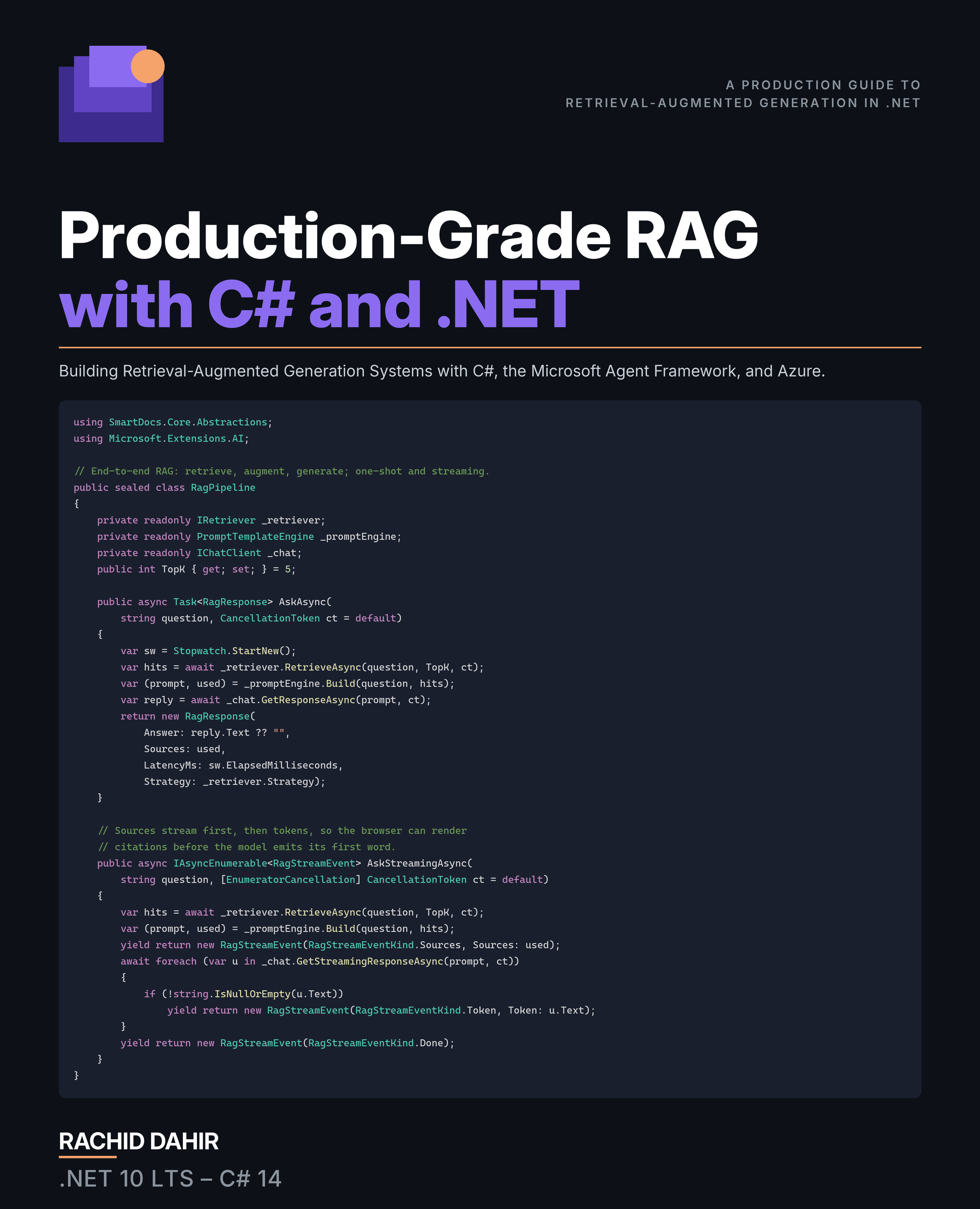
Building Retrieval-Augmented Generation Systems with C#, the Microsoft Agent Framework, and Azure
From a Hello-World retriever in ten minutes to an evaluated, secured, compliant RAG system running on Azure — in C# 14 and .NET 10.
📖 Read it on Leanpub — pay what you want.
The book itself ships through Leanpub. This repository hosts the companion code, errata, and reader feedback.
What's in this book
Retrieval-Augmented Generation is how you make a language model answer from your documents instead of improvising from its training data. This book builds one production system — Contoso SmartDocs — across twenty-five chapters, entirely in C# 14 / .NET 10, on the Microsoft Agent Framework 1.20.0 and Microsoft.Extensions.AI.
Across seven parts you go from a ten-minute Hello-World RAG through the whole pipeline — embeddings, chunking with Anthropic's Contextual Retrieval, multimodal content, vector databases, indexing, retrieval, reranking, and first-class SSE streaming — into query intelligence, graph and hybrid storage, and the modern design patterns: HyDE, RAPTOR, RAG-Fusion, Self-RAG, CRAG, Vectorless, GraphRAG, LazyGraphRAG, MCP-served retrieval, and multi-agent orchestration. The last third is the part most RAG books skip: evaluation, latency and cost, freshness and drift, security, trust and compliance, and a capstone that ships to Azure with Bicep, runbooks, and an eval gate in CI.
Every code listing is anchored in a runnable project in this repository, every package is pinned centrally, and the whole solution builds warnings-as-errors with 458 passing tests.
Table of Contents
| # | Chapter | Part |
|---|---|---|
| 1 | The AI Landscape | I — Foundations |
| 2 | The .NET Toolkit for RAG Development | I |
| 3 | Embeddings: Turning Text into Vectors | II — The RAG Pipeline |
| 4 | Chunking and Contextual Retrieval | II |
| 5 | Multimodal RAG | II |
| 6 | Vector Databases | II |
| 7 | Indexing Strategies | II |
| 8 | The Retriever | II |
| 9 | Reranking | II |
| 10 | The Complete RAG Pipeline | II |
| 11 | Metadata Filtering and Query Construction | III — Query Intelligence |
| 12 | Query Routing and Conversational Queries | III |
| 13 | Graph Databases for RAG | IV — Graph and Hybrid Storage |
| 14 | Hybrid Databases | IV |
| 15 | Classic RAG Enhancements | V — RAG Design Patterns |
| 16 | Vectorless RAG | V |
| 17 | GraphRAG and LazyGraphRAG | V |
| 18 | Model Context Protocol | V |
| 19 | Agentic, Multi-Agent, and Memory | V |
| 20 | Evaluation and Metrics | VI — Production Concerns |
| 21 | Latency, Cost, and Performance | VI |
| 22 | Freshness, Drift, and Migration | VI |
| 23 | Security | VI |
| 24 | Trust by Design | VI |
| 25 | Production Capstone | VII — Capstone Project |
Nine appendices follow: worked exercise solutions, a design-pattern quick reference, a vector-database comparison, an embedding benchmark, a Python-to-.NET Rosetta stone, this repository's tour, a production debugging checklist, prompt-engineering patterns, and the math behind RAG.
Companion code
Target stack
- .NET 10 (LTS) / C# 14
- Microsoft Agent Framework 1.20.0
- Microsoft.Extensions.AI 10.9.0
- Visual Studio 2026, or VS Code with the C# Dev Kit
Every package version is pinned centrally in Directory.Packages.props (Central Package Management); individual .csproj files reference packages without version numbers.
The solution, projects, and namespaces sit under the
RAG-in-DotNet/SmartDocsidentifiers — that is the code path; the title above is the reader-facing brand.
Prerequisites
- .NET 10 SDK
- Ollama — the default provider, so the samples cost nothing and need no API key. The samples also support Azure OpenAI; Chapter 2 covers the switch.
Everything installs natively — there is no Docker. The API and the whole test suite run against an in-memory vector store and cache, so Ollama is the only service you actually need:
ollama pull nomic-embed-text
ollama pull llama3.2
Persistent stores — PostgreSQL + pgvector, Qdrant, Neo4j, Redis — are optional, installed only for the chapters that use them. Per-service steps, ports, and the RUN_*_INTEGRATION test gates are in docs/local-setup.md.
Clone & build
git clone https://github.com/RachidD68/production-grade-rag-with-csharp-and-dotnet.git
cd production-grade-rag-with-csharp-and-dotnet
dotnet build RAG-in-DotNet.slnx
dotnet test
Open RAG-in-DotNet.slnx once and every project loads together. dotnet test should report 458 passing tests on a clean clone.
Run a sample
# Chapter 1: the 10-minute Hello-World RAG
dotnet run --project samples/Ch01_HelloWorldRag

# The Minimal API — /health shows the active provider and models
dotnet run --project src/SmartDocs.Api
First generate the synthetic Contoso corpus (six document silos) if a sample needs it:
dotnet run --project tools/generate-dataset -- --small --output data
Configuration
Provider settings live in appsettings.json; secrets belong in a gitignored appsettings.local.json or in .NET User Secrets — never in source control. The default is Ollama on http://localhost:11434. To switch to Azure OpenAI:
dotnet user-secrets set "SmartDocs:Llm:Provider" "AzureOpenAI"
dotnet user-secrets set "SmartDocs:Llm:Endpoint" "https://YOUR-RESOURCE.openai.azure.com/"
dotnet user-secrets set "SmartDocs:Llm:ApiKey" "YOUR-KEY"
Embedding dimensions differ between providers (nomic-embed-text is 768, text-embedding-3-small is 1536), and vector collections are dimension-bound — switching providers means re-embedding the corpus. Chapter 22 makes that an explicit lesson rather than an accident.
Repository layout
| Folder | Chapter | Topic |
|---|---|---|
src/SmartDocs.Core/ | 1–2, 11 | Domain models, the IVectorStore / IRetriever ports, DI, metadata filters |
src/SmartDocs.Ingestion/ | 3–5, 7 | Parsing, chunking, Contextual Retrieval, embeddings, indexing |
src/SmartDocs.Retrieval/ | 6, 8, 13–17 | Dense, sparse, hybrid, graph, and vectorless retrievers; vector stores |
src/SmartDocs.Retrieval.{Qdrant,Postgres,AzureSearch}/ | 14 | Backend leaf packages over the hybrid retrievers |
src/SmartDocs.Reranking/ (+ .Cohere, .Onnx) | 9 | Cohere, ONNX cross-encoder, and LLM rerankers |
src/SmartDocs.Routing/ | 11–12 | Query construction, self-query, routing, conversational rewriting |
src/SmartDocs.Generation/ | 10 | Prompt templates, context assembly, citation tracking |
src/SmartDocs.Agents/ | 19 | ChatClientAgent, tools, the Workflow graph, agentic memory |
src/SmartDocs.Mcp/ | 18 | MCP server tools and resources |
src/SmartDocs.Security/ | 23 | Sanitization, injection detection, redaction, hash-chained audit |
src/SmartDocs.Evaluation/ | 20 | Retrieval / generation metrics, statistical significance |
src/SmartDocs.Operations/ | 22, 24 | Freshness, drift adapter, GDPR erasure, compliance |
src/SmartDocs.Performance/ | 21 | Caching, SIMD cosine, Polly, OpenTelemetry, cost metering |
src/SmartDocs.Api/ | 10, 25 | ASP.NET Core Minimal API with first-class SSE streaming |
src/SmartDocs.Dashboard/ | 20 | Blazor evaluation dashboard |
samples/ | 1–22 | One runnable micro-project per chapter that has one |
tests/ | — | 458 xUnit tests: unit, security (25-case red team), integration, eval |
tools/ | 20, 22, 25 | Dataset generator, eval-runner (--gate), smoke/load test, reindex |
deploy/ | 25 | Bicep templates, prod deployment and NuGet publish workflows |
docs/ | — | Local setup, architecture, ADRs, runbooks, preflight checklist |
A note on the workflow badges
ci — build, test and format across Ubuntu and Windows — is the workflow that gates this
repository, and it is green.
deploy-prod fails here, on purpose-ish. It is the reference deployment pipeline from
Chapter 25, published so you can read it. It is not connected to a live Azure subscription:
this repository holds no Azure credentials, so azure/login has nothing to authenticate with
and the deploy jobs fail on every push to main. That is a configuration gap, not a broken
pipeline — the workflow is exactly what the chapter describes. Point it at your own
subscription (a federated OIDC credential plus prod/staging GitHub Environments) and it
runs as written.
publish-nuget only fires when a GitHub Release is published, which is the deliberate,
human-gated step that ships the packages.
Errata & feedback
Spotted a typo, a code sample that won't compile, or an outdated API? Please open an errata report. Reader corrections are how the book gets better.
License
Companion code released under the MIT License. The book text is © 2026 Rachid Dahir and distributed via Leanpub.
Similar repos


Production-Grade RAG with C# and .NET — Building Retrieval-Augmented Generation Systems with C#, the Microsoft Agent Framework, and Azure. Companion code: 52 projects across 25 chapters, built on MAF 1.20.0, .NET 10 and C# 14.
See the codeREADME
Production-Grade RAG with C# and .NET
Building Retrieval-Augmented Generation Systems with C#, the Microsoft Agent Framework, and Azure
From a Hello-World retriever in ten minutes to an evaluated, secured, compliant RAG system running on Azure — in C# 14 and .NET 10.
📖 Read it on Leanpub — pay what you want.
The book itself ships through Leanpub. This repository hosts the companion code, errata, and reader feedback.
What's in this book
Retrieval-Augmented Generation is how you make a language model answer from your documents instead of improvising from its training data. This book builds one production system — Contoso SmartDocs — across twenty-five chapters, entirely in C# 14 / .NET 10, on the Microsoft Agent Framework 1.20.0 and Microsoft.Extensions.AI.
Across seven parts you go from a ten-minute Hello-World RAG through the whole pipeline — embeddings, chunking with Anthropic's Contextual Retrieval, multimodal content, vector databases, indexing, retrieval, reranking, and first-class SSE streaming — into query intelligence, graph and hybrid storage, and the modern design patterns: HyDE, RAPTOR, RAG-Fusion, Self-RAG, CRAG, Vectorless, GraphRAG, LazyGraphRAG, MCP-served retrieval, and multi-agent orchestration. The last third is the part most RAG books skip: evaluation, latency and cost, freshness and drift, security, trust and compliance, and a capstone that ships to Azure with Bicep, runbooks, and an eval gate in CI.
Every code listing is anchored in a runnable project in this repository, every package is pinned centrally, and the whole solution builds warnings-as-errors with 458 passing tests.
Table of Contents
| # | Chapter | Part |
|---|---|---|
| 1 | The AI Landscape | I — Foundations |
| 2 | The .NET Toolkit for RAG Development | I |
| 3 | Embeddings: Turning Text into Vectors | II — The RAG Pipeline |
| 4 | Chunking and Contextual Retrieval | II |
| 5 | Multimodal RAG | II |
| 6 | Vector Databases | II |
| 7 | Indexing Strategies | II |
| 8 | The Retriever | II |
| 9 | Reranking | II |
| 10 | The Complete RAG Pipeline | II |
| 11 | Metadata Filtering and Query Construction | III — Query Intelligence |
| 12 | Query Routing and Conversational Queries | III |
| 13 | Graph Databases for RAG | IV — Graph and Hybrid Storage |
| 14 | Hybrid Databases | IV |
| 15 | Classic RAG Enhancements | V — RAG Design Patterns |
| 16 | Vectorless RAG | V |
| 17 | GraphRAG and LazyGraphRAG | V |
| 18 | Model Context Protocol | V |
| 19 | Agentic, Multi-Agent, and Memory | V |
| 20 | Evaluation and Metrics | VI — Production Concerns |
| 21 | Latency, Cost, and Performance | VI |
| 22 | Freshness, Drift, and Migration | VI |
| 23 | Security | VI |
| 24 | Trust by Design | VI |
| 25 | Production Capstone | VII — Capstone Project |
Nine appendices follow: worked exercise solutions, a design-pattern quick reference, a vector-database comparison, an embedding benchmark, a Python-to-.NET Rosetta stone, this repository's tour, a production debugging checklist, prompt-engineering patterns, and the math behind RAG.
Companion code
Target stack
- .NET 10 (LTS) / C# 14
- Microsoft Agent Framework 1.20.0
- Microsoft.Extensions.AI 10.9.0
- Visual Studio 2026, or VS Code with the C# Dev Kit
Every package version is pinned centrally in Directory.Packages.props (Central Package Management); individual .csproj files reference packages without version numbers.
The solution, projects, and namespaces sit under the
RAG-in-DotNet/SmartDocsidentifiers — that is the code path; the title above is the reader-facing brand.
Prerequisites
- .NET 10 SDK
- Ollama — the default provider, so the samples cost nothing and need no API key. The samples also support Azure OpenAI; Chapter 2 covers the switch.
Everything installs natively — there is no Docker. The API and the whole test suite run against an in-memory vector store and cache, so Ollama is the only service you actually need:
ollama pull nomic-embed-text
ollama pull llama3.2
Persistent stores — PostgreSQL + pgvector, Qdrant, Neo4j, Redis — are optional, installed only for the chapters that use them. Per-service steps, ports, and the RUN_*_INTEGRATION test gates are in docs/local-setup.md.
Clone & build
git clone https://github.com/RachidD68/production-grade-rag-with-csharp-and-dotnet.git
cd production-grade-rag-with-csharp-and-dotnet
dotnet build RAG-in-DotNet.slnx
dotnet test
Open RAG-in-DotNet.slnx once and every project loads together. dotnet test should report 458 passing tests on a clean clone.
Run a sample
# Chapter 1: the 10-minute Hello-World RAG
dotnet run --project samples/Ch01_HelloWorldRag

# The Minimal API — /health shows the active provider and models
dotnet run --project src/SmartDocs.Api
First generate the synthetic Contoso corpus (six document silos) if a sample needs it:
dotnet run --project tools/generate-dataset -- --small --output data
Configuration
Provider settings live in appsettings.json; secrets belong in a gitignored appsettings.local.json or in .NET User Secrets — never in source control. The default is Ollama on http://localhost:11434. To switch to Azure OpenAI:
dotnet user-secrets set "SmartDocs:Llm:Provider" "AzureOpenAI"
dotnet user-secrets set "SmartDocs:Llm:Endpoint" "https://YOUR-RESOURCE.openai.azure.com/"
dotnet user-secrets set "SmartDocs:Llm:ApiKey" "YOUR-KEY"
Embedding dimensions differ between providers (nomic-embed-text is 768, text-embedding-3-small is 1536), and vector collections are dimension-bound — switching providers means re-embedding the corpus. Chapter 22 makes that an explicit lesson rather than an accident.
Repository layout
| Folder | Chapter | Topic |
|---|---|---|
src/SmartDocs.Core/ | 1–2, 11 | Domain models, the IVectorStore / IRetriever ports, DI, metadata filters |
src/SmartDocs.Ingestion/ | 3–5, 7 | Parsing, chunking, Contextual Retrieval, embeddings, indexing |
src/SmartDocs.Retrieval/ | 6, 8, 13–17 | Dense, sparse, hybrid, graph, and vectorless retrievers; vector stores |
src/SmartDocs.Retrieval.{Qdrant,Postgres,AzureSearch}/ | 14 | Backend leaf packages over the hybrid retrievers |
src/SmartDocs.Reranking/ (+ .Cohere, .Onnx) | 9 | Cohere, ONNX cross-encoder, and LLM rerankers |
src/SmartDocs.Routing/ | 11–12 | Query construction, self-query, routing, conversational rewriting |
src/SmartDocs.Generation/ | 10 | Prompt templates, context assembly, citation tracking |
src/SmartDocs.Agents/ | 19 | ChatClientAgent, tools, the Workflow graph, agentic memory |
src/SmartDocs.Mcp/ | 18 | MCP server tools and resources |
src/SmartDocs.Security/ | 23 | Sanitization, injection detection, redaction, hash-chained audit |
src/SmartDocs.Evaluation/ | 20 | Retrieval / generation metrics, statistical significance |
src/SmartDocs.Operations/ | 22, 24 | Freshness, drift adapter, GDPR erasure, compliance |
src/SmartDocs.Performance/ | 21 | Caching, SIMD cosine, Polly, OpenTelemetry, cost metering |
src/SmartDocs.Api/ | 10, 25 | ASP.NET Core Minimal API with first-class SSE streaming |
src/SmartDocs.Dashboard/ | 20 | Blazor evaluation dashboard |
samples/ | 1–22 | One runnable micro-project per chapter that has one |
tests/ | — | 458 xUnit tests: unit, security (25-case red team), integration, eval |
tools/ | 20, 22, 25 | Dataset generator, eval-runner (--gate), smoke/load test, reindex |
deploy/ | 25 | Bicep templates, prod deployment and NuGet publish workflows |
docs/ | — | Local setup, architecture, ADRs, runbooks, preflight checklist |
A note on the workflow badges
ci — build, test and format across Ubuntu and Windows — is the workflow that gates this
repository, and it is green.
deploy-prod fails here, on purpose-ish. It is the reference deployment pipeline from
Chapter 25, published so you can read it. It is not connected to a live Azure subscription:
this repository holds no Azure credentials, so azure/login has nothing to authenticate with
and the deploy jobs fail on every push to main. That is a configuration gap, not a broken
pipeline — the workflow is exactly what the chapter describes. Point it at your own
subscription (a federated OIDC credential plus prod/staging GitHub Environments) and it
runs as written.
publish-nuget only fires when a GitHub Release is published, which is the deliberate,
human-gated step that ships the packages.
Errata & feedback
Spotted a typo, a code sample that won't compile, or an outdated API? Please open an errata report. Reader corrections are how the book gets better.
License
Companion code released under the MIT License. The book text is © 2026 Rachid Dahir and distributed via Leanpub.