Unity Post Processing Stack Library | Unity引擎的高品质后处理库
C#
3,565
181 commits
updated Jul 14, 2023




X-PostProcessing Libray,简称XPL,是针对Unity引擎的高品质开源后处理库,旨在提供业界主流的高品质后处理特效的完整解决方案。目前已完美支持Unity Post-processing Stack v2,后续也将提供对Unity引擎URP/LWRP/HDRP的兼容支持。
X-PostProcessing Library (XPL) is a high quality post processing library for for Unity Post Processing Stack v2/LWRP/URP/HDRP
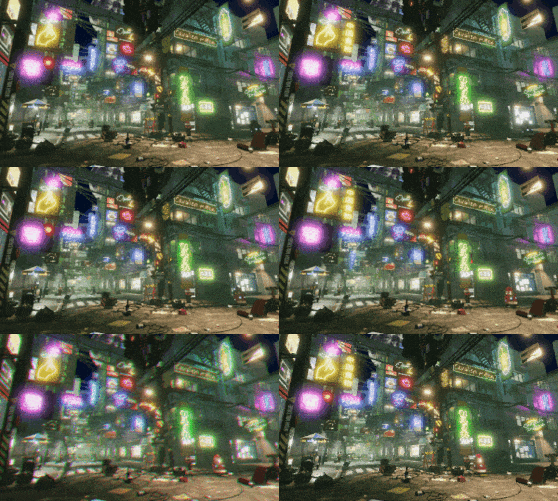
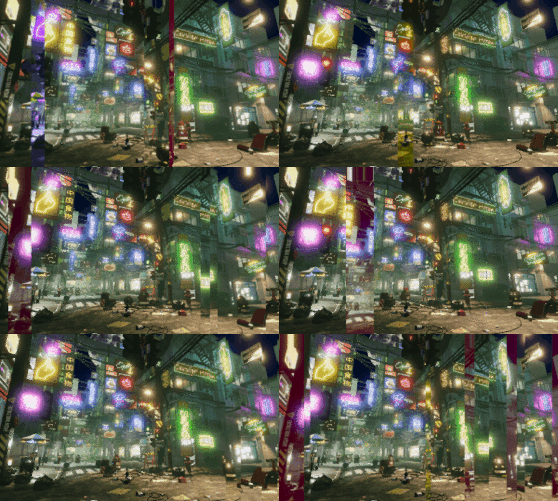
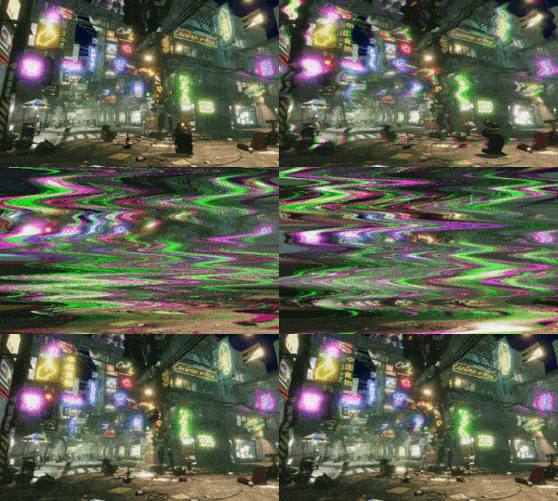

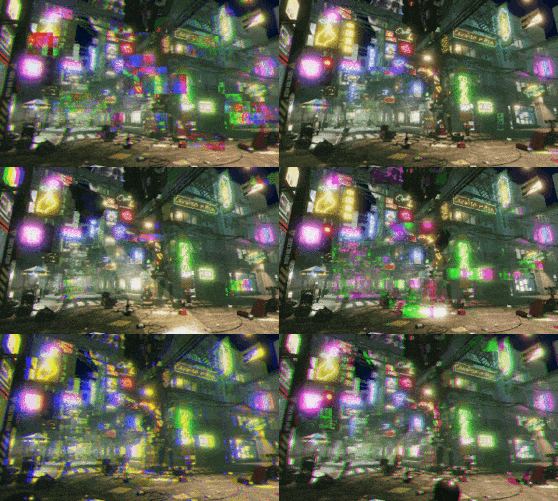

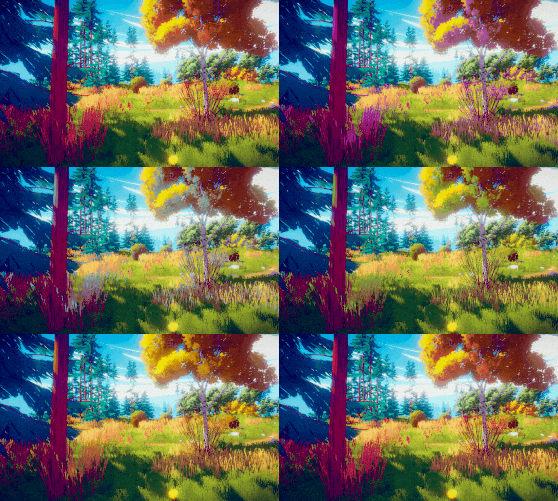
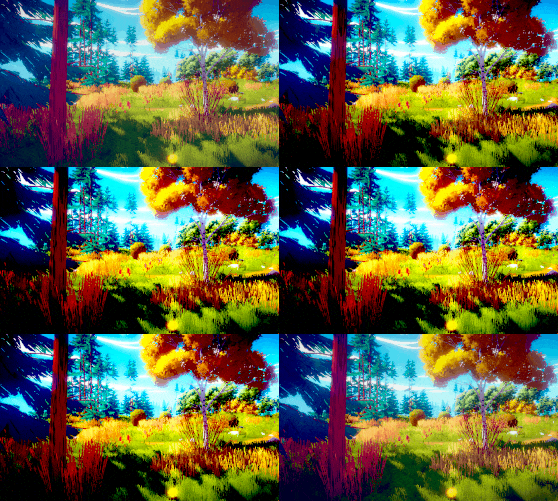
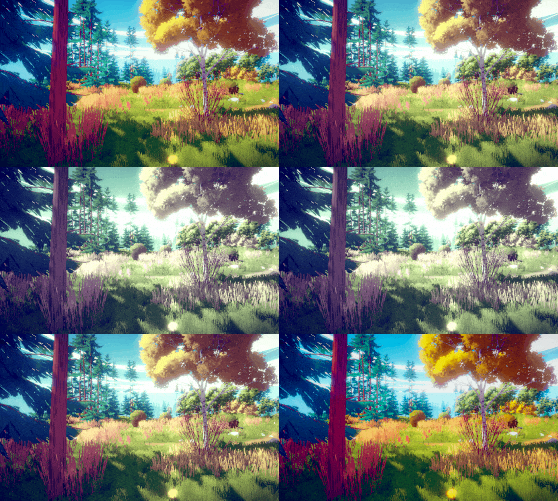
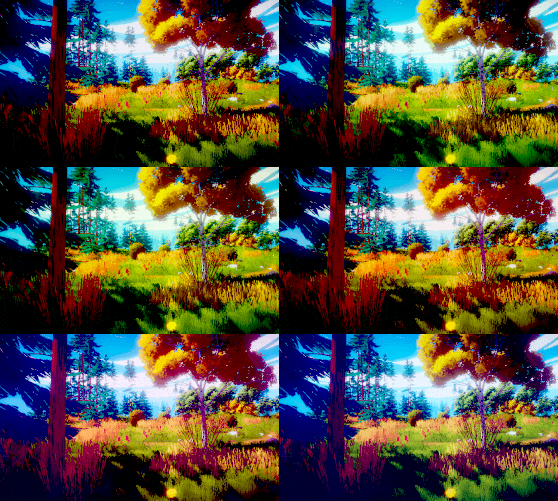

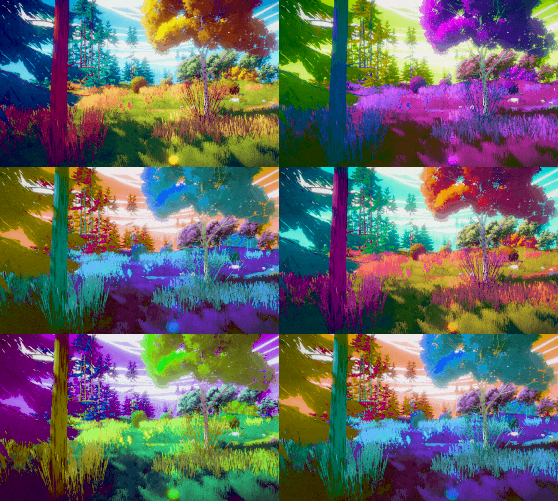








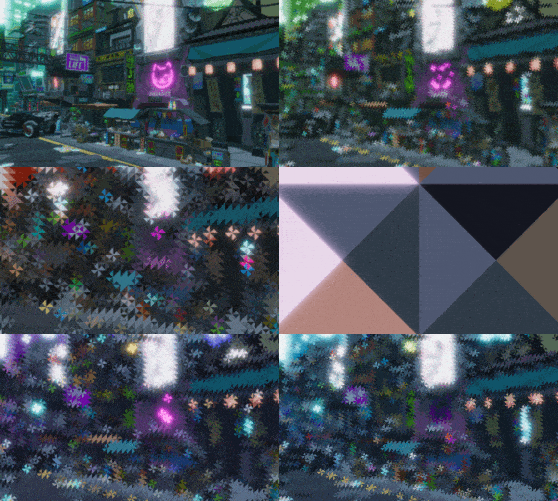



需要查看更多渲染效果图和每个特效的参数与属性,可以在下面的 目录 部分的具体后处理特效子页面中查看。
For more gallery , you can enter the specific post-processing effects sub-page in the Content section below.
Stylized Effects
Painting Effects
...
More effects and LWRP/URP/HDRP version will arrive soon.
有两种主要的安装X-PostProcessing Library的方法:
【方法一】 克隆或下载此Repo,并直接使用Unity打开。建议可先从已设置好后处理的示例场景 Assets/Example/ExampleScene.unity 开始。
【方法二】 将X-PostProcessing 文件夹放置在项目Assets路径下的任一位置,并确保Post Processing Stack v2也位于项目中。
You have two main ways to install X-PostProcessing Library :
post processing profile 有各种不同的修改和添加方式,最常规的方法是,选中一个post processing profile ,在Inspetor窗口下:
Add effect... > X-PostProcessing > 选择一种新的后处理The new effect should be available for a post processing profile with different injection points,just like:
Add effect... > X-PostProcessing > Choose an effect建议使用Unity 2017.2+。
如果使用的是较旧版本的Unity(5.6 或 2017.1),则需要将此文件夹 替换为 pps v2 2.1.8。
Unity 2017.2+ is recommended.
if you use older versions of Unity (5.6 and 2017.1) , you need to replace this folder with pps v2 2.1.8.
5,163 followers · starred Jul 2023
281 followers · starred Dec 2024
63 followers · starred Jun 2020
152 followers · starred Jun 2020
Unity Post Processing Stack Library | Unity引擎的高品质后处理库
C#
3,565
181 commits
updated Jul 14, 2023
X-PostProcessing Libray,简称XPL,是针对Unity引擎的高品质开源后处理库,旨在提供业界主流的高品质后处理特效的完整解决方案。目前已完美支持Unity Post-processing Stack v2,后续也将提供对Unity引擎URP/LWRP/HDRP的兼容支持。
X-PostProcessing Library (XPL) is a high quality post processing library for for Unity Post Processing Stack v2/LWRP/URP/HDRP
需要查看更多渲染效果图和每个特效的参数与属性,可以在下面的 目录 部分的具体后处理特效子页面中查看。
For more gallery , you can enter the specific post-processing effects sub-page in the Content section below.
Stylized Effects
Painting Effects
...
More effects and LWRP/URP/HDRP version will arrive soon.
有两种主要的安装X-PostProcessing Library的方法:
【方法一】 克隆或下载此Repo,并直接使用Unity打开。建议可先从已设置好后处理的示例场景 Assets/Example/ExampleScene.unity 开始。
【方法二】 将X-PostProcessing 文件夹放置在项目Assets路径下的任一位置,并确保Post Processing Stack v2也位于项目中。
You have two main ways to install X-PostProcessing Library :
post processing profile 有各种不同的修改和添加方式,最常规的方法是,选中一个post processing profile ,在Inspetor窗口下:
Add effect... > X-PostProcessing > 选择一种新的后处理The new effect should be available for a post processing profile with different injection points,just like:
Add effect... > X-PostProcessing > Choose an effect建议使用Unity 2017.2+。
如果使用的是较旧版本的Unity(5.6 或 2017.1),则需要将此文件夹 替换为 pps v2 2.1.8。
Unity 2017.2+ is recommended.
if you use older versions of Unity (5.6 and 2017.1) , you need to replace this folder with pps v2 2.1.8.
5,163 followers · starred Jul 2023
281 followers · starred Dec 2024
63 followers · starred Jun 2020
152 followers · starred Jun 2020