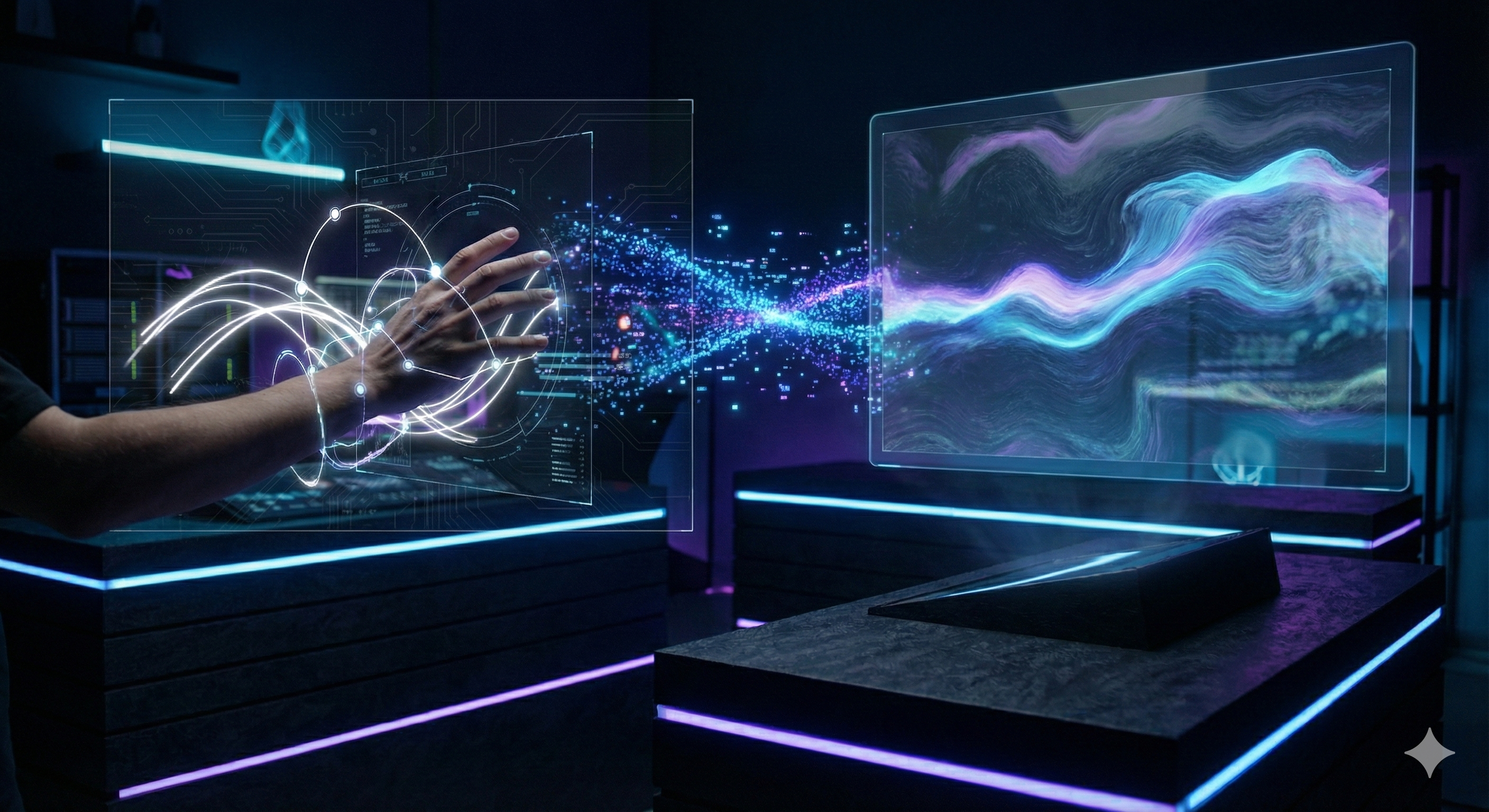
Real-time gesture-based drawing system with AI image generation
Draw in the air using hand gestures captured through your webcam. Your sketches are then transformed into polished AI-generated images using Stable Diffusion.
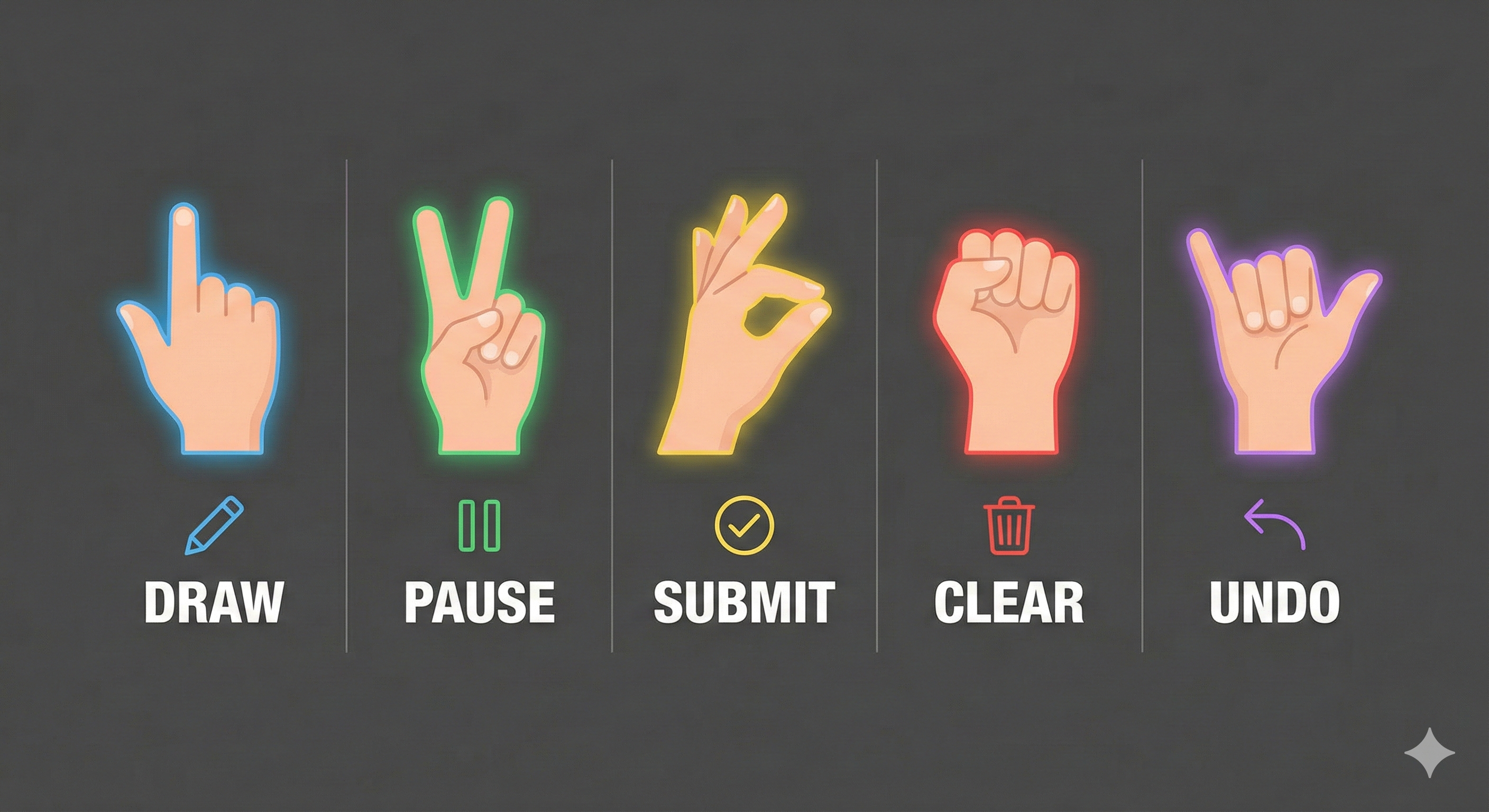
| Gesture | Action | Description |
|---|---|---|
| ☝️ Index finger up | Draw | Move finger to draw strokes |
| ✌️ Index + Middle up | Pause | Stop drawing, move without marking |
| 👌 Thumb + Index pinch | Submit | Hold for 0.5s to generate AI image |
| ✊ Closed fist | Clear | Hold for 0.8s to clear canvas |
| 🤙 Pinky only | Undo | Undo last stroke |
| 🖐️ Three fingers | Erase | Erase strokes under finger |
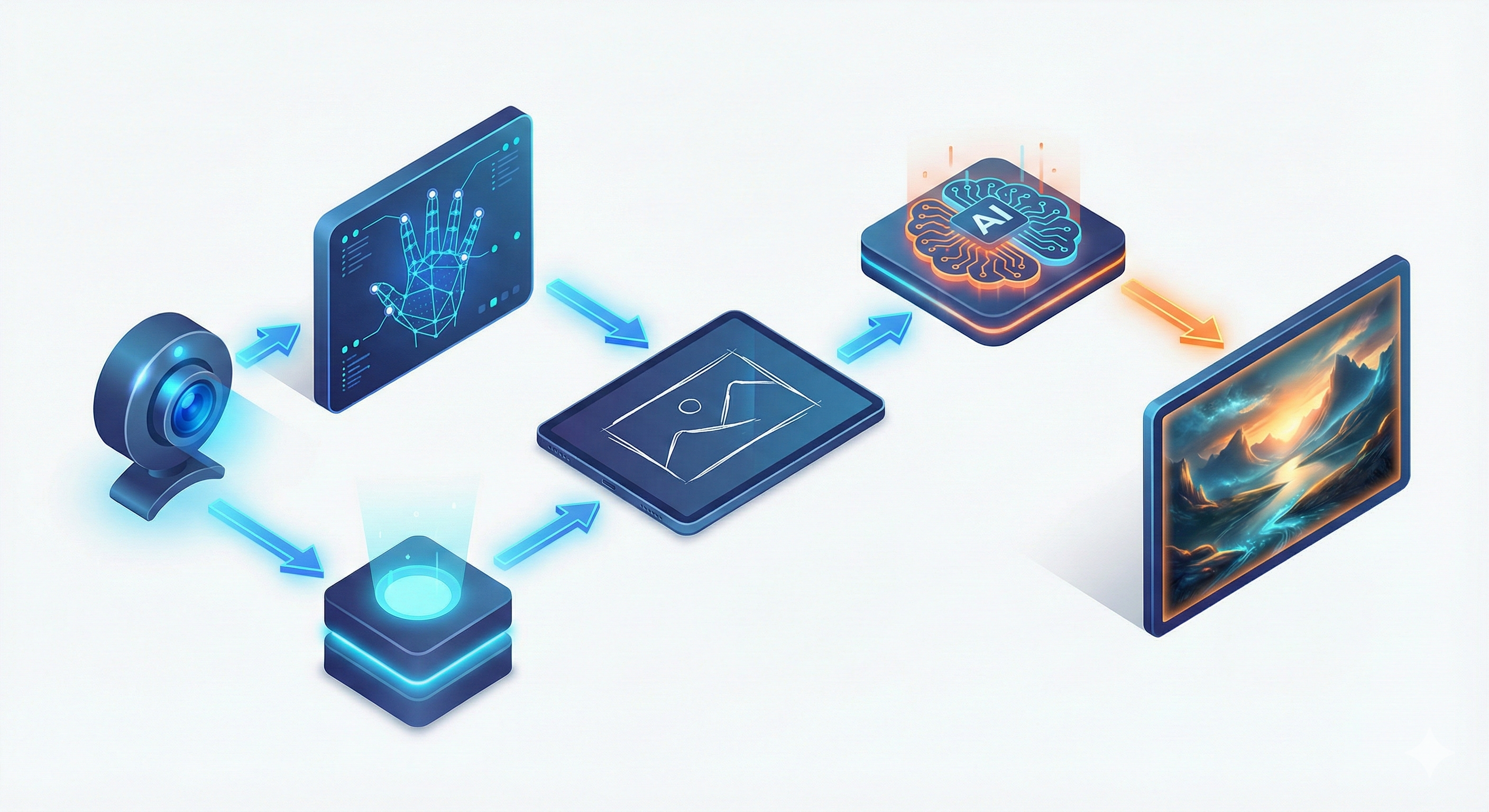
| Input Sketch | AI Generated Output |
|---|---|
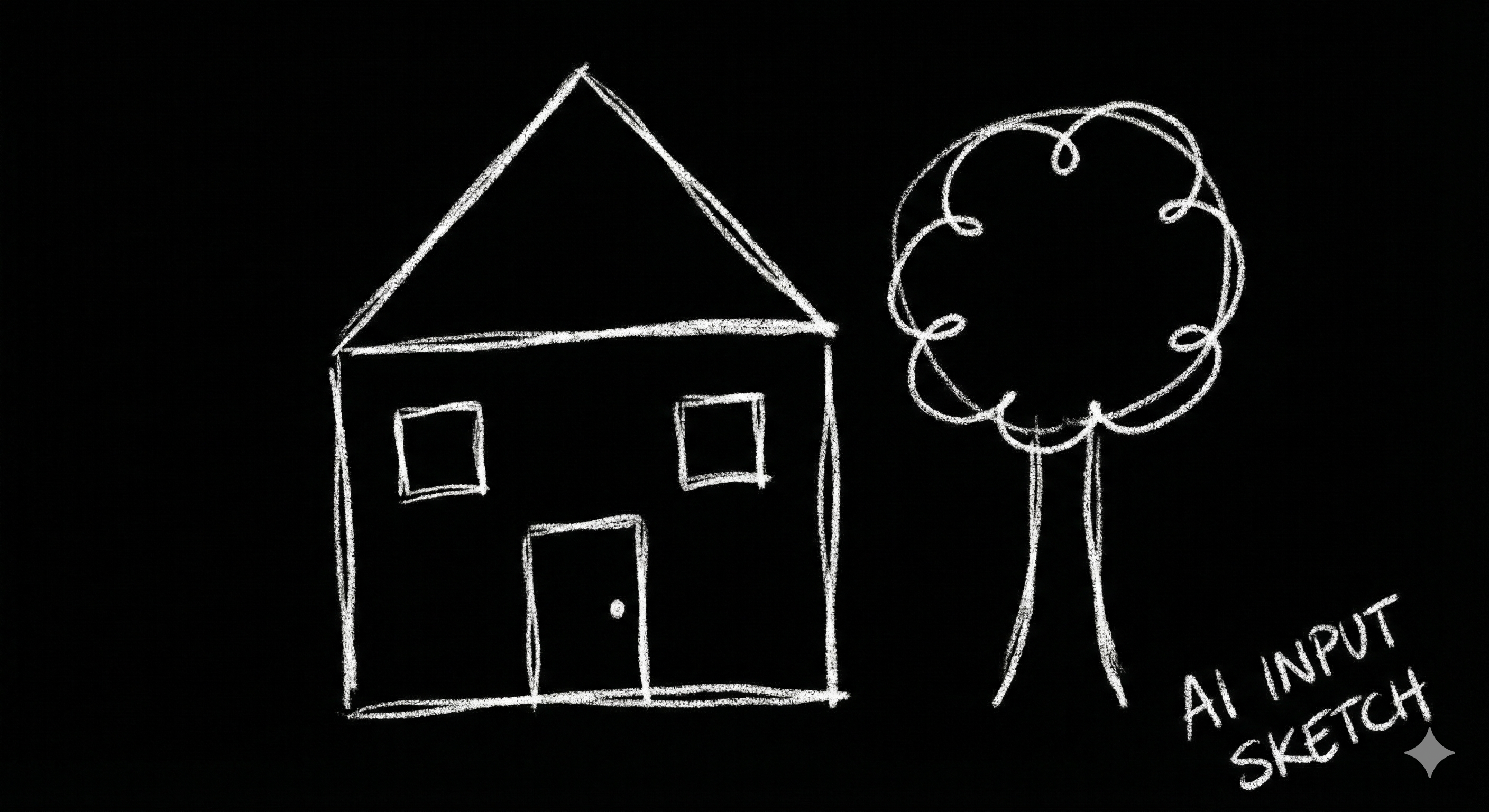 | 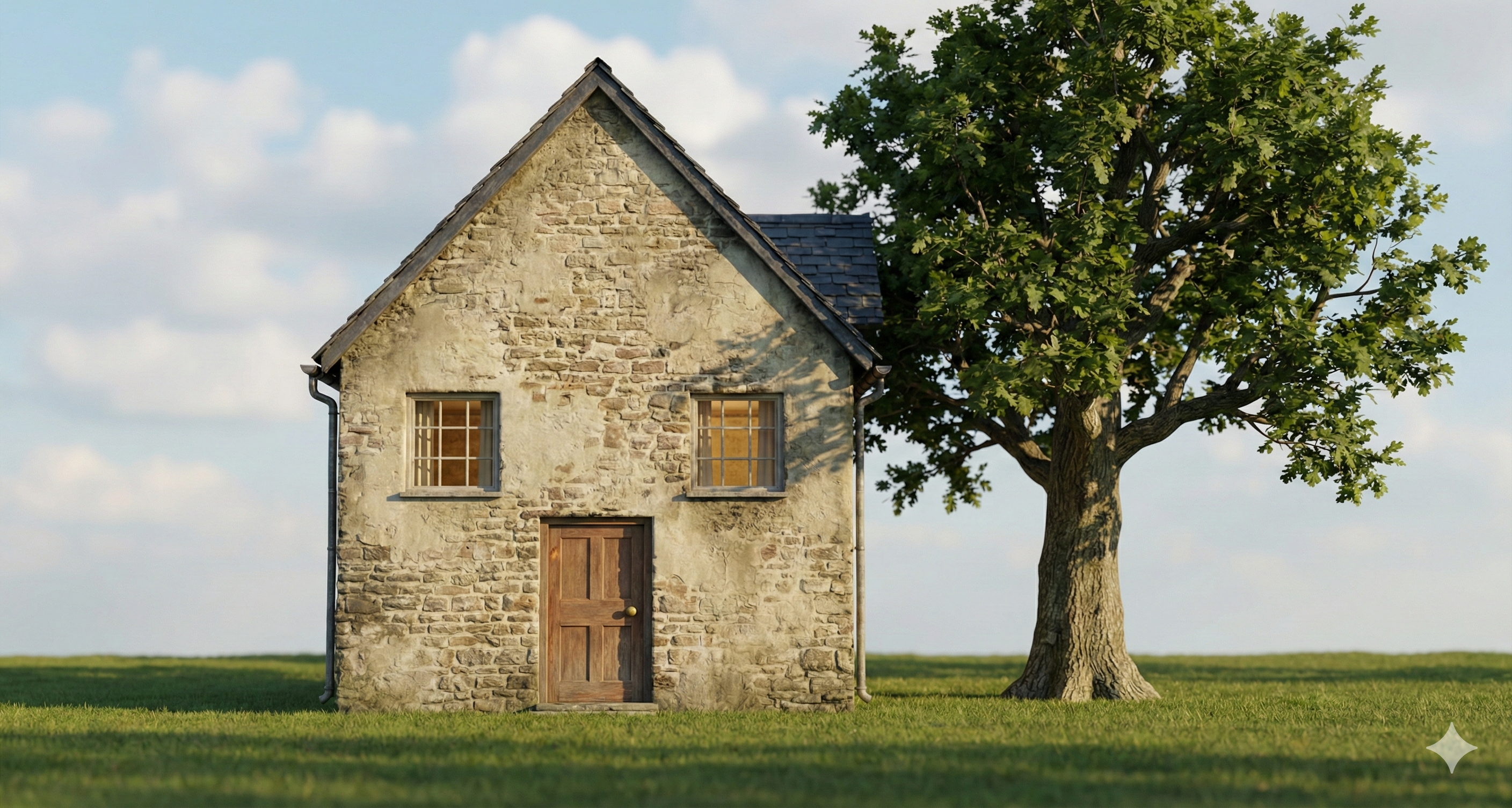 |
Clone the repository
cd c:\Users\Qazi\Downloads\Projects\Gesture+Gen
Activate the virtual environment
# Windows PowerShell
.\.venv\Scripts\Activate.ps1
Install dependencies
pip install -r requirements.txt
Set up API key (required for AI generation)
# Windows PowerShell
$env:HF_TOKEN="your_huggingface_token"

# Or permanently via System Environment Variables
Get your free API token at Hugging Face
Recommended Models for Sketch-to-Image:
black-forest-labs/FLUX.1-schnell - Fast, good quality (default)stabilityai/stable-diffusion-xl-base-1.0 - High qualitytencent/HunyuanImage-3.0-Instruct - Good for image editingpython main.py
python main.py --camera 0      # Use specific camera (default: 0)
python main.py --mock          # Use mock generator (no API needed)
| Key | Action |
|---|---|
1-8 | Select brush color |
+/- | Increase/decrease brush size |
S | Cycle through styles |
G | Manually trigger generation |
U | Undo last stroke |
R | Redo |
C | Clear canvas |
Space | Save current sketch |
H | Toggle generated image display |
Q / Esc | Quit application |
Gesture+Gen/
├── main.py                 # Application entry point
├── requirements.txt        # Python dependencies
├── README.md              # This file
├── .env                   # Environment variables (secrets)
├── config.json            # Configuration settings
├── images/                # Documentation images
│   ├── Hero_Banner_image.png
│   ├── Gesture_Guide.png
│   ├── Workflow_image.png
│   ├── Sketch.png
│   └── Sketch after Process.png
├── models/                # Downloaded ML models
├── src/
│   ├── __init__.py        # Package initialization
│   ├── camera.py          # Webcam stream handler
│   ├── hand_tracking.py   # MediaPipe hand detection
│   ├── gesture_logic.py   # Gesture recognition
│   ├── canvas.py          # Virtual drawing board
│   ├── sketch_processor.py # Sketch preprocessing
│   ├── image_generator.py # AI generation backend
│   └── ui.py              # Main application UI
└── output/                # Saved sketches and images
┌─────────────────────────────────────────────────────────────┐
│                    Gesture+Gen Pipeline                      │
├─────────────────────────────────────────────────────────────┤
│                                                              │
│  ┌──────────┐    ┌──────────────┐    ┌─────────────────┐   │
│  │  Webcam  │───▶│ Hand Tracker │───▶│ Gesture Detect  │   │
│  │  Camera  │    │  (MediaPipe) │    │  (Finger Logic) │   │
│  └──────────┘    └──────────────┘    └────────┬────────┘   │
│                                                │             │
│                                                ▼             │
│  ┌──────────┐    ┌──────────────┐    ┌─────────────────┐   │
│  │ Display  │◀───│    Canvas    │◀───│ Action Mapping  │   │
│  │  Output  │    │   (Drawing)  │    │ (Draw/Erase/etc)│   │
│  └──────────┘    └──────────────┘    └─────────────────┘   │
│       ▲                 │                                    │
│       │                 ▼                                    │
│       │         ┌──────────────┐    ┌─────────────────┐    │
│       └─────────│   Sketch     │───▶│  AI Generator   │    │
│                 │  Processor   │    │ (Stable Diffusion)│   │
│                 └──────────────┘    └─────────────────┘    │
│                                                              │
└─────────────────────────────────────────────────────────────┘
| Style | Description |
|---|---|
digital_art | Clean digital illustration with vibrant colors |
anime | Japanese animation style, cel-shaded |
realistic | Photorealistic rendering |
cartoon | Fun, colorful cartoon style |
sketch | Pencil sketch, detailed line art |
watercolor | Soft watercolor painting effect |
oil_painting | Classical oil painting texture |
| Variable | Description | Default |
|---|---|---|
HF_API_KEY | Hugging Face API token | None (uses mock) |
Edit src/camera.py to adjust:
Edit src/gesture_logic.py to adjust:
PINCH_THRESHOLD: Sensitivity for pinch detectionSTABILITY_TIME: Time to hold gesture before activationSUBMIT_HOLD_TIME: Time to hold submit gestureContributions are welcome! Please feel free to submit issues and pull requests.
MIT License - see LICENSE file for details.
Made with ❤️ by Gesture+Gen Team
Real-time gesture-based drawing system with AI image generation
Draw in the air using hand gestures captured through your webcam. Your sketches are then transformed into polished AI-generated images using Stable Diffusion.
| Gesture | Action | Description |
|---|---|---|
| ☝️ Index finger up | Draw | Move finger to draw strokes |
| ✌️ Index + Middle up | Pause | Stop drawing, move without marking |
| 👌 Thumb + Index pinch | Submit | Hold for 0.5s to generate AI image |
| ✊ Closed fist | Clear | Hold for 0.8s to clear canvas |
| 🤙 Pinky only | Undo | Undo last stroke |
| 🖐️ Three fingers | Erase | Erase strokes under finger |
| Input Sketch | AI Generated Output |
|---|---|
| |
Clone the repository
cd c:\Users\Qazi\Downloads\Projects\Gesture+Gen
Activate the virtual environment
# Windows PowerShell
.\.venv\Scripts\Activate.ps1
Install dependencies
pip install -r requirements.txt
Set up API key (required for AI generation)
# Windows PowerShell
$env:HF_TOKEN="your_huggingface_token"

# Or permanently via System Environment Variables
Get your free API token at Hugging Face
Recommended Models for Sketch-to-Image:
black-forest-labs/FLUX.1-schnell - Fast, good quality (default)stabilityai/stable-diffusion-xl-base-1.0 - High qualitytencent/HunyuanImage-3.0-Instruct - Good for image editingpython main.py
python main.py --camera 0      # Use specific camera (default: 0)
python main.py --mock          # Use mock generator (no API needed)
| Key | Action |
|---|---|
1-8 | Select brush color |
+/- | Increase/decrease brush size |
S | Cycle through styles |
G | Manually trigger generation |
U | Undo last stroke |
R | Redo |
C | Clear canvas |
Space | Save current sketch |
H | Toggle generated image display |
Q / Esc | Quit application |
Gesture+Gen/
├── main.py                 # Application entry point
├── requirements.txt        # Python dependencies
├── README.md              # This file
├── .env                   # Environment variables (secrets)
├── config.json            # Configuration settings
├── images/                # Documentation images
│   ├── Hero_Banner_image.png
│   ├── Gesture_Guide.png
│   ├── Workflow_image.png
│   ├── Sketch.png
│   └── Sketch after Process.png
├── models/                # Downloaded ML models
├── src/
│   ├── __init__.py        # Package initialization
│   ├── camera.py          # Webcam stream handler
│   ├── hand_tracking.py   # MediaPipe hand detection
│   ├── gesture_logic.py   # Gesture recognition
│   ├── canvas.py          # Virtual drawing board
│   ├── sketch_processor.py # Sketch preprocessing
│   ├── image_generator.py # AI generation backend
│   └── ui.py              # Main application UI
└── output/                # Saved sketches and images
┌─────────────────────────────────────────────────────────────┐
│                    Gesture+Gen Pipeline                      │
├─────────────────────────────────────────────────────────────┤
│                                                              │
│  ┌──────────┐    ┌──────────────┐    ┌─────────────────┐   │
│  │  Webcam  │───▶│ Hand Tracker │───▶│ Gesture Detect  │   │
│  │  Camera  │    │  (MediaPipe) │    │  (Finger Logic) │   │
│  └──────────┘    └──────────────┘    └────────┬────────┘   │
│                                                │             │
│                                                ▼             │
│  ┌──────────┐    ┌──────────────┐    ┌─────────────────┐   │
│  │ Display  │◀───│    Canvas    │◀───│ Action Mapping  │   │
│  │  Output  │    │   (Drawing)  │    │ (Draw/Erase/etc)│   │
│  └──────────┘    └──────────────┘    └─────────────────┘   │
│       ▲                 │                                    │
│       │                 ▼                                    │
│       │         ┌──────────────┐    ┌─────────────────┐    │
│       └─────────│   Sketch     │───▶│  AI Generator   │    │
│                 │  Processor   │    │ (Stable Diffusion)│   │
│                 └──────────────┘    └─────────────────┘    │
│                                                              │
└─────────────────────────────────────────────────────────────┘
| Style | Description |
|---|---|
digital_art | Clean digital illustration with vibrant colors |
anime | Japanese animation style, cel-shaded |
realistic | Photorealistic rendering |
cartoon | Fun, colorful cartoon style |
sketch | Pencil sketch, detailed line art |
watercolor | Soft watercolor painting effect |
oil_painting | Classical oil painting texture |
| Variable | Description | Default |
|---|---|---|
HF_API_KEY | Hugging Face API token | None (uses mock) |
Edit src/camera.py to adjust:
Edit src/gesture_logic.py to adjust:
PINCH_THRESHOLD: Sensitivity for pinch detectionSTABILITY_TIME: Time to hold gesture before activationSUBMIT_HOLD_TIME: Time to hold submit gestureContributions are welcome! Please feel free to submit issues and pull requests.
MIT License - see LICENSE file for details.
Made with ❤️ by Gesture+Gen Team



