Augment your Fish command line with mnemonic key bindings to efficiently find what you need using fzf.
https://user-images.githubusercontent.com/1967248/197308919-51d04602-2d5f-46aa-a96e-6cf1617e3067.mov
Use fzf.fish to interactively find and insert file paths, git commit hashes, and other entities into your command line. Tab to select multiple entries. If you trigger a search while your cursor is on a word, that word will be used to seed the fzf query and will be replaced by your selection. All searches include a preview of the entity hovered over to help you find what you're looking for.
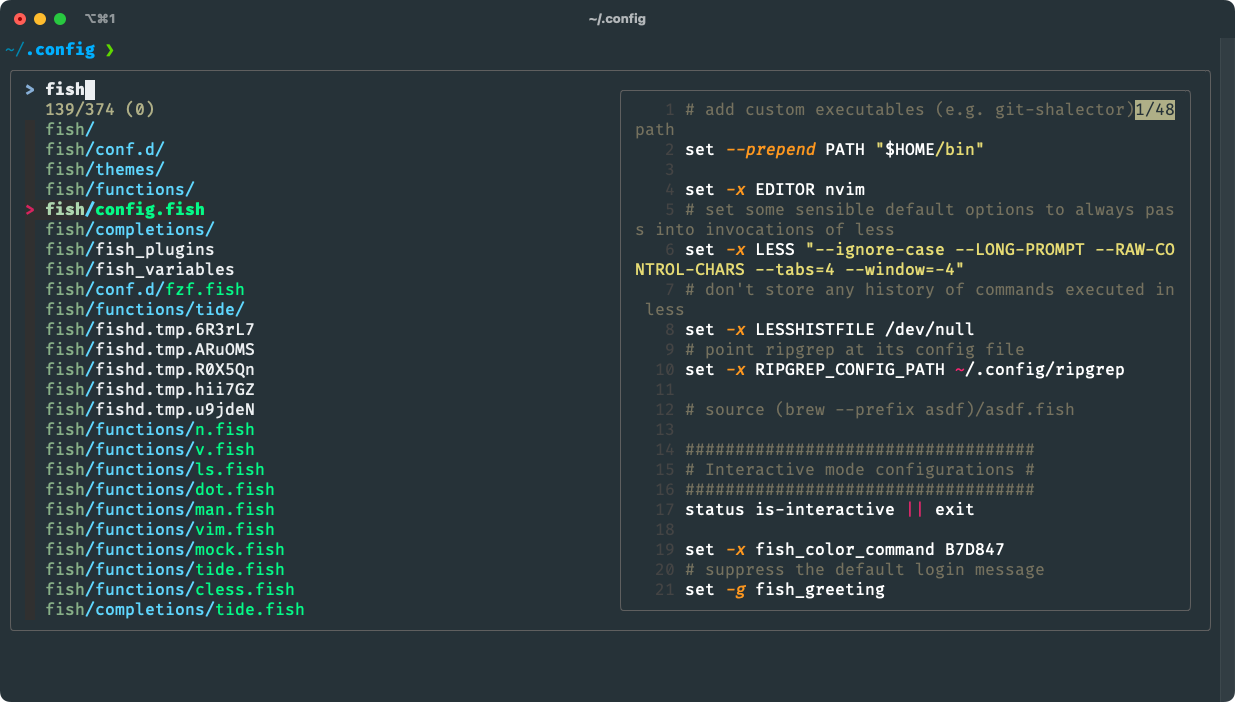
F for file)/, so if you select exactly one directory, you can immediately hit ENTER to cd into it.config/<CURSOR>), then that directory is searched instead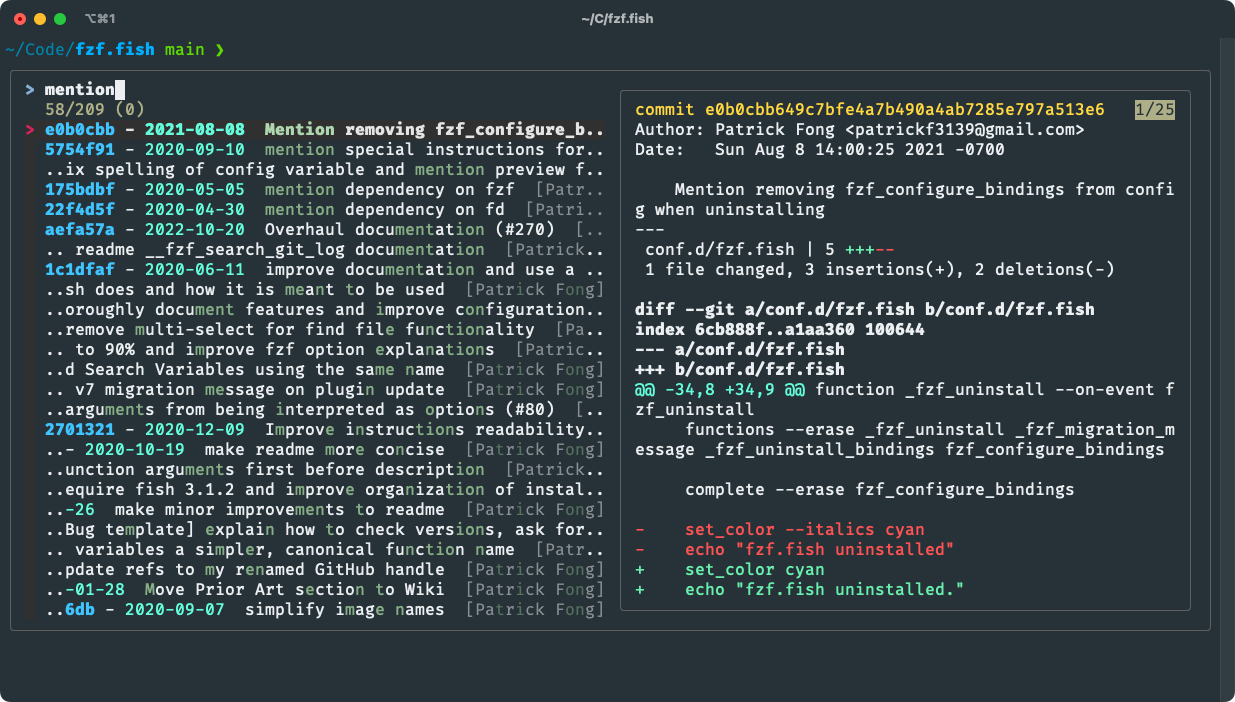
git logL for log)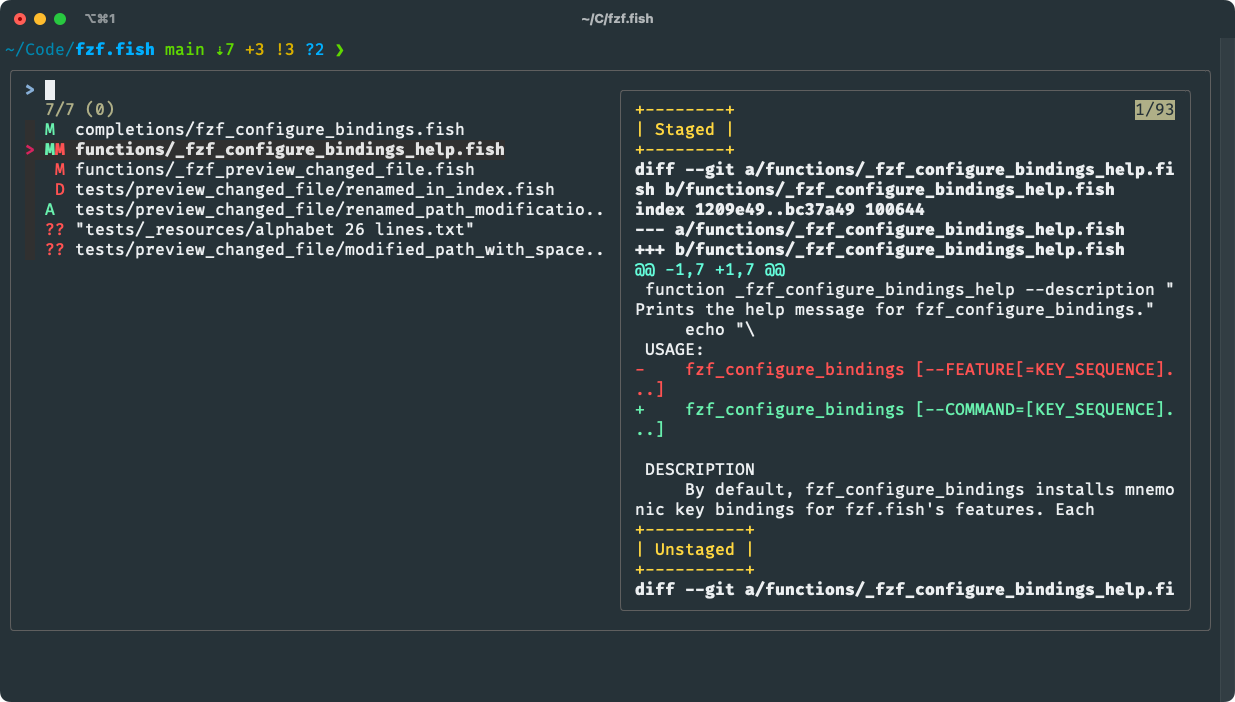
git statusS for status)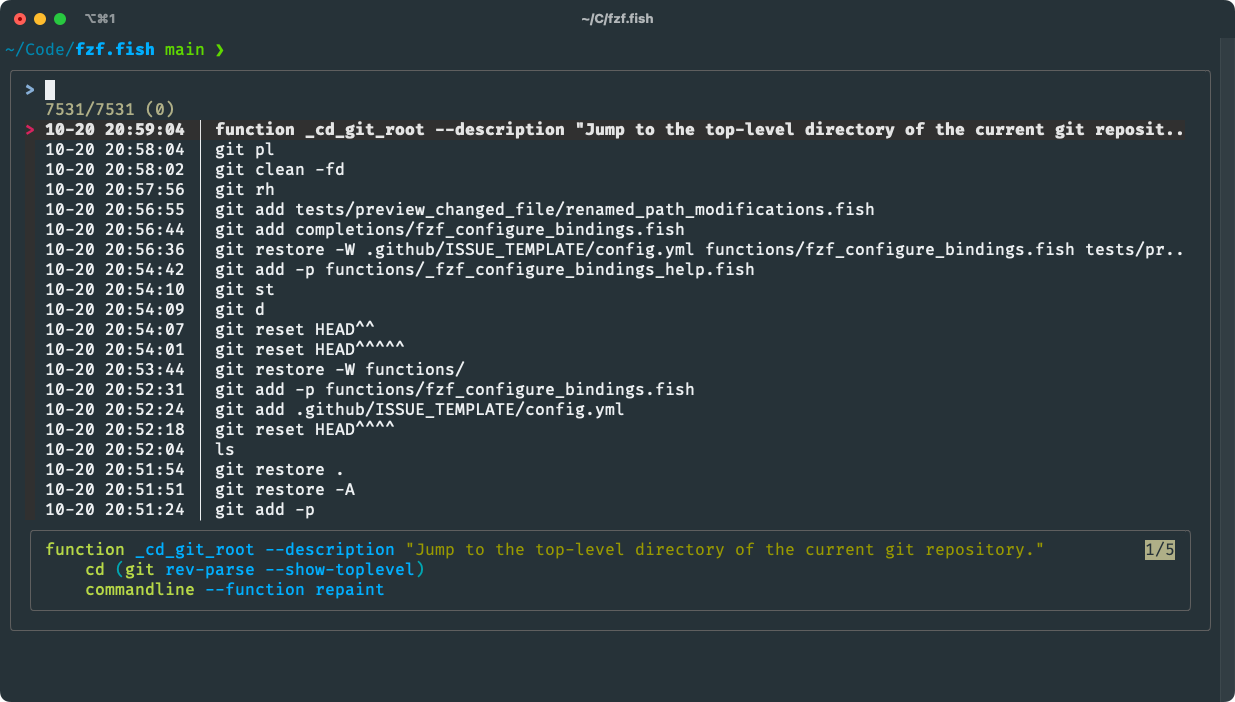
R for reverse-i-search)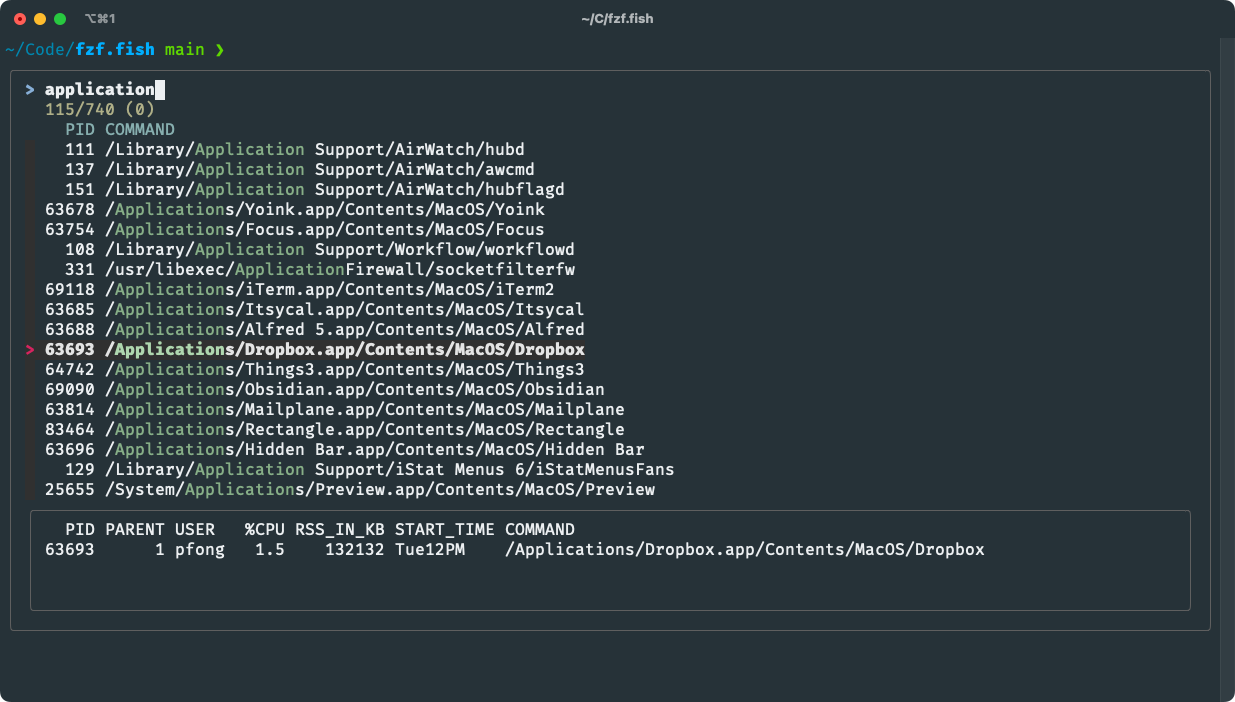
psP for process)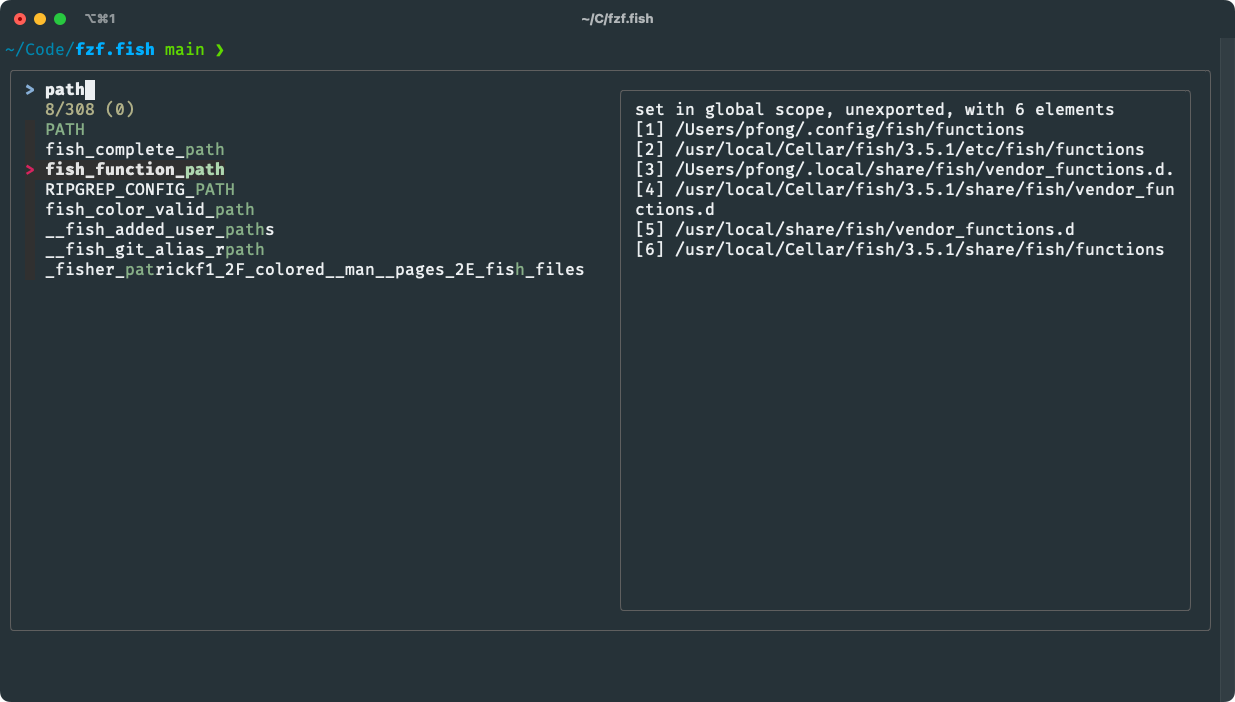
V for variable)$history is excluded for technical reasons so use Search History instead to inspect itFirst, install a proper version of these CLI dependencies:
| CLI | Minimum version required | Description |
|---|---|---|
| fish | 4.0.0 | a modern shell |
| fzf | 0.33.0 | fuzzy finder that powers this plugin |
| fd | 8.5.0 | faster, colorized alternative to find |
| bat | 0.16.0 | smarter cat with syntax highlighting |
fd and bat only need to be installed if you will use Search Directory.
Next, because fzf.fish is incompatible with other fzf plugins, check for and remove these two common alternatives.
Finally, install this plugin with Fisher.
fzf.fishcan be installed manually or with other plugin managers but only Fisher is officially supported.
fisher install PatrickF1/fzf.fish
fzf.fish includes an ergonomic function for configuring its key bindings. Read its documentation:
fzf_configure_bindings --help
Call fzf_configure_bindings in your config.fish in order to persist your custom bindings.
fzf supports global default options via the FZF_DEFAULT_OPTS and FZF_DEFAULT_OPTS_FILE environment variables. If neither are set, fzf.fish sets its own default opts whenever it executes fzf.
Each command's fzf options can be configured via a variable:
| Command | Variable |
|---|---|
| Search Directory | fzf_directory_opts |
| Search Git Log | fzf_git_log_opts |
| Search Git Status | fzf_git_status_opts |
| Search History | fzf_history_opts |
| Search Processes | fzf_processes_opts |
| Search Variables | fzf_variables_opts |
The value of each variable is appended last to fzf's options list. Because fzf uses the last instance of an option if it is specified multiple times, custom options take precedence. Custom fzf options unlock a variety of augmentations:
Find more ideas and tips in the Cookbook.
Search Directory, by default, executes ls to preview directories and bat to preview regular files.
To use your own directory preview command, set it in fzf_preview_dir_cmd:
set fzf_preview_dir_cmd eza --all --color=always
And to use your own file preview command, set it in fzf_preview_file_cmd:
set fzf_preview_file_cmd cat -n
Omit the target path for both variables as fzf.fish will itself specify the argument to preview.
To pass custom options to fd when Search Directory executes it to populate the list of files, set them in fzf_fd_opts:
set fzf_fd_opts --hidden --max-depth 5
By default, fd hides files listed in .gitignore. You can disable this behavior by adding the --no-ignore flag to fzf_fd_opts.
Search Git Log executes git log --format to format the list of commits. To use your own commit log format, set it in fzf_git_log_format. For example, this shows the hash and subject for each commit:
set fzf_git_log_format "%H %s"
The format must be one line per commit and the hash must be the first field, or else Search Git Log will fail to determine which commits you selected.
To pipe the git diff previews from Search Git Log and Search Git Status through a highlighter tool (e.g. delta or diff-so-fancy), set a command invoking the highlighter in fzf_diff_highlighter. It should not pipe its output to a pager:
# width=20 so delta decorations don't wrap around small fzf preview pane
set fzf_diff_highlighter delta --paging=never --width=20
# Or, if using DFS
set fzf_diff_highlighter diff-so-fancy
Search History shows the date time each command was executed. To change how its formatted, set your strftime format string in fzf_history_time_format. For example, this shows the date time as DD-MM-YY:
set fzf_history_time_format %d-%m-%y
Do not to include the vertical box-drawing character │ (not to be confused with the pipe character |) as it is relied on to delineate the date time from the command.
Find answers to these questions and more in the project Wiki:
fzf.fish compare to other popular fzf plugins for Fish?(top 24 of 63)
32,122 followers · starred Dec 2022
1,442 followers · starred Jan 2024
782 followers · starred Dec 2023
8,726 followers · starred Mar 2021
Augment your Fish command line with mnemonic key bindings to efficiently find what you need using fzf.
https://user-images.githubusercontent.com/1967248/197308919-51d04602-2d5f-46aa-a96e-6cf1617e3067.mov
Use fzf.fish to interactively find and insert file paths, git commit hashes, and other entities into your command line. Tab to select multiple entries. If you trigger a search while your cursor is on a word, that word will be used to seed the fzf query and will be replaced by your selection. All searches include a preview of the entity hovered over to help you find what you're looking for.
F for file)/, so if you select exactly one directory, you can immediately hit ENTER to cd into it.config/<CURSOR>), then that directory is searched instead
git logL for log)
git statusS for status)
R for reverse-i-search)
psP for process)
V for variable)$history is excluded for technical reasons so use Search History instead to inspect itFirst, install a proper version of these CLI dependencies:
| CLI | Minimum version required | Description |
|---|---|---|
| fish | 4.0.0 | a modern shell |
| fzf | 0.33.0 | fuzzy finder that powers this plugin |
| fd | 8.5.0 | faster, colorized alternative to find |
| bat | 0.16.0 | smarter cat with syntax highlighting |
fd and bat only need to be installed if you will use Search Directory.
Next, because fzf.fish is incompatible with other fzf plugins, check for and remove these two common alternatives.
Finally, install this plugin with Fisher.
fzf.fishcan be installed manually or with other plugin managers but only Fisher is officially supported.
fisher install PatrickF1/fzf.fish
fzf.fish includes an ergonomic function for configuring its key bindings. Read its documentation:
fzf_configure_bindings --help
Call fzf_configure_bindings in your config.fish in order to persist your custom bindings.
fzf supports global default options via the FZF_DEFAULT_OPTS and FZF_DEFAULT_OPTS_FILE environment variables. If neither are set, fzf.fish sets its own default opts whenever it executes fzf.
Each command's fzf options can be configured via a variable:
| Command | Variable |
|---|---|
| Search Directory | fzf_directory_opts |
| Search Git Log | fzf_git_log_opts |
| Search Git Status | fzf_git_status_opts |
| Search History | fzf_history_opts |
| Search Processes | fzf_processes_opts |
| Search Variables | fzf_variables_opts |
The value of each variable is appended last to fzf's options list. Because fzf uses the last instance of an option if it is specified multiple times, custom options take precedence. Custom fzf options unlock a variety of augmentations:
Find more ideas and tips in the Cookbook.
Search Directory, by default, executes ls to preview directories and bat to preview regular files.
To use your own directory preview command, set it in fzf_preview_dir_cmd:
set fzf_preview_dir_cmd eza --all --color=always
And to use your own file preview command, set it in fzf_preview_file_cmd:
set fzf_preview_file_cmd cat -n
Omit the target path for both variables as fzf.fish will itself specify the argument to preview.
To pass custom options to fd when Search Directory executes it to populate the list of files, set them in fzf_fd_opts:
set fzf_fd_opts --hidden --max-depth 5
By default, fd hides files listed in .gitignore. You can disable this behavior by adding the --no-ignore flag to fzf_fd_opts.
Search Git Log executes git log --format to format the list of commits. To use your own commit log format, set it in fzf_git_log_format. For example, this shows the hash and subject for each commit:
set fzf_git_log_format "%H %s"
The format must be one line per commit and the hash must be the first field, or else Search Git Log will fail to determine which commits you selected.
To pipe the git diff previews from Search Git Log and Search Git Status through a highlighter tool (e.g. delta or diff-so-fancy), set a command invoking the highlighter in fzf_diff_highlighter. It should not pipe its output to a pager:
# width=20 so delta decorations don't wrap around small fzf preview pane
set fzf_diff_highlighter delta --paging=never --width=20
# Or, if using DFS
set fzf_diff_highlighter diff-so-fancy
Search History shows the date time each command was executed. To change how its formatted, set your strftime format string in fzf_history_time_format. For example, this shows the date time as DD-MM-YY:
set fzf_history_time_format %d-%m-%y
Do not to include the vertical box-drawing character │ (not to be confused with the pipe character |) as it is relied on to delineate the date time from the command.
Find answers to these questions and more in the project Wiki:
fzf.fish compare to other popular fzf plugins for Fish?(top 24 of 63)
32,122 followers · starred Dec 2022
1,442 followers · starred Jan 2024
782 followers · starred Dec 2023
8,726 followers · starred Mar 2021