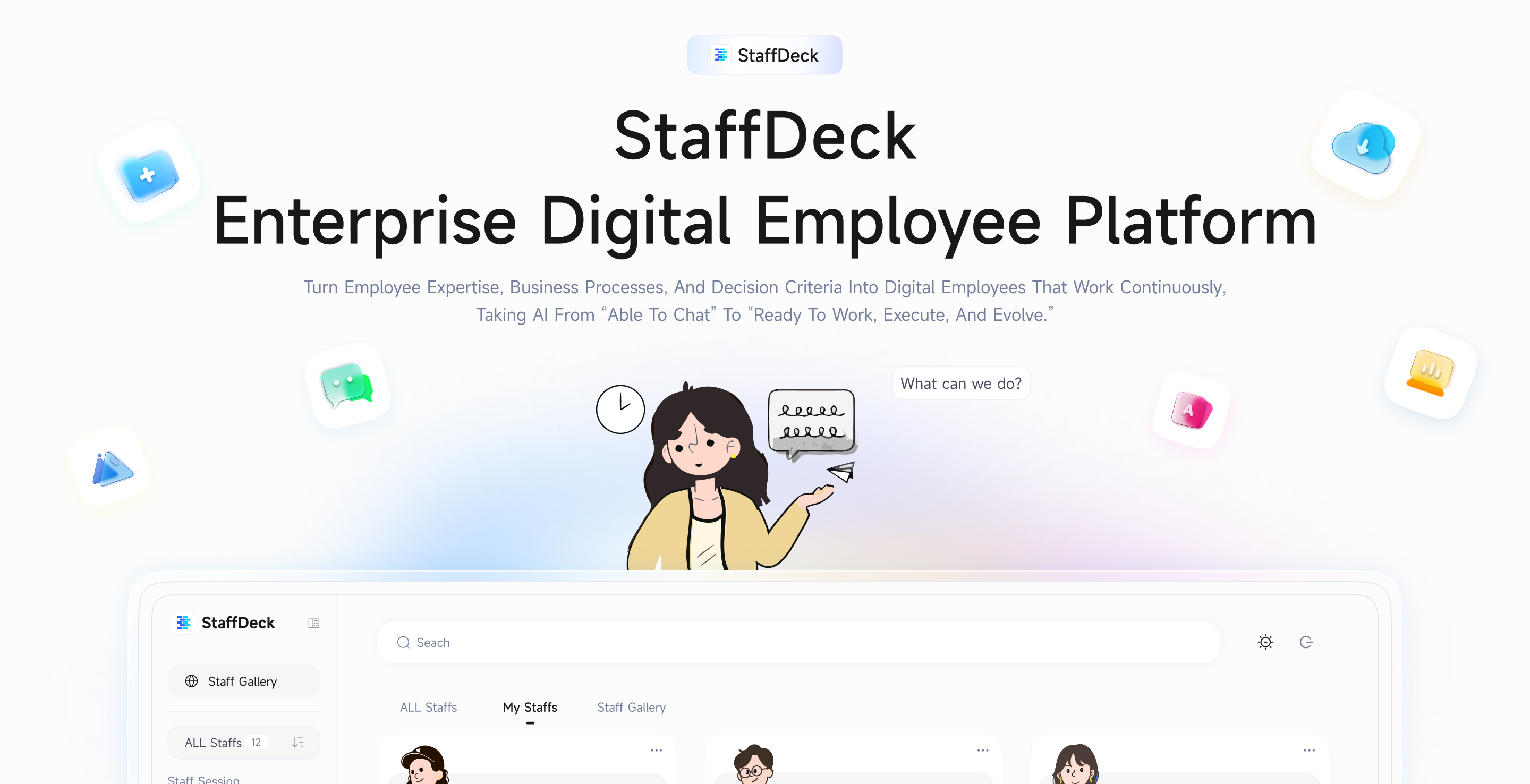
Enterprise Digital Employee Platform
See the codeStaffDeck is an enterprise platform for building and managing digital employees. It helps professionals turn their work experience, business processes, and decision criteria into digital employees that can operate continuously, take over repetitive tasks, and preserve individual expertise as reusable, evolvable, and traceable organizational assets. StaffDeck is jointly developed by the ModelBest, NEU-ModelBest Data Intelligence Joint Lab, THUNLP, OpenBMB, and AI9Stars for enterprises and institutions seeking to advance AI from a personal productivity tool to an organizational capability.
Visit the StaffDeck official website or download the latest desktop release directly:
| Platform | Architecture | Download |
|---|---|---|
| macOS | Apple Silicon (arm64) | Download .dmg |
| macOS | Intel (x86_64) | Download .dmg |
| Windows | x64 | Download installer .exe |
| Linux | x86_64 (Debian/Ubuntu) | Download .deb |
Linux packages listen on 127.0.0.1 by default. Use staffdeck setup from a
terminal to choose the listening mode and port, including on a headless host:
staffdeck setup
staffdeck setup --mode local --port 5173
staffdeck setup --mode lan --port 5173
staffdeck setup --mode public --port 5173 --public-url https://staff.example.com
local listens only on the machine; lan and public listen on 0.0.0.0.
--port sets the listening port. In interactive terminals, public tries to
infer a public URL first; if it cannot, or when running headless, pass
--public-url explicitly. For public deployments, use an HTTPS reverse proxy
and set the same public URL as OIDC_REDIRECT_URI when SSO is enabled. The
setup is saved per user and applied on the next launch.
Paste the prompt below into Cursor, Claude Code, or Codex. For code-based
deployments, you can also override the launch at runtime with
ULTRARAG_HOST, ULTRARAG_PORT, and STAFFDECK_PUBLIC_URL:
Read https://raw.githubusercontent.com/OpenBMB/StaffDeck/main/README.md.
Clone the OpenBMB/StaffDeck repository, prepare Python 3.11 or newer and Node.js 20,
create backend/.venv, install the backend and frontend dependencies, copy
backend/.env.example to backend/.env, ask me for the OpenAI-compatible model
endpoint and API key if they are missing, and use the commands documented for
the current OS. Start with scripts/dev_up.sh --detach on macOS/Linux/WSL or
.\scripts\dev_up.ps1 --detach on Windows PowerShell, then verify /api/health
plus /workspace/gallery before reporting success.
Clone the repository first:
git clone https://github.com/OpenBMB/StaffDeck.git
cd StaffDeck
On macOS, Linux, or WSL:
python3 -m venv backend/.venv
backend/.venv/bin/python -m pip install -e "backend[dev]"
npm --prefix frontend-enterprise ci
cp backend/.env.example backend/.env
On Windows PowerShell:
py -3 -m venv backend\.venv
.\backend\.venv\Scripts\python.exe -m pip install -e "backend[dev]"
npm --prefix frontend-enterprise ci
Copy-Item backend\.env.example backend\.env
Edit backend/.env before the first startup:
APP_SECRET="replace-with-a-long-random-secret"
DEMO_MODEL_BASE_URL="https://your-openai-compatible-endpoint/v1"
DEMO_MODEL_NAME="your-model-name"
DEMO_MODEL_API_KEY="your-api-key"
The API key is used to create the initial model configuration and is encrypted before being stored in the database. Do not commit backend/.env. After startup, model services can also be managed from Admin → Model Configuration.
| Platform | Recommended command |
|---|---|
| macOS, Linux, or WSL | scripts/dev_up.sh --detach |
| Windows PowerShell | .\scripts\dev_up.ps1 --detach |
Both wrappers call the same cross-platform Python lifecycle entry, scripts/dev.py. The startup process builds the StaffDeck frontend and serves the UI, API, and Swagger documentation from one FastAPI process on port 5173.
Initial administrator credentials: username admin, password admin. Please change the password after first login.
On macOS, Linux, or WSL:
curl http://127.0.0.1:5173/api/health
On Windows PowerShell:
curl.exe http://127.0.0.1:5173/api/health
Expected output:
{"status":"ok"}
Open http://127.0.0.1:5173/workspace/gallery, select a digital employee, and send the first message. The answer and its execution record should stream into the same conversation turn.
| Action | macOS, Linux, or WSL | Windows PowerShell |
|---|---|---|
| Start in the background | scripts/dev_up.sh --detach | .\scripts\dev_up.ps1 --detach |
| Start in the foreground | scripts/dev_up.sh | .\scripts\dev_up.ps1 |
| Inspect service status | scripts/dev_status.sh | .\scripts\dev_status.ps1 |
| Stop the local service | scripts/dev_down.sh | .\scripts\dev_down.ps1 |
The wrapper scripts above delegate to scripts/dev.py. It can also be called directly with the project virtual environment created in step 1, avoiding any dependency on shell script execution or a system Python launcher:
| Platform | Direct background start |
|---|---|
| macOS, Linux, or WSL | backend/.venv/bin/python scripts/dev.py up --detach |
| Windows PowerShell | .\backend\.venv\Scripts\python.exe scripts\dev.py up --detach |
Replace up --detach with another lifecycle argument when needed:
| Action | Arguments |
|---|---|
| Start in the background | up --detach |
| Start in the foreground | up |
| Inspect service status | status |
| Stop the local service | down |
Full guide → StaffDeck Tutorial
Digital employees can serve users directly over IM channels: users chat with employees in WeChat or WeCom, while multi-agent dispatch, intent-based auto routing, identity merging, and conversation observability are built into the platform. The channel kernel is channel-agnostic (adapter registry) — new channels only need a new adapter.
Capabilities
/员工, /切换 <name>, /当前, /帮助;/绑定 <one-time code> to merge their channel identity into an existing StaffDeck account (memory and sessions unified; /解绑 to revert);WeChat (personal, iLink protocol)
WeCom (bot WebSocket)
Production checklist
APP_SECRET (channel credentials encryption derives from it; better to also set an independent CHANNEL_SECRET);StaffDeck/
├── backend/ # FastAPI APIs, agent runtime, storage, and task workers
├── frontend-enterprise/ # React/TypeScript StaffDeck workspace
├── docs/ # Tutorials, APIs, schemas, and example flows
├── scripts/ # Single-port service lifecycle and validation scripts
├── packaging/ # macOS, Linux, and Windows packaging assets
├── README.md # English
└── README.zh.md # Simplified Chinese
Check the selected model configuration, API key, model name, and model service network. Then inspect the execution record and .dev/logs/app.log to identify the exact error returned by the model service.
Yes. The application calls an OpenAI-compatible model endpoint, so GPU requirements depend on the model service you deploy or use.
Marketplace resources are reusable templates. Regular users can copy or bind authorized resources to their own employees, while the original resources remain protected by creator and administrator permissions.
Roadmap priorities are driven by real deployment needs. Please open an Issue with a reproducible scenario and expected behavior.
[email protected]
| WeChat Community | Feishu Community | Discord Community |
 |  |  |
Contributions from collaborators with repository access are welcome:
Keep unrelated worktree changes intact, add tests proportional to the affected behavior, and state the routes and user roles used for UI verification in each pull request.
When using StaffDeck in internal research or authorized public materials, cite:
@software{StaffDeck2026,
  title  = {StaffDeck: Build, Run, and Govern Enterprise Digital Employees},
  author = {OpenBMB},
  year   = {2026},
  url    = {https://github.com/OpenBMB/StaffDeck}
}
This project is open source under the GNU Affero General Public License v3.0.
StaffDeck is incubated by the OpenBMB ecosystem.
46 followers · starred Jul 2026
654 followers · starred Aug 2026
1,109 followers · starred Jul 2026
125 followers · starred Jul 2026
Enterprise Digital Employee Platform
See the codeStaffDeck is an enterprise platform for building and managing digital employees. It helps professionals turn their work experience, business processes, and decision criteria into digital employees that can operate continuously, take over repetitive tasks, and preserve individual expertise as reusable, evolvable, and traceable organizational assets. StaffDeck is jointly developed by the ModelBest, NEU-ModelBest Data Intelligence Joint Lab, THUNLP, OpenBMB, and AI9Stars for enterprises and institutions seeking to advance AI from a personal productivity tool to an organizational capability.
Visit the StaffDeck official website or download the latest desktop release directly:
| Platform | Architecture | Download |
|---|---|---|
| macOS | Apple Silicon (arm64) | Download .dmg |
| macOS | Intel (x86_64) | Download .dmg |
| Windows | x64 | Download installer .exe |
| Linux | x86_64 (Debian/Ubuntu) | Download .deb |
Linux packages listen on 127.0.0.1 by default. Use staffdeck setup from a
terminal to choose the listening mode and port, including on a headless host:
staffdeck setup
staffdeck setup --mode local --port 5173
staffdeck setup --mode lan --port 5173
staffdeck setup --mode public --port 5173 --public-url https://staff.example.com
local listens only on the machine; lan and public listen on 0.0.0.0.
--port sets the listening port. In interactive terminals, public tries to
infer a public URL first; if it cannot, or when running headless, pass
--public-url explicitly. For public deployments, use an HTTPS reverse proxy
and set the same public URL as OIDC_REDIRECT_URI when SSO is enabled. The
setup is saved per user and applied on the next launch.
Paste the prompt below into Cursor, Claude Code, or Codex. For code-based
deployments, you can also override the launch at runtime with
ULTRARAG_HOST, ULTRARAG_PORT, and STAFFDECK_PUBLIC_URL:
Read https://raw.githubusercontent.com/OpenBMB/StaffDeck/main/README.md.
Clone the OpenBMB/StaffDeck repository, prepare Python 3.11 or newer and Node.js 20,
create backend/.venv, install the backend and frontend dependencies, copy
backend/.env.example to backend/.env, ask me for the OpenAI-compatible model
endpoint and API key if they are missing, and use the commands documented for
the current OS. Start with scripts/dev_up.sh --detach on macOS/Linux/WSL or
.\scripts\dev_up.ps1 --detach on Windows PowerShell, then verify /api/health
plus /workspace/gallery before reporting success.
Clone the repository first:
git clone https://github.com/OpenBMB/StaffDeck.git
cd StaffDeck
On macOS, Linux, or WSL:
python3 -m venv backend/.venv
backend/.venv/bin/python -m pip install -e "backend[dev]"
npm --prefix frontend-enterprise ci
cp backend/.env.example backend/.env
On Windows PowerShell:
py -3 -m venv backend\.venv
.\backend\.venv\Scripts\python.exe -m pip install -e "backend[dev]"
npm --prefix frontend-enterprise ci
Copy-Item backend\.env.example backend\.env
Edit backend/.env before the first startup:
APP_SECRET="replace-with-a-long-random-secret"
DEMO_MODEL_BASE_URL="https://your-openai-compatible-endpoint/v1"
DEMO_MODEL_NAME="your-model-name"
DEMO_MODEL_API_KEY="your-api-key"
The API key is used to create the initial model configuration and is encrypted before being stored in the database. Do not commit backend/.env. After startup, model services can also be managed from Admin → Model Configuration.
| Platform | Recommended command |
|---|---|
| macOS, Linux, or WSL | scripts/dev_up.sh --detach |
| Windows PowerShell | .\scripts\dev_up.ps1 --detach |
Both wrappers call the same cross-platform Python lifecycle entry, scripts/dev.py. The startup process builds the StaffDeck frontend and serves the UI, API, and Swagger documentation from one FastAPI process on port 5173.
Initial administrator credentials: username admin, password admin. Please change the password after first login.
On macOS, Linux, or WSL:
curl http://127.0.0.1:5173/api/health
On Windows PowerShell:
curl.exe http://127.0.0.1:5173/api/health
Expected output:
{"status":"ok"}
Open http://127.0.0.1:5173/workspace/gallery, select a digital employee, and send the first message. The answer and its execution record should stream into the same conversation turn.
| Action | macOS, Linux, or WSL | Windows PowerShell |
|---|---|---|
| Start in the background | scripts/dev_up.sh --detach | .\scripts\dev_up.ps1 --detach |
| Start in the foreground | scripts/dev_up.sh | .\scripts\dev_up.ps1 |
| Inspect service status | scripts/dev_status.sh | .\scripts\dev_status.ps1 |
| Stop the local service | scripts/dev_down.sh | .\scripts\dev_down.ps1 |
The wrapper scripts above delegate to scripts/dev.py. It can also be called directly with the project virtual environment created in step 1, avoiding any dependency on shell script execution or a system Python launcher:
| Platform | Direct background start |
|---|---|
| macOS, Linux, or WSL | backend/.venv/bin/python scripts/dev.py up --detach |
| Windows PowerShell | .\backend\.venv\Scripts\python.exe scripts\dev.py up --detach |
Replace up --detach with another lifecycle argument when needed:
| Action | Arguments |
|---|---|
| Start in the background | up --detach |
| Start in the foreground | up |
| Inspect service status | status |
| Stop the local service | down |
Full guide → StaffDeck Tutorial
Digital employees can serve users directly over IM channels: users chat with employees in WeChat or WeCom, while multi-agent dispatch, intent-based auto routing, identity merging, and conversation observability are built into the platform. The channel kernel is channel-agnostic (adapter registry) — new channels only need a new adapter.
Capabilities
/员工, /切换 <name>, /当前, /帮助;/绑定 <one-time code> to merge their channel identity into an existing StaffDeck account (memory and sessions unified; /解绑 to revert);WeChat (personal, iLink protocol)
WeCom (bot WebSocket)
Production checklist
APP_SECRET (channel credentials encryption derives from it; better to also set an independent CHANNEL_SECRET);StaffDeck/
├── backend/ # FastAPI APIs, agent runtime, storage, and task workers
├── frontend-enterprise/ # React/TypeScript StaffDeck workspace
├── docs/ # Tutorials, APIs, schemas, and example flows
├── scripts/ # Single-port service lifecycle and validation scripts
├── packaging/ # macOS, Linux, and Windows packaging assets
├── README.md # English
└── README.zh.md # Simplified Chinese
Check the selected model configuration, API key, model name, and model service network. Then inspect the execution record and .dev/logs/app.log to identify the exact error returned by the model service.
Yes. The application calls an OpenAI-compatible model endpoint, so GPU requirements depend on the model service you deploy or use.
Marketplace resources are reusable templates. Regular users can copy or bind authorized resources to their own employees, while the original resources remain protected by creator and administrator permissions.
Roadmap priorities are driven by real deployment needs. Please open an Issue with a reproducible scenario and expected behavior.
[email protected]
| WeChat Community | Feishu Community | Discord Community |
| | |
Contributions from collaborators with repository access are welcome:
Keep unrelated worktree changes intact, add tests proportional to the affected behavior, and state the routes and user roles used for UI verification in each pull request.
When using StaffDeck in internal research or authorized public materials, cite:
@software{StaffDeck2026,
  title  = {StaffDeck: Build, Run, and Govern Enterprise Digital Employees},
  author = {OpenBMB},
  year   = {2026},
  url    = {https://github.com/OpenBMB/StaffDeck}
}
This project is open source under the GNU Affero General Public License v3.0.
StaffDeck is incubated by the OpenBMB ecosystem.
46 followers · starred Jul 2026
654 followers · starred Aug 2026
1,109 followers · starred Jul 2026
125 followers · starred Jul 2026