OHIF zero-footprint DICOM viewer and oncology specific Lesion Tracker, plus shared extension packages
See the codeThe OHIF Viewer is a zero-footprint medical image viewer provided by the Open Health Imaging Foundation (OHIF). It is a configurable and extensible progressive web application with out-of-the-box support for image archives which support DICOMweb.



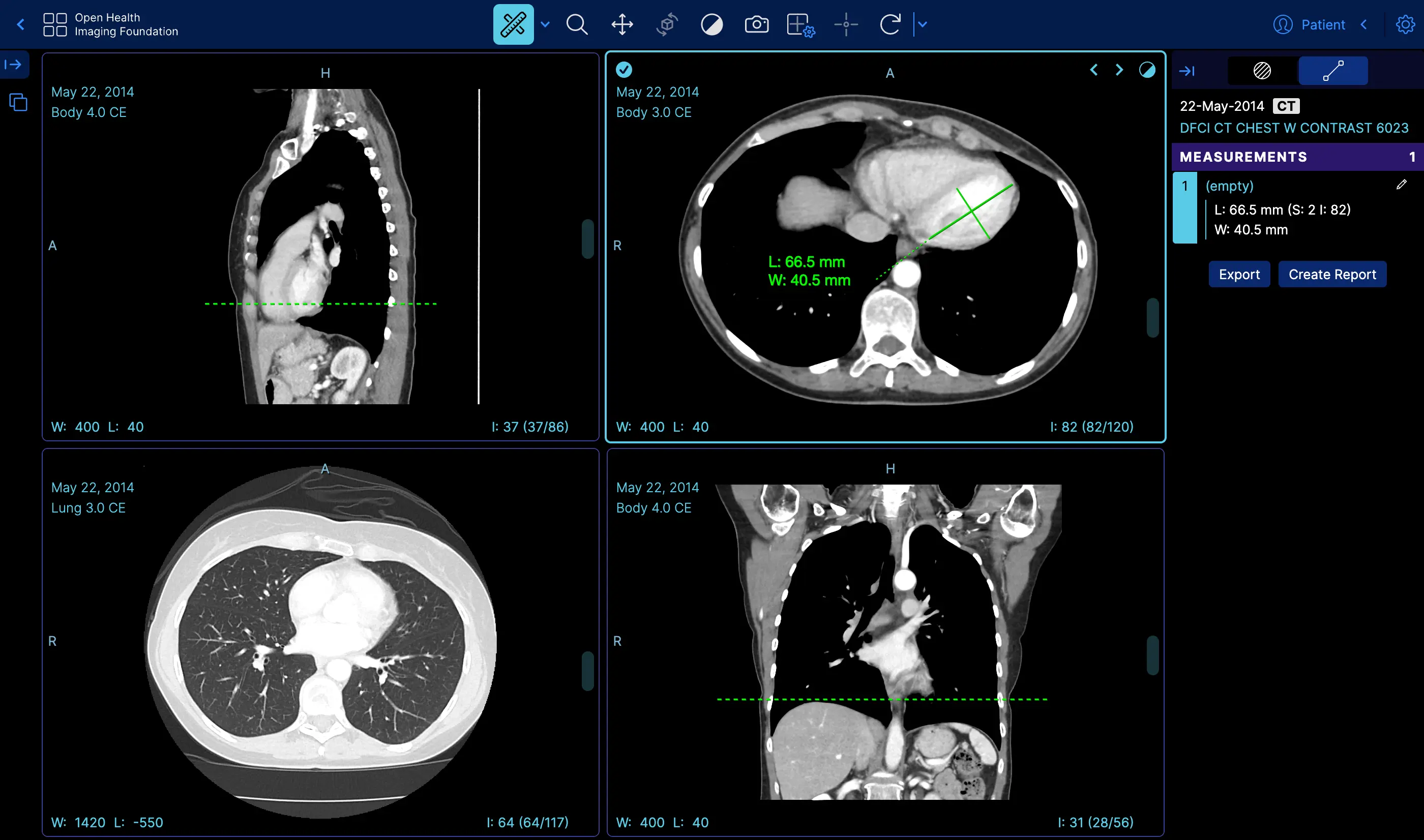 | Measurement Tracking | Demo |
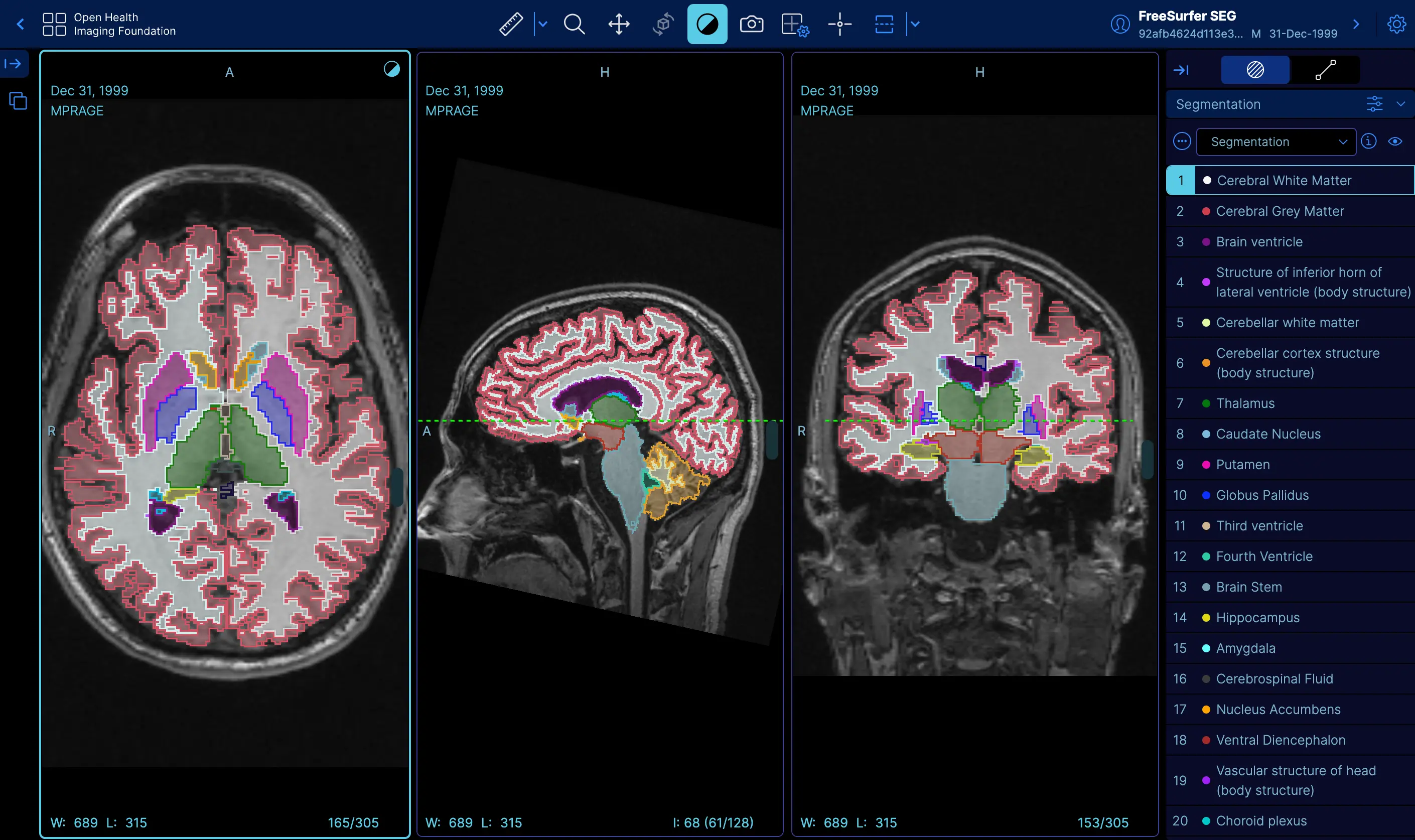 | Labelmap Segmentations | Demo |
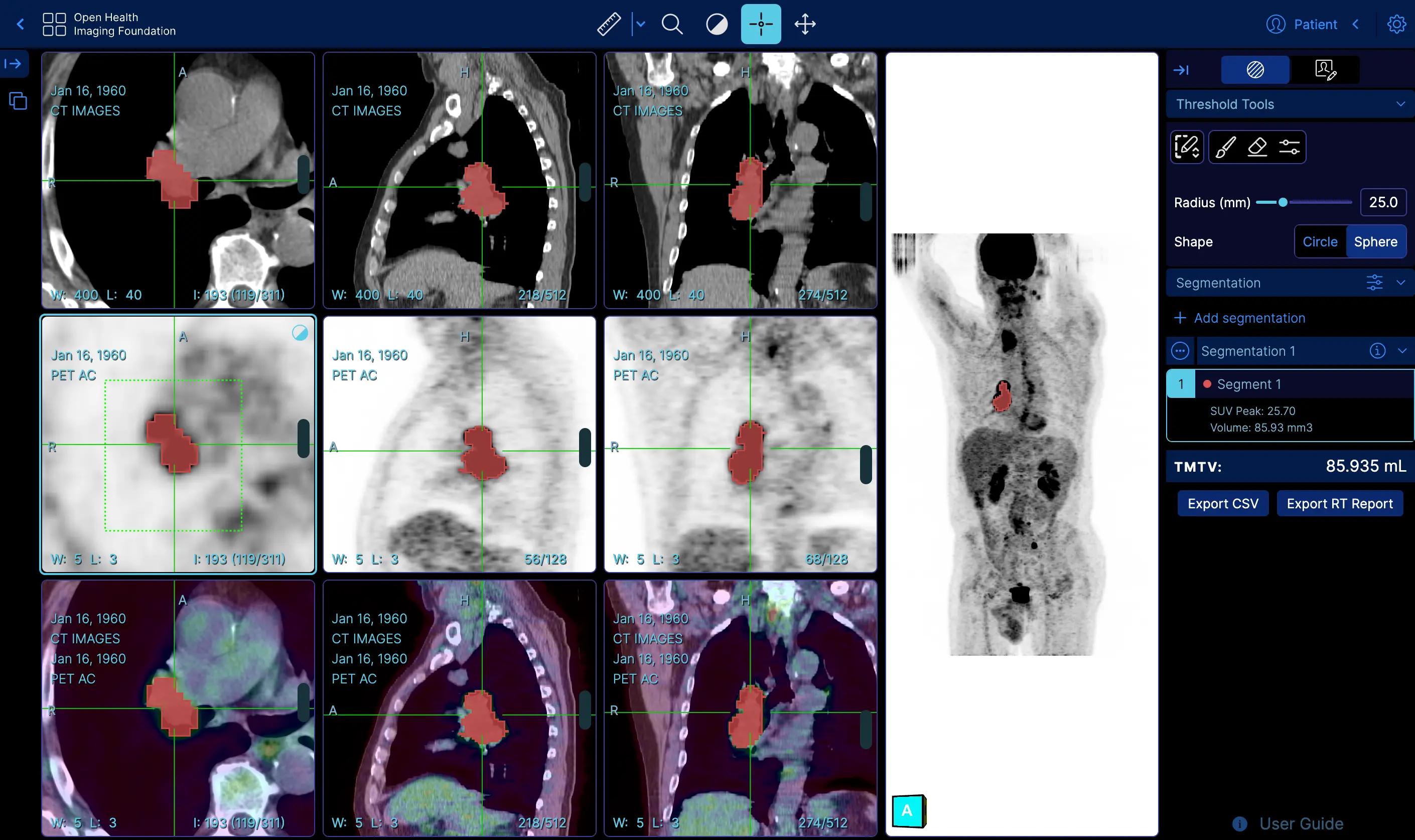 | Fusion and Custom Hanging protocols | Demo |
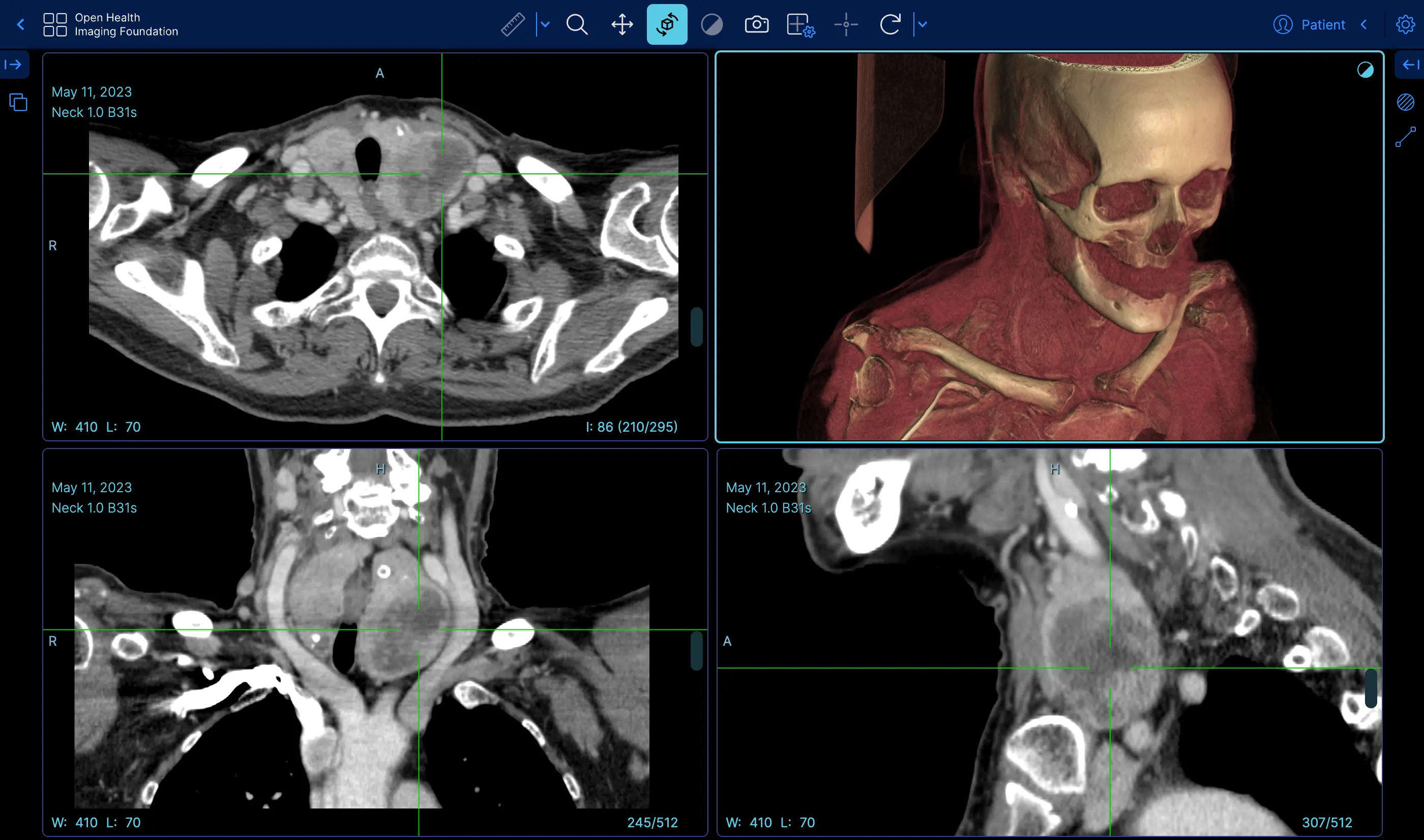 | Volume Rendering | Demo |
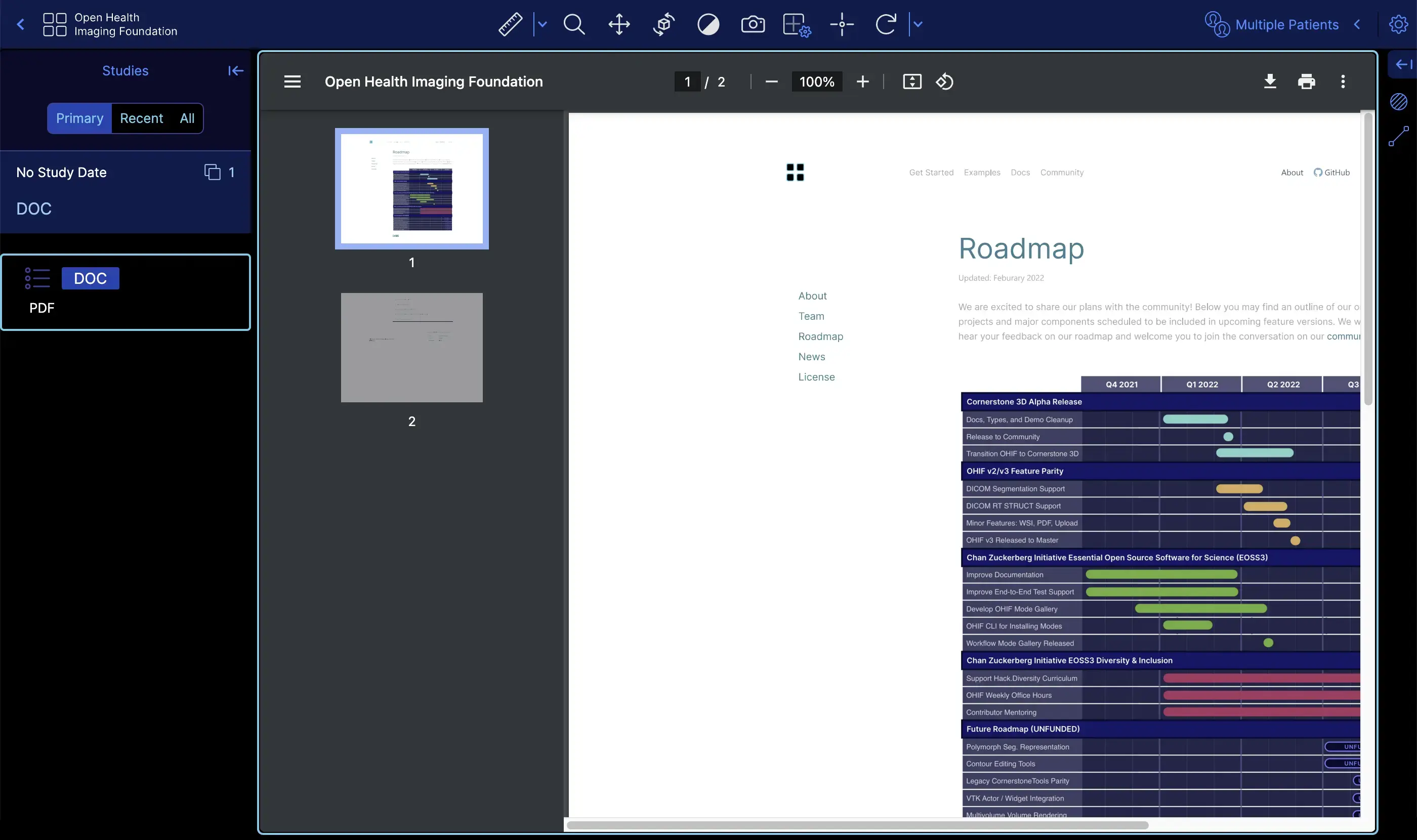 | Demo | |
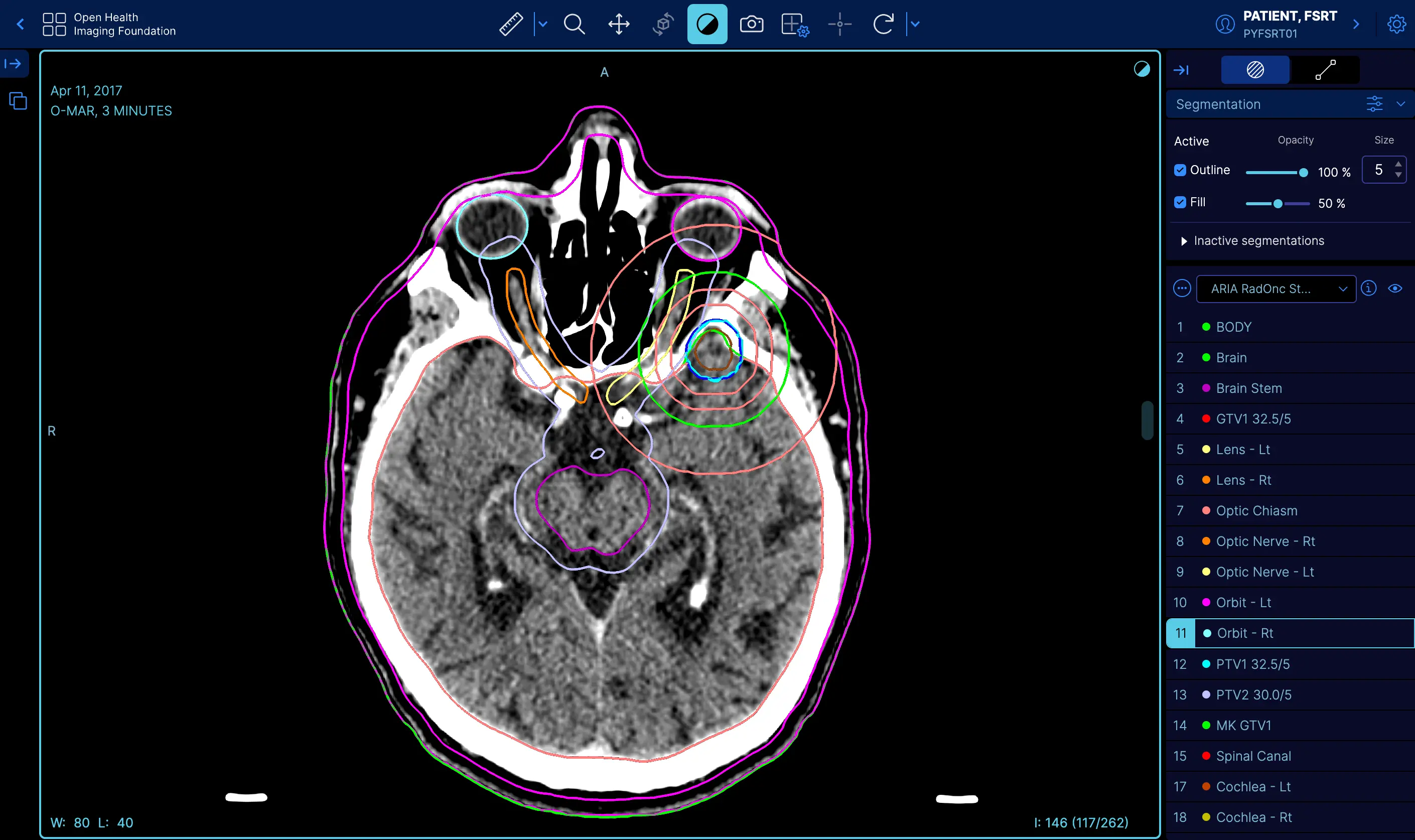 | RT STRUCT | Demo |
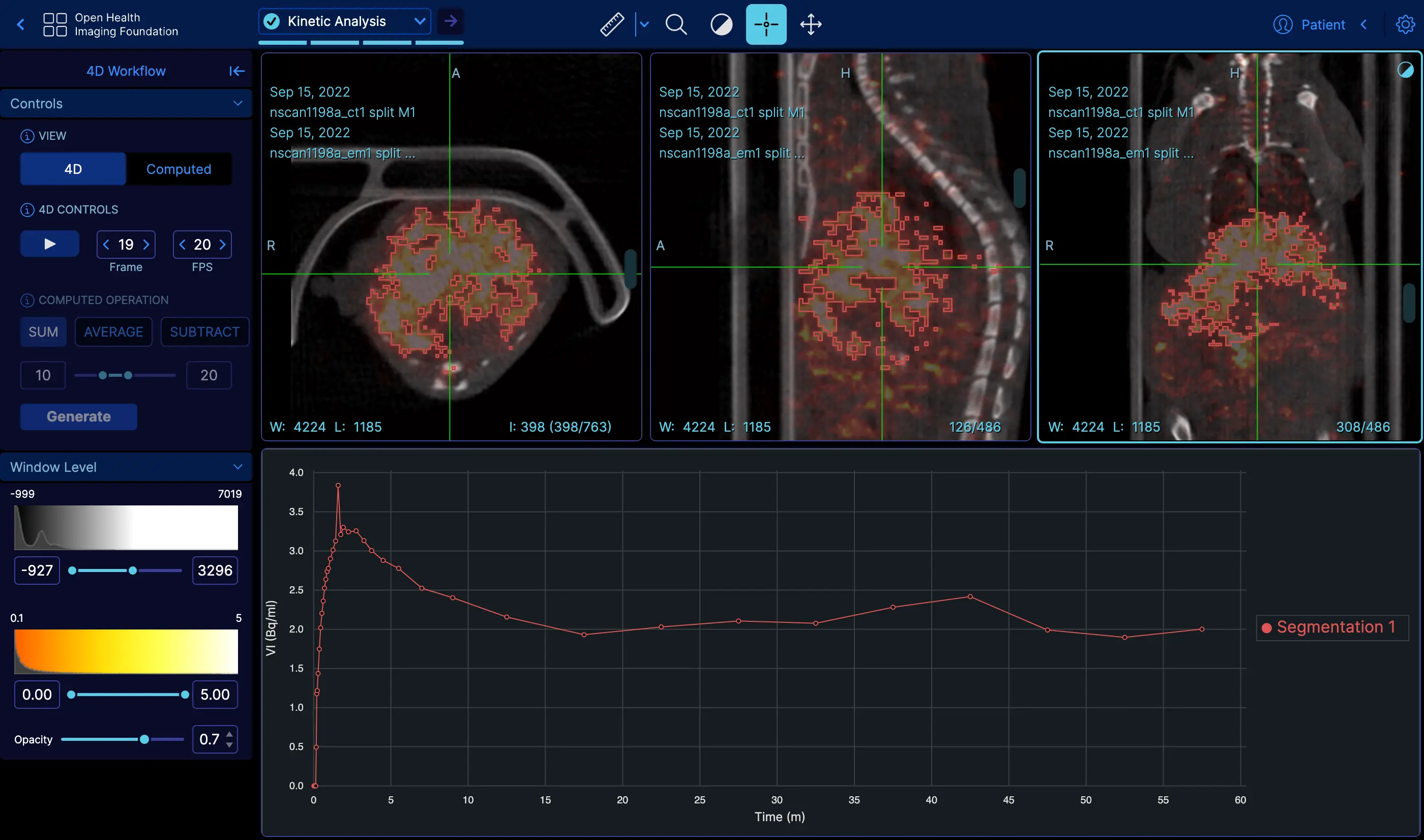 | 4D | Demo |
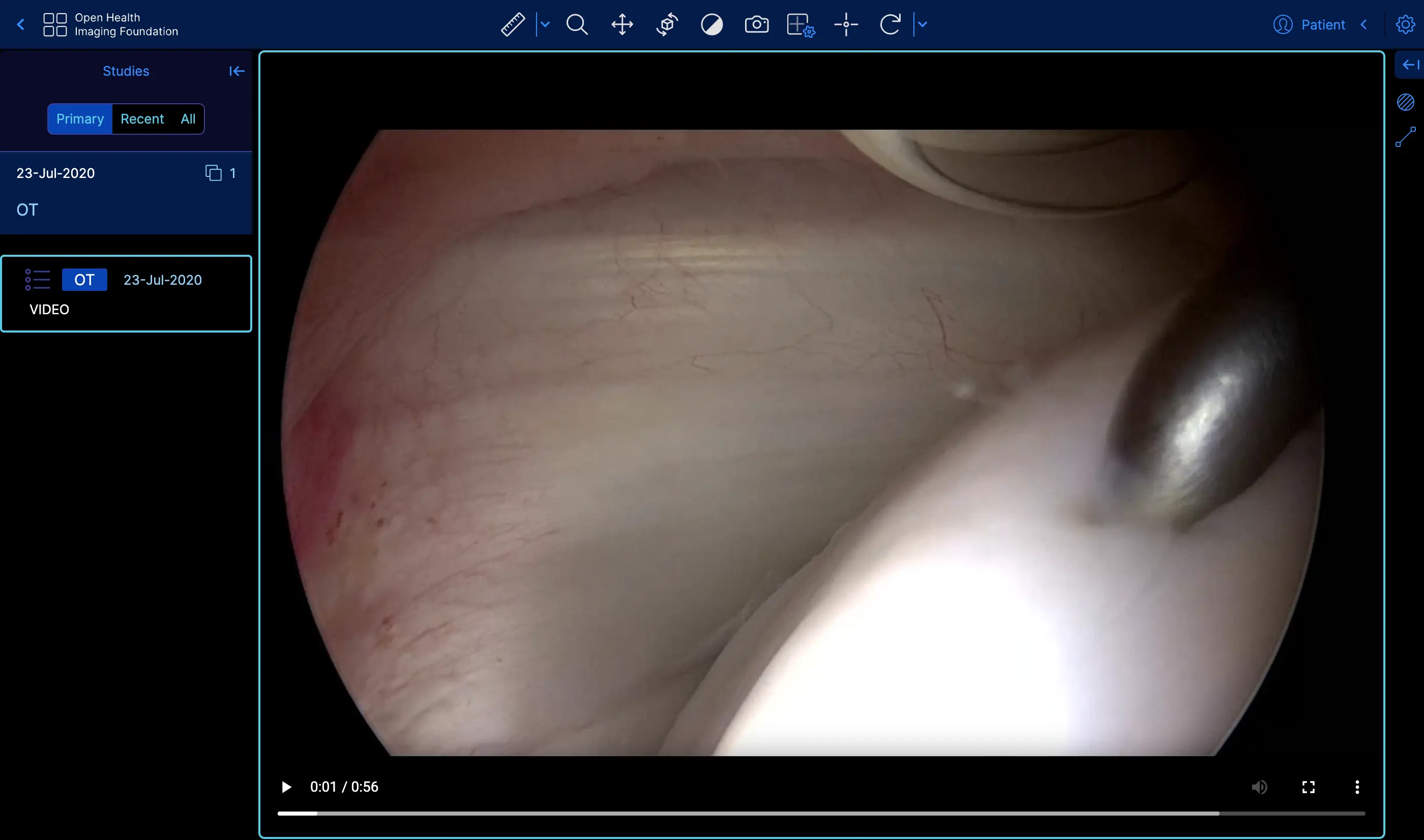 | Video | Demo |
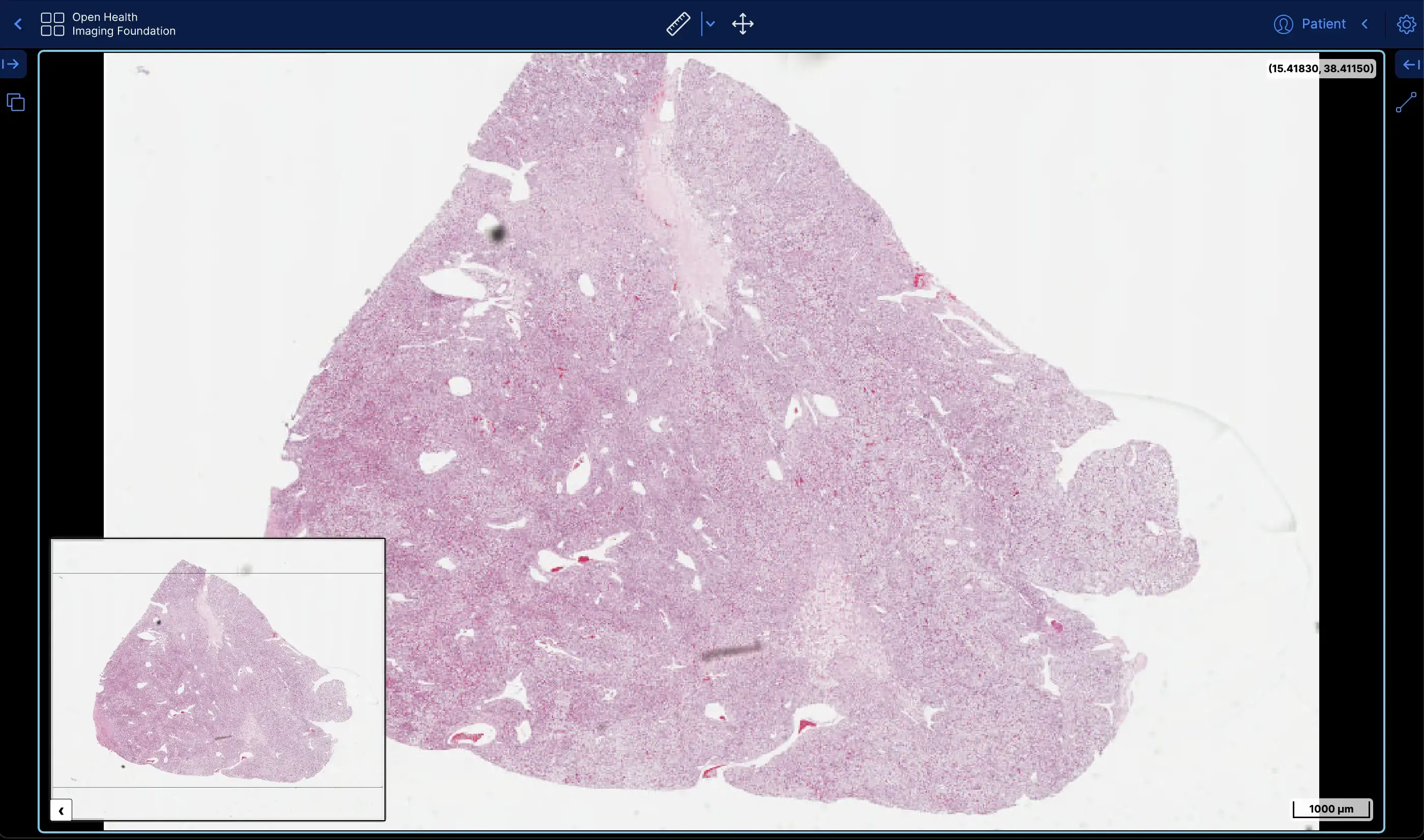 | Slide Microscopy | Demo |
 | ECG Waveform | Demo |
The OHIF Viewer can retrieve and load images from most sources and formats, render sets in 2D, 3D, and reconstructed representations; allows for the manipulation, annotation, and serialization of observations; supports internationalization, OpenID Connect, offline use, hotkeys, and many more features.
Almost everything offers some degree of customization and configuration. If it doesn't support something you need, we accept pull requests and have an ever improving Extension System.
The OHIF Viewer is a collaborative effort that has served as the basis for many active, production, and FDA Cleared medical imaging viewers. It benefits from our extensive community's collective experience, and from the sponsored contributions of individuals, research groups, and commercial organizations.
After more than 8-years of integrating with many companies and organizations, The OHIF Viewer has been rebuilt from the ground up to better address the varying workflow and configuration needs of its many users. All of the Viewer's core features are built using its own extension system. The same extensibility that allows us to offer:
Can be leveraged by you to customize the viewer for your workflow, and to add any new functionality you may need (and wish to maintain privately without forking).
For commercial support, academic collaborations, and answers to common questions; please use Get Support to contact us.
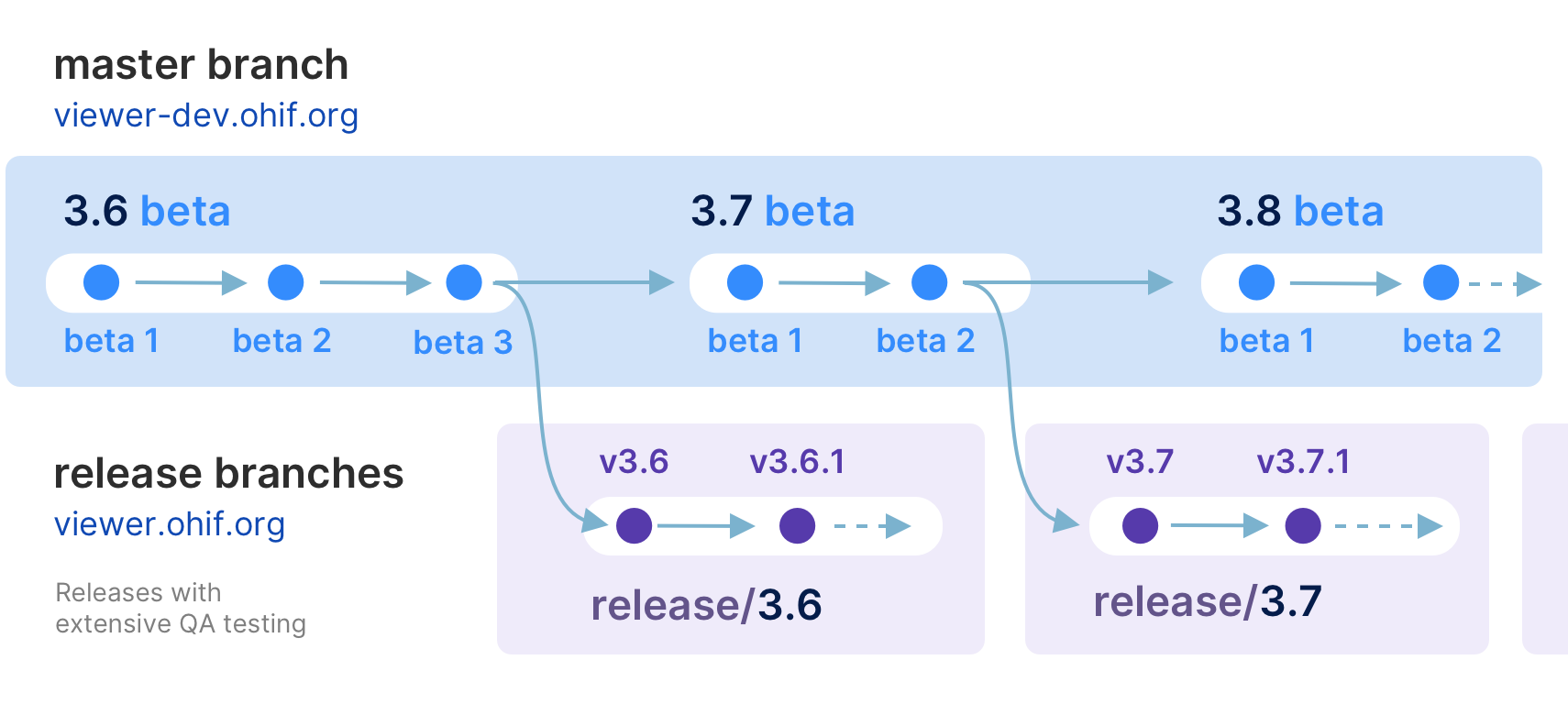
master branch - The latest dev (beta) releasemaster - The latest dev releaseThis is typically where the latest development happens. Code that is in the master branch has passed code reviews and automated tests, but it may not be deemed ready for production. This branch usually contains the most recent changes and features being worked on by the development team. It's often the starting point for creating feature branches (where new features are developed) and hotfix branches (for urgent fixes).
Each package is tagged with beta version numbers, and published to npm such as @ohif/[email protected]
release/* branches - The latest stable releasesOnce the master branch code reaches a stable, release-ready state, we conduct a comprehensive code review and QA testing. Upon approval, we create a new release branch from master. These branches represent the latest stable version considered ready for production.
For example, release/3.5 is the branch for version 3.5.0, and release/3.6 is for version 3.6.0. After each release, we wait a few days to ensure no critical bugs. If any are found, we fix them in the release branch and create a new release with a minor version bump, e.g., 3.5.1 in the release/3.5 branch.
Each package is tagged with version numbers and published to npm, such as @ohif/[email protected]. Note that master is always ahead of the release branch. We publish docker builds for both beta and stable releases.
Here is a schematic representation of our development workflow:
yarn config set workspaces-experimental truegit clone https://github.com/YOUR-USERNAME/Viewers.gitremote named upstream
git remote add upstream https://github.com/OHIF/Viewers.gityarn install --frozen-lockfile to restore dependencies and link projects:::danger
In general run yarn install with the --frozen-lockfile flag to help avoid
supply chain attacks by enforcing reproducible dependencies. That is, if the
yarn.lock file is clean and does NOT reference compromised packages, then
no compromised packages should land on your machine by using this flag.
:::
From this repository's root directory:
# Enable Yarn Workspaces
yarn config set workspaces-experimental true

# Restore dependencies
yarn install --frozen-lockfile
OHIF's Playwright end-to-end tests can run against a CS3D branch or a published CS3D version, allowing changes that span both repositories to be validated together before merging.
Add a CS3D_REF: line to the PR body. No label is involved — the line itself is
the request.
The line must sit at the top level of the body. A line inside a fenced code
block, inside an indented code block (four spaces or more), or inside an HTML
comment is an example rather than a request, so you can document this syntax in
a PR without triggering it. The PR template is mostly HTML comments, so write
the line outside them. The workflow prints a warning when it ignores a
CS3D_REF: line for one of these reasons, and it fails when the block that
hides the line is never closed.
CS3D_REF: feat/my-feature
The line takes one of three forms:
| Form | Meaning |
|---|---|
CS3D_REF: feat/my-feature | A branch or tag in cornerstonejs/cornerstone3D. The workflow clones it, builds CS3D from source with pnpm run build:esm, and symlinks the built packages into OHIF's node_modules. |
CS3D_REF: 5.10.6 | A published version. The workflow rewrites every @cornerstonejs/* entry across the workspace to that version and reinstalls. The accepted forms are 5.10.6, 5.11.0-beta.1, 5.x, 5.10.x and 4.19+. A two-part number such as 5.10 is not one of them; write 5.10.x. |
CS3D_REF: feat/my-feature now 5.10.6 | The branch, and the concrete release it became. See Retiring a branch ref below. |
Three rules are worth knowing:
cornerstonejs/cornerstone3D. The
<owner>:<branch> form is no longer accepted: it let a PR point the clone at
any GitHub account and run that account's install scripts on the shared
self-hosted runner. Push your branch to the CS3D repository instead.CS3D_REF line runs the ordinary
Playwright suite against the CS3D version this repo already pins. The same
holds for a manual run with an empty cs3d_ref box.cs3d-integration environment until one of the named reviewers approves that
specific run, because it builds and executes CS3D code on a shared machine.
A PR from a branch in this repository proceeds unattended.The workflow can also be triggered manually via workflow_dispatch with a
cs3d_ref input, which accepts the same three forms.
The Playwright workflow runs three jobs:
| Job | Purpose |
|---|---|
| Gate | Runs on GitHub's own runners and never checks out the repository. It decides whether the PR may reach the self-hosted runner at all, reads and validates any CS3D_REF line, and decides whether the run needs a reviewer's approval. |
| Playwright Tests | Builds OHIF (with CS3D linked or version-swapped), runs the full Playwright suite, and uploads test results and coverage. When a CS3D_REF line changes the tree under test, it also deploys a Netlify preview. |
| CS3D Branch Merge Guard | Reports when CS3D_REF names a branch rather than a published version, because merging would leave master depending on unreleased CS3D code. It is advisory: it reports a red result, but it does not block the merge button. |
A PR from a fork that changes a CI-defining file does not run Playwright on the
self-hosted runner. It runs once the change is reviewed and merged. The affected
paths are .github/, .scripts/, pnpm-workspace.yaml, preinstall.js, any
root pnpmfile, and every .npmrc in the workspace, not only the one in the
root directory.
package.json and pnpm-lock.yaml are not on the list, so a fork PR that adds
a dependency or moves a module between workspace packages runs Playwright as
usual. Changes to the root package.json and pnpm-lock.yaml still need a code
owner's review before merge. A PR from a branch in this repository is not
affected by either rule.
If a feature requires changes in both Cornerstone3D and OHIF:
cornerstonejs/cornerstone3D repository and
push it.CS3D_REF: <your-cs3d-branch>.Once the CS3D fix ships, change the line rather than deleting it:
CS3D_REF: feat/my-feature now 5.10.6
The version after now is a record, not a request. It never moves the pin
backwards: on every run the workflow compares it against the version this repo
pins and keeps whichever is newer. So a line still saying now 5.10.6 in a repo
that has moved on to 5.11.0 tests 5.11.0, not 5.10.6.
That is what lets the line stay in place as history — the branch name remains
visible as the reason the pinned version moved, and the line stops changing what
the run does. Once the repo pins that version or something newer, no rewrite
happens, no reinstall happens, and no preview is built or deployed. The version
must be one concrete release, such as 5.10.6 or 5.11.0-beta.1, not a range.
A fork PR still asks for the cs3d-integration approval while the line is
present, even after the line is spent, because the gate has no checkout and
cannot tell which version the repo pins. Delete the line to stop the prompt.
When a CS3D_REF line changes the tree under test, the Playwright workflow also
builds the OHIF viewer and deploys it to Netlify as a preview. This gives you a
live URL to manually test the combined CS3D + OHIF changes without running
anything locally. A spent retiring form tests the same tree as an ordinary run,
so it does not produce a preview.
For details on linking CS3D locally for development, see the Cornerstone3D README.
These commands are available from the root directory. Each project directory
also supports a number of commands that can be found in their respective
README.md and package.json files.
| Yarn Commands | Description |
|---|---|
| Develop | |
dev | Default development experience for Viewer |
dev:fast | Our experimental fast dev mode that uses rsbuild instead of webpack |
test:unit | Jest multi-project test runner; overall coverage |
| Deploy | |
build* | Builds production output for our PWA Viewer |
* - For more information on different builds, check out our Deploy Docs
The dev server and the production build select a different default
configuration file when APP_CONFIG is not set explicitly:
| Command | Default config | Data sources | ?customization= |
|---|---|---|---|
dev, dev:fast, start | config/dev.js | Full set | Enabled |
build | config/default.js | One demo source | Disabled |
config/dev.js is the full-featured local-development config: every data
source is enabled, the ?customization= URL feature is turned on (via
customizationUrlPrefixes), and it is kept at parity with the public demo
(config/netlify.js) so customizations behave locally the same way they do on
the demo.config/netlify.js is the public demo / Netlify deploy config
(build:viewer:ci), with the same full data-source set and ?customization=
enabled.config/default.js is a locked-down baseline and is now only the
default for a plain production build (build with no APP_CONFIG): a single
read-only demo data source and ?customization= off.Any explicit APP_CONFIG overrides the default, e.g.
APP_CONFIG=config/default.js pnpm run dev or
APP_CONFIG=config/netlify.js pnpm run build.
The OHIF Medical Image Viewing Platform is maintained as a
monorepo. This means that this repository, instead of containing a
single project, contains many projects. If you explore our project structure,
you'll see the following:
.
├── extensions               #
│   ├── _example             # Skeleton of example extension
│   ├── default              # basic set of useful functionalities (datasources, panels, etc)
│   ├── cornerstone       # image rendering and tools w/ Cornerstone3D
│   ├── cornerstone-dicom-sr # DICOM Structured Report rendering and export
│   ├── cornerstone-dicom-sr # DICOM Structured Report rendering and export
│   ├── cornerstone-dicom-seg # DICOM Segmentation rendering and export
│   ├── cornerstone-dicom-rt # DICOM RTSTRUCT rendering
│   ├── cornerstone-microscopy # Whole Slide Microscopy rendering
│   ├── dicom-pdf # PDF rendering
│   ├── dicom-video # DICOM RESTful Services
│   ├── measurement-tracking # Longitudinal measurement tracking
│   ├── tmtv # Total Metabolic Tumor Volume (TMTV) calculation
|

│
├── modes                    #
│   ├── _example             # Skeleton of example mode
│   ├── basic-dev-mode       # Basic development mode
│   ├── longitudinal         # Longitudinal mode (measurement tracking)
│   ├── tmtv       # Total Metabolic Tumor Volume (TMTV) calculation mode
│   └── microscopy          # Whole Slide Microscopy mode
│
├── platform                 #
│   ├── core                 # Business Logic
│   ├── i18n                 # Internationalization Support
│   ├── ui                   # React component library
│   ├── docs                 # Documentation
│   └── viewer               # Connects platform and extension projects
│
├── ...                      # misc. shared configuration
├── lerna.json               # MonoRepo (Lerna) settings
├── package.json             # Shared devDependencies and commands
└── README.md                # This file
To acknowledge the OHIF Viewer in an academic publication, please cite
Open Health Imaging Foundation Viewer: An Extensible Open-Source Framework for Building Web-Based Imaging Applications to Support Cancer Research
Erik Ziegler, Trinity Urban, Danny Brown, James Petts, Steve D. Pieper, Rob Lewis, Chris Hafey, and Gordon J. Harris
JCO Clinical Cancer Informatics, no. 4 (2020), 336-345, DOI: 10.1200/CCI.19.00131
Open-Access on Pubmed Central: https://www.ncbi.nlm.nih.gov/pmc/articles/PMC7259879/
or, for v1, please cite:
LesionTracker: Extensible Open-Source Zero-Footprint Web Viewer for Cancer Imaging Research and Clinical Trials
Trinity Urban, Erik Ziegler, Rob Lewis, Chris Hafey, Cheryl Sadow, Annick D. Van den Abbeele and Gordon J. Harris
Cancer Research, November 1 2017 (77) (21) e119-e122 DOI: 10.1158/0008-5472.CAN-17-0334
Note: If you use or find this repository helpful, please take the time to star this repository on GitHub. This is an easy way for us to assess adoption and it can help us obtain future funding for the project.
This work is supported primarily by the National Institutes of Health, National Cancer Institute, Informatics Technology for Cancer Research (ITCR) program, under a grant to Dr. Gordon Harris at Massachusetts General Hospital (U24 CA199460).
NCI Imaging Data Commons (IDC) project supported the development of new features and bug fixes marked with "IDC:priority", "IDC:candidate" or "IDC:collaboration". NCI Imaging Data Commons is supported by contract number 19X037Q from Leidos Biomedical Research under Task Order HHSN26100071 from NCI. IDC Viewer is a customized version of the OHIF Viewer.
This project is tested with BrowserStack. Thank you for supporting open-source!
MIT © OHIF
214 followers · starred Sep 2023
193 followers · starred Apr 2026
2,159 followers · starred May 2020
178 followers · starred Sep 2025
OHIF zero-footprint DICOM viewer and oncology specific Lesion Tracker, plus shared extension packages
See the codeThe OHIF Viewer is a zero-footprint medical image viewer provided by the Open Health Imaging Foundation (OHIF). It is a configurable and extensible progressive web application with out-of-the-box support for image archives which support DICOMweb.
| Measurement Tracking | Demo |
| Labelmap Segmentations | Demo |
| Fusion and Custom Hanging protocols | Demo |
| Volume Rendering | Demo |
| Demo | |
| RT STRUCT | Demo |
| 4D | Demo |
| Video | Demo |
| Slide Microscopy | Demo |
| ECG Waveform | Demo |
The OHIF Viewer can retrieve and load images from most sources and formats, render sets in 2D, 3D, and reconstructed representations; allows for the manipulation, annotation, and serialization of observations; supports internationalization, OpenID Connect, offline use, hotkeys, and many more features.
Almost everything offers some degree of customization and configuration. If it doesn't support something you need, we accept pull requests and have an ever improving Extension System.
The OHIF Viewer is a collaborative effort that has served as the basis for many active, production, and FDA Cleared medical imaging viewers. It benefits from our extensive community's collective experience, and from the sponsored contributions of individuals, research groups, and commercial organizations.
After more than 8-years of integrating with many companies and organizations, The OHIF Viewer has been rebuilt from the ground up to better address the varying workflow and configuration needs of its many users. All of the Viewer's core features are built using its own extension system. The same extensibility that allows us to offer:
Can be leveraged by you to customize the viewer for your workflow, and to add any new functionality you may need (and wish to maintain privately without forking).
For commercial support, academic collaborations, and answers to common questions; please use Get Support to contact us.
master branch - The latest dev (beta) releasemaster - The latest dev releaseThis is typically where the latest development happens. Code that is in the master branch has passed code reviews and automated tests, but it may not be deemed ready for production. This branch usually contains the most recent changes and features being worked on by the development team. It's often the starting point for creating feature branches (where new features are developed) and hotfix branches (for urgent fixes).
Each package is tagged with beta version numbers, and published to npm such as @ohif/[email protected]
release/* branches - The latest stable releasesOnce the master branch code reaches a stable, release-ready state, we conduct a comprehensive code review and QA testing. Upon approval, we create a new release branch from master. These branches represent the latest stable version considered ready for production.
For example, release/3.5 is the branch for version 3.5.0, and release/3.6 is for version 3.6.0. After each release, we wait a few days to ensure no critical bugs. If any are found, we fix them in the release branch and create a new release with a minor version bump, e.g., 3.5.1 in the release/3.5 branch.
Each package is tagged with version numbers and published to npm, such as @ohif/[email protected]. Note that master is always ahead of the release branch. We publish docker builds for both beta and stable releases.
Here is a schematic representation of our development workflow:
yarn config set workspaces-experimental truegit clone https://github.com/YOUR-USERNAME/Viewers.gitremote named upstream
git remote add upstream https://github.com/OHIF/Viewers.gityarn install --frozen-lockfile to restore dependencies and link projects:::danger
In general run yarn install with the --frozen-lockfile flag to help avoid
supply chain attacks by enforcing reproducible dependencies. That is, if the
yarn.lock file is clean and does NOT reference compromised packages, then
no compromised packages should land on your machine by using this flag.
:::
From this repository's root directory:
# Enable Yarn Workspaces
yarn config set workspaces-experimental true

# Restore dependencies
yarn install --frozen-lockfile
OHIF's Playwright end-to-end tests can run against a CS3D branch or a published CS3D version, allowing changes that span both repositories to be validated together before merging.
Add a CS3D_REF: line to the PR body. No label is involved — the line itself is
the request.
The line must sit at the top level of the body. A line inside a fenced code
block, inside an indented code block (four spaces or more), or inside an HTML
comment is an example rather than a request, so you can document this syntax in
a PR without triggering it. The PR template is mostly HTML comments, so write
the line outside them. The workflow prints a warning when it ignores a
CS3D_REF: line for one of these reasons, and it fails when the block that
hides the line is never closed.
CS3D_REF: feat/my-feature
The line takes one of three forms:
| Form | Meaning |
|---|---|
CS3D_REF: feat/my-feature | A branch or tag in cornerstonejs/cornerstone3D. The workflow clones it, builds CS3D from source with pnpm run build:esm, and symlinks the built packages into OHIF's node_modules. |
CS3D_REF: 5.10.6 | A published version. The workflow rewrites every @cornerstonejs/* entry across the workspace to that version and reinstalls. The accepted forms are 5.10.6, 5.11.0-beta.1, 5.x, 5.10.x and 4.19+. A two-part number such as 5.10 is not one of them; write 5.10.x. |
CS3D_REF: feat/my-feature now 5.10.6 | The branch, and the concrete release it became. See Retiring a branch ref below. |
Three rules are worth knowing:
cornerstonejs/cornerstone3D. The
<owner>:<branch> form is no longer accepted: it let a PR point the clone at
any GitHub account and run that account's install scripts on the shared
self-hosted runner. Push your branch to the CS3D repository instead.CS3D_REF line runs the ordinary
Playwright suite against the CS3D version this repo already pins. The same
holds for a manual run with an empty cs3d_ref box.cs3d-integration environment until one of the named reviewers approves that
specific run, because it builds and executes CS3D code on a shared machine.
A PR from a branch in this repository proceeds unattended.The workflow can also be triggered manually via workflow_dispatch with a
cs3d_ref input, which accepts the same three forms.
The Playwright workflow runs three jobs:
| Job | Purpose |
|---|---|
| Gate | Runs on GitHub's own runners and never checks out the repository. It decides whether the PR may reach the self-hosted runner at all, reads and validates any CS3D_REF line, and decides whether the run needs a reviewer's approval. |
| Playwright Tests | Builds OHIF (with CS3D linked or version-swapped), runs the full Playwright suite, and uploads test results and coverage. When a CS3D_REF line changes the tree under test, it also deploys a Netlify preview. |
| CS3D Branch Merge Guard | Reports when CS3D_REF names a branch rather than a published version, because merging would leave master depending on unreleased CS3D code. It is advisory: it reports a red result, but it does not block the merge button. |
A PR from a fork that changes a CI-defining file does not run Playwright on the
self-hosted runner. It runs once the change is reviewed and merged. The affected
paths are .github/, .scripts/, pnpm-workspace.yaml, preinstall.js, any
root pnpmfile, and every .npmrc in the workspace, not only the one in the
root directory.
package.json and pnpm-lock.yaml are not on the list, so a fork PR that adds
a dependency or moves a module between workspace packages runs Playwright as
usual. Changes to the root package.json and pnpm-lock.yaml still need a code
owner's review before merge. A PR from a branch in this repository is not
affected by either rule.
If a feature requires changes in both Cornerstone3D and OHIF:
cornerstonejs/cornerstone3D repository and
push it.CS3D_REF: <your-cs3d-branch>.Once the CS3D fix ships, change the line rather than deleting it:
CS3D_REF: feat/my-feature now 5.10.6
The version after now is a record, not a request. It never moves the pin
backwards: on every run the workflow compares it against the version this repo
pins and keeps whichever is newer. So a line still saying now 5.10.6 in a repo
that has moved on to 5.11.0 tests 5.11.0, not 5.10.6.
That is what lets the line stay in place as history — the branch name remains
visible as the reason the pinned version moved, and the line stops changing what
the run does. Once the repo pins that version or something newer, no rewrite
happens, no reinstall happens, and no preview is built or deployed. The version
must be one concrete release, such as 5.10.6 or 5.11.0-beta.1, not a range.
A fork PR still asks for the cs3d-integration approval while the line is
present, even after the line is spent, because the gate has no checkout and
cannot tell which version the repo pins. Delete the line to stop the prompt.
When a CS3D_REF line changes the tree under test, the Playwright workflow also
builds the OHIF viewer and deploys it to Netlify as a preview. This gives you a
live URL to manually test the combined CS3D + OHIF changes without running
anything locally. A spent retiring form tests the same tree as an ordinary run,
so it does not produce a preview.
For details on linking CS3D locally for development, see the Cornerstone3D README.
These commands are available from the root directory. Each project directory
also supports a number of commands that can be found in their respective
README.md and package.json files.
| Yarn Commands | Description |
|---|---|
| Develop | |
dev | Default development experience for Viewer |
dev:fast | Our experimental fast dev mode that uses rsbuild instead of webpack |
test:unit | Jest multi-project test runner; overall coverage |
| Deploy | |
build* | Builds production output for our PWA Viewer |
* - For more information on different builds, check out our Deploy Docs
The dev server and the production build select a different default
configuration file when APP_CONFIG is not set explicitly:
| Command | Default config | Data sources | ?customization= |
|---|---|---|---|
dev, dev:fast, start | config/dev.js | Full set | Enabled |
build | config/default.js | One demo source | Disabled |
config/dev.js is the full-featured local-development config: every data
source is enabled, the ?customization= URL feature is turned on (via
customizationUrlPrefixes), and it is kept at parity with the public demo
(config/netlify.js) so customizations behave locally the same way they do on
the demo.config/netlify.js is the public demo / Netlify deploy config
(build:viewer:ci), with the same full data-source set and ?customization=
enabled.config/default.js is a locked-down baseline and is now only the
default for a plain production build (build with no APP_CONFIG): a single
read-only demo data source and ?customization= off.Any explicit APP_CONFIG overrides the default, e.g.
APP_CONFIG=config/default.js pnpm run dev or
APP_CONFIG=config/netlify.js pnpm run build.
The OHIF Medical Image Viewing Platform is maintained as a
monorepo. This means that this repository, instead of containing a
single project, contains many projects. If you explore our project structure,
you'll see the following:
.
├── extensions               #
│   ├── _example             # Skeleton of example extension
│   ├── default              # basic set of useful functionalities (datasources, panels, etc)
│   ├── cornerstone       # image rendering and tools w/ Cornerstone3D
│   ├── cornerstone-dicom-sr # DICOM Structured Report rendering and export
│   ├── cornerstone-dicom-sr # DICOM Structured Report rendering and export
│   ├── cornerstone-dicom-seg # DICOM Segmentation rendering and export
│   ├── cornerstone-dicom-rt # DICOM RTSTRUCT rendering
│   ├── cornerstone-microscopy # Whole Slide Microscopy rendering
│   ├── dicom-pdf # PDF rendering
│   ├── dicom-video # DICOM RESTful Services
│   ├── measurement-tracking # Longitudinal measurement tracking
│   ├── tmtv # Total Metabolic Tumor Volume (TMTV) calculation
|

│
├── modes                    #
│   ├── _example             # Skeleton of example mode
│   ├── basic-dev-mode       # Basic development mode
│   ├── longitudinal         # Longitudinal mode (measurement tracking)
│   ├── tmtv       # Total Metabolic Tumor Volume (TMTV) calculation mode
│   └── microscopy          # Whole Slide Microscopy mode
│
├── platform                 #
│   ├── core                 # Business Logic
│   ├── i18n                 # Internationalization Support
│   ├── ui                   # React component library
│   ├── docs                 # Documentation
│   └── viewer               # Connects platform and extension projects
│
├── ...                      # misc. shared configuration
├── lerna.json               # MonoRepo (Lerna) settings
├── package.json             # Shared devDependencies and commands
└── README.md                # This file
To acknowledge the OHIF Viewer in an academic publication, please cite
Open Health Imaging Foundation Viewer: An Extensible Open-Source Framework for Building Web-Based Imaging Applications to Support Cancer Research
Erik Ziegler, Trinity Urban, Danny Brown, James Petts, Steve D. Pieper, Rob Lewis, Chris Hafey, and Gordon J. Harris
JCO Clinical Cancer Informatics, no. 4 (2020), 336-345, DOI: 10.1200/CCI.19.00131
Open-Access on Pubmed Central: https://www.ncbi.nlm.nih.gov/pmc/articles/PMC7259879/
or, for v1, please cite:
LesionTracker: Extensible Open-Source Zero-Footprint Web Viewer for Cancer Imaging Research and Clinical Trials
Trinity Urban, Erik Ziegler, Rob Lewis, Chris Hafey, Cheryl Sadow, Annick D. Van den Abbeele and Gordon J. Harris
Cancer Research, November 1 2017 (77) (21) e119-e122 DOI: 10.1158/0008-5472.CAN-17-0334
Note: If you use or find this repository helpful, please take the time to star this repository on GitHub. This is an easy way for us to assess adoption and it can help us obtain future funding for the project.
This work is supported primarily by the National Institutes of Health, National Cancer Institute, Informatics Technology for Cancer Research (ITCR) program, under a grant to Dr. Gordon Harris at Massachusetts General Hospital (U24 CA199460).
NCI Imaging Data Commons (IDC) project supported the development of new features and bug fixes marked with "IDC:priority", "IDC:candidate" or "IDC:collaboration". NCI Imaging Data Commons is supported by contract number 19X037Q from Leidos Biomedical Research under Task Order HHSN26100071 from NCI. IDC Viewer is a customized version of the OHIF Viewer.
This project is tested with BrowserStack. Thank you for supporting open-source!
MIT © OHIF
214 followers · starred Sep 2023
193 followers · starred Apr 2026
2,159 followers · starred May 2020
178 followers · starred Sep 2025