
modular, client–server software-defined radio
3
stars
469
commits
Rust
primary language
Sep 14, 2026
updated
README

sdr--
sdr-- is a software-defined radio application with a visual signal path. Connect devices, decoders, displays, and recorders on a canvas, then pin the controls you use to a rack.
A Rust server handles the radio and signal processing. The React interface runs in a desktop window or browser. You can run both on one computer, or leave the server beside the antenna and connect over the network. A built-in signal generator lets you try it without an SDR.
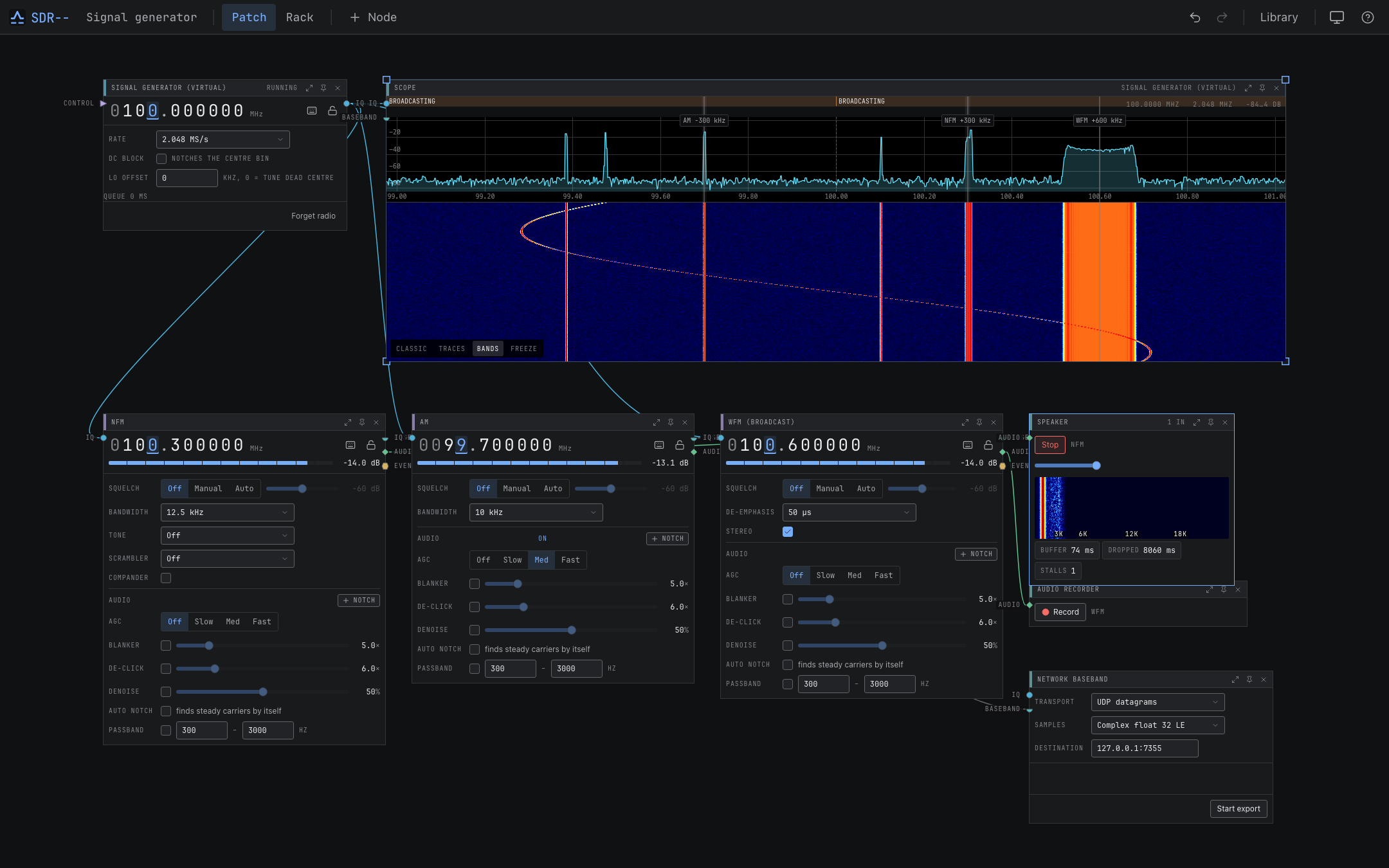
Status
sdr-- is under active development. Most decoders have been tested with generated IQ fixtures; only some have been verified on air. The channel catalog lists the evidence for each mode and its limitations. Experimental modes may provide acquisition or measurements without decoded audio or video.
What you can do
- Listen to AM, NFM, broadcast FM with stereo and RDS, SSB, and supported digital voice modes.
- Decode aircraft, ship, amateur, pager, sensor, and other radio traffic. See the full channel list.
- View spectrum, waterfalls, decoded messages, position maps, and received images.
- Scan frequencies and save workspaces, presets, and bookmarks.
- Record device IQ, channel baseband, or audio; replay IQ through the same decoders.
- Use coherent receivers for direction finding, antenna combining, beamforming, and passive radar.
- Export IQ over UDP or TCP and forward decoded events to webhooks, Matrix, or MQTT.
- Control the running receiver through REST, WebSocket, or MCP.
Install
Download a desktop installer or portable server from GitHub Releases. Installation instructions cover each package, Homebrew, Nix, and containers.
On macOS, install the desktop app with Homebrew:
brew tap newspicel/tap
brew install --cask sdrminusminus
For the headless server, use brew install sdrmm.
To run the server with Docker Compose on Linux:
git clone https://github.com/Newspicel/sdrminusminus.git
cd sdrminusminus
docker compose up -d
Open http://localhost:8080. The server has no authentication by default; see configuration and security when setting up network access.
Try a receiver
- On the starter Device node, choose Signal Generator (virtual). The connected Scope shows the generated signals.
- Choose + Node and add an NFM channel.
- Connect Device
IQto NFMIQ, then NFMaudioto Speakeraudio. - Set the channel to 300 kHz above the radio's centre and start audio on the Speaker. You should hear a 1 kHz tone.
Your first receiver walks through the controls and switching to hardware.
Standard builds include native RTL-SDR, HackRF, SDRplay, and CR-8 drivers. SDRplay and CR-8 also require their vendor libraries. Desktop installers and containers bundle SoapySDR modules for Airspy/AirspyHF, bladeRF, LimeSDR, PlutoSDR, and SoapyRemote. See the hardware guide for requirements.
Screenshots
These captures use the built-in signal generator or repository IQ fixtures. Regenerate them with
cargo xtask screenshots.
| Spectrum and waterfall | Rack view |
|---|---|
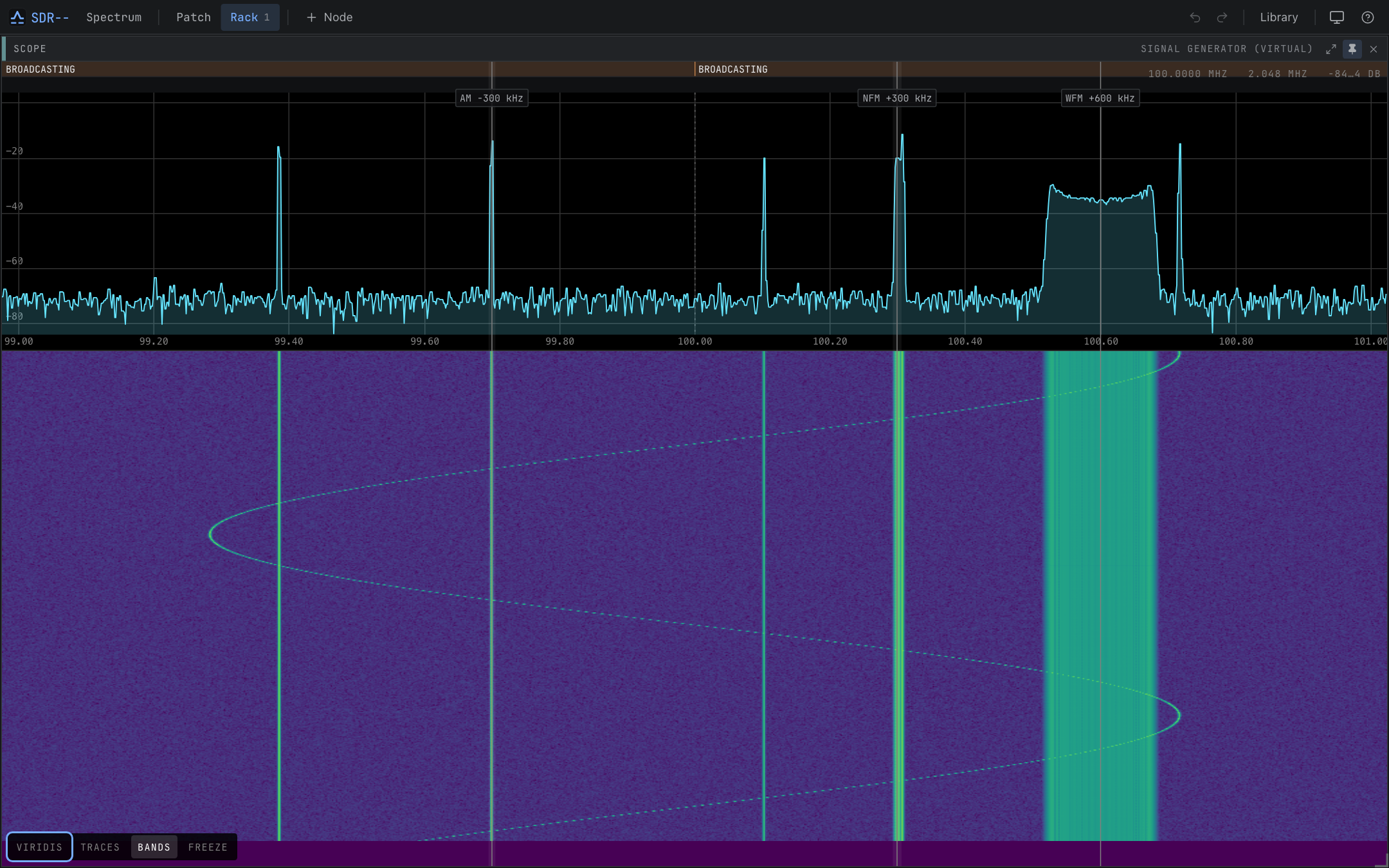 | 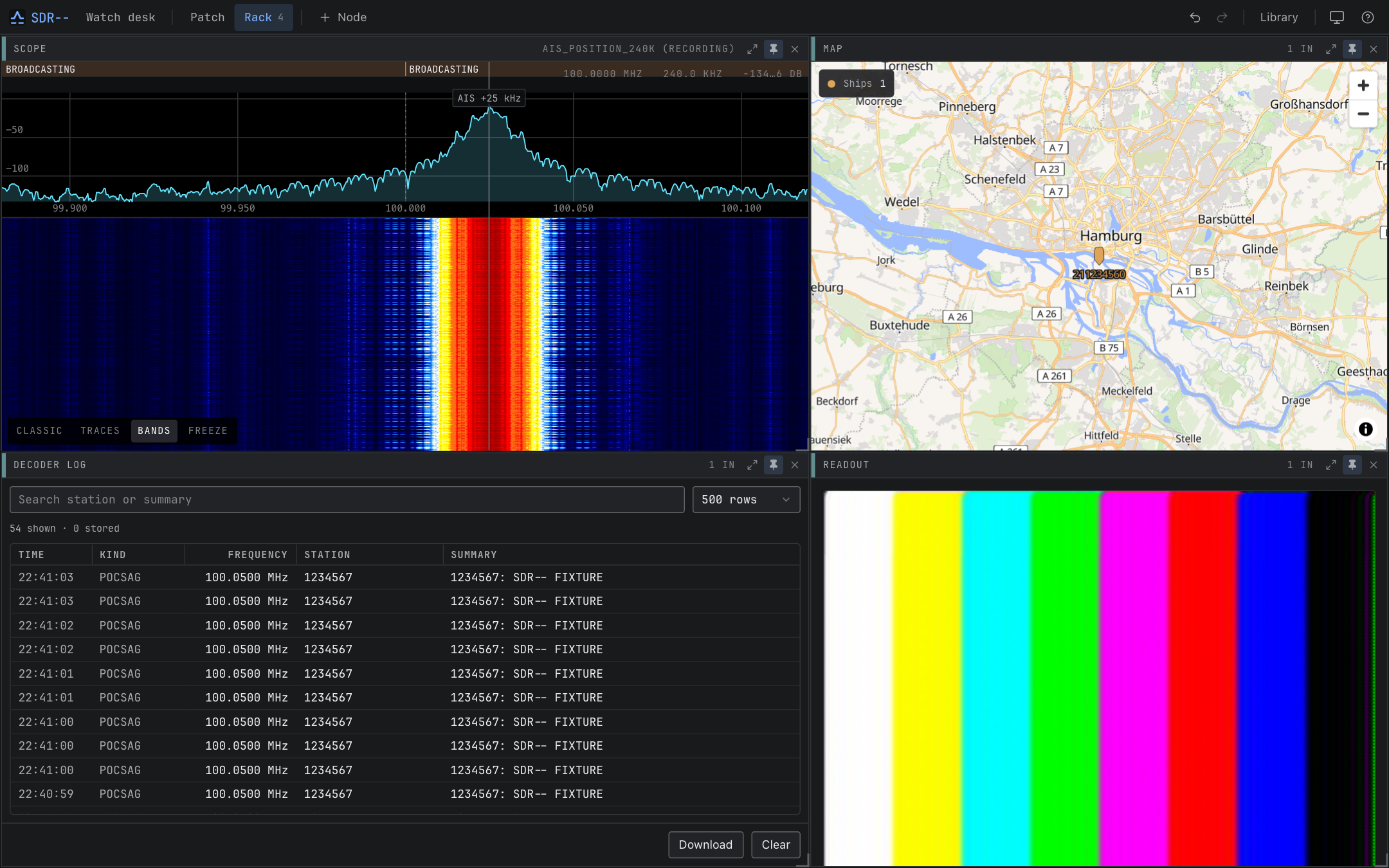 |
| FT8 decoding | Signal identification |
|---|---|
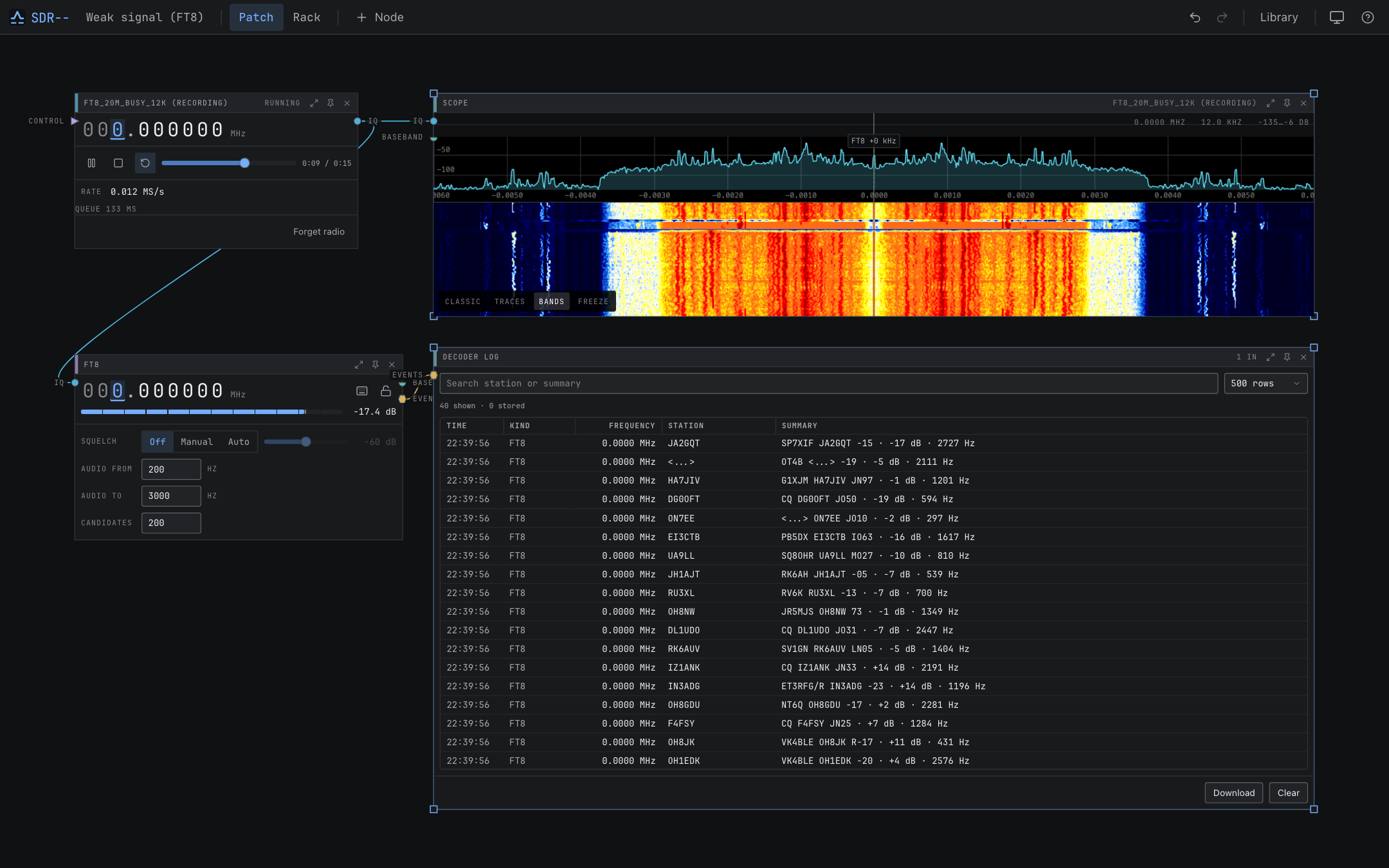 | 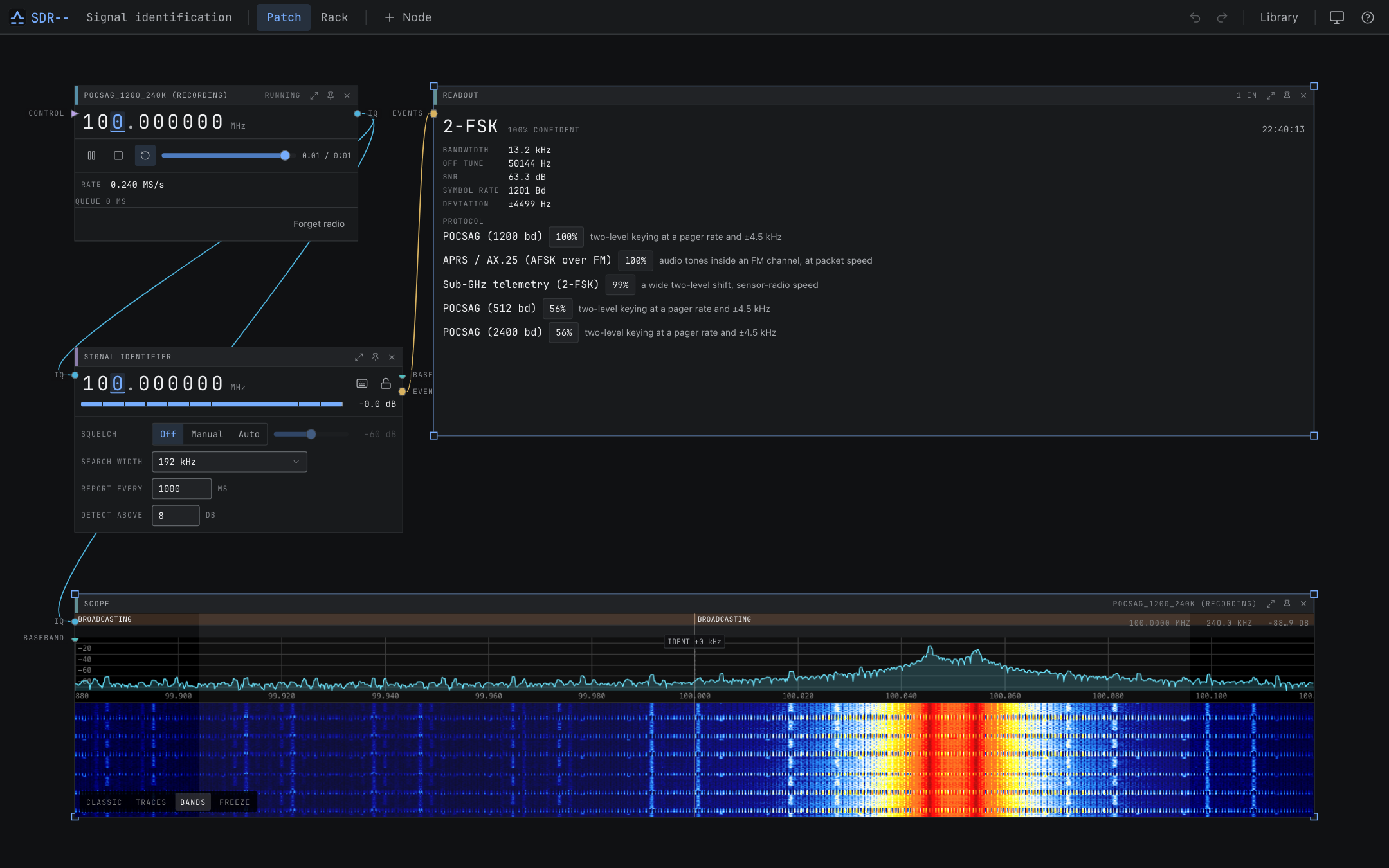 |
| Aircraft positions | Ship positions |
|---|---|
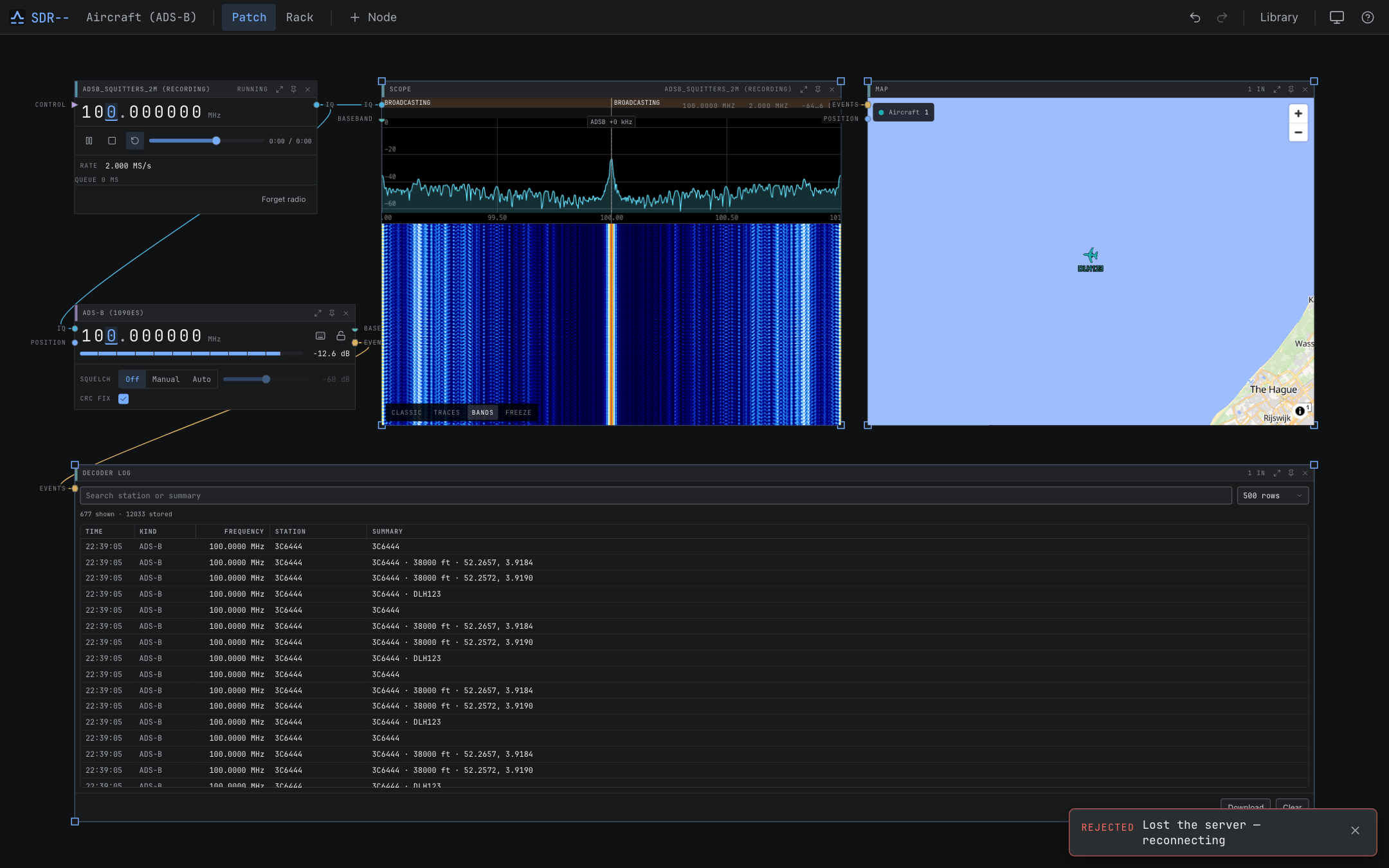 | 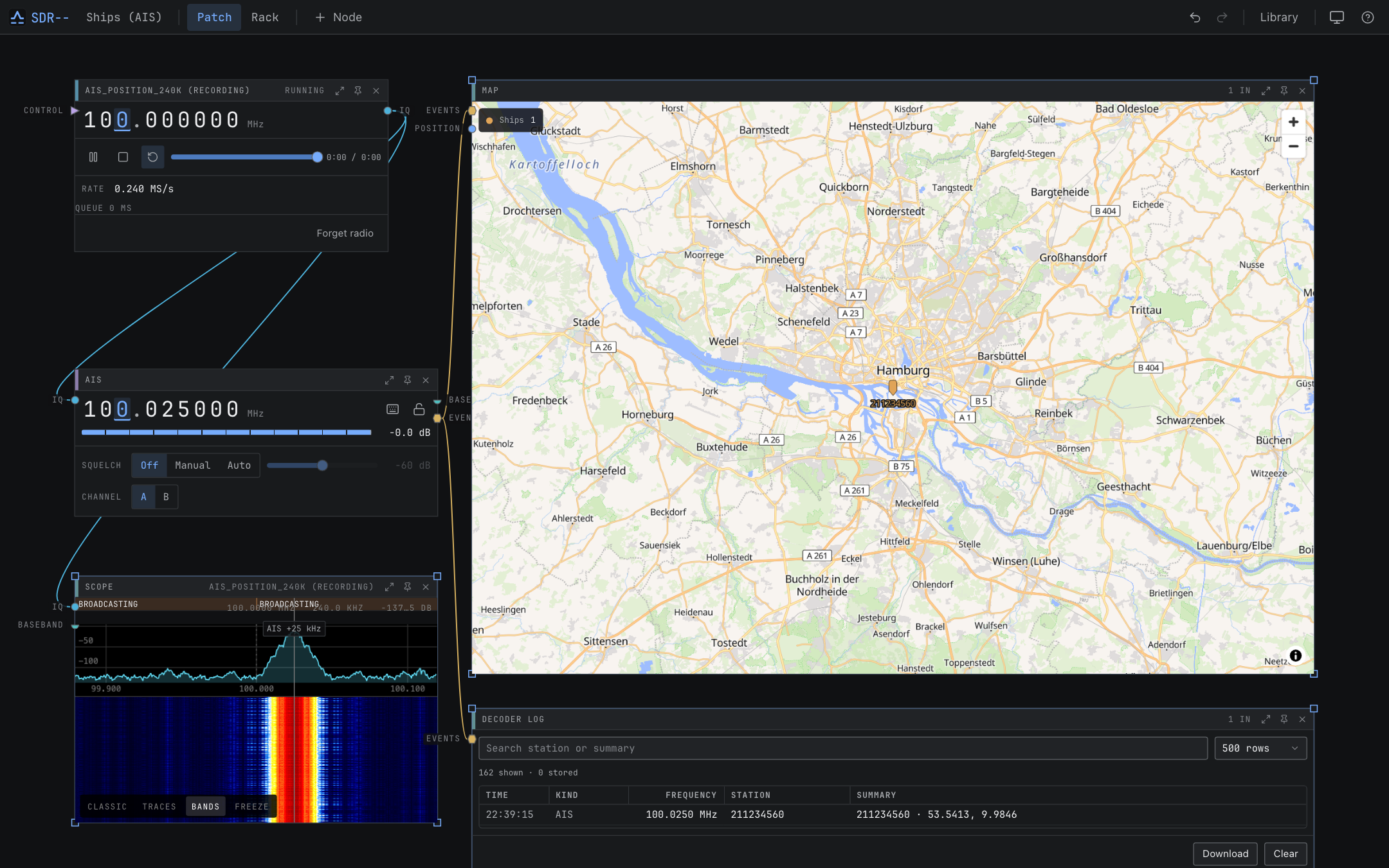 |
| Slow-scan television | Amateur television |
|---|---|
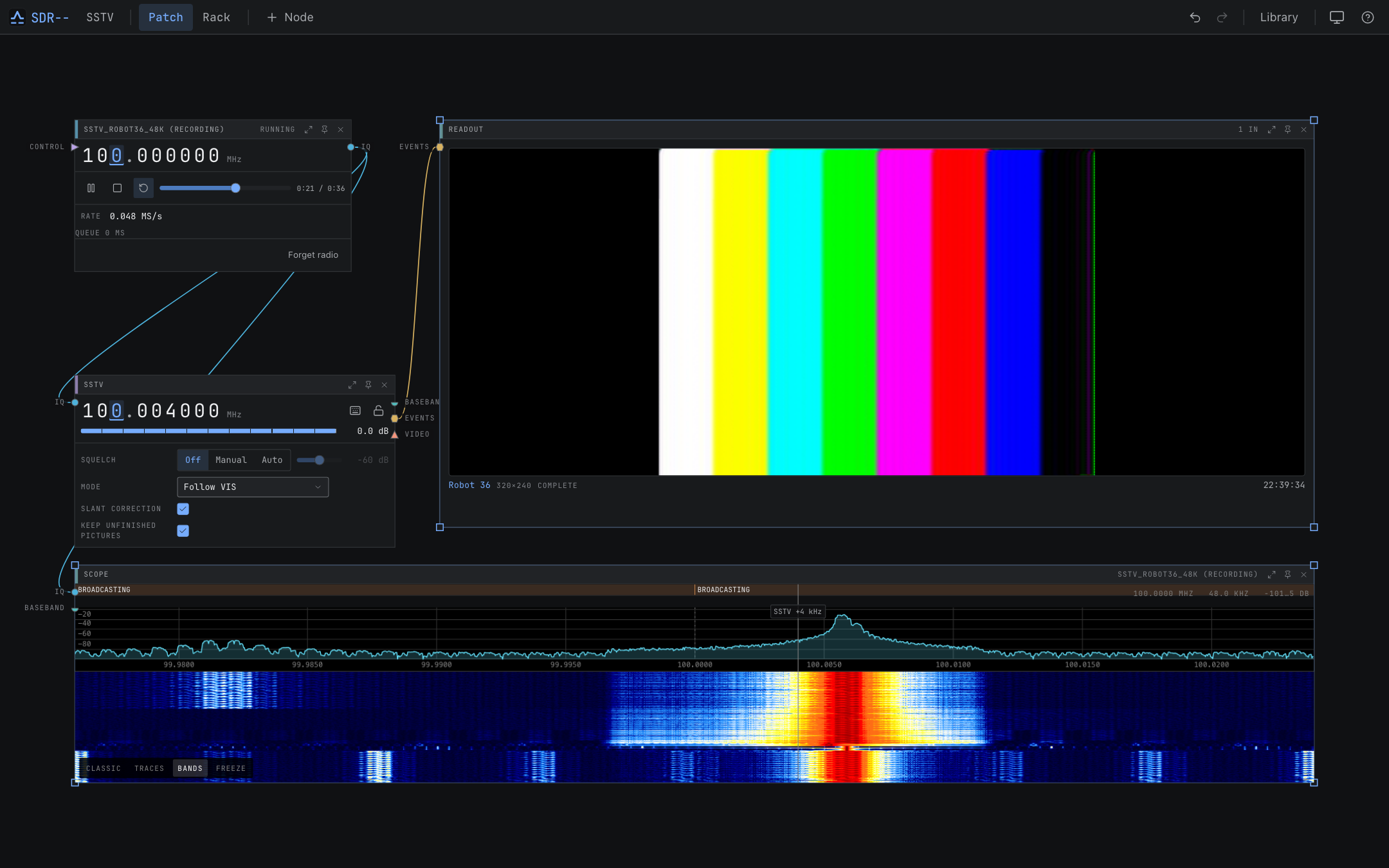 | 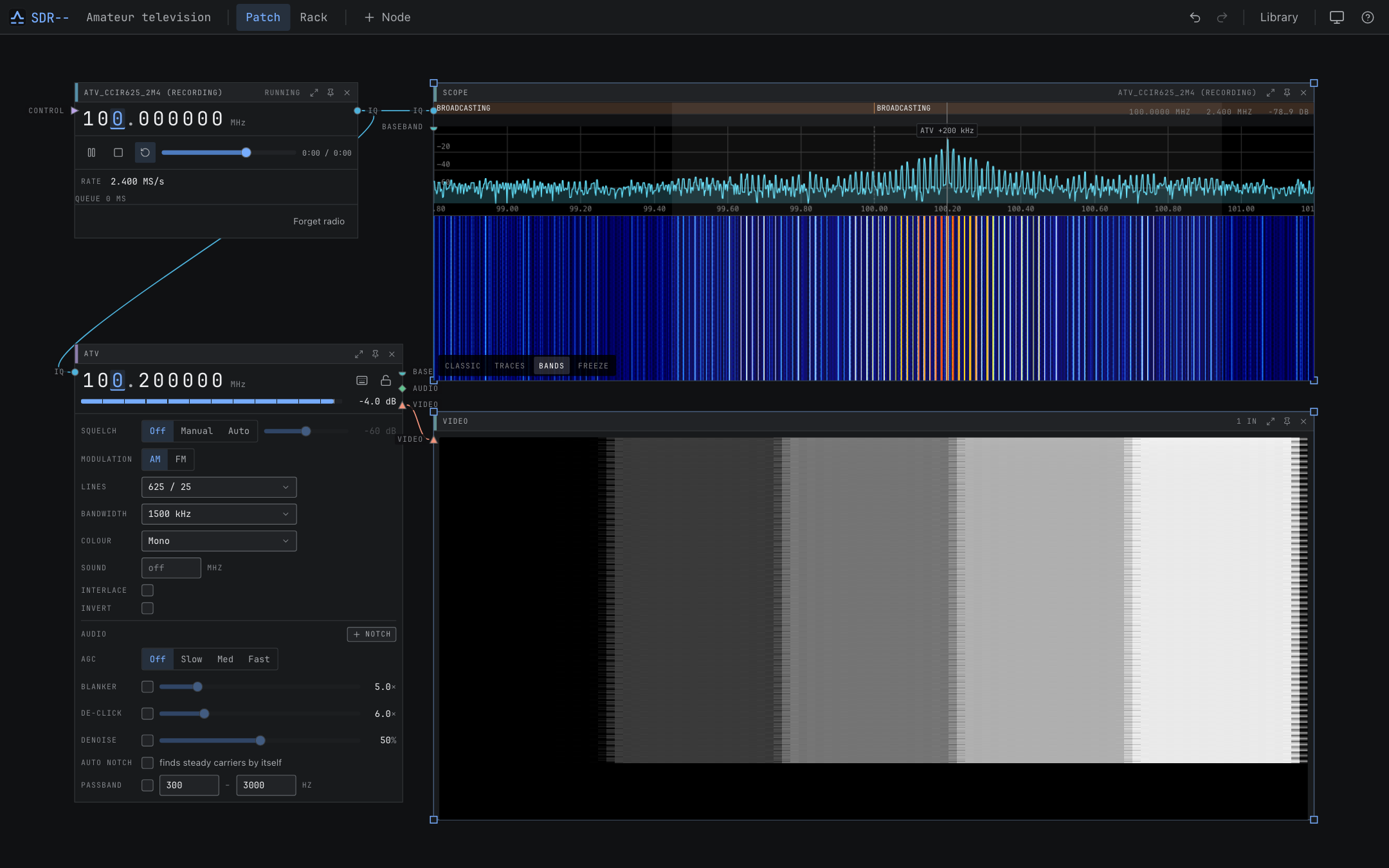 |
| Pager messages | Broadcast FM |
|---|---|
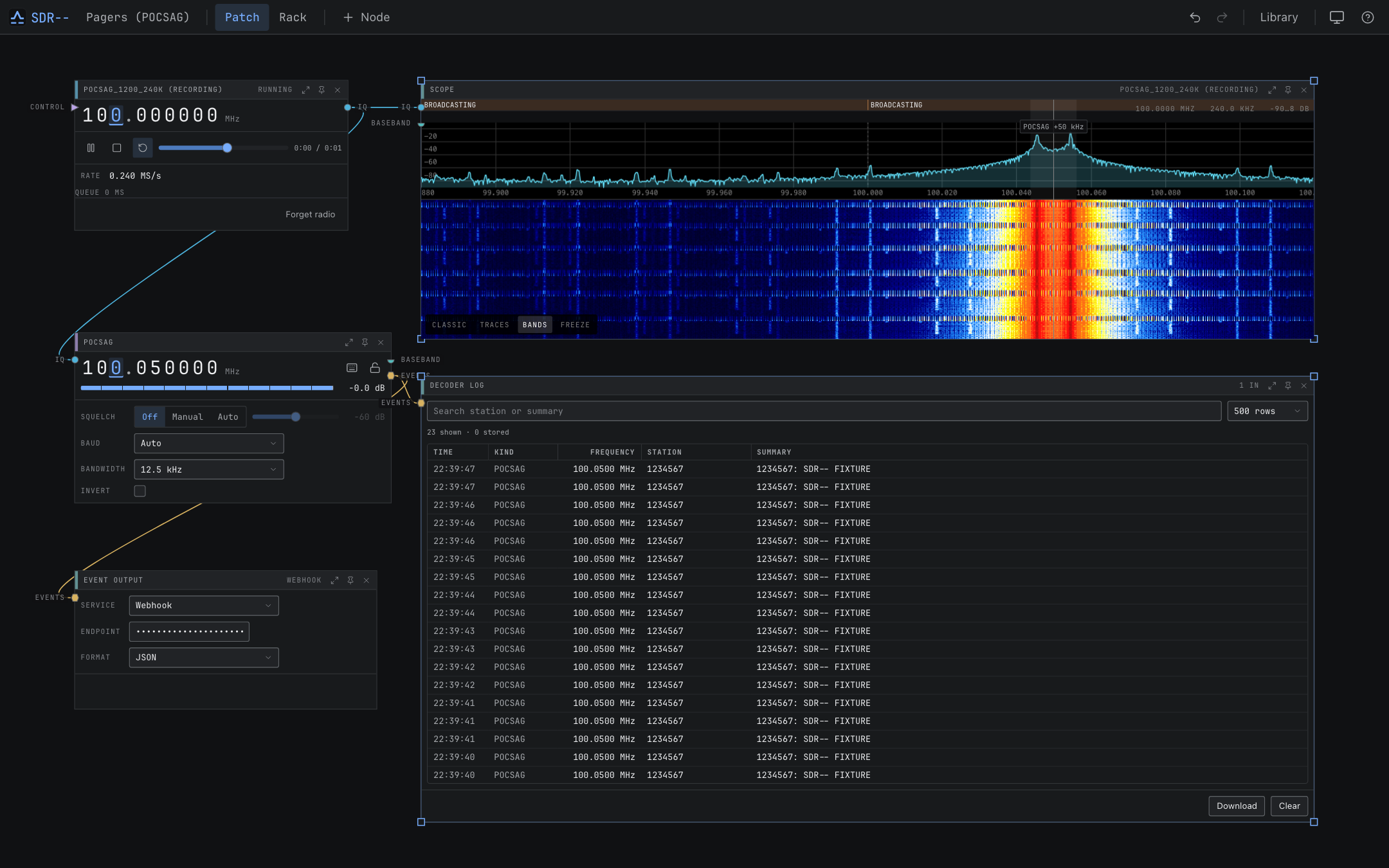 | 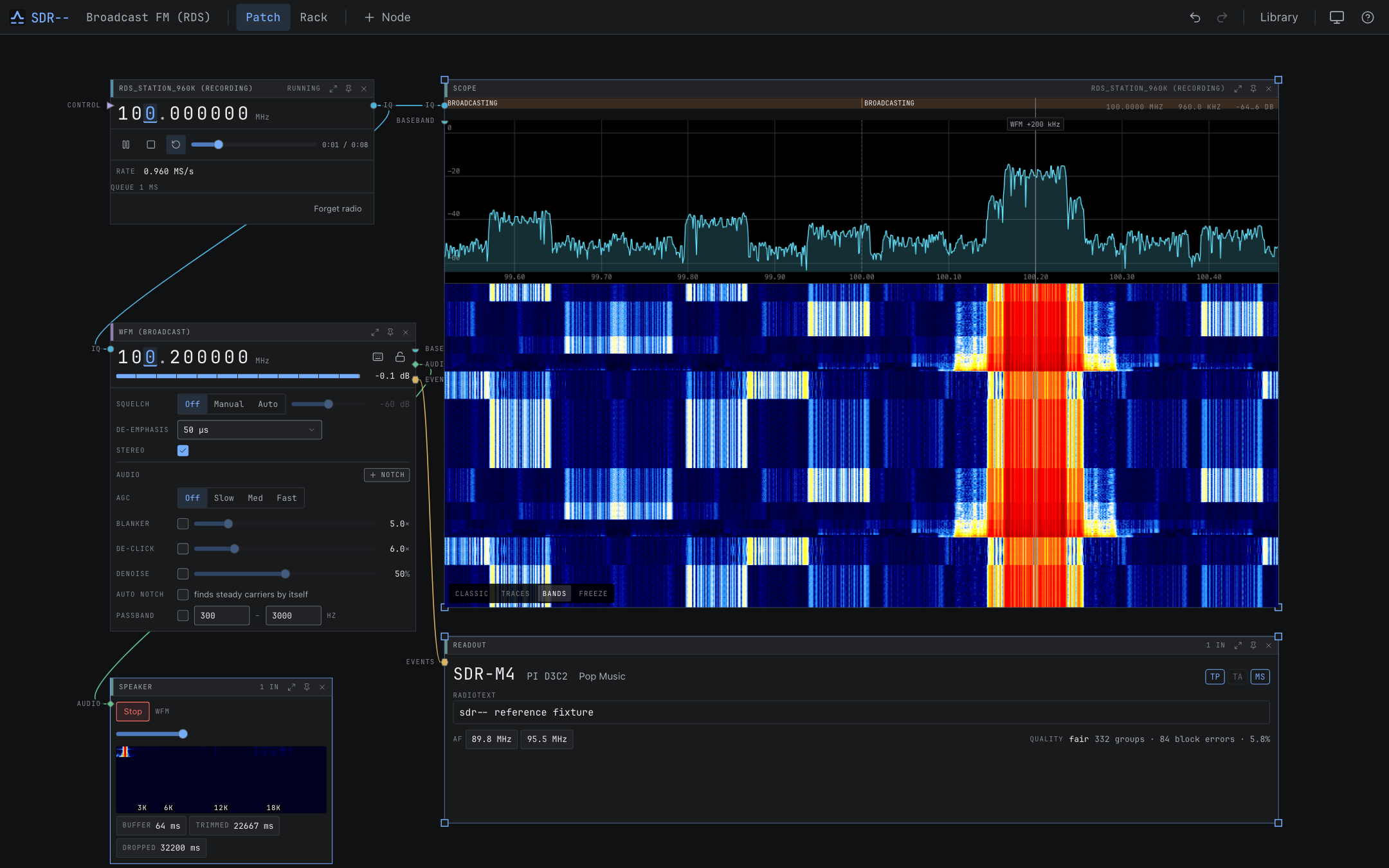 |
Build from source
You need the repository's pinned Rust toolchain, a C/C++ compiler, CMake, Node 26, pnpm 11, and SoapySDR 0.8 development files. The build guide lists platform prerequisites.
git clone https://github.com/Newspicel/sdrminusminus.git
cd sdrminusminus
pnpm --dir web install --frozen-lockfile
pnpm --dir web build
cargo run -p sdrmm
Open http://localhost:8080. For development, cargo xtask dev starts the server and a frontend
with hot reload at http://localhost:5173. Add --watch to restart the backend when its files
change.
To build with only virtual sources and network receivers:
cargo run -p sdrmm --no-default-features --features net-client
Development
| Path | Purpose |
|---|---|
apps/sdrmm | Headless server binary |
apps/desktop | Tauri desktop shell |
crates/dsp, crates/modem | Signal-processing primitives and reusable modem algorithms |
crates/engine | Device and signal-processing orchestration |
crates/channels | Demodulators and protocol decoders |
crates/device-* | Native, SoapySDR, network, virtual, and array backends |
crates/wire | Shared API, WebSocket, and settings types |
crates/server | HTTP, WebSocket, MCP, persistence, and embedded frontend |
web | React application |
docs | mdBook documentation |
| Command | Purpose |
|---|---|
cargo xtask check | Format, lint, type-check, build, and check generated-code drift |
cargo xtask test | Run Rust and frontend tests without hardware |
cargo xtask smoke | Run the browser test against the server |
cargo xtask codegen | Regenerate OpenAPI and TypeScript API types |
cargo xtask audit | Check dependencies with cargo-deny |
See Contributing and the development guide for testing, generated files, and releases.
Documentation and API
- User and developer guide
- Swagger UI:
/api/docson a running server - OpenAPI:
/api/openapi.jsonor the checked-in openapi.json
License
Copyright (C) 2026 sdr-- contributors.
sdr-- is licensed under the GNU General Public License, version 3 or later. THIRD_PARTY_NOTICES.md lists distributed dependencies and bundled hardware components. Their license texts are also available in the app's About panel.
Contributors

463 commits

6 commits
See what people are saying
Similar repos


Languages
Rust
79.2%
TypeScript
20.2%
modular, client–server software-defined radio
3
stars
469
commits
Rust
primary language
Sep 14, 2026
updated
README
sdr--
sdr-- is a software-defined radio application with a visual signal path. Connect devices, decoders, displays, and recorders on a canvas, then pin the controls you use to a rack.
A Rust server handles the radio and signal processing. The React interface runs in a desktop window or browser. You can run both on one computer, or leave the server beside the antenna and connect over the network. A built-in signal generator lets you try it without an SDR.
Status
sdr-- is under active development. Most decoders have been tested with generated IQ fixtures; only some have been verified on air. The channel catalog lists the evidence for each mode and its limitations. Experimental modes may provide acquisition or measurements without decoded audio or video.
What you can do
- Listen to AM, NFM, broadcast FM with stereo and RDS, SSB, and supported digital voice modes.
- Decode aircraft, ship, amateur, pager, sensor, and other radio traffic. See the full channel list.
- View spectrum, waterfalls, decoded messages, position maps, and received images.
- Scan frequencies and save workspaces, presets, and bookmarks.
- Record device IQ, channel baseband, or audio; replay IQ through the same decoders.
- Use coherent receivers for direction finding, antenna combining, beamforming, and passive radar.
- Export IQ over UDP or TCP and forward decoded events to webhooks, Matrix, or MQTT.
- Control the running receiver through REST, WebSocket, or MCP.
Install
Download a desktop installer or portable server from GitHub Releases. Installation instructions cover each package, Homebrew, Nix, and containers.
On macOS, install the desktop app with Homebrew:
brew tap newspicel/tap
brew install --cask sdrminusminus
For the headless server, use brew install sdrmm.
To run the server with Docker Compose on Linux:
git clone https://github.com/Newspicel/sdrminusminus.git
cd sdrminusminus
docker compose up -d
Open http://localhost:8080. The server has no authentication by default; see configuration and security when setting up network access.
Try a receiver
- On the starter Device node, choose Signal Generator (virtual). The connected Scope shows the generated signals.
- Choose + Node and add an NFM channel.
- Connect Device
IQto NFMIQ, then NFMaudioto Speakeraudio. - Set the channel to 300 kHz above the radio's centre and start audio on the Speaker. You should hear a 1 kHz tone.
Your first receiver walks through the controls and switching to hardware.
Standard builds include native RTL-SDR, HackRF, SDRplay, and CR-8 drivers. SDRplay and CR-8 also require their vendor libraries. Desktop installers and containers bundle SoapySDR modules for Airspy/AirspyHF, bladeRF, LimeSDR, PlutoSDR, and SoapyRemote. See the hardware guide for requirements.
Screenshots
These captures use the built-in signal generator or repository IQ fixtures. Regenerate them with
cargo xtask screenshots.
| Spectrum and waterfall | Rack view |
|---|---|
| |
| FT8 decoding | Signal identification |
|---|---|
| |
| Aircraft positions | Ship positions |
|---|---|
| |
| Slow-scan television | Amateur television |
|---|---|
| |
| Pager messages | Broadcast FM |
|---|---|
| |
Build from source
You need the repository's pinned Rust toolchain, a C/C++ compiler, CMake, Node 26, pnpm 11, and SoapySDR 0.8 development files. The build guide lists platform prerequisites.
git clone https://github.com/Newspicel/sdrminusminus.git
cd sdrminusminus
pnpm --dir web install --frozen-lockfile
pnpm --dir web build
cargo run -p sdrmm
Open http://localhost:8080. For development, cargo xtask dev starts the server and a frontend
with hot reload at http://localhost:5173. Add --watch to restart the backend when its files
change.
To build with only virtual sources and network receivers:
cargo run -p sdrmm --no-default-features --features net-client
Development
| Path | Purpose |
|---|---|
apps/sdrmm | Headless server binary |
apps/desktop | Tauri desktop shell |
crates/dsp, crates/modem | Signal-processing primitives and reusable modem algorithms |
crates/engine | Device and signal-processing orchestration |
crates/channels | Demodulators and protocol decoders |
crates/device-* | Native, SoapySDR, network, virtual, and array backends |
crates/wire | Shared API, WebSocket, and settings types |
crates/server | HTTP, WebSocket, MCP, persistence, and embedded frontend |
web | React application |
docs | mdBook documentation |
| Command | Purpose |
|---|---|
cargo xtask check | Format, lint, type-check, build, and check generated-code drift |
cargo xtask test | Run Rust and frontend tests without hardware |
cargo xtask smoke | Run the browser test against the server |
cargo xtask codegen | Regenerate OpenAPI and TypeScript API types |
cargo xtask audit | Check dependencies with cargo-deny |
See Contributing and the development guide for testing, generated files, and releases.
Documentation and API
- User and developer guide
- Swagger UI:
/api/docson a running server - OpenAPI:
/api/openapi.jsonor the checked-in openapi.json
License
Copyright (C) 2026 sdr-- contributors.
sdr-- is licensed under the GNU General Public License, version 3 or later. THIRD_PARTY_NOTICES.md lists distributed dependencies and bundled hardware components. Their license texts are also available in the app's About panel.
See what people are saying
Similar repos
Contributors
463 commits
6 commits
Languages
Rust
79.2%
TypeScript
20.2%