A code driven low-code builder, develop low-code app on your codebase.
See the code

A source code based low-code builder.


English | 简体中文
You can view the detailed usage guide through the following links:
You can use tango to build lowcode builders, for example:
| Preview | Description |
|---|---|
| Internal App Builder | |
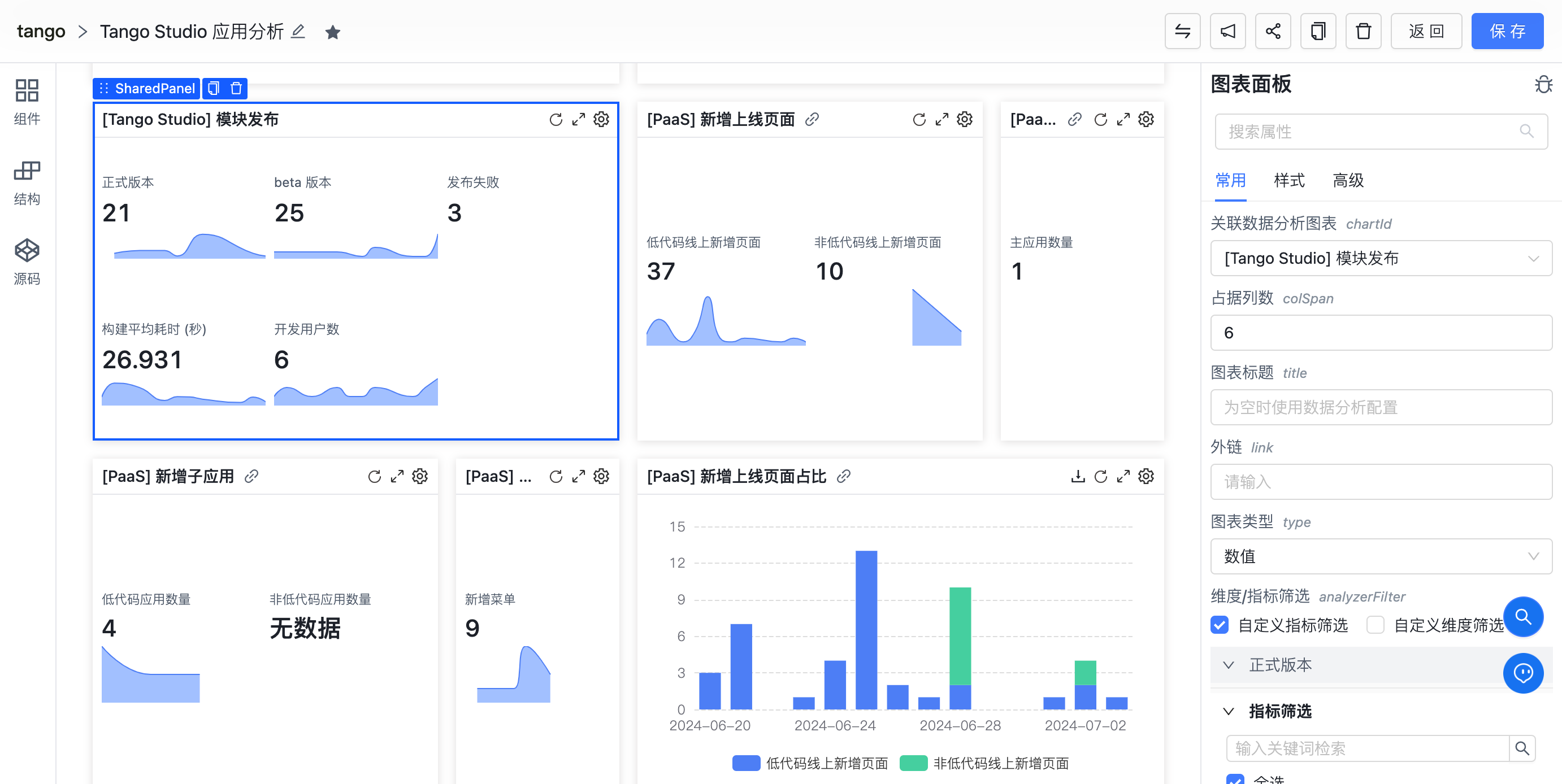 | Dashboard App Builder |
| Mobile App Builder | |
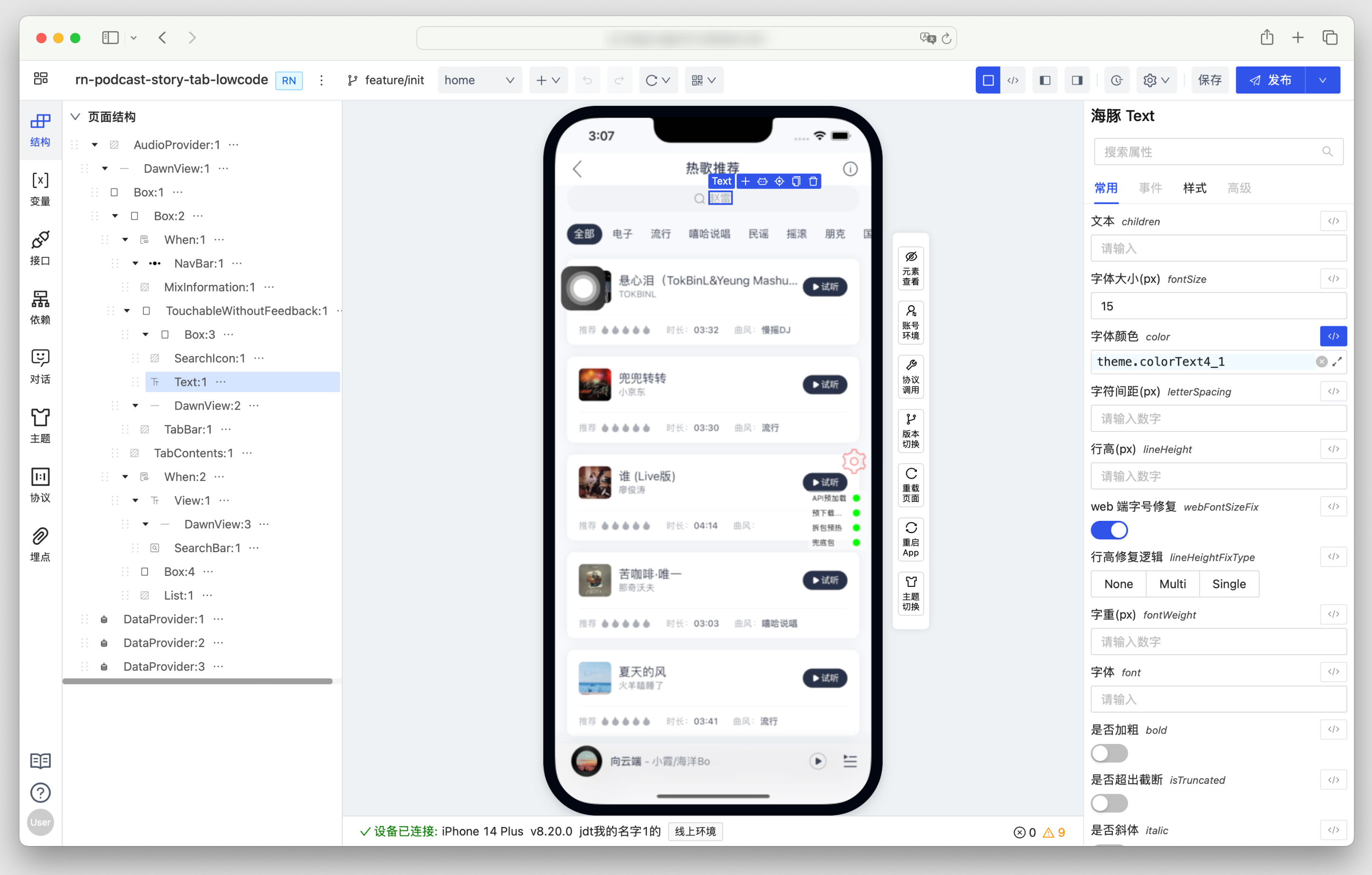 | ReactNative App Builder |
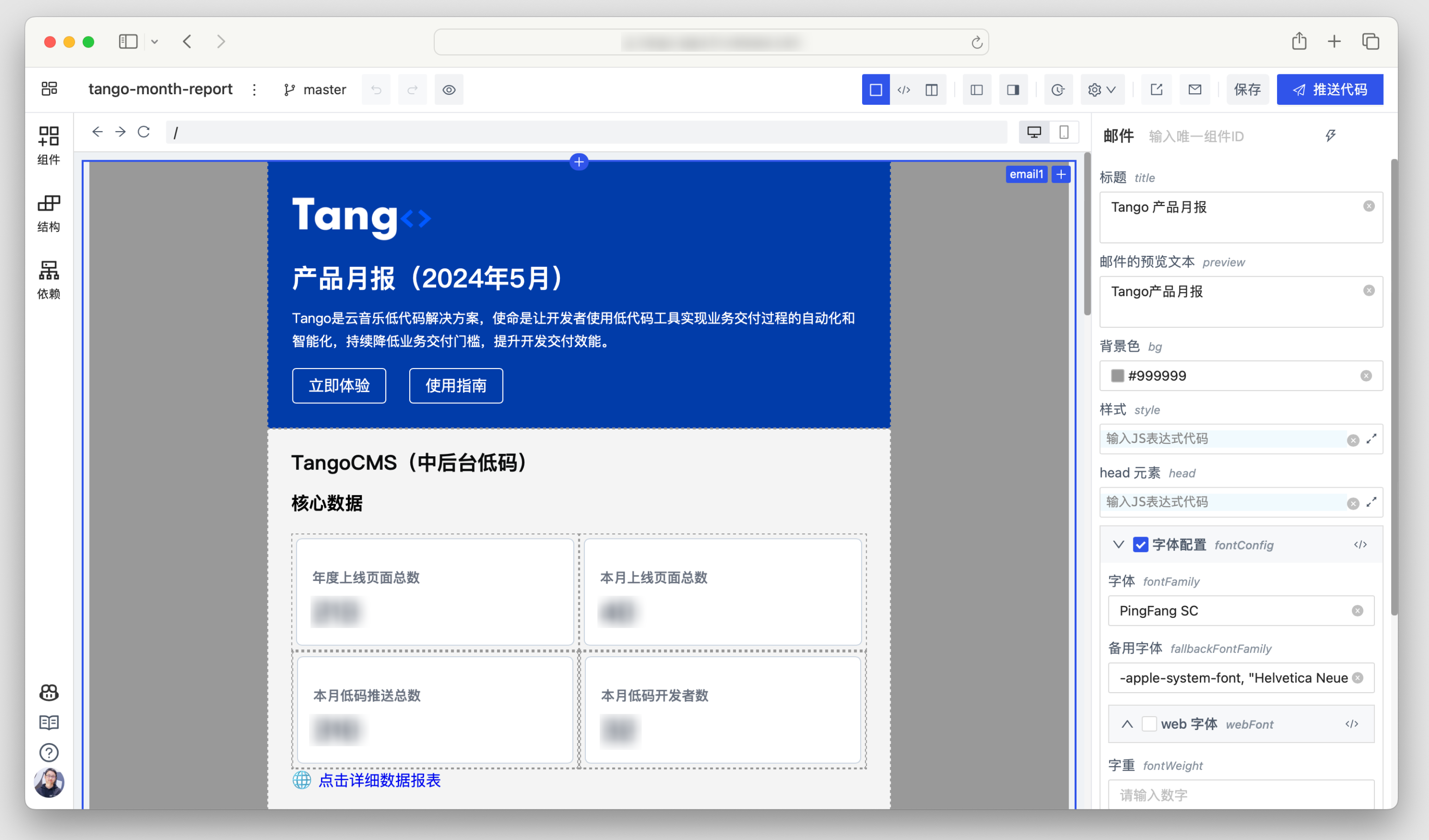 | Email Builder |
>= 18>= 1.22 && < 2# clone the repo
git clone https://github.com/NetEase/tango.git
# enter the project root
cd tango
# install dependencies
yarn
# start the designer playground app
yarn start
If you need to use https in the local development environment, you can use the following command to generate a certificate:
brew install mkcert

# install the local certificate
mkcert -install

# enter the playground app directory
cd apps/playground

# generate a certificate
mkcert local.netease.com # or change to your own domain name
Join NetEase Tango Community to share your ideas, suggestions, or questions and connect with other users and contributors.
Please read the github contribution guide first。
Thanks to the NetEase Cloud Music Front-end team, Public Technology team, Live Broadcasting Technology team, and all the developers who participated in the Tango project.
Thank you to CodeSandbox for providing the Sandpack project, which provides powerful online code execution capabilities for Tango.

Don't waste your time restoring the UI, try the NetEase Cloud Music "Seal D2C" development tool! Easily turn your design into code, support React, RN, Vue, WeChat apps and other multi-end scenarios, what you see is what you get!
Experience "Seal D2C" now:
This project is licensed under the terms of the MIT license
366 followers · starred Dec 2023
31 followers · starred Sep 2023
56 followers · starred Jun 2024
262 followers · starred Sep 2024
A code driven low-code builder, develop low-code app on your codebase.
See the code
A source code based low-code builder.
English | 简体中文
You can view the detailed usage guide through the following links:
You can use tango to build lowcode builders, for example:
| Preview | Description |
|---|---|
| Internal App Builder | |
| Dashboard App Builder |
| Mobile App Builder | |
| ReactNative App Builder |
| Email Builder |
>= 18>= 1.22 && < 2# clone the repo
git clone https://github.com/NetEase/tango.git
# enter the project root
cd tango
# install dependencies
yarn
# start the designer playground app
yarn start
If you need to use https in the local development environment, you can use the following command to generate a certificate:
brew install mkcert

# install the local certificate
mkcert -install

# enter the playground app directory
cd apps/playground

# generate a certificate
mkcert local.netease.com # or change to your own domain name
Join NetEase Tango Community to share your ideas, suggestions, or questions and connect with other users and contributors.
Please read the github contribution guide first。
Thanks to the NetEase Cloud Music Front-end team, Public Technology team, Live Broadcasting Technology team, and all the developers who participated in the Tango project.
Thank you to CodeSandbox for providing the Sandpack project, which provides powerful online code execution capabilities for Tango.
Don't waste your time restoring the UI, try the NetEase Cloud Music "Seal D2C" development tool! Easily turn your design into code, support React, RN, Vue, WeChat apps and other multi-end scenarios, what you see is what you get!
Experience "Seal D2C" now:
This project is licensed under the terms of the MIT license
366 followers · starred Dec 2023
31 followers · starred Sep 2023
56 followers · starred Jun 2024
262 followers · starred Sep 2024



