
Single-shot, Pixel-level, Target-free and General LiDAR-Camera Extrinsic Self-Calibration
C++
124
165 commits
updated Oct 6, 2024
README
SPTG-LCC: Single-shot, Pixel-level, Target-free and General LiDAR-Camera Extrinsic Self-Calibration
The data fusion of LiDAR and camera holds vast application prospects, with calibration as a crucial prerequisite. In this paper, we propose SPTG-LCC, a novel, general, and target-free LiDAR-camera extrinsic calibration framework. On the one hand, SPTG-LCC is open-source, which is very suitable for practitioners seeking a robust, general, and convenient target-free calibration tool. On the other hand, the four diverse datasets are open-source, which is very suitable for researchers to comprehensively evaluate feature-based target-free LiDAR-camera calibration methods.
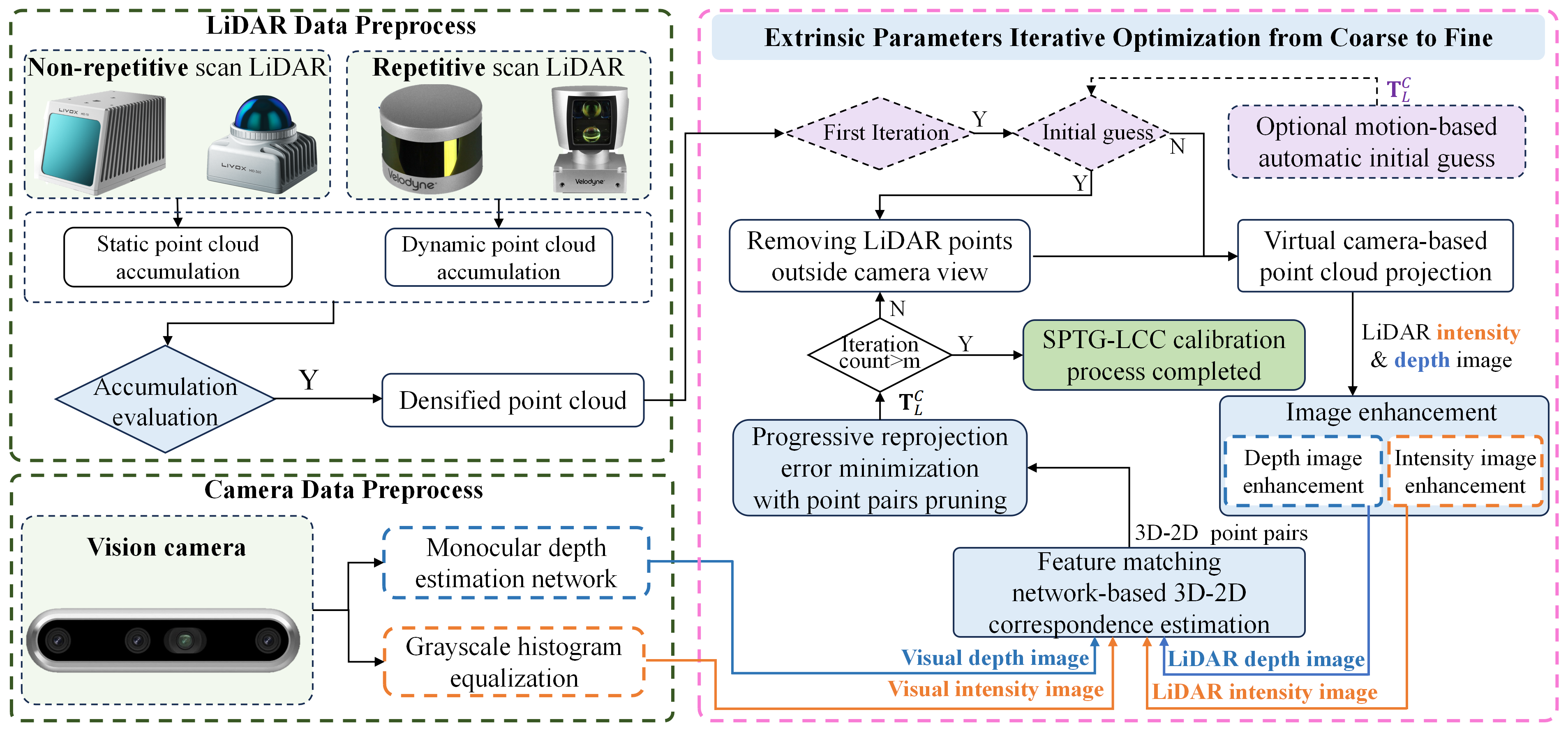
Video Link: Video on Youtube
To Do List
The following tasks will be completed quickly and step by step.
Experimental Video
- Video Link: Video on Youtube Completed
Paper Release
- Paper Link:
Datasets open-source
our self-assembled sensor suites as follows, where the camera is the Realsense D455 and ZED 2i. Four diverse datasets were collected using these four suites, named FB-LCC-NS360, FB-LCC-NS70, FB-LCC-RS16, and FB-LCC-MEMS-M1, which are released for evaluating feature-based LiDAR-camera calibration methods. Moreover, sequence 00 on the public KITTI odometry benchmark is evenly divided into 67 LiDAR-camera data pairs as a dataset, named FB-LCC-RS-KITTI-VLP-64.
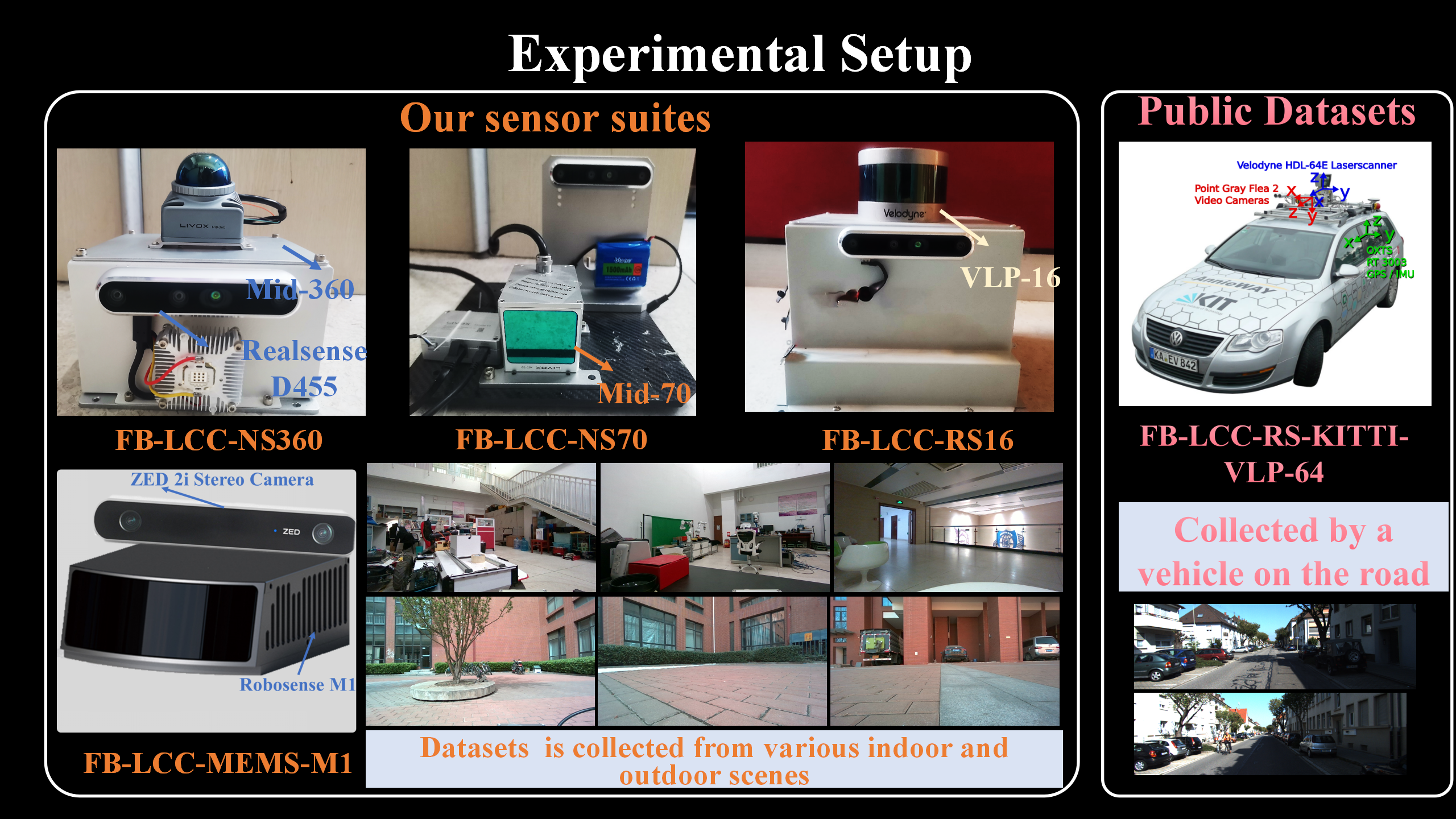 | 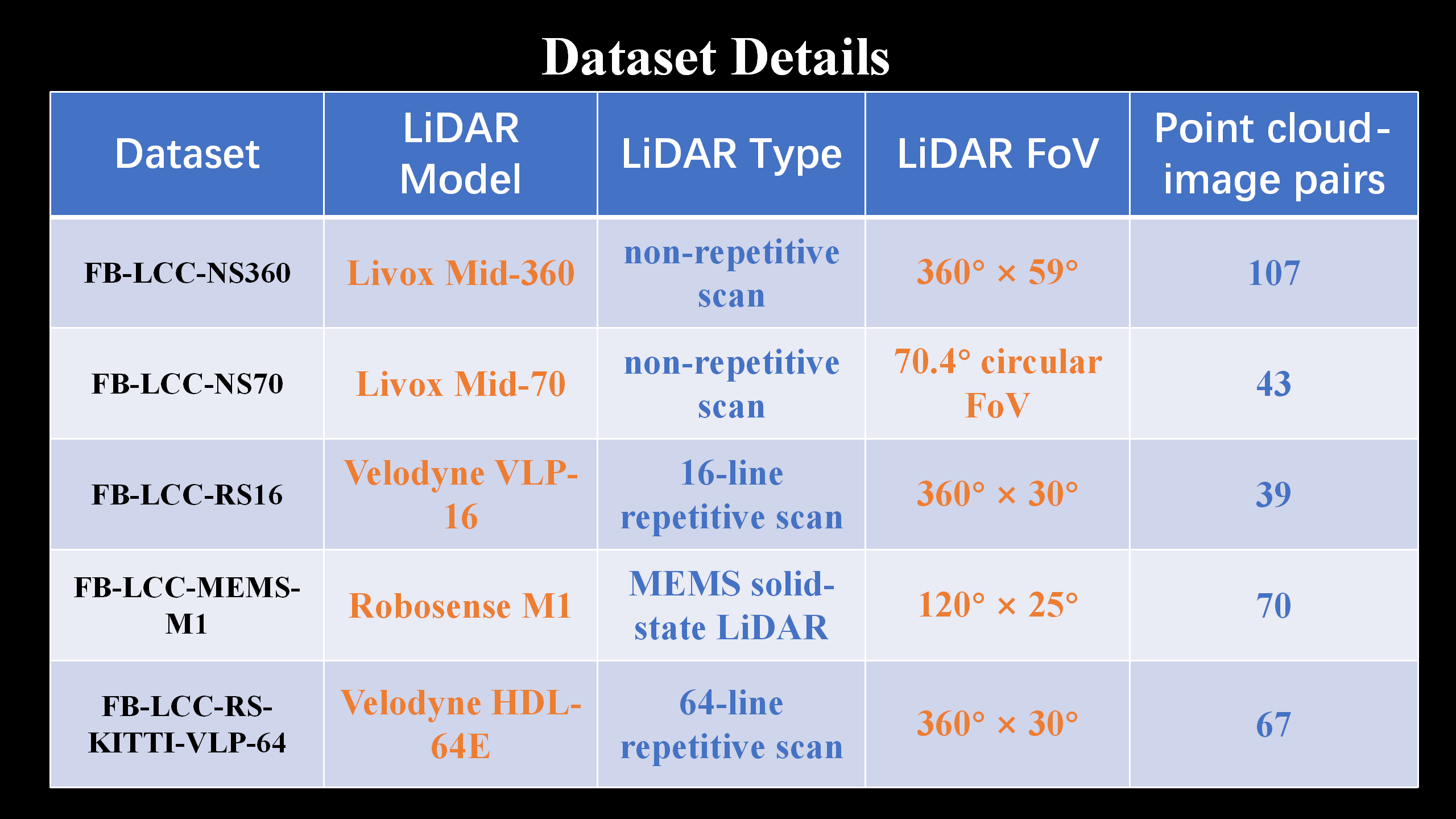 |
|---|
- Reference values of extrinsic parameters of the sensor suite in the dataset: Reference_calibration matrix.yaml Completed
- FB-LCC-NS360 : Baidu Cloud Disk Completed
- FB-LCC-NS70 : Baidu Cloud Disk Completed
- FB-LCC-RS16 : Baidu Cloud Disk Completed
- FB-LCC-MEMS-M1 : Baidu Cloud Disk Completed
- FB-LCC-RS-KITTI-VLP-64 : Baidu Cloud Disk Completed
Code open-source
- Docker images tool : Completed
- main code : Completed
- test code
- Optional motion-based initial guess : Completed
Simplified code and Docker image
- Simplified code
- Simplified Docker image
Important parameter description
- parameter description
Environment Setup Guide
1. main code
git clone https://github.com/NKU-MobFly-Robotics/SPTG-LCC.git
Assuming the folder where the code is downloaded locally is: /home/wyw/SPTG-LCC
Check the folder where you cloned the code and replace the example folder(/home/wyw/SPTG-LCC) in all the following commands
2. Docker images download
Docker images: Baidu Cloud Disk
3. catkin_make
1. Building a Docker Image
docker load -i sptg-lcc.tar
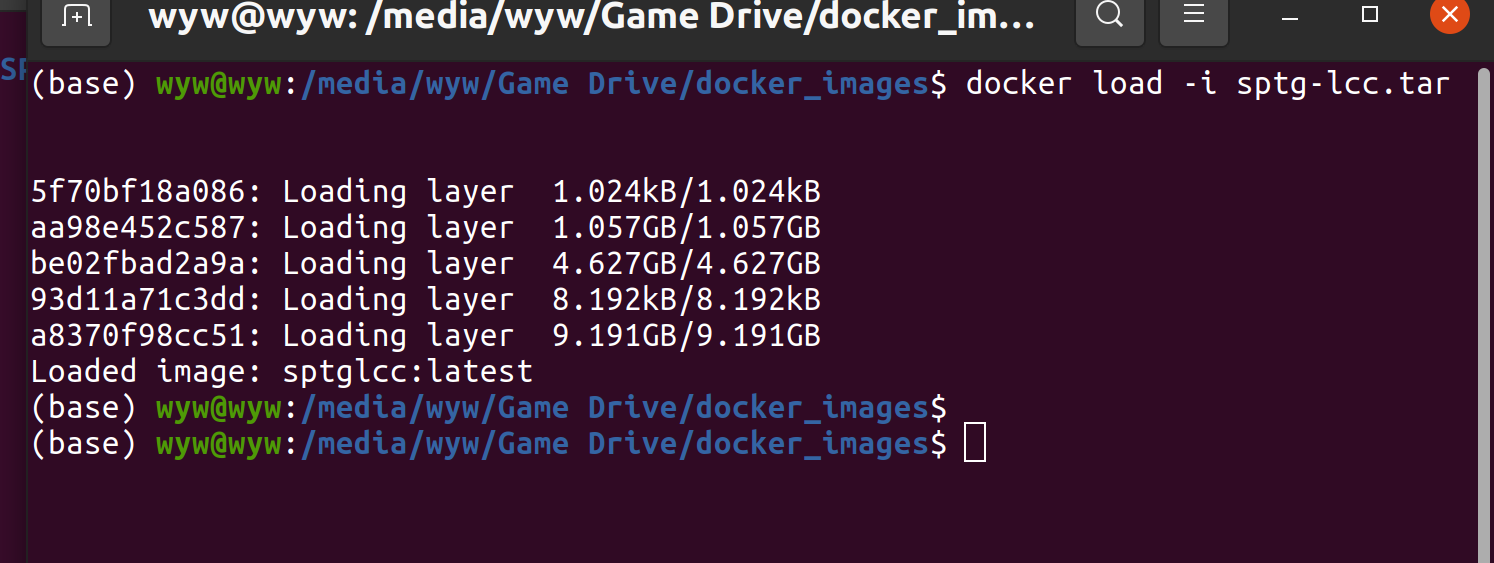
2. Building a Docker container from the Docker image
sudo docker run -it -v /home/wyw/SPTG-LCC:/calib_data -v /tmp/.X11-unix:/tmp/.X11-unix -e DISPLAY=$DISPLAY --net=host -e GDK_SCALE -e GDK_DPI_SCALE --privileged --gpus all -e NVIDIA_DRIVER_CAPABILITIES=all --name SPTG-LCC sptglcc:latest bash
3. Start Docker container
sudo docker start SPTG-LCC
4. Enter the Docker container
sudo docker exec -it SPTG-LCC bash
5. catkin_make code
cd /calib_data/direct_lidar_camera
conda deactivate
source /opt/ros/noetic/setup.bash
catkin_make
4. weights download
Download the weight file and put it in the following folder respectively
1. Download EfficientLoFTR weights
cd /home/wyw/SPTG-LCC/matcher/Efficinet_LOFTR/EfficientLoFTR && mkdir weights
EfficientLoFTR weights: Baidu Cloud Disk
2. Download superpoint-Lightglue weights
cd /home/wyw/SPTG-LCC/matcher/LightGlue
superpoint: Baidu Cloud Disk superpoint_lightglue Baidu Cloud Disk
2. Download mono_depth weights
cd /home/wyw/SPTG-LCC/mono_depth/Marigold/
mono_depth weights(The entire folder): Baidu Cloud Disk
5. Start calibration
1. Put your test rosbag into the following folder
cd /home/wyw/SPTG-LCC/SPTG-LCC/bag
The rosbag needs to contain the camera image topic, the intrinsic parameters topic, and the lidar topic.
Modify your topic name in the yaml file in the config folder
/home/wyw/SPTG-LCC/direct_lidar_camera/src/direct_visual_lidar_calibration/config
Rosbag example for testing : Baidu Cloud Disk
2. Run the script
cd /home/wyw/SPTG-LCC
chmod +x LiDAR_Camera_calib.sh
./LiDAR_Camera_calib.sh
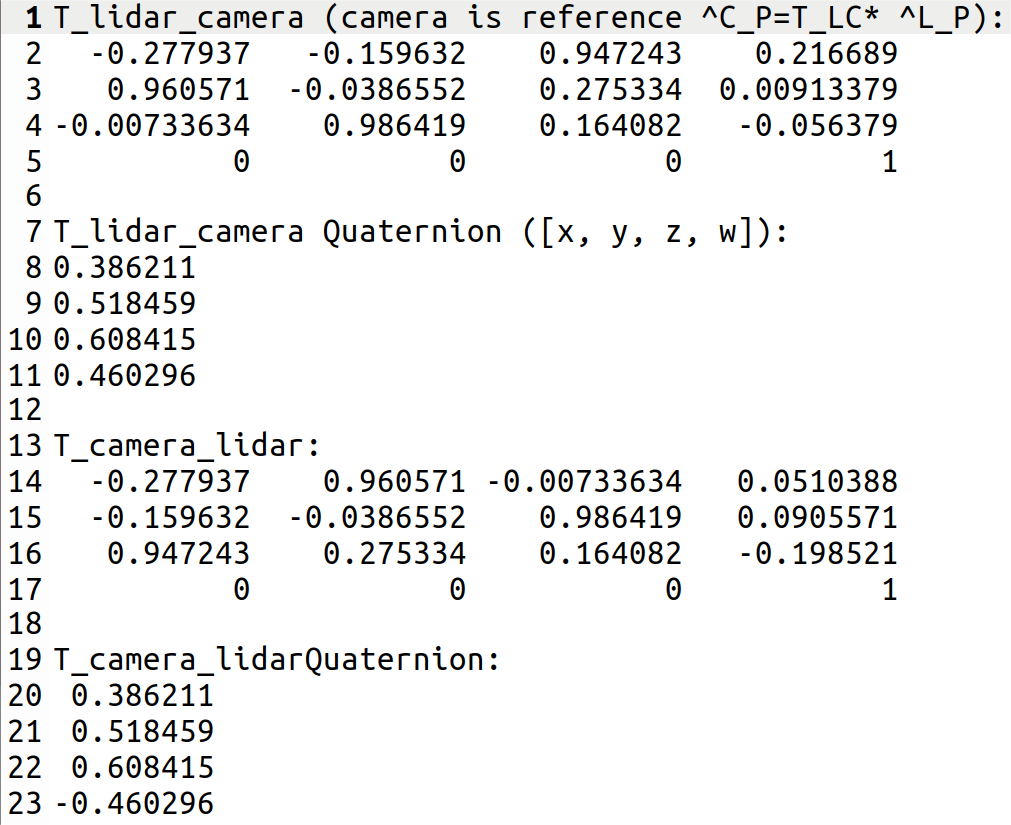
3. The results are saved in the following path
The final result is the latest txt file.
cd /home/wyw/SPTG-LCC/SPTG-LCC/results
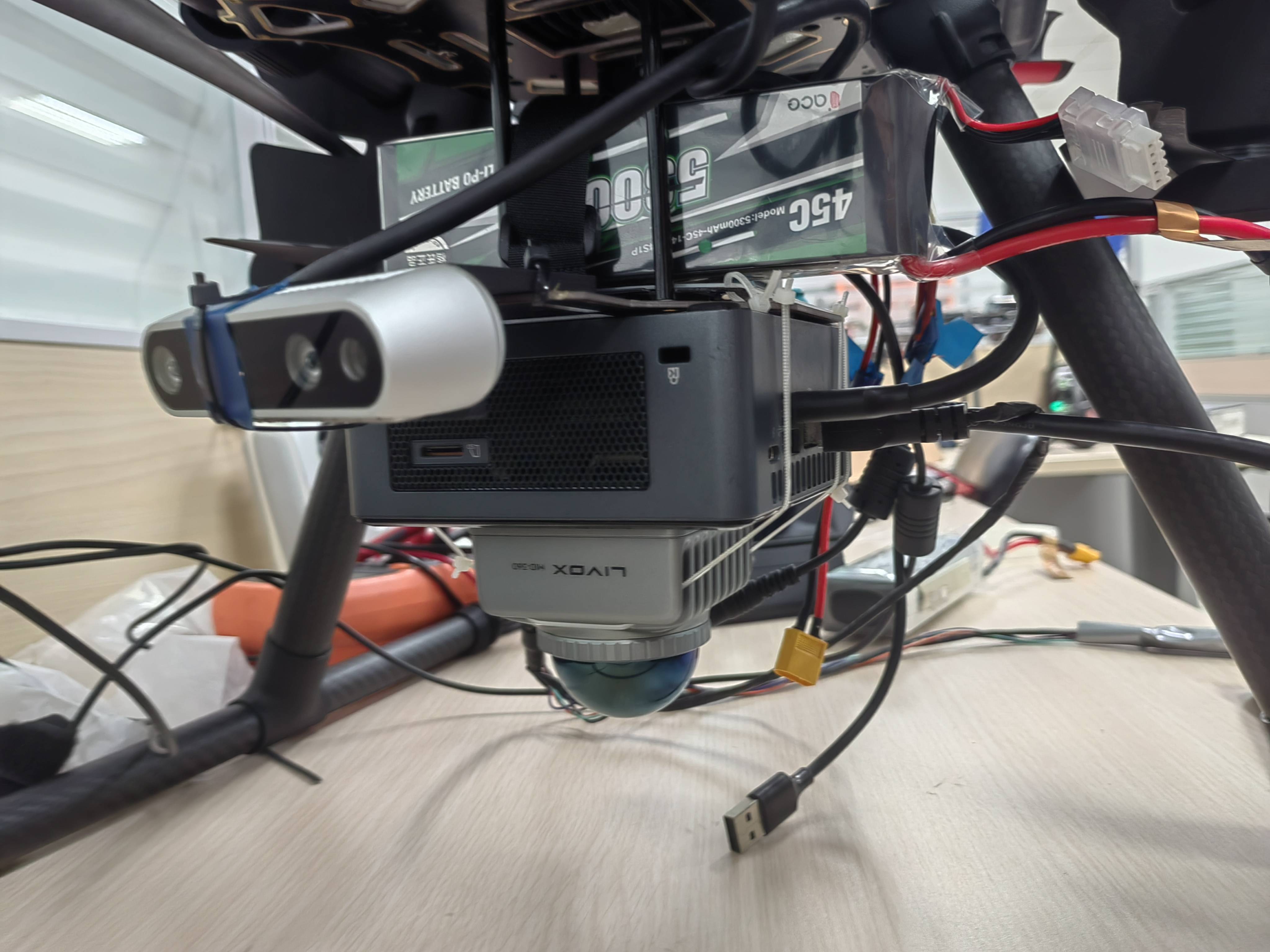
The following is the collection device and calibration results of the above test data
|
|
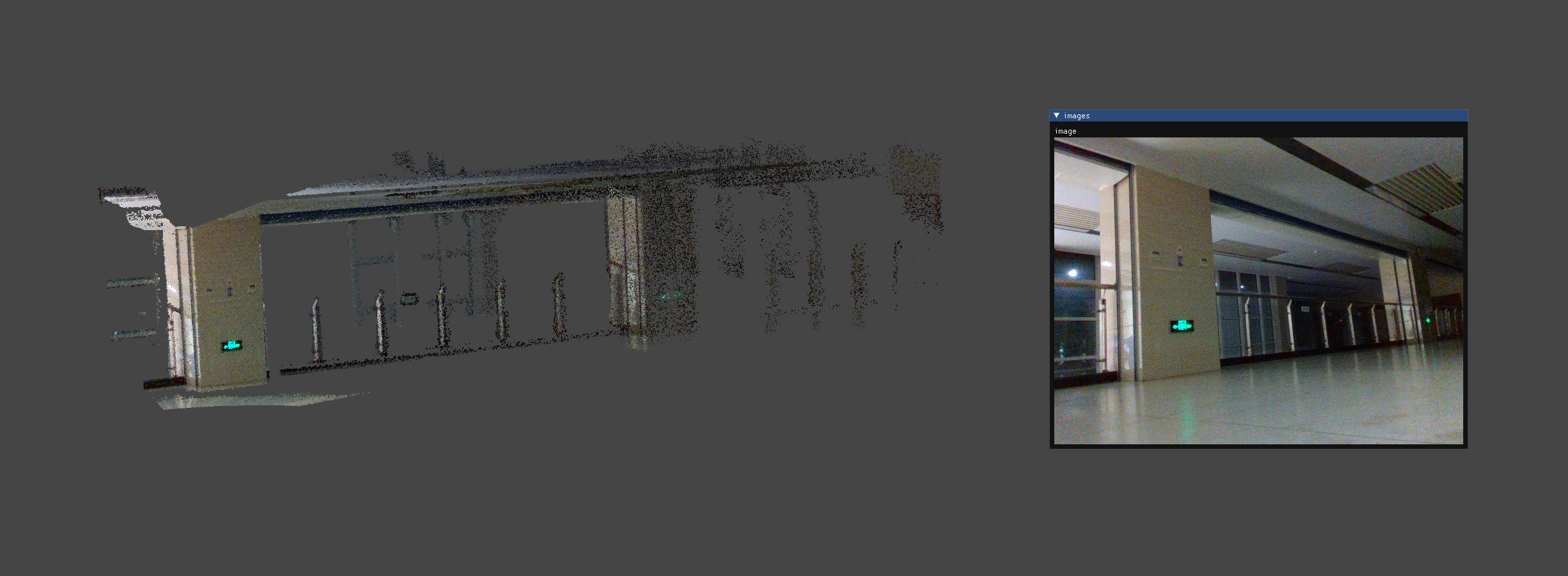
4. If you want to see the coloring effect of the point cloud
chmod +x Alignment_Effect.sh
./Alignment_Effect.sh
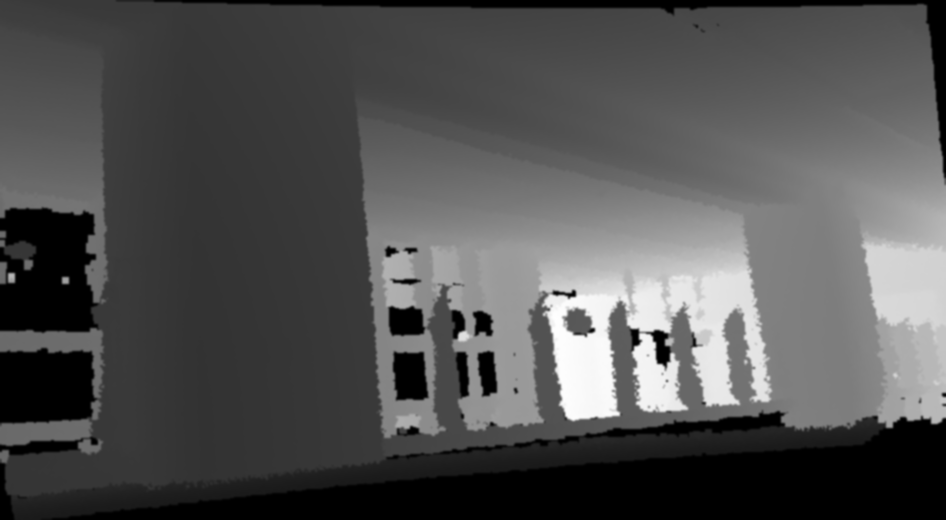
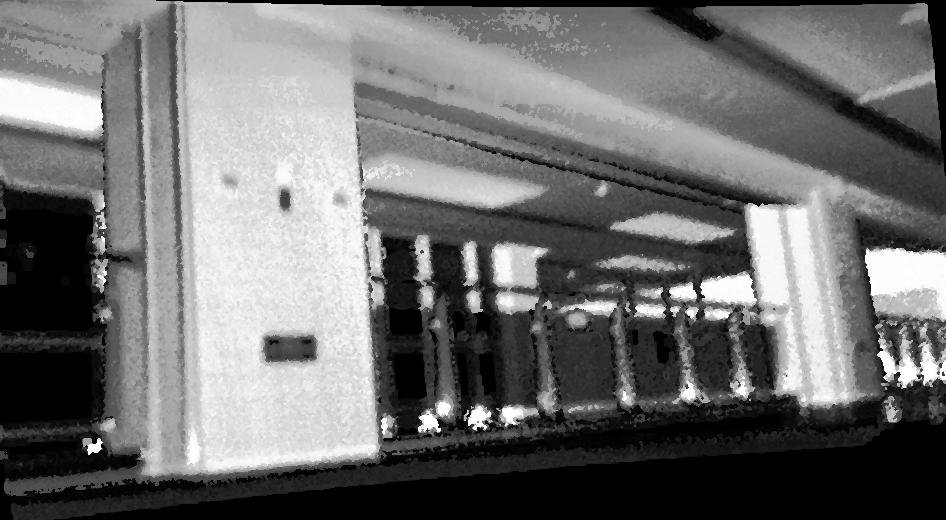
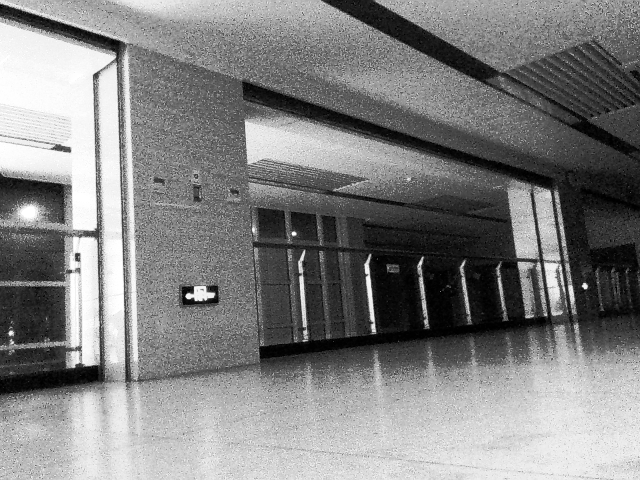
5. If you want to view LiDAR images and visual images
cd /home/wyw/SPTG-LCC/SPTG-LCC/data
 |  |
|---|
 |  |
|---|
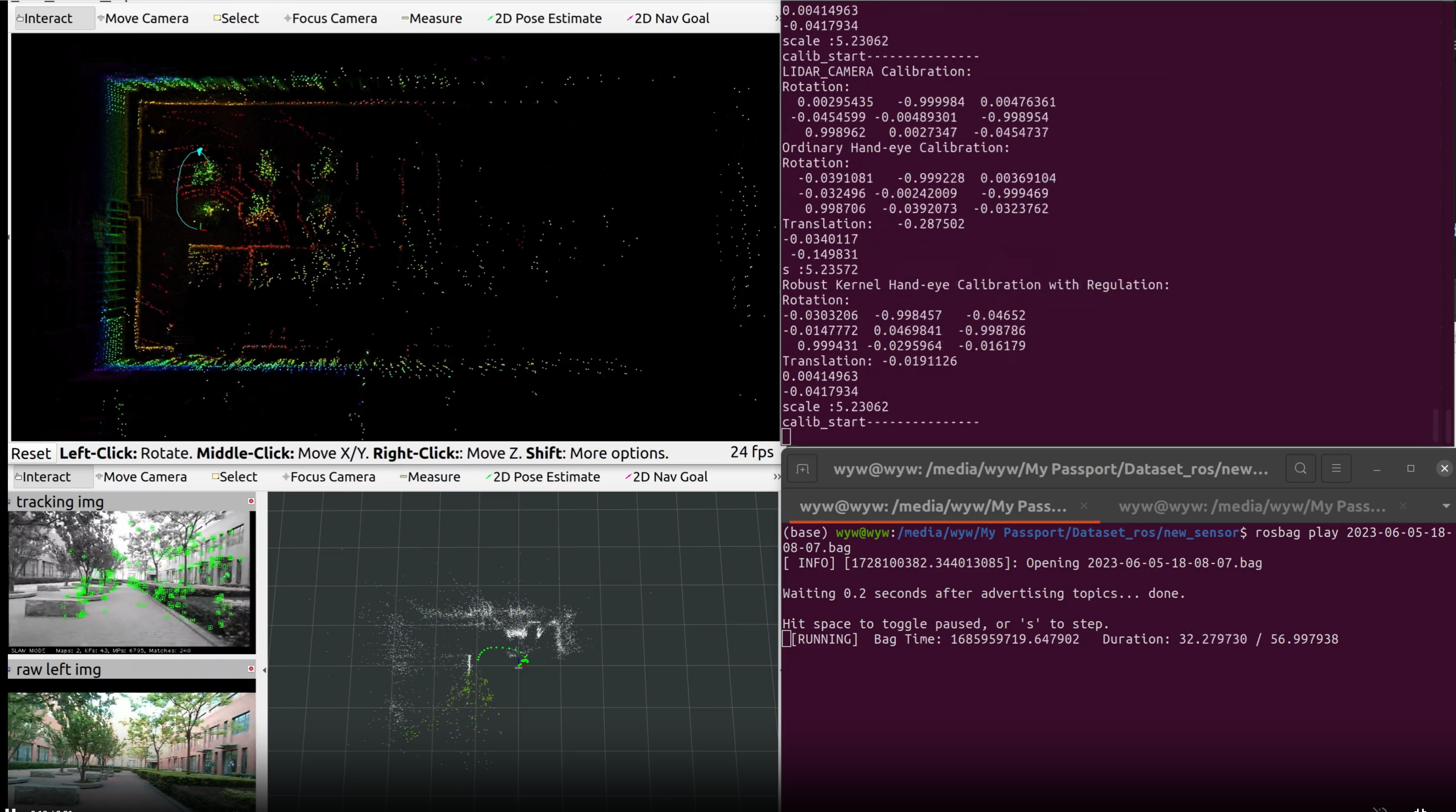
6. Optional motion-based initial guess
In addition, to deal with the problem of calibration failure in some extreme installation situations, we have released a motion-based LiDAR camera extrinsic parameters coarse calibration tool, which aims to provide a rough initial guess, and users can continue to use SPTG-LCC to complete the calibration based on the initial guess. This initial guess is fully automatic.
The Github repository link is as follows:
LCC_init :https://github.com/af-doom/LCC_init
6. Note the prerequisites
1. ubuntu and ROS
All the required C++ libraries and python libraries are packaged into the docker image. You only need to have an Ubuntu system (not dependent on a specific version) and have installed the NVIDIA driver (you can use the nvidia-smi command to test it).
2. Docker
If there is no docker on the host, you need to install docker and nvidia-container-toolkit so that docker can perform visualization and call the GPU.
Method 1-One-click installation (recommended)
wget http://fishros.com/install -O fishros && . fishros
Method 2-Docker official website
https://docs.docker.com/engine/install/ubuntu/#install-using-the-repository
3. nvidia-container-toolkit
https://docs.nvidia.com/datacenter/cloud-native/container-toolkit/latest/install-guide.html
https://blog.csdn.net/dw14132124/article/details/140534628?spm=1001.2101.3001.6650.6&utm_medium=distribute.pc_relevant.none-task-blog-2%7Edefault%7EBlogCommendFromBaidu%7ERate-6-140534628-blog-140452570.235%5Ev43%5Epc_blog_bottom_relevance_base1&depth_1-utm_source=distribute.pc_relevant.none-task-blog-2%7Edefault%7EBlogCommendFromBaidu%7ERate-6-140534628-blog-140452570.235%5Ev43%5Epc_blog_bottom_relevance_base1&utm_relevant_index=13
Successful execution of the following command indicates successful installation
sudo apt-get install -y nvidia-container-toolkit
Acknowledgements
- We sincerely appreciate the following open-source projects: DVLC, KITTI, Lightglue, Efficient-LoFTR, Marigold, Superpoint.
- In particular, our code framework is based on DVLC(direct_visual_lidar_calibration), thanks to this great open-source work.
Significant stargazers

696 followers · starred Sep 2026
Similar repos


Languages
C++
43.7%
Makefile
15.7%
Python
10.0%
Jupyter Notebook
9.3%
Fortran
8.6%
C
6.4%
CMake
3.4%
Roff
1.6%
Single-shot, Pixel-level, Target-free and General LiDAR-Camera Extrinsic Self-Calibration
C++
124
165 commits
updated Oct 6, 2024
README
SPTG-LCC: Single-shot, Pixel-level, Target-free and General LiDAR-Camera Extrinsic Self-Calibration
The data fusion of LiDAR and camera holds vast application prospects, with calibration as a crucial prerequisite. In this paper, we propose SPTG-LCC, a novel, general, and target-free LiDAR-camera extrinsic calibration framework. On the one hand, SPTG-LCC is open-source, which is very suitable for practitioners seeking a robust, general, and convenient target-free calibration tool. On the other hand, the four diverse datasets are open-source, which is very suitable for researchers to comprehensively evaluate feature-based target-free LiDAR-camera calibration methods.
Video Link: Video on Youtube
To Do List
The following tasks will be completed quickly and step by step.
Experimental Video
- Video Link: Video on Youtube Completed
Paper Release
- Paper Link:
Datasets open-source
our self-assembled sensor suites as follows, where the camera is the Realsense D455 and ZED 2i. Four diverse datasets were collected using these four suites, named FB-LCC-NS360, FB-LCC-NS70, FB-LCC-RS16, and FB-LCC-MEMS-M1, which are released for evaluating feature-based LiDAR-camera calibration methods. Moreover, sequence 00 on the public KITTI odometry benchmark is evenly divided into 67 LiDAR-camera data pairs as a dataset, named FB-LCC-RS-KITTI-VLP-64.
| |
|---|
- Reference values of extrinsic parameters of the sensor suite in the dataset: Reference_calibration matrix.yaml Completed
- FB-LCC-NS360 : Baidu Cloud Disk Completed
- FB-LCC-NS70 : Baidu Cloud Disk Completed
- FB-LCC-RS16 : Baidu Cloud Disk Completed
- FB-LCC-MEMS-M1 : Baidu Cloud Disk Completed
- FB-LCC-RS-KITTI-VLP-64 : Baidu Cloud Disk Completed
Code open-source
- Docker images tool : Completed
- main code : Completed
- test code
- Optional motion-based initial guess : Completed
Simplified code and Docker image
- Simplified code
- Simplified Docker image
Important parameter description
- parameter description
Environment Setup Guide
1. main code
git clone https://github.com/NKU-MobFly-Robotics/SPTG-LCC.git
Assuming the folder where the code is downloaded locally is: /home/wyw/SPTG-LCC
Check the folder where you cloned the code and replace the example folder(/home/wyw/SPTG-LCC) in all the following commands
2. Docker images download
Docker images: Baidu Cloud Disk
3. catkin_make
1. Building a Docker Image
docker load -i sptg-lcc.tar
2. Building a Docker container from the Docker image
sudo docker run -it -v /home/wyw/SPTG-LCC:/calib_data -v /tmp/.X11-unix:/tmp/.X11-unix -e DISPLAY=$DISPLAY --net=host -e GDK_SCALE -e GDK_DPI_SCALE --privileged --gpus all -e NVIDIA_DRIVER_CAPABILITIES=all --name SPTG-LCC sptglcc:latest bash
3. Start Docker container
sudo docker start SPTG-LCC
4. Enter the Docker container
sudo docker exec -it SPTG-LCC bash
5. catkin_make code
cd /calib_data/direct_lidar_camera
conda deactivate
source /opt/ros/noetic/setup.bash
catkin_make
4. weights download
Download the weight file and put it in the following folder respectively
1. Download EfficientLoFTR weights
cd /home/wyw/SPTG-LCC/matcher/Efficinet_LOFTR/EfficientLoFTR && mkdir weights
EfficientLoFTR weights: Baidu Cloud Disk
2. Download superpoint-Lightglue weights
cd /home/wyw/SPTG-LCC/matcher/LightGlue
superpoint: Baidu Cloud Disk superpoint_lightglue Baidu Cloud Disk
2. Download mono_depth weights
cd /home/wyw/SPTG-LCC/mono_depth/Marigold/
mono_depth weights(The entire folder): Baidu Cloud Disk
5. Start calibration
1. Put your test rosbag into the following folder
cd /home/wyw/SPTG-LCC/SPTG-LCC/bag
The rosbag needs to contain the camera image topic, the intrinsic parameters topic, and the lidar topic.
Modify your topic name in the yaml file in the config folder
/home/wyw/SPTG-LCC/direct_lidar_camera/src/direct_visual_lidar_calibration/config
Rosbag example for testing : Baidu Cloud Disk
2. Run the script
cd /home/wyw/SPTG-LCC
chmod +x LiDAR_Camera_calib.sh
./LiDAR_Camera_calib.sh
3. The results are saved in the following path
The final result is the latest txt file.
cd /home/wyw/SPTG-LCC/SPTG-LCC/results
The following is the collection device and calibration results of the above test data
|
|
|
4. If you want to see the coloring effect of the point cloud
chmod +x Alignment_Effect.sh
./Alignment_Effect.sh
5. If you want to view LiDAR images and visual images
cd /home/wyw/SPTG-LCC/SPTG-LCC/data
| |
|---|
| |
|---|
6. Optional motion-based initial guess
In addition, to deal with the problem of calibration failure in some extreme installation situations, we have released a motion-based LiDAR camera extrinsic parameters coarse calibration tool, which aims to provide a rough initial guess, and users can continue to use SPTG-LCC to complete the calibration based on the initial guess. This initial guess is fully automatic.
The Github repository link is as follows:
LCC_init :https://github.com/af-doom/LCC_init
6. Note the prerequisites
1. ubuntu and ROS
All the required C++ libraries and python libraries are packaged into the docker image. You only need to have an Ubuntu system (not dependent on a specific version) and have installed the NVIDIA driver (you can use the nvidia-smi command to test it).
2. Docker
If there is no docker on the host, you need to install docker and nvidia-container-toolkit so that docker can perform visualization and call the GPU.
Method 1-One-click installation (recommended)
wget http://fishros.com/install -O fishros && . fishros
Method 2-Docker official website
https://docs.docker.com/engine/install/ubuntu/#install-using-the-repository
3. nvidia-container-toolkit
https://docs.nvidia.com/datacenter/cloud-native/container-toolkit/latest/install-guide.html
https://blog.csdn.net/dw14132124/article/details/140534628?spm=1001.2101.3001.6650.6&utm_medium=distribute.pc_relevant.none-task-blog-2%7Edefault%7EBlogCommendFromBaidu%7ERate-6-140534628-blog-140452570.235%5Ev43%5Epc_blog_bottom_relevance_base1&depth_1-utm_source=distribute.pc_relevant.none-task-blog-2%7Edefault%7EBlogCommendFromBaidu%7ERate-6-140534628-blog-140452570.235%5Ev43%5Epc_blog_bottom_relevance_base1&utm_relevant_index=13
Successful execution of the following command indicates successful installation
sudo apt-get install -y nvidia-container-toolkit
Acknowledgements
- We sincerely appreciate the following open-source projects: DVLC, KITTI, Lightglue, Efficient-LoFTR, Marigold, Superpoint.
- In particular, our code framework is based on DVLC(direct_visual_lidar_calibration), thanks to this great open-source work.
Similar repos
Significant stargazers
696 followers · starred Sep 2026
Languages
C++
43.7%
Makefile
15.7%
Python
10.0%
Jupyter Notebook
9.3%
Fortran
8.6%
C
6.4%
CMake
3.4%
Roff
1.6%