
Install, update and remove AppImages as proper desktop applications
Rust
8
48 commits
updated Sep 2, 2026
See what people are saying
README
appimg
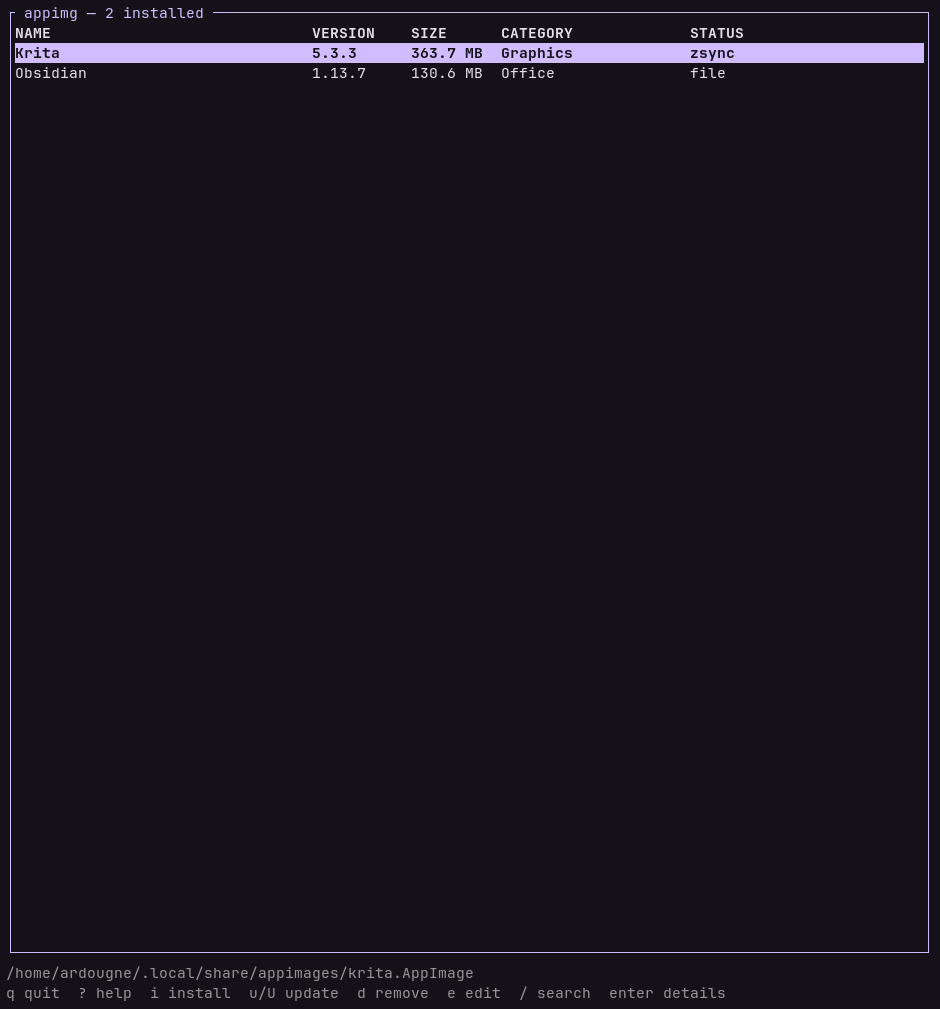
Installs, updates and removes AppImages as proper desktop applications, entirely
inside $HOME.
Install
Arch, from the AUR:
yay -S appimg        # builds from source
yay -S appimg-bin    # prebuilt binary
Anywhere else:
cargo install appimg
Requires Rust 1.88.
Usage
Run appimg without arguments for the TUI, or go straight to a command:
appimg install ./someapp.AppImage
appimg install https://example.com/someapp.AppImage
appimg list --json
appimg update --all --check
appimg remove someapp
appimg doctor
The entry is registered right away, though some launchers only read their application list at startup.
Updates
appimg update --all --check    check without changing anything
appimg update --all            download and replace
No extra tool is needed. An application whose update information names a zsync
file, either zsync|<url> or gh-releases-zsync|..., fetches only the parts
of the new version it does not already have and verifies the assembled file
before installing it. Every other source downloads the whole thing. Each
update says which it was and what it cost:
reused 19054 of 46308 blocks, fetched 107.0 MB in 22 requests
Where things go
$XDG_DATA_HOME/appimages/<name>.AppImage      the binary
$XDG_DATA_HOME/applications/<name>.desktop    the launcher entry
$XDG_DATA_HOME/icons/hicolor/*/apps/          every icon size it found
Similar repos


Languages
Rust
99.6%
Install, update and remove AppImages as proper desktop applications
Rust
8
48 commits
updated Sep 2, 2026
See what people are saying
README
appimg
Installs, updates and removes AppImages as proper desktop applications, entirely
inside $HOME.
Install
Arch, from the AUR:
yay -S appimg        # builds from source
yay -S appimg-bin    # prebuilt binary
Anywhere else:
cargo install appimg
Requires Rust 1.88.
Usage
Run appimg without arguments for the TUI, or go straight to a command:
appimg install ./someapp.AppImage
appimg install https://example.com/someapp.AppImage
appimg list --json
appimg update --all --check
appimg remove someapp
appimg doctor
The entry is registered right away, though some launchers only read their application list at startup.
Updates
appimg update --all --check    check without changing anything
appimg update --all            download and replace
No extra tool is needed. An application whose update information names a zsync
file, either zsync|<url> or gh-releases-zsync|..., fetches only the parts
of the new version it does not already have and verifies the assembled file
before installing it. Every other source downloads the whole thing. Each
update says which it was and what it cost:
reused 19054 of 46308 blocks, fetched 107.0 MB in 22 requests
Where things go
$XDG_DATA_HOME/appimages/<name>.AppImage      the binary
$XDG_DATA_HOME/applications/<name>.desktop    the launcher entry
$XDG_DATA_HOME/icons/hicolor/*/apps/          every icon size it found
Similar repos
Languages
Rust
99.6%