A small Forth for the DEC PDP-7 (18-bit words, 8K of core), assembled
with the as7 assembler from pdp7-unix
and run under the SimH PDP-7 simulator.
DESIGN.md explains how it works and why.
xct. A
definition's type is in the cell's opcode bits: a call is a bare
address (a CAL), a primitive is a jmp, a constant is a lac and a
variable is a law. So NEXT is three instructions, and constants and
variables need no code of their own.The kernel, including its headers, is about 1.5K words of code and data. It also holds a 1K-word display list, the stacks and some buffers, and ends at 05422 (octal), about 2.8K words. The prelude adds about 200 words. That leaves about 5,150 words, nearly two thirds of memory, for your definitions.
You need git, make, perl (for as7), Python 3, and SimH's
PDP-7 simulator, pdp7.
Clone with the pdp7-unix submodule:
git clone --recurse-submodules https://github.com/MitchBradley/pdp7forth
cd pdp7forth
(In an existing clone, git submodule update --init fetches it.)
You can run Forth without graphics with a precompiled SimH, but to use Turtle Graphics, you will need to compile yourself to pick up the SimH graphics support.
Debian and Ubuntu package SimH 3.8, which you can use:
sudo apt install simh
Other distributions may package it too. Check that the package gives
you a pdp7 command; if not, build it from source (below).
Install Apple's command-line tools, which provide make, git and
Python 3 (perl is already there), then Open SIMH from Homebrew:
xcode-select --install
brew install open-simh
You will need to do this if no package works for you, or if you want to use Turtle Graphics.
git clone https://github.com/open-simh/simh.git
cd simh
make pdp7
That leaves the simulator in simh/BIN/pdp7. Either put it on your
PATH as pdp7, or tell this project where it is:
make run PDP7=~/simh/BIN/pdp7
(PDP7 works for every target, and for test/run_tests.py as an
environment variable.)
The project was tested with SimH 3.8 on Linux, Homebrew's open-simh
on macOS, and with Open-SimH compiled from source on Linux and macOS. Windows under WSL should work, but hasn't been
tried.
make          # assemble the kernel, then compile src/prelude.fs into it
make test     # run the test suite under SimH
With SimH 3.8 the suite takes a few seconds. Open SIMH is much slower (several minutes), because it takes most of a second to start and the suite starts it over a hundred times; it hasn't hung.
make test PDP7_DISPLAY=path/to/open-simh/pdp7 also checks a turtle
drawing on the emulated display (see Turtle graphics). It's skipped
otherwise.
make runs SimH once to compile the prelude, so SimH is needed even
to build.
make run
SimH starts the kernel, which prints
PDP-7 FORTH
and waits for input. Type Forth and press Return; each line answers
ok, or names the word it didn't understand with a ?:
2 3 + . 5  OK
: SQ DUP * ; 7 SQ . 49  OK
FOO FOO ?
sim> prompt (below),
type set tti 7b, then c to continue.HEX, OCTAL and DECIMAL change it.FOO ?
for a word that isn't defined and isn't a number, name? for a
missing or over-long name, full? when memory is full, and far?
when a header would be too far from the previous one (after a very
large ALLOT, say). At the end of each line the data stack's depth is
checked, and underflow or overflow gives stack?. The check is per
line, not per word, so a line that underflows and then pushes enough
back goes unnoticed.4 0 DO I . LOOP runs as
soon as the LOOP is typed, and a structure can span lines.S" text" gives a string's address and length, one
character per word, and TYPE prints it: S" hello" TYPE. At the
prompt the string goes into a buffer that the next S" reuses; in a
definition it's compiled in. CHAR A and, in definitions, [CHAR] A
give a character's code. ." text" prints text from a definition;
at the prompt, use .( text).WORDS lists the dictionary. A header keeps only a
name's length and first three characters, so longer names show as
those three plus an underscore per missing character (EXIT shows as
EXI_). Two names with the same length and first three characters
are the same word to the dictionary; defining one prints
name redefined. This length+3 name format is an old-school optimization
to save space on memory-limited machines.Type WORDS for the whole dictionary. In brief:
It's a small, mostly standard Forth, with some differences:
/ and MOD truncate toward zero; the remainder has the dividend's
sign.." only compiles; use .( at the prompt.;, so a word can't call
itself (there's no RECURSE), and a redefinition can call the word
it replaces..S, U., pictured numeric output (<# # #>), double-cell numbers,
CELLS and CHARS, PICK and ROLL, MOVE and FILL, ABORT", EVALUATE, and
the standard input words (ACCEPT, WORD, >IN). There's one
vocabulary.BYE, or ^D, halts the PDP-7 and drops you to SimH's sim>
prompt.sim>, exit (or quit) leaves SimH. c (continue)
resumes Forth where it stopped, with everything you defined intact.
(If you halted with ^D partway through typing a line, that line ends
there when you continue.)sim> at any time, even when Forth is busy or
stuck. It's SimH's interrupt key.While the PDP-7 runs, SimH turns off your terminal's echo and line
editing (Forth does its own). It restores them at sim> and on exit. If
SimH is killed instead of exiting (for example kill -9, or a dropped
ssh session), the terminal stays in that state, with invisible typing
and stair-stepped lines; stty sane or reset fixes it.
The PDP-7's paper-tape reader is a second input source, and SimH reads
its tape from a file on your computer. TAPE switches Forth's input to
the reader; each line is echoed as it's read, like an ASR-33 printing
tape. At the end of the tape, input returns to the keyboard.
The tape must end with a marker. Without one, Forth waits at the end of the file for more tape, because the PDP-7 can't sense an empty reader. Either:
end the file with ^D (character 004). tools/mktape.py copies a
text file and appends one:
python3 tools/mktape.py mywords.fs mywords.ptr
or make the file's last line the word EOT.
Ordinary text files with LF or CR LF line endings work.
make run TAPE=mywords.fs
This appends the ^D for you and mounts the file. Then type
TAPE
at the Forth prompt to load the file.
Everything you've defined so far survives:
sim>.attach ptr mywords.ptr (a file with an end marker, as above).c to continue. You're back in Forth.TAPE.Each attach starts that file from the beginning; attach it again to
reread it.
TAPE resumes at the next line.attach ptr any file that contains a ^D, and c. Forth reads
the ^D and returns to the keyboard.Open SIMH (version 4) emulates the PDP-7's Type 340 display in a window;
SimH 3.8 doesn't have it. Homebrew's open-simh does not have the display,
so you will have to build it from source with the SDL2 library installed
(the build output then says "video capabilities provided by libSDL2").
Turtle graphics comes as a Forth source file, lib/turtle.fs, loaded
from paper tape.
From the pdp7forth directory, start Forth with the display on and
the turtle mounted in the tape reader. If your pdp7 isn't on
PATH, name it with PDP7=, for example a source build next to this
directory:
make run TAPE=lib/turtle.fs GRAPHICS=1
make run TAPE=lib/turtle.fs GRAPHICS=1 PDP7=../simh/BIN/pdp7
GRAPHICS=1 enables the display (and disables the Graphics-2
device, which otherwise claims the same device number). A display
window opens alongside your terminal.
Keep typing in the terminal: it's the teletype. Load the turtle:
TAPE
The source echoes as it loads, and a small triangle appears in the middle of the window, pointing up.
Draw:
4 0 DO 200 FD 90 RT LOOP
: SQ 4 0 DO 200 FD 90 RT LOOP ;
: FLOWER 8 0 DO SQ 45 RT LOOP ;
CS FLOWER
: STAR 5 0 DO 400 FD 144 RT LOOP ;
CS PU 200 BK 90 LT 200 FD 90 RT PD STAR
As the first line shows, interactive control structures let you draw without making definitions.
Finish with BYE (or ^D), then exit at the sim> prompt.
To also check a drawing on the emulated display in the test suite (no window opens):
make test PDP7_DISPLAY=../simh/BIN/pdp7
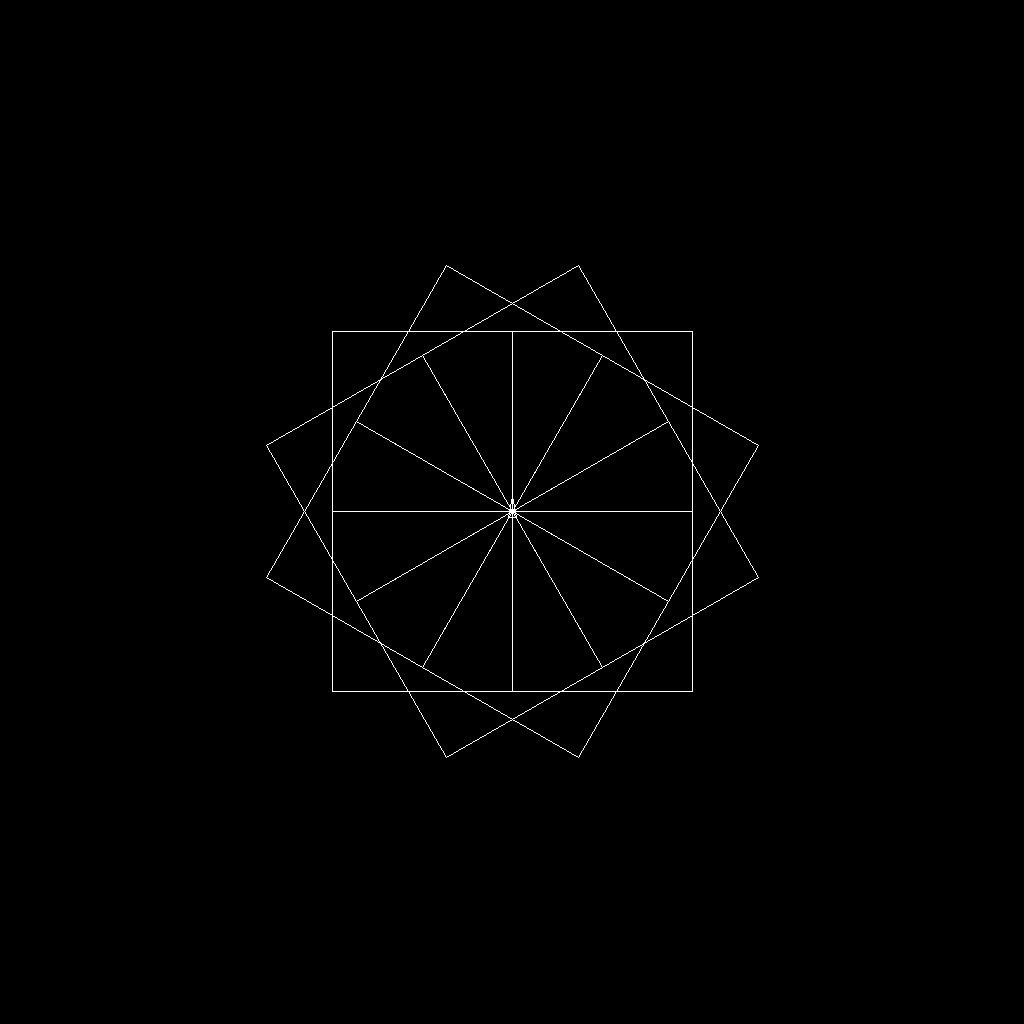
The picture at the top of this page comes from
make screenshot PDP7=../simh/BIN/pdp7, which draws a flower of
squares and saves the display as docs/turtle.png.
With Logo's conventions (the turtle starts in the middle of the 1024 x 1024 screen, heading 0 is up, turns are in degrees and RIGHT is clockwise):
| Word | Short | |
|---|---|---|
FORWARD ( n -- ) | FD | move n pixels, drawing if the pen is down |
BACK ( n -- ) | BK | |
RIGHT ( degrees -- ) | RT | |
LEFT ( degrees -- ) | LT | |
PENUP | PU | |
PENDOWN | PD | |
HOME | move to the middle, heading up (drawing if the pen is down) | |
CLEARSCREEN | CS | erase, and go home |
HIDETURTLE | HT | stop drawing the turtle |
SHOWTURTLE | ST | draw it again |
The turtle is a small triangle pointing along its heading. It isn't
drawn within 15 pixels of the edge of the screen. A move that would
leave the screen is refused with off screen?. The
drawing is kept in a display list of 1024 words (roughly a thousand
line segments); when it's full, drawing stops with display list full?
until CLEARSCREEN.
The picture stays lit while Forth waits at the keyboard, which is when it restarts the display. During a long computation it fades, as it would have on the real machine. The drawing words also work, invisibly, under SimH 3.8.
src/kernel.s: the kernel in PDP-7 assembly.src/prelude.fs: words written in Forth, compiled into the image at
build time.lib/turtle.fs: turtle graphics, to load with TAPE.DESIGN.md: design decisions, open issues, and implementation notes.docs/turtle.png: the picture above (make screenshot).test/: the test suite (make test).tools/: build helpers. tools/pdp7-unix is the submodule that
provides as7.CLAUDE.md: guidance for Claude Code when working on the project.DESIGN.md records each decision and marks it [decided],
[proposed] or [open]; keep it current along with the code.
make test-new # run only the tests for work in progress
make test-new runs new_features() in test/run_tests.py, a short
list of tests for whatever is being worked on, so they can be checked
without the full suite. The full suite runs them too; once a feature
settles, move its tests into the main suite.
as7,
the assembler used here.PDP-7 Forth was created by Mitch Bradley with Claude Code, using Claude Opus 5.5.
MIT; see LICENSE. The pdp7-unix submodule, used only as a build tool,
has its own license (GPL v3).
A small Forth for the DEC PDP-7 (18-bit words, 8K of core), assembled
with the as7 assembler from pdp7-unix
and run under the SimH PDP-7 simulator.
DESIGN.md explains how it works and why.
xct. A
definition's type is in the cell's opcode bits: a call is a bare
address (a CAL), a primitive is a jmp, a constant is a lac and a
variable is a law. So NEXT is three instructions, and constants and
variables need no code of their own.The kernel, including its headers, is about 1.5K words of code and data. It also holds a 1K-word display list, the stacks and some buffers, and ends at 05422 (octal), about 2.8K words. The prelude adds about 200 words. That leaves about 5,150 words, nearly two thirds of memory, for your definitions.
You need git, make, perl (for as7), Python 3, and SimH's
PDP-7 simulator, pdp7.
Clone with the pdp7-unix submodule:
git clone --recurse-submodules https://github.com/MitchBradley/pdp7forth
cd pdp7forth
(In an existing clone, git submodule update --init fetches it.)
You can run Forth without graphics with a precompiled SimH, but to use Turtle Graphics, you will need to compile yourself to pick up the SimH graphics support.
Debian and Ubuntu package SimH 3.8, which you can use:
sudo apt install simh
Other distributions may package it too. Check that the package gives
you a pdp7 command; if not, build it from source (below).
Install Apple's command-line tools, which provide make, git and
Python 3 (perl is already there), then Open SIMH from Homebrew:
xcode-select --install
brew install open-simh
You will need to do this if no package works for you, or if you want to use Turtle Graphics.
git clone https://github.com/open-simh/simh.git
cd simh
make pdp7
That leaves the simulator in simh/BIN/pdp7. Either put it on your
PATH as pdp7, or tell this project where it is:
make run PDP7=~/simh/BIN/pdp7
(PDP7 works for every target, and for test/run_tests.py as an
environment variable.)
The project was tested with SimH 3.8 on Linux, Homebrew's open-simh
on macOS, and with Open-SimH compiled from source on Linux and macOS. Windows under WSL should work, but hasn't been
tried.
make          # assemble the kernel, then compile src/prelude.fs into it
make test     # run the test suite under SimH
With SimH 3.8 the suite takes a few seconds. Open SIMH is much slower (several minutes), because it takes most of a second to start and the suite starts it over a hundred times; it hasn't hung.
make test PDP7_DISPLAY=path/to/open-simh/pdp7 also checks a turtle
drawing on the emulated display (see Turtle graphics). It's skipped
otherwise.
make runs SimH once to compile the prelude, so SimH is needed even
to build.
make run
SimH starts the kernel, which prints
PDP-7 FORTH
and waits for input. Type Forth and press Return; each line answers
ok, or names the word it didn't understand with a ?:
2 3 + . 5  OK
: SQ DUP * ; 7 SQ . 49  OK
FOO FOO ?
sim> prompt (below),
type set tti 7b, then c to continue.HEX, OCTAL and DECIMAL change it.FOO ?
for a word that isn't defined and isn't a number, name? for a
missing or over-long name, full? when memory is full, and far?
when a header would be too far from the previous one (after a very
large ALLOT, say). At the end of each line the data stack's depth is
checked, and underflow or overflow gives stack?. The check is per
line, not per word, so a line that underflows and then pushes enough
back goes unnoticed.4 0 DO I . LOOP runs as
soon as the LOOP is typed, and a structure can span lines.S" text" gives a string's address and length, one
character per word, and TYPE prints it: S" hello" TYPE. At the
prompt the string goes into a buffer that the next S" reuses; in a
definition it's compiled in. CHAR A and, in definitions, [CHAR] A
give a character's code. ." text" prints text from a definition;
at the prompt, use .( text).WORDS lists the dictionary. A header keeps only a
name's length and first three characters, so longer names show as
those three plus an underscore per missing character (EXIT shows as
EXI_). Two names with the same length and first three characters
are the same word to the dictionary; defining one prints
name redefined. This length+3 name format is an old-school optimization
to save space on memory-limited machines.Type WORDS for the whole dictionary. In brief:
It's a small, mostly standard Forth, with some differences:
/ and MOD truncate toward zero; the remainder has the dividend's
sign.." only compiles; use .( at the prompt.;, so a word can't call
itself (there's no RECURSE), and a redefinition can call the word
it replaces..S, U., pictured numeric output (<# # #>), double-cell numbers,
CELLS and CHARS, PICK and ROLL, MOVE and FILL, ABORT", EVALUATE, and
the standard input words (ACCEPT, WORD, >IN). There's one
vocabulary.BYE, or ^D, halts the PDP-7 and drops you to SimH's sim>
prompt.sim>, exit (or quit) leaves SimH. c (continue)
resumes Forth where it stopped, with everything you defined intact.
(If you halted with ^D partway through typing a line, that line ends
there when you continue.)sim> at any time, even when Forth is busy or
stuck. It's SimH's interrupt key.While the PDP-7 runs, SimH turns off your terminal's echo and line
editing (Forth does its own). It restores them at sim> and on exit. If
SimH is killed instead of exiting (for example kill -9, or a dropped
ssh session), the terminal stays in that state, with invisible typing
and stair-stepped lines; stty sane or reset fixes it.
The PDP-7's paper-tape reader is a second input source, and SimH reads
its tape from a file on your computer. TAPE switches Forth's input to
the reader; each line is echoed as it's read, like an ASR-33 printing
tape. At the end of the tape, input returns to the keyboard.
The tape must end with a marker. Without one, Forth waits at the end of the file for more tape, because the PDP-7 can't sense an empty reader. Either:
end the file with ^D (character 004). tools/mktape.py copies a
text file and appends one:
python3 tools/mktape.py mywords.fs mywords.ptr
or make the file's last line the word EOT.
Ordinary text files with LF or CR LF line endings work.
make run TAPE=mywords.fs
This appends the ^D for you and mounts the file. Then type
TAPE
at the Forth prompt to load the file.
Everything you've defined so far survives:
sim>.attach ptr mywords.ptr (a file with an end marker, as above).c to continue. You're back in Forth.TAPE.Each attach starts that file from the beginning; attach it again to
reread it.
TAPE resumes at the next line.attach ptr any file that contains a ^D, and c. Forth reads
the ^D and returns to the keyboard.Open SIMH (version 4) emulates the PDP-7's Type 340 display in a window;
SimH 3.8 doesn't have it. Homebrew's open-simh does not have the display,
so you will have to build it from source with the SDL2 library installed
(the build output then says "video capabilities provided by libSDL2").
Turtle graphics comes as a Forth source file, lib/turtle.fs, loaded
from paper tape.
From the pdp7forth directory, start Forth with the display on and
the turtle mounted in the tape reader. If your pdp7 isn't on
PATH, name it with PDP7=, for example a source build next to this
directory:
make run TAPE=lib/turtle.fs GRAPHICS=1
make run TAPE=lib/turtle.fs GRAPHICS=1 PDP7=../simh/BIN/pdp7
GRAPHICS=1 enables the display (and disables the Graphics-2
device, which otherwise claims the same device number). A display
window opens alongside your terminal.
Keep typing in the terminal: it's the teletype. Load the turtle:
TAPE
The source echoes as it loads, and a small triangle appears in the middle of the window, pointing up.
Draw:
4 0 DO 200 FD 90 RT LOOP
: SQ 4 0 DO 200 FD 90 RT LOOP ;
: FLOWER 8 0 DO SQ 45 RT LOOP ;
CS FLOWER
: STAR 5 0 DO 400 FD 144 RT LOOP ;
CS PU 200 BK 90 LT 200 FD 90 RT PD STAR
As the first line shows, interactive control structures let you draw without making definitions.
Finish with BYE (or ^D), then exit at the sim> prompt.
To also check a drawing on the emulated display in the test suite (no window opens):
make test PDP7_DISPLAY=../simh/BIN/pdp7
The picture at the top of this page comes from
make screenshot PDP7=../simh/BIN/pdp7, which draws a flower of
squares and saves the display as docs/turtle.png.
With Logo's conventions (the turtle starts in the middle of the 1024 x 1024 screen, heading 0 is up, turns are in degrees and RIGHT is clockwise):
| Word | Short | |
|---|---|---|
FORWARD ( n -- ) | FD | move n pixels, drawing if the pen is down |
BACK ( n -- ) | BK | |
RIGHT ( degrees -- ) | RT | |
LEFT ( degrees -- ) | LT | |
PENUP | PU | |
PENDOWN | PD | |
HOME | move to the middle, heading up (drawing if the pen is down) | |
CLEARSCREEN | CS | erase, and go home |
HIDETURTLE | HT | stop drawing the turtle |
SHOWTURTLE | ST | draw it again |
The turtle is a small triangle pointing along its heading. It isn't
drawn within 15 pixels of the edge of the screen. A move that would
leave the screen is refused with off screen?. The
drawing is kept in a display list of 1024 words (roughly a thousand
line segments); when it's full, drawing stops with display list full?
until CLEARSCREEN.
The picture stays lit while Forth waits at the keyboard, which is when it restarts the display. During a long computation it fades, as it would have on the real machine. The drawing words also work, invisibly, under SimH 3.8.
src/kernel.s: the kernel in PDP-7 assembly.src/prelude.fs: words written in Forth, compiled into the image at
build time.lib/turtle.fs: turtle graphics, to load with TAPE.DESIGN.md: design decisions, open issues, and implementation notes.docs/turtle.png: the picture above (make screenshot).test/: the test suite (make test).tools/: build helpers. tools/pdp7-unix is the submodule that
provides as7.CLAUDE.md: guidance for Claude Code when working on the project.DESIGN.md records each decision and marks it [decided],
[proposed] or [open]; keep it current along with the code.
make test-new # run only the tests for work in progress
make test-new runs new_features() in test/run_tests.py, a short
list of tests for whatever is being worked on, so they can be checked
without the full suite. The full suite runs them too; once a feature
settles, move its tests into the main suite.
as7,
the assembler used here.PDP-7 Forth was created by Mitch Bradley with Claude Code, using Claude Opus 5.5.
MIT; see LICENSE. The pdp7-unix submodule, used only as a build tool,
has its own license (GPL v3).



