
Farm Steam trading cards, boost playtime hours, unlock achievements and sell on the Community Market. Headless Windows app, no Steam client needed.
See the codeSee what people are saying
README

SteamEdge
Collect Steam trading cards, bank playtime and manage achievements without ever opening the Steam client.





English · Türkçe · Español · 简体中文 · Русский
Install · Features · Usage · Tutorial · Changelog


✨ Highlights
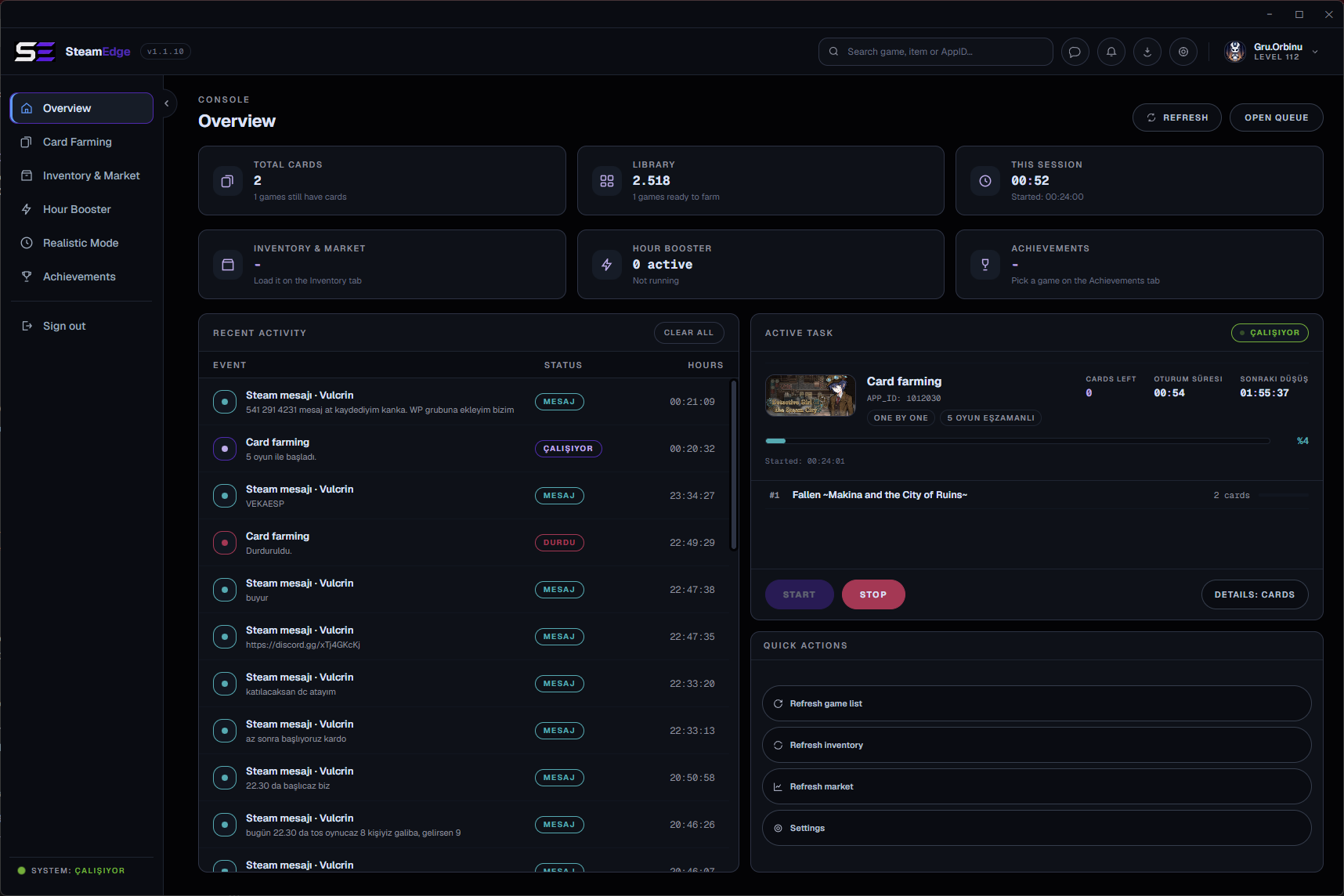
- Card farming - Runs your games as "playing" so trading cards drop. Five modes, one of which knows Steam only starts dropping after a game passes two hours.
- Hours booster - Keeps up to 32 games open at once, with optional playtime syncing that pulls a selection up to the same total.
- Achievement manager - Reads the real locked and unlocked state straight from Steam's protocol, then unlocks or relocks in bulk.
- Realistic Mode - Holds one game open and unlocks its achievements from the most common to the rarest, spread across the session, so the profile reads like it was actually played.
- Inventory and market - Real sale history, order book, bulk average prices and selling, all in your wallet's own currency.
- Chat - Friend list, conversations and sending, over the same network protocol. Unread counts show on the tab, so nothing is missed while a queue runs.
- Multiple accounts - Several accounts connected at once, each farming in the background, switchable without losing progress.
- No Steam client - Talks Steam's own network protocol. The client is never launched and is not required.
- Portable - Extract and run. No installer, no registry, everything lives next to the executable.
📸 Screenshots
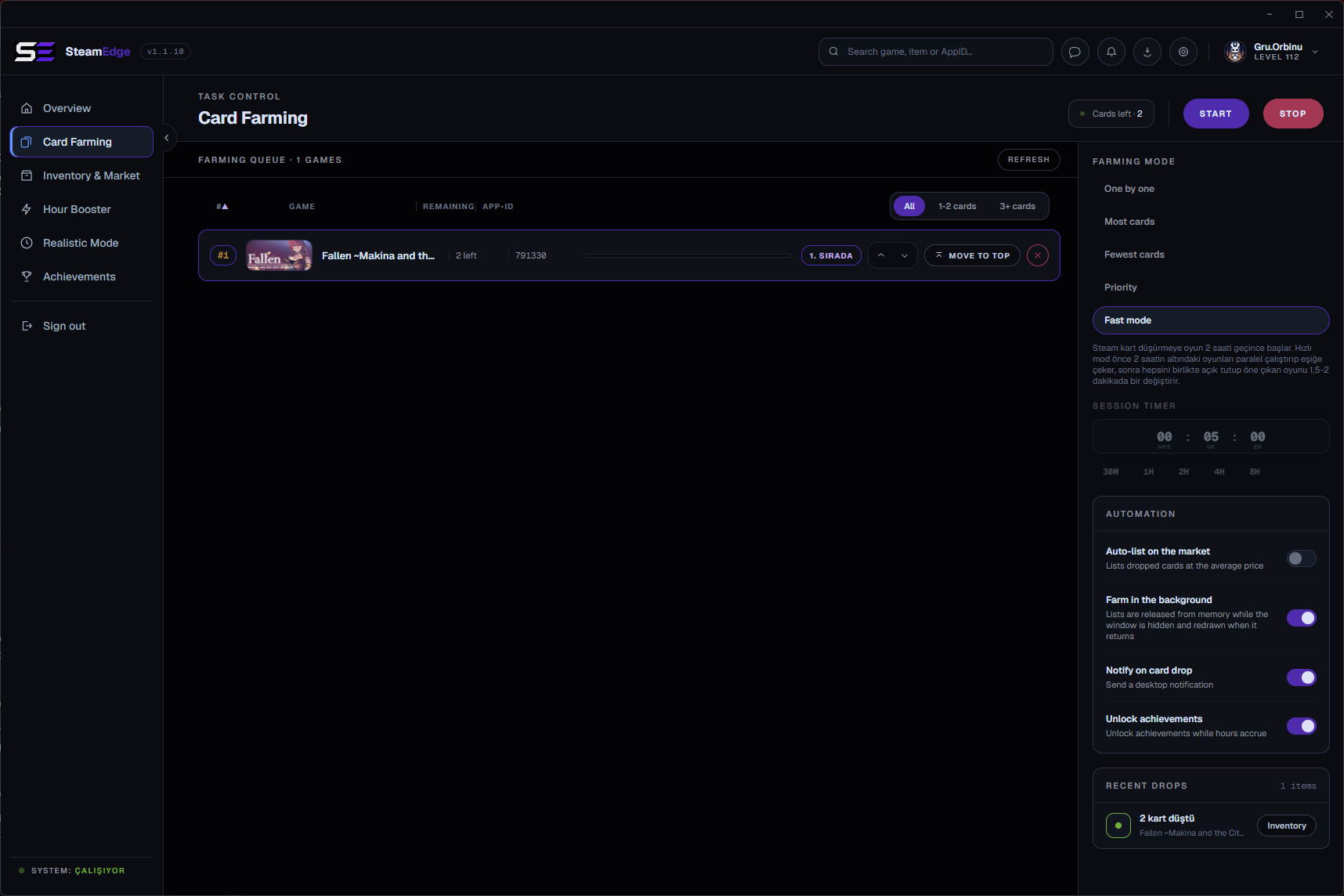 Card Farming | 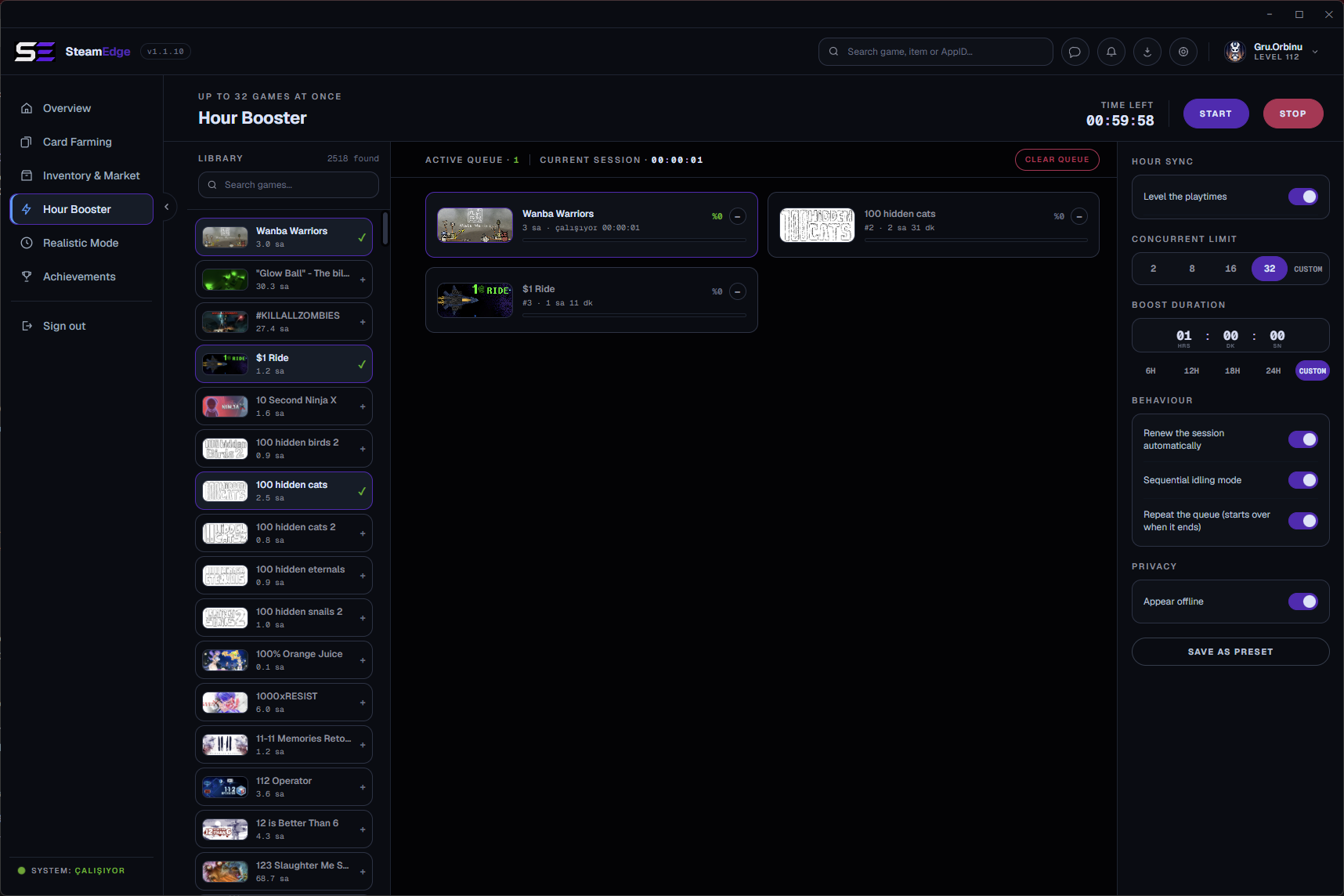 Hour Booster |
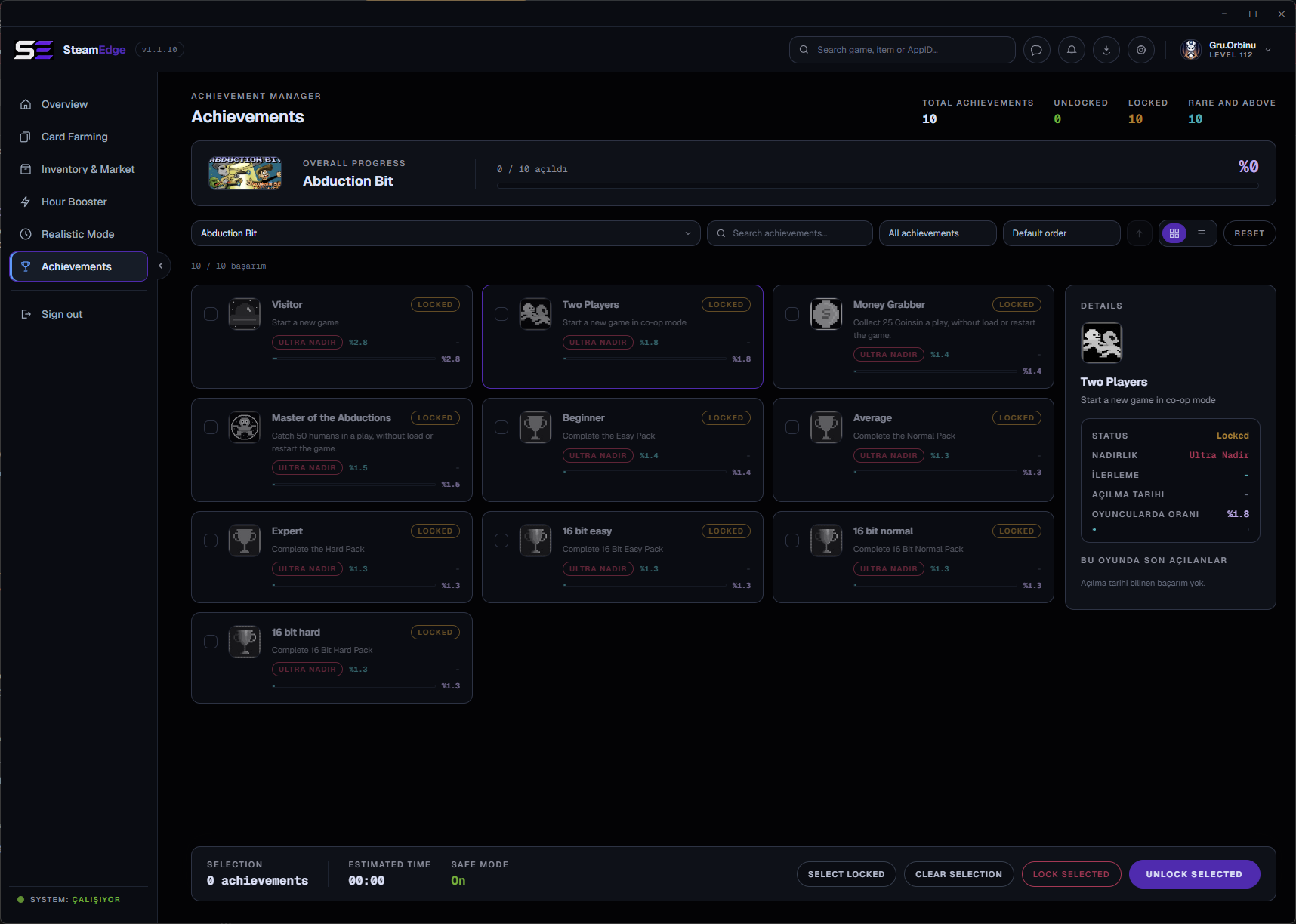 Achievements | 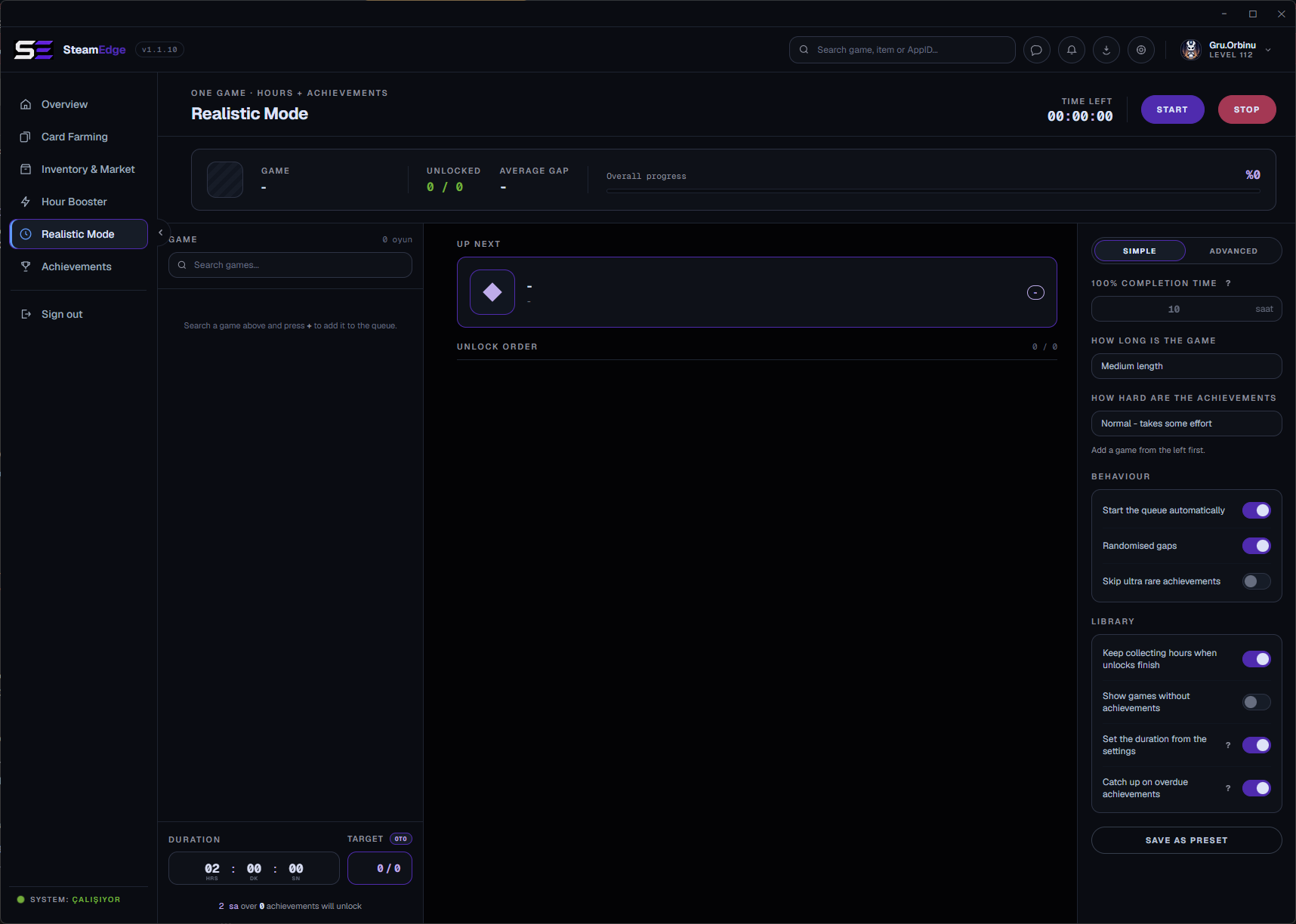 Realistic Mode |
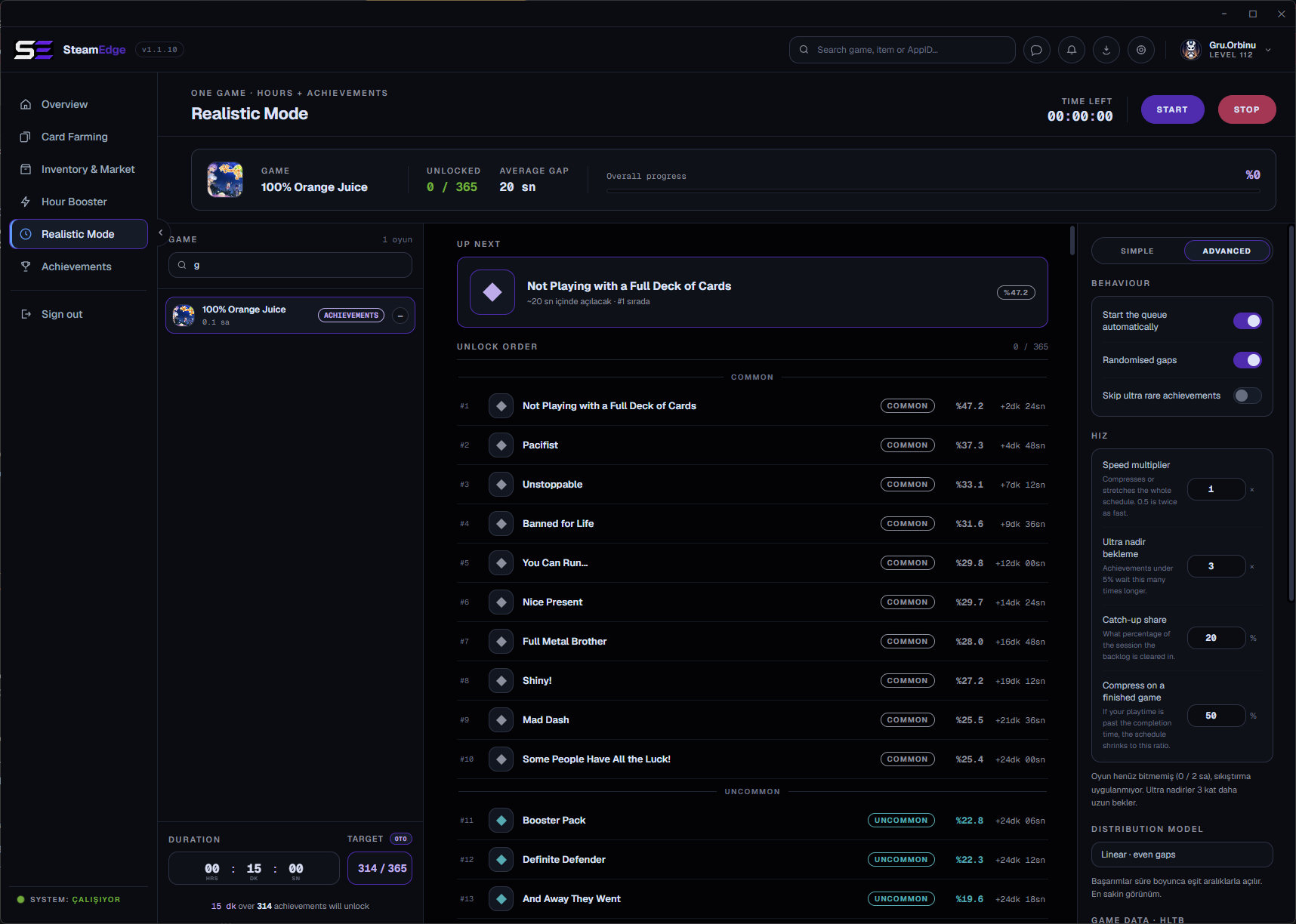 Realistic Mode, advanced | 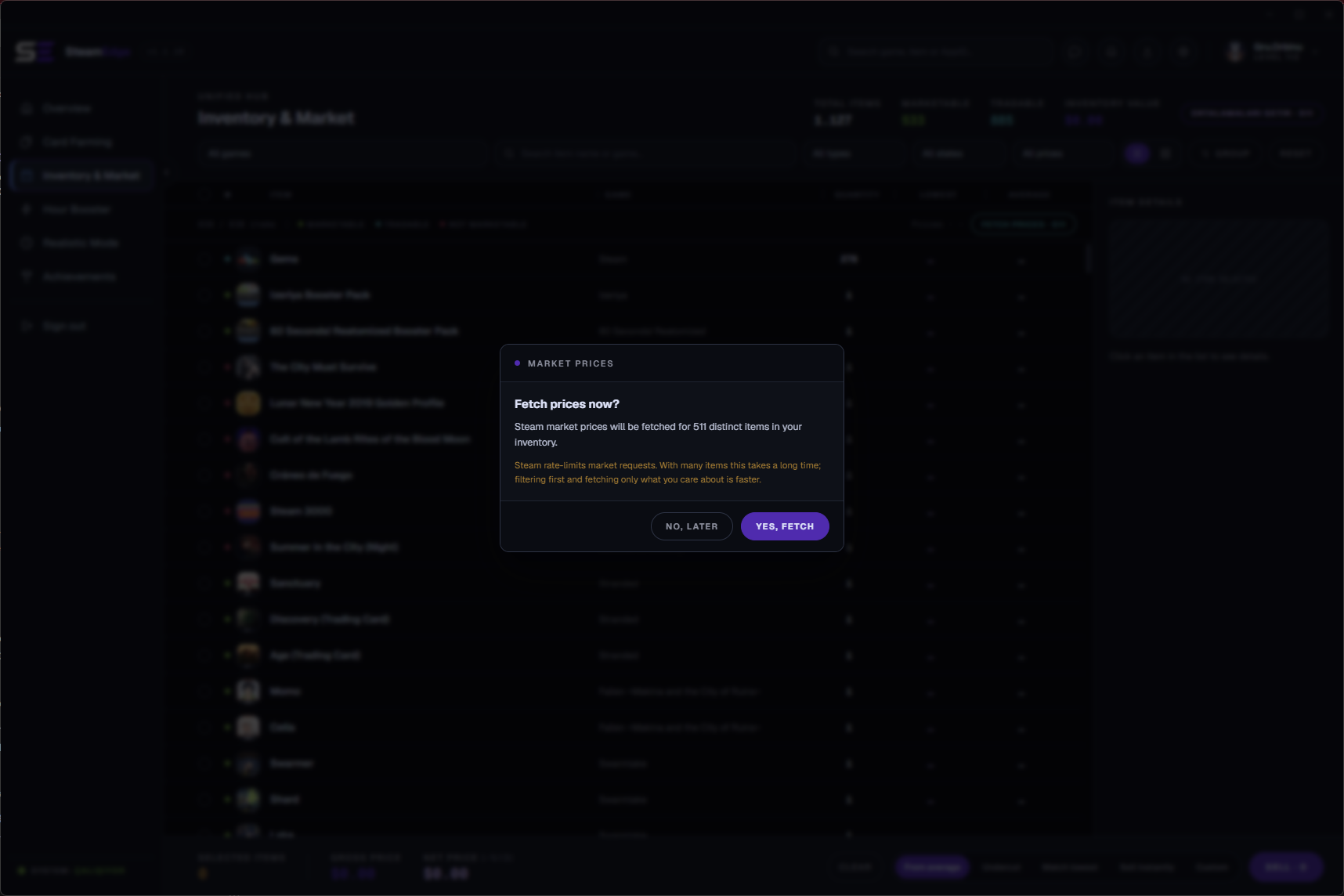 Inventory & Market |
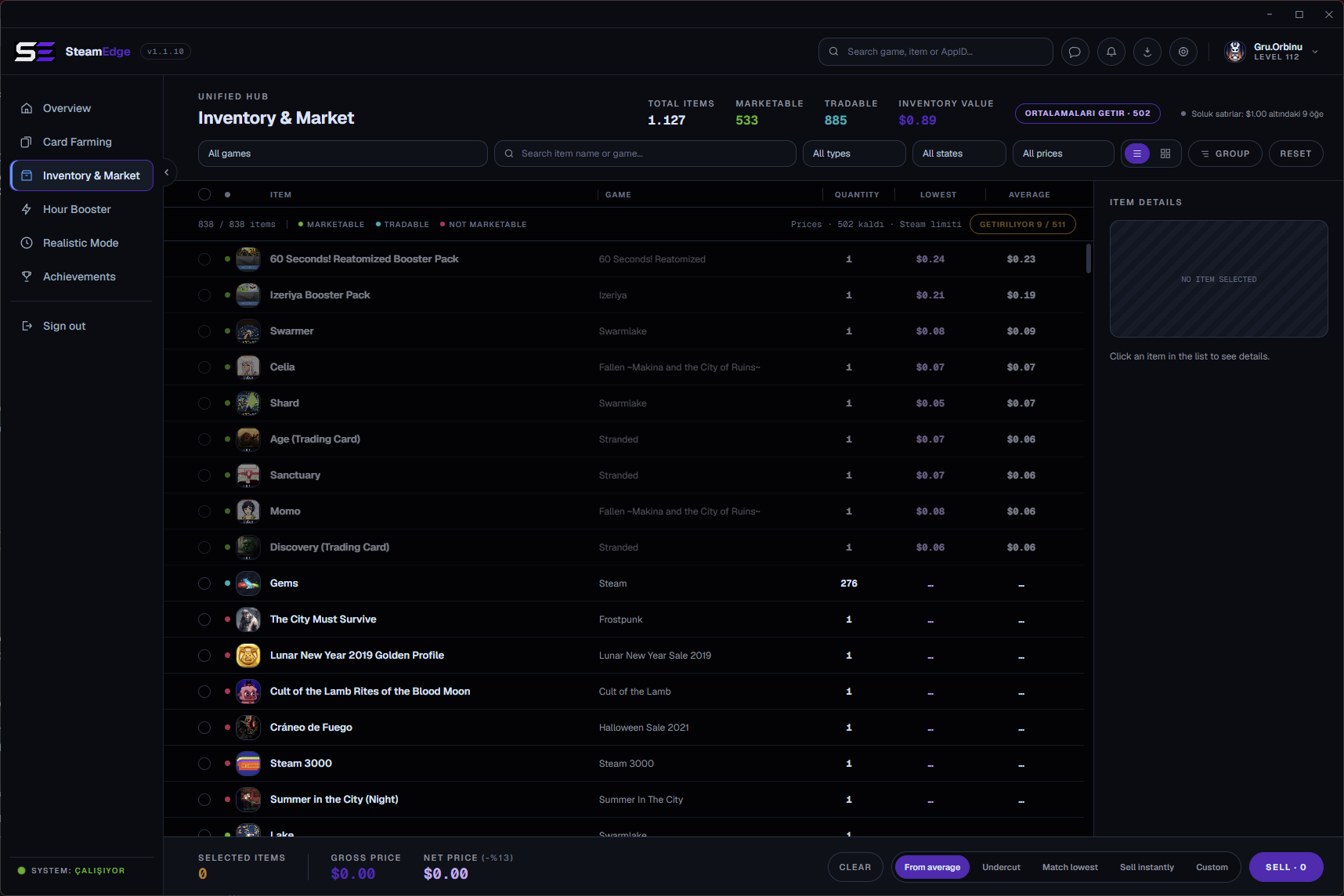 Market, order book | 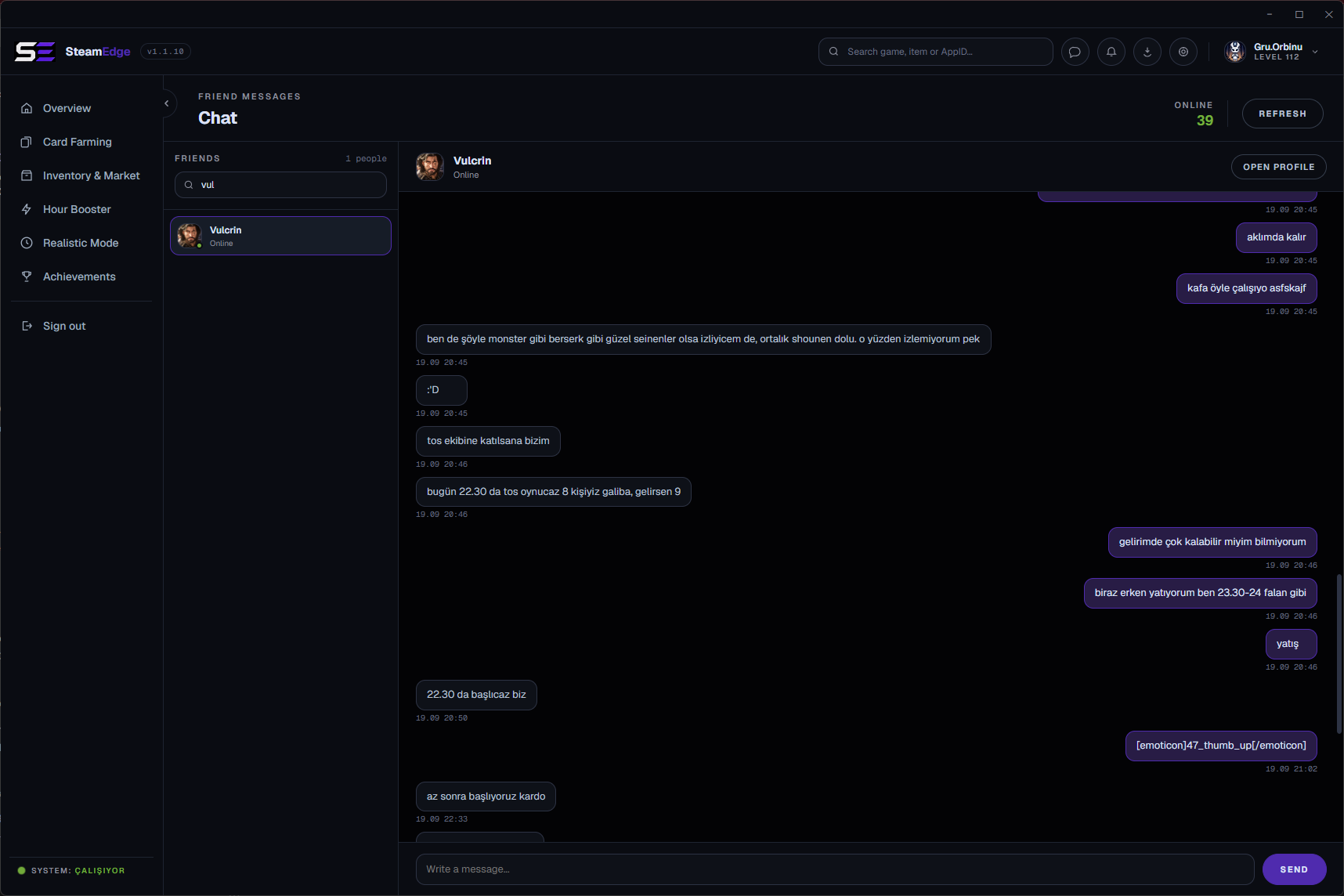 Steam chat |
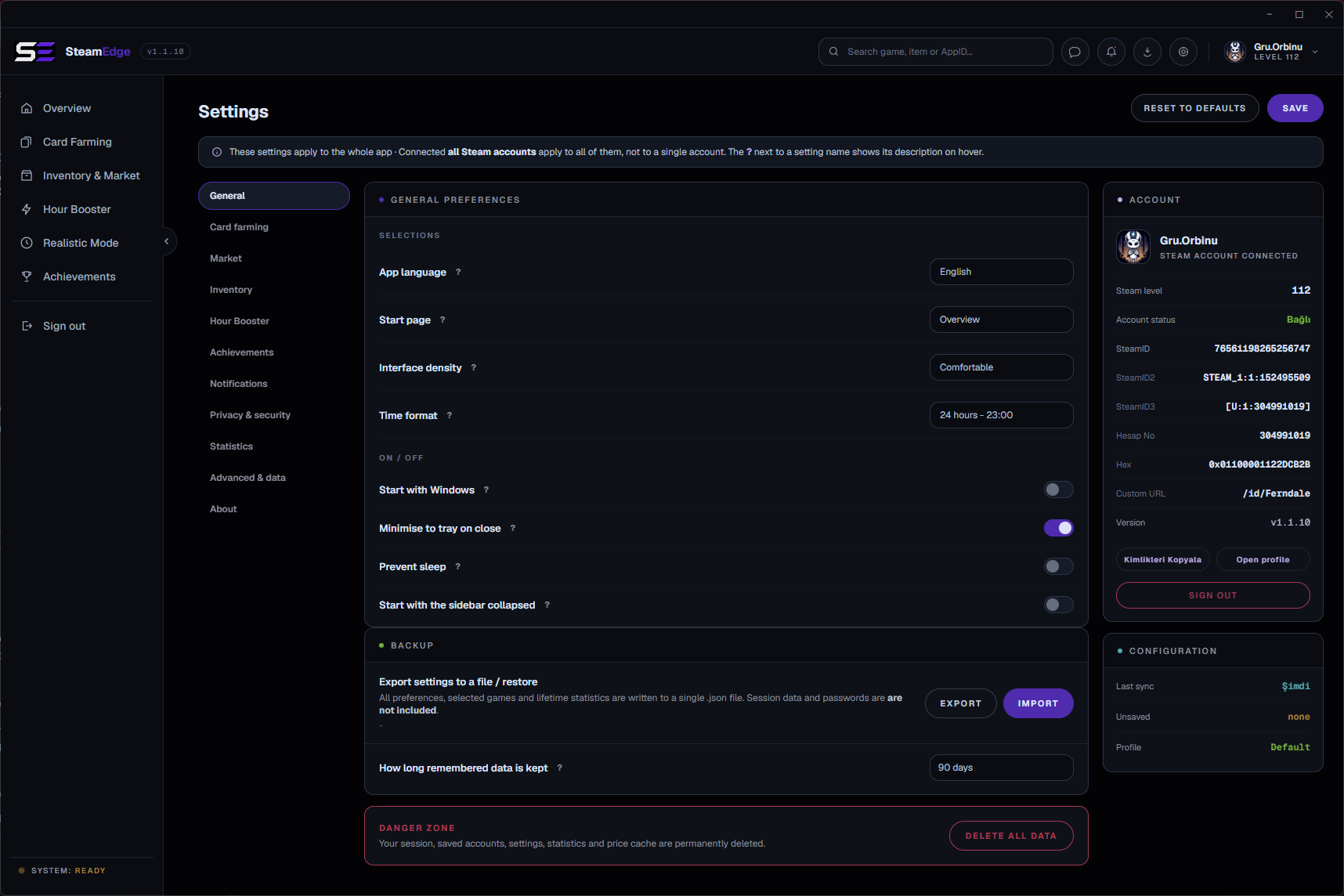 Settings |
📦 Installation
Requirements
| Operating system | Windows 10 or newer, 64 bit |
| Steam account | With Steam Guard set up, mobile or email |
| Disk space | About 320 MB extracted |
| Steam client | Not required, and not used |
Built with



Install
git clone https://github.com/Miabeyefendi/SteamEdge.git
cd SteamEdge
npm install
Install from a release instead
- Download the latest
.rarfrom the releases page. - Extract it anywhere you like. A folder you own, not
Program Files. - Run
SteamEdge.exe. There is nothing to install and nothing is written outside that folder.
🚀 Quick Start
npm start
On first launch you get the login screen. Scan the QR code with the Steam mobile app, or switch to the password tab and enter your credentials plus a Steam Guard code. Nothing is stored anywhere except a session token in settings/, next to the executable.
Once you are in, the Overview shows what is running and what is available. Open Card Farming, refresh the list, pick a mode and press Start. Everything else can wait until you have read the tutorial.
⚙️ Configuration
Settings live in settings/settings.json next to the executable, and per-account data in settings/accounts/<steamID>.json. All of it is editable from the in-app Settings page; there is no reason to touch the files by hand.
Never share the
settings/folder. It holds your Steam session token, which is enough to use your account.
| Key | Default | What it does |
|---|---|---|
boostMaxGames | 32 | How many games the hours booster keeps open at once |
boostSync | false | Pull selected games up to the same total playtime |
fetchAvgWithPrice | true | Fetch an item's sale average in the same pass as its price |
pauseFarmOnBoost | false | Stop card farming when the hours booster starts |
sessionTimeout | never | Disconnect after this many idle minutes |
language | tr | Interface language: tr, en, de, es, zh, ru |
Every key is documented in the configuration reference.
📖 Documentation
- Tutorial - every feature, every setting, explained in full
- Changelog - what changed in each release
- Contributing - how to send a change
- Security - how to report a vulnerability privately
🧭 Roadmap
- Steam chat: friend list, conversations and sending, in the app
- Russian interface language, matching the documentation
- The remaining pages rebuilt to the design spec, one release at a time.
- Realistic Mode rebuilt to the design spec
- Item-based market queue, price and average fetched together
Nothing here is a promise. This is a personal project and the list moves when my priorities move.
❓ FAQ
Do I need the Steam client running?
No. SteamEdge speaks Steam's own network protocol directly. The client is never launched, and having it open changes nothing.
Can this get my account banned?
Idling games and unlocking achievements over the protocol is what a great many tools do, and Valve has never publicly committed to a position on it. That is not the same as it being safe. You run this at your own risk. Read the disclaimer below before you decide.
Why are prices not converted to my currency?
They are already in it. Prices come from Steam in your account's wallet currency and are shown exactly as they arrive. Converting them would mean inventing an exchange rate, and a made-up number is worse than no number.
An achievement will not unlock. Why?
Some achievements are written by the game server, not the client, and Steam refuses to let any client set them. SteamEdge detects those from the schema and skips them instead of failing over and over. A few games also keep no stats over this protocol at all, in which case you will see 0 / N and nothing to do about it.
It stopped working after an update. What now?
Check the troubleshooting section of the tutorial first, then the log at cache/steamedge.log. If it is still broken, open a bug report and attach that log.
🤝 Contributing
Contributions are welcome. Read CONTRIBUTING.md and CODE_OF_CONDUCT.md first. By contributing you agree to license your work under the AGPL-3.0.


🛡️ Security
Found a vulnerability? Do not open a public issue. Follow the private process in SECURITY.md.
📜 License
This project is licensed under the GNU Affero General Public License v3.0 (AGPL-3.0), together with the supplemental terms in the NOTICE file. In short:
- You may use, study, modify, redistribute and even make money with this software for free, as long as you keep the complete source code available under the AGPL-3.0, including for any hosted, SaaS or network use (AGPL Section 13), and you preserve the author attribution below.
- To use this work in a closed-source or proprietary product, or to run it as a closed SaaS, you need a separate written commercial license, which may include a royalty or revenue share. See NOTICE, Section 8, and contact me.
Attribution (required)
Per AGPL-3.0 Section 7(b), the following attribution must be preserved, visibly and unmodified, in any copy, fork or deployment of this project:
Miabeyefendi (Mustafa Ihsan Albayrak) - https://github.com/Miabeyefendi
Disclaimer
This software is provided "as is", without warranty of any kind. You run it entirely at your own risk and are solely responsible for your own use, including compliance with the terms of service of any third-party platform it interacts with. Valve and Steam are not affiliated with or endorsed by the author; their names and trademarks belong to their respective owners. The author accepts no liability for account bans, data loss or any other damages, to the maximum extent permitted by applicable law. Full terms are in the LICENSE and NOTICE files.
📬 Contact
- GitHub: @miabeyefendi
- For commercial licensing or revenue-sharing enquiries, reach me through my GitHub profile.
Contributors

29 commits
Similar repos


Languages
JavaScript
59.4%
HTML
29.2%
CSS
11.4%
Farm Steam trading cards, boost playtime hours, unlock achievements and sell on the Community Market. Headless Windows app, no Steam client needed.
See the codeSee what people are saying
README
SteamEdge
Collect Steam trading cards, bank playtime and manage achievements without ever opening the Steam client.
English · Türkçe · Español · 简体中文 · Русский
Install · Features · Usage · Tutorial · Changelog
✨ Highlights
- Card farming - Runs your games as "playing" so trading cards drop. Five modes, one of which knows Steam only starts dropping after a game passes two hours.
- Hours booster - Keeps up to 32 games open at once, with optional playtime syncing that pulls a selection up to the same total.
- Achievement manager - Reads the real locked and unlocked state straight from Steam's protocol, then unlocks or relocks in bulk.
- Realistic Mode - Holds one game open and unlocks its achievements from the most common to the rarest, spread across the session, so the profile reads like it was actually played.
- Inventory and market - Real sale history, order book, bulk average prices and selling, all in your wallet's own currency.
- Chat - Friend list, conversations and sending, over the same network protocol. Unread counts show on the tab, so nothing is missed while a queue runs.
- Multiple accounts - Several accounts connected at once, each farming in the background, switchable without losing progress.
- No Steam client - Talks Steam's own network protocol. The client is never launched and is not required.
- Portable - Extract and run. No installer, no registry, everything lives next to the executable.
📸 Screenshots
Card Farming | Hour Booster |
Achievements | Realistic Mode |
Realistic Mode, advanced | Inventory & Market |
Market, order book | Steam chat |
Settings |
📦 Installation
Requirements
| Operating system | Windows 10 or newer, 64 bit |
| Steam account | With Steam Guard set up, mobile or email |
| Disk space | About 320 MB extracted |
| Steam client | Not required, and not used |
Built with
Install
git clone https://github.com/Miabeyefendi/SteamEdge.git
cd SteamEdge
npm install
Install from a release instead
- Download the latest
.rarfrom the releases page. - Extract it anywhere you like. A folder you own, not
Program Files. - Run
SteamEdge.exe. There is nothing to install and nothing is written outside that folder.
🚀 Quick Start
npm start
On first launch you get the login screen. Scan the QR code with the Steam mobile app, or switch to the password tab and enter your credentials plus a Steam Guard code. Nothing is stored anywhere except a session token in settings/, next to the executable.
Once you are in, the Overview shows what is running and what is available. Open Card Farming, refresh the list, pick a mode and press Start. Everything else can wait until you have read the tutorial.
⚙️ Configuration
Settings live in settings/settings.json next to the executable, and per-account data in settings/accounts/<steamID>.json. All of it is editable from the in-app Settings page; there is no reason to touch the files by hand.
Never share the
settings/folder. It holds your Steam session token, which is enough to use your account.
| Key | Default | What it does |
|---|---|---|
boostMaxGames | 32 | How many games the hours booster keeps open at once |
boostSync | false | Pull selected games up to the same total playtime |
fetchAvgWithPrice | true | Fetch an item's sale average in the same pass as its price |
pauseFarmOnBoost | false | Stop card farming when the hours booster starts |
sessionTimeout | never | Disconnect after this many idle minutes |
language | tr | Interface language: tr, en, de, es, zh, ru |
Every key is documented in the configuration reference.
📖 Documentation
- Tutorial - every feature, every setting, explained in full
- Changelog - what changed in each release
- Contributing - how to send a change
- Security - how to report a vulnerability privately
🧭 Roadmap
- Steam chat: friend list, conversations and sending, in the app
- Russian interface language, matching the documentation
- The remaining pages rebuilt to the design spec, one release at a time.
- Realistic Mode rebuilt to the design spec
- Item-based market queue, price and average fetched together
Nothing here is a promise. This is a personal project and the list moves when my priorities move.
❓ FAQ
Do I need the Steam client running?
No. SteamEdge speaks Steam's own network protocol directly. The client is never launched, and having it open changes nothing.
Can this get my account banned?
Idling games and unlocking achievements over the protocol is what a great many tools do, and Valve has never publicly committed to a position on it. That is not the same as it being safe. You run this at your own risk. Read the disclaimer below before you decide.
Why are prices not converted to my currency?
They are already in it. Prices come from Steam in your account's wallet currency and are shown exactly as they arrive. Converting them would mean inventing an exchange rate, and a made-up number is worse than no number.
An achievement will not unlock. Why?
Some achievements are written by the game server, not the client, and Steam refuses to let any client set them. SteamEdge detects those from the schema and skips them instead of failing over and over. A few games also keep no stats over this protocol at all, in which case you will see 0 / N and nothing to do about it.
It stopped working after an update. What now?
Check the troubleshooting section of the tutorial first, then the log at cache/steamedge.log. If it is still broken, open a bug report and attach that log.
🤝 Contributing
Contributions are welcome. Read CONTRIBUTING.md and CODE_OF_CONDUCT.md first. By contributing you agree to license your work under the AGPL-3.0.
🛡️ Security
Found a vulnerability? Do not open a public issue. Follow the private process in SECURITY.md.
📜 License
This project is licensed under the GNU Affero General Public License v3.0 (AGPL-3.0), together with the supplemental terms in the NOTICE file. In short:
- You may use, study, modify, redistribute and even make money with this software for free, as long as you keep the complete source code available under the AGPL-3.0, including for any hosted, SaaS or network use (AGPL Section 13), and you preserve the author attribution below.
- To use this work in a closed-source or proprietary product, or to run it as a closed SaaS, you need a separate written commercial license, which may include a royalty or revenue share. See NOTICE, Section 8, and contact me.
Attribution (required)
Per AGPL-3.0 Section 7(b), the following attribution must be preserved, visibly and unmodified, in any copy, fork or deployment of this project:
Miabeyefendi (Mustafa Ihsan Albayrak) - https://github.com/Miabeyefendi
Disclaimer
This software is provided "as is", without warranty of any kind. You run it entirely at your own risk and are solely responsible for your own use, including compliance with the terms of service of any third-party platform it interacts with. Valve and Steam are not affiliated with or endorsed by the author; their names and trademarks belong to their respective owners. The author accepts no liability for account bans, data loss or any other damages, to the maximum extent permitted by applicable law. Full terms are in the LICENSE and NOTICE files.
📬 Contact
- GitHub: @miabeyefendi
- For commercial licensing or revenue-sharing enquiries, reach me through my GitHub profile.
Similar repos
Contributors
29 commits
Languages
JavaScript
59.4%
HTML
29.2%
CSS
11.4%