OnDevice Core — local-first AI studio for iPhone: native Edge0 MoE runtime (35B), MLX, llama.cpp, whisper.cpp. No account, no telemetry, no cloud inference by default.
Swift
1
1 commits
updated Oct 1, 2026
Run open-source LLMs on iPhone offline — chat, vision, voice, RAG, and an authenticated local API. Built in SwiftUI with MLX, llama.cpp, whisper.cpp, and Core ML. No account. No telemetry. No cloud inference by default.





Part of the OnDevice product line. Independent open-source project — not affiliated with or endorsed by Apple Inc.
OnDevice LLM (this repo) is the main local-first AI workbench for iPhone and Apple silicon Macs. It runs language, vision, speech, and image-generation models on the device, and exposes opt-in OpenAI-, Anthropic-, and Ollama-compatible local APIs with structured tool calling and a paired Mac agent channel.
| Product | Status | What it is |
|---|---|---|
| OnDevice LLM | Main · open source | Full iOS/macCatalyst workbench (this repository) |
| OnDevice Local API Server | Beta | Dedicated local API surface for agents and LAN clients — project page |
| OnDevice CoreAI Local API Server | Beta | CoreAI-backed local API server variant |
Public repository: Mesutcydev/ondevice-core.
Product name is OnDevice LLM. The website retains the legacy
ios-local-llm slug: mesutcydev.github.io/ios-local-llm.
App Store releases are coming soon. Public sideload IPA downloads have been retired. This repository remains the canonical source distribution; official App Store links will be published at ondevice.fun when available.

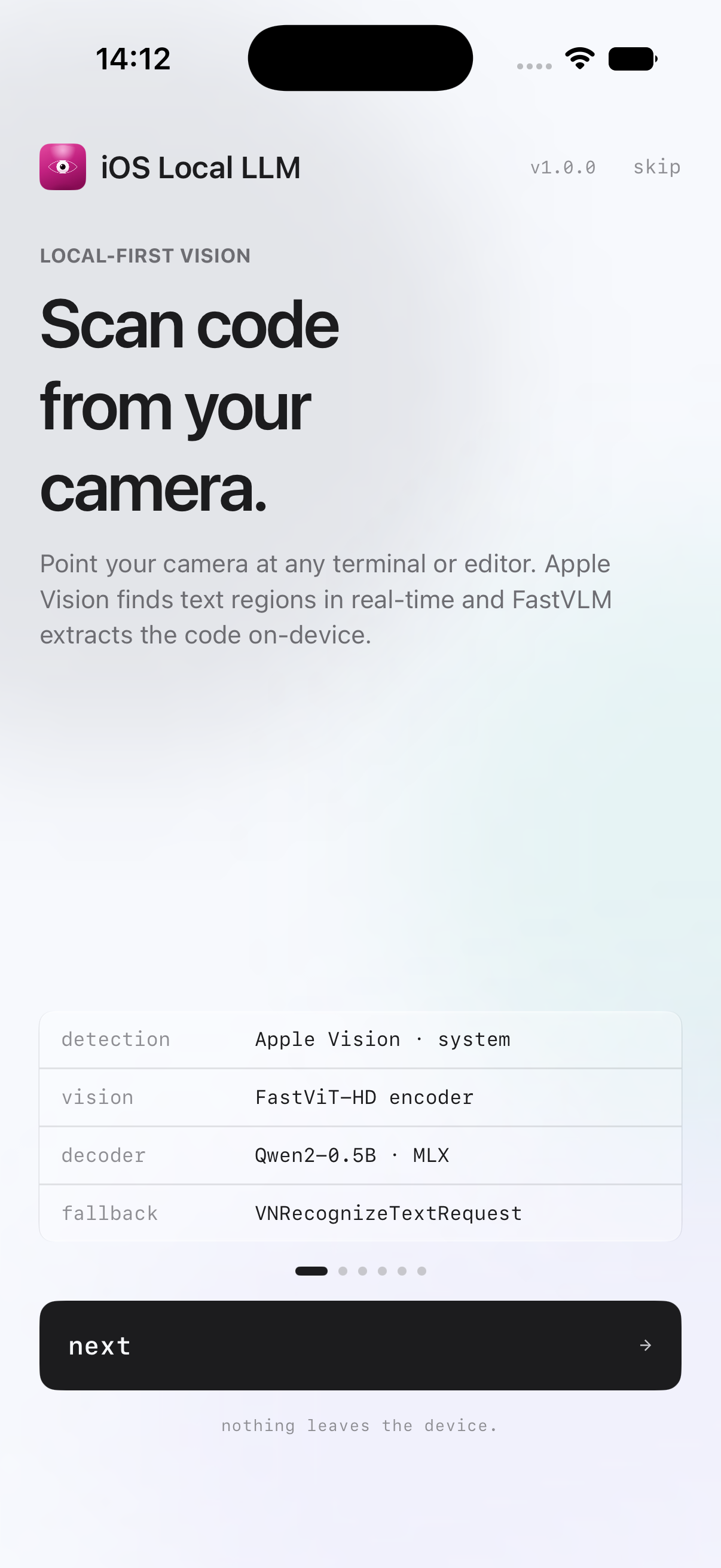
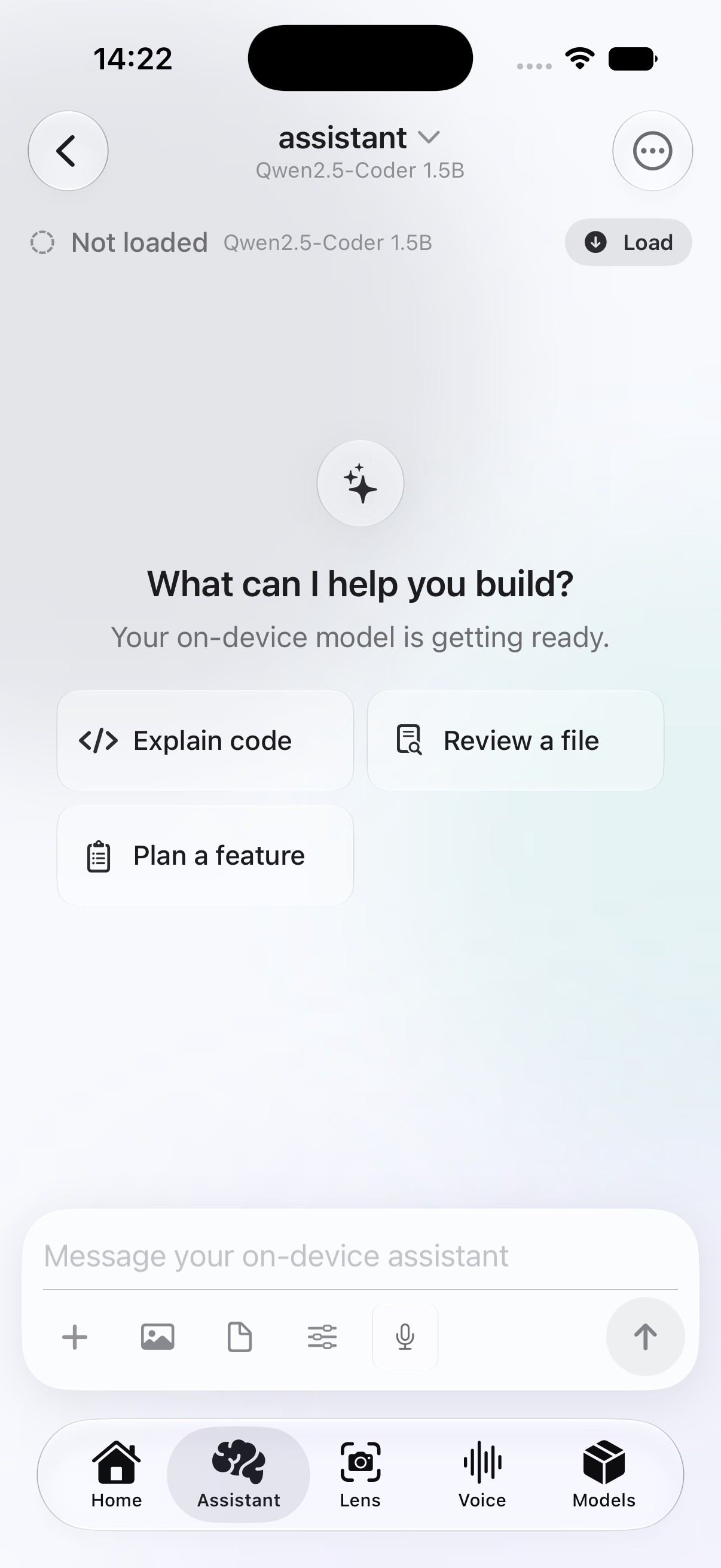
| Home | Assistant |
|---|---|
 |  |
| Models | Local vision onboarding |
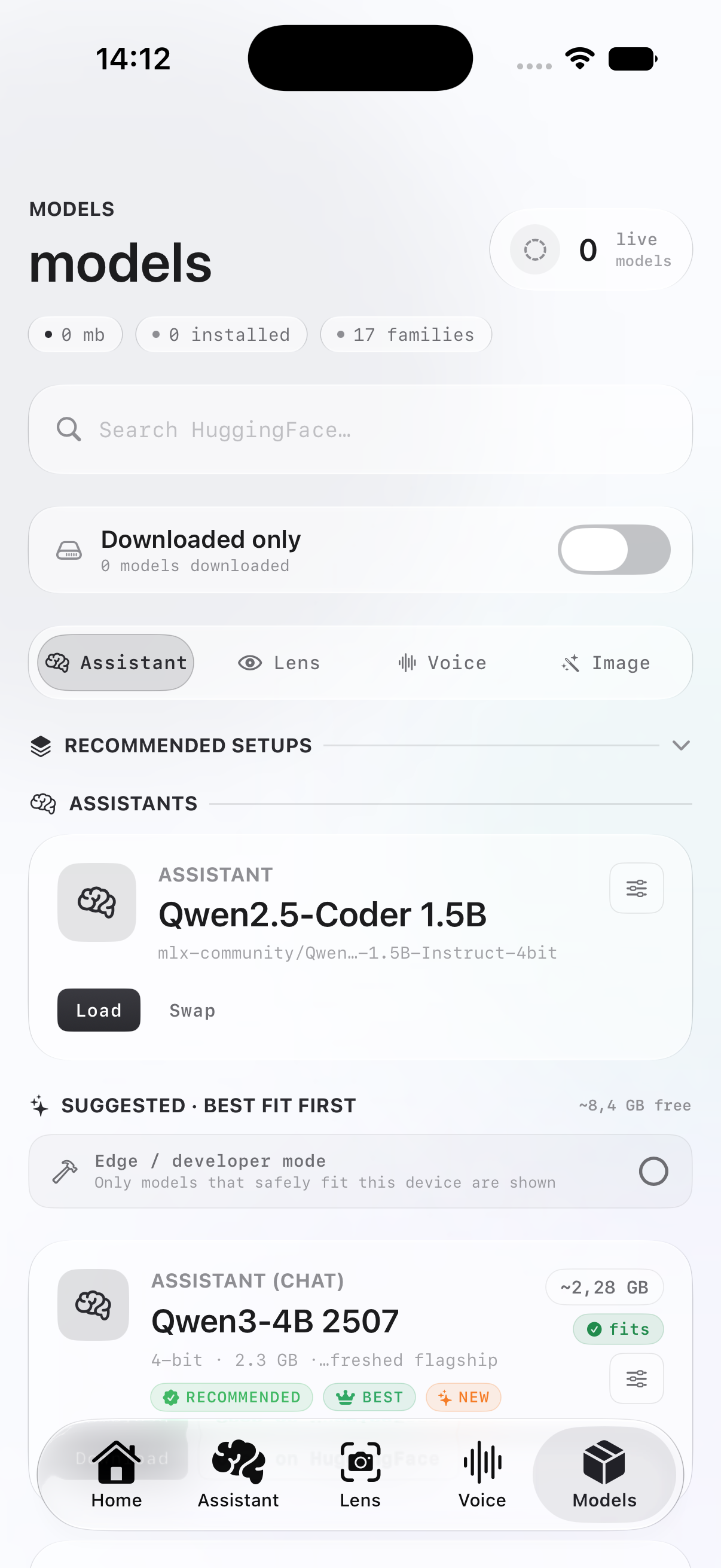 | 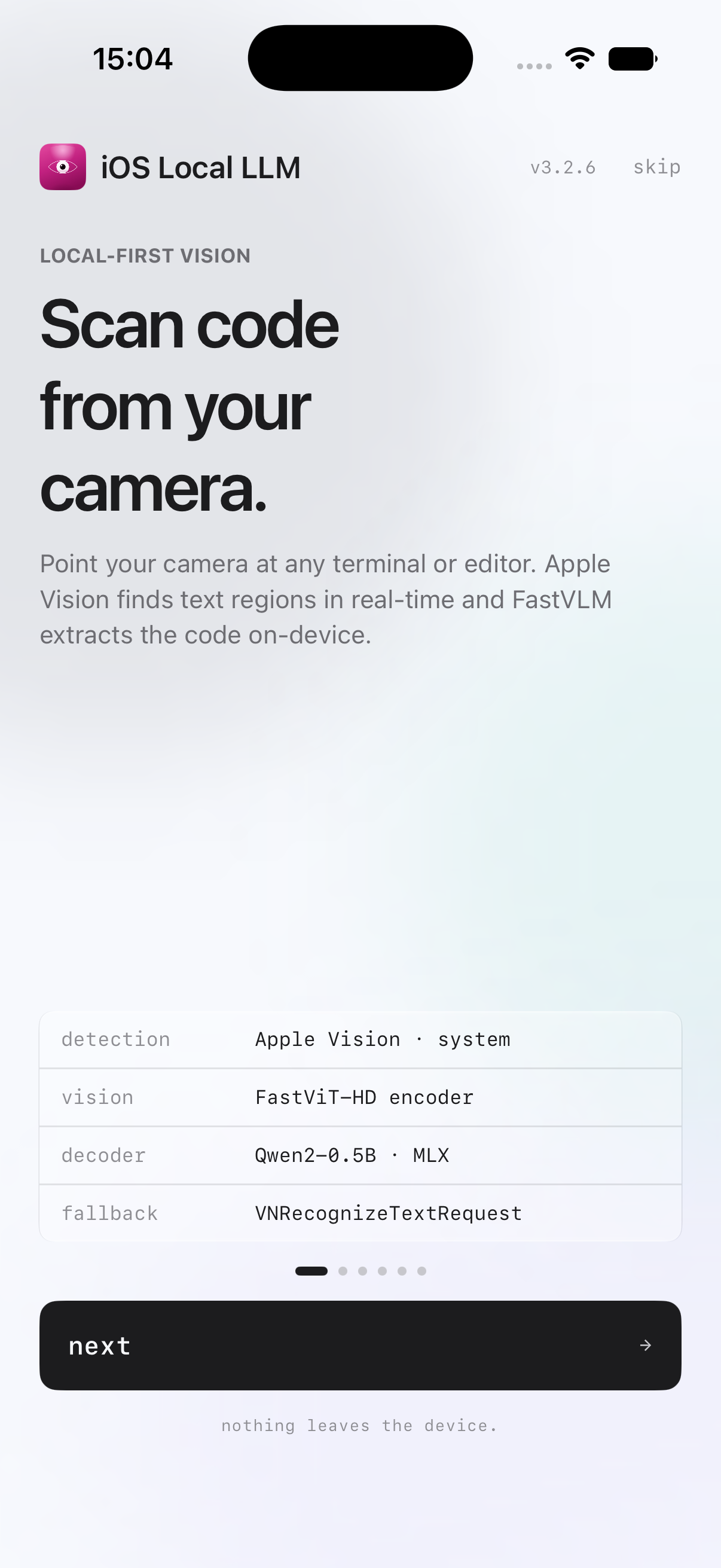 |
These are unedited iPhone Simulator captures from the open-source source build. They contain no user content, accounts, tokens, or model weights. Simulator UI validation does not substitute for physical-device thermal, memory, or performance evidence; see validation policy.
External development tools and agents can use the opt-in local server through:
The local API is bearer-authenticated HTTP intended for a trusted LAN and stops when iOS backgrounds the app. Compatibility is intentionally scoped; unsupported options fail explicitly. See AI and agent integration for routes, examples, security boundaries, and integration guidance.
This repository includes an agent-readable discovery layer:
Agents should treat project.yml as the Xcode project source of truth and must
not add model weights, credentials, signing files, or generated native
frameworks to Git.
You do not need to adopt the whole application. The repository now includes:
Components are labeled Extractable, Adaptable, or Integrated so developers and coding agents can distinguish small portable utilities from services that require app-specific adapters or native inference frameworks.
OnDevice LLM is usable but is a large, evolving application. Some features require recent Apple hardware, optional model downloads, or native frameworks that must be built locally. Contributions that improve first-run setup, tests, accessibility, and documentation are especially welcome.
An Apple Developer Program membership is not required for Simulator builds. Running on a physical device uses your own signing identity and bundle identifier.
Clone the repository and its native dependencies:
git clone --recurse-submodules https://github.com/Mesutcydev/ondevice-core.git
cd ondevice-core
Install project tools if needed:
brew install xcodegen cocoapods cmake
Build the native inference frameworks:
./scripts/build_native_frameworks.sh
For the optional Apple-Silicon Mac Catalyst target, add
--with-catalyst. The tracked root scripts build only the required slices
from the pinned submodules; no untracked submodule edits are required.
Generate the Xcode project and install CocoaPods:
xcodegen generate
pod install
open OnDeviceCoreAIStudio.xcworkspace
For Simulator, generate project-simcompat.yml and open
OnDeviceSimCompat.xcworkspace; the production project includes a device-only
Core AI package. Select the OnDeviceCoreAIStudio scheme. For a physical
device, change the bundle identifiers and select your own development team in Xcode.
See SETUP_INSTRUCTIONS.md and
fork configuration for every identifier,
capability, and optional model step.
Official releases are source-only. Starting with v3.2.6, each release
includes a reproducible source archive, SHA-256 checksum, and GitHub/Sigstore
provenance attestation. See
release verification for the exact download
and verification commands.
Public IPA downloads and the AltStore catalog have been retired as app distribution moves to the App Store. The retired AltStore source is kept empty for existing subscribers. Source archives and release history remain available.
No AI model weights, compiled Core ML models, generated XCFrameworks, or app installers are distributed in this repository. They are intentionally ignored because they are large and often have terms different from the OnDevice Local AI Studio license.
OnDevice LLM downloads supported models only after a user chooses them. Always review a model's license before downloading or redistributing it. In particular, Apple FastVLM weights use a research-only license and are not part of this open-source distribution.
Inference and user data are local by default. Network access is used for explicit actions such as searching for or downloading models, optional web search, and communication with a paired local bridge. Review PRIVACY_POLICY.md and the app's privacy manifest before shipping a modified build.
Read CONTRIBUTING.md before opening a change. Please use GitHub Issues for reproducible bugs and focused feature proposals. Security reports should follow SECURITY.md.
Original project code and documentation are available under the MIT License. Third-party code, data, models, and dependencies remain under their respective terms; see THIRD_PARTY_NOTICES.md. Names and compatibility references are explained in TRADEMARKS.md.
Project decisions and contribution roles are documented in GOVERNANCE.md, ROADMAP.md, and MAINTAINERS.md.
OnDevice Core — local-first AI studio for iPhone: native Edge0 MoE runtime (35B), MLX, llama.cpp, whisper.cpp. No account, no telemetry, no cloud inference by default.
Swift
1
1 commits
updated Oct 1, 2026
Run open-source LLMs on iPhone offline — chat, vision, voice, RAG, and an authenticated local API. Built in SwiftUI with MLX, llama.cpp, whisper.cpp, and Core ML. No account. No telemetry. No cloud inference by default.
Part of the OnDevice product line. Independent open-source project — not affiliated with or endorsed by Apple Inc.
OnDevice LLM (this repo) is the main local-first AI workbench for iPhone and Apple silicon Macs. It runs language, vision, speech, and image-generation models on the device, and exposes opt-in OpenAI-, Anthropic-, and Ollama-compatible local APIs with structured tool calling and a paired Mac agent channel.
| Product | Status | What it is |
|---|---|---|
| OnDevice LLM | Main · open source | Full iOS/macCatalyst workbench (this repository) |
| OnDevice Local API Server | Beta | Dedicated local API surface for agents and LAN clients — project page |
| OnDevice CoreAI Local API Server | Beta | CoreAI-backed local API server variant |
Public repository: Mesutcydev/ondevice-core.
Product name is OnDevice LLM. The website retains the legacy
ios-local-llm slug: mesutcydev.github.io/ios-local-llm.
App Store releases are coming soon. Public sideload IPA downloads have been retired. This repository remains the canonical source distribution; official App Store links will be published at ondevice.fun when available.
| Home | Assistant |
|---|---|
| |
| Models | Local vision onboarding |
| |
These are unedited iPhone Simulator captures from the open-source source build. They contain no user content, accounts, tokens, or model weights. Simulator UI validation does not substitute for physical-device thermal, memory, or performance evidence; see validation policy.
External development tools and agents can use the opt-in local server through:
The local API is bearer-authenticated HTTP intended for a trusted LAN and stops when iOS backgrounds the app. Compatibility is intentionally scoped; unsupported options fail explicitly. See AI and agent integration for routes, examples, security boundaries, and integration guidance.
This repository includes an agent-readable discovery layer:
Agents should treat project.yml as the Xcode project source of truth and must
not add model weights, credentials, signing files, or generated native
frameworks to Git.
You do not need to adopt the whole application. The repository now includes:
Components are labeled Extractable, Adaptable, or Integrated so developers and coding agents can distinguish small portable utilities from services that require app-specific adapters or native inference frameworks.
OnDevice LLM is usable but is a large, evolving application. Some features require recent Apple hardware, optional model downloads, or native frameworks that must be built locally. Contributions that improve first-run setup, tests, accessibility, and documentation are especially welcome.
An Apple Developer Program membership is not required for Simulator builds. Running on a physical device uses your own signing identity and bundle identifier.
Clone the repository and its native dependencies:
git clone --recurse-submodules https://github.com/Mesutcydev/ondevice-core.git
cd ondevice-core
Install project tools if needed:
brew install xcodegen cocoapods cmake
Build the native inference frameworks:
./scripts/build_native_frameworks.sh
For the optional Apple-Silicon Mac Catalyst target, add
--with-catalyst. The tracked root scripts build only the required slices
from the pinned submodules; no untracked submodule edits are required.
Generate the Xcode project and install CocoaPods:
xcodegen generate
pod install
open OnDeviceCoreAIStudio.xcworkspace
For Simulator, generate project-simcompat.yml and open
OnDeviceSimCompat.xcworkspace; the production project includes a device-only
Core AI package. Select the OnDeviceCoreAIStudio scheme. For a physical
device, change the bundle identifiers and select your own development team in Xcode.
See SETUP_INSTRUCTIONS.md and
fork configuration for every identifier,
capability, and optional model step.
Official releases are source-only. Starting with v3.2.6, each release
includes a reproducible source archive, SHA-256 checksum, and GitHub/Sigstore
provenance attestation. See
release verification for the exact download
and verification commands.
Public IPA downloads and the AltStore catalog have been retired as app distribution moves to the App Store. The retired AltStore source is kept empty for existing subscribers. Source archives and release history remain available.
No AI model weights, compiled Core ML models, generated XCFrameworks, or app installers are distributed in this repository. They are intentionally ignored because they are large and often have terms different from the OnDevice Local AI Studio license.
OnDevice LLM downloads supported models only after a user chooses them. Always review a model's license before downloading or redistributing it. In particular, Apple FastVLM weights use a research-only license and are not part of this open-source distribution.
Inference and user data are local by default. Network access is used for explicit actions such as searching for or downloading models, optional web search, and communication with a paired local bridge. Review PRIVACY_POLICY.md and the app's privacy manifest before shipping a modified build.
Read CONTRIBUTING.md before opening a change. Please use GitHub Issues for reproducible bugs and focused feature proposals. Security reports should follow SECURITY.md.
Original project code and documentation are available under the MIT License. Third-party code, data, models, and dependencies remain under their respective terms; see THIRD_PARTY_NOTICES.md. Names and compatibility references are explained in TRADEMARKS.md.
Project decisions and contribution roles are documented in GOVERNANCE.md, ROADMAP.md, and MAINTAINERS.md.



