Visual Studio Code extension for enhancing debug capabilities for Cortex-M Microcontrollers
TypeScript
1,252
1,542 commits
updated Oct 8, 2026
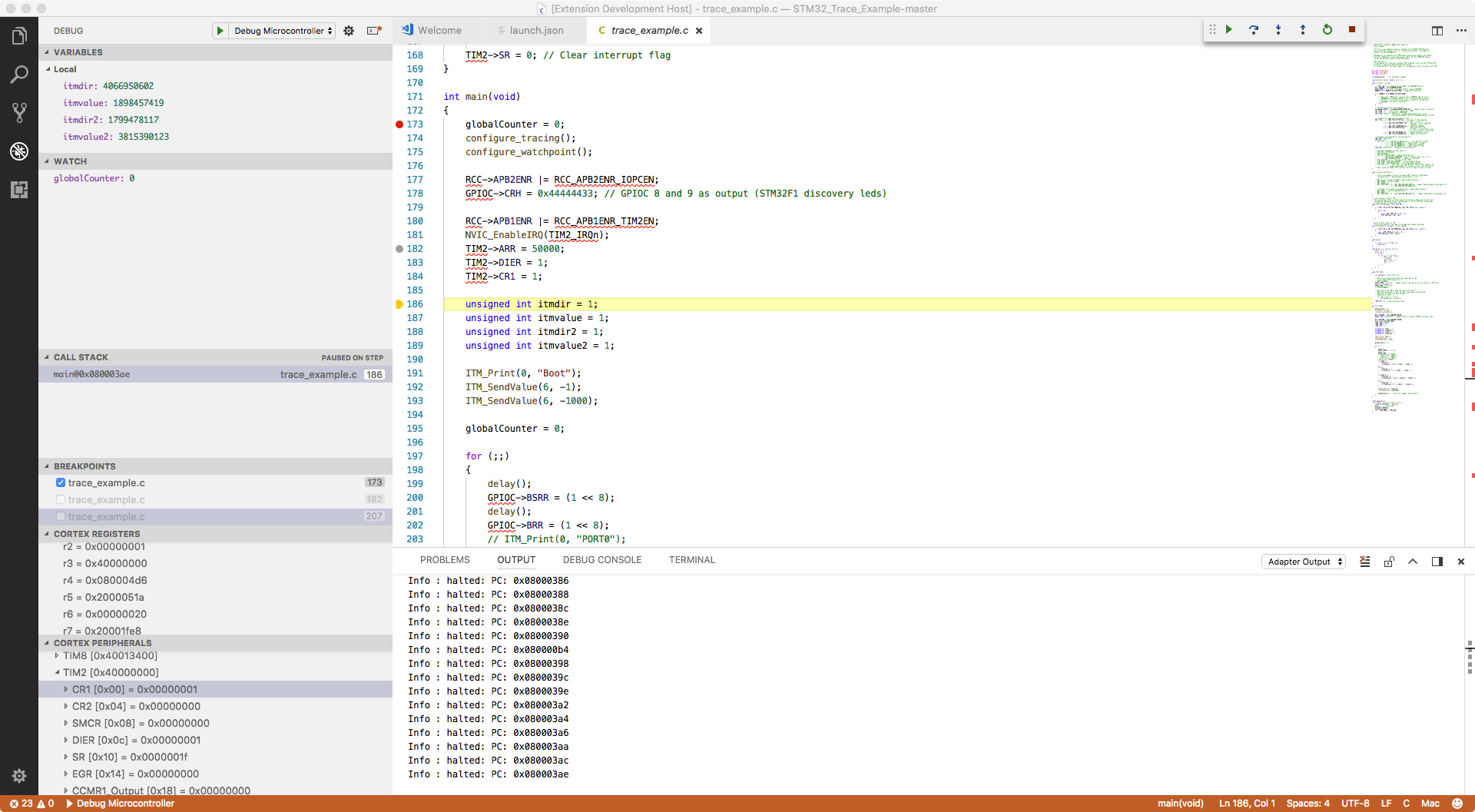
Debugging support for ARM Cortex-M (and others) Microcontrollers with the following features:
TERMINAL tab, there will be a sub-window called gdb-server. That terminal is bidirectional and is intended for semi-hosting. This applies to those gdb-servers that do their semi-hosting on their stdio.
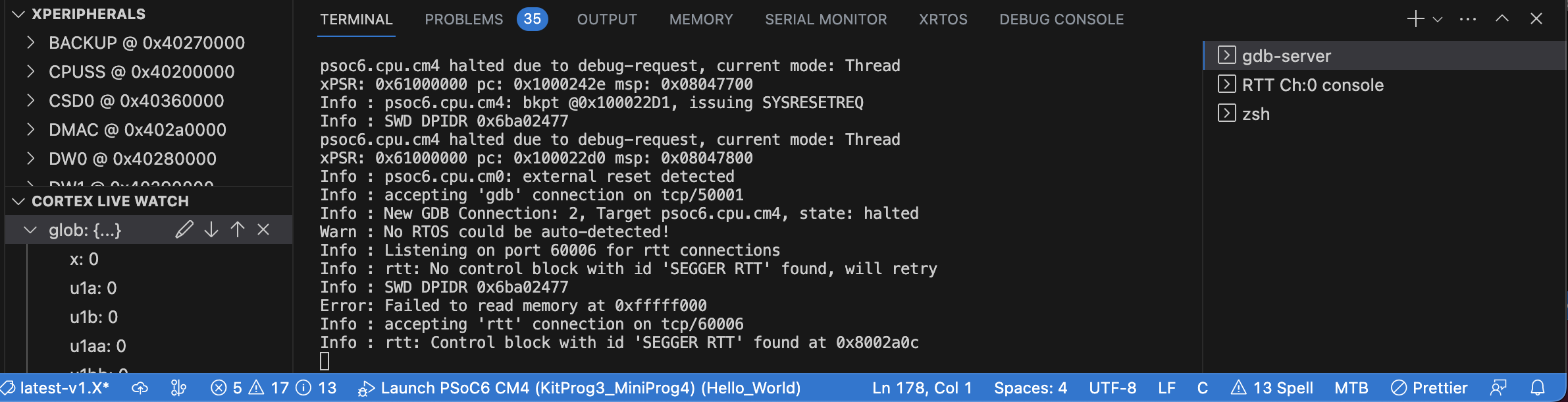
CALL STACK window (J-Link, OpenOCD, pyOCD - RTOS supported depend on GDB server)


Extension Pack in the futureCortex-Debug uses a versioning system specified by Microsoft that allows distribution of pre-releases via the marketplace. You can enable (or disable) pre-releases within VSCode for this extension and you will automatically get new pre-releases. By default, pre-releases are disabled. We use pre-releases as allow testing of bug fixes and new features. They allow you participate during the formation of a feature of how an issue gets addressed. More info about pre-releases. To summarize, extensions use semantic versioning (SemVer) system which in simple terms is major.minor.patch. With MS convention, if the minor version is odd, then it is a pre-release.
Requirements:
brew install open-ocd --HEAD) or the packages from https://github.com/xpack-dev-tools/openocd-xpack/releases/ will also work.armToolchainPath, stm32cubeprogrammer and serverpath).See https://github.com/Marus/cortex-debug/wiki for usage information. This needs some help from the community. See https://github.com/Marus/cortex-debug/blob/master/debug_attributes.md for a summary of all properties that are available in your launch.json
Make sure you have git, NodeJS and typescript installed on your PC before you begin. See: https://code.visualstudio.com/docs/setup/additional-components
git clone https://github.com/Marus/cortex-debug.gitcd cortex-debuggit checkout <existing-branch-name>npm installnpm run compilenpm watch. This will compile the code and watch for any changes and auto compile. The first time, it may take a minute or so for it to watch the entire folder. You can see the output of npm watch in the Terminal tab.The extension is split into two main parts.
debug adapter which interfaces between gdb, vscode/front-end, and the gdb-server. We just start the server and from then on the debug adapter only interacts with gdb. All requests go to gdb and the results are read back from gdb using gdb's MI (machine interface)If you want to debug both parts, in launch.json use the Extension + Debug Server configuration. It will launch a new window -- the debuggee. In the debuggee VSCode window, load a FW folder/workspace (VSCode remembers the last one) and add the following to debuggee's launch.json.
"debugServer": 4711
Now, launch a debug session and you wil be able to use the primary VSCode window to observe the Cortex-Debug extension
Parts of this extension are based upon Jan Jurzitza's (WebFreak) code-debug extension (https://github.com/WebFreak001/code-debug).
His project provided an excellent base for GDB MI parsing and interaction.
1,707 followers · starred Feb 2018
410 followers · starred Sep 2018
1,461 followers · starred Apr 2019
34 followers · starred Apr 2018
Visual Studio Code extension for enhancing debug capabilities for Cortex-M Microcontrollers
TypeScript
1,252
1,542 commits
updated Oct 8, 2026
Debugging support for ARM Cortex-M (and others) Microcontrollers with the following features:
TERMINAL tab, there will be a sub-window called gdb-server. That terminal is bidirectional and is intended for semi-hosting. This applies to those gdb-servers that do their semi-hosting on their stdio.
CALL STACK window (J-Link, OpenOCD, pyOCD - RTOS supported depend on GDB server)
Extension Pack in the futureCortex-Debug uses a versioning system specified by Microsoft that allows distribution of pre-releases via the marketplace. You can enable (or disable) pre-releases within VSCode for this extension and you will automatically get new pre-releases. By default, pre-releases are disabled. We use pre-releases as allow testing of bug fixes and new features. They allow you participate during the formation of a feature of how an issue gets addressed. More info about pre-releases. To summarize, extensions use semantic versioning (SemVer) system which in simple terms is major.minor.patch. With MS convention, if the minor version is odd, then it is a pre-release.
Requirements:
brew install open-ocd --HEAD) or the packages from https://github.com/xpack-dev-tools/openocd-xpack/releases/ will also work.armToolchainPath, stm32cubeprogrammer and serverpath).See https://github.com/Marus/cortex-debug/wiki for usage information. This needs some help from the community. See https://github.com/Marus/cortex-debug/blob/master/debug_attributes.md for a summary of all properties that are available in your launch.json
Make sure you have git, NodeJS and typescript installed on your PC before you begin. See: https://code.visualstudio.com/docs/setup/additional-components
git clone https://github.com/Marus/cortex-debug.gitcd cortex-debuggit checkout <existing-branch-name>npm installnpm run compilenpm watch. This will compile the code and watch for any changes and auto compile. The first time, it may take a minute or so for it to watch the entire folder. You can see the output of npm watch in the Terminal tab.The extension is split into two main parts.
debug adapter which interfaces between gdb, vscode/front-end, and the gdb-server. We just start the server and from then on the debug adapter only interacts with gdb. All requests go to gdb and the results are read back from gdb using gdb's MI (machine interface)If you want to debug both parts, in launch.json use the Extension + Debug Server configuration. It will launch a new window -- the debuggee. In the debuggee VSCode window, load a FW folder/workspace (VSCode remembers the last one) and add the following to debuggee's launch.json.
"debugServer": 4711
Now, launch a debug session and you wil be able to use the primary VSCode window to observe the Cortex-Debug extension
Parts of this extension are based upon Jan Jurzitza's (WebFreak) code-debug extension (https://github.com/WebFreak001/code-debug).
His project provided an excellent base for GDB MI parsing and interaction.
1,707 followers · starred Feb 2018
410 followers · starred Sep 2018
1,461 followers · starred Apr 2019
34 followers · starred Apr 2018